At big events the A Main runs two or three times, as legs, and Multi-Leg Finals adds up each driver's places. RaceLyx has no Run leg 2 button: you draw each extra leg yourself as a new Mains round, with Round # 2 for leg 2 and 3 for leg 3, and only the A Main drivers in it. Each round is saved as its own A Main, and Multi-Leg Finals reads them as legs. It needs the Pro plan.
Before you start
- Pro plan.
- Leg 1 run and saved: the A Main built with Build Mains, raced and saved for each class.
- The names of each class's A Main drivers, from the A Main result.
- Multi-Leg Finals ticked on the Mains step of Event Setup, so it shows in the Results sidebar (optional).
Step by step
- 1
Leg 1 is saved
Leg 1 is the A Main you built and saved as usual. Open Race Control, Heats & Program.
Build Mains, race the mains and save them, as on any night. Note each class's A Main drivers from the A Main result in Results; you tick them in a moment.
- 2
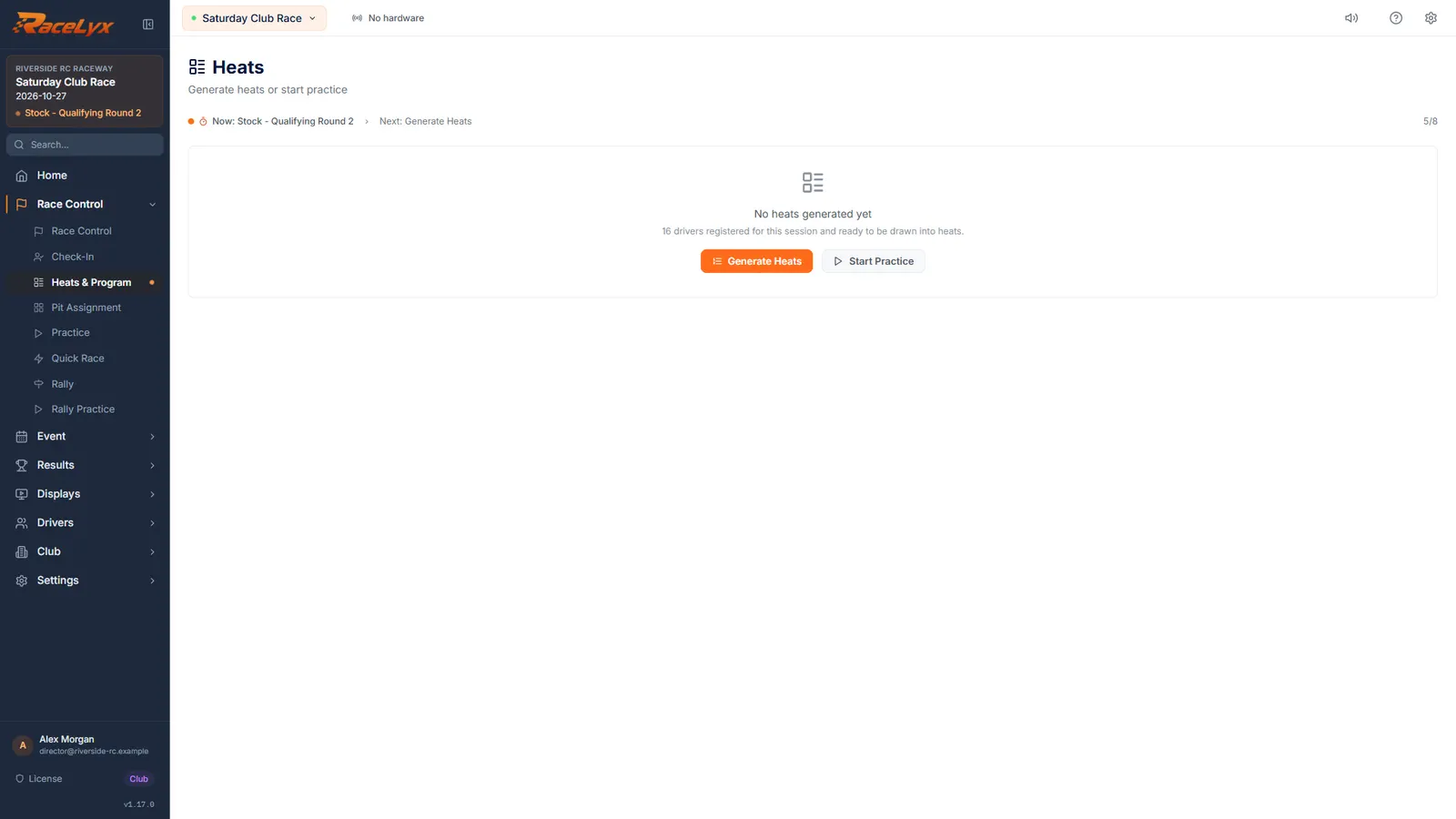
Clear Heats
Click Clear Heats, then Clear heats to confirm. Saved results are not touched.
The heat form only appears when the program is empty. "All N heats and any bump-ups will be discarded. Saved results are not affected." Leg 1 stays in Results.
- 3
Mains, Round 2
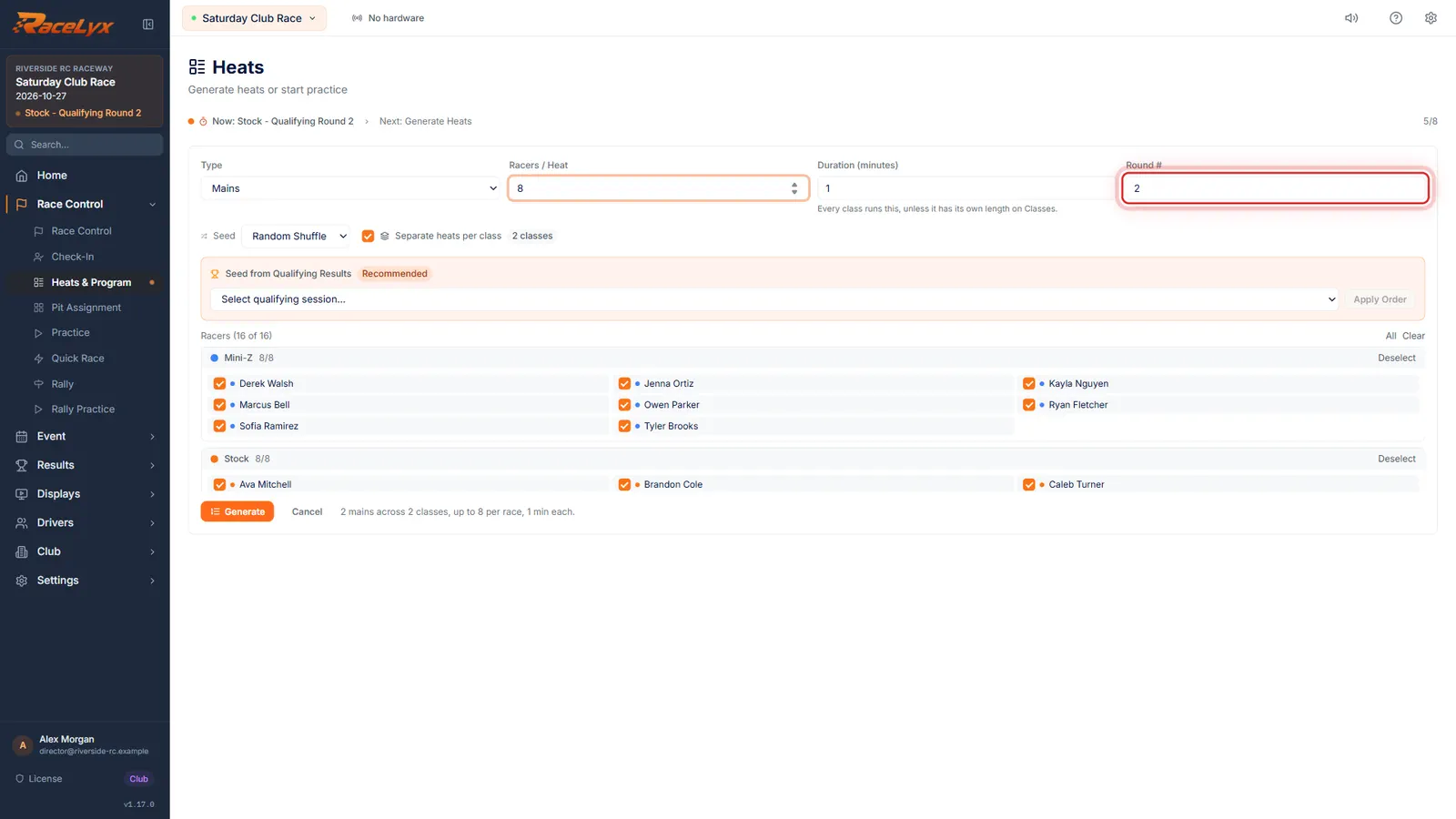
Click Generate Heats. Set Type to Mains and Round number to two. Set Racers per Heat to the size of the A Main.
Type Mains draws a main from the drivers you tick, and Round # files it as round 2, so it is saved as a separate A Main and not on top of leg 1. Racers / Heat must be at least the number of A Main drivers, so only one main is made. Duration starts from Event Setup's mains length.
- 4
Tick only the A Main drivers
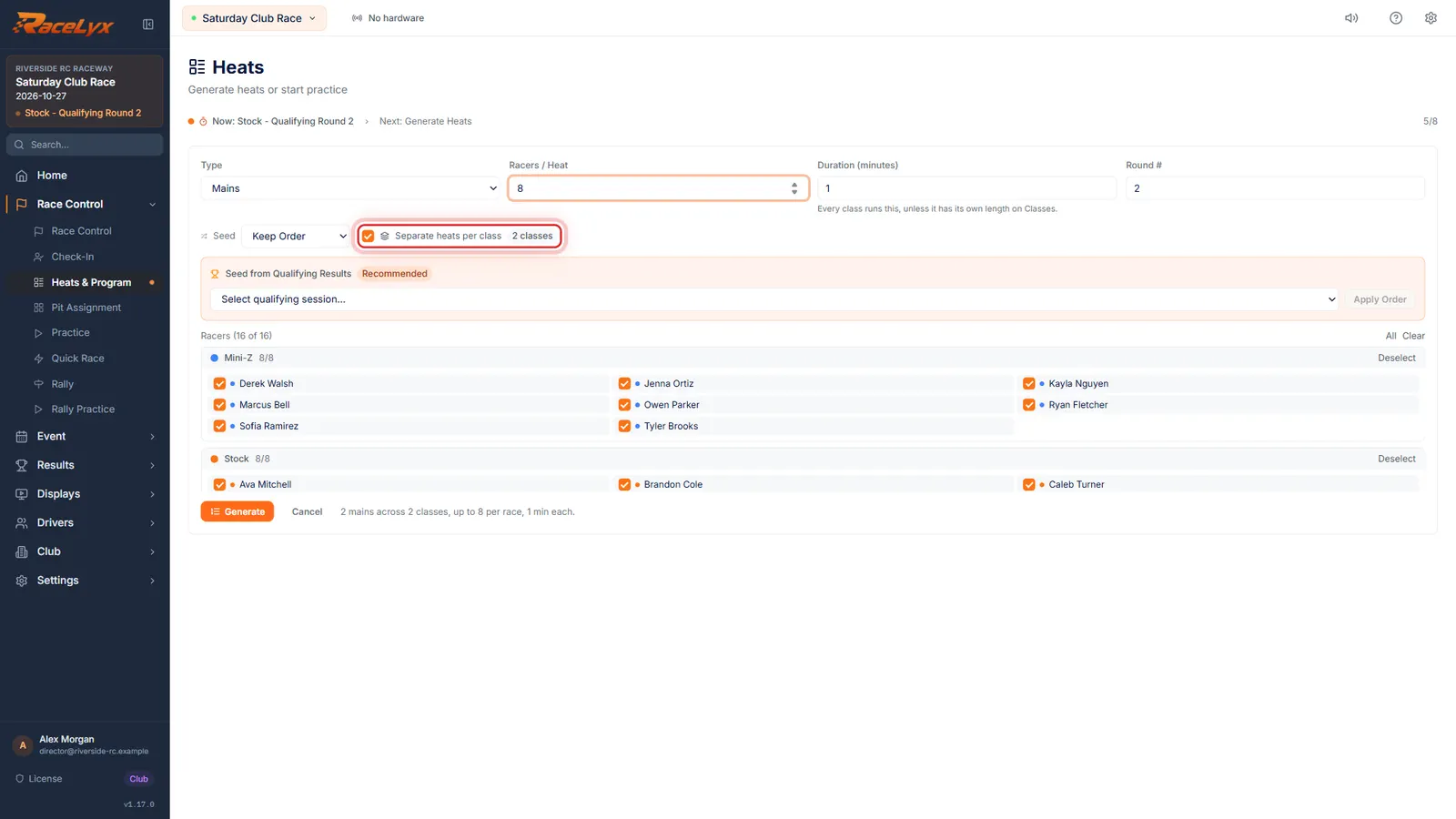
Keep Separate heats per class ticked. Tick only each class's A Main drivers: Clear unticks everyone. Here every driver raced the A Main, so all stay ticked.
The racer list is grouped by class, with Deselect or Select All for each class. Clear unticks everyone; then click each A Main driver. Set Seed to Keep Order to run them in list order. Without Separate heats per class the leg has no class and Multi-Leg Finals files it under Whole event (no class).
- 5
Generate and race leg 2
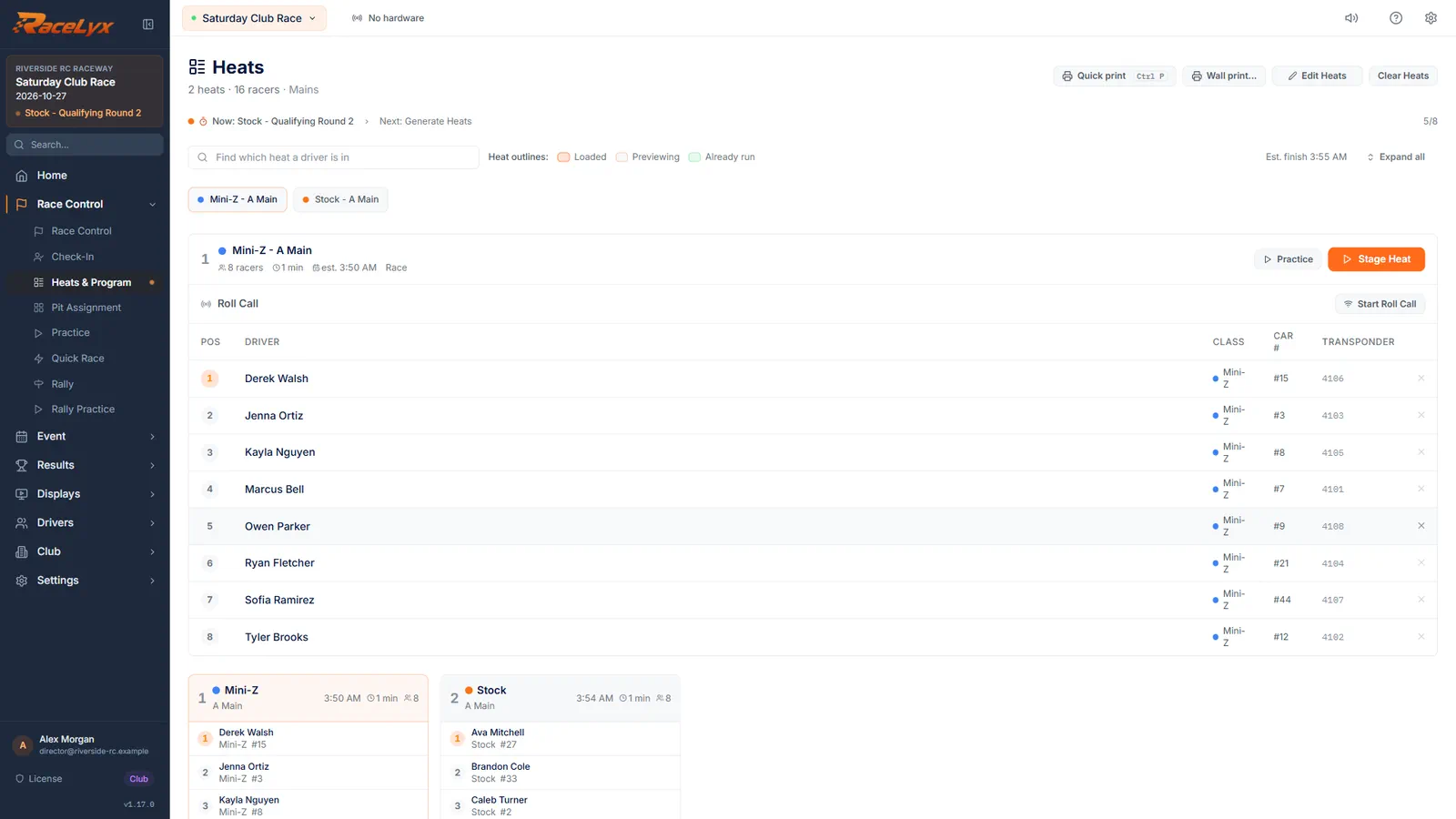
Click Generate. Each class gets one A Main for round two. Race it and save it like any main.
The program now holds one A Main per class. Use Edit Heats if you want to set the grid spots by hand, for example in leg 1's finishing order. Stage, start and save it as usual. For leg 3, Clear Heats again and repeat with Round # 3.
- 6
Multi-Leg Finals reads the legs
Open Results, Multi-Leg Finals. Each saved A Main of the class is a leg, oldest first.
The line under the class says how many A Mains are saved and reads them as legs 1 to N. Click Refresh after saving a new leg, then Compute Standings. The Multi-leg finals guide covers scoring them.
Tips
- Keep Separate heats per class ticked, so the leg is filed under its class. Without it the leg counts under Whole event (no class).
- Set Racers / Heat at least as big as the A Main, so the round makes one main and not two.
- The grid follows the racer list with Seed set to Keep Order. To set exact grid spots, use Edit Heats after Generate and drag drivers into place.
- Do not run the first A Main again from the heat strip for leg 2: a re-run of the same main replaces its points, so Multi-Leg still finds one leg.
- For leg 3, repeat with Round # 3 after leg 2 is saved.
Troubleshooting
- Generate Heats is not on Heats & Program.
- The form only shows when the program is empty. Click Clear Heats first; saved results are not touched.
- Multi-Leg Finals still shows one leg.
- Check the leg was drawn with Round # 2 and Separate heats per class ticked, and that it was saved. Then click Refresh on Multi-Leg Finals.
- The round made an A Main and a B Main.
- Racers / Heat is smaller than the number of drivers ticked, or drivers outside the A Main are still ticked. Clear Heats and draw it again.
Related guides
Something here does not match what you see? Tell us and we will fix the guide.