The ledger is the club's running book. Start it from an opening balance, the bank account plus cash box on a date you choose, and RaceLyx adds every paid payment and expense from then on. It needs the Club plan.
Before you start
- Club plan (or a trial), with Financials on in Settings, Features.
- What the club had on a starting date, like the first day of the season or the last bank statement.
Step by step
- 1
Set opening balance
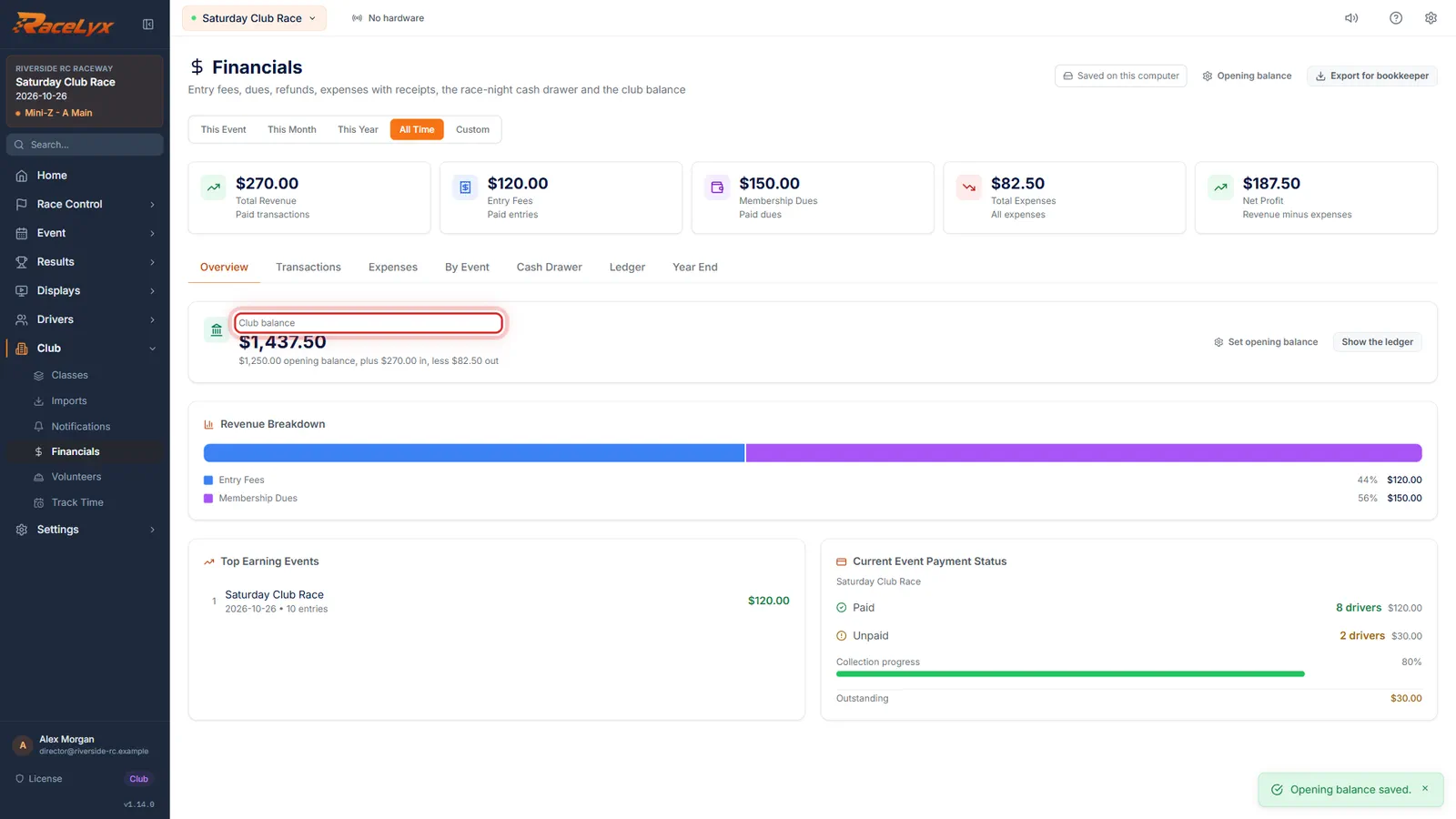
On Financials, Overview starts with the club balance. Click Set opening balance.
The card shows the Club balance, the opening balance and its date, money in and money out. Opening balance in the header opens the same window.
- 2
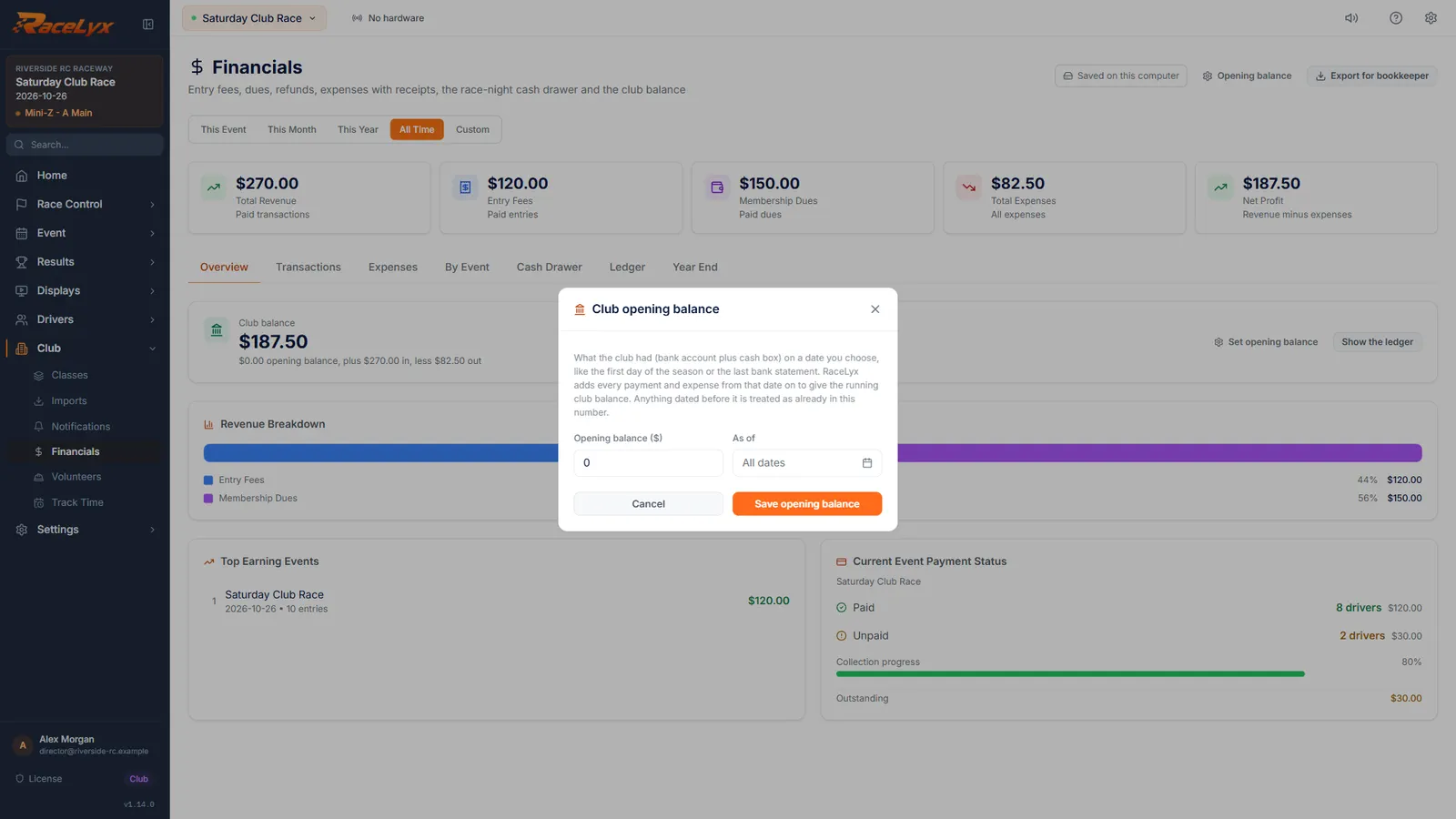
Opening balance ($) and As of
Type what the club had, bank account plus cash box, and the As of date if you have one. Then click Save opening balance.
As of is the date that balance was true, like the first day of the season. Left empty, it covers all dates. Anything dated before it is treated as already in the opening balance. The toast says Opening balance saved.
- 3
Show the ledger
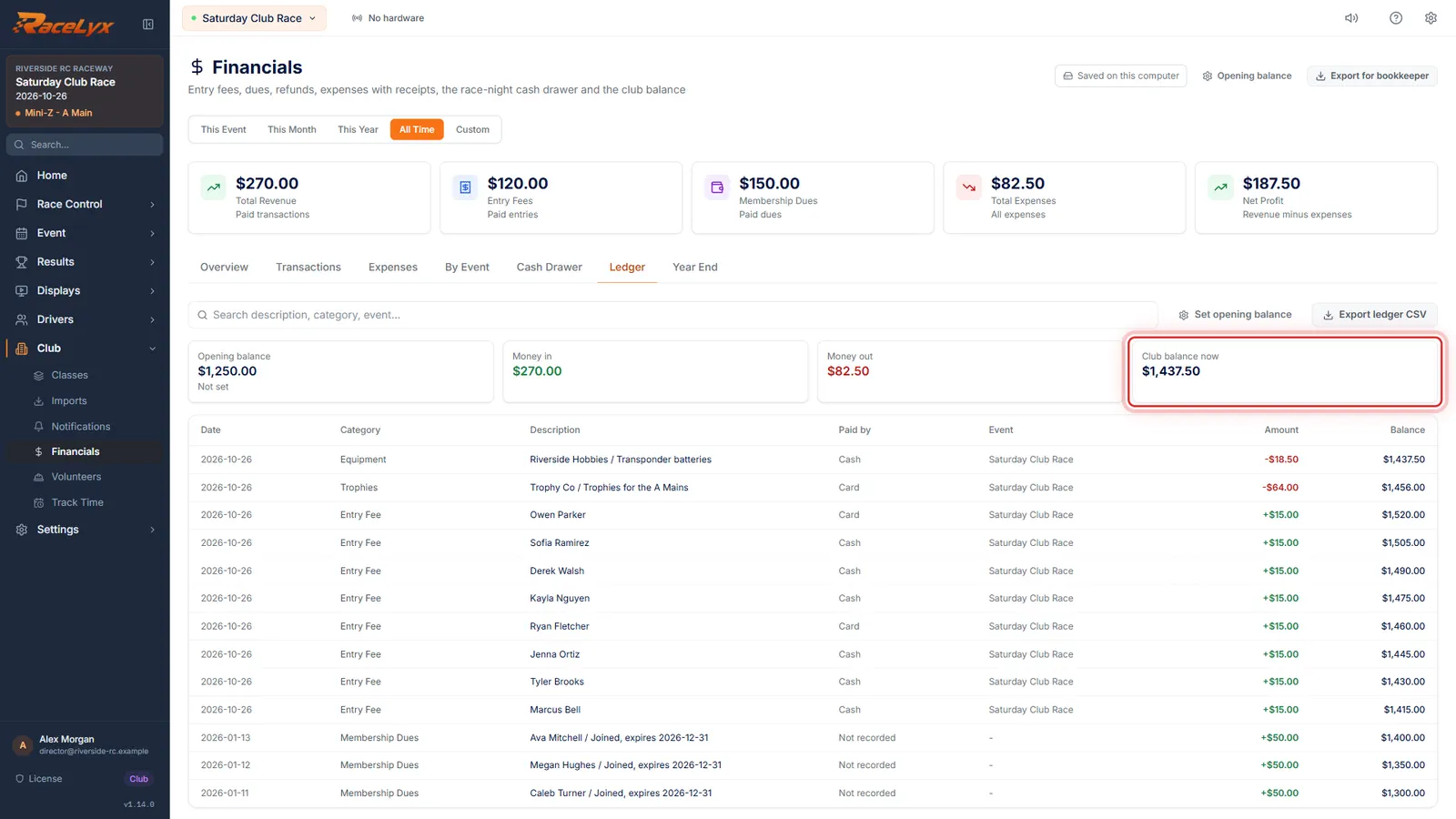
Click Show the ledger. Every paid payment and expense, newest first, with the club balance after each one.
The cards show Opening balance, Money in, Money out and Club balance now. The table has Date, Category, Description, Paid by, Event, a receipt thumbnail when there is one, Amount and Balance.
- 4
Search and Export ledger CSV
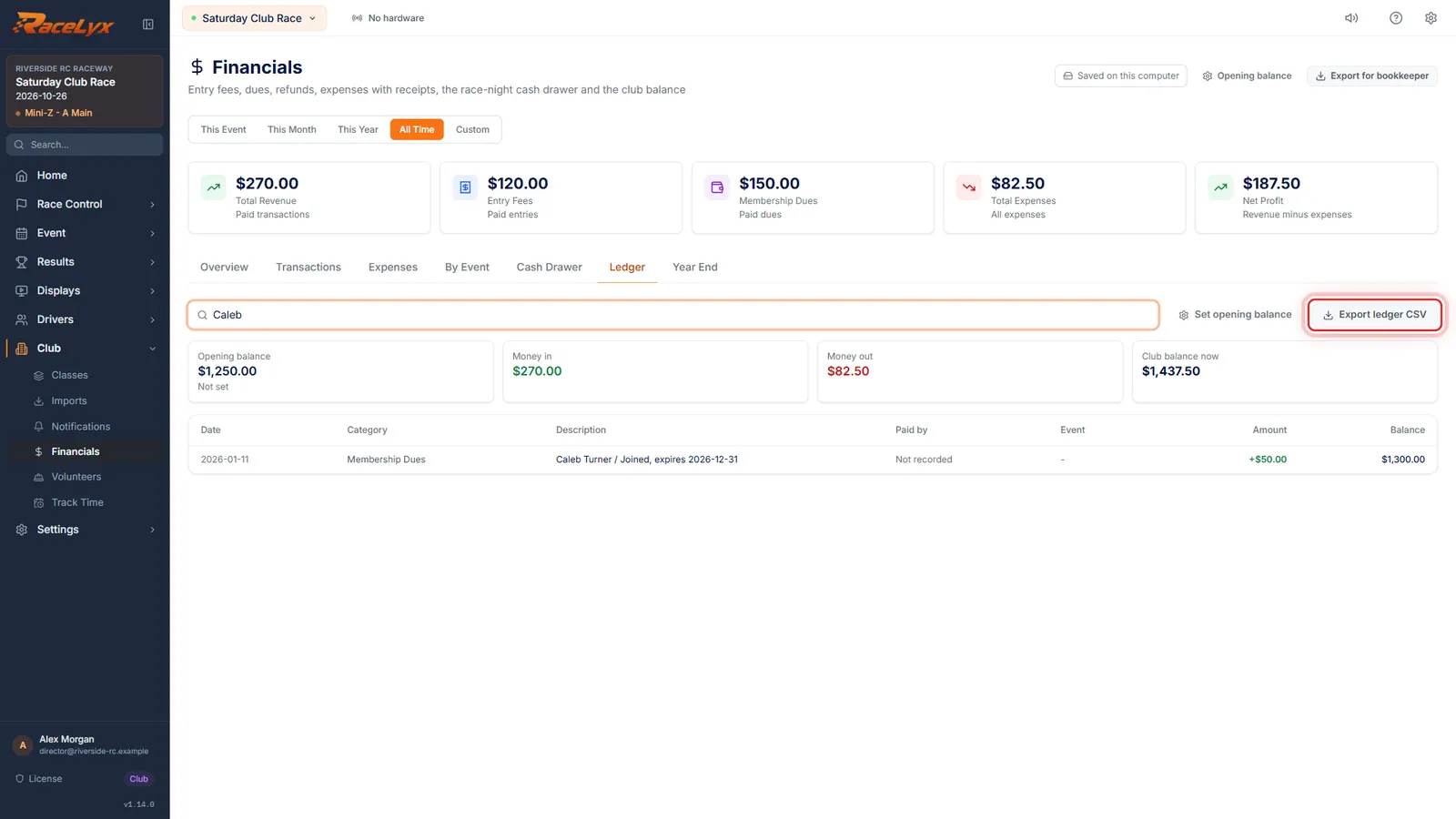
Search finds a name, category or event. Export ledger CSV saves the whole book for your treasurer's records.
Search matches the description, category, event or date. Export ledger CSV has Date, Type, Description, Category, Payment method, Event, Amount and Balance, starting with the opening balance line. It is greyed out while the ledger is empty.
Tips
- Anything dated before the As of date is treated as already in the opening balance.
- Only paid payments move the balance. Unpaid entry fees are not money yet.
- On the same day, money in comes before money out, then the order you entered them.
- The newest row is at the top. Balance is the club balance after that row.
- Export ledger CSV saves the whole ledger, starting with the opening balance line.
- Cash drawer over and short do not move the club balance. Book a short as an Other expense and an over as Other Income, so the ledger matches the bank.
- Export ledger CSV saves to your Downloads folder, named like club_ledger_2026-10-26.csv.
Troubleshooting
- Enter the opening balance as a dollar amount.
- Type a number, like 1250, with no dollar sign.
- No paid income or expenses yet.
- Nothing paid is dated on or after the As of date. Check the date in Set opening balance, or mark payments paid on Transactions.
- Export ledger CSV is greyed out.
- The ledger is empty. It needs at least one paid payment or one expense.
Related guides
Something here does not match what you see? Tell us and we will fix the guide.