A work day is one task on one date with a crowd of helpers. Log a work day records them all at once, with the same hours for everybody unless someone left early or stayed late. Volunteers needs the Club plan.
Before you start
- Club plan (or a trial).
Step by step
- 1
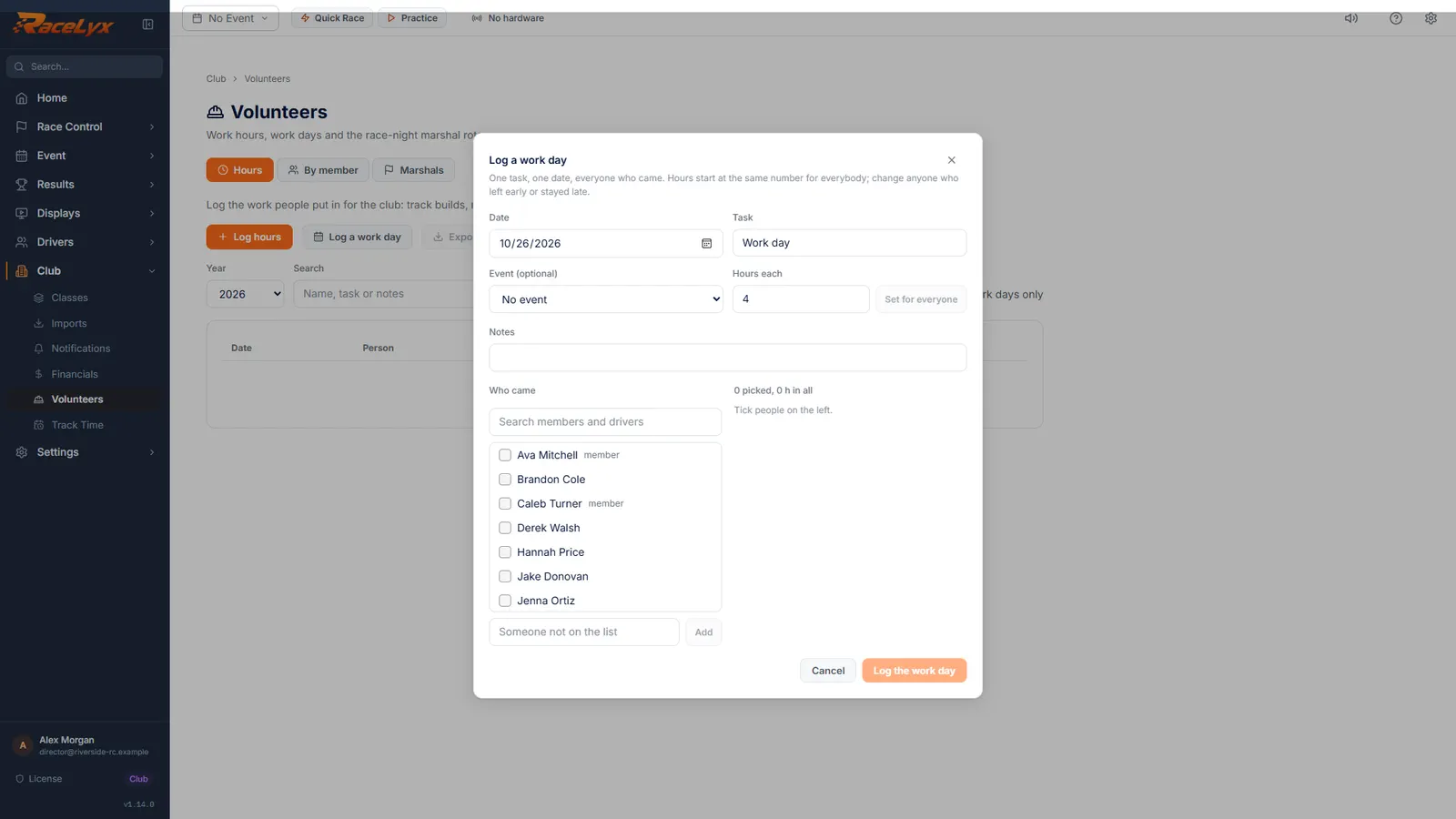
Log a work day
Open Club, Volunteers, and click Log a work day.
One task, one date, everyone who came.
- 2
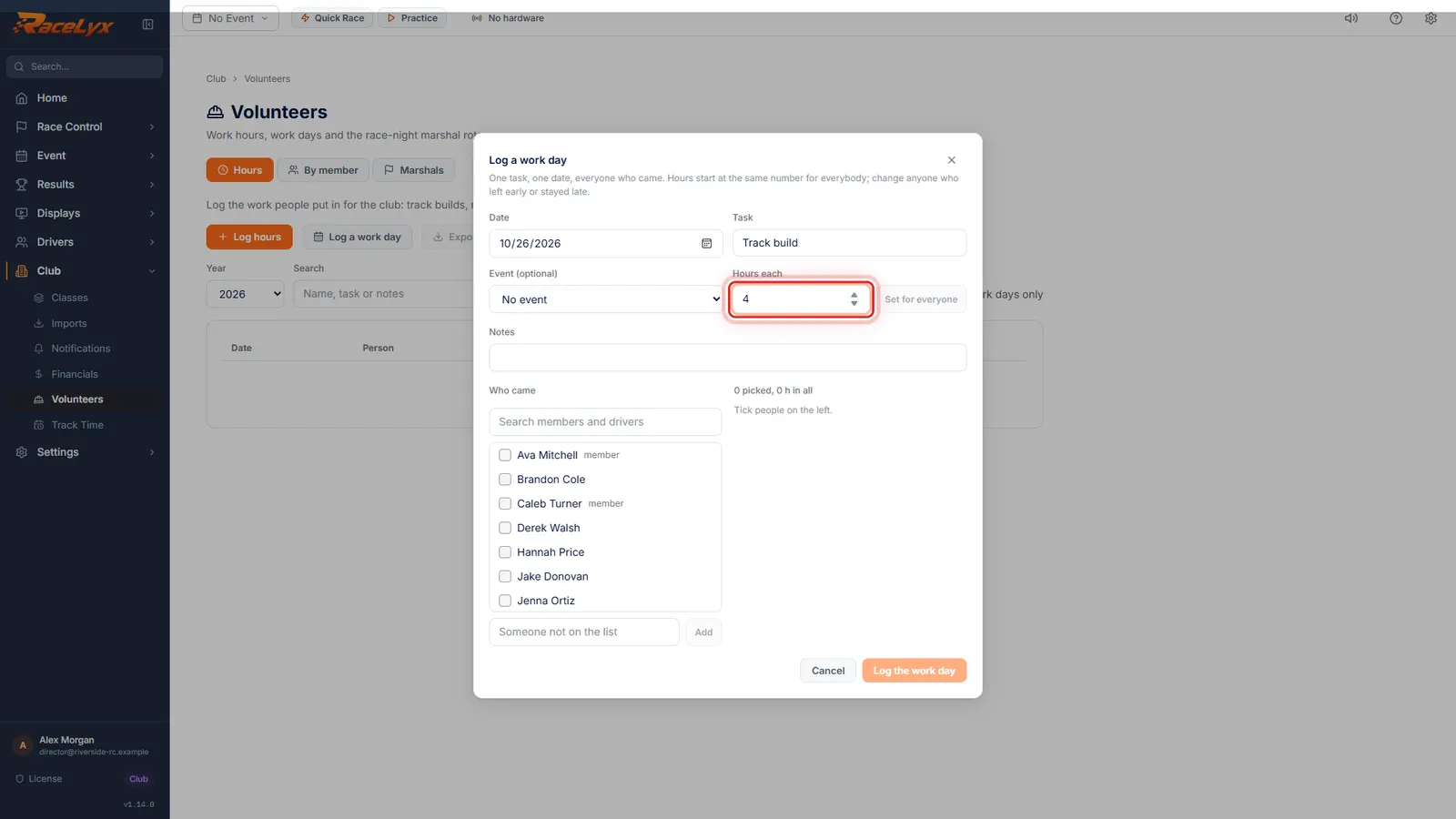
Task and hours each
Set the task and how many hours each person worked.
Date starts at today. Event (optional) and Notes are there if you need them.
- 3
Tick who came
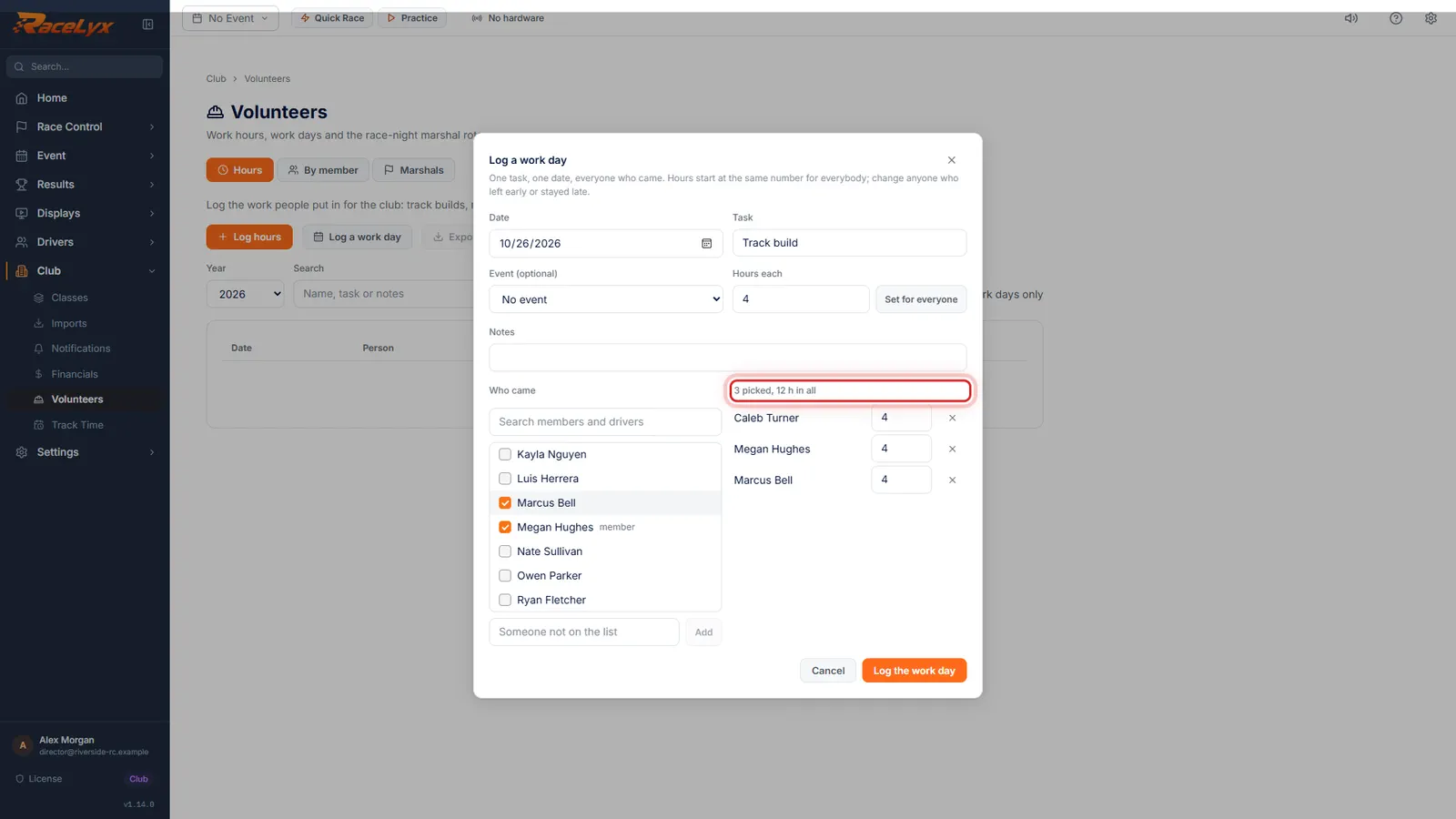
Under Who came, tick everyone who turned up.
Members are marked member. Search narrows the list. Each person ticked appears on the right with the hours.
- 4
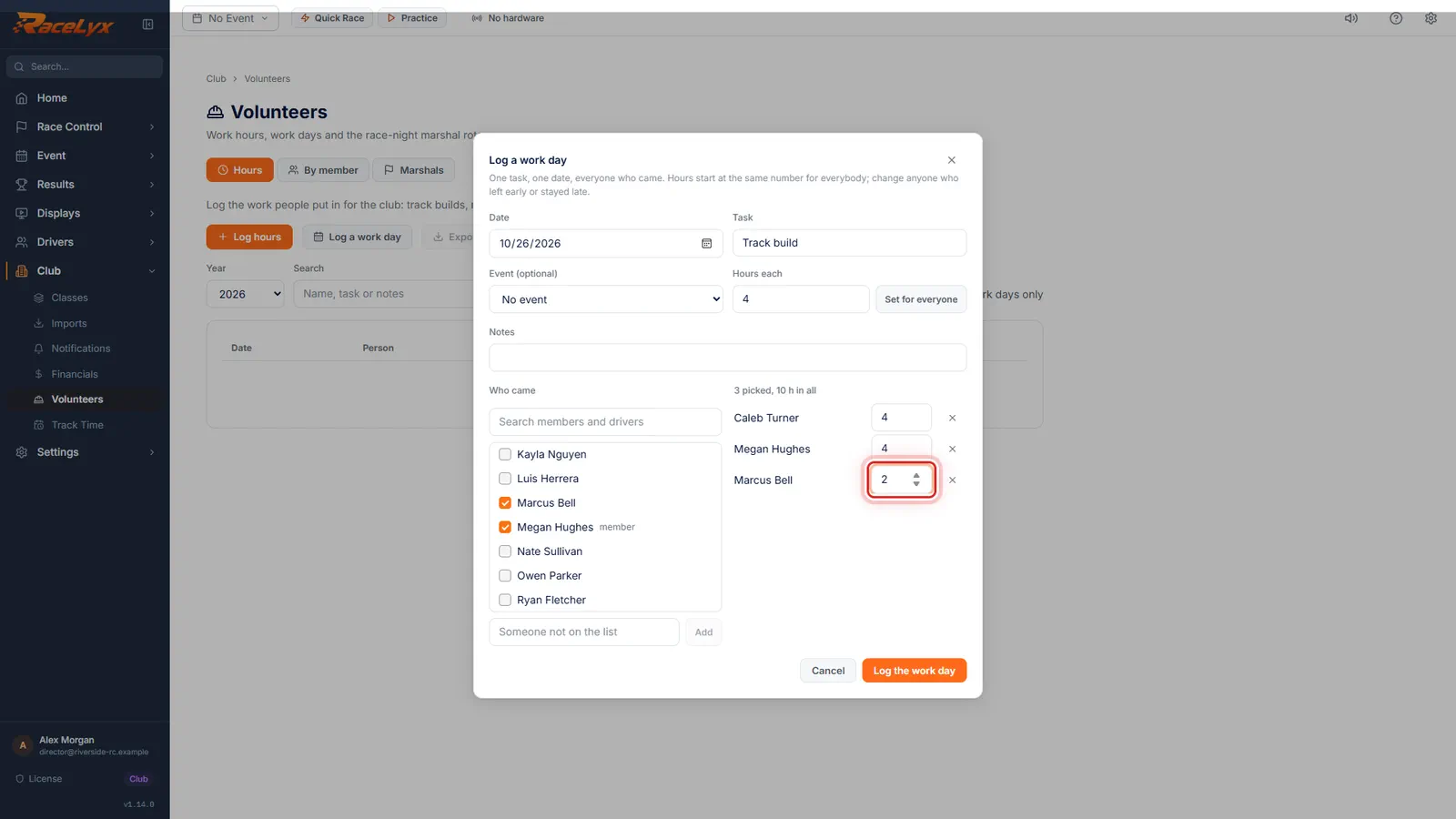
Change anyone who left early
Change the hours for anyone who left early or stayed late. The total updates.
The heading on the right counts the people picked and the hours in all.
- 5
Log the work day
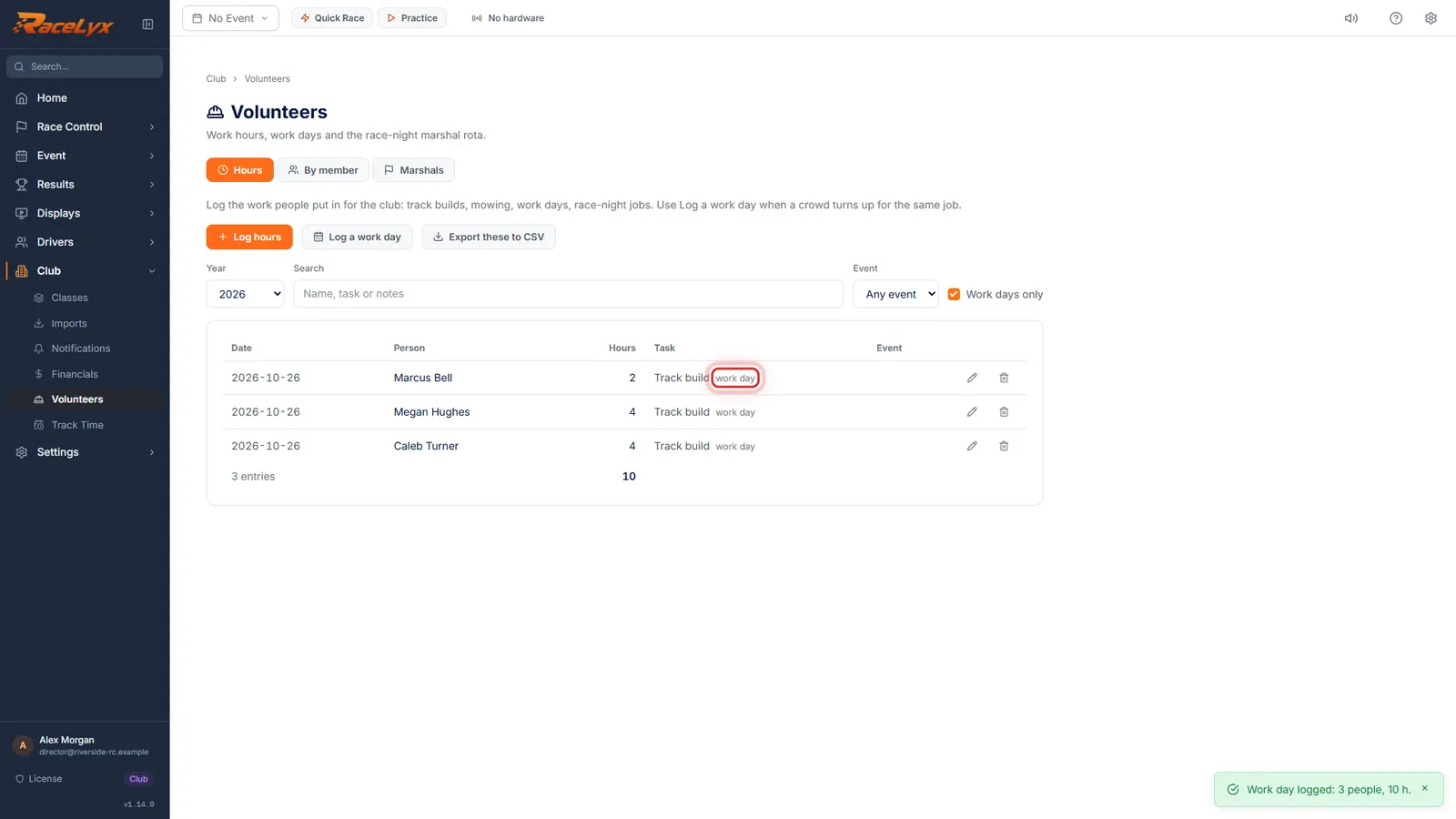
Click Log the work day. Everyone gets their hours, tagged work day.
Tick Work days only on the Hours tab to see just the work days.
Tips
- Set Hours each first, then tick people. Set for everyone puts that number on everyone already picked.
- Someone not on the list can be added by name with Add.
- Each person gets their own hours entry, tagged work day, so it counts toward their yearly hours.
Troubleshooting
- Log the work day is greyed out.
- It needs a Date, a Task and at least one person, each with more than 0 hours.
- Nobody matches.
- Nobody on your members or drivers list matches the search. Add them by name in the box below.
Related guides
Something here does not match what you see? Tell us and we will fix the guide.