Every part of race day runs here
Transponder timing, heat scheduling, registration, entry fees, and live results, in one Windows app you install once and run all season.
Your whole race day, one screen

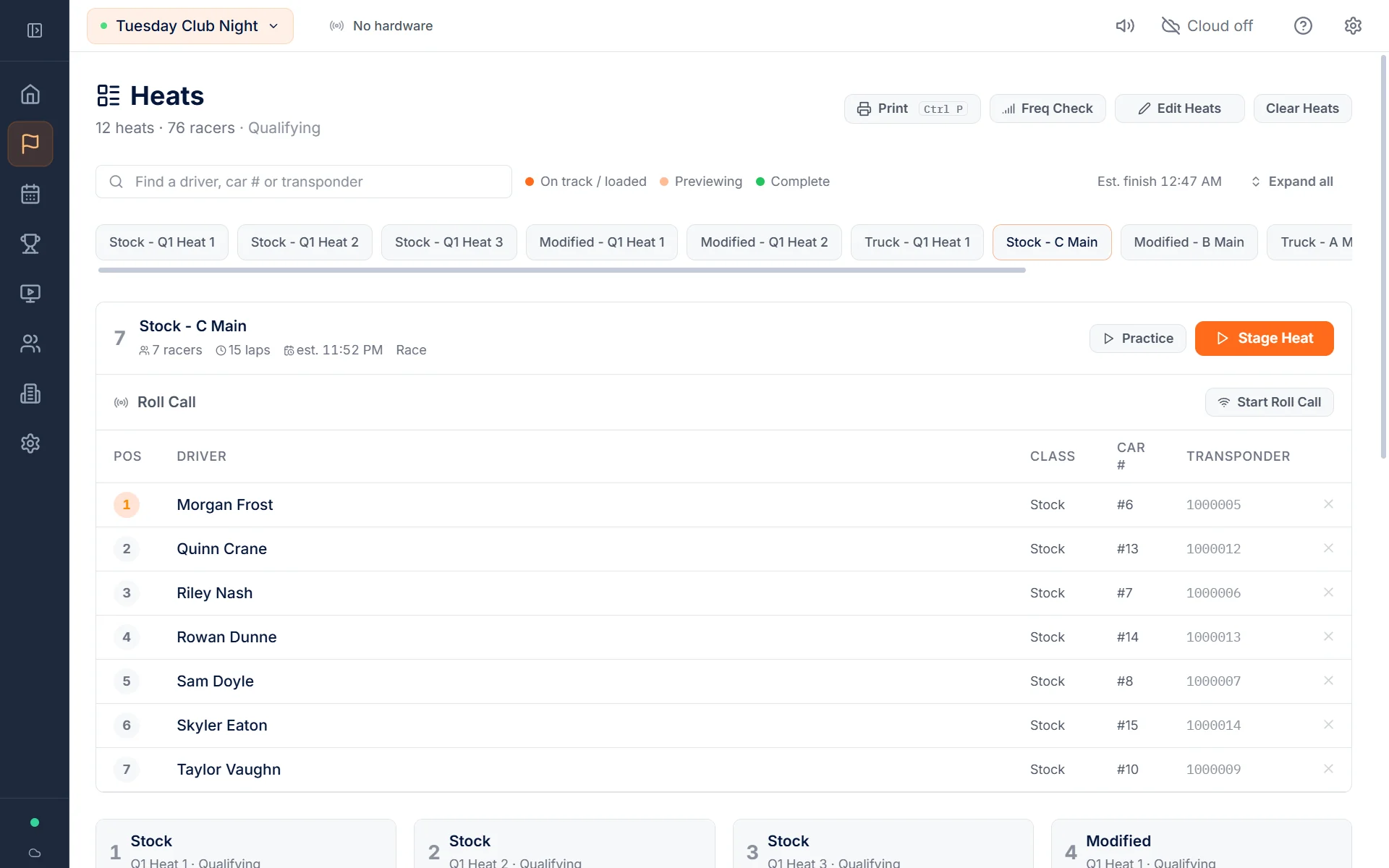
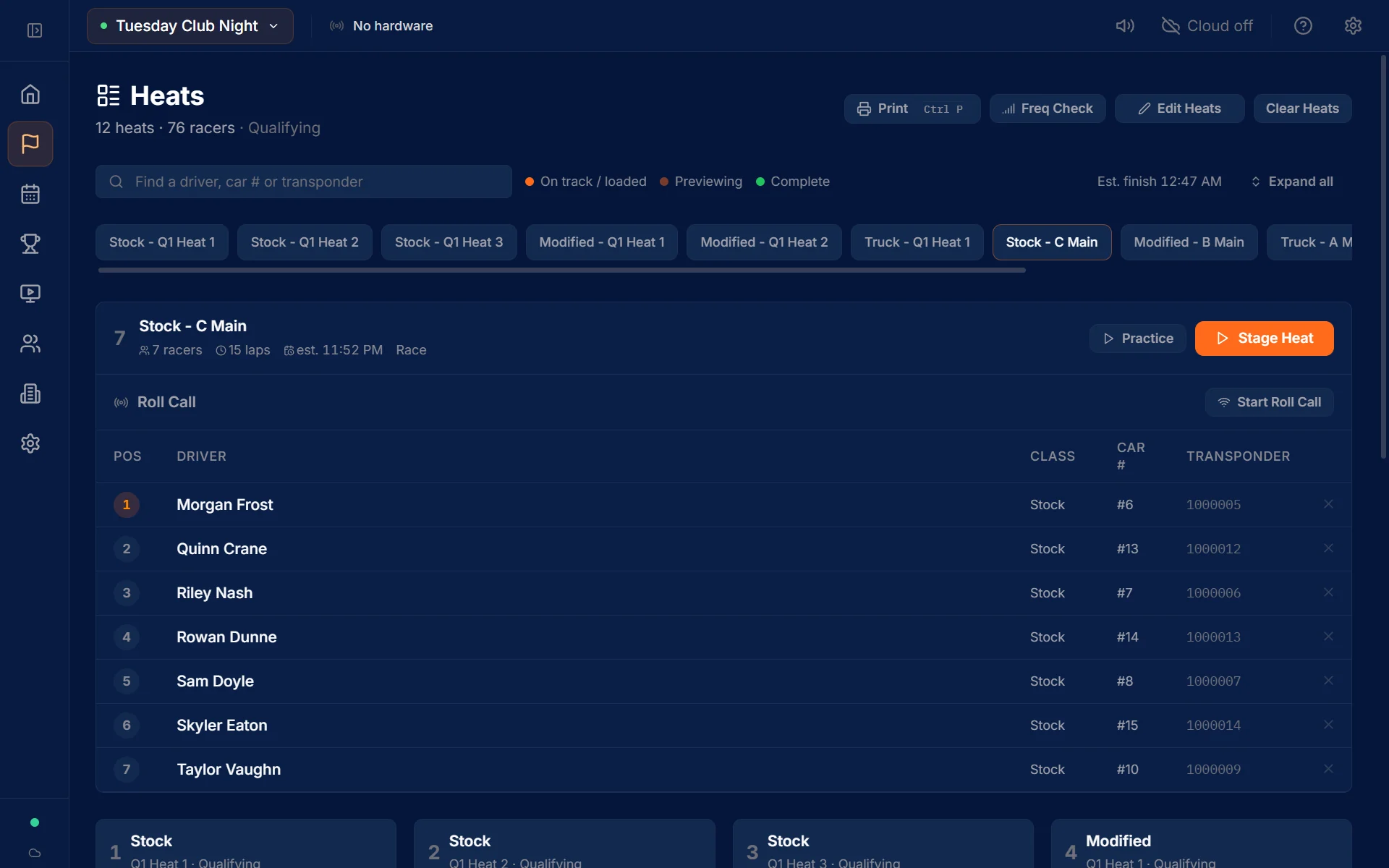
Transponder Timing
Lap-accurate transponder timing
Positions, lap times, and gaps update the moment each transponder crosses the loop. The timing core keeps counting while you work.
Lap-Accurate Timing
Positions, lap times, and gaps update the moment each transponder crosses the loop.
Decoder Support
Connects to I-Lap, EasyLAP, LapMonitor, SkyRC LapWiz and OpenStint SDR, plus RaceLyx LyxBridge gates, over USB, serial, Bluetooth or software radio.
Two Systems, One Line
Put a transponder from each system on one car, drive a few laps, and RaceLyx lines the two clocks up. Useful for comparing systems or timing a split course.
Implausible Laps Flagged
A lap that is too short or too long for the class is flagged for review, never dropped.
Start-Line Double Reads
When a car is read twice at the start, a first lap far quicker than that driver's pace is flagged and kept out of best lap. It is never deleted.
Simulator Runs Kept Apart
Runs from the simulator or a replay are marked as such and left out of records, analytics and awards.
Auto-Reconnect
If the connection to your decoder drops, RaceLyx notices and reconnects on its own.
Rust Timing Core
The timing core runs on its own thread, so laps keep counting while the app draws the screen.
Crash Recovery
State is saved as the race runs. After a power cut, the app resumes where the race stopped.
Recover a Heat
Results that fail to save wait in a queue instead of vanishing, and a heat can be rebuilt from the timing log.
Lap Correction
Add or remove a lap by hand with a full audit trail, without restarting the race.
Race Formats
Eight race formats, with drag and drift on the way
The same setup covers a Friday club night and a big regional weekend.
Heats and Mains
Timed qualifying heats, then mains seeded from qualifying with bump-ups, or IFMAR-style ladder mains.
Mains to a Lap Count
Set laps for each main: A, B, C, and D and lower. Leave a box empty to match the main above, so A 20 with C 15 gives C 15, B 20, A 20.
Leader Takes the Flag
In a lap-count main the leader finishes at the count and every other car finishes the lap it is on. Qualifying still runs on the clock.
Qualifying Options
Rank by best consecutive laps, most laps, best single lap, or total time, and count each driver's best rounds.
Multi-Leg Finals
Run the final over two or three legs and drop each driver's worst leg. Pro plan and up.
Endurance
Team races with driver swaps and stint tracking. Pro plan and up.
Stage Rally and Rallycross
Stage rally with interval starts, VP/SVP penalties, and championship standings, plus rallycross.
Reedy Race
Round-robin heats where every driver meets the rest of the field, scored on Reedy points.
Rocket Rounds
One qualifying session with the whole class on track together.
Practice
Open practice with live laps on the screen. Free on every plan.
Quick Race
A walk-up race: pick a length in minutes or laps, name the transponders, and start.
Quick Race Fun Modes
Knockout drops the last car every few laps until one is left. Hot lap goes to the best single lap, Consistency to the most even lap times, and Bullseye to the lap closest to a target time.
Don't Get Lapped
Get lapped by the leader and you have one lap to get it back, or you're out. The announcer tells the driver, and every board shows OUT.
Drag and Bracket Racing
SoonHead-to-head bracket racing with reaction time and ET. In development, not in the app yet.
Drift Competition
SoonJudged drift runs with scored qualifying and tandem battles. In development, not in the app yet.
Displays & Streaming
Scoreboards, overlays, and announcing
A built-in display server, OBS overlays, and an automated announcer. No extra software needed.
LAN Display Server
A scoreboard, facility TV page, heats page with QR code, and registration and check-in pages, in any browser on your network.
One Look on Every Screen
The scoreboard, facility TV page, and every OBS overlay share one set of colours and fonts that read clearly across the pits.
Light Theme and Big-TV Scale
Add ?theme=light to a display link for a projector or bright room, or ?scale=1.5 to enlarge it on a big TV.
Facility TV Page
Fills the screen with the whole field, and the race clock runs smoothly.
12 OBS Overlay Themes
Position tower, lower third, ticker, podium, and more on transparent backgrounds. Paste the URL into OBS.
Overlay Designer
Build your own OBS overlay: drag in a leaderboard, the clock, a flag bar and sponsor logos, pick from 13 fonts, and paste the link into OBS.
OBS Auto-Scene Switching
Switch OBS scenes on their own as the session moves from idle to practice, race, and finish.
Automated Announcer
A voice calls the race over the PA: the top three at set points, lead changes that stick, fastest laps, and the finish.
Names Said Right
Drivers can set how their name is spoken, and the track approves it before the announcer uses it.
TV Kiosk
A full-screen display for TVs that cycles through views on its own. Pro plan and up.
Cloud & Online
Live results on the web
Results go to the web as cars cross the line. Everything runs locally first, so the race never waits on the internet.
Live Public Results
Live timing on live.racelyx.com. Spectators follow the race from their phone, wherever they are.
Cloud Sync
Sessions, standings, awards, and financials sync to the cloud on their own.
Stripe Registration
Online registration with payment into your own Stripe account. RaceLyx charges $0.25 per paid entry and never holds the money.
Notifications
Email and SMS messages to your drivers. Pro plan and up.
Works Offline
Everything runs on the timing PC. Cloud sync is optional, never required to score a heat.
Data Export and Deletion
Drivers can export or delete their data, with an audit log of every request.
Race Day Tools
The rest of race day
Entries, check-in, printouts, results sign-off, and club records, in the same app that times the race.
Track Layouts
Name each layout you build, pick tonight's from the top bar, and every session is filed under it with its own track records.
Entries and Check-In
Pre-registration (Pro and up), walk-ups, and driver check-in, with CSV and RCSignup imports.
Bring Your History
Import past events and results from LiveRC or RC Scoring Pro, so your records and driver careers start with everything you have already raced.
Results Sign-Off
Publish results as provisional, then lock them as official. Reopening them asks for a reason.
Fix Results After the Race
Click a lap in a saved result to exclude it, split it in two, or merge it with the next lap. Each driver has a Penalty menu: add seconds, add or take away a lap, DSQ, DNF, or reinstate. The order is worked out again by the race's own rule.
Print Hub
Agenda, lineups, results, schedule, sponsor sheet, QR flyer, and event summary, ready to print.
Print Station
A thermal printer where racers scan a transponder and get a receipt of their lap times.
Phone Remote Control
Pair a phone over the LAN by QR code and run the race controls from it.
Classes and Driver Roster
Driver profiles with transponders, class entries, and a loaner transponder list.
Series Standings
Points across a series of events, alongside standings for each event. Pro plan and up.
Driver and Club Analytics
Lap analysis for every driver, plus attendance and class trends for the club (Pro and up).
Awards and Records
TQs, main wins, and track records kept across the season. Club plan.
Membership and Pit Assignment
Member roster with renewals, and pit spaces assigned before the gates open. Club plan.
Financial Tracking
Entry fees, expenses, and a profit and loss for each event. Club plan.
Public Web Viewer
A public site for every track, free for spectators
Every track gets its own page on live.racelyx.com, or its own address like yourtrack.racelyx.com.
Live Race View
Positions, lap times, and the gap to the leader, updated every 2.5 seconds.
Results and Session Detail
Every session lap by lap, with each driver’s pace as laps/time, plus the heat schedule and the track layout it ran on.
Leaderboards and Records
Track records for each class, kept for each layout, so a new layout starts fresh. Leaderboards for the last 3, 6 or 12 months, or all time.
Drivers Page
Everyone who has raced at the track, searchable by name, car number or class, and sorted by races, fastest lap, wins or last raced.
Track Info
Your address with a map link, a phone number racers can tap to call, and your website and social links.
Standings and Series
Event standings, finals, and championship points as they stand.
Driver Careers
Each driver's history at one track and a career profile across every RaceLyx track, with head-to-head compare.
Race Replay
Watch a finished race play back on the real shape of your track, from half speed to 16 times, and jump to any lap.
Projected Order
In a rally with staggered starts, an estimate of the finishing order that counts the cars still out on the stage, clearly marked as an estimate.
Online Registration and Kiosks
Sign-up pages for your events, a gate check-in kiosk, and a TV kiosk.
Stream Page
Your live stream next to the timing, with chat.
OpenStint SDR
Time a race without a decoder box
OpenStint is a free, open source decoder that reads transponders off your timing loop with an RTL-SDR, the same kind of USB radio people use to listen to aircraft. RaceLyx connects to it like any other decoder, so your racers keep the MyLaps transponders they already own.
What you need
An RTL-SDR USB radio, a wire loop across the track, and a balun and some coax. OpenStint itself runs on the timing PC next to RaceLyx. The OpenStint build guide puts the whole kit at about $65.
Transponders it reads
AMB RC3 and its clones, MyLaps RC4 Hybrid and RC4, Vostok, RCHourglass, and OpenStint's own tags, mixed in the same race. A pure RC4 is learned once with the car parked on the loop, and RaceLyx shows that session as it runs.
Hooking it to RaceLyx
Pick OpenStint SDR in Decoder Setup and passes start scoring, with a signal reading on each one so you can set the radio gain. If OpenStint stops sending, the decoder goes red and says so instead of sitting green on a quiet track.
OpenStint is an independent open source project, not part of RaceLyx. See the full DIY timing build or go straight to the guide on openstint.org.
Race Replay
Watch the race again, on your own track
Every race that reaches live.racelyx.com can be played back with the cars moving around the track, so drivers can see where the pass happened and who was closing.
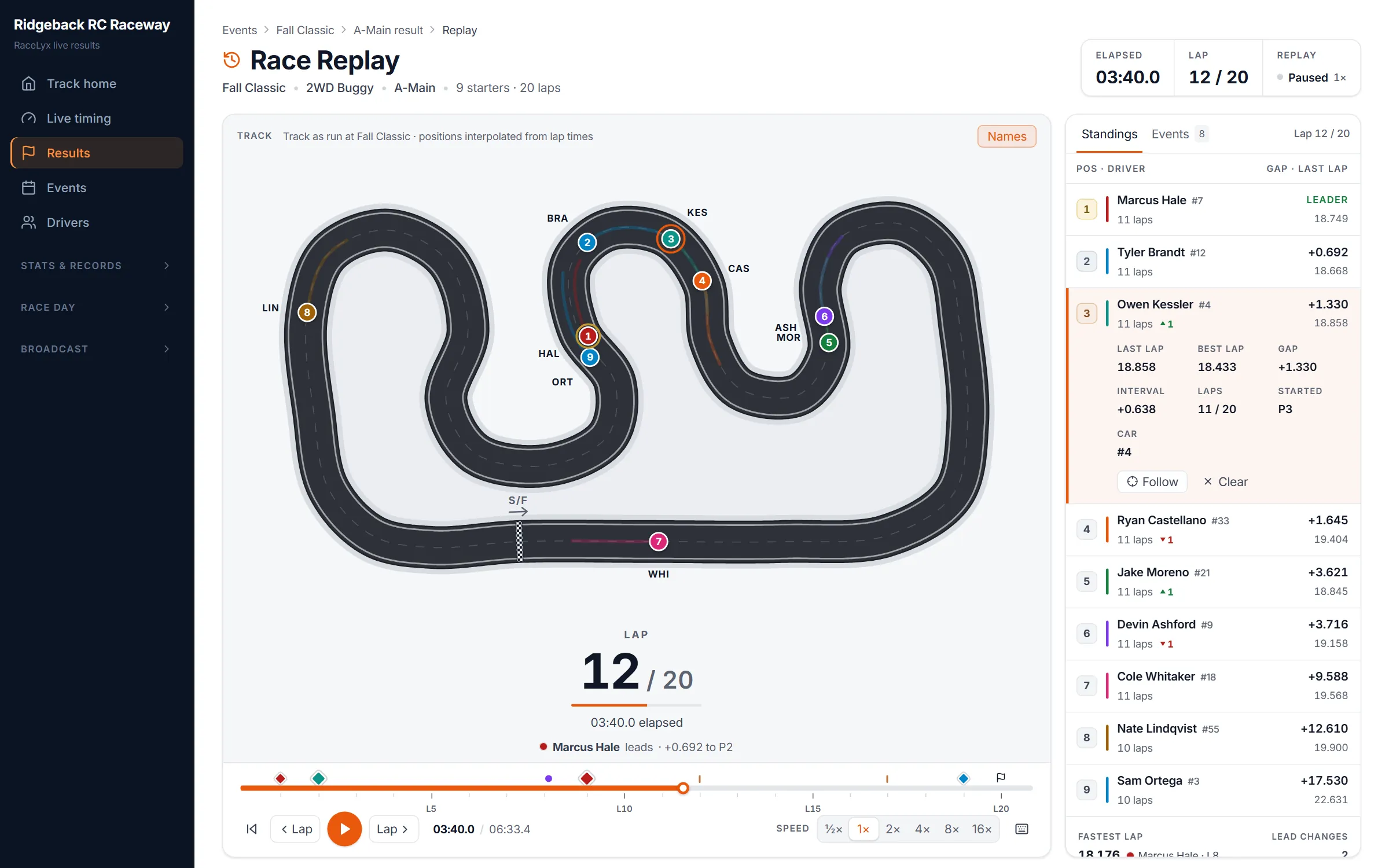
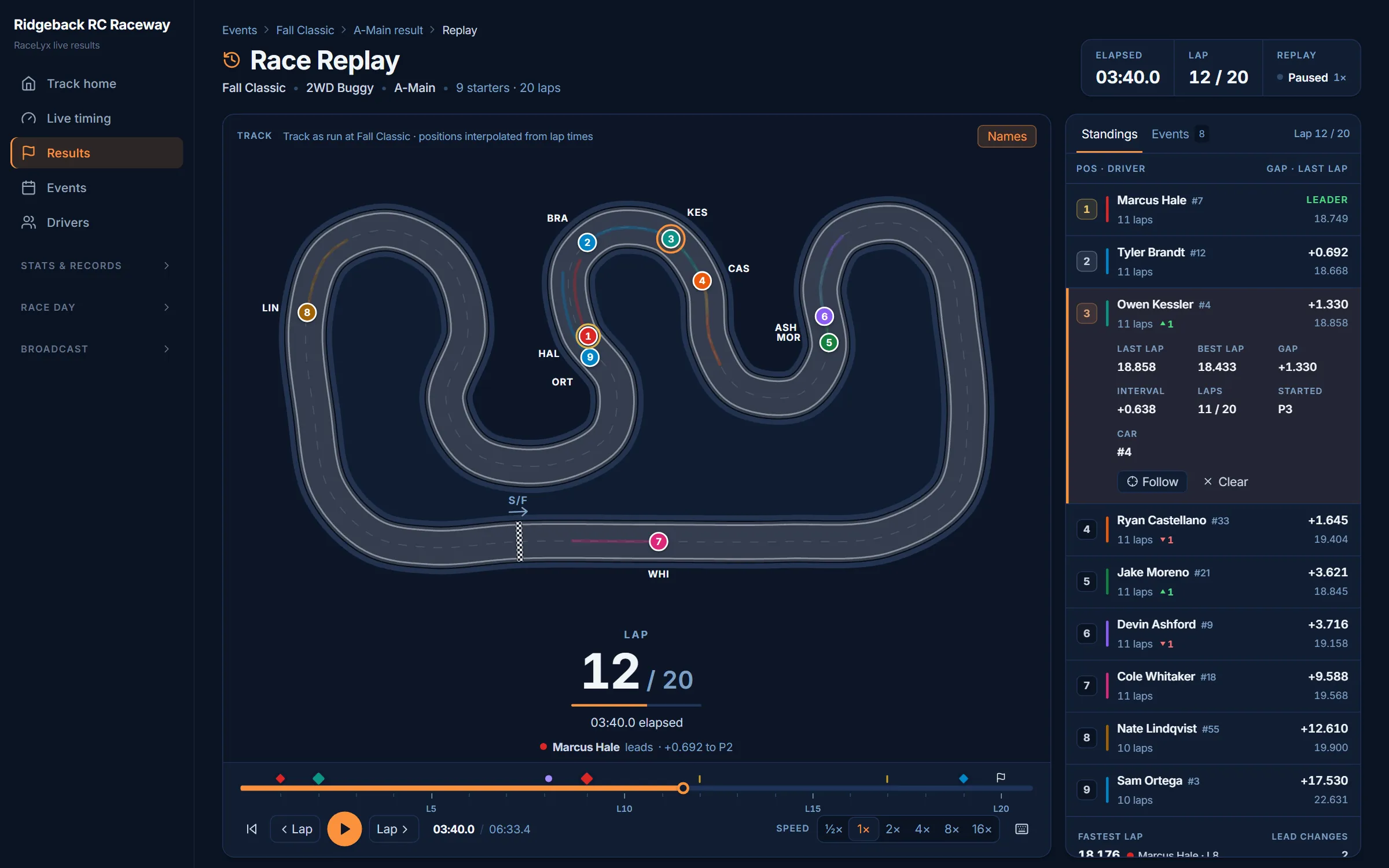
On your real track
Trace your racing line over a photo of the track, or draw it in the free track designer, and every replay runs the cars around that shape. Each layout or event can have its own.
Watch it your way
Half speed up to 16 times, drag to any moment, or step lap by lap. Keyboard shortcuts cover play, skip, and speed.
The order at every moment
The standings beside the track show the running order at that point in the race and mark every pass.
A link to every race
Each finished race has its own replay link, ready to send to the group chat or post on the club page.
LyxSpotter
Your race, called in your ear
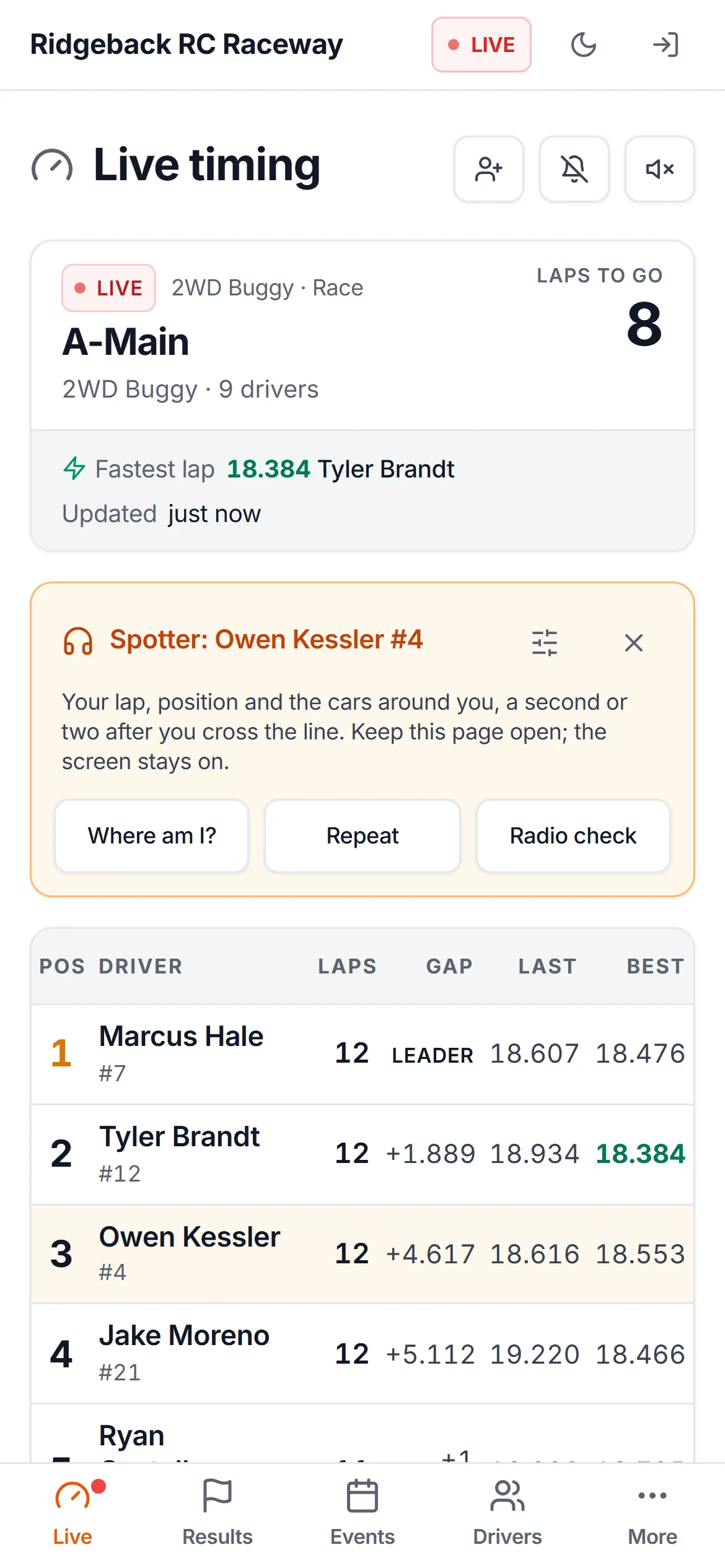
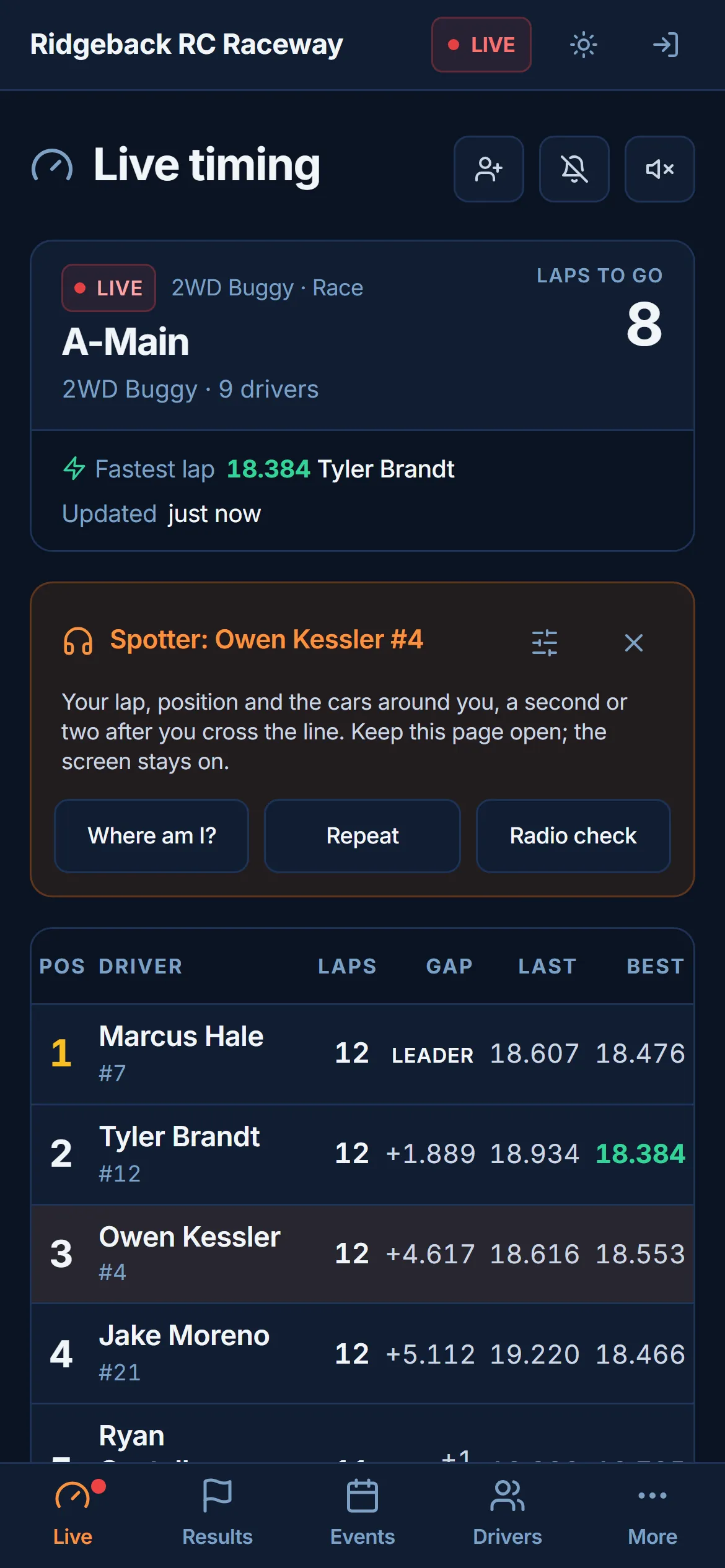
Every driver at a track running RaceLyx live results gets LyxSpotter. Open the track's live timing on your phone, pick your car, put a headset on, and your phone calls your race while you drive. Just yours, not the whole field.
What it calls
Lap time and position every lap. The car ahead and the car behind with the gap, and whether it is closing. A blue flag when a car is about to lap you, lapped traffic ahead, a car getting by, time left, and the flags. In practice it calls lap times only.
Find your car, pocket the phone
Open the track's live timing, tap Find my car and pick yourself by name or car number. It remembers you for next time. It works in the browser on any phone, and in the RaceLyx app for iPhone and Android it keeps talking with the phone locked, with a press on your headset asking where you are.
Set it how you like it
Pick the voice and the speed, how often it talks (every lap, every other lap, or only when something changes), and which calls you want. Anyone can follow any car, so parents and pit crews can listen from the stands.
Free for every driver, with nothing for the track to set up. Calls land a second or two after you cross the line. Find your track's live timing
Stream Deck
Run the race from a Stream Deck
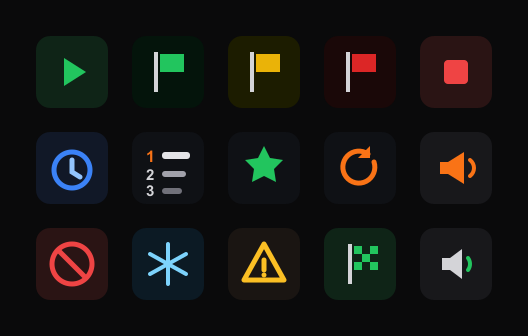
Keep your eyes on the track and your hands on physical keys. The free RaceLyx Stream Deck plugin adds 18 actions that turn your deck into a race-director panel, and the keys show live race state as you run the event.
Control the race
Arm or start the race, throw the flags, stop or reset the session, hand out a penalty, freeze scoring, clear foreign hits, or adjust the clock. Stop and reset are hold-to-confirm so a stray tap cannot hurt a live run.
Live info on the keys
Time remaining counts down on a key and turns red in the final minute. Other keys show the running order, the leader, the fastest lap, and a lap counter.
Announcer and audio
Speak a callout like "five minutes to grid", announce the winner or the full podium, sound the horn, or mute the announcer. A custom command key covers anything else.
Works with any Stream Deck. Pairs in seconds from RaceLyx Settings, and it is free for every RaceLyx user.
Track Designer
Plan the layout before you move a tile
The free track designer on live.racelyx.com lays out your next track on screen, from a Mini-Z tile track in the garage to a dirt track in the yard. No account needed.
RCP tiles, piece by piece
Lay out RCP 50 cm or 30 cm tiles and the rails, curves and inner corners are worked out for you. Tell it what you own and it counts every part, and goes red when you are short.
Build me a track
Give it the size of the room and the tiles you own, and it suggests layouts that fit and that you can build tonight. Or draw your own.
Items and Ground
Borders, islands, lanes, cones and text on top. Underneath, grass, dirt, sand, carpet, clay or astroturf that you can raise and lower, with ramps, tabletops, doubles, whoops and berms.
Track Kit
Building walls from 2x2 lumber? Draw the track and it works out the walls, the brackets, a cut list for the boards, the screws, and the filament to print the brackets yourself.
See it in 3D, run a lap
Turn the track around in 3D, then press Run for an estimated lap time with a Mini-Z, 1:24, 1:18 or 1:10 touring car. Handy for comparing two layouts.
Print it or share it
Save a picture, print the track with its parts list, or copy a link that carries the whole design. A track can use its layout for race replays too.
From Mini-Z to 1/5 scale
Mini-Z up to 1/5 scale. Set the class parameters and race.
Pricing
The Rally plan is free for events of up to 5 drivers. Paid plans start with a 21-day free trial, no credit card needed.
Rally
- Scored rally and circuit events
- Up to 5 drivers per event
- Practice and LAN scoreboard
- I-Lap, EasyLAP, LapMonitor, LapWiz, OpenStint SDR and LyxBridge gates
Home Track
- Up to 16 drivers per event
- Heats, mains, practice, Quick Race and rally
- Lifetime license
- 1 year of cloud backup and public results included
Pro
- Up to 50 drivers per event
- Endurance, series standings and TV kiosk
- Pre-registration and email/SMS notifications
- Club analytics dashboard
Club
- Unlimited drivers
- Stripe registration and payments
- Members, pit assignment and financials
- Awards and records
Try it at your next race night
Download RaceLyx and run the full app free for 21 days. No credit card, and no account to set up first.
Windows 10 or newer, 64-bit