When you are entered at a track that runs RaceLyx, the app finds your race for you. A Race day card sits at the top of Home, in Timing and Driving alike, and says where you stand: your next heat and start spot, You're up next, You're on track with your position, marshal duty, and your result. Race alerts and a notice on your phone's lock screen say the same thing when the app is closed.
Before you start
- Signed in to the app with a free RaceLyx account.
- Linked at the track: show your Racer QR or Racer ID at check-in, or accept the track's request under My Racing.
- The track runs a RaceLyx version with phone alerts and has Phone alerts for drivers on. It is on unless they turned it off.
Step by step
- 1
The Race day card
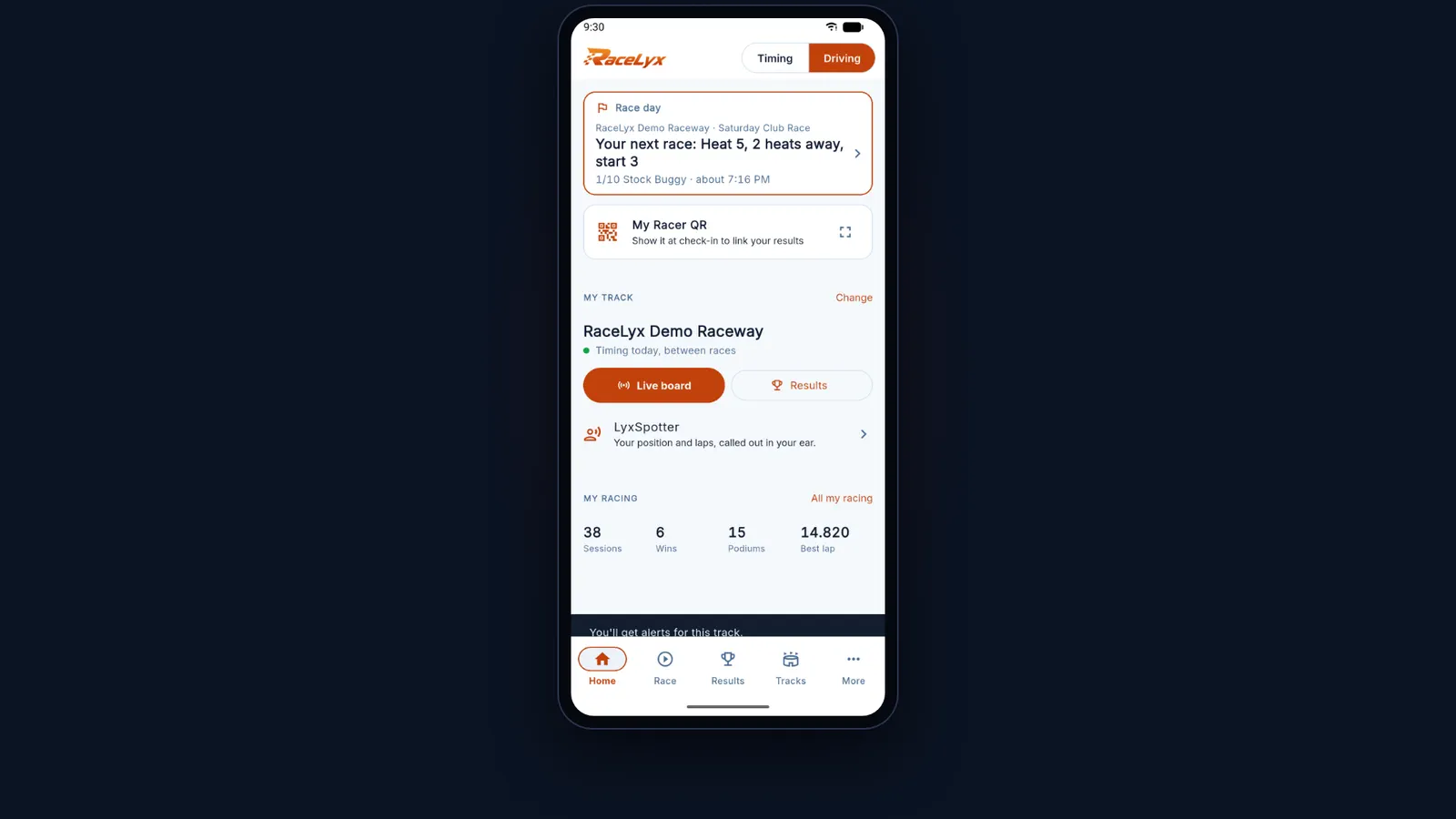
On race day, the card at the top of Home says where you stand. No digging for your heat.
The Race day card shows on Home in Timing and Driving alike, one row per track you are racing at today. It starts as Entered with your class and check-in, and changes as the track runs its program.
- 2
Your next race
Once heats are drawn it shows your next race. Heat 5, two heats away, start 3.
Your next race: Heat 5, 2 heats away, start 3, with the class and the planned start time underneath. It becomes You're up next, then You're up now: Heat 5, start 3.
- 3
Get race alerts here
Tap Get race alerts here. Your phone tells you when you are next, even with the app closed.
The first time, your phone asks to allow notifications. Alerts come for your heat being next, being up, marshal duty, a move into a main, and your result.
- 4
The race day notice
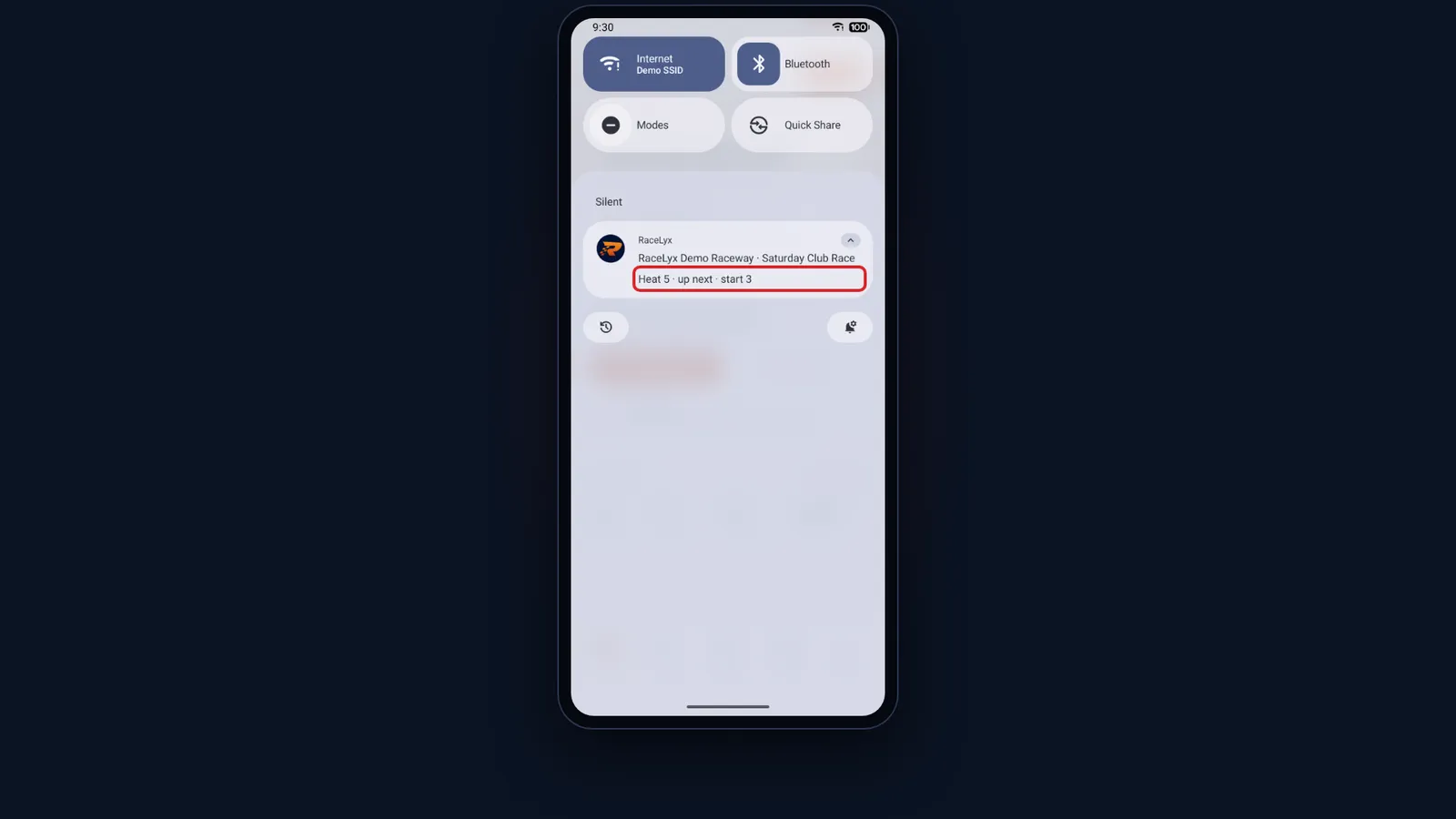
On Android, a quiet notice keeps your race in the shade. Heat 5, up next, start 3.
The notice updates while RaceLyx runs and stays put while you are next, up or on track. Tap it to open My heat. It goes away when your racing is done.
- 5
My heat
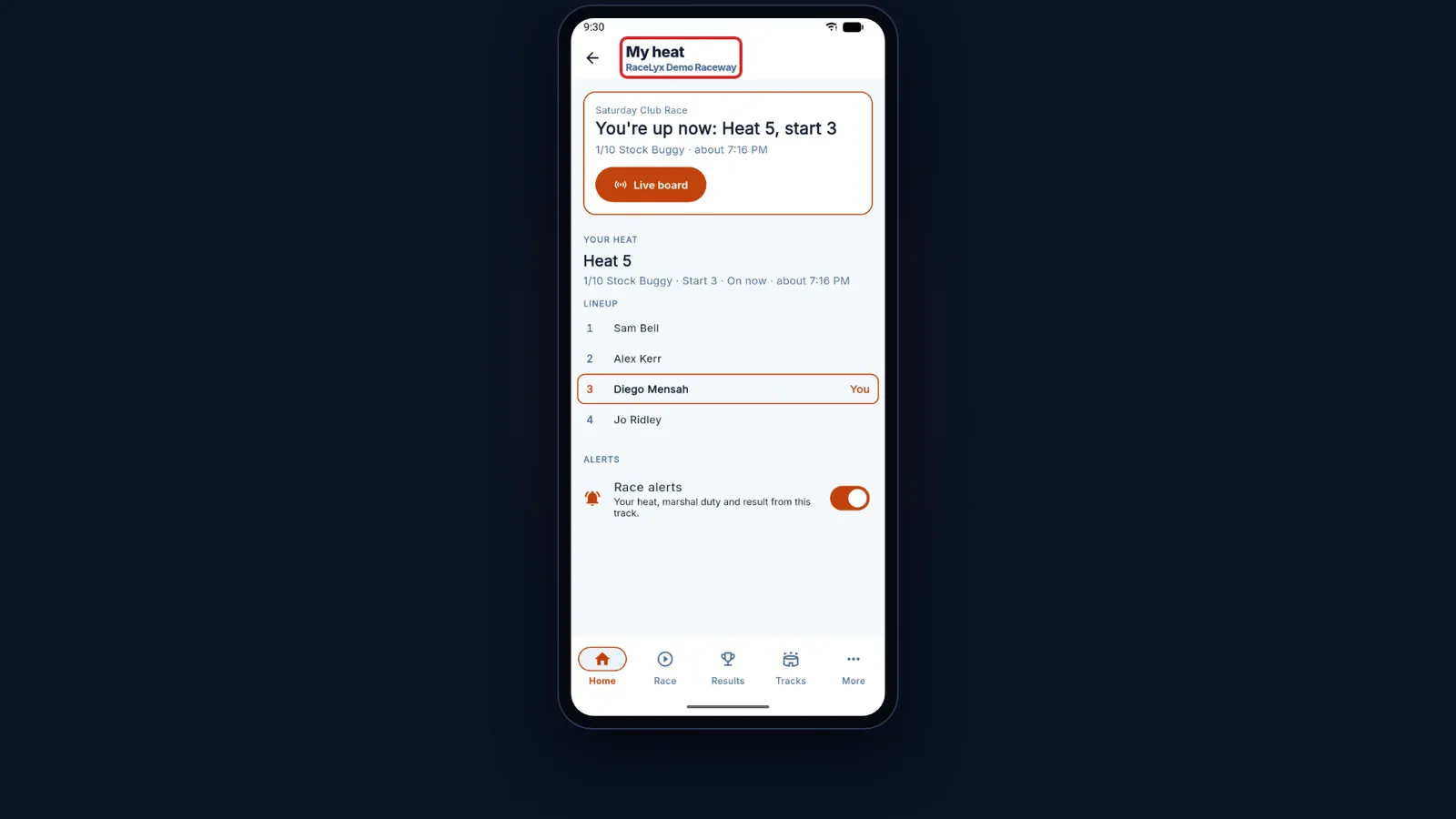
Tap the card to open My heat.
My heat shows the heat name, class, main, your start spot, how many heats away it is, and the planned start. Live board opens the full timing board.
- 6
You in the lineup
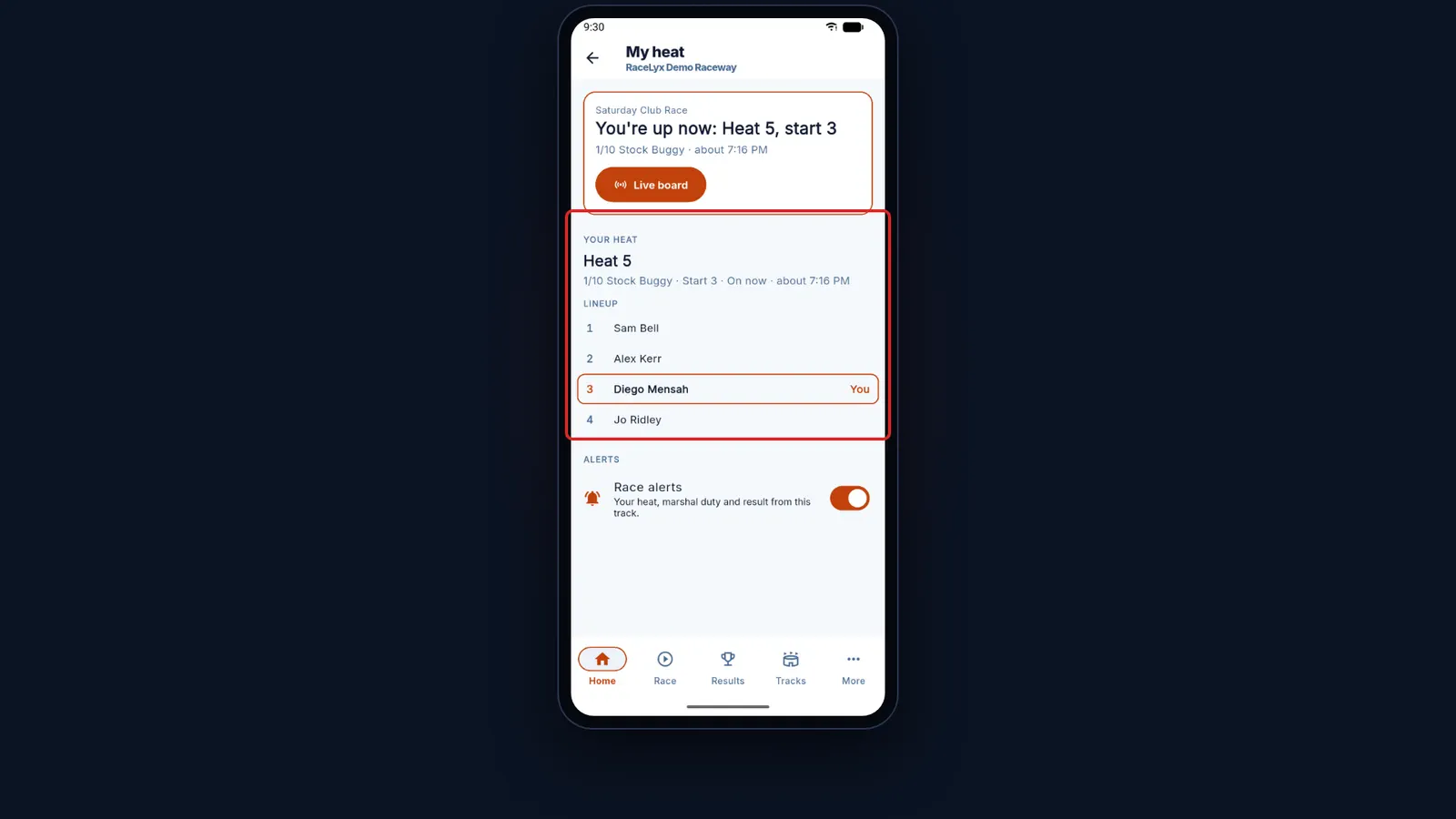
The lineup shows every start spot, with you picked out.
Your row is outlined and marked You. While you race this screen shows your position, laps, last and best lap, and the gap.
- 7
Your result
When your heat is saved, you see how you finished. Heat 5 done, first, 18 laps.
The card and My heat show your result, with your laps and time and best lap. The notice and the lock screen clear when your day is done.
Tips
- The card checks every 20 seconds while you are next, up or racing, every minute while you wait, and every 5 minutes when nothing is on. Opening the app checks at once.
- Tap the card, an alert or the notice to open My heat: your heat, class, main, start spot, how many heats away, the lineup with you picked out, live laps while you race, and your result after.
- Race alerts: your heat is next, you are up, you marshal, you moved into a main, and your result. Switch them off for one track on My heat, or for every track under More, Account.
- On Android a quiet notice stays in the shade while you race: Heat 5, 2 heats away, start 3. It cannot be swiped away while you are next, up or on track, and it goes when your day is done.
- On an iPhone the same line shows on the lock screen and in the Dynamic Island.
- Alerts never interrupt a race the phone itself is timing.
Troubleshooting
- There is no Race day card.
- The card only shows while you are signed in, linked at the track, and the track has posted its heats or live timing today. Check that My Racing lists the track under My tracks.
- "Notifications are off for RaceLyx."
- Turn notifications on for RaceLyx in your phone's Settings, then turn Race alerts on again.
- The lock screen notice does not show on my iPhone.
- Live Activities must be allowed for RaceLyx in Settings, and the iPhone needs iOS 16.1 or later.
Related guides
Something here does not match what you see? Tell us and we will fix the guide.