Every published heat and main with lap times has a Race video button. It puts a live leaderboard over your own video of that race: you choose the video, sync it to one moment a car crosses the timing loop, pick a style and export an MP4. It all runs in your browser, and the video is never uploaded.
Before you start
- A video of the race on the computer you are using: MP4 or MOV from a phone, GoPro or camera.
- Chrome or Edge on a computer, to export. Other browsers can preview but not export.
Step by step
- 1
Open your race
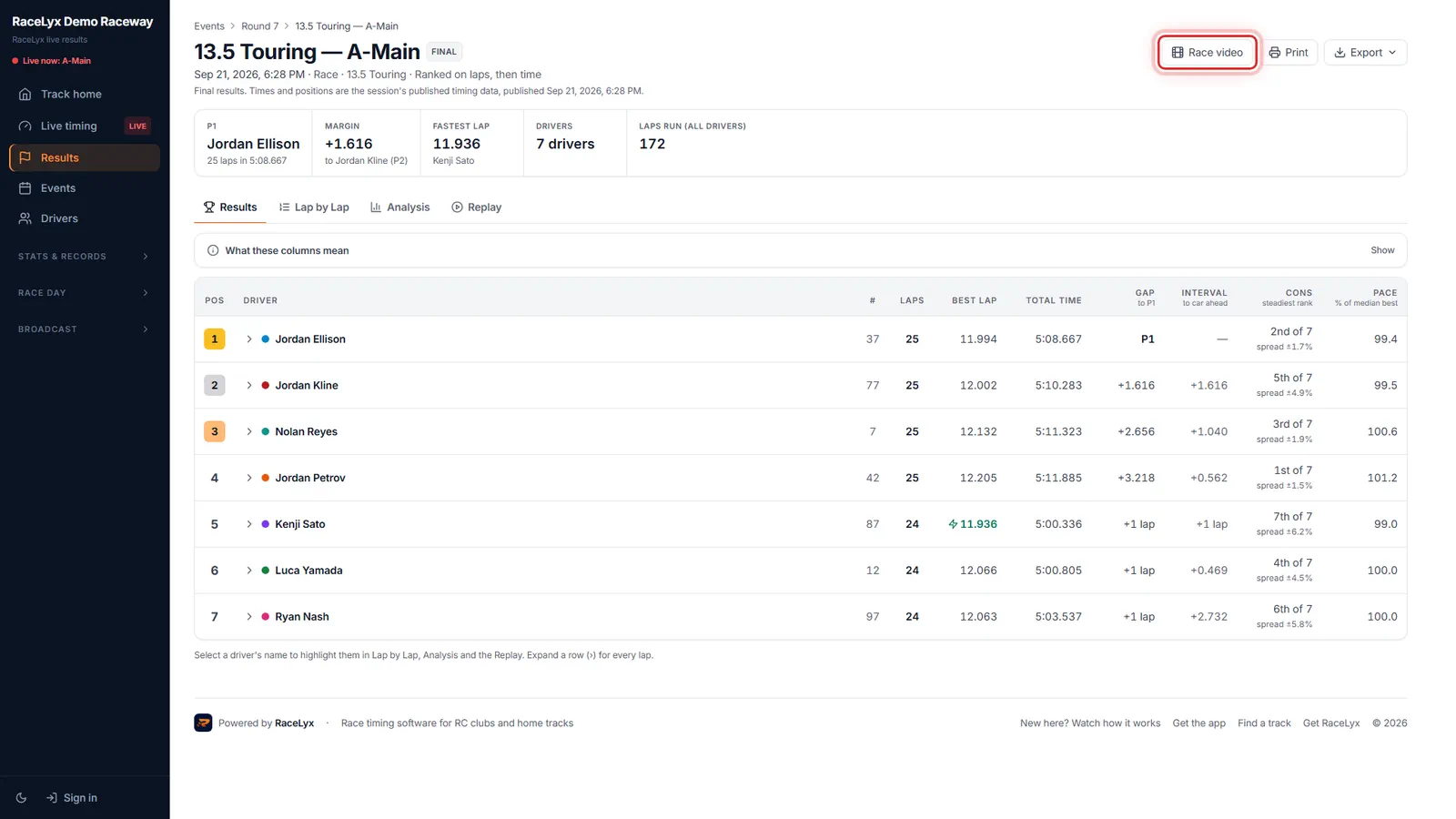
Open your race from Results.
Any heat or main with lap times works. The buttons at the top of the session are Race video, Print and Export.
- 2
Race video
Click Race video, next to Print and Export.
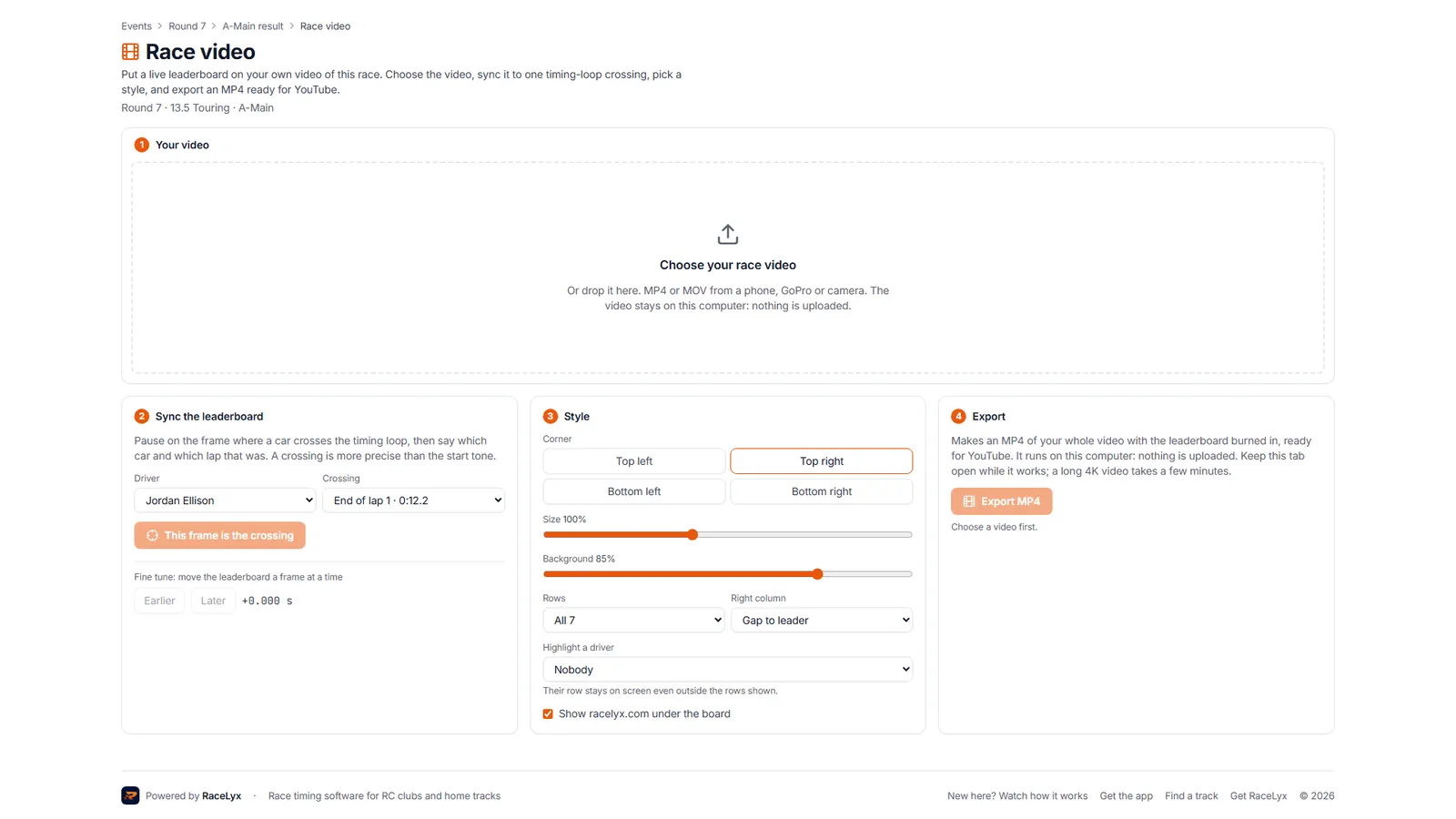
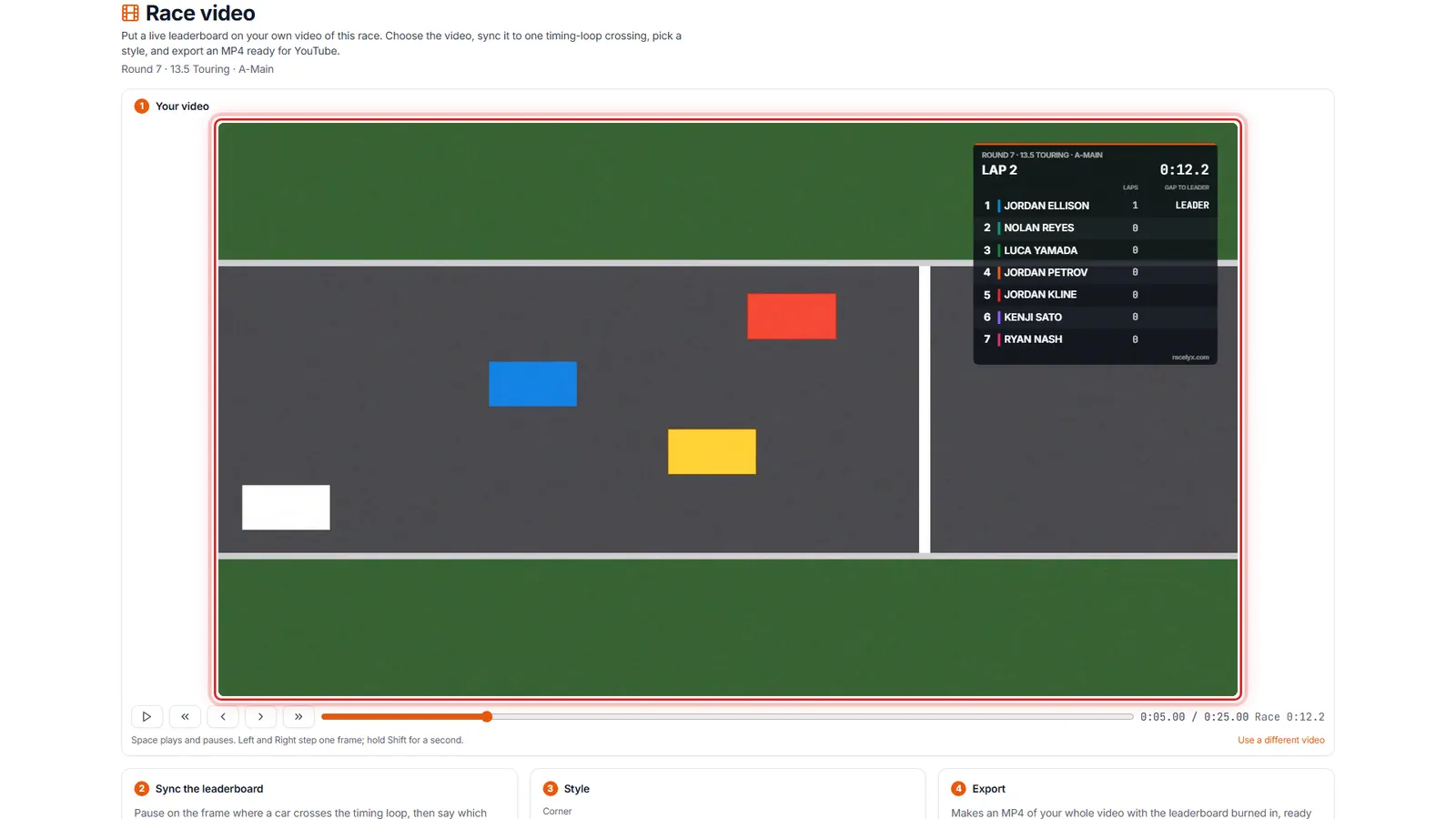
Race video: put a live leaderboard on your own video of this race. Four steps: your video, sync, style and export.
- 3
Choose your race video
Click Choose your race video and pick the file. It stays on your computer: nothing is uploaded.
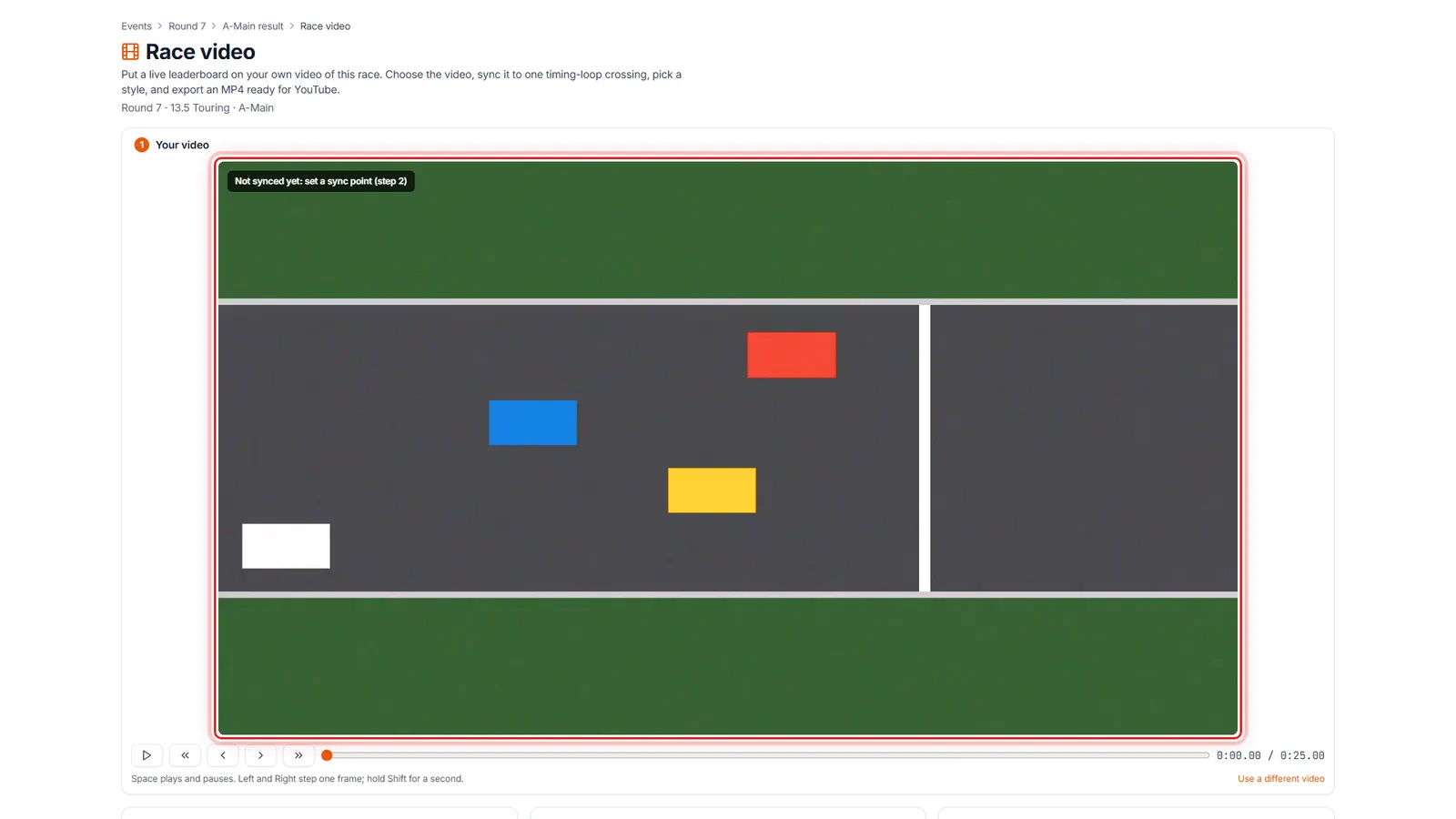
Or drop the file on the box. MP4 or MOV from a phone, GoPro or camera. The video then plays with the leaderboard drawn over it.
- 4
Sync the leaderboard
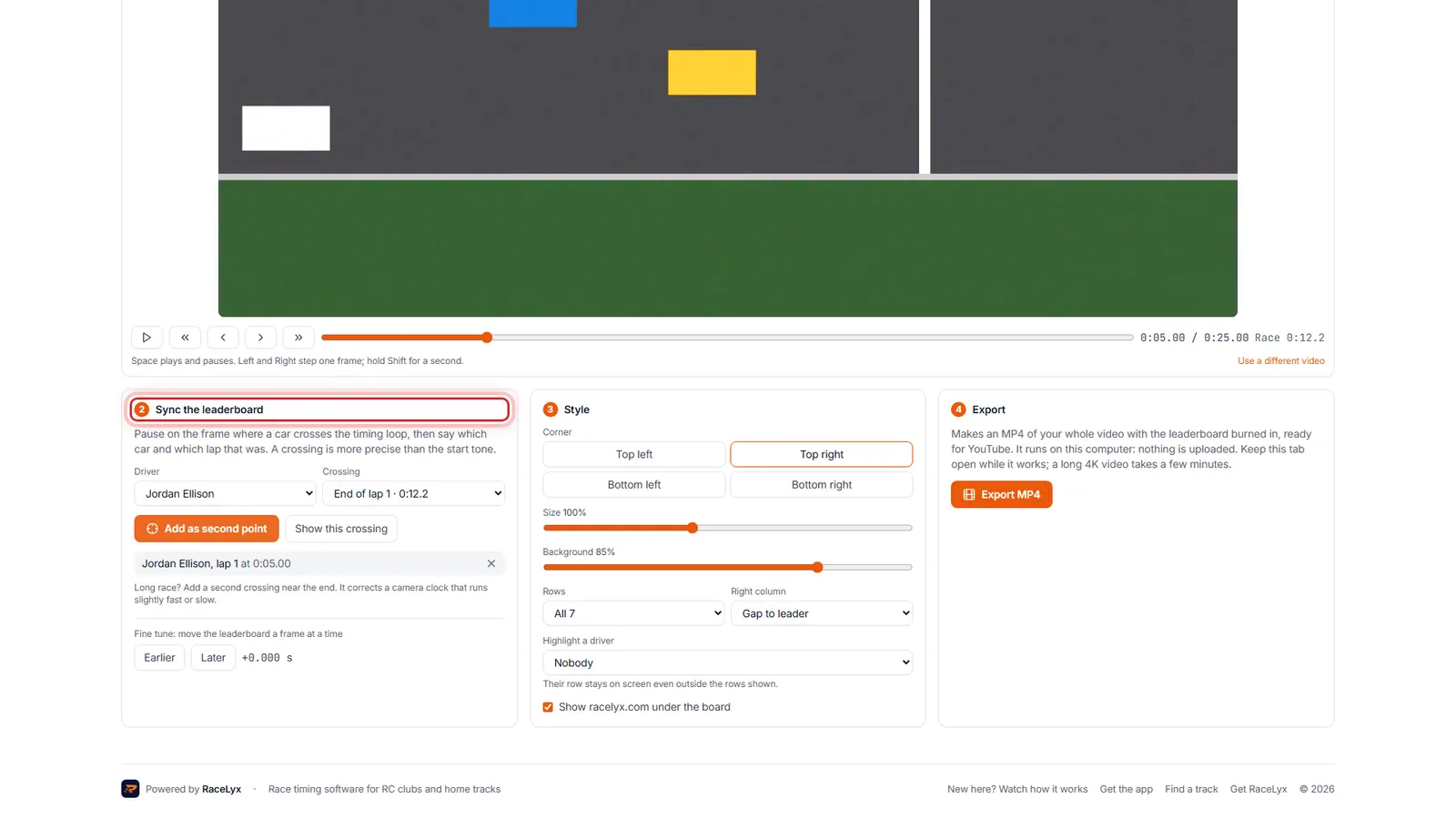
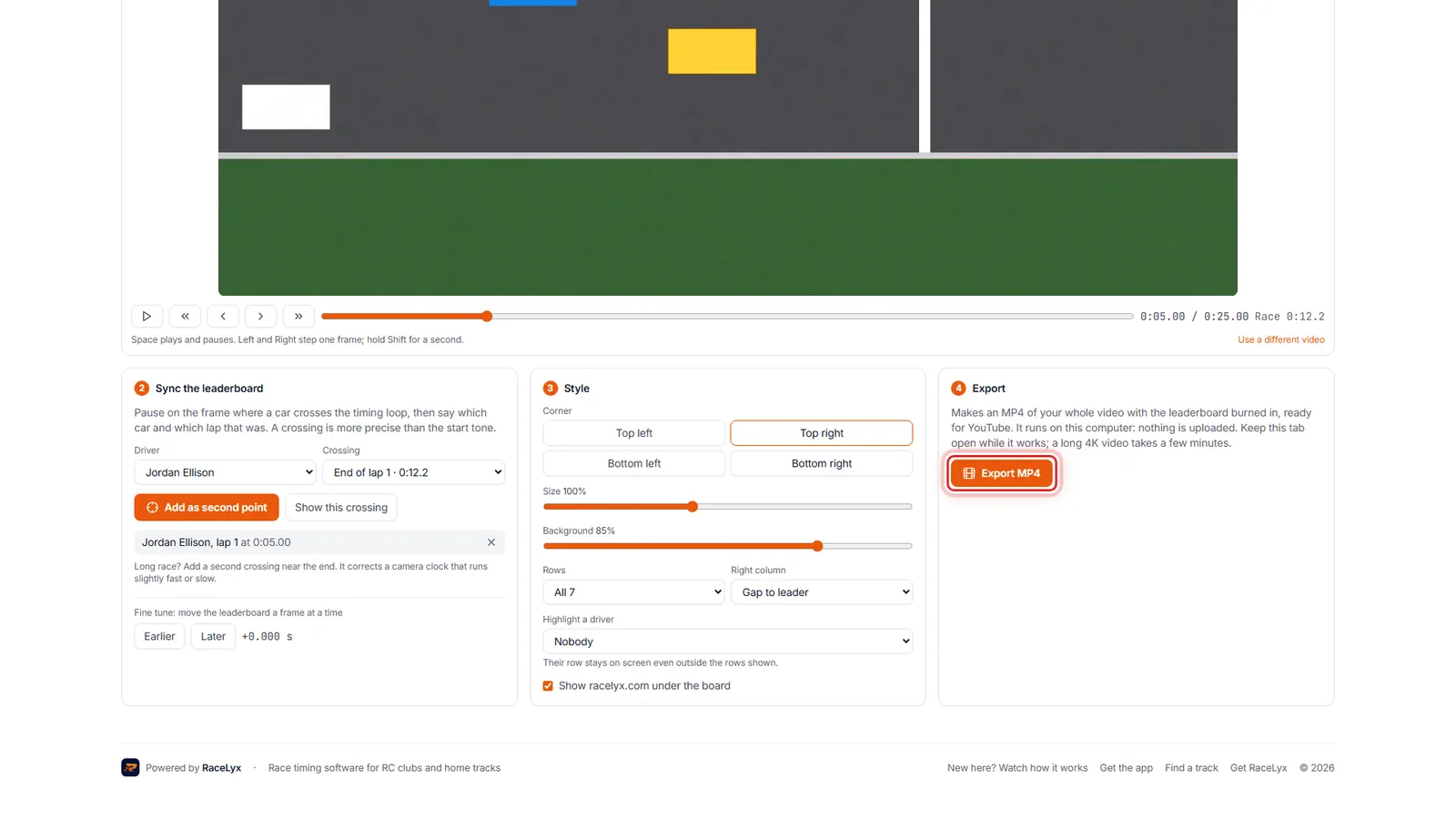
Pause on a frame where a car crosses the timing loop. Pick that driver and lap, then click This frame is the crossing.
The frame buttons, or the arrow keys, land on the exact frame. Crossing lists each lap with its race time, or Start for the start tone. A second point keeps a long video in step, and Earlier and Later fine tune it a frame at a time.
- 5
Style
Under Style, pick the corner, size and rows. Highlight a driver to keep your own row on screen.
Background sets how see-through the board is, and Right column picks what shows beside each name. Show racelyx.com under the board is a tick box.
- 6
Export MP4
Click Export MP4. You get one MP4 with the leaderboard burned in, ready for YouTube.
It runs on your computer, so keep the tab open. A long 4K video takes a few minutes. Exporting needs Chrome or Edge on a computer.
Tips
- Film where you can see the timing loop: a crossing syncs more precisely than the start tone.
- A second sync point, far from the first, keeps the board in step through a long video.
- Highlight a driver keeps your row on screen even outside the rows shown.
- Earlier and Later move the board a frame at a time if it is slightly off.
- Keep the tab open while it exports; a long 4K video takes a few minutes.
Troubleshooting
- There is no Race video button.
- The session has no lap-by-lap times, or it is a rally run. Race video needs lap times.
- "This browser can preview but can't export video."
- Open the page in Chrome or Edge on a computer.
- "Sync the leaderboard first (step 2)."
- Pause on a frame where a car crosses the loop, pick that driver and lap, and click This frame is the crossing.
Related guides
Something here does not match what you see? Tell us and we will fix the guide.