Stats & records holds the bragging rights: track records, the driver leaderboard, points standings and the championship. Each page is in the Stats & records group of the track menu.
Before you start
- Nothing.
Step by step
- 1
Track records
Open Stats & records, then Track records.
Track Records: the fastest laps and best qualifying runs set here. Pick a class and a layout at the top; each layout keeps its own records. Personal bests shows each driver once, and All runs shows every run. Practice, DNS, DQ and zero-lap results do not count.
- 2
Leaderboard
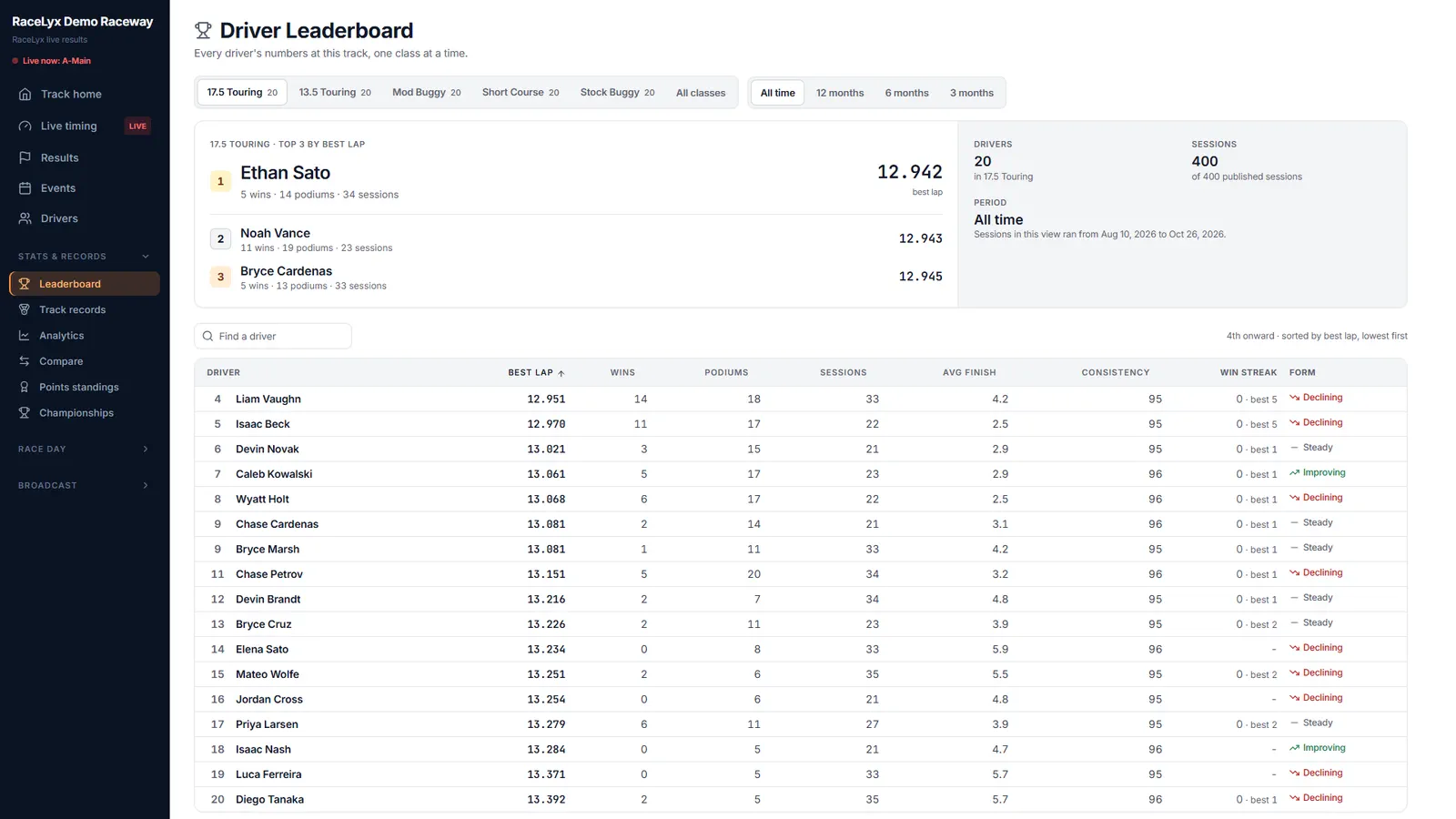
Leaderboard ranks every driver in a class: best lap, wins, podiums and more.
Driver Leaderboard, one class at a time. Pick a period: All time, or the last 12, 6 or 3 months. Win streak counts session wins in a row, and Form compares your recent finishes with earlier ones.
- 3
Points standings
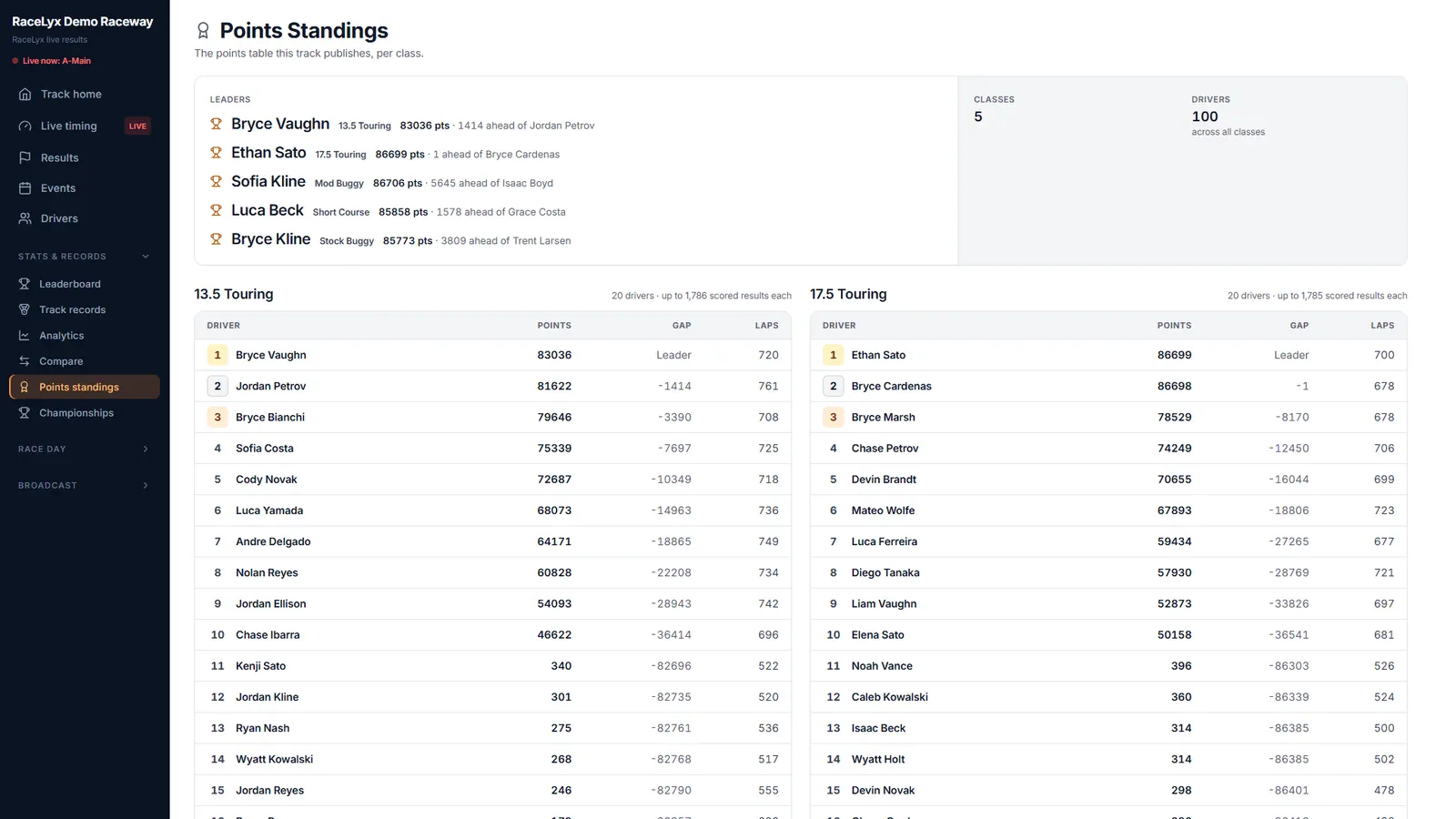
Points standings shows the points table the track publishes, class by class.
Points Standings lists each class with Place, Points, the Gap to the leader and Laps. How the points are earned is set by the track and is not published here.
- 4
Championship
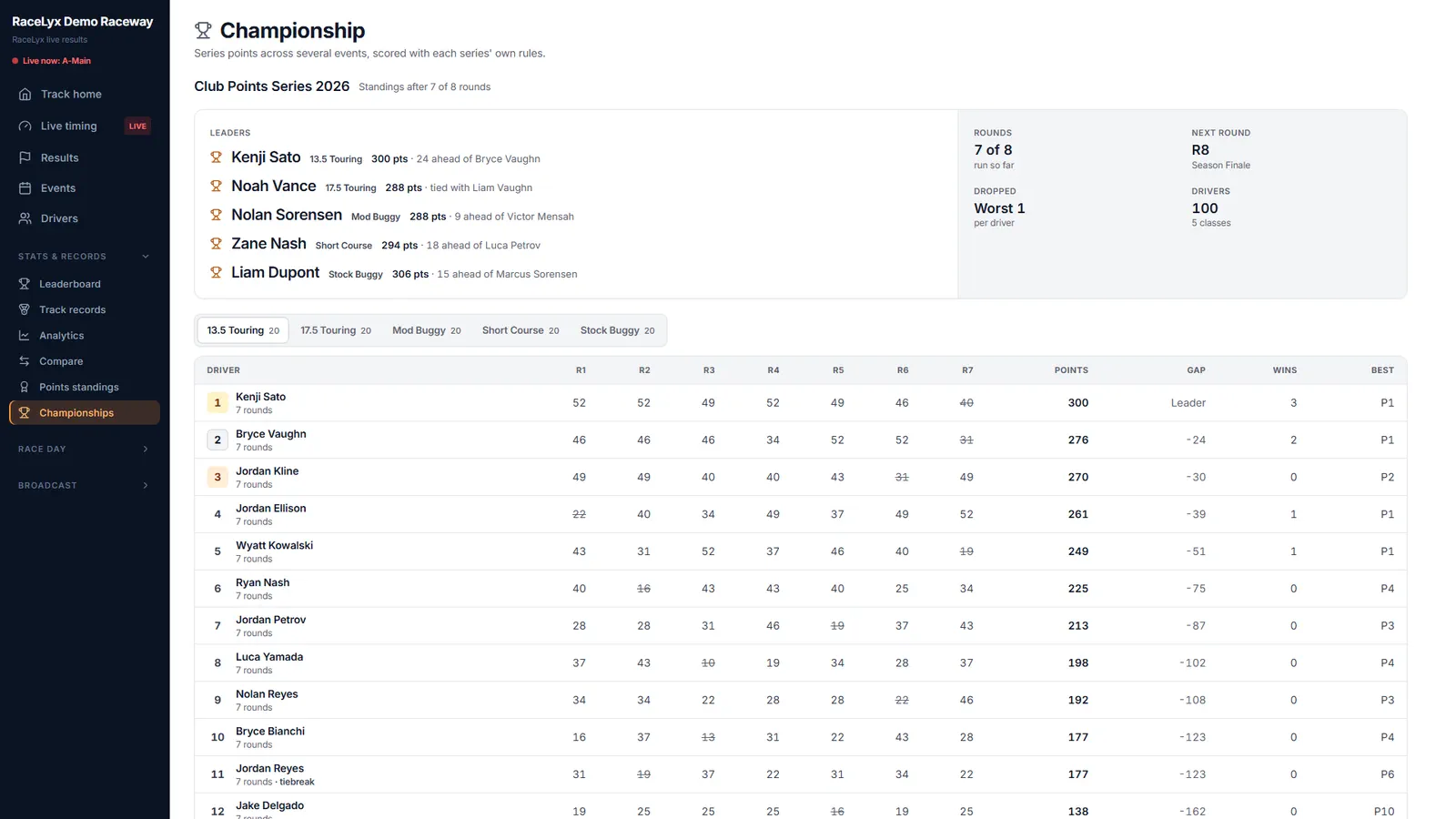
Championships shows series points across several events.
The Championship page shows each series with its rounds, the next round and dropped rounds, scored with that series' own rules. How this championship is scored is explained at the bottom.
Tips
- Track records are per class and layout: times on different layouts are never mixed.
- Leaderboard periods: All time, 12, 6 or 3 months.
- Points standings shows the points the track publishes; how points are earned is up to the track.
- Championship shows series points with each series' own rules, including dropped rounds.
- Some clubs keep their points private. Their standings page then says Points are kept private; race results are still public.
Troubleshooting
- Why isn't my lap a record?
- Practice, DNS, DQ and zero-lap results do not count, and each layout keeps its own records. Check you picked the layout you raced on.
- "No points table published"
- This track does not publish points. Ask the track how it scores the season.
Related guides
Something here does not match what you see? Tell us and we will fix the guide.