The app's Register button sends your entry to the track, from the car park if you need to. No account is needed and there is no event list: the track confirms your entry and which event it is for. Nothing is paid in the app, and there is no waiver in this form: you pay and sign the waiver at the track.
Before you start
- The RaceLyx app, with your track's page open: Tracks, then your track.
Step by step
- 1
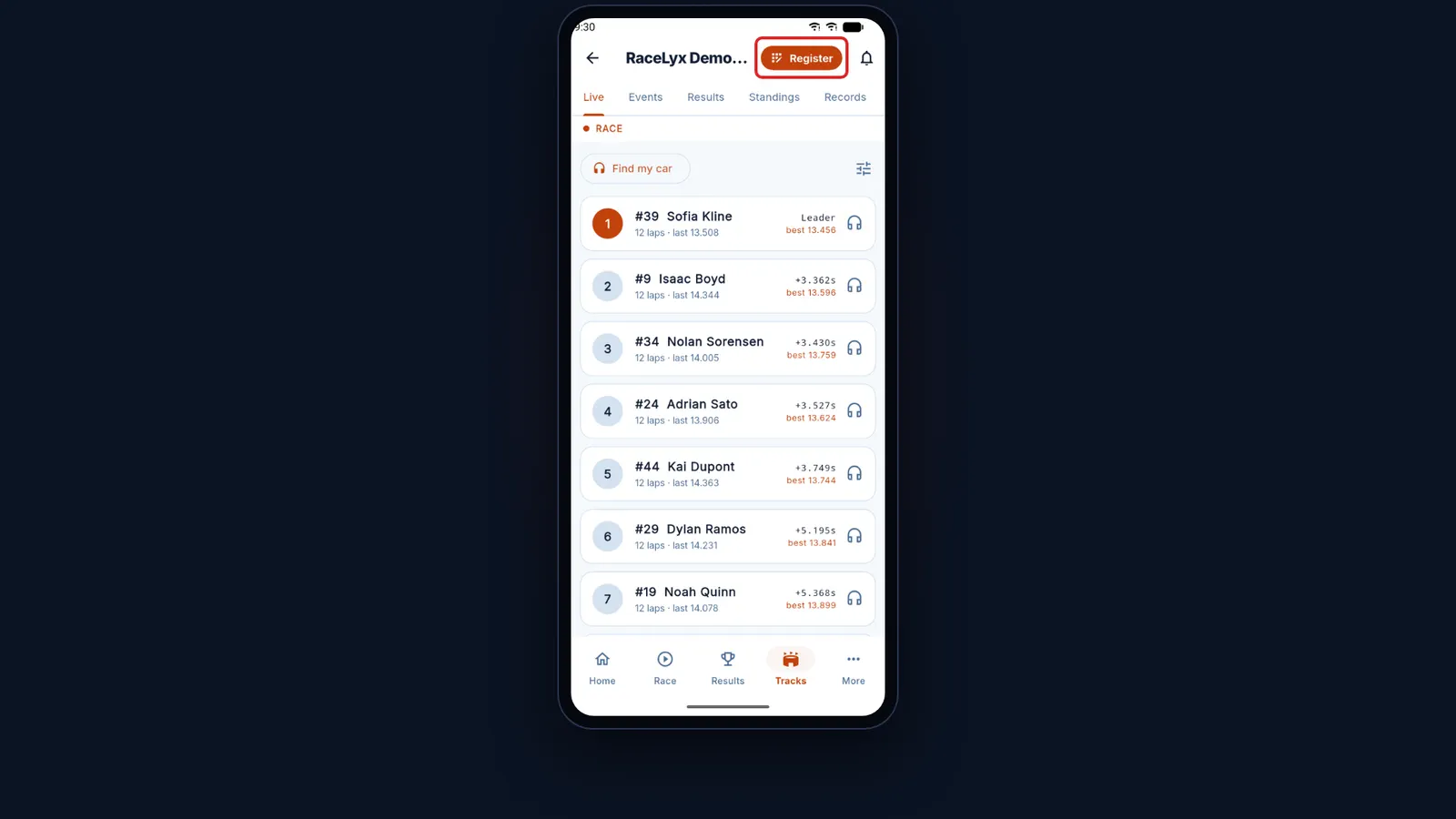
Your track's page
Open Tracks and tap your track.
The track page has the Register button at the top, next to the race alerts bell, and tabs for Live, Events, Results, Standings and Records.
- 2
Register
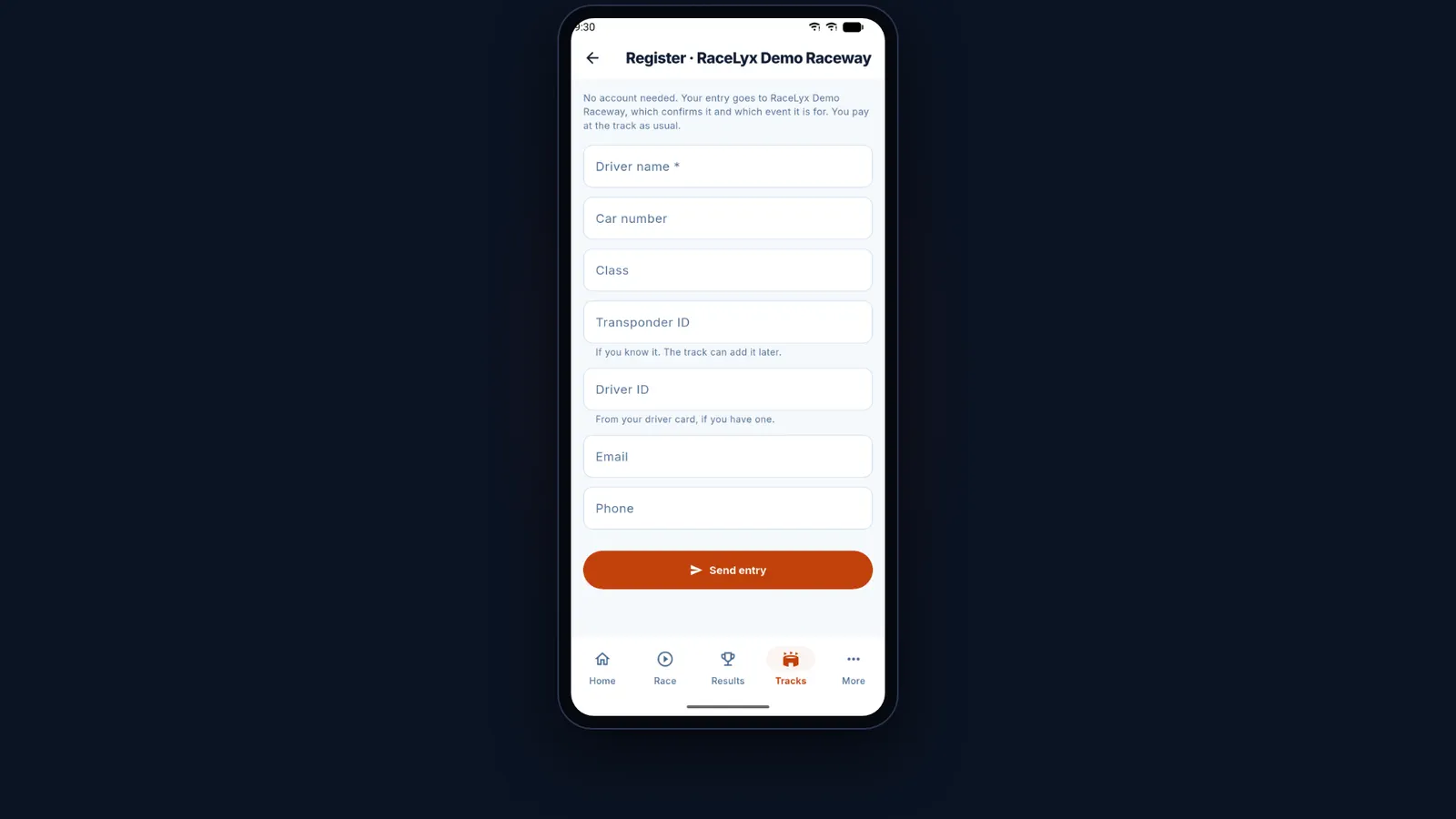
Tap Register. No account is needed: your entry goes to the track to confirm.
The form is titled Register, with the track's name. The note at the top says the track confirms your entry and which event it is for, and that you pay at the track as usual.
- 3
Your details
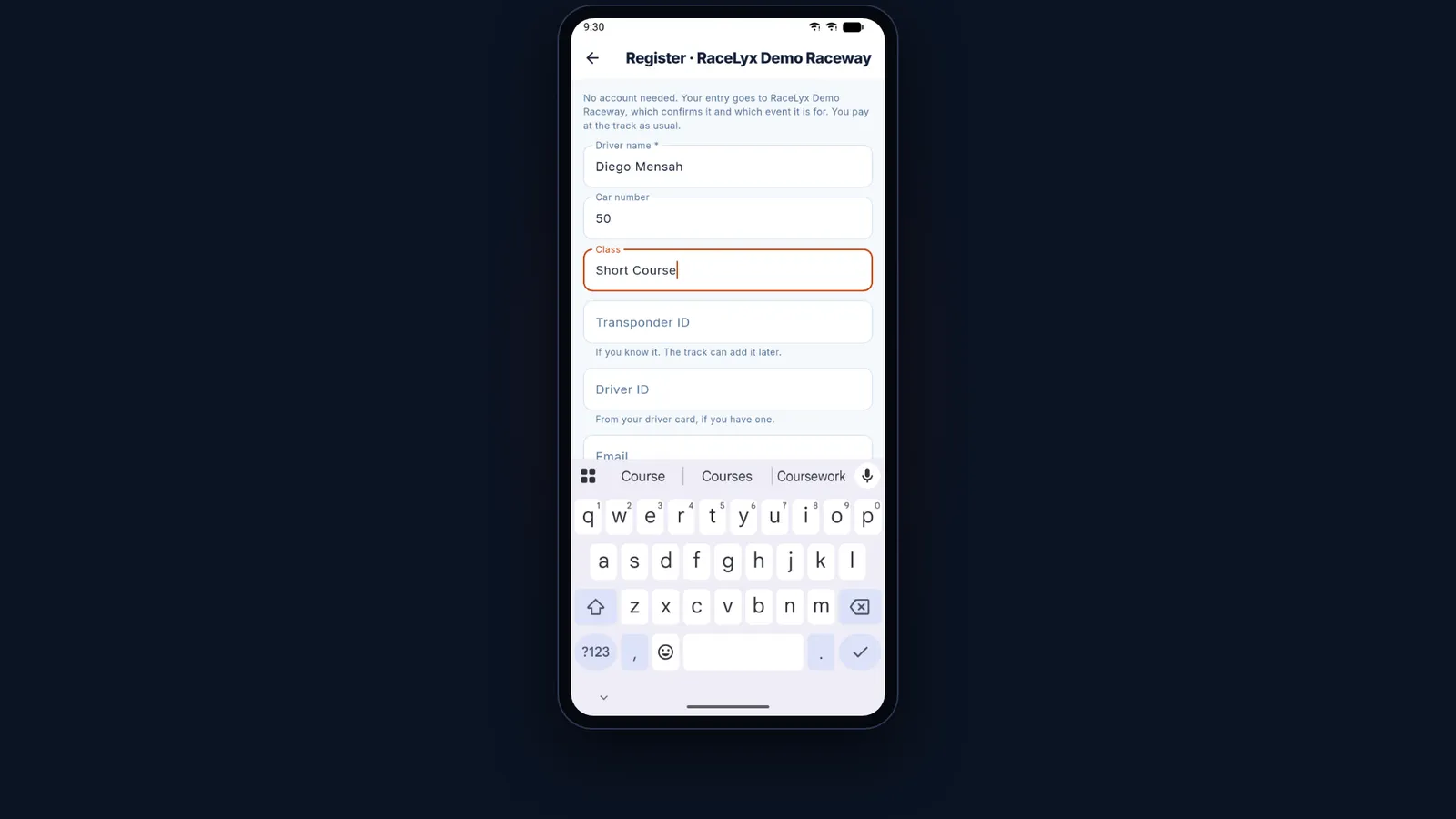
Type your name, car number and class. Add your transponder if you know it.
Driver name is required. Type the class the way the track names it, like Short Course. Transponder ID is optional: the track can add it later.
- 4
Driver ID
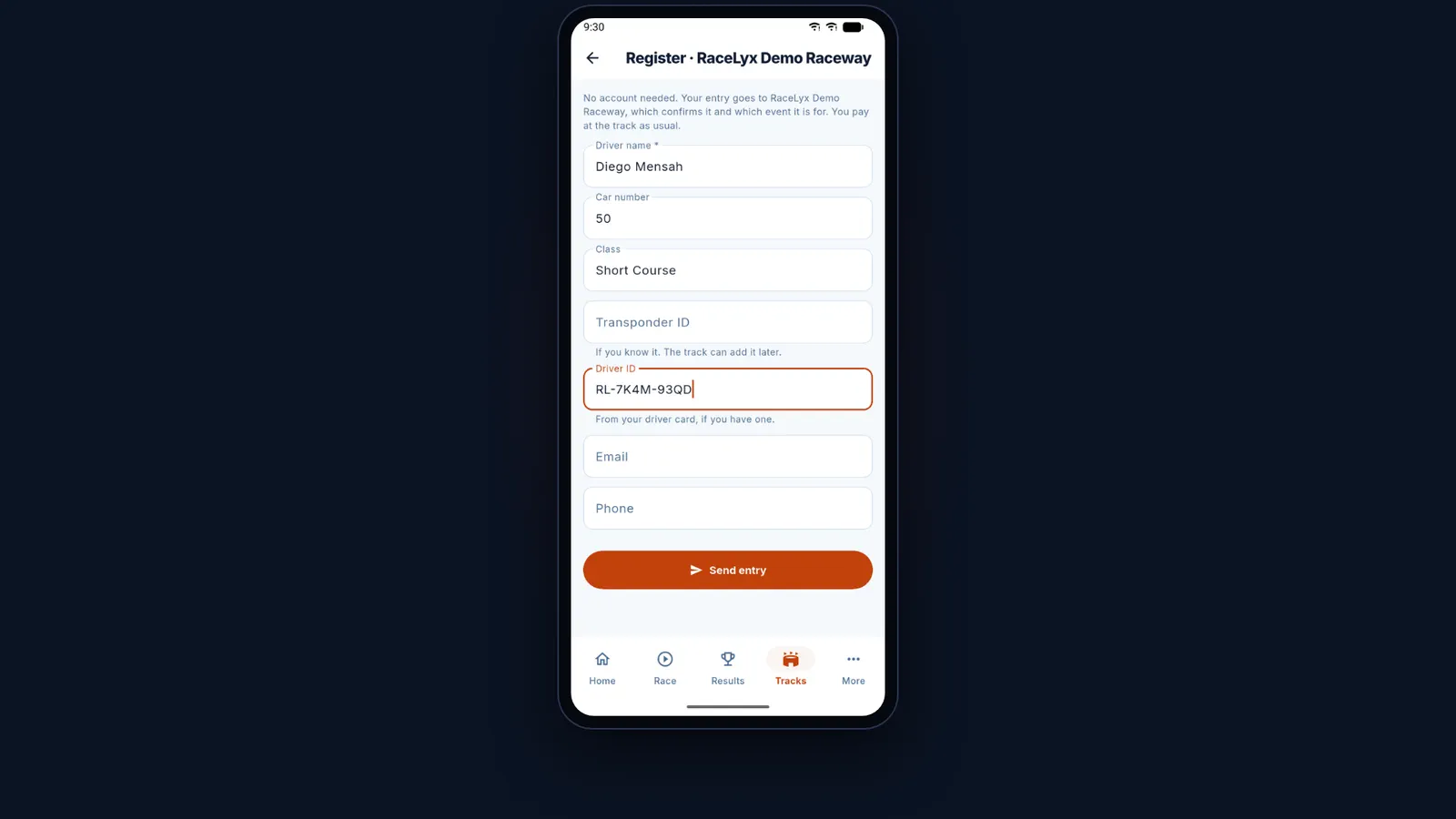
Raced here before? Type the driver ID from your card.
It is printed on the card this track gave you, like RL-7K4M-93QD, and lets the track match you instead of adding you twice. Leave it blank on your first visit. Email and Phone are optional, so the track can reach you.
- 5
Send entry
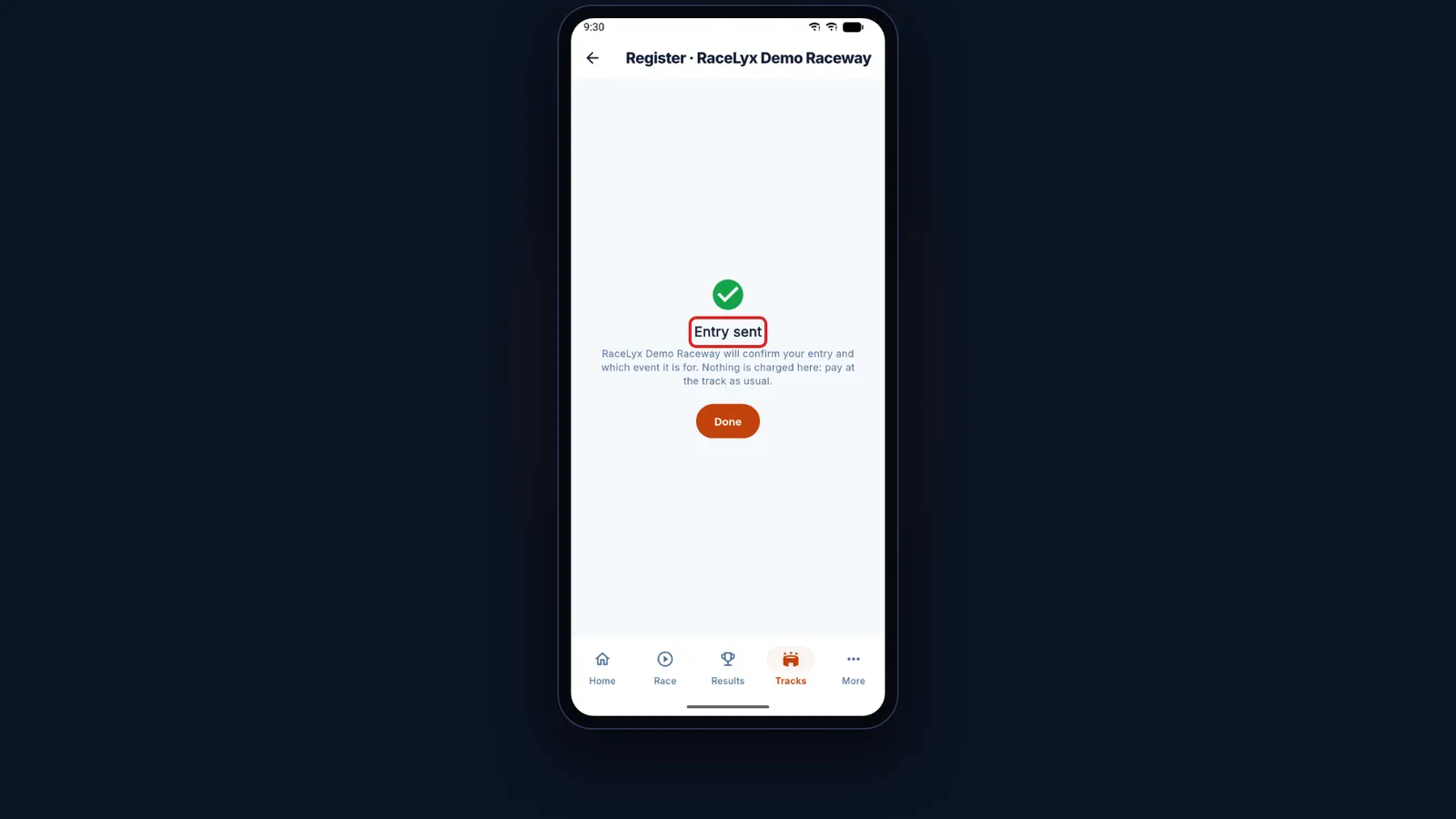
Tap Send entry. Entry sent: the track confirms it, and you pay at the track as usual.
"RaceLyx Demo Raceway will confirm your entry and which event it is for. Nothing is charged here: pay at the track as usual." Done closes the form.
Tips
- Signed in, the entry is linked to your account once the track confirms it.
- Driver ID is the code on the card this track gave you; the website calls it a driver code. It lets the track match you to the driver it already has.
- Racing two classes? Send one entry per class.
- To pick the event or pay online, use the Register page on the track's live website instead.
Troubleshooting
- "Required" under Driver name.
- Driver name is the only box you must fill in.
- "Registering timed out. Check your connection."
- The entry did not reach RaceLyx. Your details are still in the form: check your signal and tap Send entry again.
Related guides
Something here does not match what you see? Tell us and we will fix the guide.