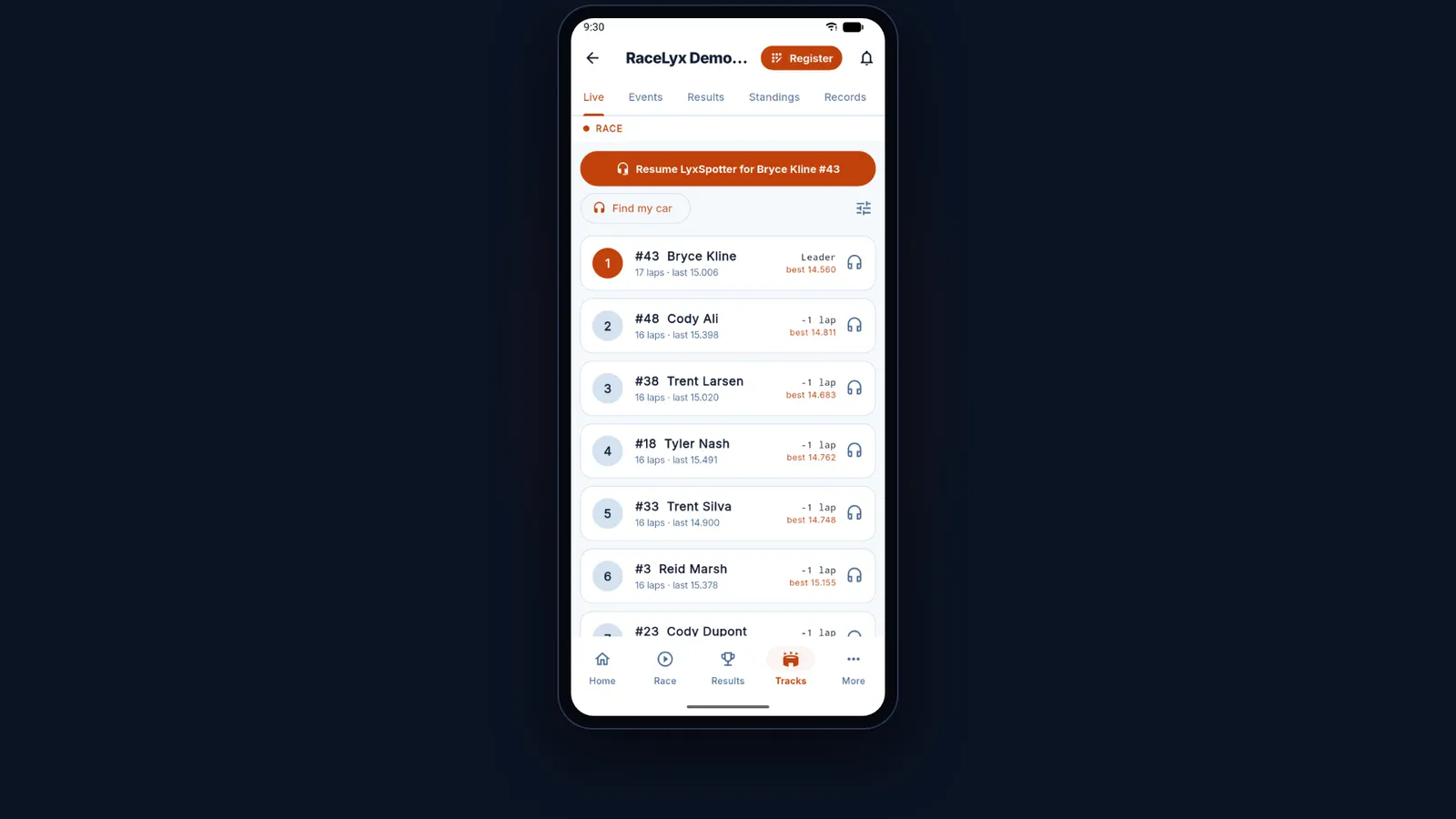
Your track's page in the app has tabs for Live, Events, Results, Standings and Records.
Before you start
- Nothing.
Step by step
- 1
Your track
Open Tracks and tap your track. Everything from that track is in one place.
Tabs: Live, Events, Results, Standings and Records.
- 2
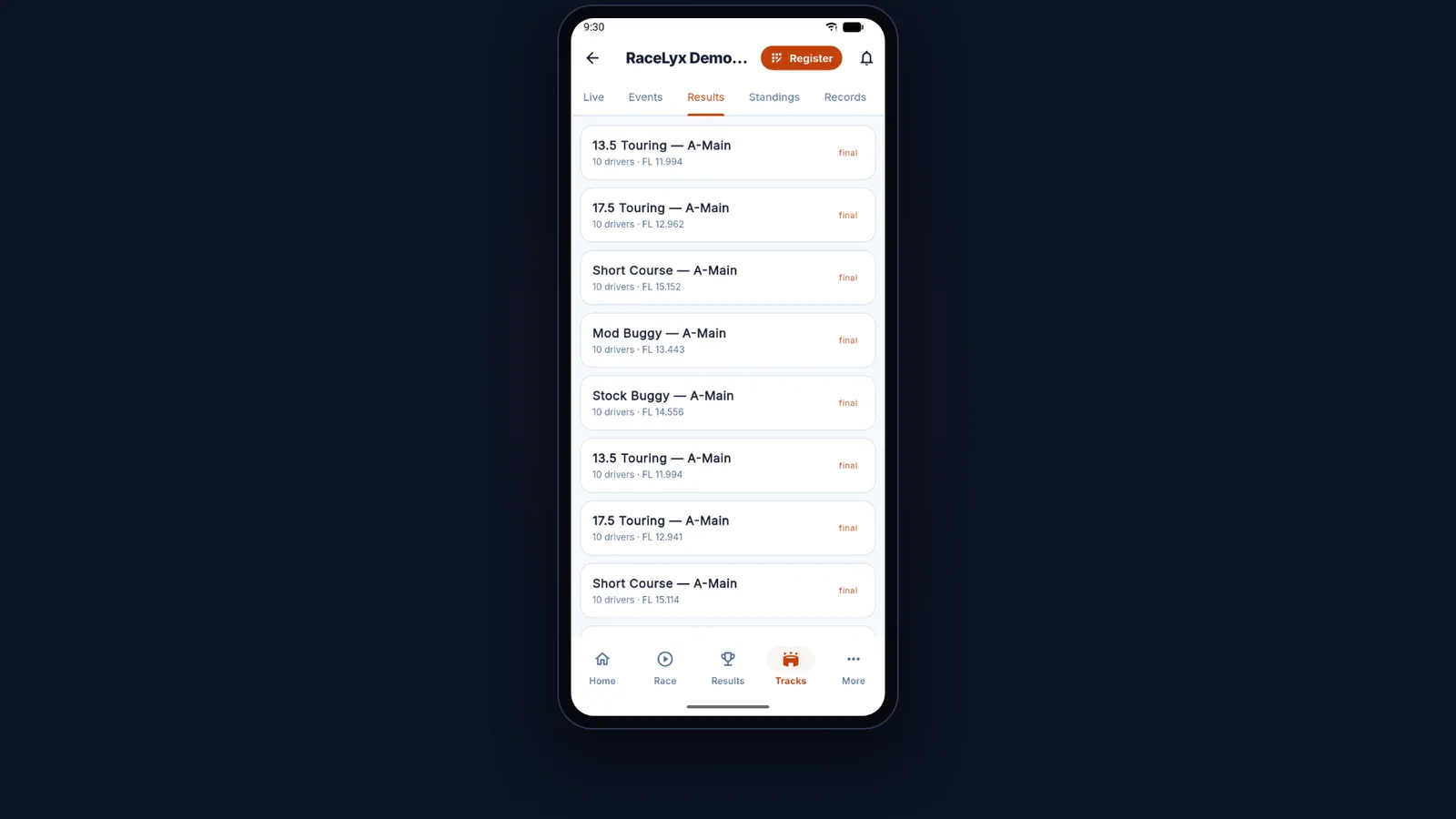
Results
Tap Results for finished sessions. Tap one for the order, then a driver for their laps.
Each driver row opens their lap sheet: best, average, consistency and every lap.
- 3
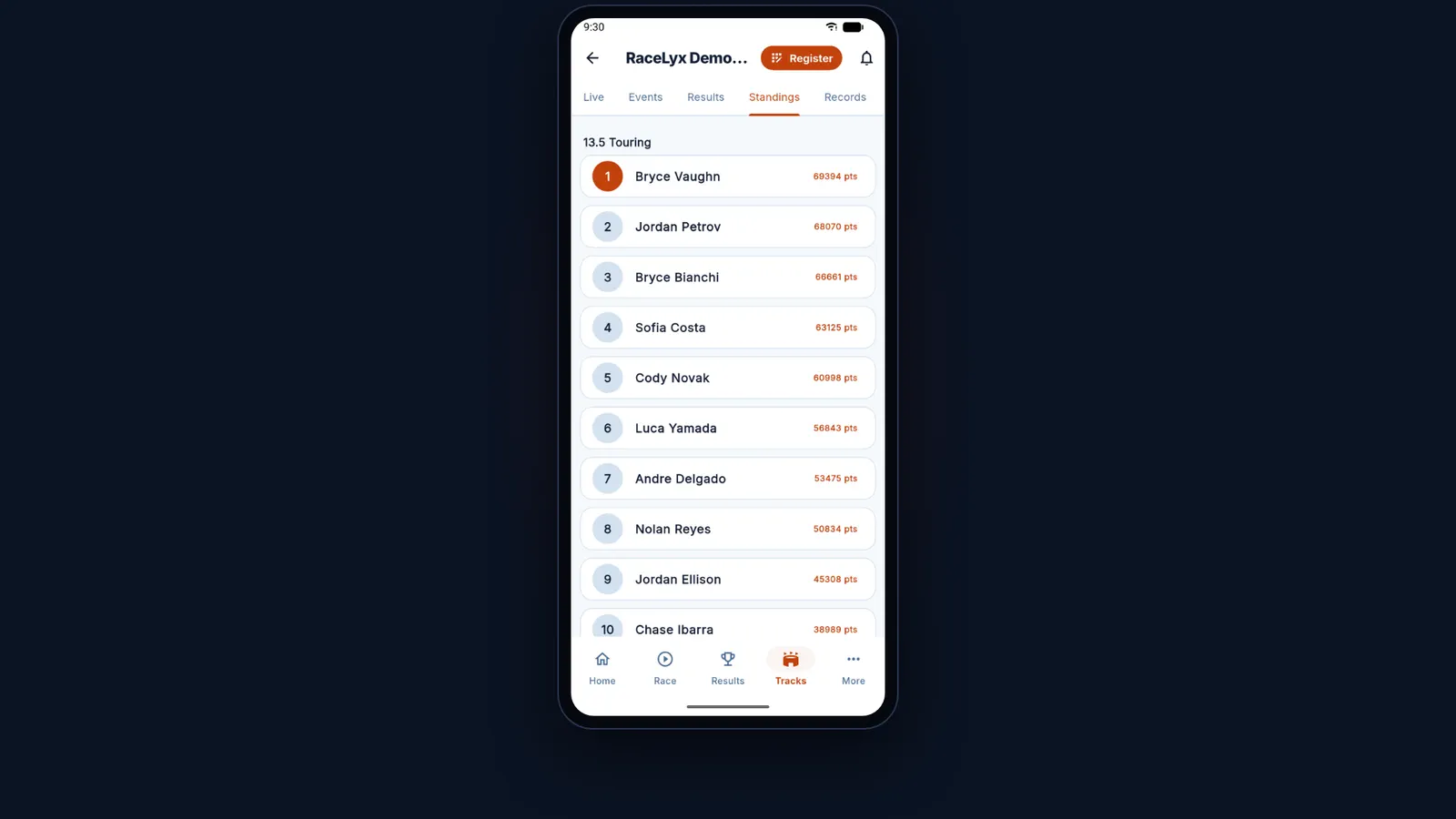
Standings and Records
Standings shows points per class. Records shows all-time bests.
Records: sessions, wins, podiums and best lap per driver.
Tips
- From Driving Home, MY TRACK, Results jumps straight here.
- Pull down to refresh.
Related guides
Something here does not match what you see? Tell us and we will fix the guide.