One RaceLyx account works everywhere: racelyx.com, the live timing site and the phone app. You sign in on login.racelyx.com, the RaceLyx sign-in page, with your email and password. If you forget the password, the same page emails you a link to set a new one.
Before you start
- A RaceLyx account, and the email address you made it with.
Step by step
- 1
Sign in
On racelyx.com, click Sign in at the top right.
Every racelyx.com page has Sign in at the top. It opens Welcome to RaceLyx.
- 2
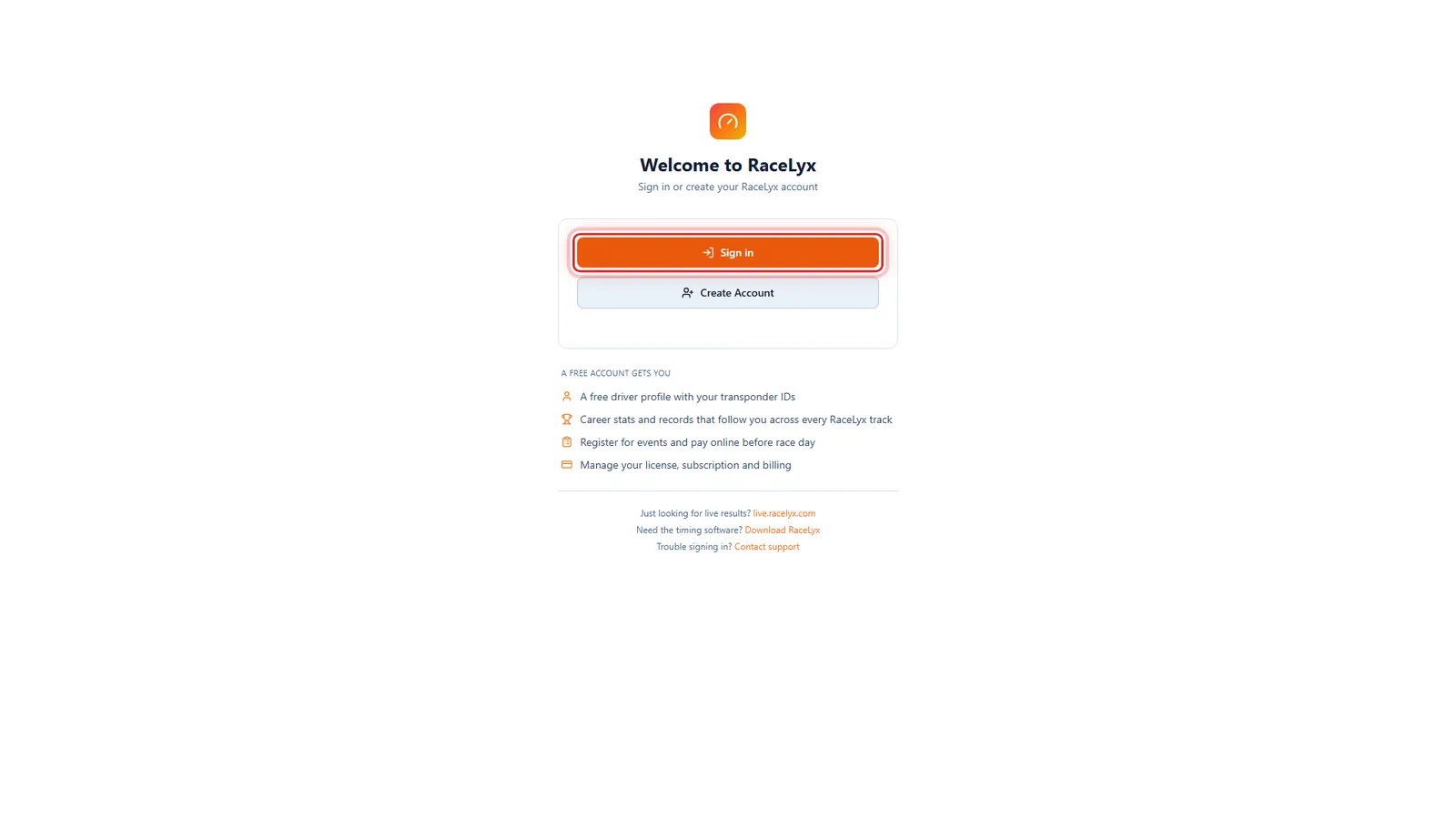
Welcome to RaceLyx
Welcome to RaceLyx opens. Click Sign in, not Create Account.
Sign in is for an account you already have; Create Account makes a new one. The list under them shows what a free account adds.
- 3
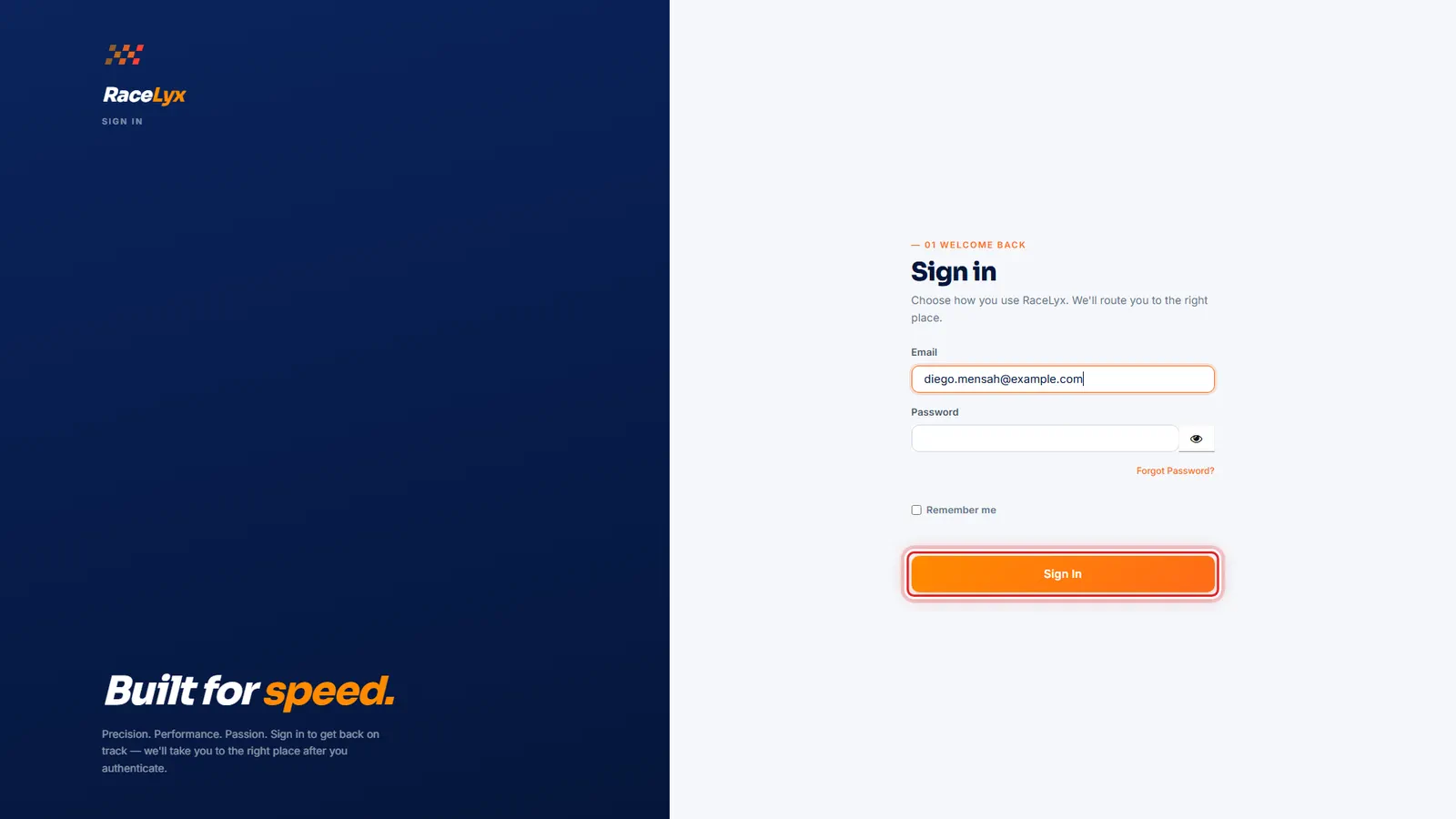
Your email and password
On the RaceLyx sign-in page, type your email and your password, then click Sign In.
The page is Sign in to your account, on login.racelyx.com. Email is the address you signed up with. Tick Remember me to stay signed in on this browser. Signed in, you go back to racelyx.com and land on My Profile.
- 4
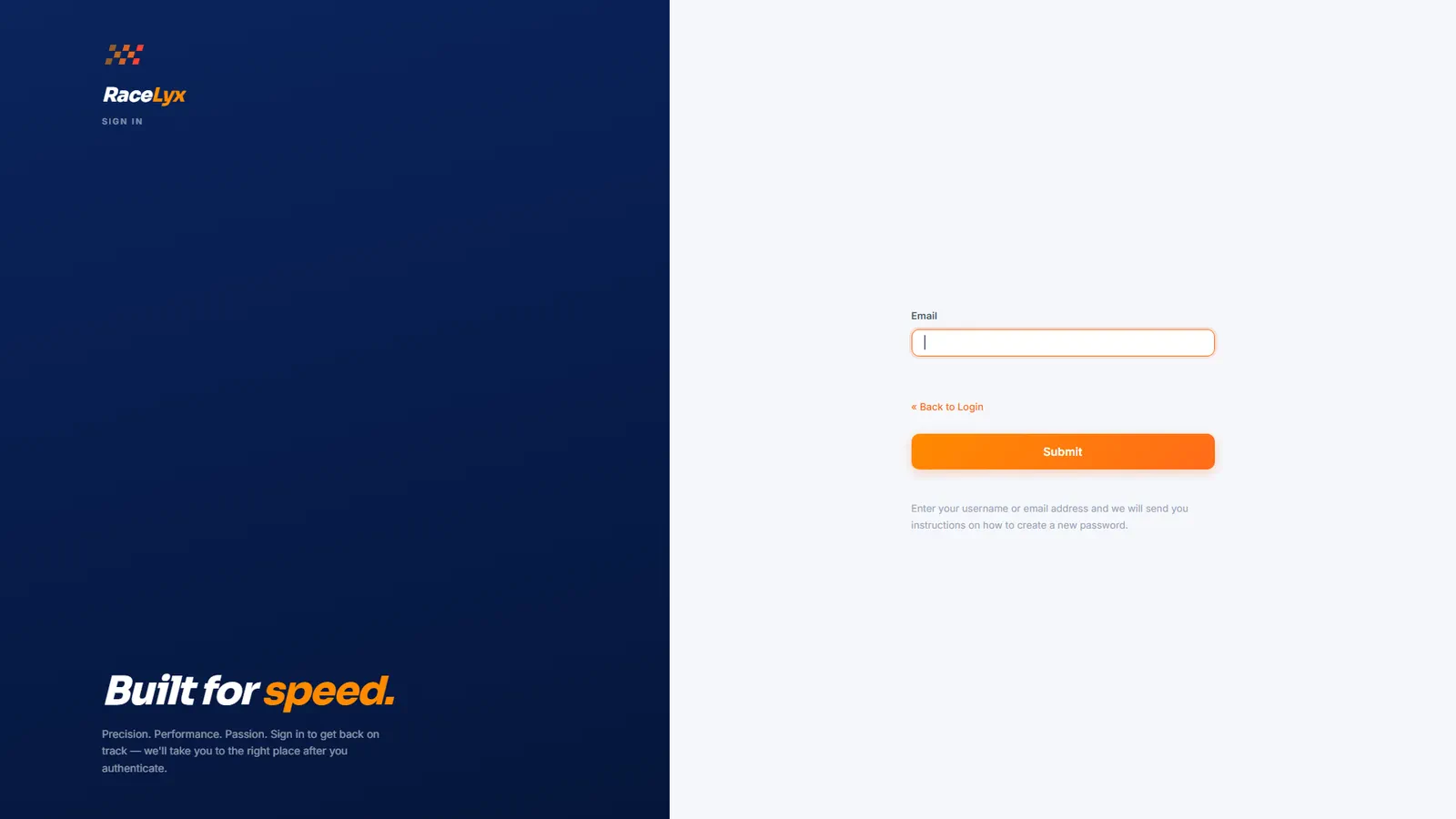
Forgot Password?
Forgot your password? Click Forgot Password?, type your email and send it. We email you a link to set a new one.
The page asks for your email. Send it, and an email arrives with a link. Open it on any device, choose a new password, and you can sign in again. The link works once and runs out, so ask for a new one if it has.
Tips
- Your email is your username. Use the same one at every track and in the app.
- In the app, tap I already have an account on the welcome screen, or Sign in under My racing on Driving Home.
- Signed in on racelyx.com, you land on My Profile, with your Racer ID.
- Remember me keeps you signed in on that browser.
- Live timing and results never need you to sign in.
Troubleshooting
- It says my email or password is wrong.
- Check that it is the email you signed up with, then use Forgot Password? to set a new password.
- The reset email never came.
- Check spam, and that you typed the email you signed up with. Still nothing after ten minutes? Use Contact support on racelyx.com.
- It asks me to verify my email.
- Open the confirmation email from when you signed up and click its link, then sign in again.
Related guides
Something here does not match what you see? Tell us and we will fix the guide.