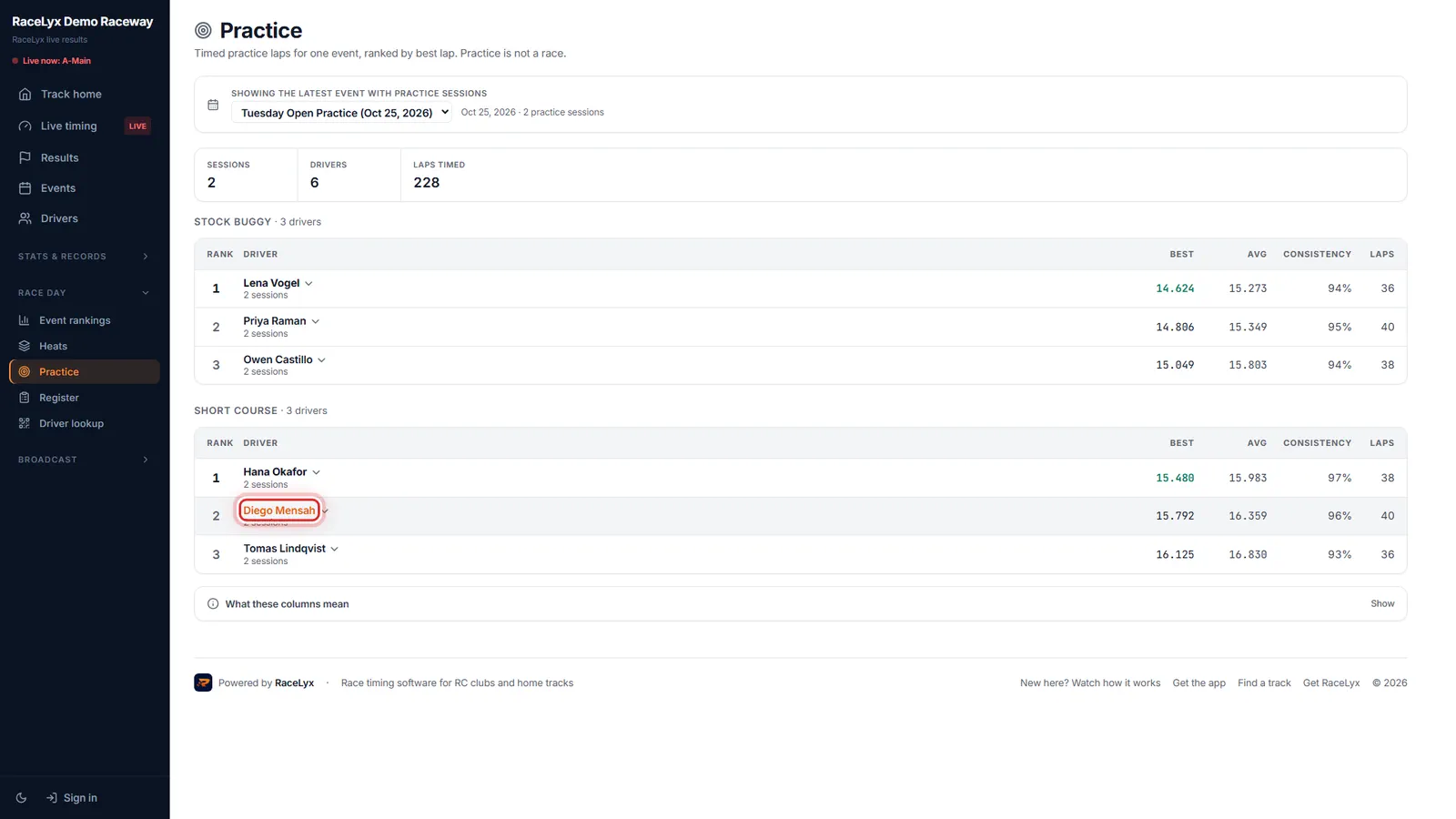
When a track times open practice in RaceLyx and publishes it, the Practice page in the Race day menu shows it: each driver's best lap, average, consistency and lap count, ranked by best lap within each class. Practice is not a race, so there are no positions, only times.
Before you start
- Your track times practice and publishes it. Many tracks only publish races.
Step by step
- 1
Open Practice
On your track's page, open Race day, then Practice.
Practice: timed practice laps for one event, ranked by best lap. The strip at the top shows the fastest lap and the number of sessions, drivers and laps timed.
- 2
Find yourself
Find your name in your class. At a busy track, type it in Find a driver above the tables.
Each class has its own ranking, since different cars are not comparable. Rank is by your single best lap, Avg is your average lap with slow ones included, and Consistency is 100% when every lap is the same.
- 3
Every lap
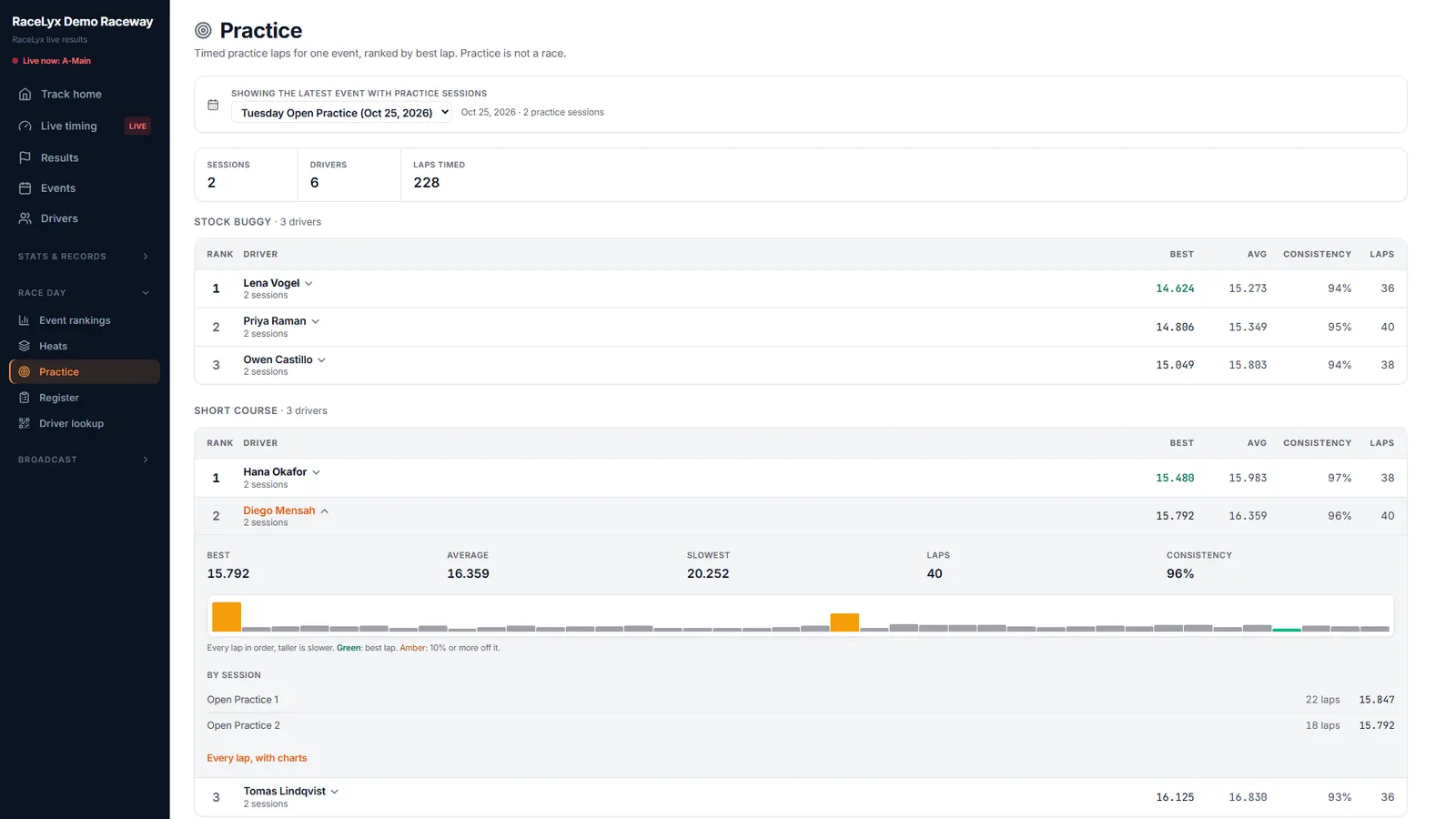
Click your name. Your best, average and slowest lap, your consistency, and a bar for every lap.
Taller bars are slower laps. Green is your best lap, and amber is 10% or more off it. By session splits it into each practice session you ran.
Tips
- With more than eight drivers, Find a driver above the tables searches by name.
- Pick another event or practice day at the top of the page.
- Your driver page has a Practice tab too.
- Practice laps never count for track records.
- Lap 1 counts in practice: you start on your own flying lap.
Troubleshooting
- "No practice published"
- The track has not published any timed practice. Ask whether they time practice with RaceLyx.
- "No timed laps"
- The practice sessions were published without lap times, so there is nothing to rank.
Related guides
Something here does not match what you see? Tell us and we will fix the guide.