A parent can do everything for a young driver: sign them up online, sign the waiver for them, check them in at the gate, and cover the family with one membership. This video signs a child up on the track's Register page; the tips cover the rest.
Before you start
- Your track takes online registration.
- Your child's birth date, if the track has its own waiver.
Step by step
- 1
Register, signed in
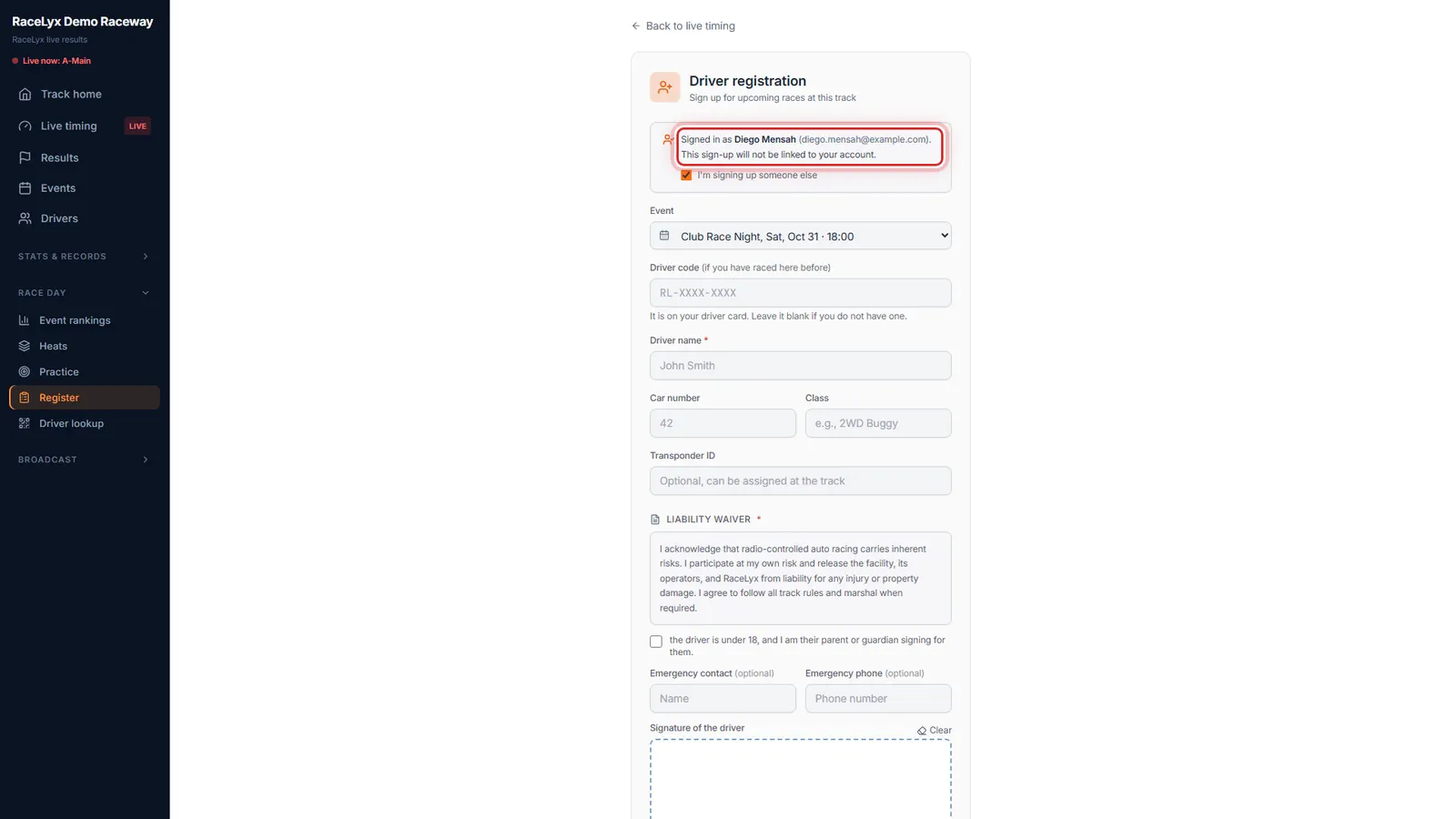
Signed in, open your track's Register page. The note at the top says who you are signed in as.
Signed in, a sign-up is linked to your account once the track confirms it. That is right for your own racing, but not for your child's.
- 2
I'm signing up someone else
Tick I'm signing up someone else. Your child's sign-up stays off your account.
The note changes to: This sign-up will not be linked to your account.
- 3
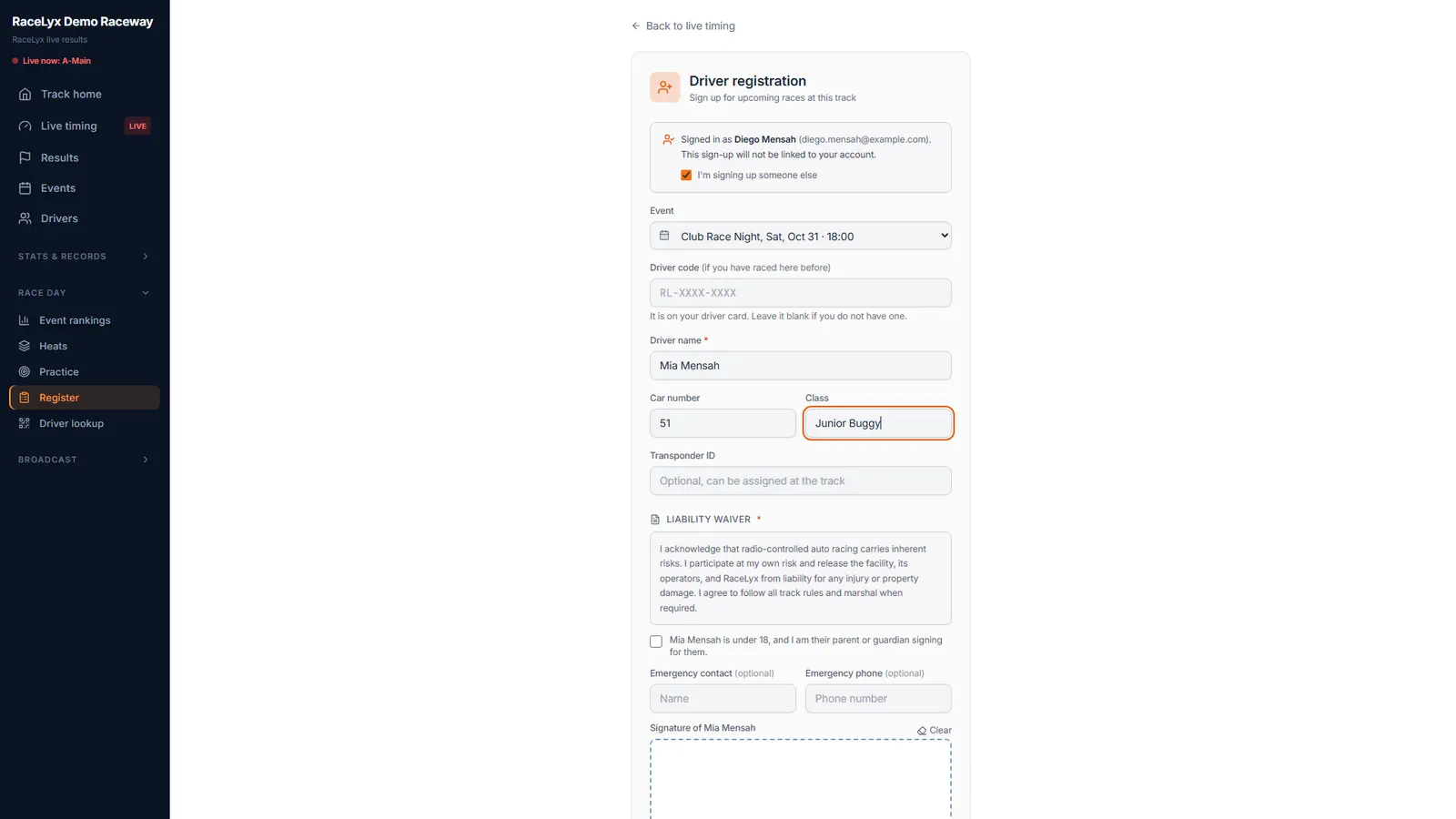
Your child's details
Type your child's name, car number and class.
Driver name is your child's name, the way it should show in results. Pick the event at the top if the track lists one. The driver code is for a child who already has a card from this track.
- 4
Under 18
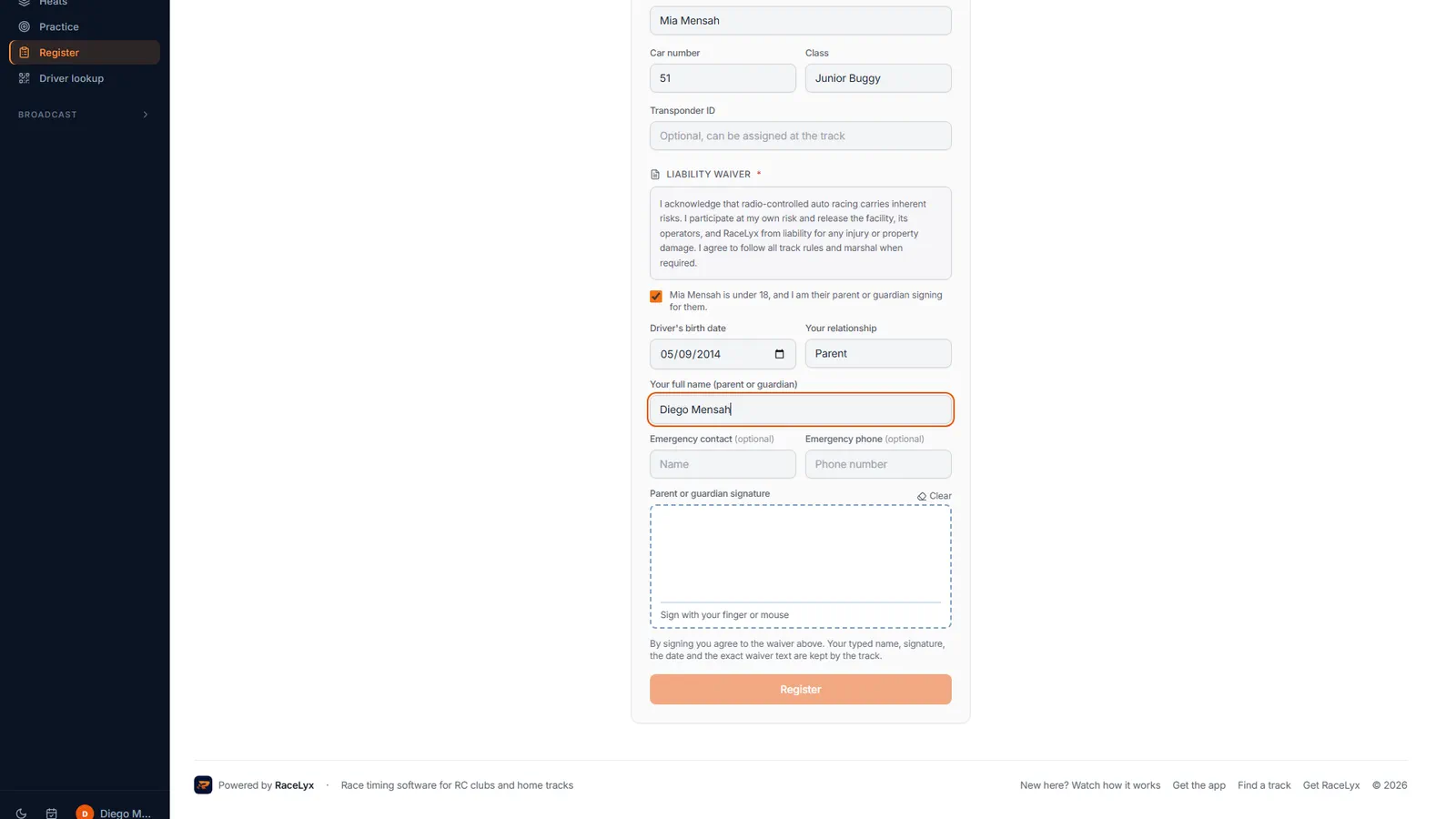
Tick the under 18 box, then add their birth date, your relationship and your full name.
"Mia Mensah is under 18, and I am their parent or guardian signing for them." Driver's birth date, Your relationship and Your full name (parent or guardian) are required. The emergency contact is optional on this form.
- 5
Sign as their parent
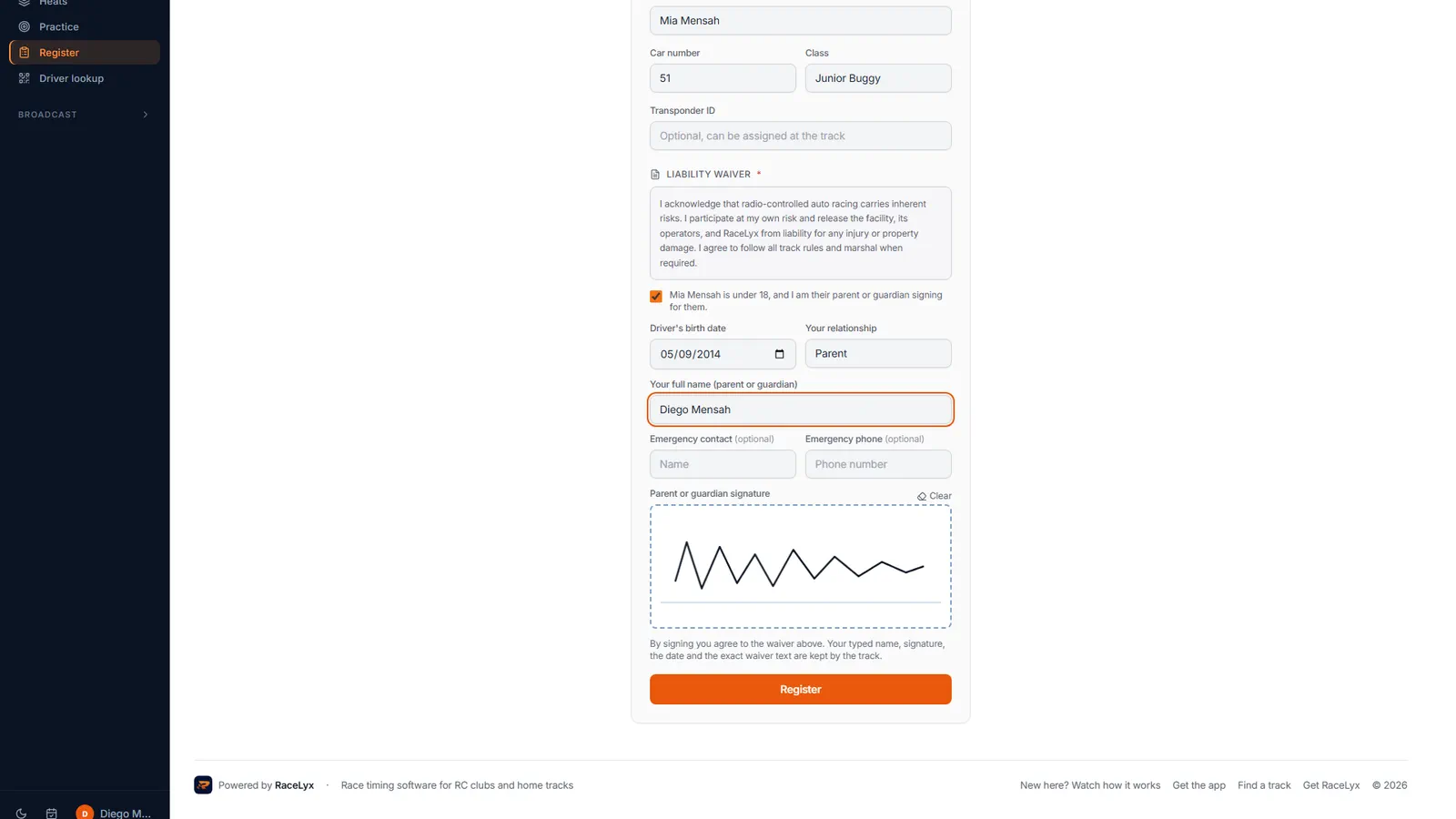
Sign in the box as their parent or guardian.
The box is labelled Parent or guardian signature. Clear starts again. The track keeps your name, the signature, the date and the waiver text.
- 6
Register
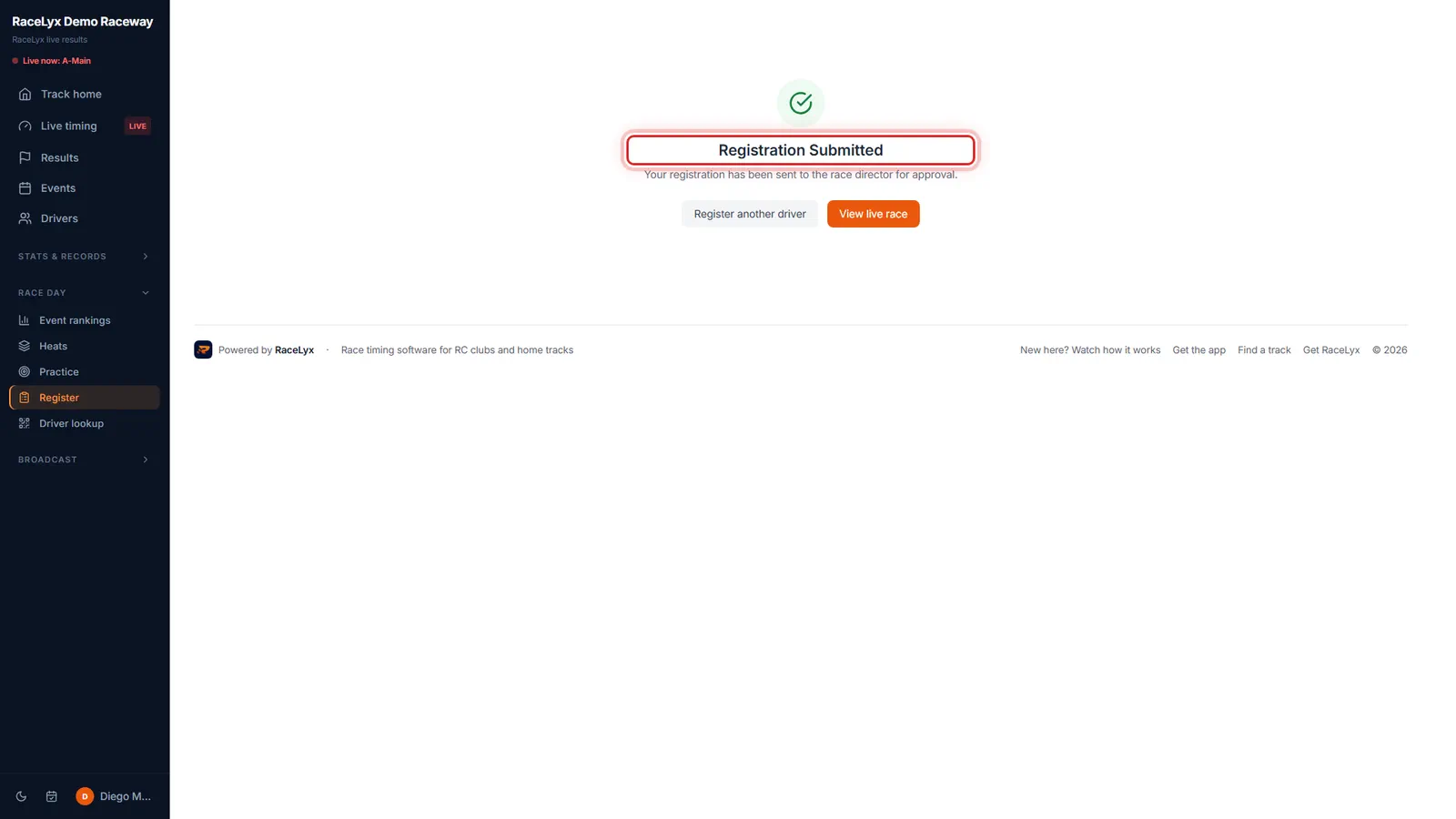
Click Register. It goes to the race director, like any sign-up.
"Registration Submitted." The race director approves it in the timing software. Register another driver clears the form for a second child or a second class.
Tips
- I'm signing up someone else keeps your child's sign-up off your own account and career.
- At the gate, check in the first driver, then tap Check in someone else for the next one.
- On the track's online waiver page, a parent signs once for up to ten children: choose I'm signing for minors.
- A family membership covers your household: add each child, with a birth date, on the dues page.
- Two children, or two classes? Press Register another driver after each sign-up.
Troubleshooting
- "The driver is 18 or older and signs for themselves."
- The birth date makes them an adult. Untick the under 18 box and let them sign for themselves.
- "Add the driver's birth date."
- With the under 18 box ticked, the birth date is required so the track knows their age.
- "Say how the parent or guardian is related to the driver."
- Fill in Your relationship, like Parent or Guardian.
Related guides
Something here does not match what you see? Tell us and we will fix the guide.