Tracks with their own waiver can send you a link to sign it online. You sign once, with your finger or the mouse, and the track keeps your typed name, signature, the date and the exact waiver text. Until it runs out, the check-in page shows Waiver on file and you skip the signature.
Before you start
- The waiver link from your track, like live.racelyx.com/waiver/yourtrack. Tracks share it by email or on their own page.
- An emergency contact's name and phone number.
Step by step
- 1
Open the waiver link
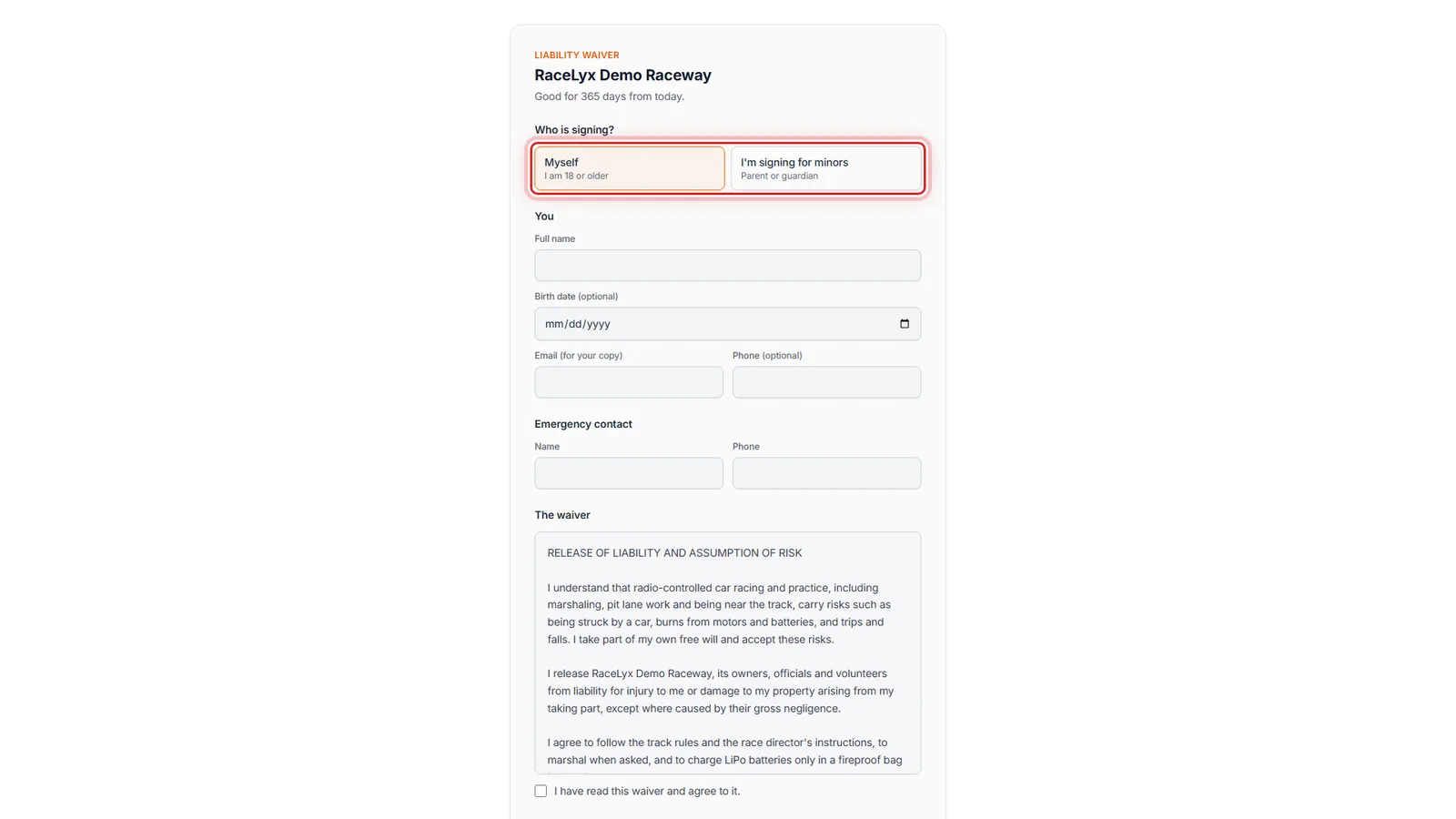
Open the waiver link from your track. The top says how long a signature lasts.
The page is the track's liability waiver. The line under the track name says how long your signature counts, here Good for 365 days from today. Other tracks use until December 31st, or today's event only.
- 2
Who is signing?
Under Who is signing, choose Myself. A parent signing for children chooses I'm signing for minors.
Myself is for drivers 18 or older. I'm signing for minors is for a parent or guardian: it asks your relationship to the children, and a row for each child's full name and birth date, with Add another child for brothers and sisters.
- 3
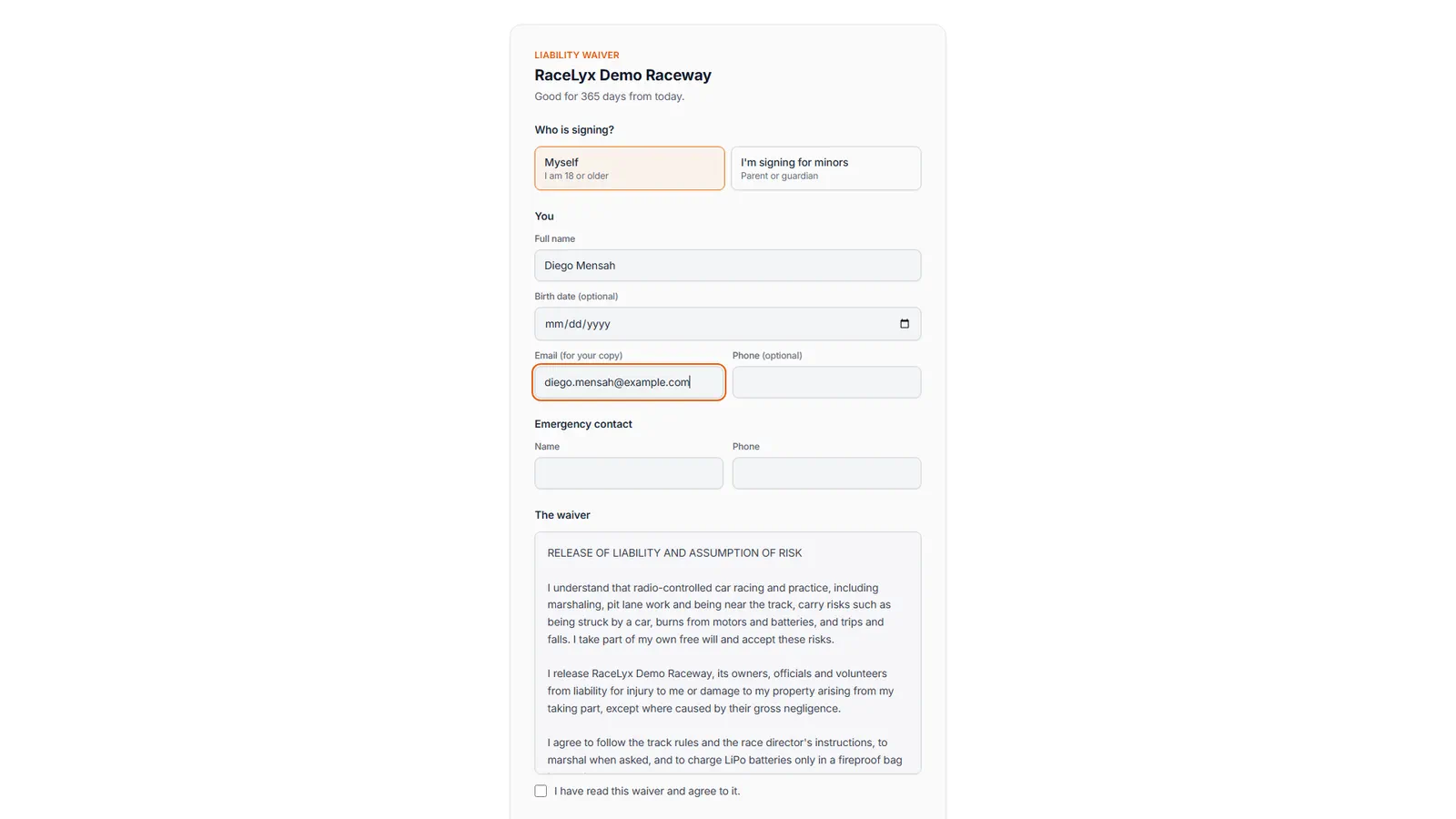
Your details
Type your full name, and your email for a copy. Phone is optional.
Full name is required, and it is the name the track matches at check-in, so use the one you race under. Birth date is optional for an adult. The email gets a copy of the signed waiver.
- 4
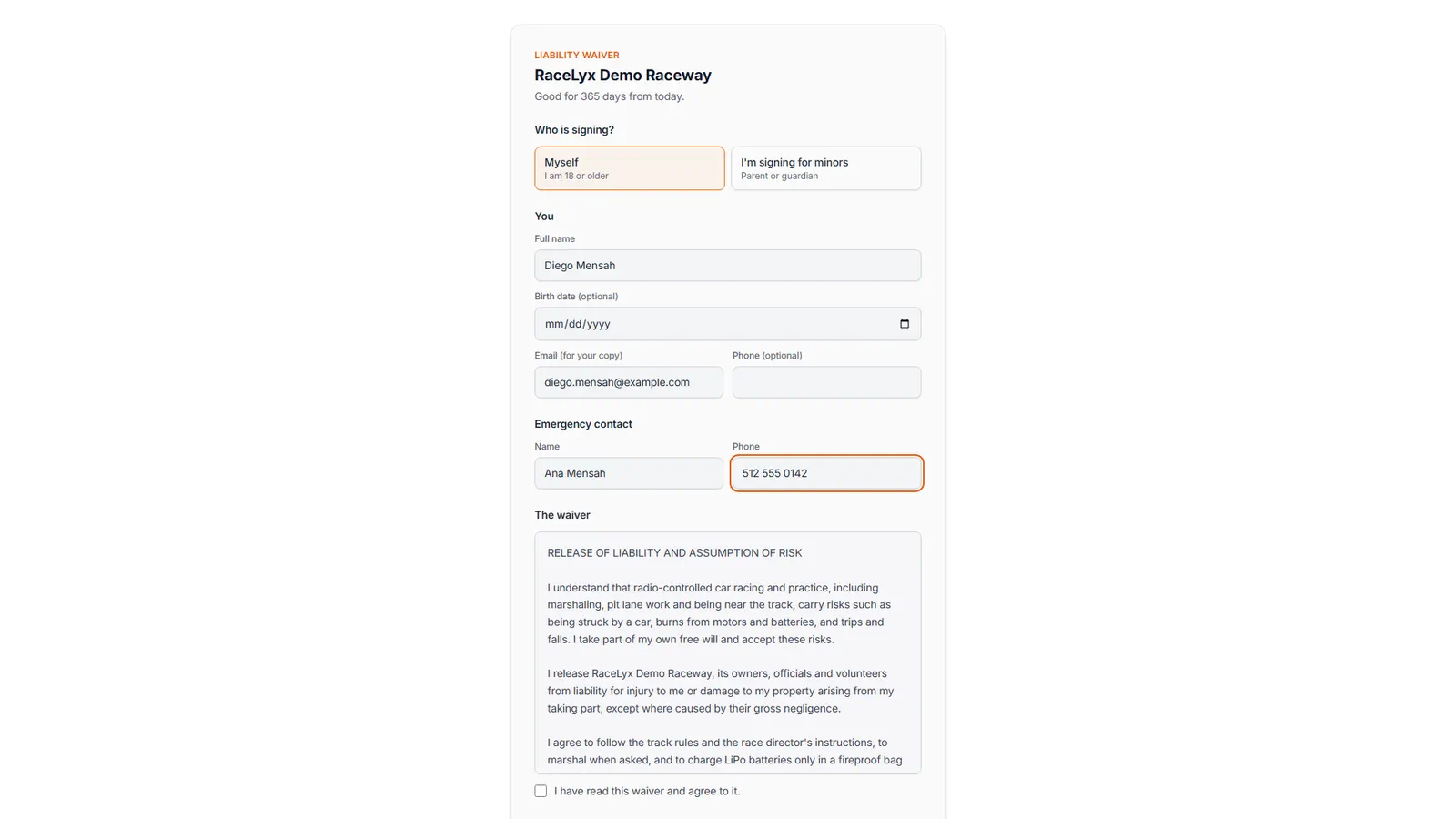
Emergency contact
Add an emergency contact: a name and a phone number.
Both are required: someone the track can call if you are hurt, ideally a person who is not racing with you that day.
- 5
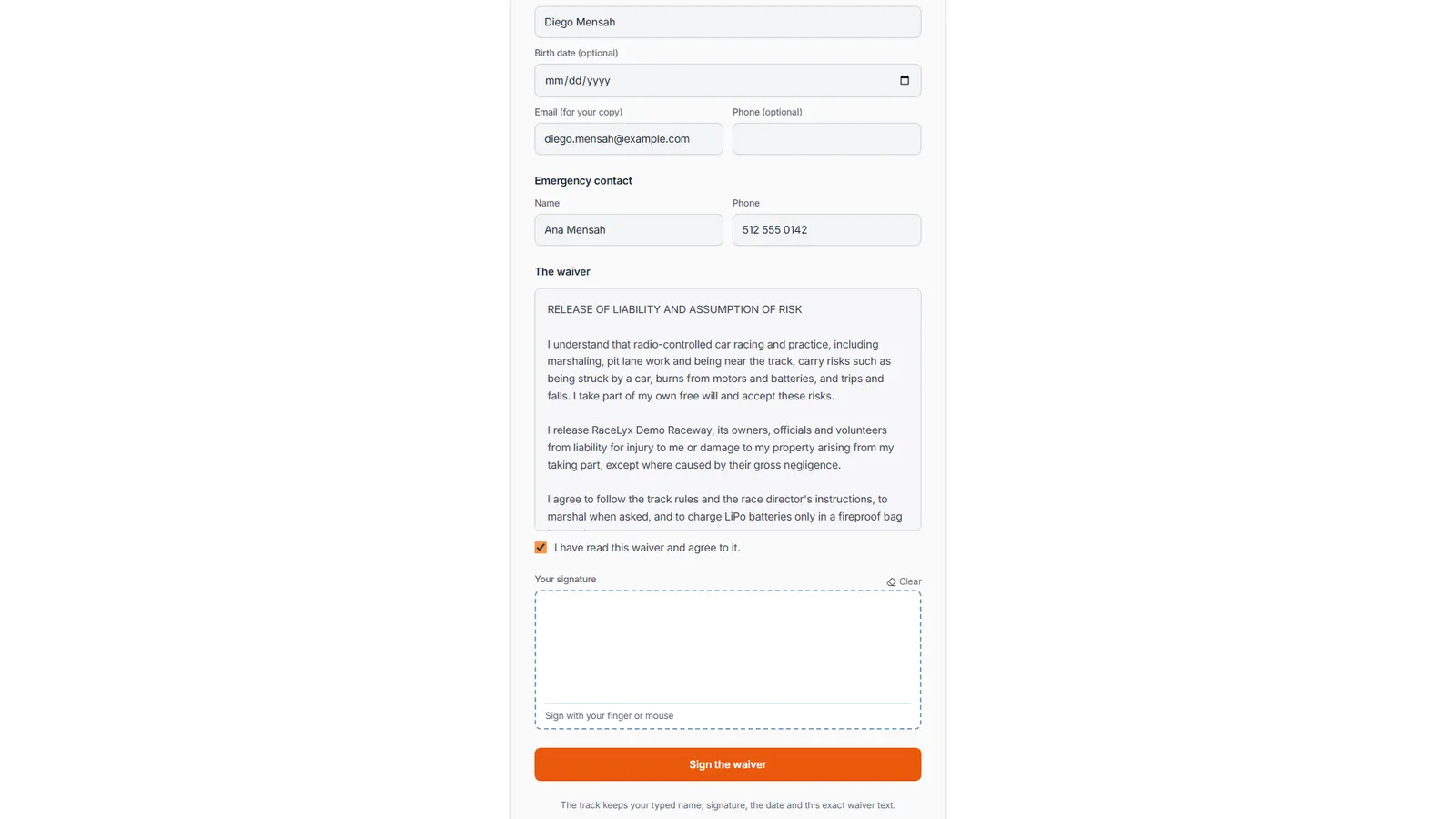
Read and agree
Read the waiver, then tick I have read this waiver and agree to it.
The box shows the track's own waiver in full; scroll inside it to read it all. You agree to exactly this text, and the track keeps a copy of it with your signature.
- 6
Sign, then Sign the waiver
Sign in the box with your finger or the mouse. Then click Sign the waiver.
Clear starts the signature again. Your signature, typed name, the date and the waiver text are saved together.
- 7
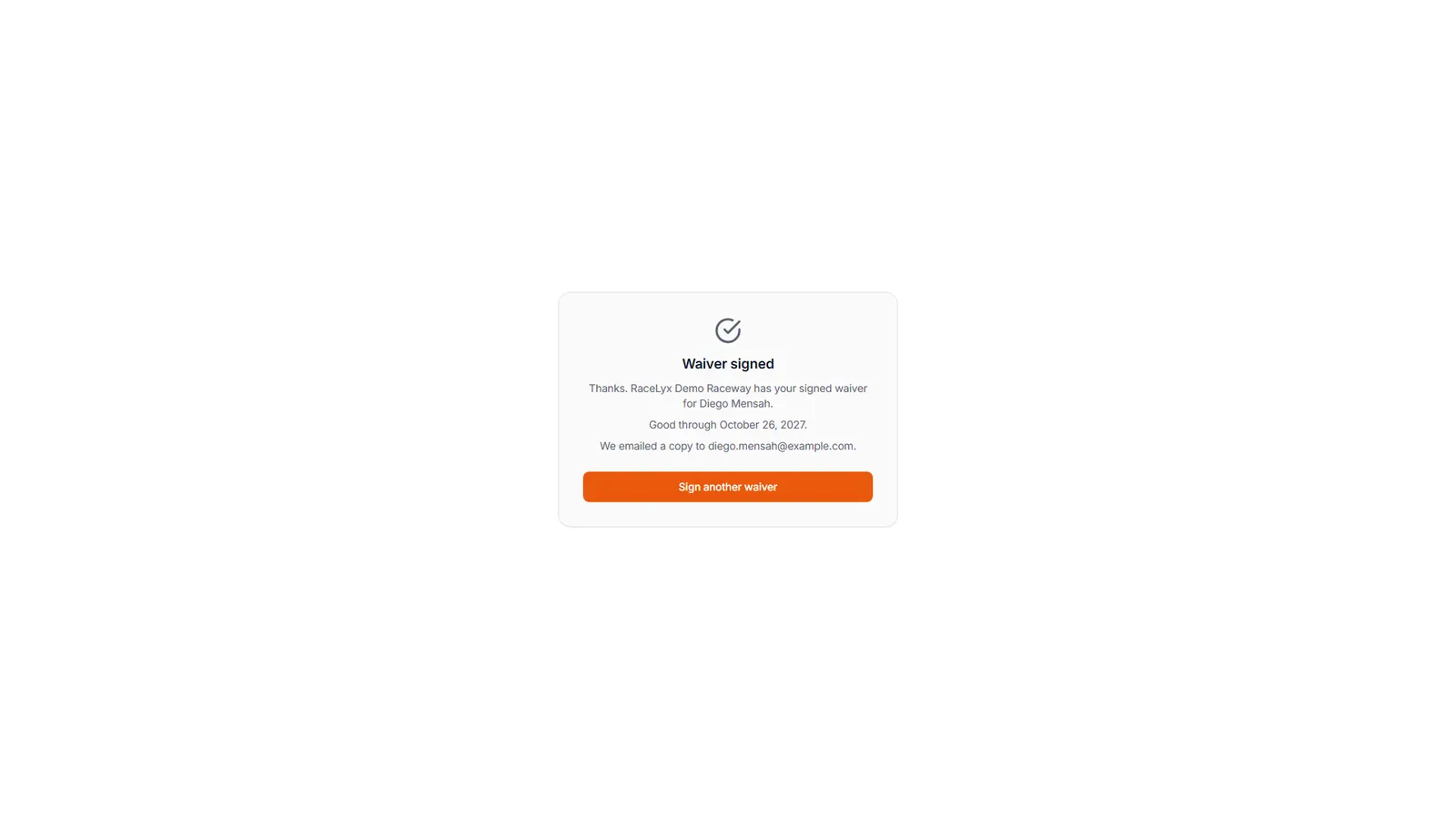
Waiver signed
Waiver signed. At check-in it now shows Waiver on file, so you skip the signature.
"Thanks. RaceLyx Demo Raceway has your signed waiver for Diego Mensah." with how long it is good for, and that a copy was emailed. Sign another waiver starts a fresh form, for a friend or family member on the same phone.
Tips
- How long it lasts is at the top: until December 31st, 365 days, or today's event only.
- A parent or guardian signs once for up to ten children: choose I'm signing for minors and add each child with their birth date.
- Drivers 18 or older sign for themselves.
- Type an email to get a copy of what you signed.
- Use the name you race under, so check-in finds your waiver.
Troubleshooting
- "Please add an emergency contact name and phone number."
- An emergency contact is required on this form. Fill in both boxes under Emergency contact.
- "Anyone under 18 needs a parent or guardian to sign for them."
- A parent or guardian signs instead: choose I'm signing for minors.
- "This track has not set up an online waiver yet."
- Sign at the track instead, at the desk or on the check-in page.
Related guides
Something here does not match what you see? Tell us and we will fix the guide.