Mistakes in a season are normal: the wrong session synced, a driver entered under two names, a round that should count double. Each has a fix on the Series Standings page, and none of them means starting the series again.
Before you start
- A series with at least one round added.
- Series Standings on in Settings, Features (Pro plan).
Step by step
- 1
Open the series
Open Results, Series Standings, and pick the series.
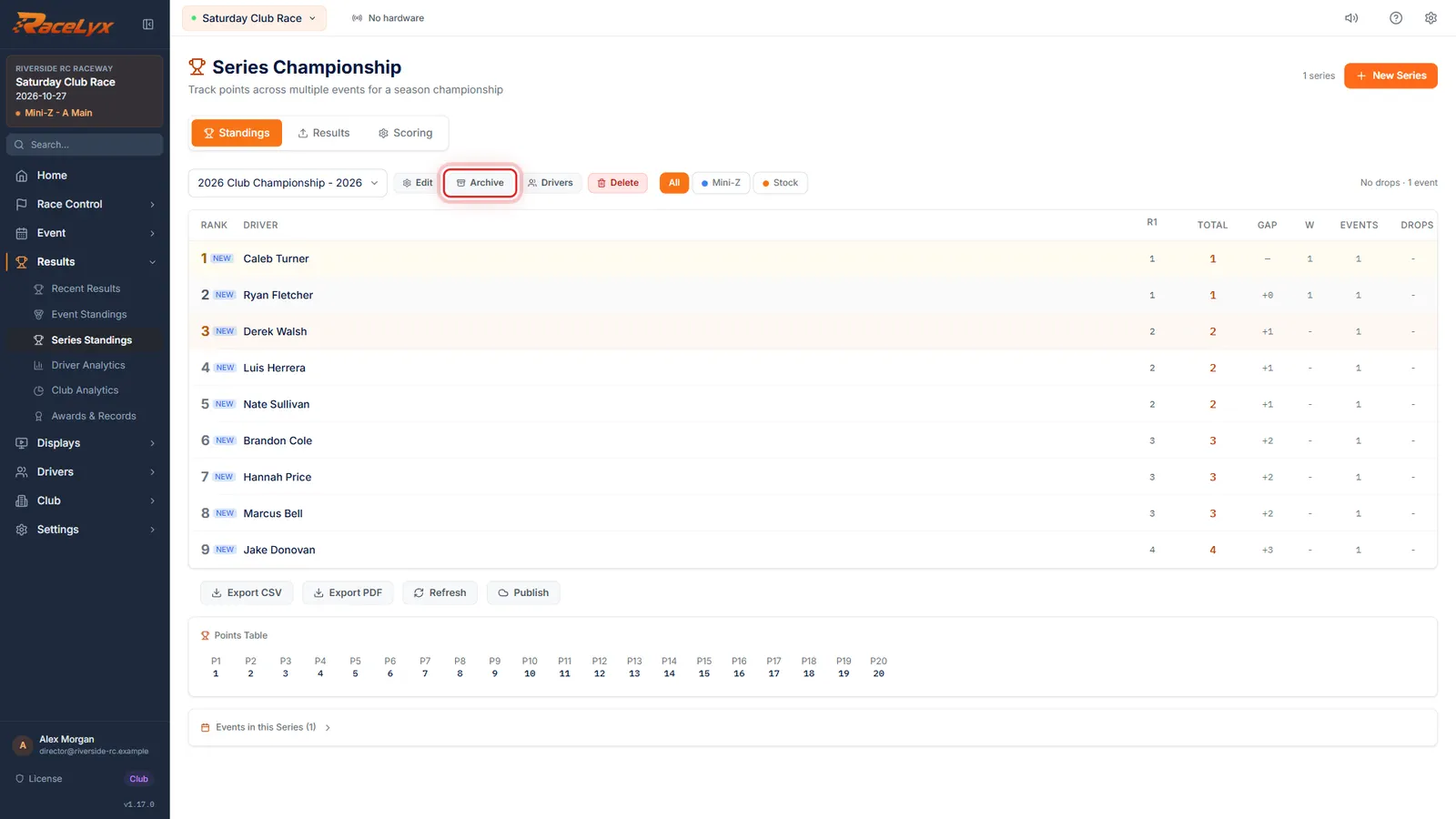
The bar at the top has the series list, Edit, Archive, Drivers and Delete. Tabs: Standings, Results and Scoring.
- 2
A wrong sync
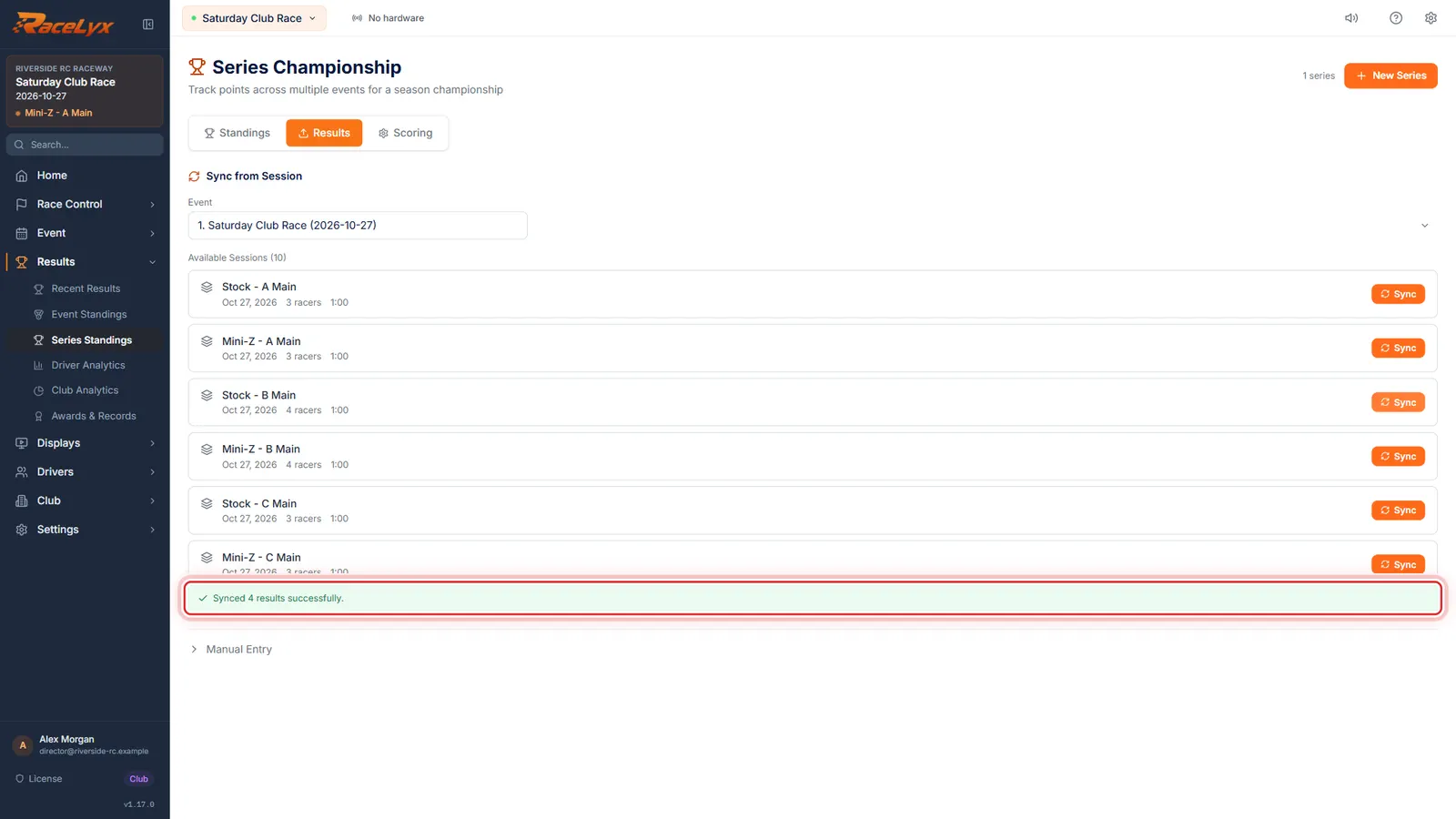
Say round one was synced from the wrong session: here, a qualifying heat instead of the A Main.
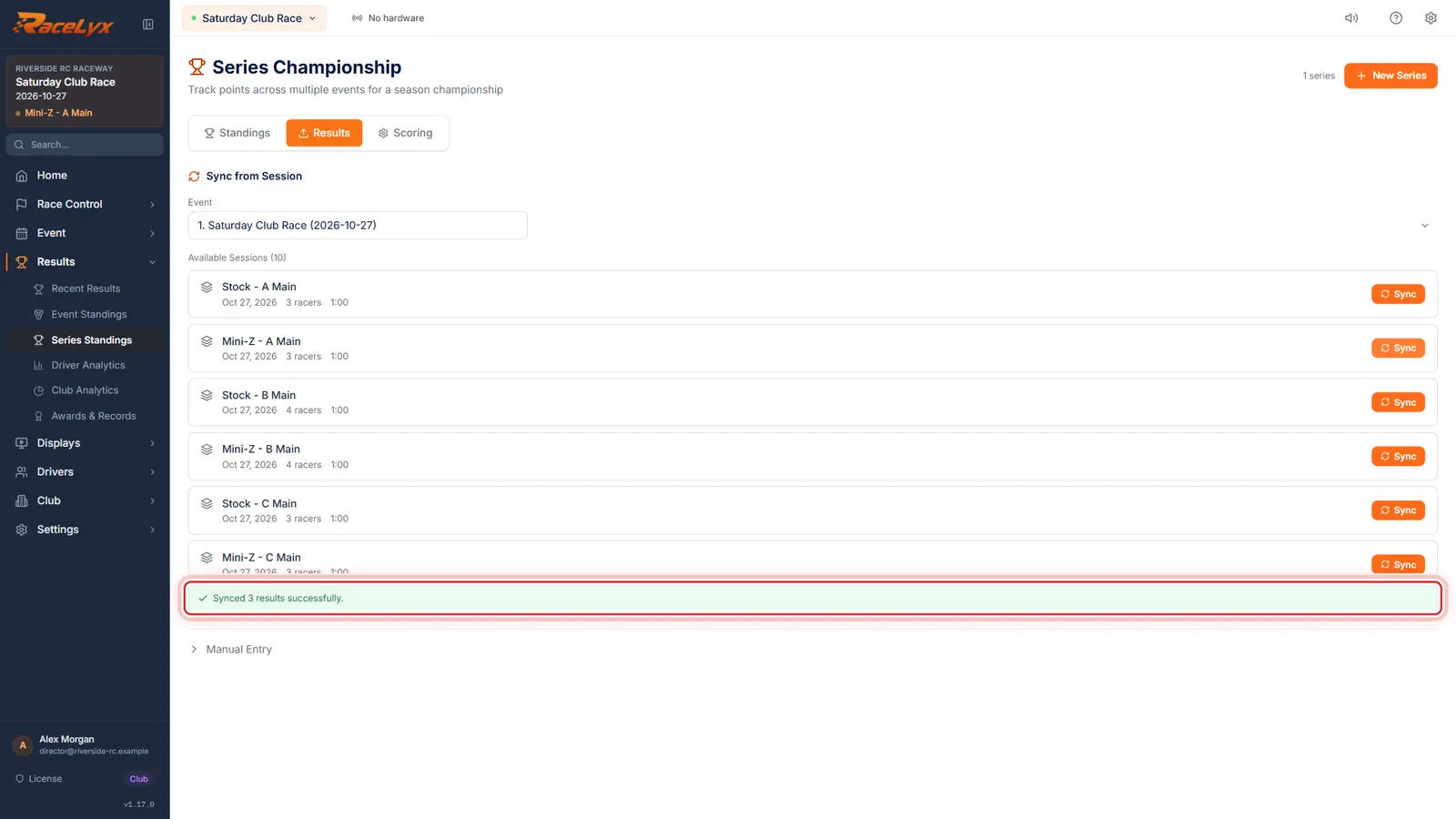
Available Sessions lists every saved session on this PC, so the wrong one is easy to pick. Each Sync files that session's finishing order as points for the event you chose.
- 3
Sync the right ones
Sync the right sessions. A driver in both keeps the later one, so the A Main replaces the heat.
A driver who was in the wrong session but not in the right one keeps the wrong result. Remove them in the next step.
- 4
Manual Entry
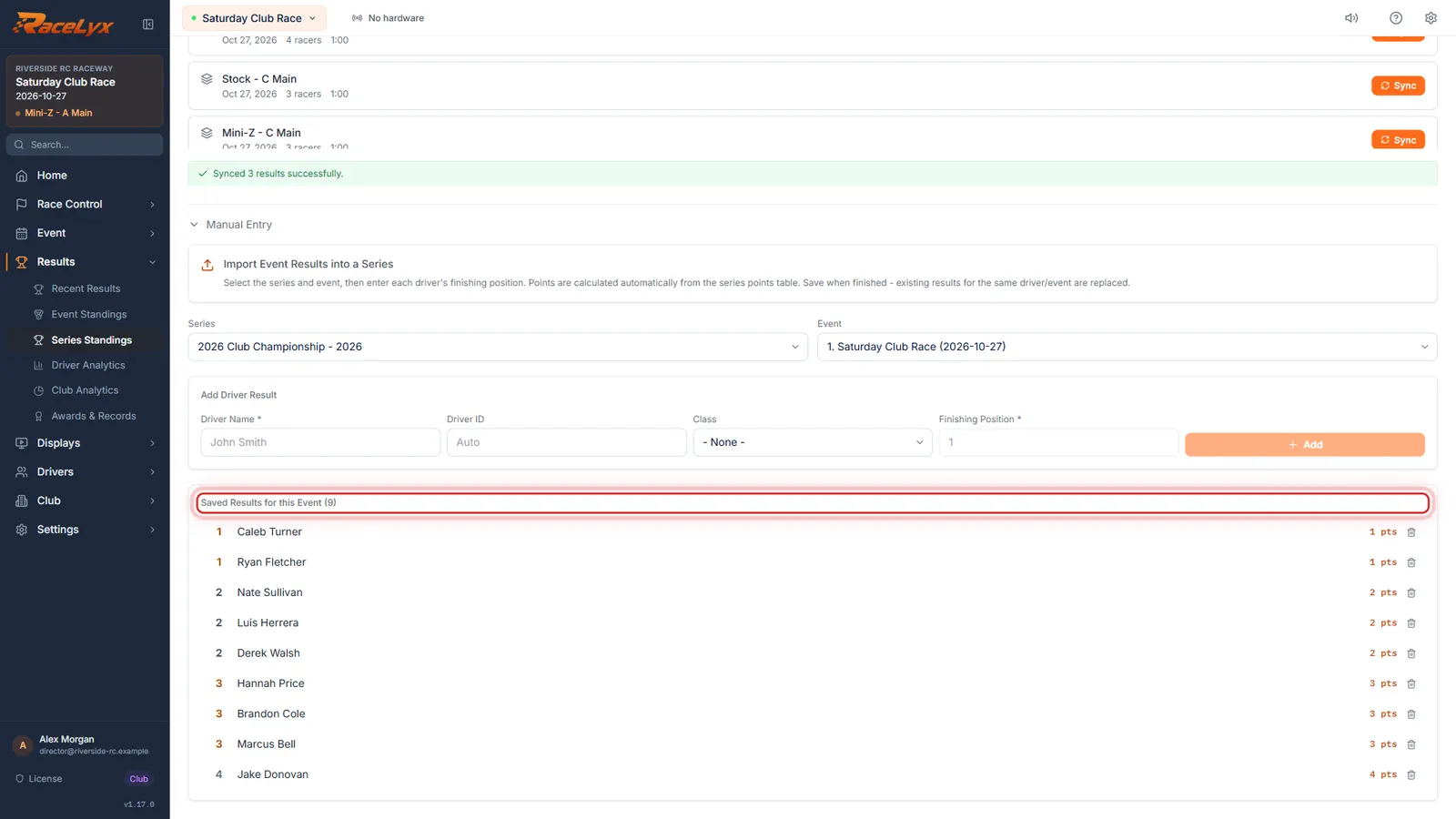
Anything left over? Open Manual Entry and pick the event. Remove a result with its bin, or add one by hand.
Saved Results for this Event lists every result in the round, each with Remove this result. Add Driver Result takes a Driver Name, Class and Finishing Position; points come from the series table. Save sends them to the series.
- 5
Merge duplicate drivers
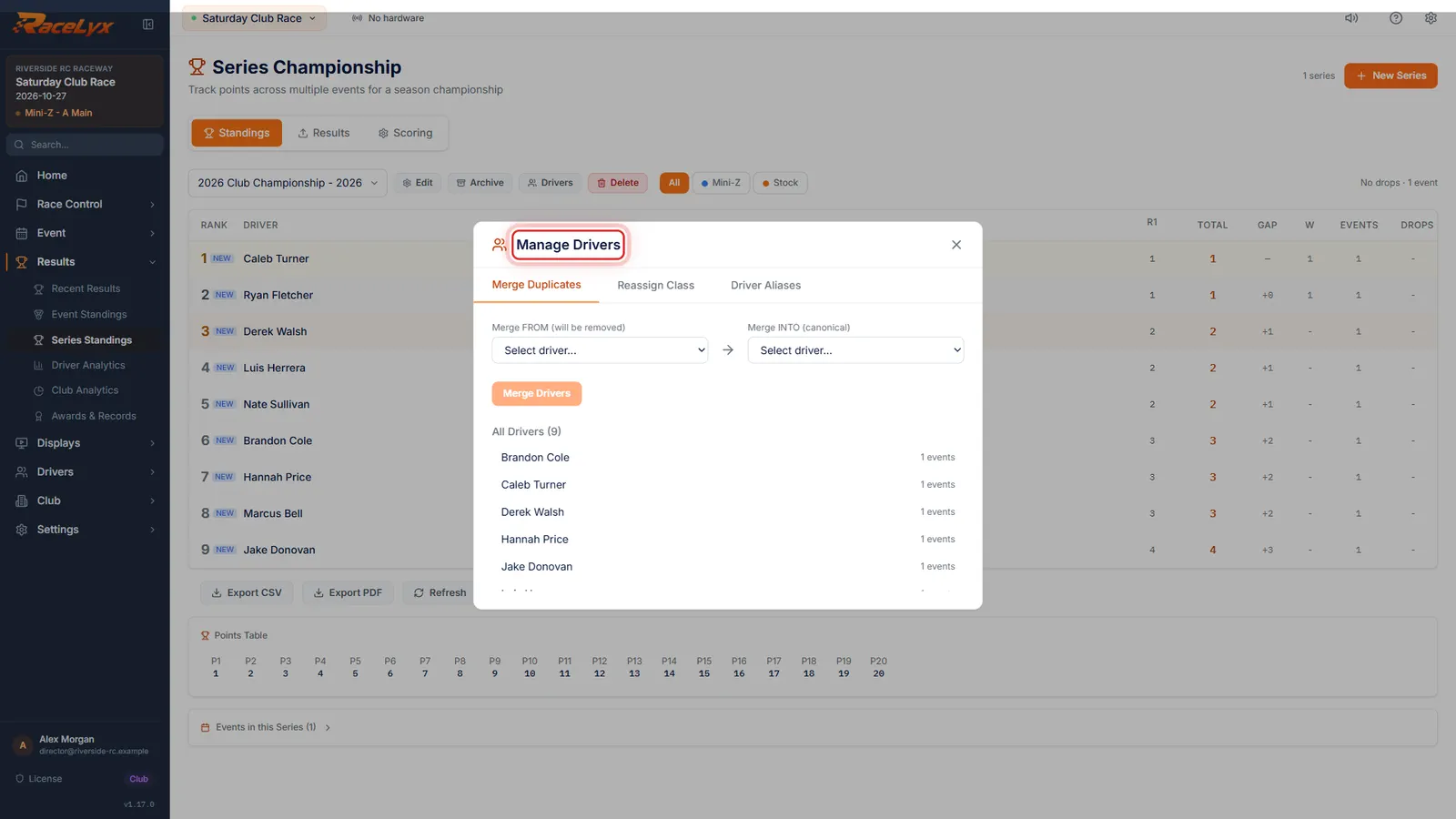
Back on Standings, click Drivers to merge a driver who appears twice, or move one to the right class.
Manage Drivers has three tabs: Merge Duplicates, Reassign Class and Driver Aliases. An alias links another name or transponder to a driver, so future syncs find them.
- 6
Archive at season end
When the season is over, click Archive. The series becomes read-only, and Unarchive opens it again.
Archive asks first. An archived series is listed under Archived, and Sync, the round list and the multipliers are locked until you unarchive it.
Tips
- A re-sync replaces only what that session put in the event. It never touches the other sessions.
- Set a round's multiplier after its results are synced, and do not sync that round again while it is set: a round synced with a multiplier on is counted twice over (a 2x round scores 4x). To re-sync it, put it back to 1x, sync, then set the multiplier again.
- Corrected a session in Results after syncing it? Press Sync on it again so the series takes the new order.
- Manual Entry replaces a driver's result for the event when you save one for them.
- Delete removes the whole series, after asking. Archive is the safe way to put a finished season away.
Troubleshooting
- A driver shows twice in the standings.
- Click Drivers, then Merge Duplicates: pick the copy under Merge FROM (will be removed) and the one to keep under Merge INTO (canonical).
- A round counts four times as much as it should.
- Its multiplier was set before it was synced, so it was applied twice. Set the round back to 1x, sync its sessions again, then set the multiplier.
- "No events in this series. Add events in the Standings tab."
- Add the round under Events in this Series on the Standings tab first.
- Sync is greyed out on every session.
- Pick the event first. If it still is, the series is archived: click Unarchive.
Related guides
Something here does not match what you see? Tell us and we will fix the guide.