Clubs on RaceLyx ask their members who is coming to a club night or a race, so they know how many to expect. Your club's email has Going, Maybe and Can't make it buttons: one tap answers, with no password. You can also answer on the track's Events page on racelyx.com, or in the RaceLyx app. Change your answer as often as you like until the event.
Before you start
- Your club runs RaceLyx on the Club plan and has you on its member list.
- For the email: your email address on your member record. For racelyx.com and the app: a free RaceLyx account.
Step by step
- 1
Tap Going in the club's email
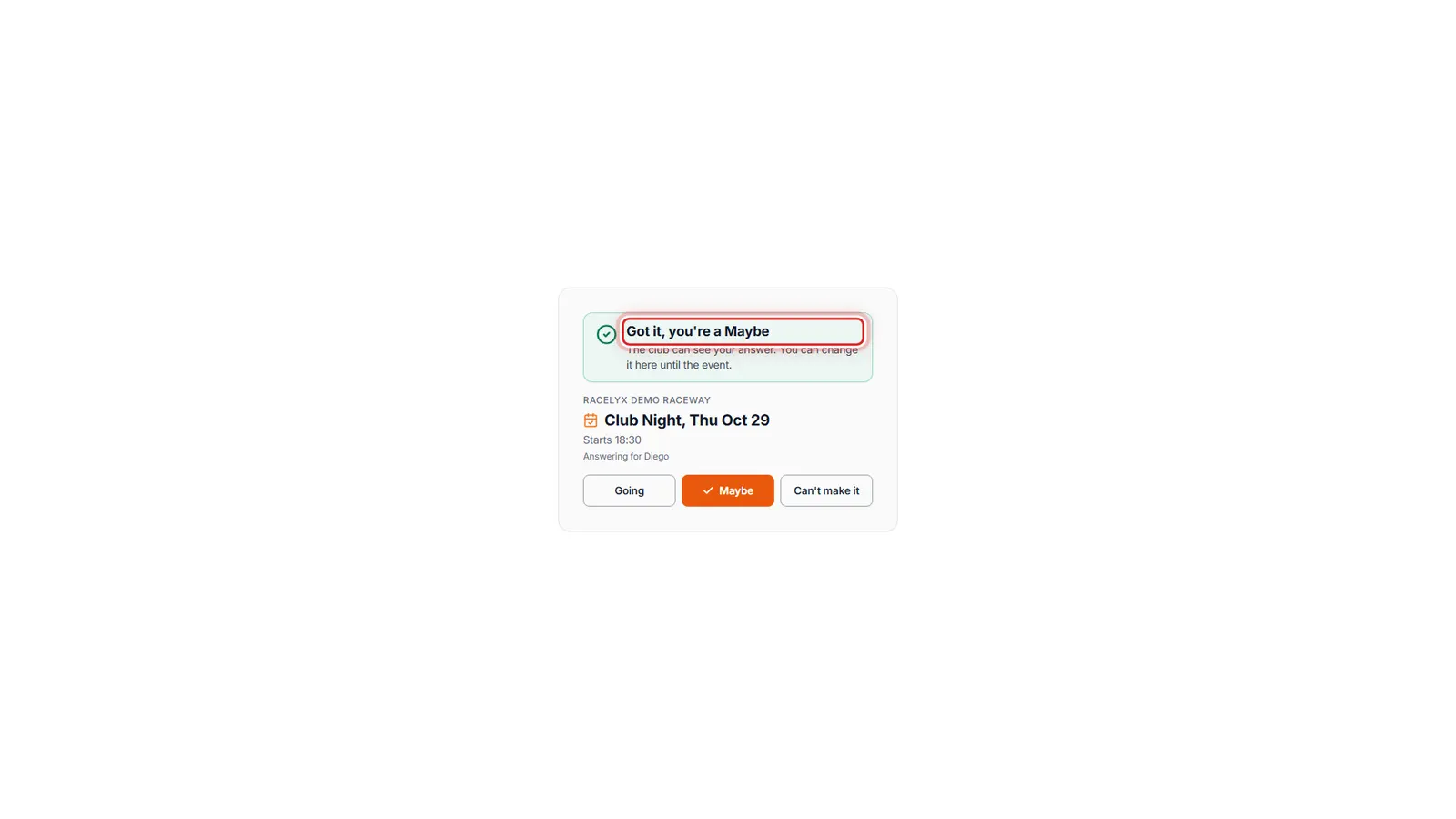
Your club's email asks Are you coming, with three buttons. Tap Going, and this page opens with your answer saved.
The page shows the club, the event and its start time, and "Got it, you're Going" in green. No sign-in: the link is for you and this event only.
- 2
Change your mind
Plans changed? Tap Maybe or Can't make it on the same page, or from the same email. The club sees your latest answer.
The button you picked is filled in with a tick. You can change it from this link until the event; it stops working two days after.
- 3
Or on the track's Events page
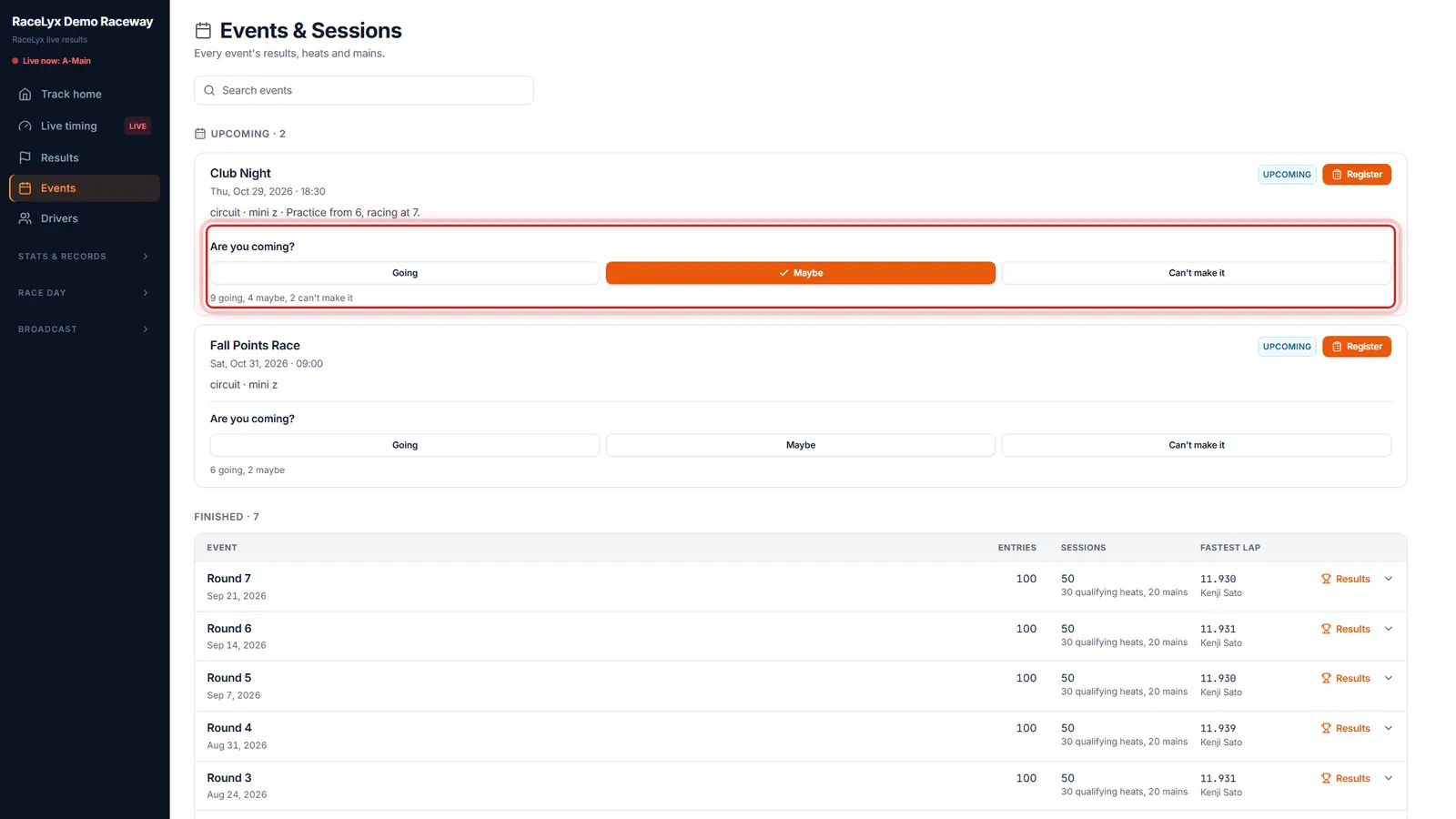
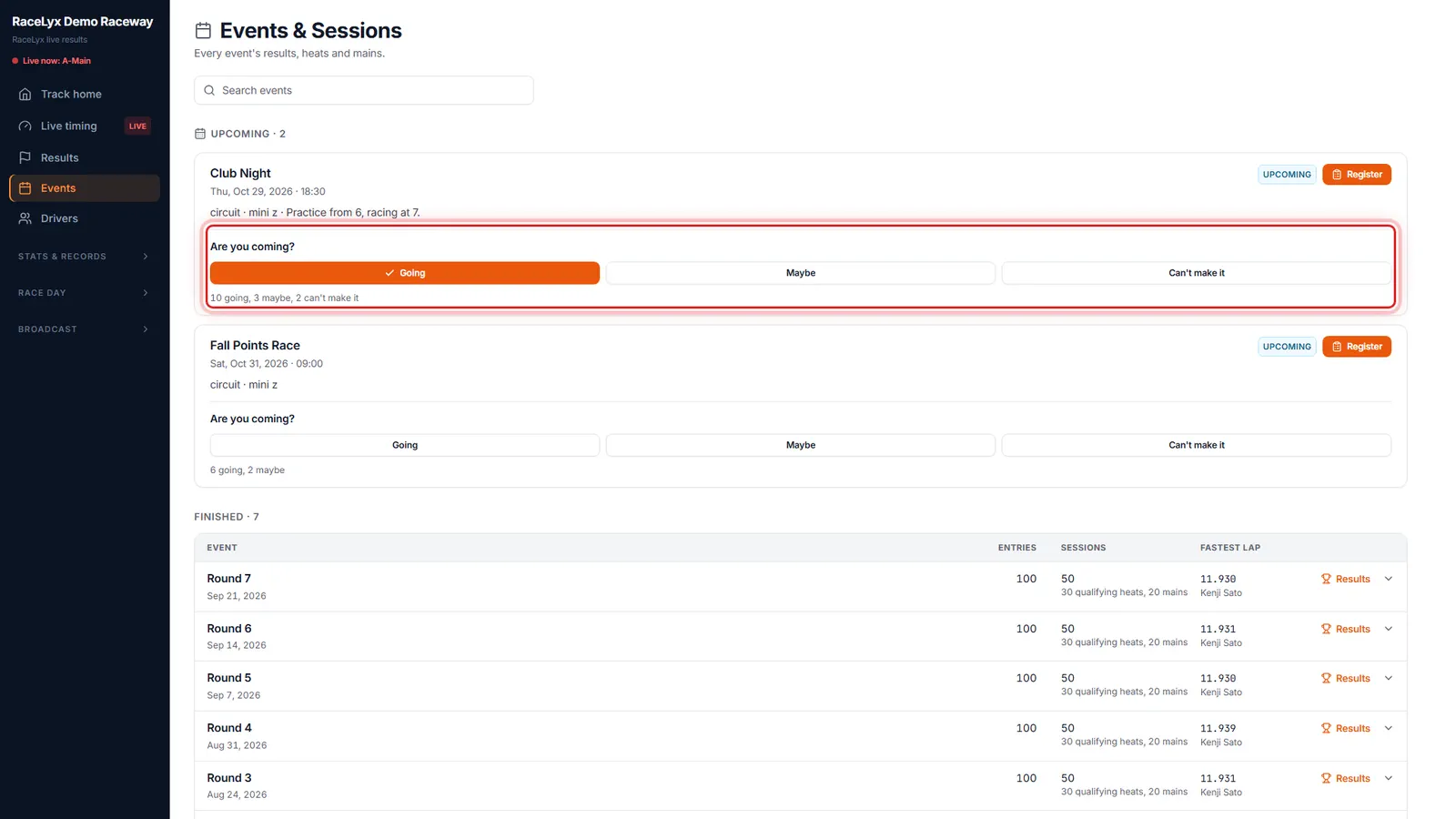
Signed in on racelyx.com, the track's Events page asks the same question under each upcoming event.
Under the event: Are you coming?, the three buttons with your answer filled in, and the totals so far. Signed out, a tap asks you to sign in first and nothing is sent.
- 4
Tap your answer
Tap Going. The totals underneath update straight away.
In the RaceLyx app, the track's Coming up list has the same buttons, and so does any club message that asks.
Tips
- The email link is yours alone. Don't forward it: whoever taps it answers for you.
- In the RaceLyx app, the track's Coming up list and the club's messages have the same three buttons.
- Changed your plans? Tap a different answer from the same email, or on the Events page. The club sees the latest one.
- Only the club sees who answered what. Other drivers only see the totals ("9 going, 4 maybe").
- Don't want club emails? Use the unsubscribe link at the bottom of the email, or switch them off under My club.
- If the club cancels the race day, this page says so, with the reason (see When a race day is cancelled).
Troubleshooting
- This link doesn't work any more.
- Email links stop working two days after the event, or the link was copied wrong. Answer on the club's Events page on racelyx.com instead.
- Replies for this event are closed.
- The event has happened, or the club cancelled it.
- Sign in to answer.
- On racelyx.com your answer is tied to your RaceLyx account. Sign in (it's free) and tap your answer again.
- There are no Going / Maybe buttons under the event.
- The track doesn't take replies online. Ask the club how they want to know.
Related guides
Something here does not match what you see? Tell us and we will fix the guide.