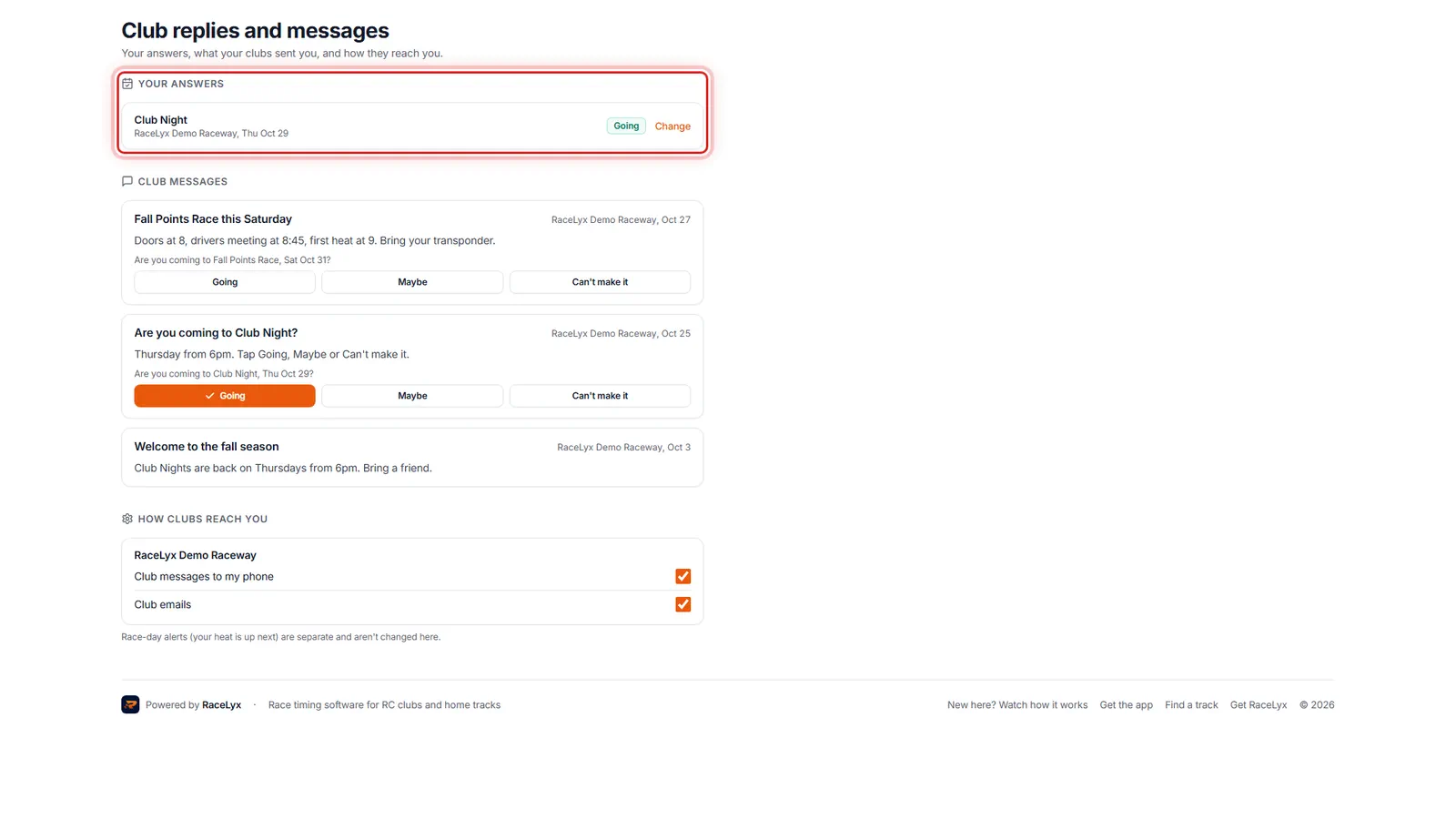
Signed in on racelyx.com, the calendar button at the bottom of a track's side menu opens Club replies and messages (live.racelyx.com/me/club). It shows what you told each club for upcoming events, every message your clubs sent you, with the reply buttons right there when a message asks, and how each club can reach you.
Before you start
- A free RaceLyx account, signed in on racelyx.com.
- A club that has you on its member list (with your email or linked to your driver), or a track you follow.
Step by step
- 1
Open Club replies and messages
Signed in, click the calendar button at the bottom of a track's menu: Club replies and messages. Your answers for upcoming events are first.
The address is live.racelyx.com/me/club. Each answer shows the event, the club, the date and your class if you picked one, with Going, Maybe or Can't make it beside it. Past events drop off the list.
- 2
Change an answer
Change opens that event on the track's Events page, where you pick a new answer.
The club sees your latest answer.
- 3
Club messages
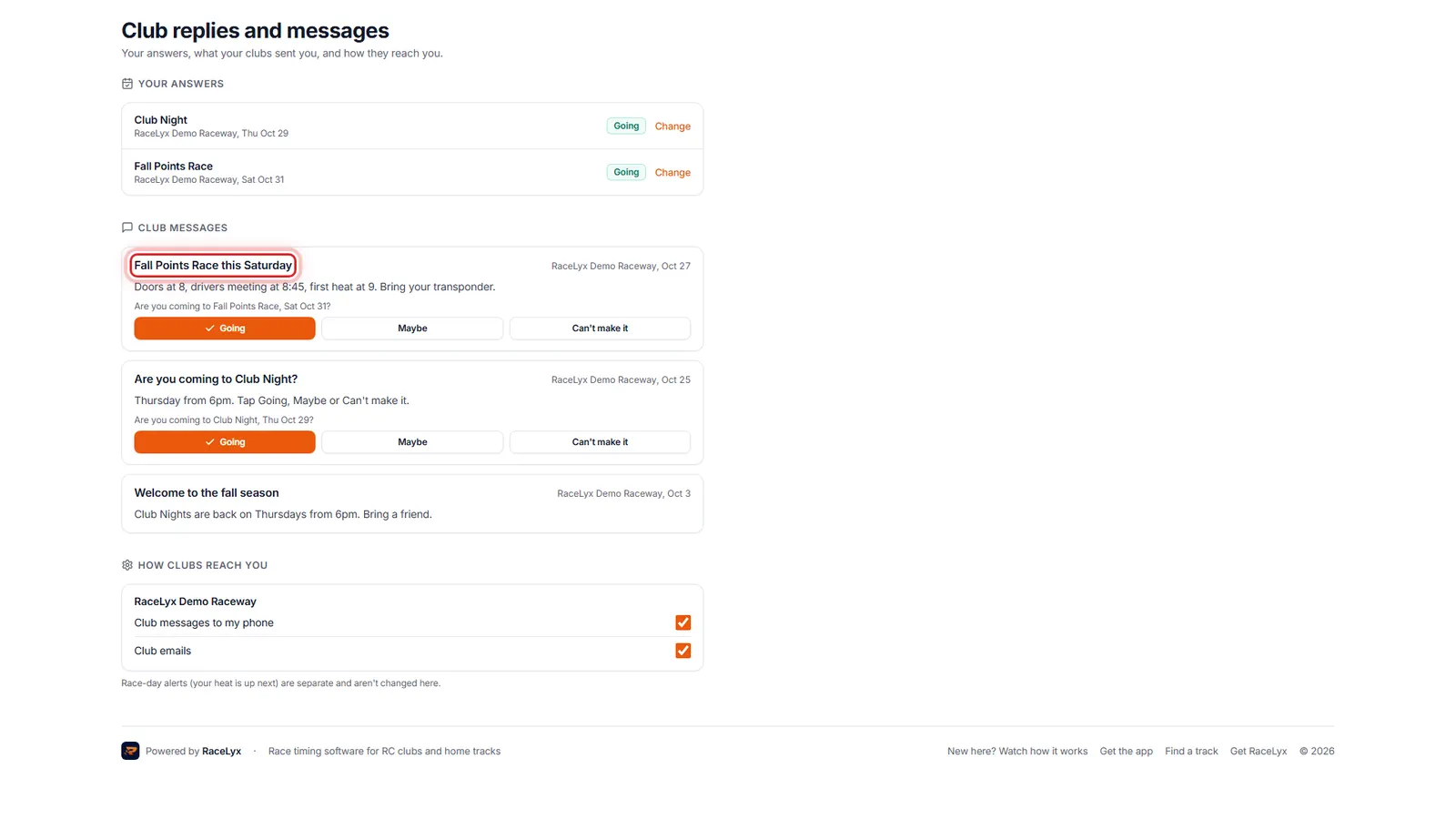
Club messages has everything your clubs sent you. When one asks if you're coming, answer right there.
Newest first, with the club and the day it was sent. When the event is over, the buttons are replaced by your answer.
- 4
How clubs reach you
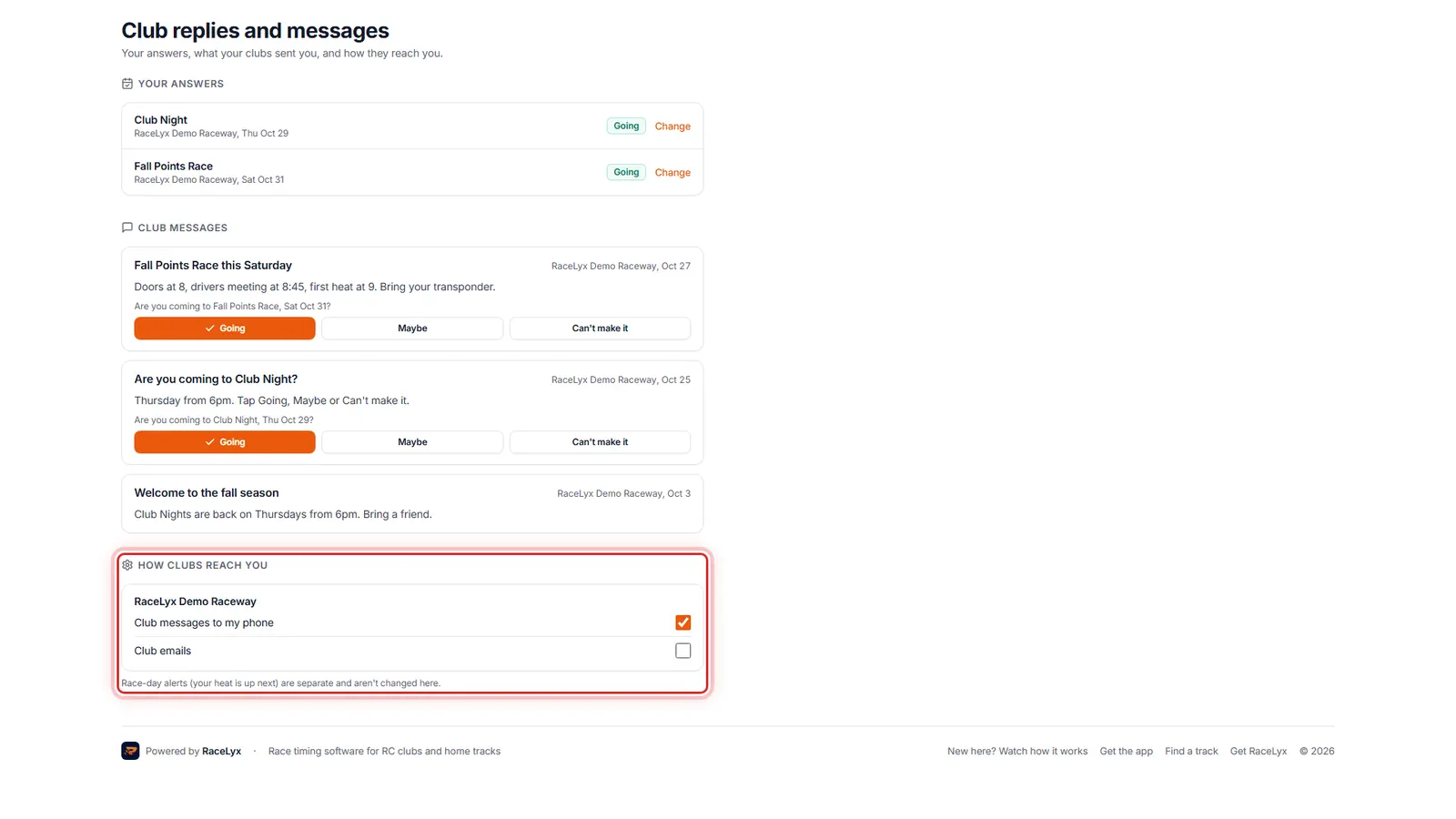
Under How clubs reach you, switch off club messages to your phone or club emails, one club at a time.
Each club you belong to or follow has two switches: Club messages to my phone and Club emails. Race-day alerts, like your heat being up next, are separate and keep coming.
Tips
- Only your own answers show here, never anyone else's.
- Change takes you to that event on the track's Events page to change your answer.
- Switching Club messages to my phone off stops club messages in the RaceLyx app for that club only. Club emails is the same for email.
- Race-day alerts (your heat is up next) are separate and aren't changed here.
- The same messages are in the RaceLyx app, under the track.
- A cancelled race day shows as Cancelled, with the reason, in place of your answer.
Troubleshooting
- You're not a member of a club on RaceLyx yet, and you don't follow one.
- The club has no member record with your email, and your account is not linked to your driver there. Ask the club to add your email, or link your driver (That's me on your results).
- No club messages yet.
- Your club hasn't sent one since you joined, or your email on their list is different from your RaceLyx account's.
- Couldn't save that. Try again.
- The switch went back to how it was. Check your connection and switch it again.
Related guides
Something here does not match what you see? Tell us and we will fix the guide.