Rain, a wet track or too few racers: when your club cancels a race day in RaceLyx, you hear about it if you signed up or said you were coming. The track's pages show it as cancelled, with the reason, so nobody drives out for nothing.
Before you start
- Nothing. To get the message, sign up for the event or answer "Are you coming?", and have the RaceLyx app or an email address with the club.
Step by step
- 1
The club tells you
If your club cancels a race day, RaceLyx tells you in the app and by email. The link in the email says it is cancelled, and why.
The message reads Cancelled, then the race day, and the reason. Your old answer is no longer shown.
- 2
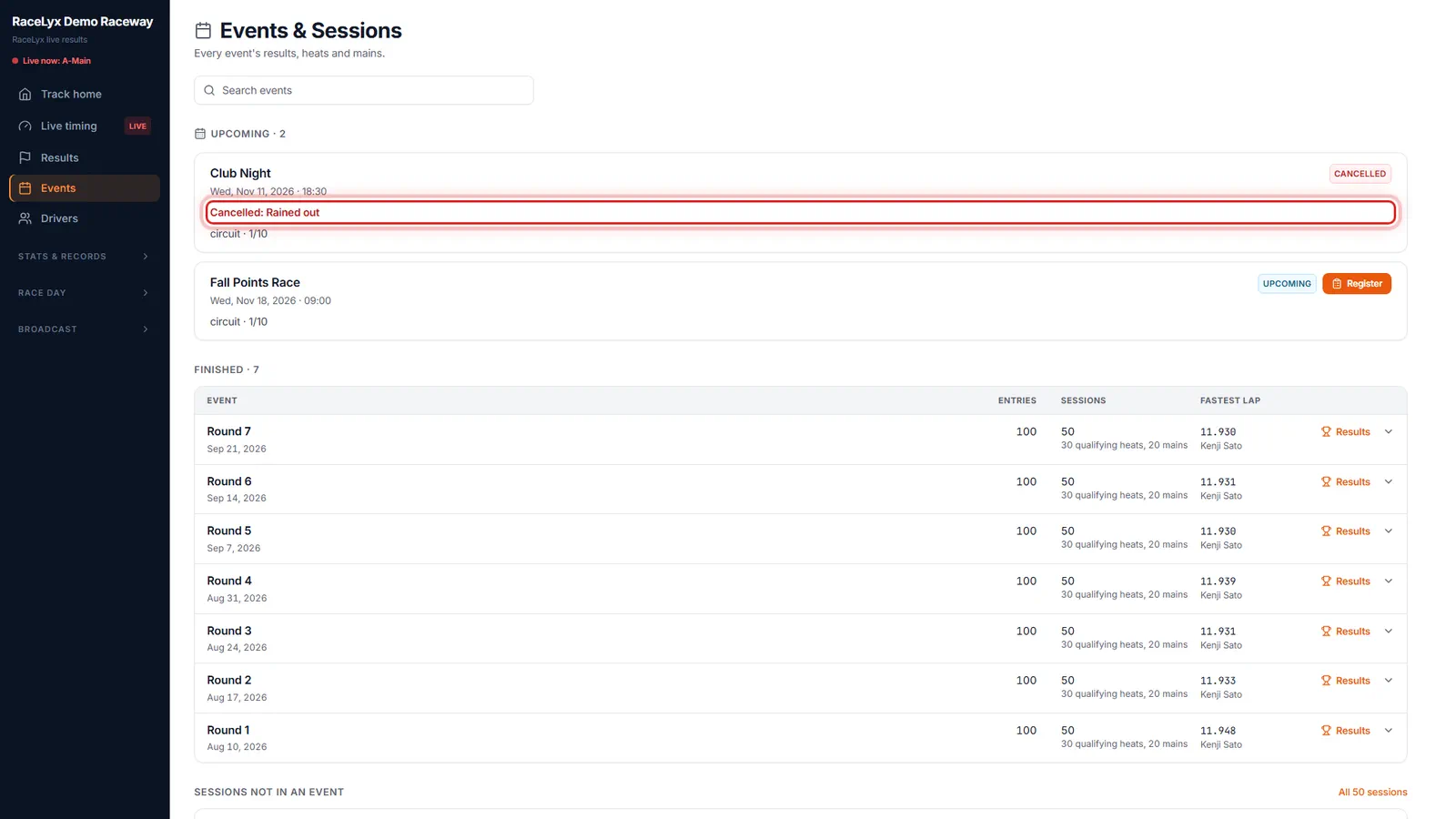
Cancelled on the Events page
The track's Events page shows it as Cancelled, with the reason. There is nothing to answer or pay for it.
Other race days on the schedule are not touched.
- 3
An old sign-up link
An old sign-up link says so too, and you can pick another event to race.
Paying for a cancelled race day is refused, so you are never charged for it.
Tips
- The message comes in the RaceLyx app and by email: Cancelled, then the event, and the reason.
- In the RaceLyx app, the track's Coming up list shows Cancelled in red, with the reason.
- Paid online? The club refunds you; RaceLyx does not take a payment for a cancelled race day.
- If the club puts it back on, they can send you a Back on message.
Troubleshooting
- I did not get a message.
- Only people who signed up or said Going or Maybe are told, unless the club tells all members. Check the track's Events page.
Related guides
Something here does not match what you see? Tell us and we will fix the guide.