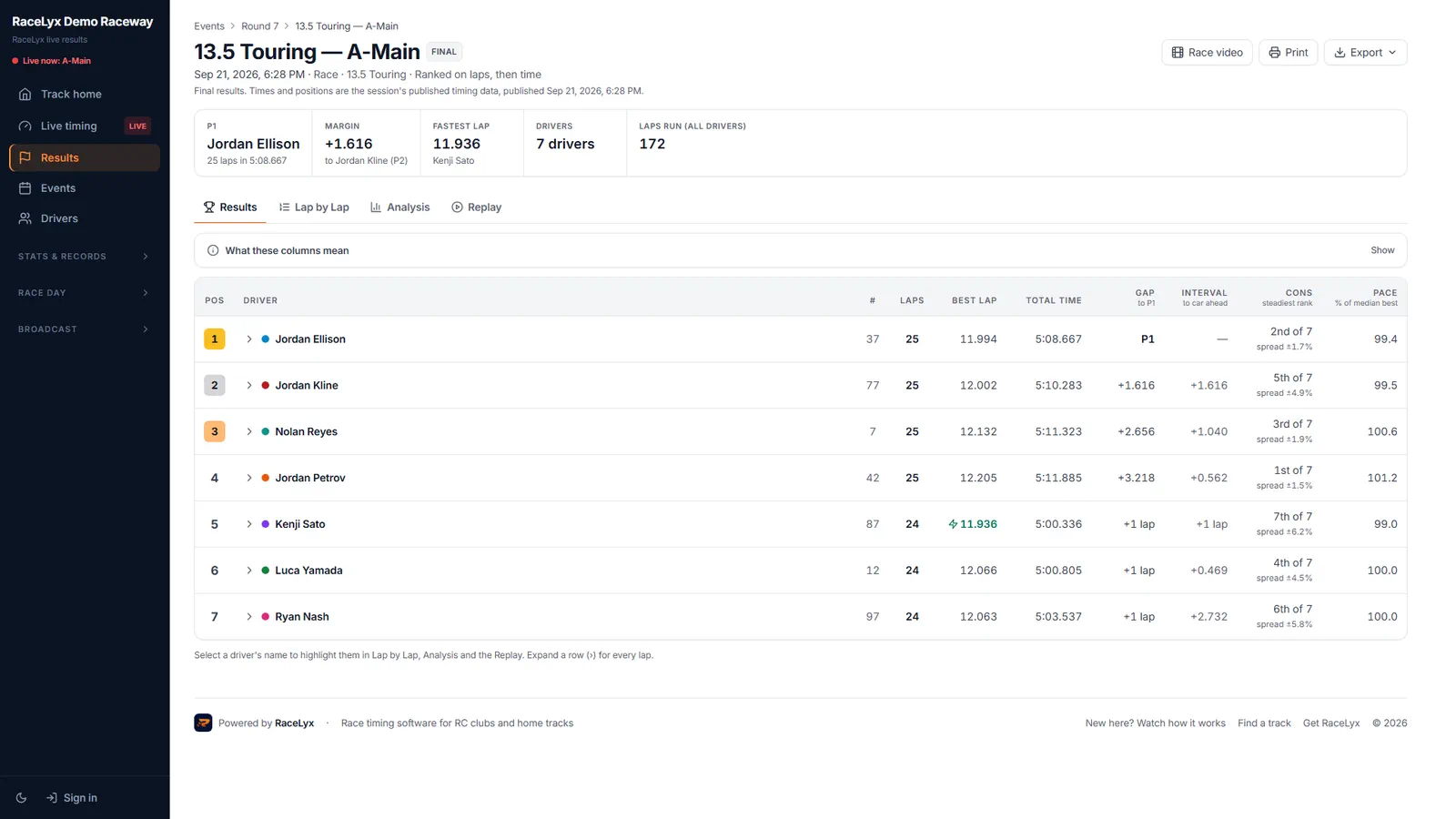
Each session has four views: Results, Lap by Lap, Analysis and Replay. Pick yourself to be highlighted in every view.
Before you start
- Nothing.
Step by step
- 1
Open a session
Open a session from Results.
Tabs: Results, Lap by Lap, Analysis and Replay.
- 2
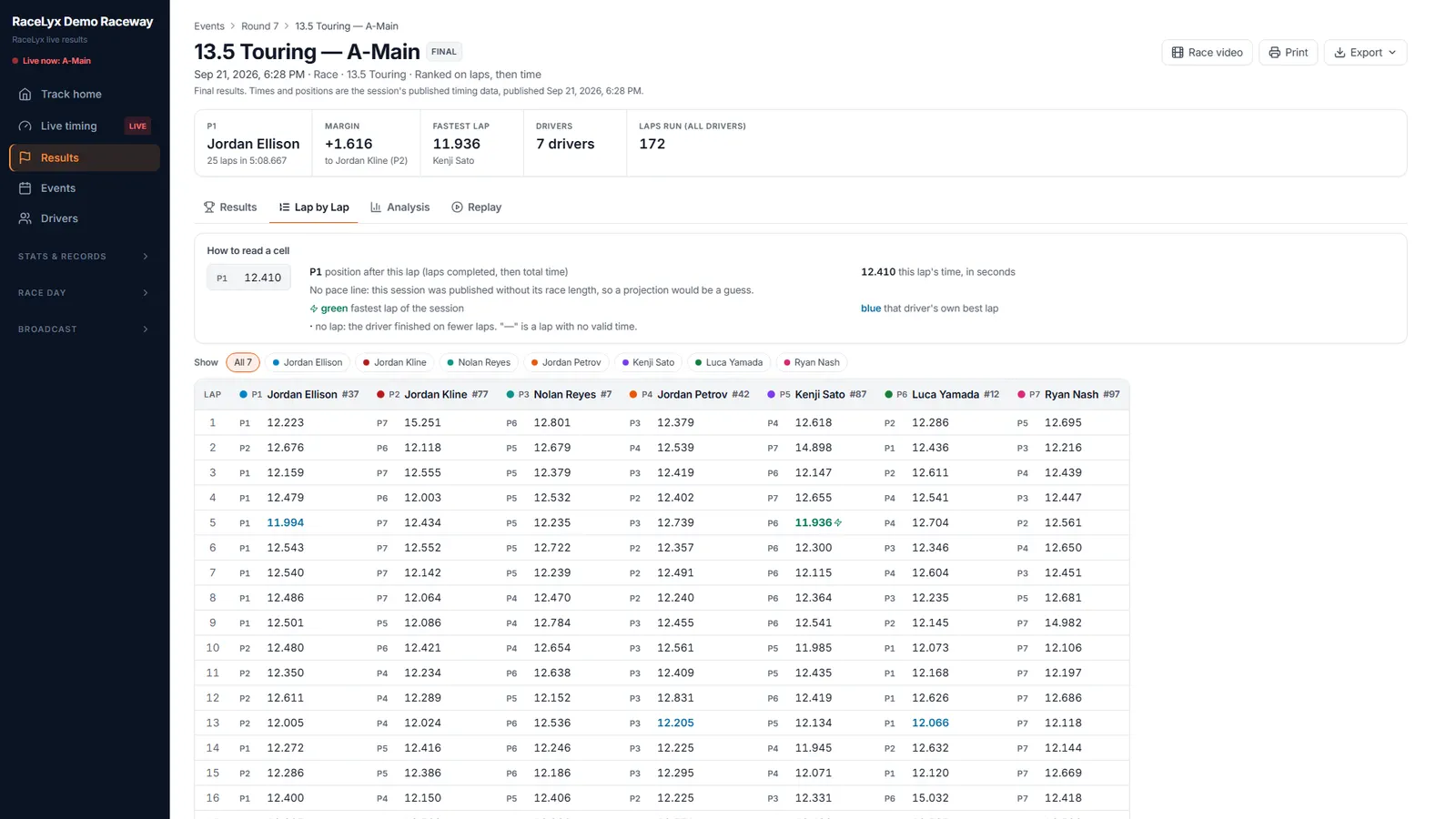
Lap by Lap
Lap by Lap shows every lap for every driver.
Click a driver to highlight them in every view.
- 3
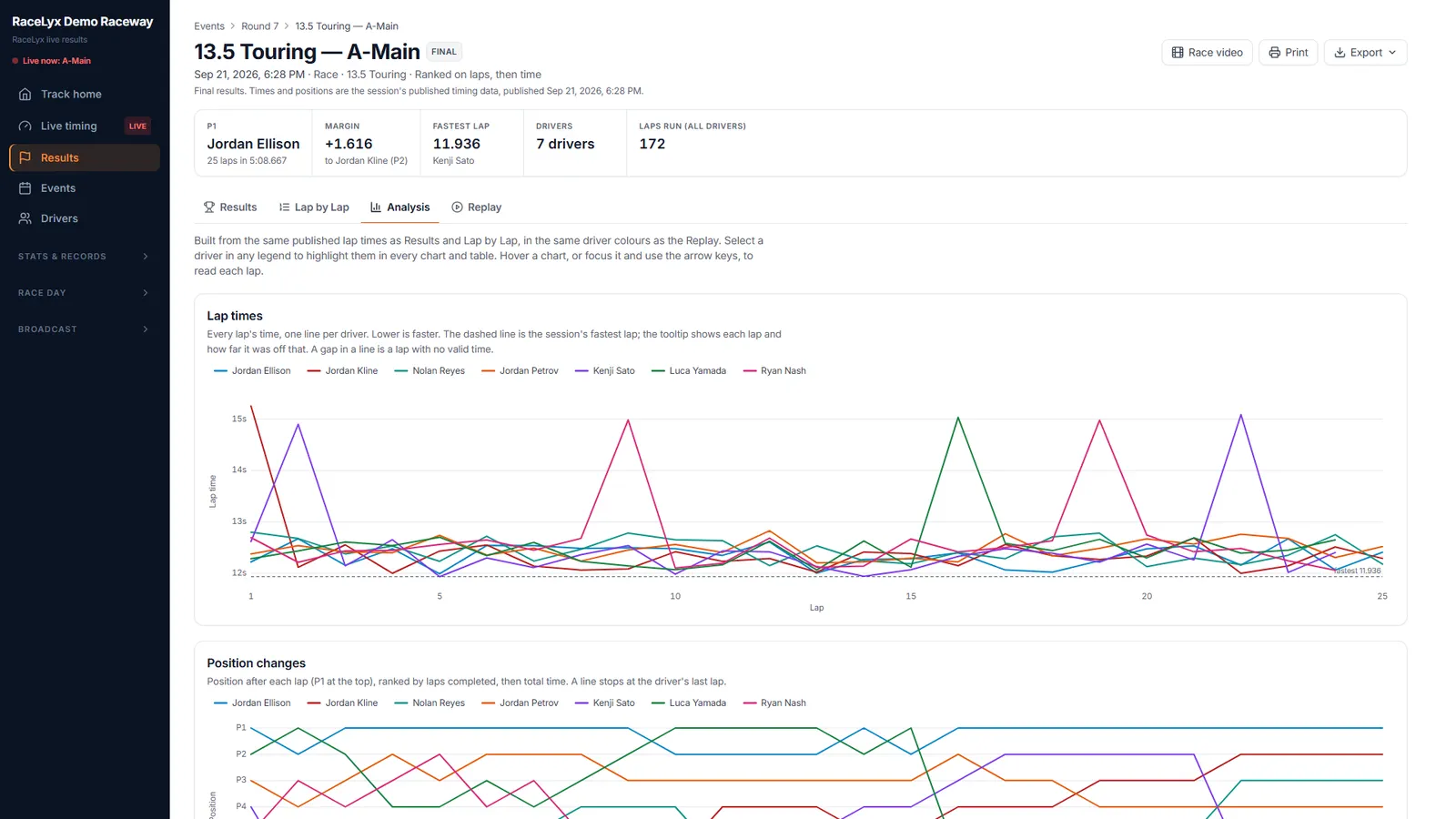
Analysis
Analysis charts lap times, position changes, gap to the leader and consistency.
Hover the charts for each lap.
- 4
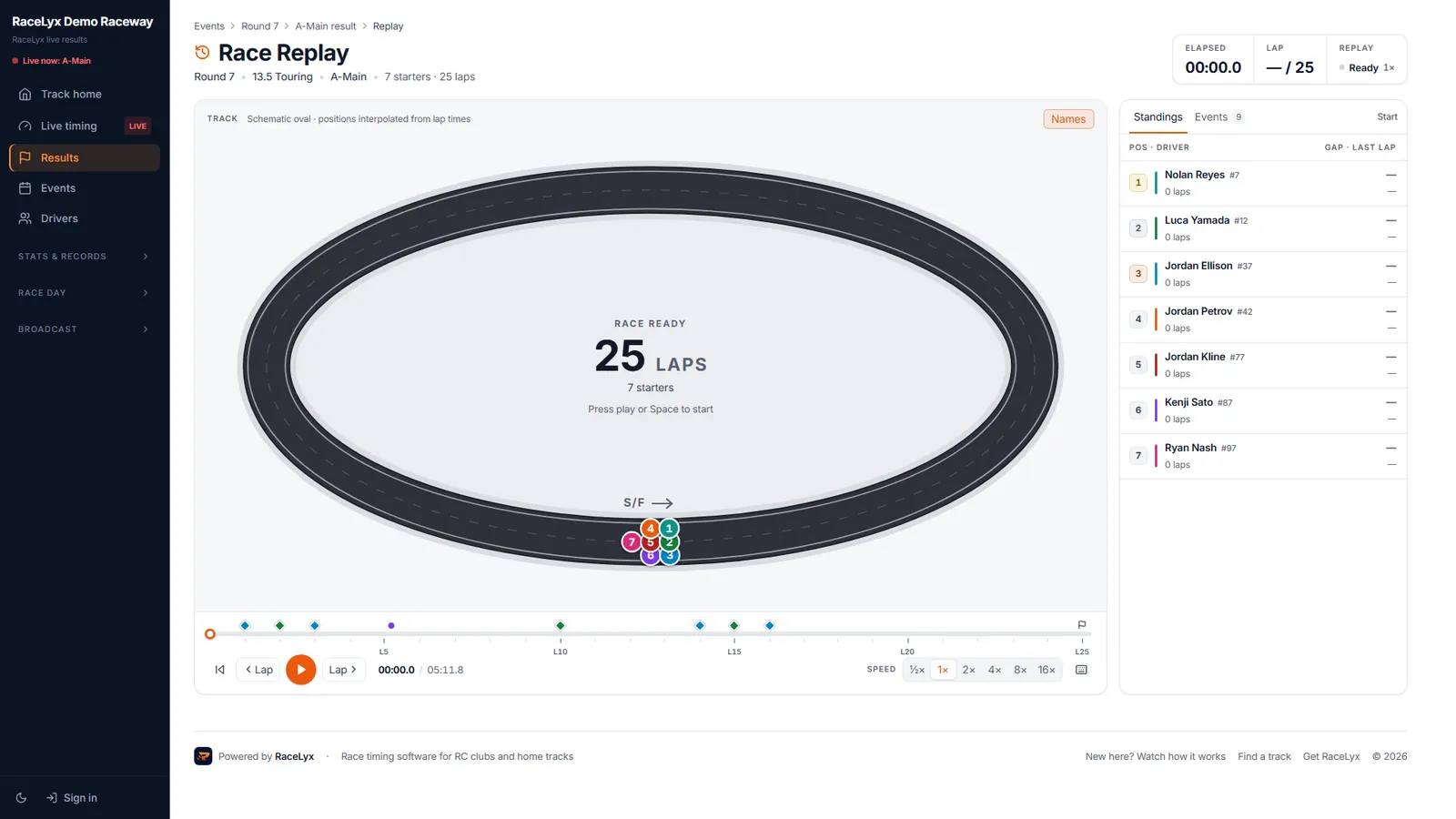
Replay
Replay plays the race on the track. Play, pause, and change the speed.
Standings and lead changes are on the side.
Tips
- Export downloads Results (CSV), Lap by lap (CSV) or Full data (JSON).
- Watch in replay jumps to your car.
- Replay speed and the timeline let you scrub through the race.
- Filmed your race? Race video, next to Print, puts a live leaderboard on your own video.
Troubleshooting
- "Rally results don't have a replay".
- Rally runs are single cars; see the rally results.
Related guides
Something here does not match what you see? Tell us and we will fix the guide.