RaceLyx runs drag racing on a ladder list: each class has a list, new members start at the bottom, and racing moves people up it. Your own tree and timing still time every run; you type in the slip and RaceLyx says who won and who races next. Drag is off until you switch it on.
Before you start
- A Home Track, Pro or Club plan (Drag Racing needs Home Track or better).
Step by step
- 1
Settings, Features
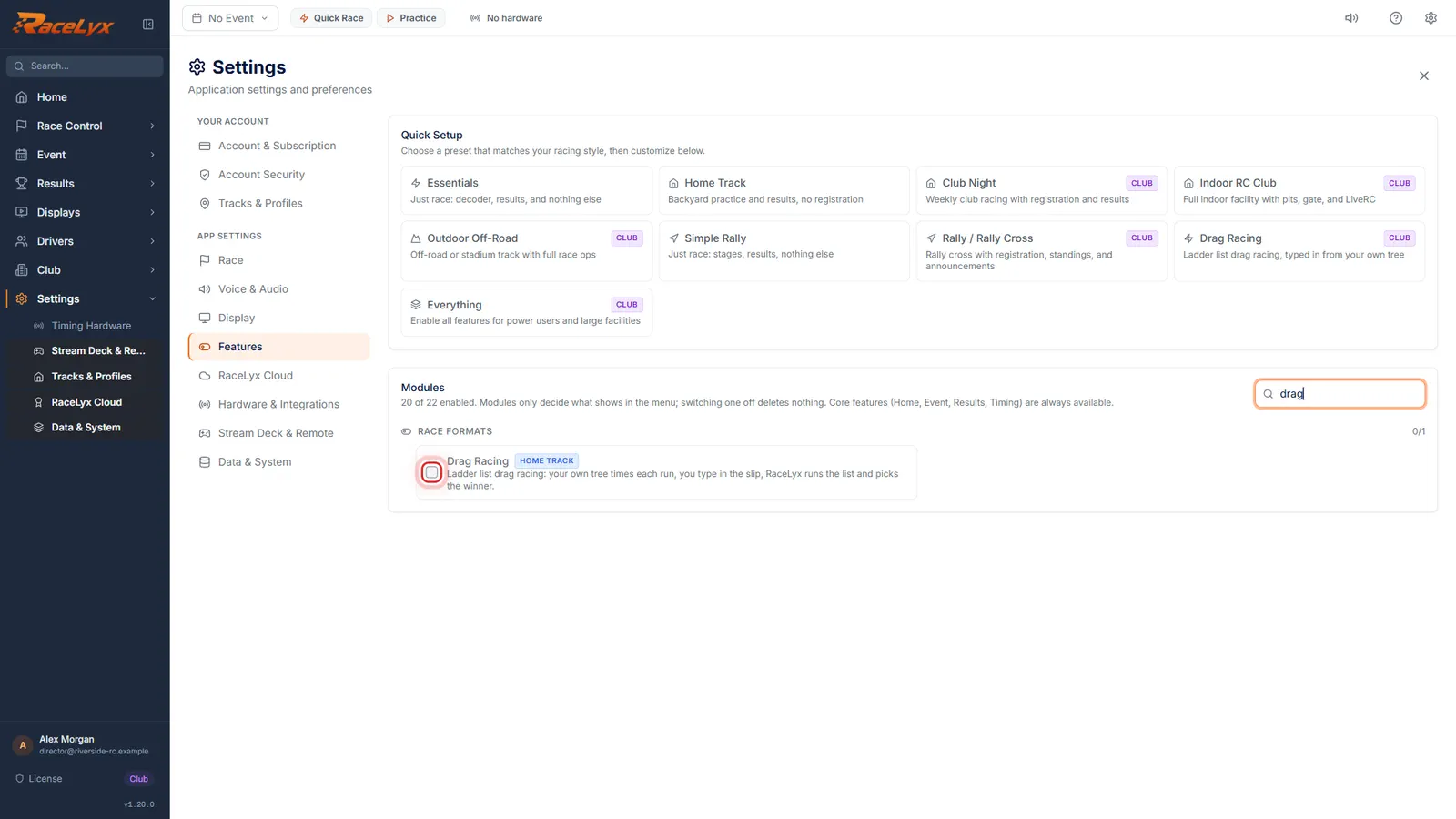
Open Settings, Features, and search for drag.
Drag Racing is under Race Formats in Modules. It is off until you switch it on.
- 2
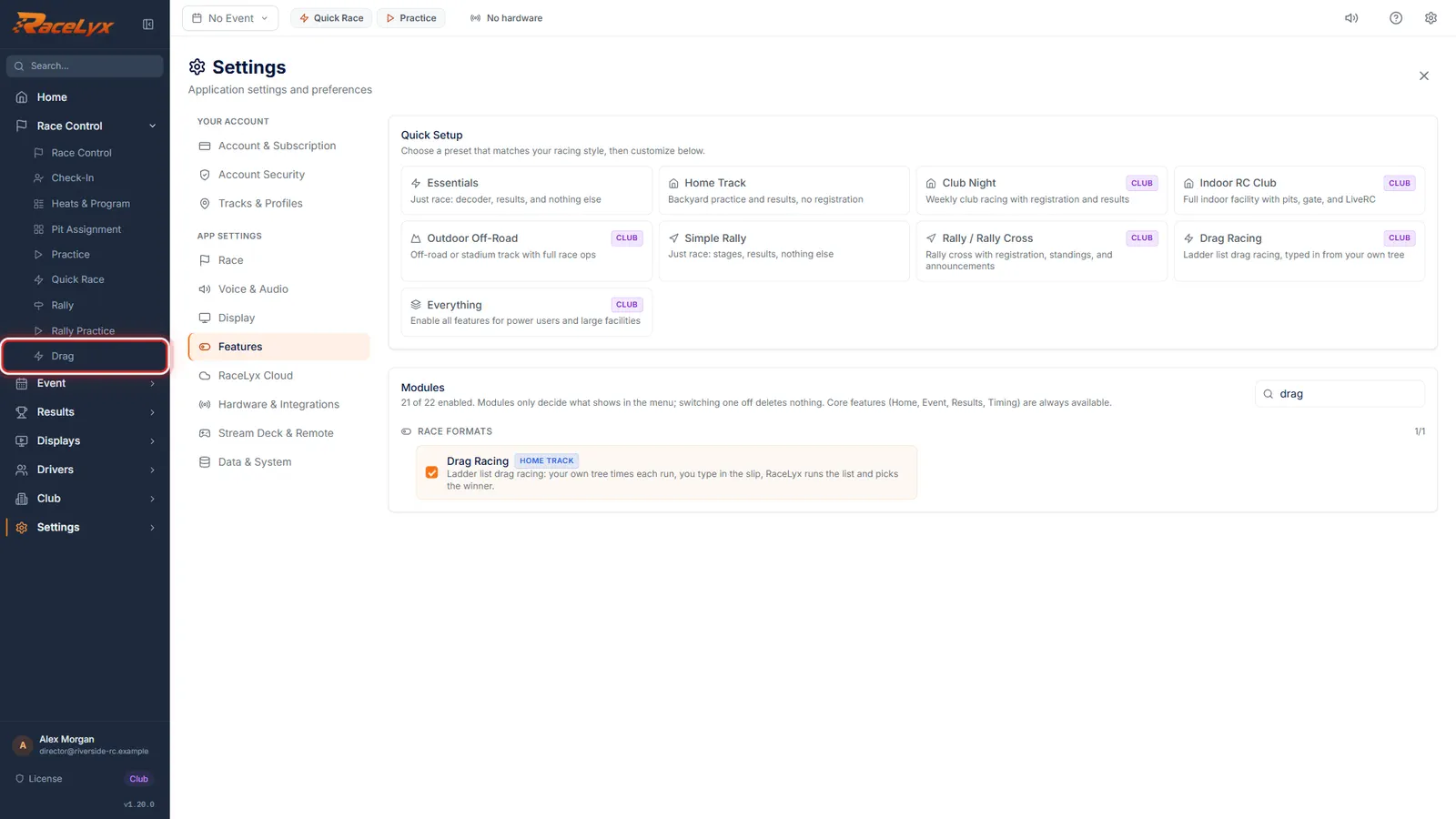
Tick Drag Racing
Tick Drag Racing. Drag shows up in the sidebar under Race Control.
Unticking it hides the page again. Your lists are kept.
- 3
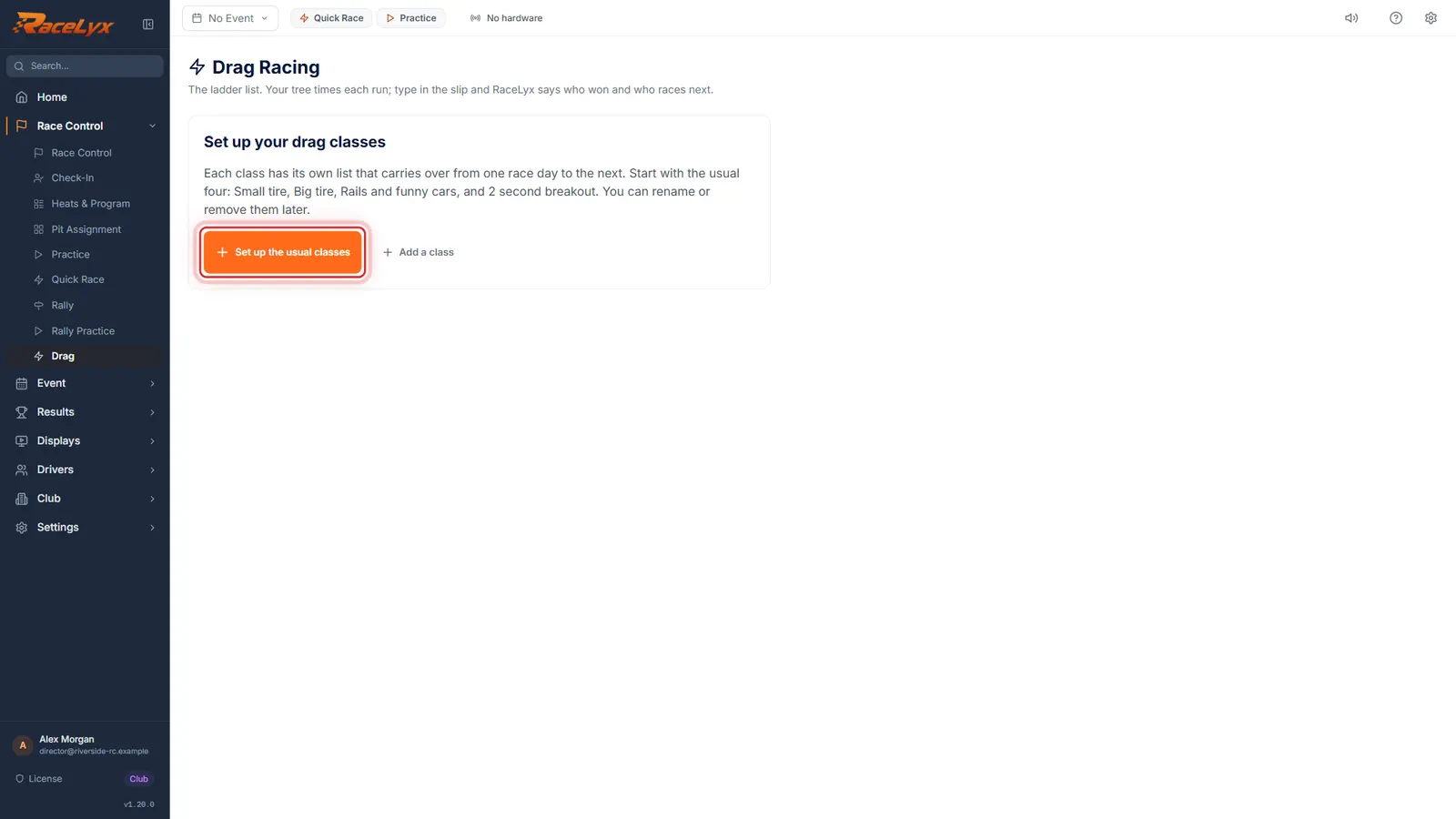
Open Drag
Open Drag. Each class has its own list that carries over from one race day to the next.
The first time, the page offers the usual four classes, or Add a class for your own.
- 4
Set up the usual classes
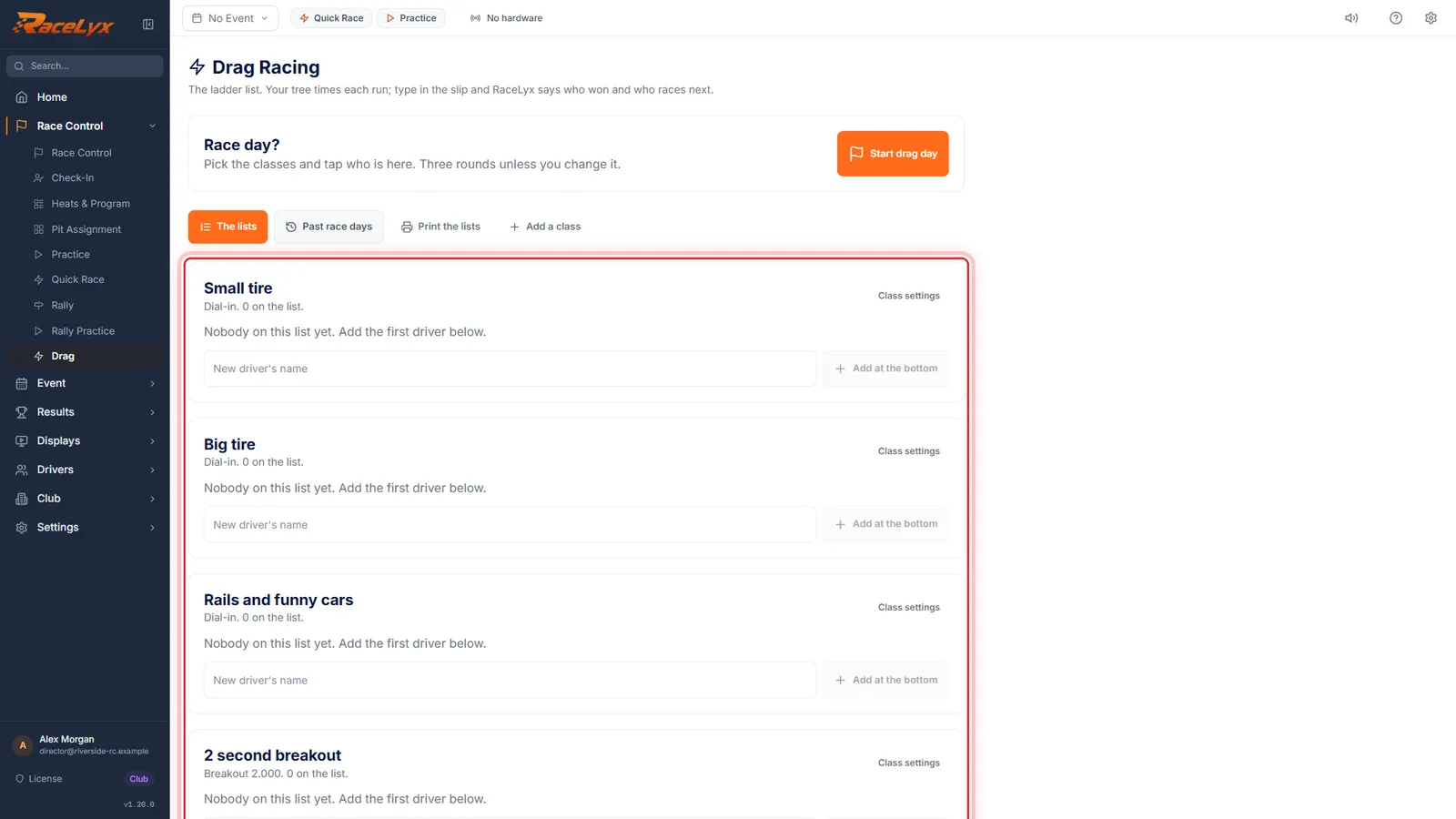
Click Set up the usual classes: Small tire, Big tire, Rails and funny cars, and 2 second breakout.
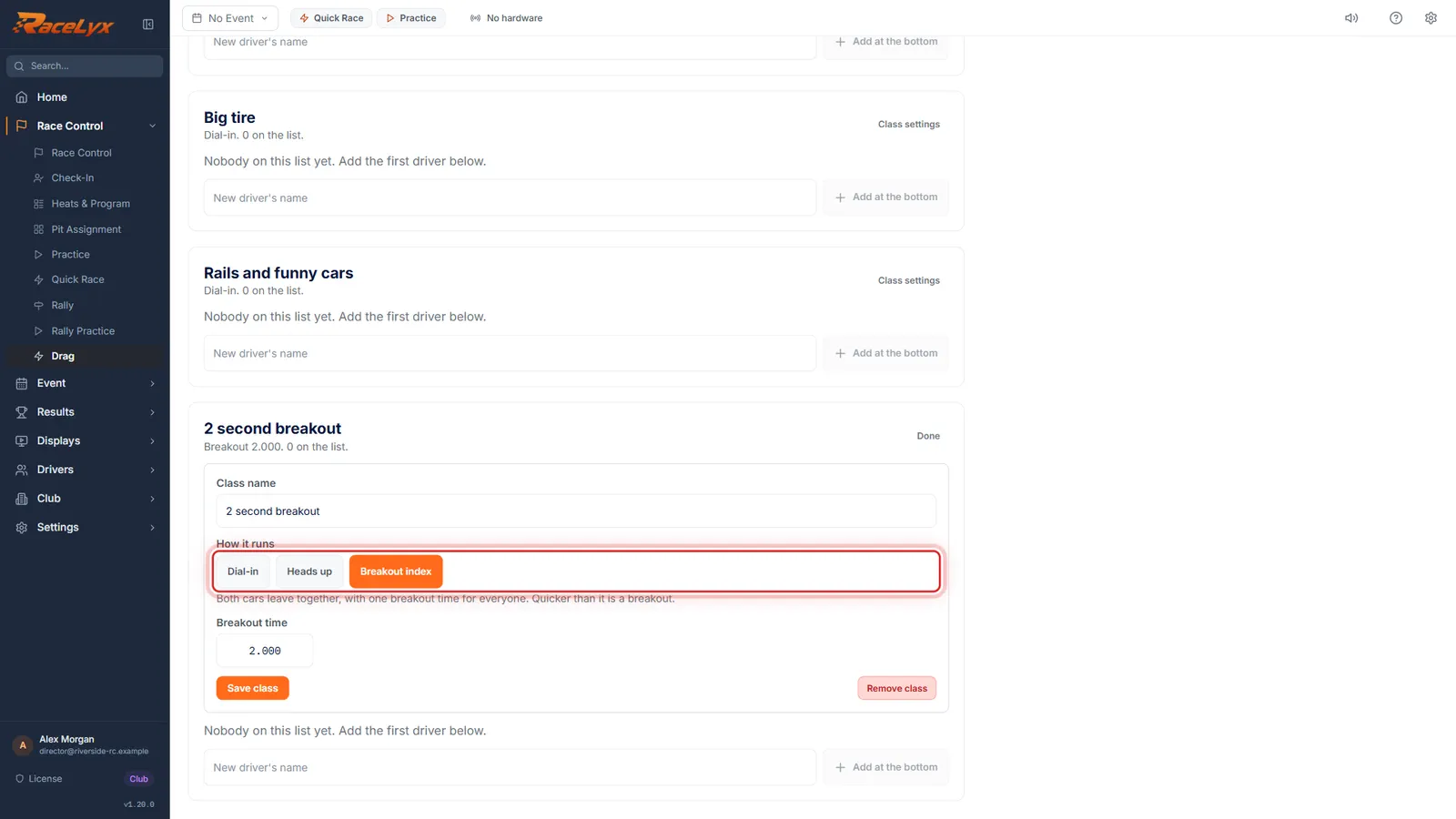
The first three are Dial-in classes. 2 second breakout is a Breakout index class: everyone leaves together, with one breakout time of 2.000.
- 5
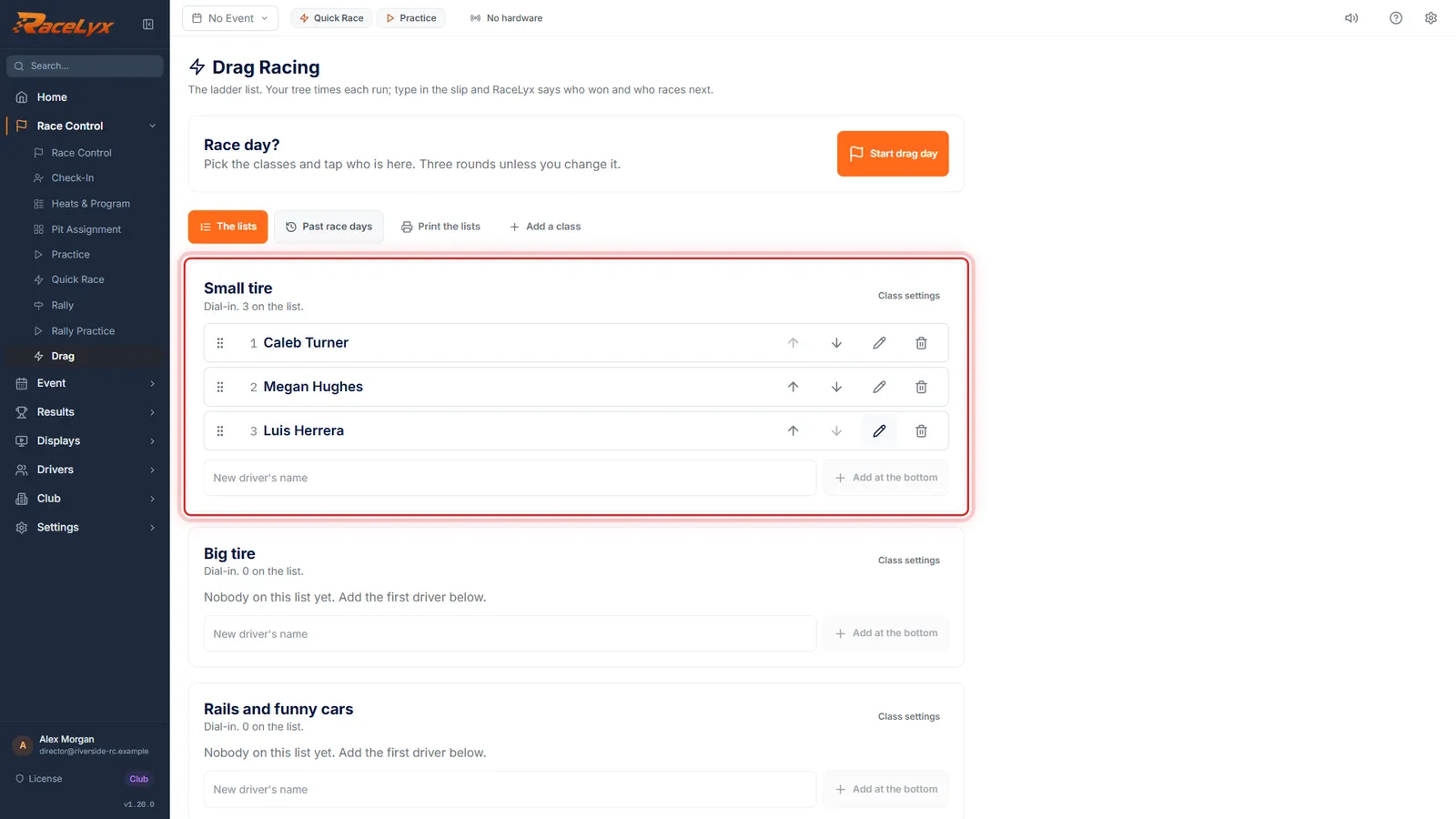
Add at the bottom
Type a driver's name and click Add at the bottom. New members always start at the bottom of the list.
Names you already have on Drivers are offered as you type. Start with your current list from top to bottom, so the order matches it.
- 6
How it runs
Class settings sets How it runs: Dial-in, Heads up, or Breakout index, one breakout time for everyone.
Dial-in: quicker than your dial-in is a breakout. Heads up: both cars leave together, lower reaction plus time wins, no breakouts. Breakout index: both leave together with one breakout time, like 2.000.
Tips
- Drag classes are separate from Club, Classes: they live on the Drag page.
- Set up the usual classes makes Small tire, Big tire, Rails and funny cars (all Dial-in) and 2 second breakout (Breakout index at 2.000). Rename or remove them under Class settings.
- Drag a driver up or down the list, or use the arrows. Before a race day starts, the order is yours to set.
- New members always start at the bottom of the list.
- Print the lists for the pit wall: Print the lists shows spot, driver and last dial-in.
- Use the Drag Racing tick under Modules. The Drag Racing Quick Setup turns every other module off.
Troubleshooting
- Needs the Home Track plan. Your data is kept; the module stays hidden until then.
- Drag Racing comes with Home Track, Pro and Club. Check your plan under Settings, Account & Subscription.
- This class has raced today. The runs set its order.
- Once a class has raced today, the runs decide the order. Undo its runs on the race day to move people by hand.
Related guides
Something here does not match what you see? Tell us and we will fix the guide.