Once a class has a breakout time, Race Control shows the rule as soon as a heat starts, and calls out every breakout lap as it happens. Results keeps a Breakout tag on the car, and the race director can undo one that was really a misread.
Before you start
- A breakout time on the class (see Set a breakout lap time).
Step by step
- 1
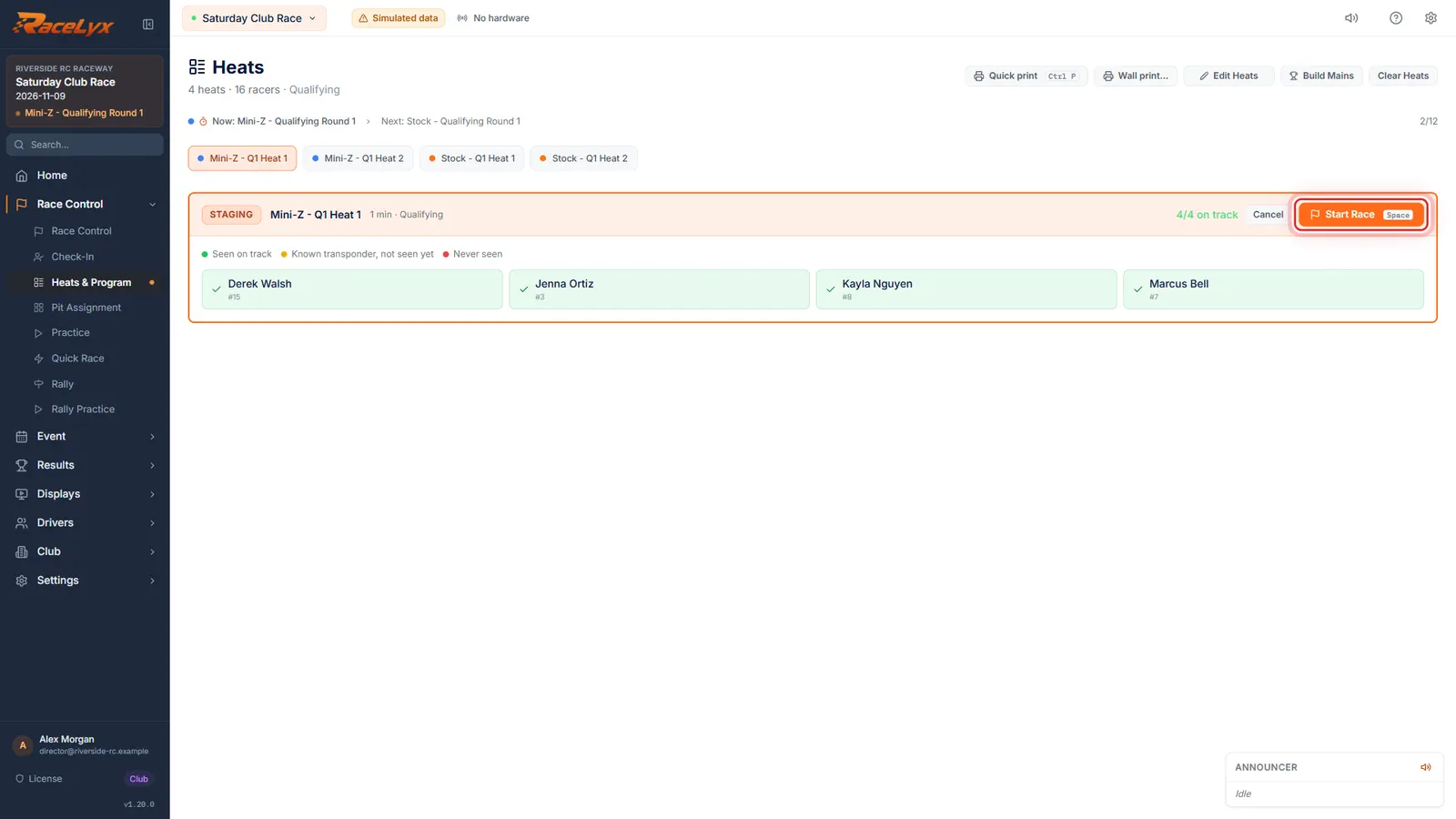
Stage the heat
Mini-Z has a nine second breakout, and a breakout lap doesn't count. Stage the heat as usual.
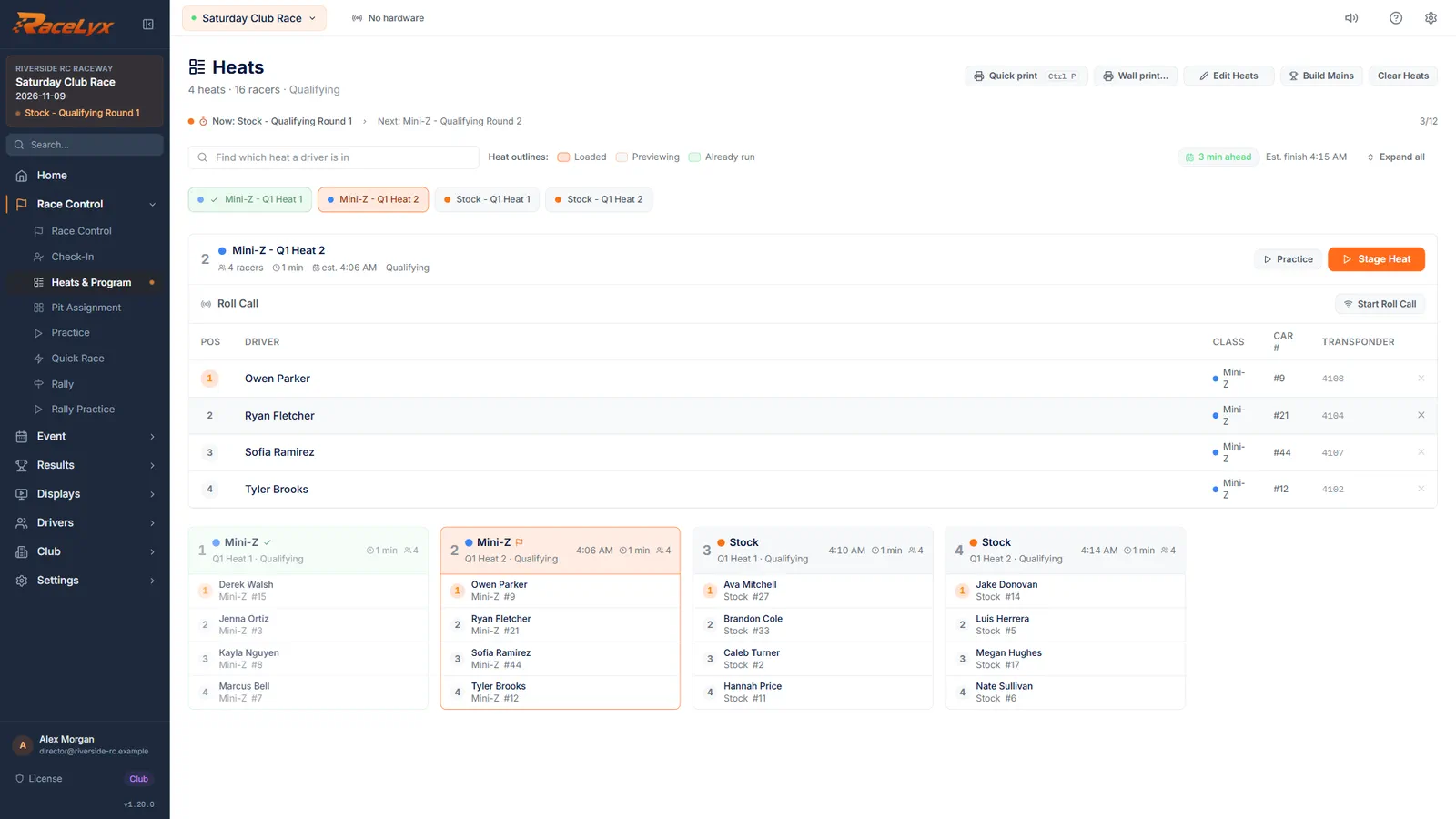
Nothing changes before the start: stage the heat and run roll call.
- 2
The class's rule
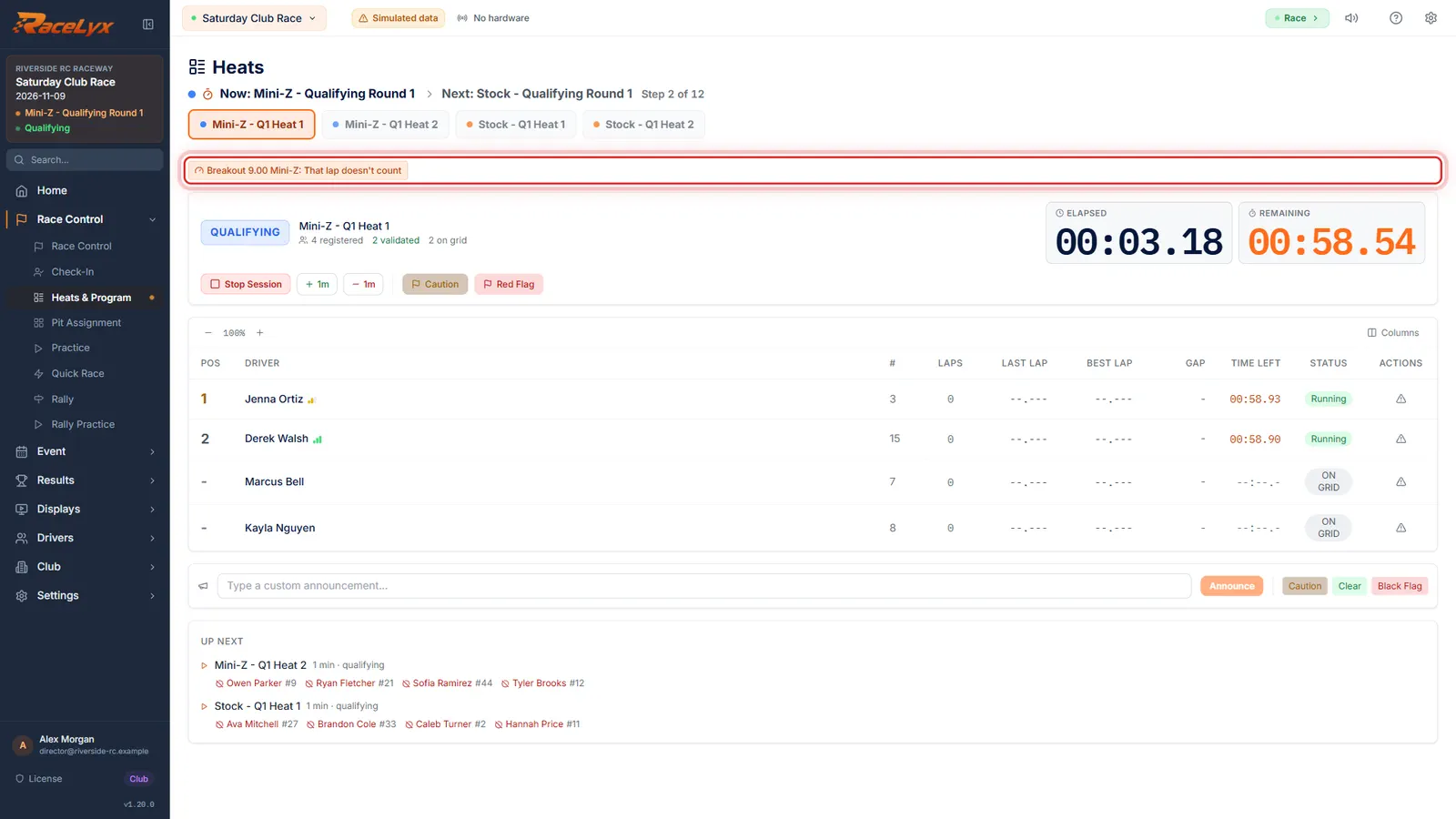
Start the race. The class's breakout rule shows above the board, so everyone knows what is in force.
The chip reads the breakout time, the class and what happens, for example: Breakout 9.00 Mini-Z: That lap doesn't count.
- 3
Breakout lap
When a car runs a lap faster than the breakout, Breakout lap shows the driver, the time and the lap. Here, that lap doesn't count.
A toast says it on every page too, once per car per race. You can undo a breakout in Results after the race.
- 4
BO on the board
On the board, BO and a time marks the car's fastest breakout lap. It never counts as their best lap.
Hover the tag for every breakout the car ran and what each one did.
- 5
Finish and save
Finish the heat and save it as usual.
The breakouts are saved with the result.
- 6
Breakout in Results
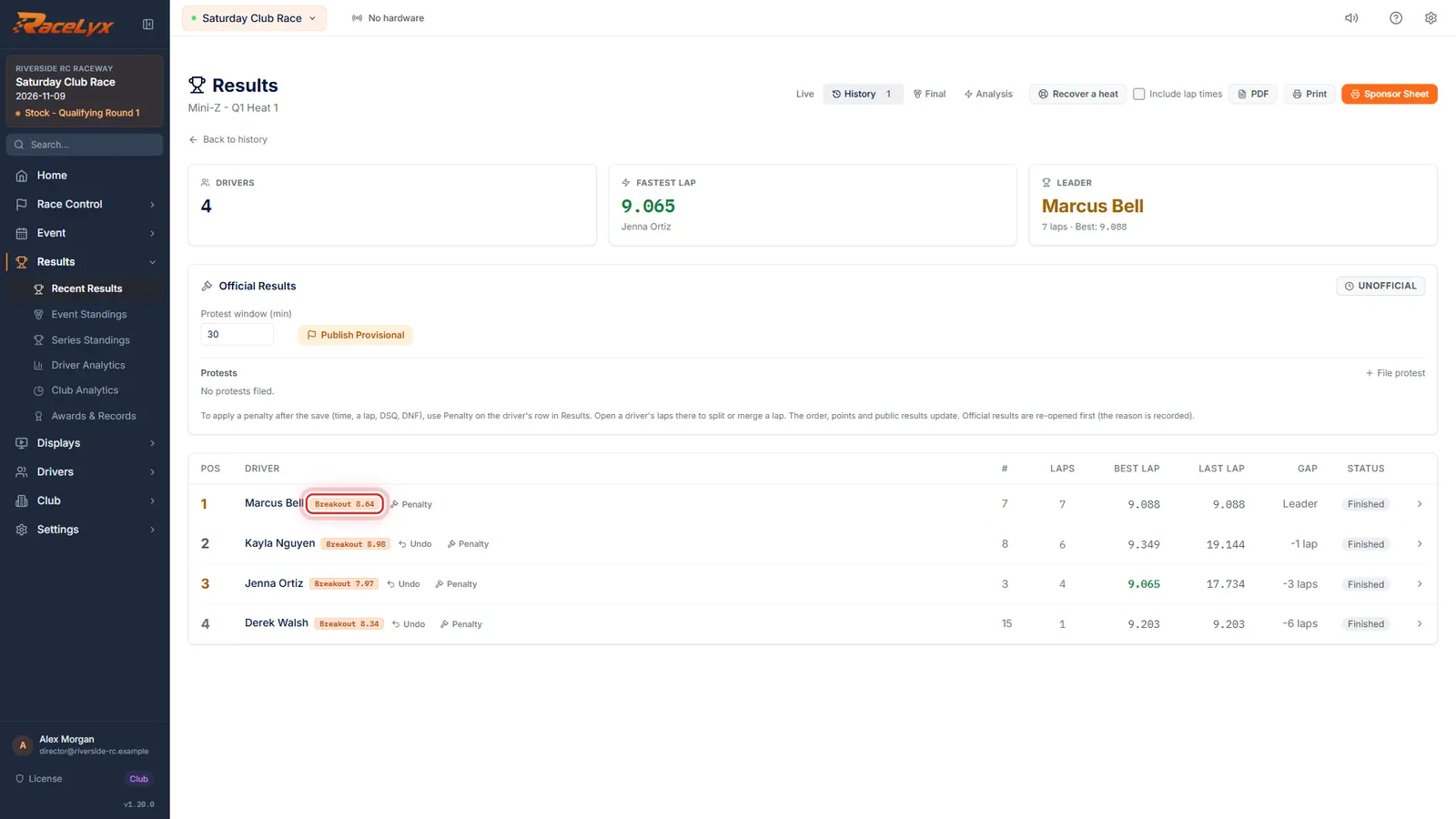
In Results, the car shows Breakout and the time. If it was a misread, click Undo, and the lap counts again.
Undo counts the lap again, or lifts the DSQ, and works out the places and points again. A toast says what changed.
Tips
- The alert shows the four newest breakouts. Dismiss hides a line; it does not undo anything.
- On the live board BO 8.92 means a breakout, and 8.92 is the car's fastest breakout lap.
- A breakout lap gets an orange outline in the lap list. It counts as a lap but never as a best lap or record.
- Undo shows on a saved result only when the breakout cost the car something: a lap that did not count, or a DSQ. A warning has nothing to undo.
- If a lap was changed after the breakout, Undo cannot run. Use Split on that lap instead.
Troubleshooting
- Breakout times not loaded: this session runs without them.
- RaceLyx could not read the breakout times when the heat started. The heat runs without them. Restart RaceLyx before the next heat.
- A lap well under the breakout only warned.
- Lap 1 only warns, and so does a lap that looks like a missed or double read (under 70 percent of the breakout, or far quicker than the car's own laps). Practice only warns too.
Related guides
Something here does not match what you see? Tell us and we will fix the guide.