Spec classes often have a breakout time: a lap faster than it means the car is over the rules. Set it on the class, and RaceLyx watches every lap in qualifying and the mains. A breakout lap never counts as a best lap, a fast lap award or a record, whatever you choose it does.
Before you start
- The class on Classes.
Step by step
- 1
Edit the class
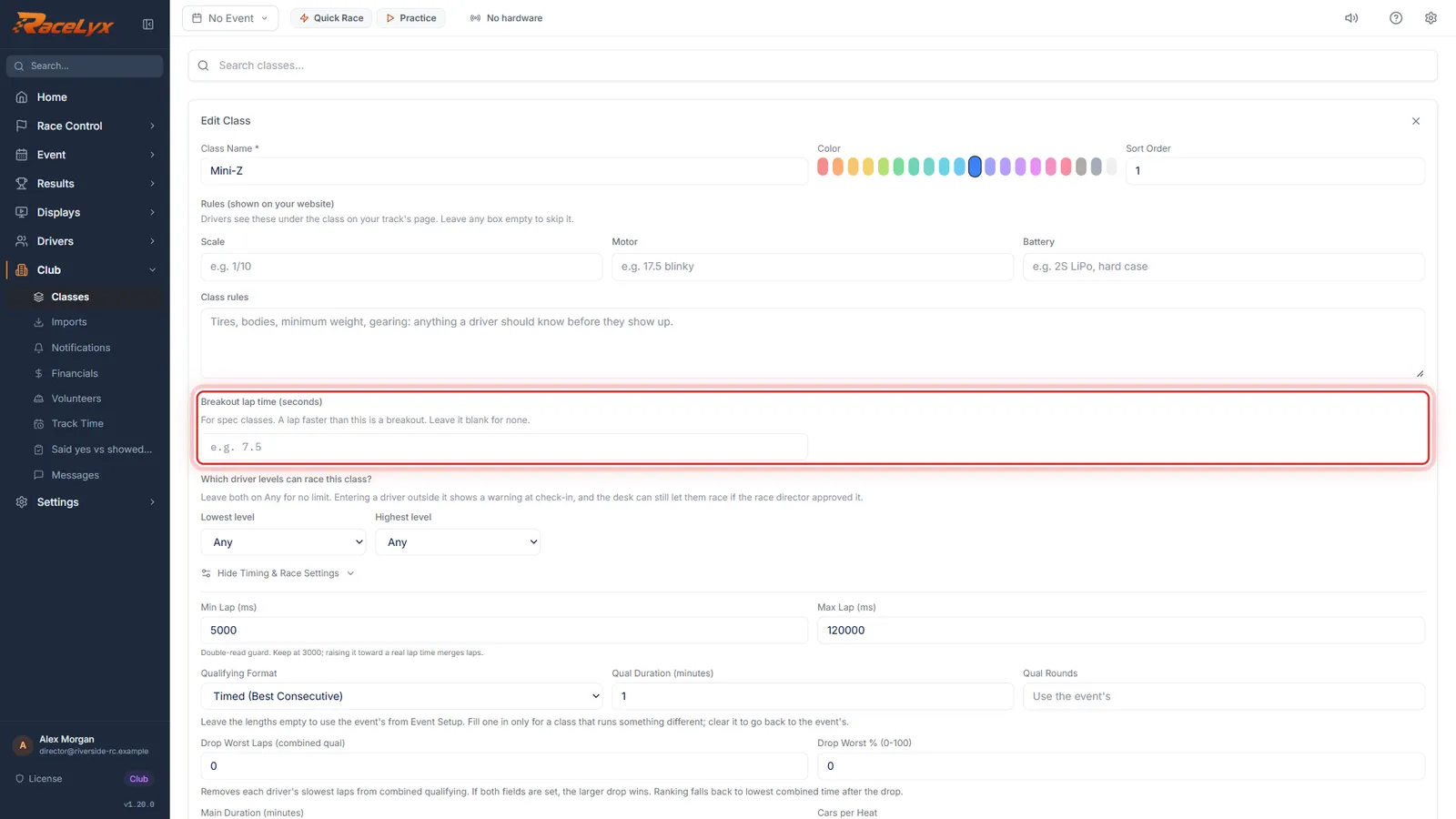
Open Classes and edit the class. Breakout lap time is under the class name.
Click the pencil, Edit class. The breakout box is part of the main form, not inside Timing & Race Settings.
- 2
Type the time
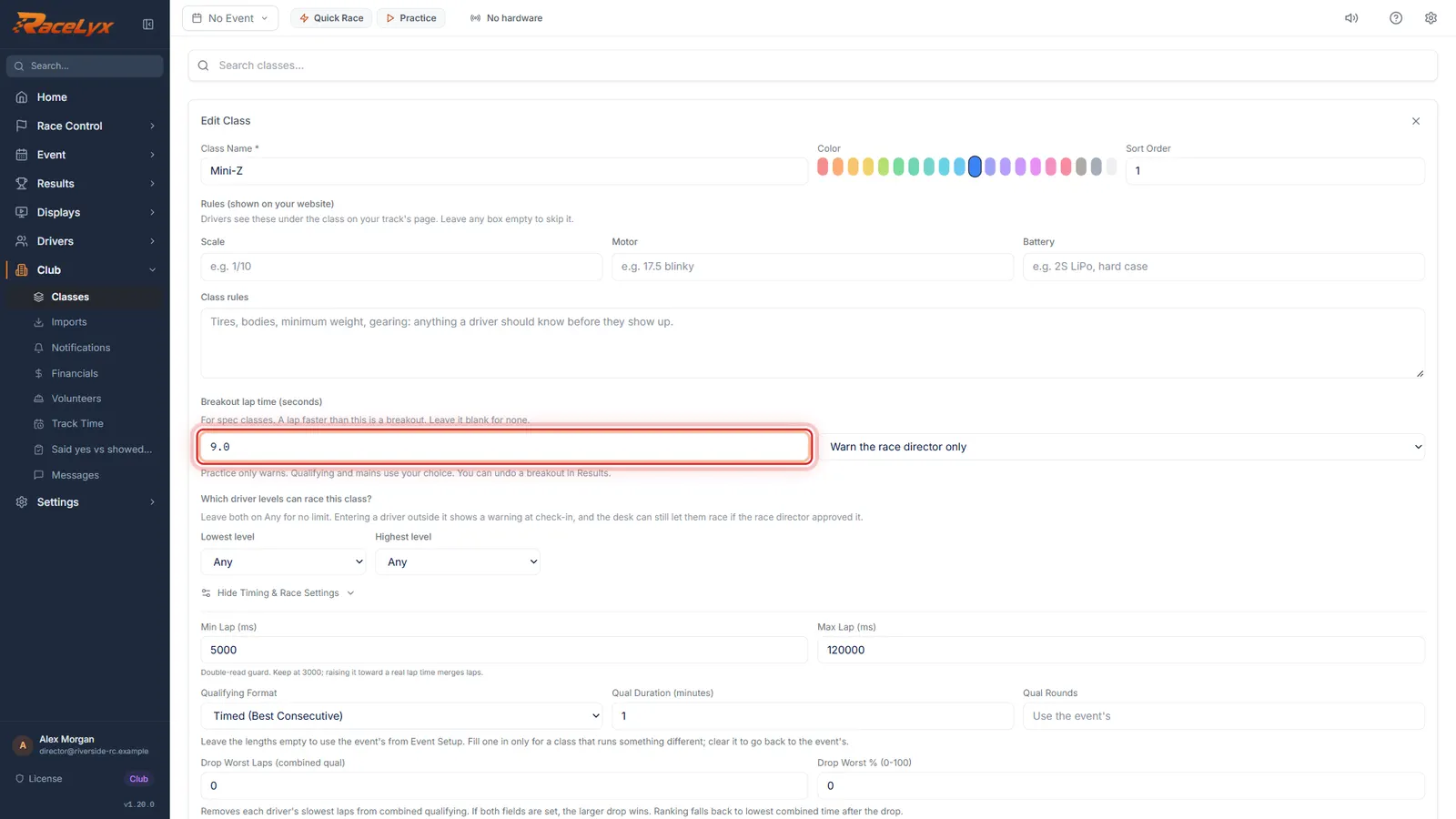
Type the breakout in seconds, here nine point oh. A lap faster than this is a breakout. Leave it blank for none.
Use the time from your club's rules, for example 7.5 for a 7.5 second breakout.
- 3
What happens on a breakout
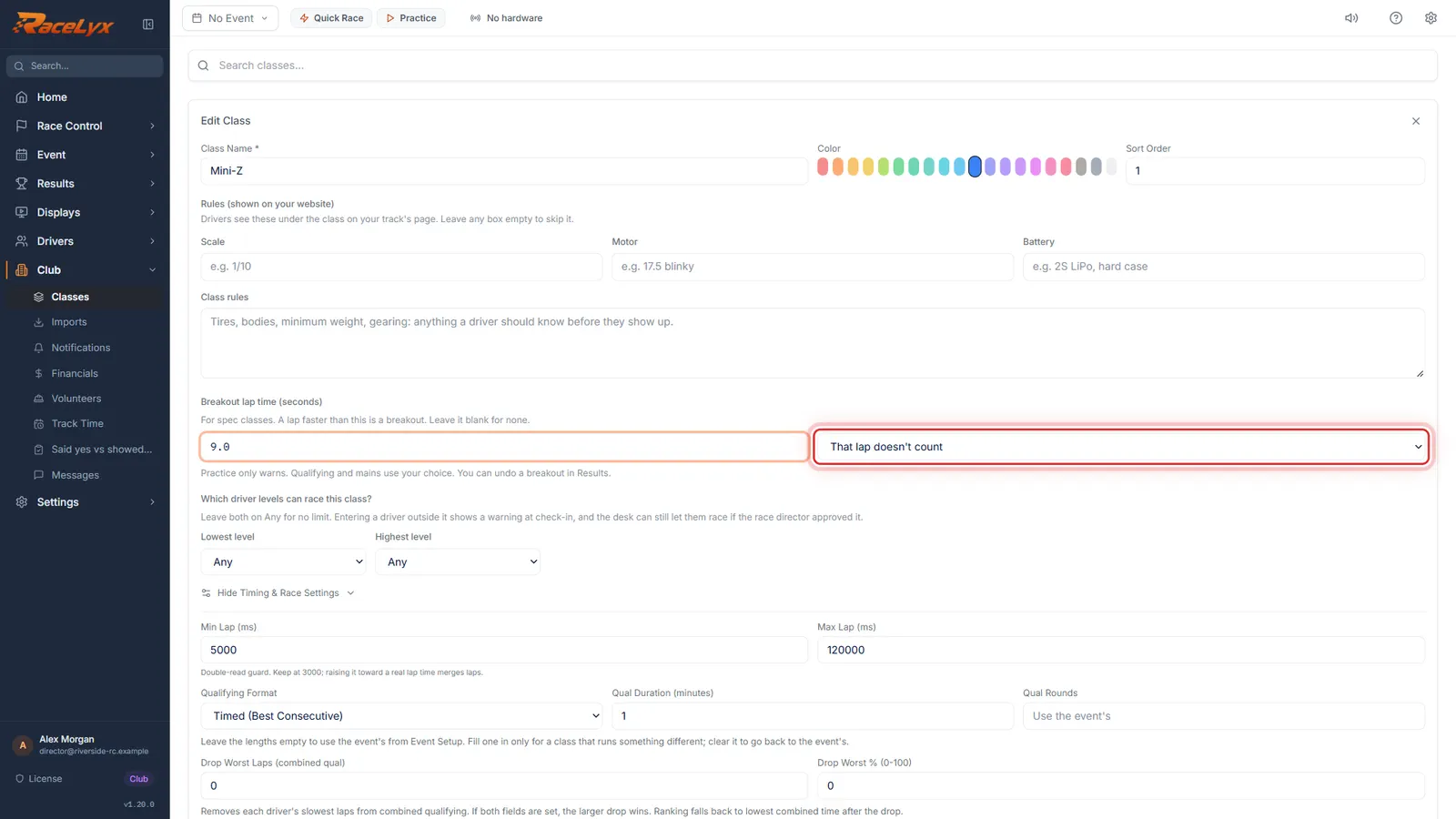
Pick what happens: Warn the race director only, That lap doesn't count, or Disqualify from that race.
Warn shows the breakout and counts the lap. That lap doesn't count drops the lap. Disqualify marks the car DSQ in that race.
- 4
Practice only warns
Practice only warns. Lap 1 only warns too, because it takes in the start, and so does a lap that looks like a missed read.
The hint under the box says it: Practice only warns. Qualifying and mains use your choice. You can undo a breakout in Results.
- 5
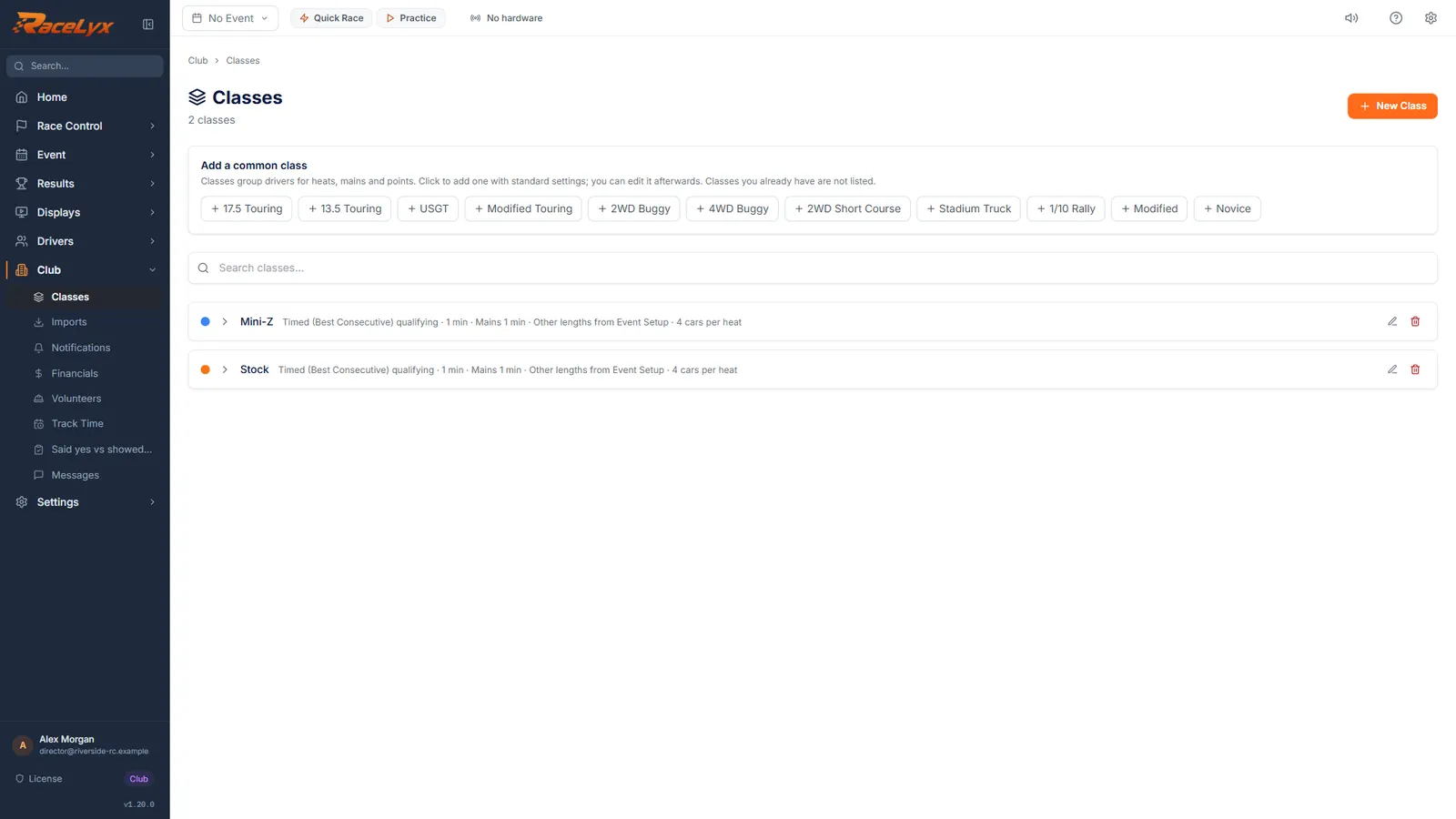
Click Update Class
Click Update Class. A breakout lap is never a best lap or a record, whatever you picked.
The class list does not show the breakout. Open the class again to check it.
Tips
- Practice only ever warns. Qualifying and mains do what you pick.
- Lap 1 only warns, because it takes in the start. So does a lap that looks like a missed or double read: much quicker than the breakout, or much quicker than the car's own laps.
- That lap doesn't count keeps the crossing and rolls its time into the car's next lap, so the car's total time stays right.
- You can undo a breakout in Results after the race (see A breakout during a race).
- The breakout time is kept on this computer. A second timing computer needs it set too.
- Breakout here is the lap time rule. Drag racing has its own breakout rules on the Drag page.
Troubleshooting
- Breakout time: type seconds from 1 to 600, like 7.5, or leave it blank.
- Type the time in seconds with a decimal point, like 7.5. A comma works too.
- That is not longer than the class's min lap, so it can never happen.
- The breakout must be longer than the class's Min Lap (ms), which only filters out double reads. Check the Min Lap under Timing & Race Settings.
Related guides
Something here does not match what you see? Tell us and we will fix the guide.