With levels on your drivers, Generate Heats can group each class by level: level 1 drivers in their own heats, then the 5s, and so on. New drivers get to race each other instead of being lapped by the regulars. It is ticked for you as soon as your drivers have levels.
Before you start
- Levels on your drivers (see Give each driver a level).
- Tonight's entries in their classes (see Enter drivers in tonight's classes).
Step by step
- 1
Click Generate Heats
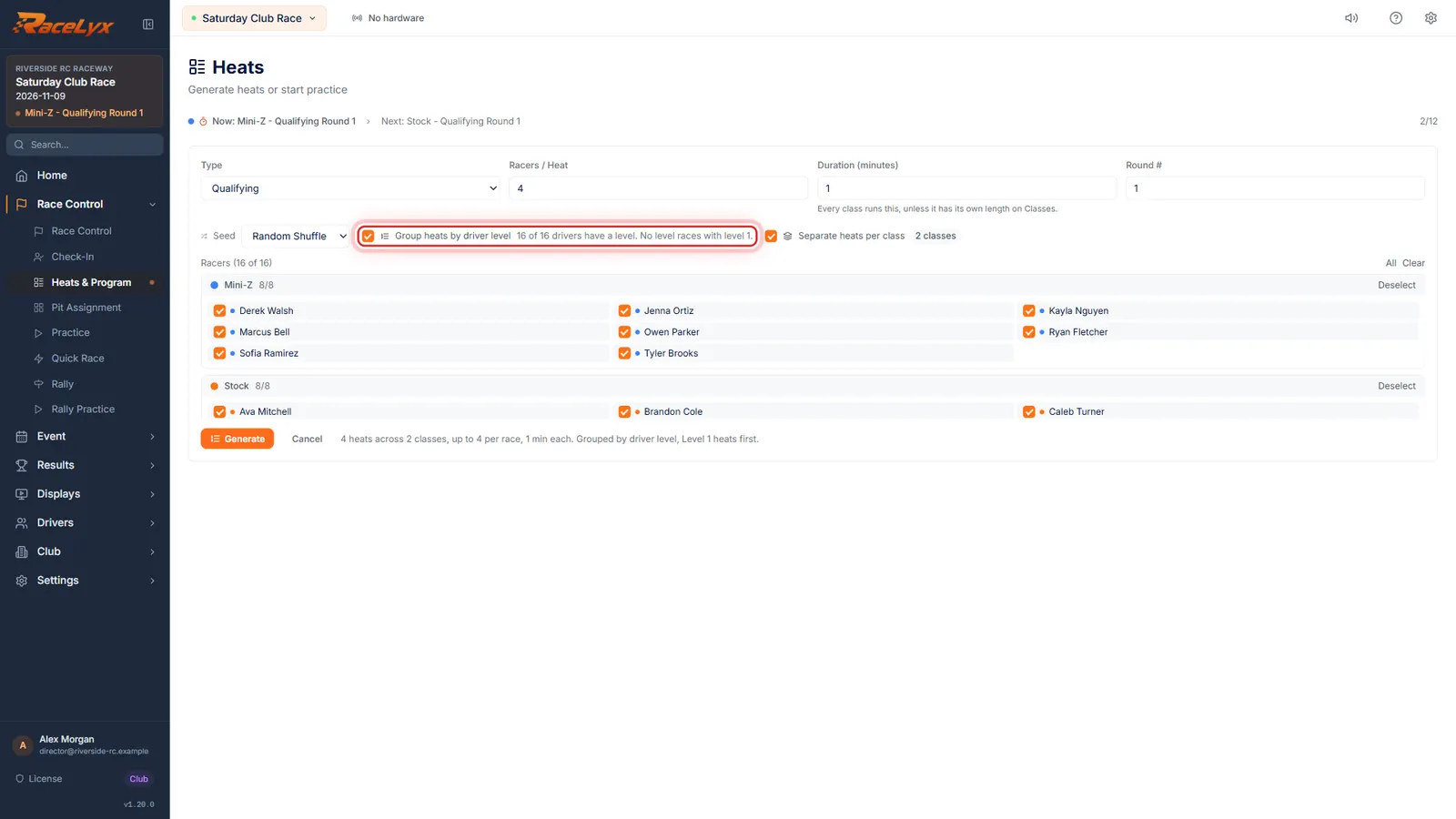
Open Heats and Program and click Generate Heats. Group heats by driver level is already ticked, because your drivers have levels.
The box shows only for qualifying. Next to it, the count says how many drivers in the draw have a level.
- 2
How the groups work
New drivers race each other. A level with only one or two drivers races with the next level, and drivers with no level race with level 1.
Each class is grouped on its own. The seed you pick, Random Shuffle for example, mixes drivers inside each level.
- 3
Racers / Heat
Leave Separate heats per class ticked, and set Racers per Heat as usual.
Each level group is split evenly at that size.
- 4
Click Generate
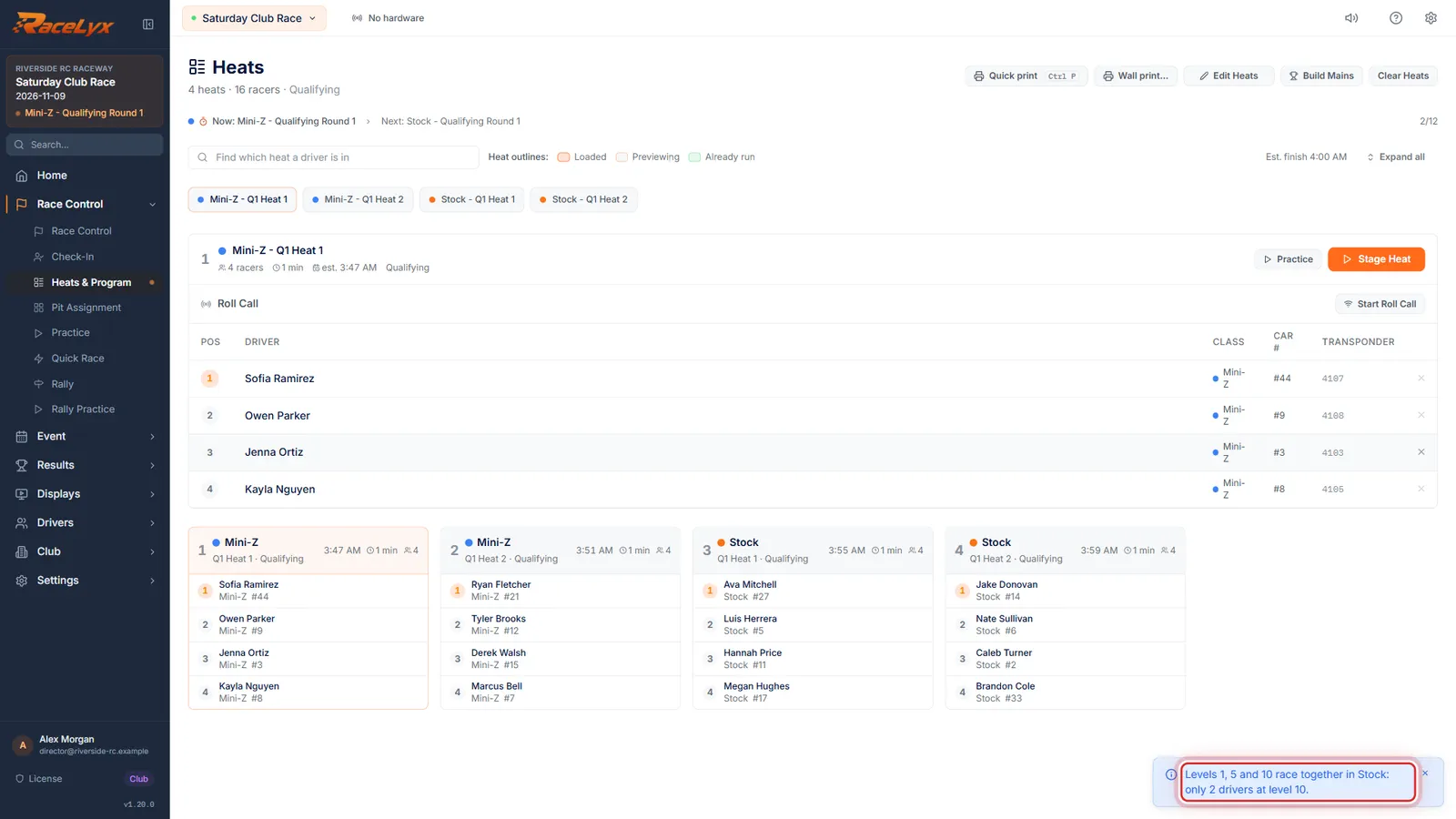
Click Generate. Stock has only two level 10 drivers, too few for a heat of their own, so all of Stock's levels race together, lowest first. RaceLyx says so.
A message names every group that was joined and why, for example: Levels 1, 5 and 10 race together in Stock: only 2 drivers at level 10. Mini-Z has four new drivers and four level 15s, so each gets a heat of its own.
- 5
Level 1 heats first
Level 1 heats come first in each class. Next round, Keep Same Heats, Re-shuffle and Reverse keep each level together.
The heats are normal heats: stage, move drivers and print them as usual. When you set up round two, a note explains which buttons keep the levels.
Tips
- A level with fewer than three cars joins the smaller level next to it, and a toast names each group that was joined.
- Drivers with no level race with level 1.
- Each level group is split evenly at the heat size: nine cars at eight a heat become five and four.
- For the next round, Keep Same Heats, Re-shuffle Random and Reverse Order keep each level together. Re-seed from Results groups by lap times instead.
- Untick Group heats by driver level for a normal random draw.
Troubleshooting
- Nobody has a level yet. Set levels on Drivers.
- The box only groups drivers who have a level. Set them on Drivers or with Import levels.
- There is no Generate Heats button.
- The event already has heats. Clear Heats first (see Draw the qualifying heats), or use the next-round buttons.
Related guides
Something here does not match what you see? Tell us and we will fix the guide.