Some classes are only for some drivers: a novice class, or a pro class only top drivers and those the race director approves can run. Set the lowest and highest level on the class. Check-In then warns when a driver ticks a class outside their level, and the desk can still let them race when the race director approved it.
Before you start
- Levels on your drivers (see Give each driver a level, or Import levels from your member list).
Step by step
- 1
Edit the class
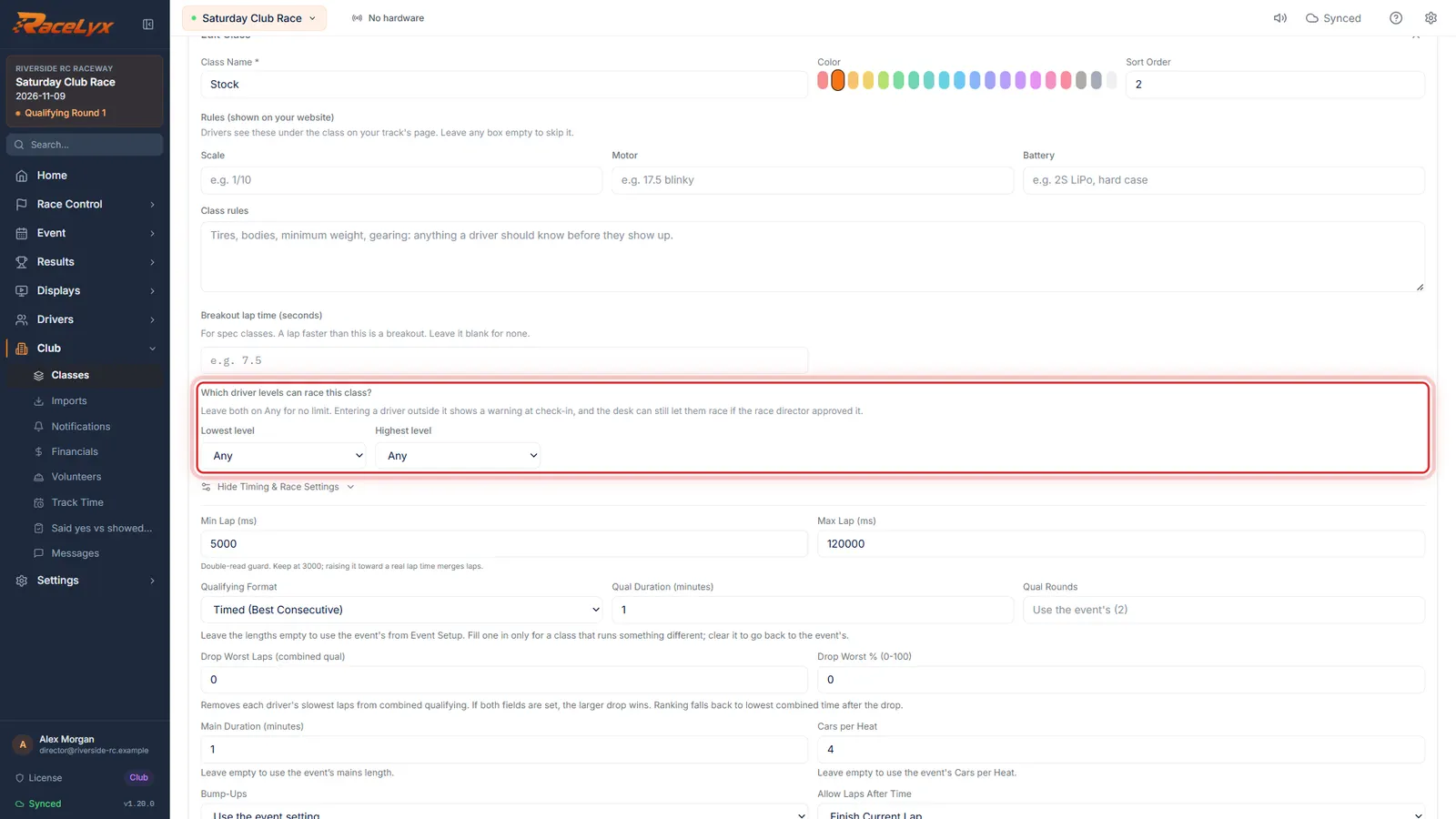
Open Classes and edit the class. Which driver levels can race this class? has a lowest and a highest level.
Click the pencil, Edit class, on the class. Leave both boxes on Any for no limit.
- 2
Highest level
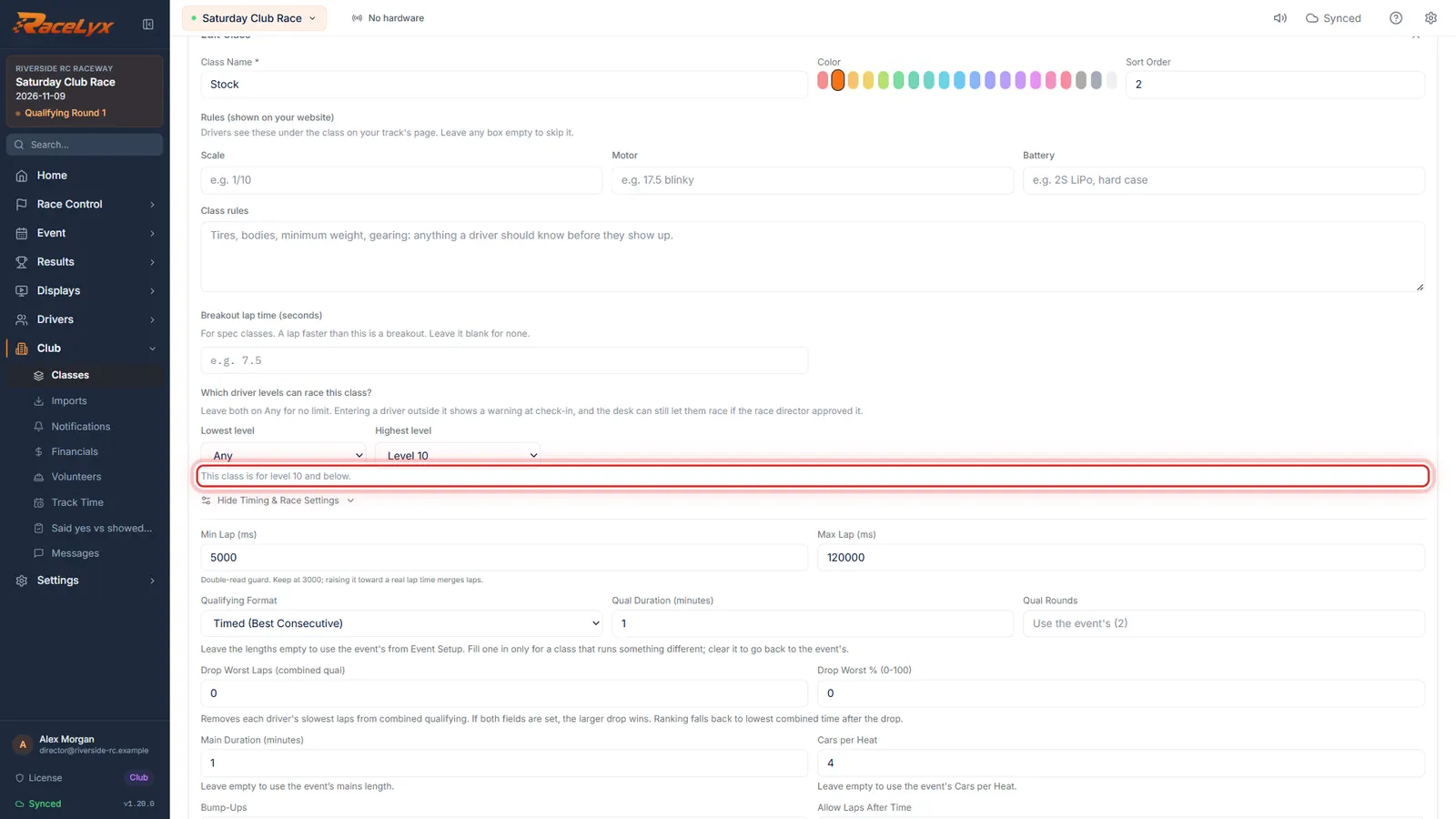
Here Stock is for level 10 and below, so Highest level is Level 10.
The line underneath reads the rule back: This class is for level 10 and below. A pro class would set Lowest level to Level 15 instead.
- 3
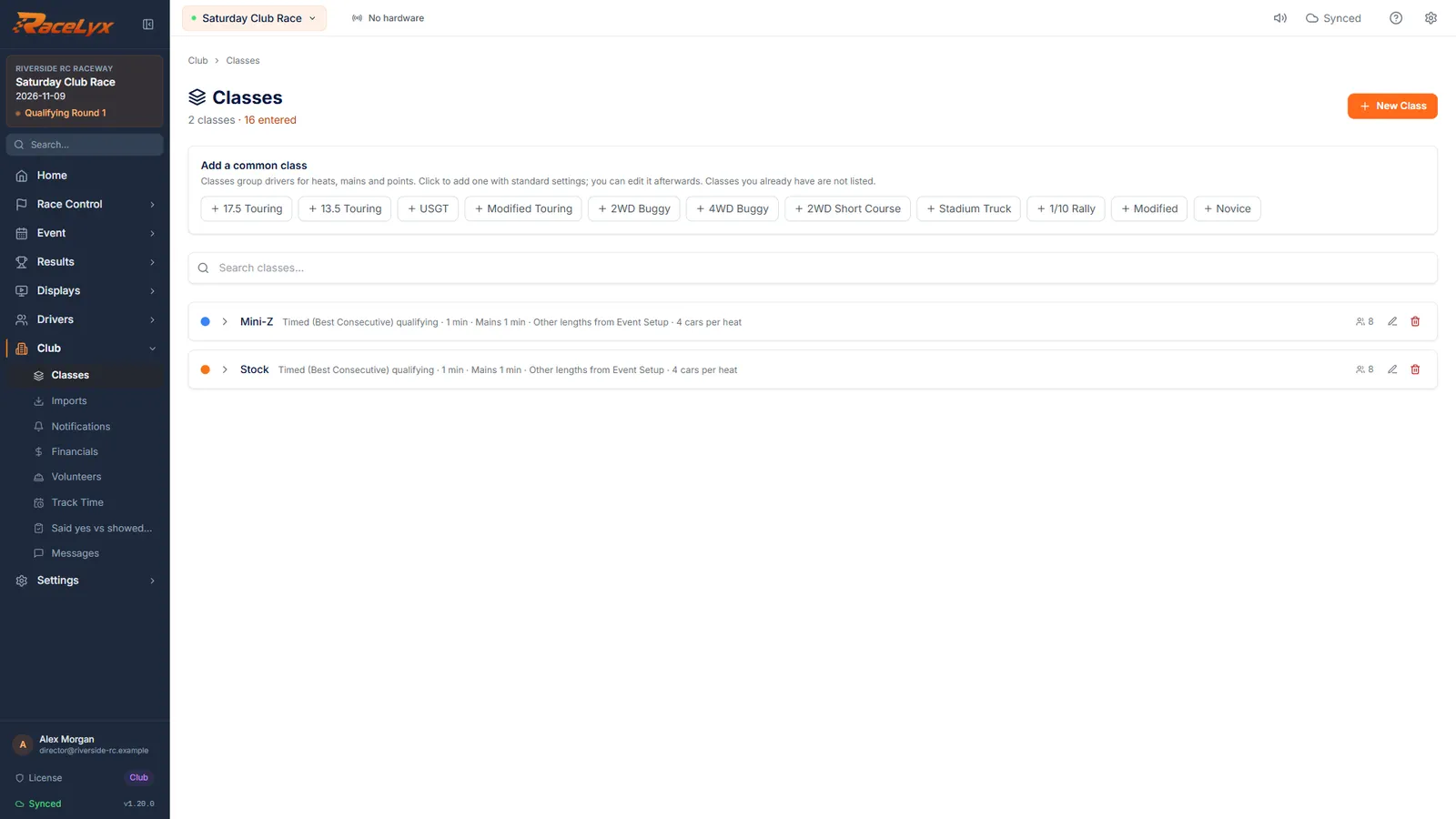
Click Update Class
Click Update Class.
The limit is kept with the class on this computer.
- 4
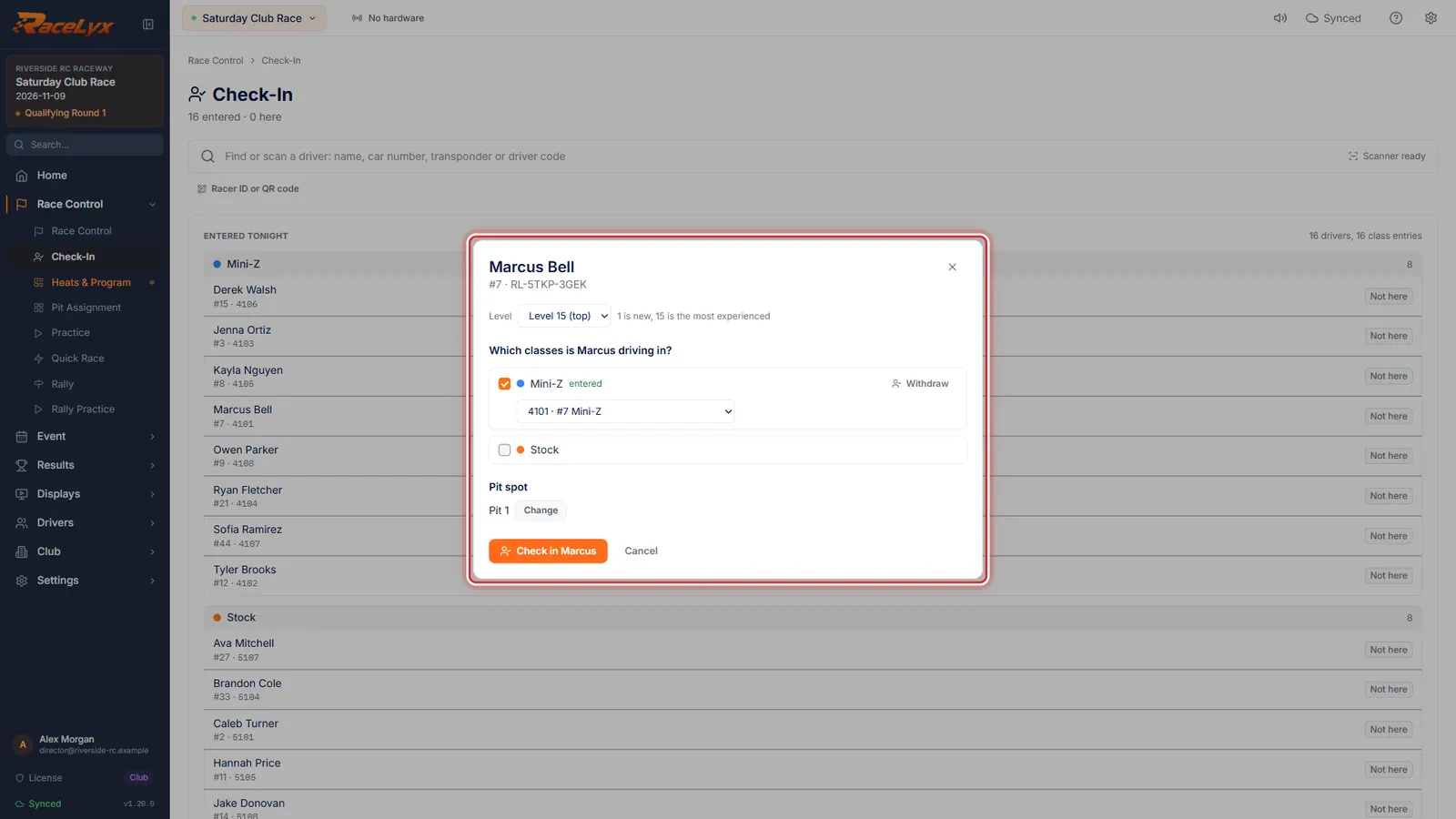
Open the driver on Check-In
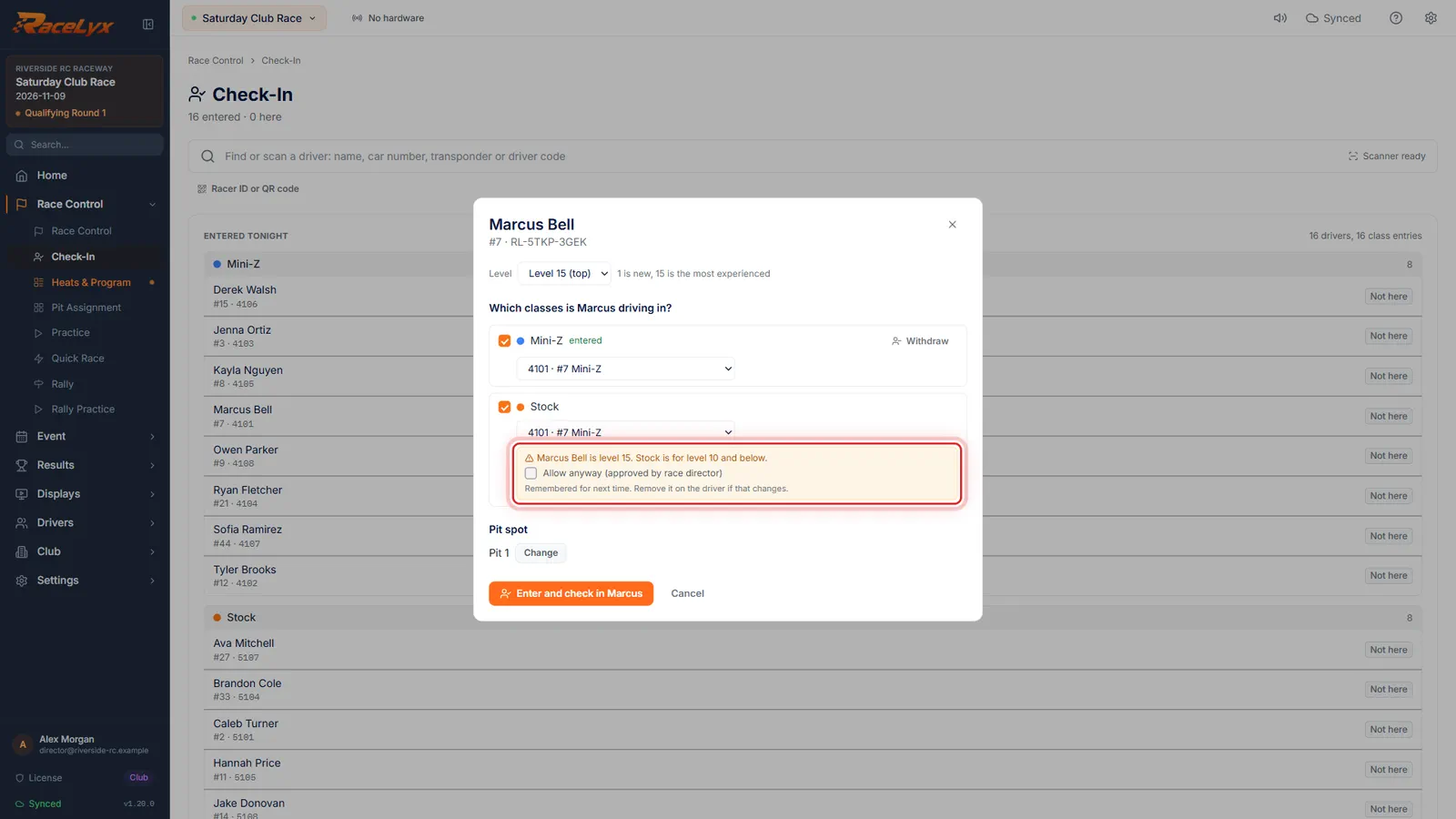
On race day, Marcus is level 15 and wants to race Stock as well. Open his card on Check-In.
Type part of the name in Find a driver and click it.
- 5
The level warning
Tick Stock, and the card warns: he is level 15, and Stock is for level 10 and below.
The warning shows for each class ticked tonight that is outside the driver's level.
- 6
Allow anyway
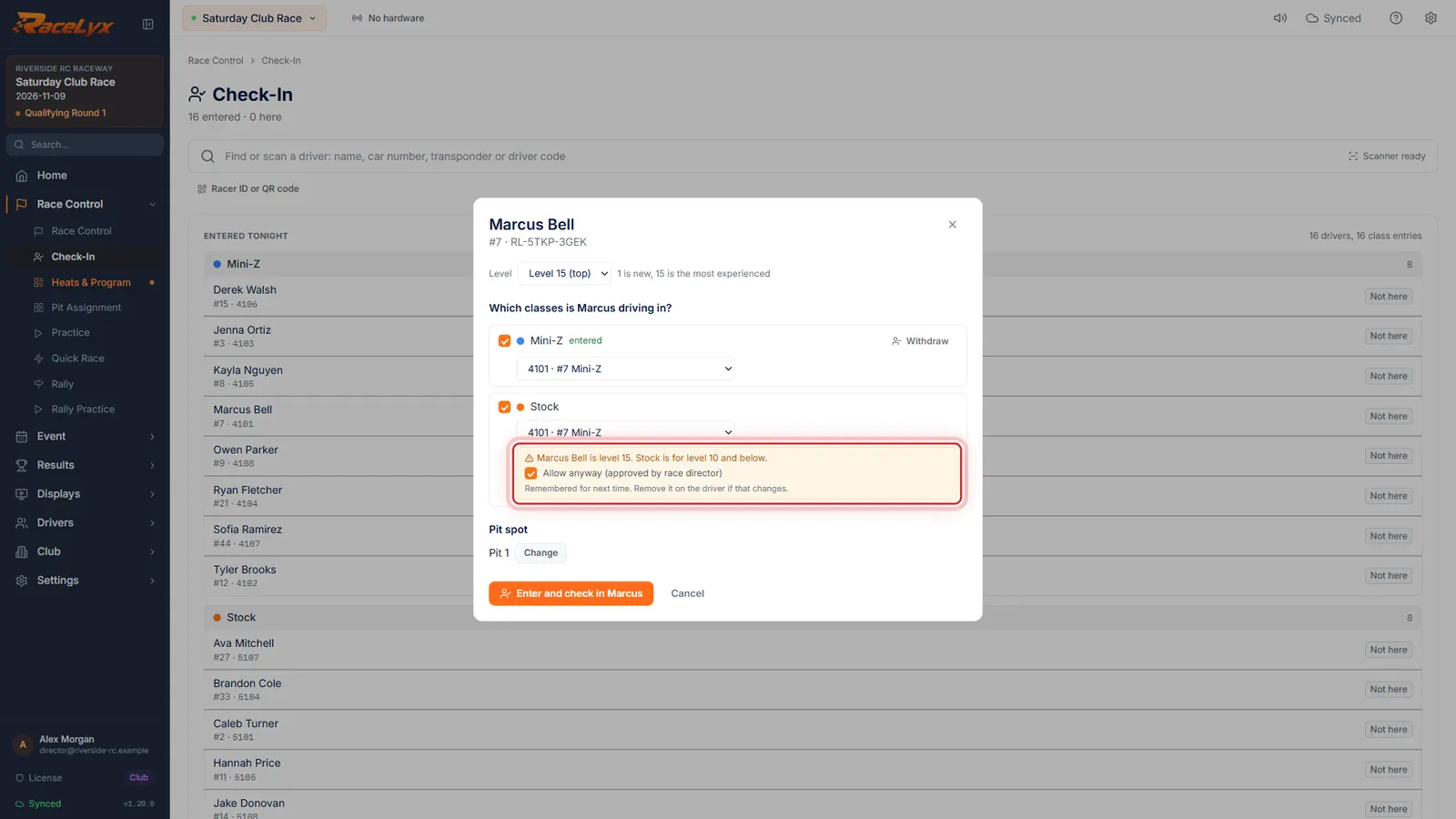
If the race director said yes, tick Allow anyway. It is remembered for next time.
Without the tick the card will not save that class. Untick the class instead if the answer is no.
- 7
Approved for Stock
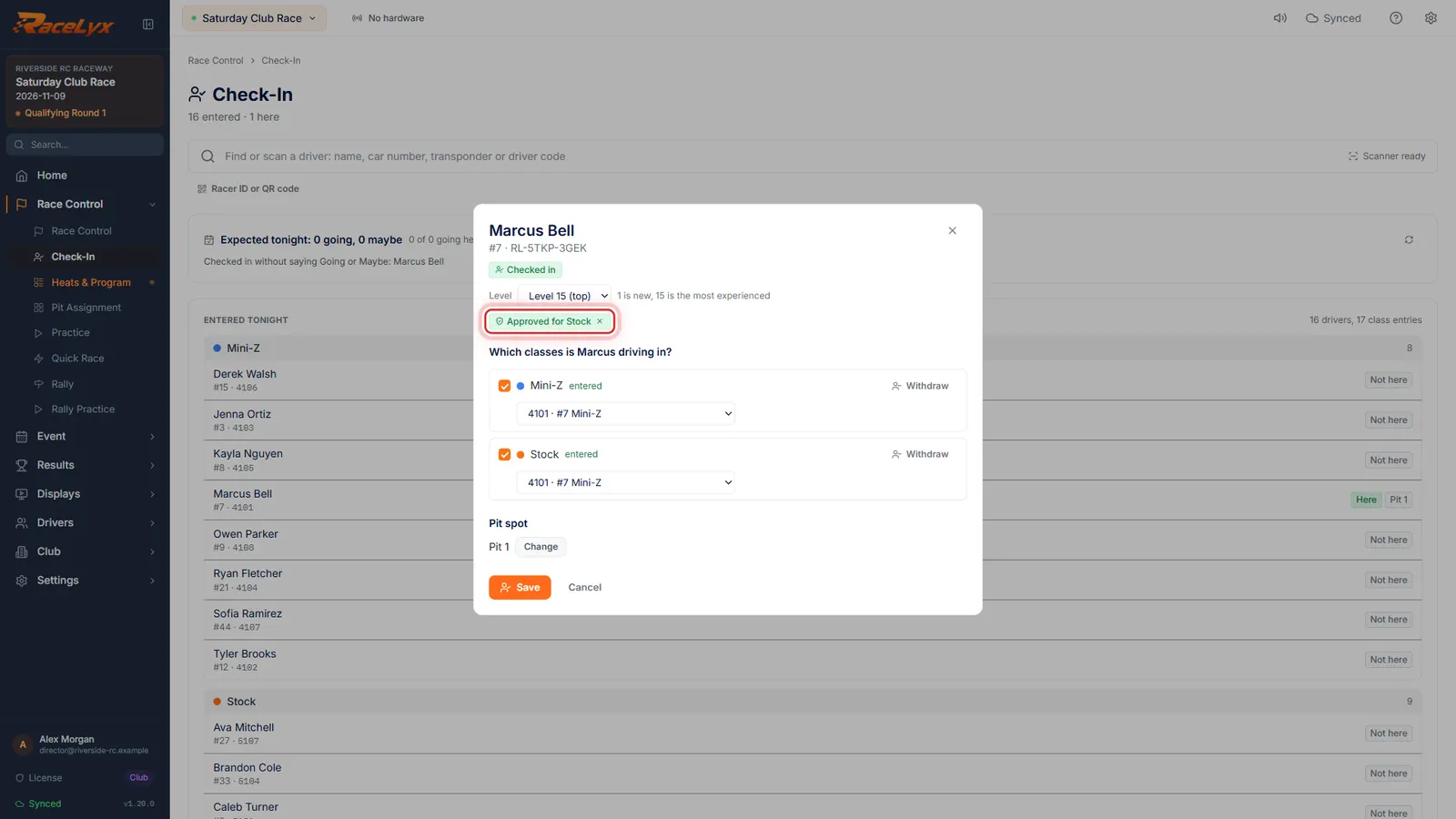
Click Enter and check in. Open his card again, and it says Approved for Stock. The cross takes it away.
The green chip shows on his Check-In card and when you edit him on Drivers. Next week the Stock warning does not come back.
Tips
- It is a warning, never a block: the desk can always tick Allow anyway.
- An approval is remembered per driver and class, so next week the card just says Approved for Stock by the race director.
- To take an approval away, click the cross on the green Approved chip, on the Check-In card or when you edit the driver on Drivers.
- A driver with no level counts as level 1.
- Only classes ticked tonight are checked. Classes a driver was entered in before the limit was set are left alone.
Troubleshooting
- Marcus's level is outside Stock. Tick "Allow anyway" if the race director approved it, or untick the class.
- The card will not save a class outside the driver's level without the tick. Tick Allow anyway if the race director said yes, or untick the class.
- The lowest level is above the highest level.
- Swap the two boxes: Lowest level is the smallest number that can race.
Related guides
Something here does not match what you see? Tell us and we will fix the guide.