After the last heat of a qualifying round is saved, Heats & Program shows "Round 1 complete. Set up Round 2" with five ways to draw the next round. It is the most common decision between rounds, and one click draws the whole round. After the last round, the same place offers Build Mains instead.
Before you start
- Every heat of the round run and saved.
- Event Setup's Rounds set to more than one (the prompt counts toward that number).
Step by step
- 1
Round 1 complete
When the last heat of a round is saved, Heats & Program asks how to set up the next round.
The orange box says "Round 1 complete. Set up Round 2 of" your number of rounds, then "Choose how to assign drivers for the next qualifying round". Nothing is drawn until you pick one. Dismiss closes it without drawing.
- 2
Five ways to draw it
Re-seed from Results groups drivers by pace, fastest together. It is the usual choice. Stagger rotates whole heats, Keep Same Heats repeats them.
Re-seed from Results (Recommended) reads tonight's qualifying so far, by your Ranking Method, and splits each class into heats of similar pace. Stagger (Rotate Heats) moves whole heats without looking at results. Keep Same Heats runs the same lineups as round 1. Re-shuffle Random draws again at random. Reverse Order turns the running order around.
- 3
Re-seed from Results
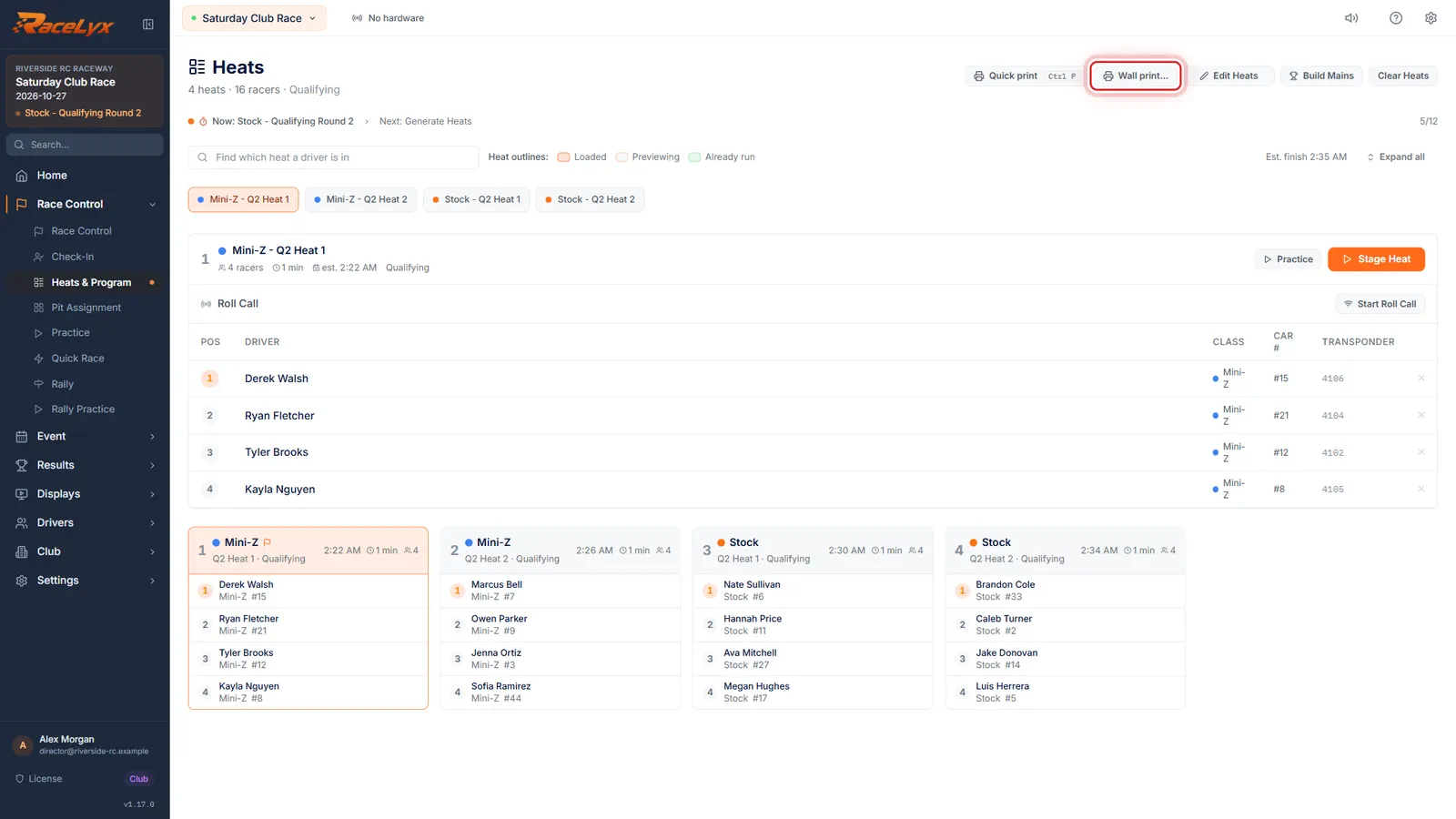
Click Re-seed from Results. Round two is drawn, class by class, and its first heat is ready to stage.
The heat strip now shows round 2. Each class keeps its heat size and the length its last round ran. Check the lineups; Edit Heats moves a driver if you need to, and adds anyone entered since round 1.
- 4
Print the new round
Print the new program for the pit wall with Quick print, or Control P. After the last round, this place offers Build Mains.
Quick print sends the wall schedule straight to the printer with the settings you used last time; Wall print opens the full print window with a preview. When the final round is saved, the box reads "Qualifying is done. Build the mains from the results."
Tips
- Re-seed from Results is marked Recommended: it groups drivers by how they have actually been going, fastest together, so every heat is a close race.
- Stagger (Rotate Heats) moves whole heats around without looking at results, so drivers get a different running slot.
- Keep Same Heats runs the same lineups again. Re-shuffle Random draws new random heats. Reverse Order flips the running order.
- Each class keeps its own heats and the length its last round ran.
- A driver you took out of every heat stays out. Stagger, Re-shuffle Random and Reverse Order also bring in anyone entered since the last round; Re-seed from Results only re-draws the drivers who ran, so add a late entry with Edit Heats afterwards.
- Print the new program for the pit wall: Quick print, or Control P.
Troubleshooting
- The prompt never appeared.
- It appears only after the last heat of a qualifying round is saved, and only while there are rounds left. Check Rounds on the Qualifying step of Event Setup.
- I clicked Dismiss by mistake.
- Draw the round yourself: Clear Heats, Generate Heats, set Round # to the next round, and pick a Seed.
- "Could not build round 2"
- The prompt stays so the round is not lost. Read the reason, fix it (for example drivers not in a class), and click again.
Related guides
Something here does not match what you see? Tell us and we will fix the guide.