Generate Heats draws everyone entered in the event. It does not look at who has checked in, so a driver who never turned up is still in a heat, and someone entered after the draw is in none. This guide fixes both without redrawing the night. It works on every plan.
Before you start
- Heats drawn on Heats & Program.
- No heat running.
Step by step
- 1
Every entered driver is drawn
Open Race Control, Heats & Program. Every entered driver is in a heat, whether they checked in or not.
Generate Heats draws from tonight's entries, not from who is marked Here on Check-In. Check-In shows who has not turned up: they show Not here on their row.
- 2
Find their heat
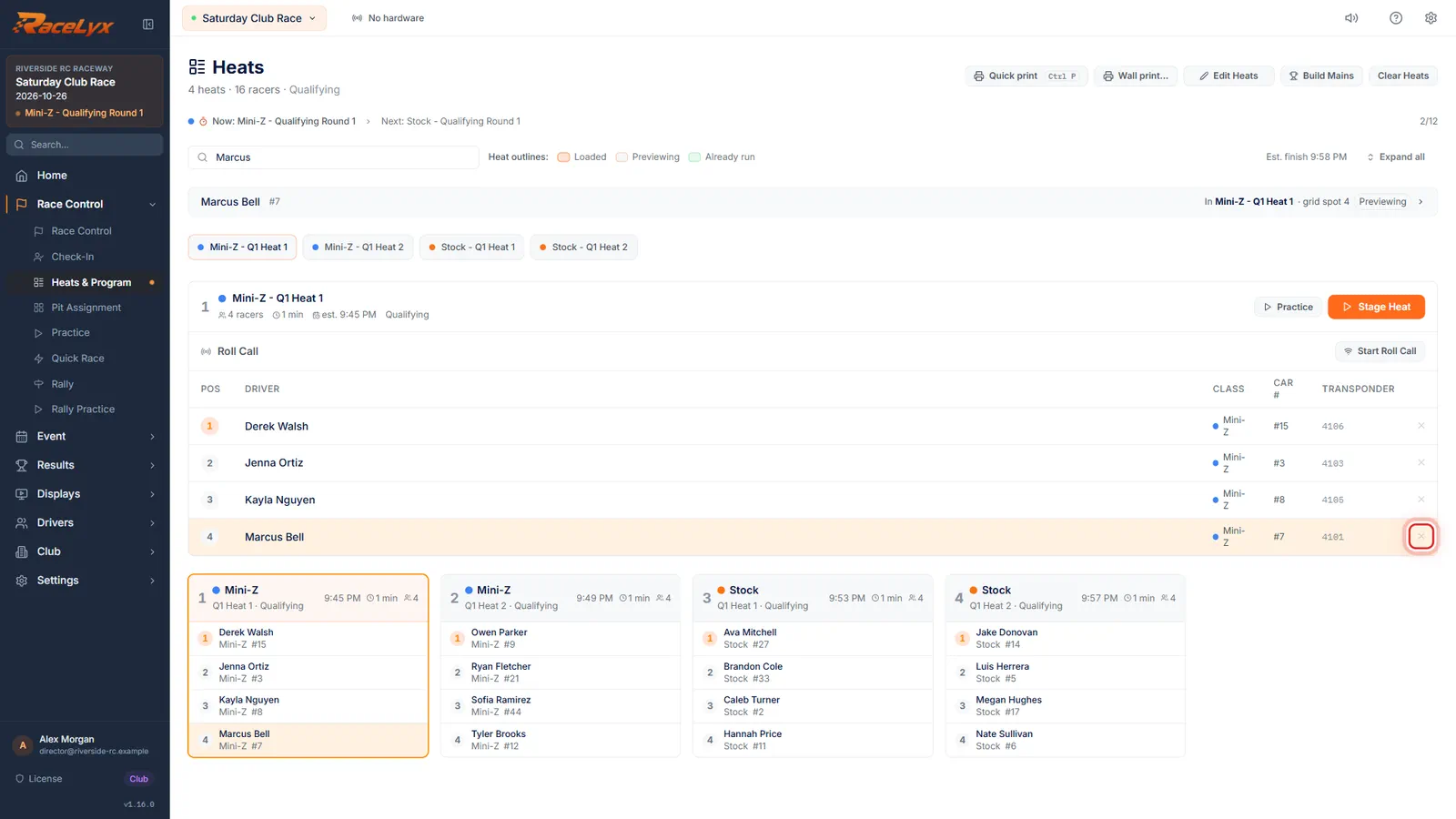
A no-show? Type their name in Find which heat a driver is in, and click the match. Their heat opens below.
The search takes a name, car number or transponder. Each match says which heat, their grid spot and whether that heat has run. Clicking it previews that heat with its lineup.
- 3
Remove from the heat
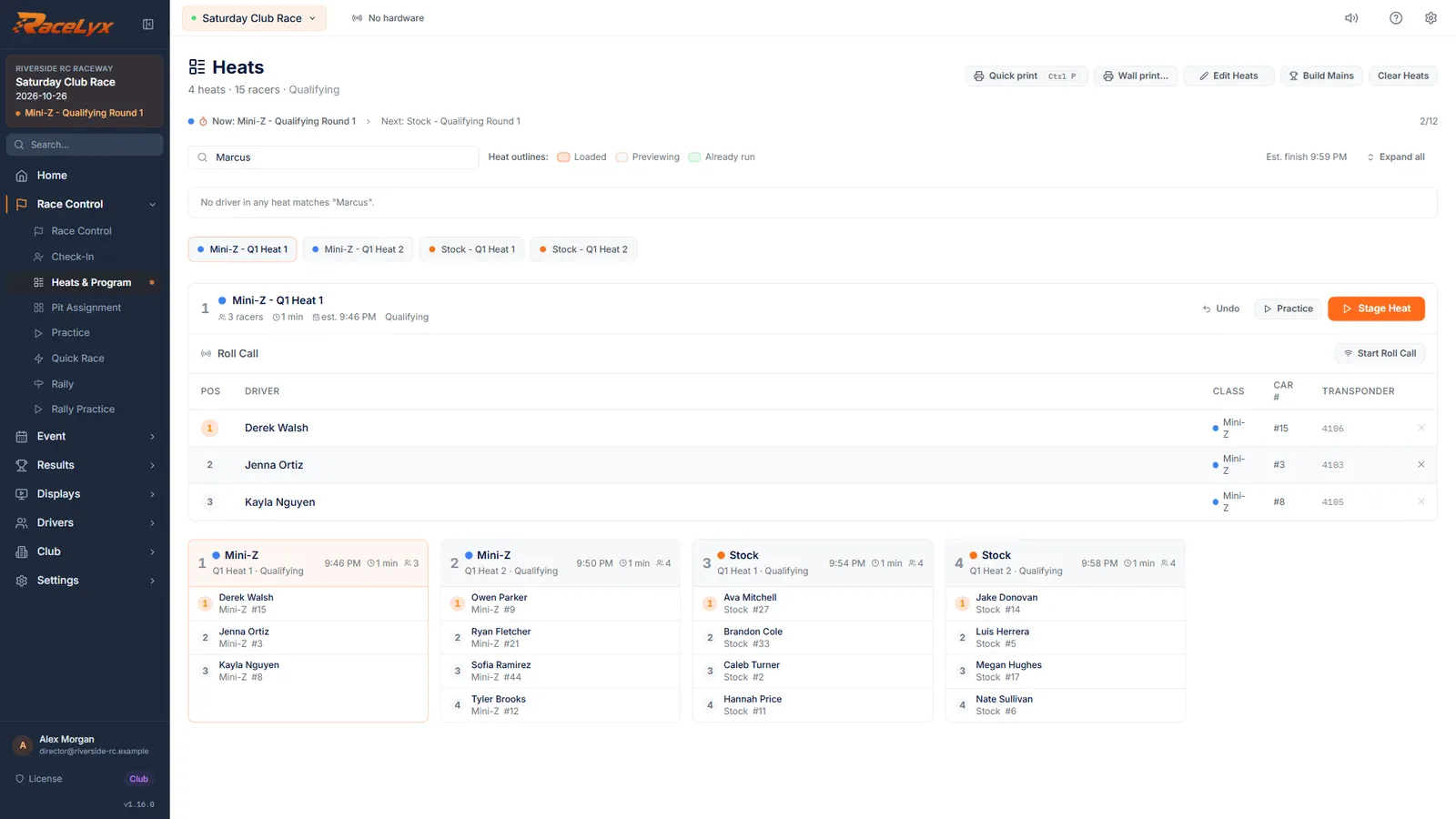
Click the X on their row, then Remove. They are out of the heat, and Undo puts them back for twenty seconds.
RaceLyx asks first: "Marcus Bell will be dropped from" the heat, "You can undo this for 20 seconds." Only that heat changes. They stay entered in the event, so also Withdraw them on Check-In if they will not race tonight.
- 4
A late entry: Edit Heats
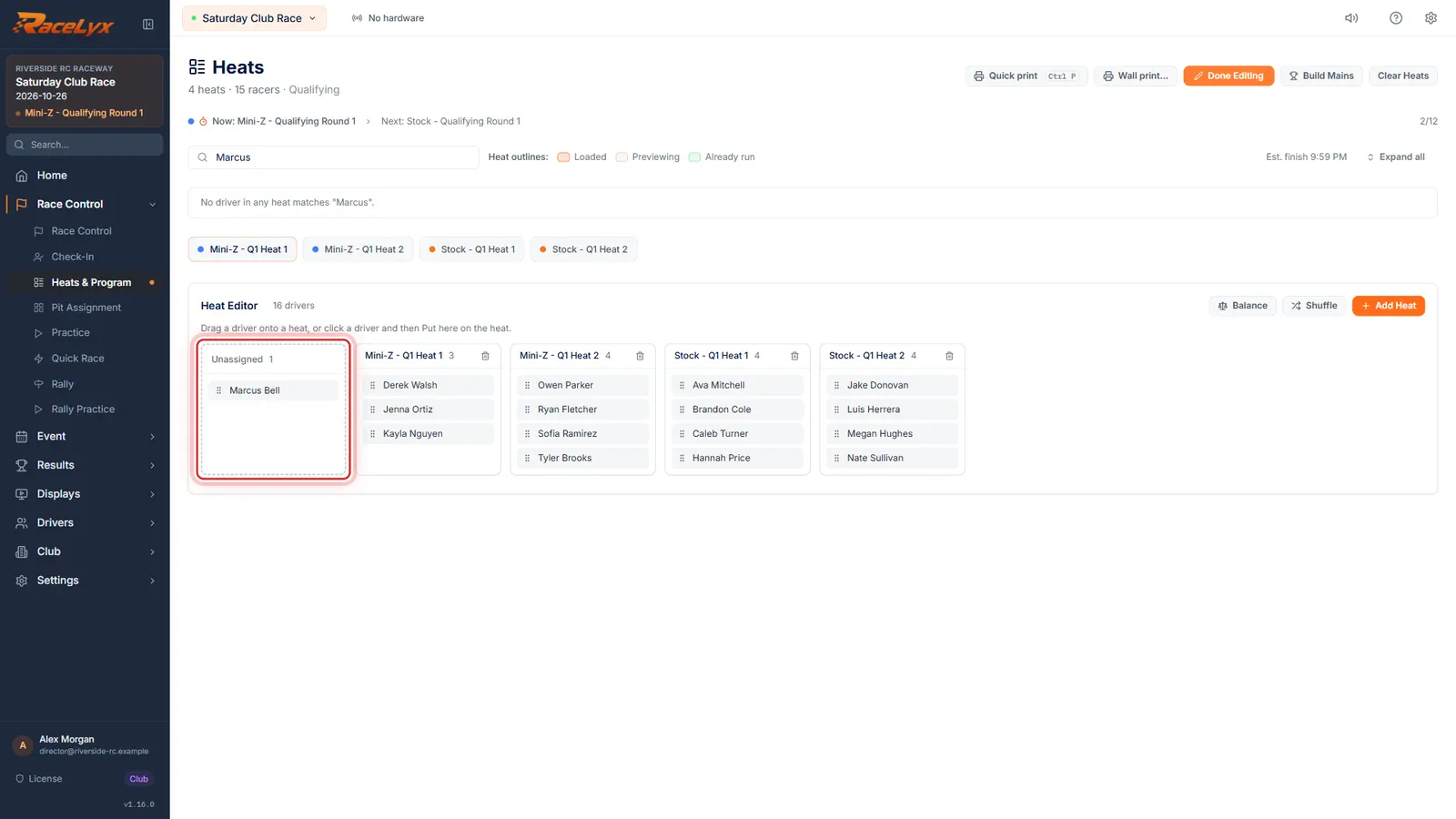
Marcus turned up after all. Click Edit Heats. A driver who is in no heat waits under Unassigned.
The same goes for anyone entered after the draw: enter them on Check-In as usual, and they appear under Unassigned. Unassigned lists every driver car on your Drivers list that is in no heat, so only move in drivers who are entered.
- 5
Put here
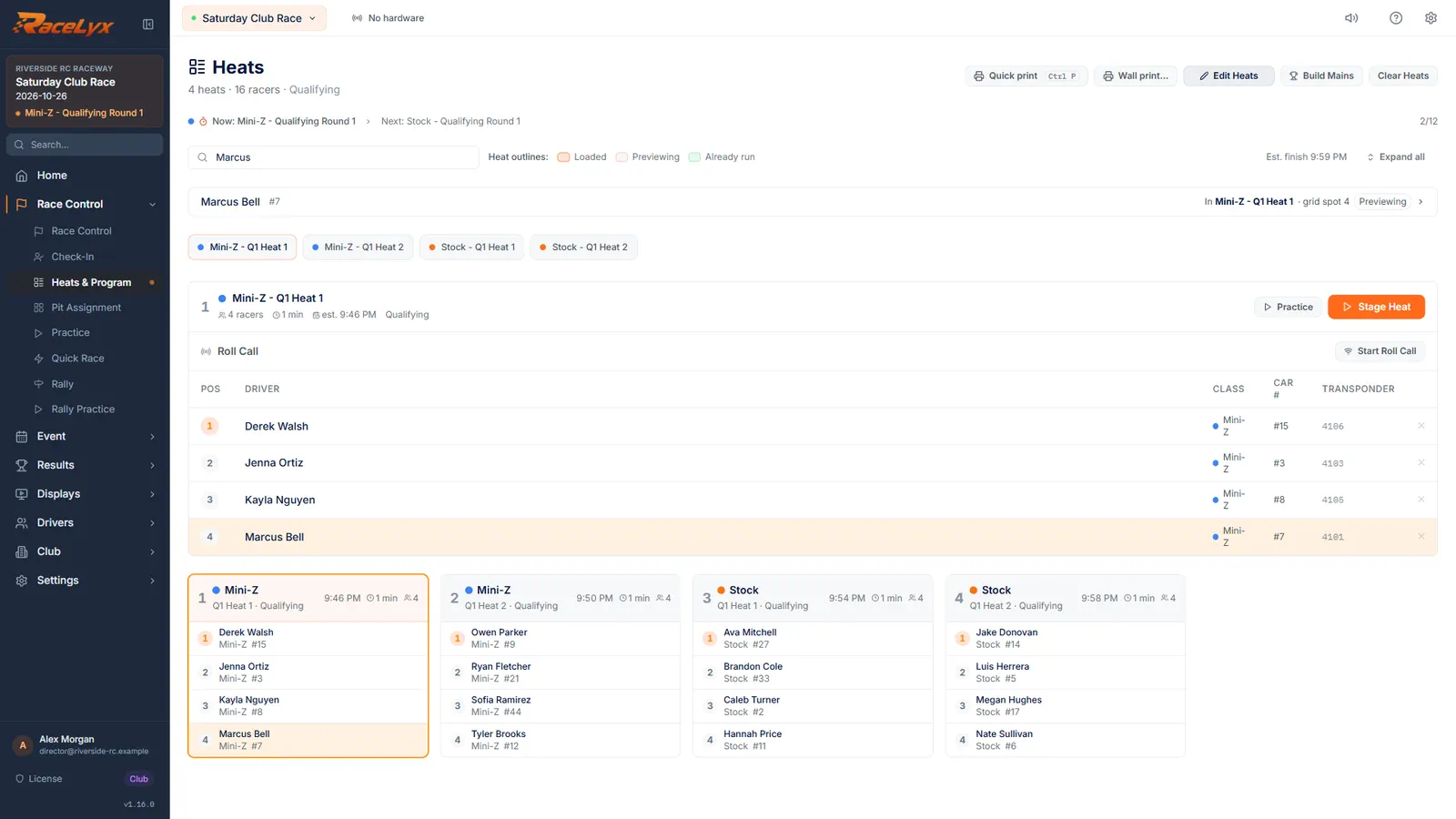
Click the driver, then Put here on a heat of their class with room. Click Done Editing.
Drag and drop works too. Do not use Balance for this: it spreads everyone under Unassigned over every open heat, whatever their class. With separate heats per class, pick a heat of the driver's own class.
- 6
Or draw again
Lots of changes, and nothing run yet? Clear Heats and Generate Heats draws everyone entered, fresh.
Clear Heats asks first, then discards the program and any bump-ups. Saved results are not affected. Untick anyone who has not turned up in the Racers list on the Generate Heats form before you click Generate.
Tips
- Before the draw is easiest: untick the no-show in the Racers list on the Generate Heats form, or take them out of the event with Withdraw on their Check-In card.
- Undo appears for 20 seconds after you remove a driver from a heat.
- Going home for the night? Also take them out of the event (Withdraw on their Check-In card, or the flag on Drivers). Otherwise Build Mains puts them at the back of their class's bottom main.
- The next-round prompt follows the last round: a driver you took out of every heat stays out. Stagger, Re-shuffle Random and Reverse Order also bring in anyone entered since; Re-seed from Results does not, so add a late entry with Edit Heats after it.
- Lots of changes and nothing run yet? Clear Heats and Generate Heats draws everyone fresh. Saved results are not touched.
Troubleshooting
- The X to remove a driver is missing.
- That heat has run, and a run heat is locked: its lineup is its result. Fix the result in Results instead.
- My late entry is not under Unassigned.
- They have no car with a transponder, or they are already in a heat. Check their Check-In card.
- Edit Heats is greyed out.
- A heat is running or waiting to be saved. Save or reset it first.
Related guides
Something here does not match what you see? Tell us and we will fix the guide.