On race day your tree and timing time the runs, as they always have. You type the slip into RaceLyx: the dial-ins, then reaction and time (ET) for each lane. RaceLyx decides the winner by your rules, moves them up the ladder and shows who races next. A round starts at the bottom of the list and the winner keeps climbing until they lose.
Before you start
- Drag Racing on, with your classes and lists (see Turn on drag racing and set up the lists).
Step by step
- 1
Start drag day
Open Race Control, Drag. The lists are where you left them last time. Click Start drag day.
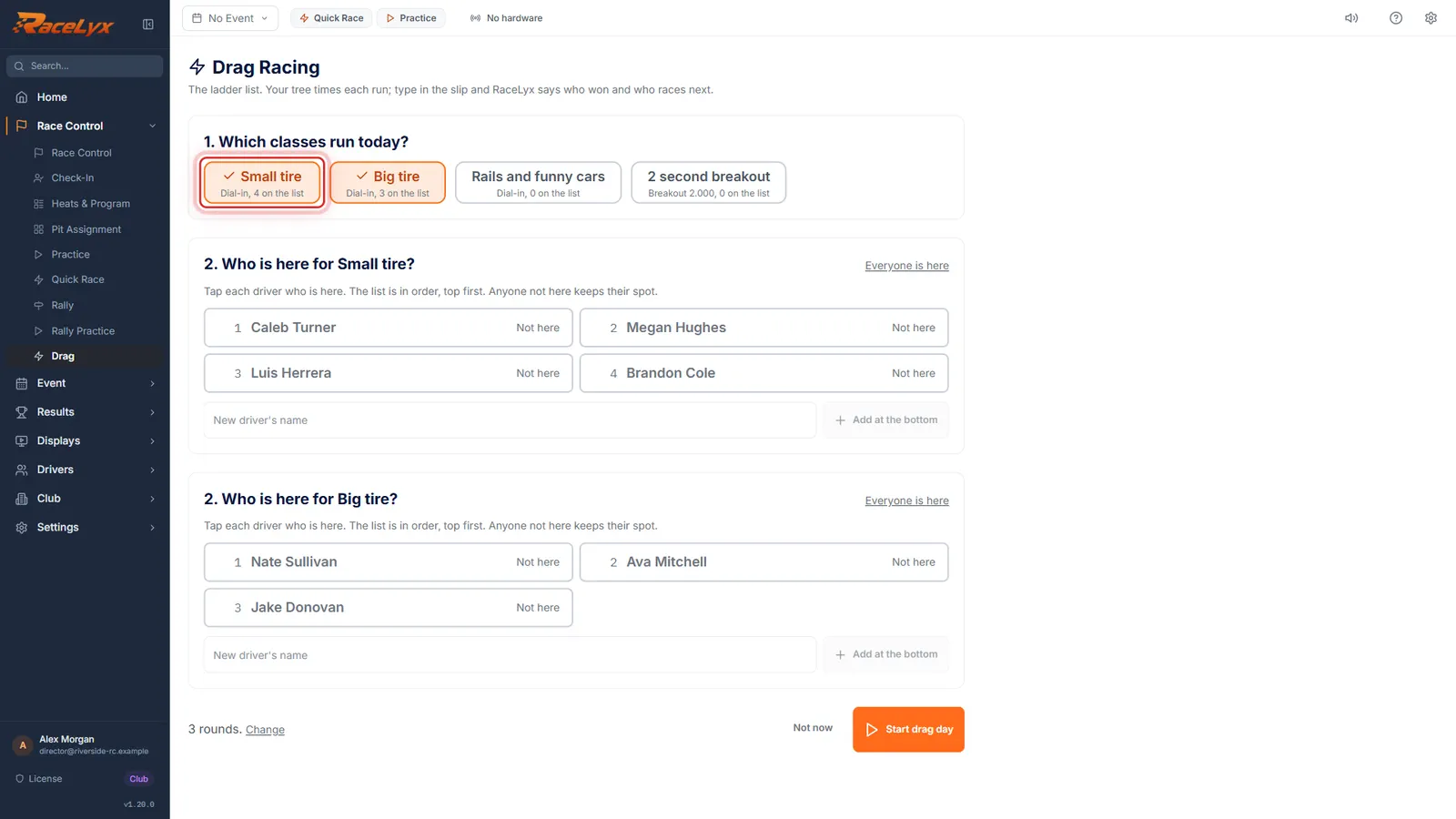
Race day? Pick the classes and tap who is here. Three rounds unless you change it.
- 2
Which classes run today?
Classes with drivers on their lists are picked. Tap a class to leave it out today.
Each class button shows how it runs and how many are on its list.
- 3
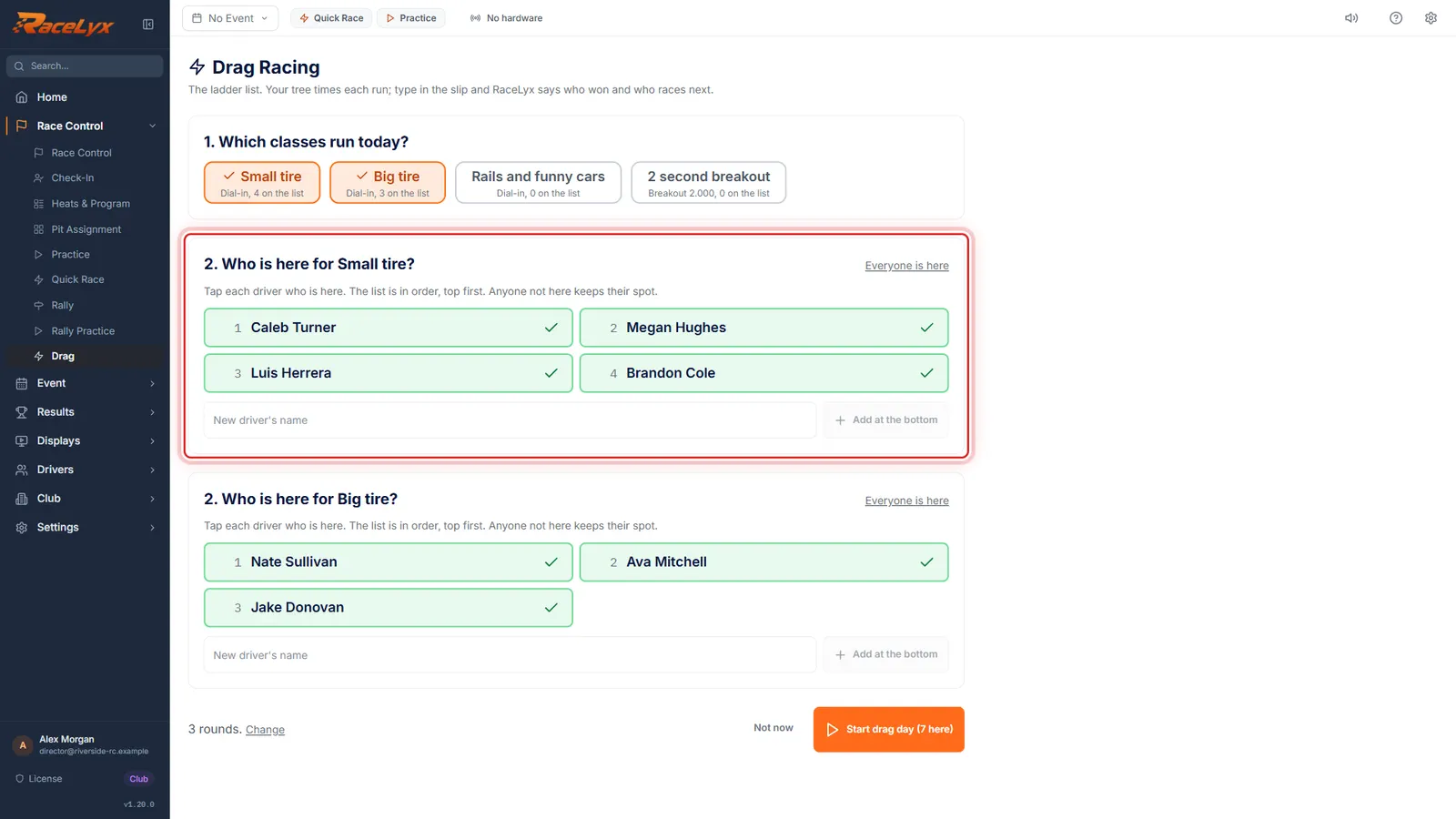
Who is here?
Tap each driver who is here, or Everyone is here. Anyone away keeps their spot.
Someone new? Type their name and Add at the bottom: they are marked here too.
- 4
Now racing
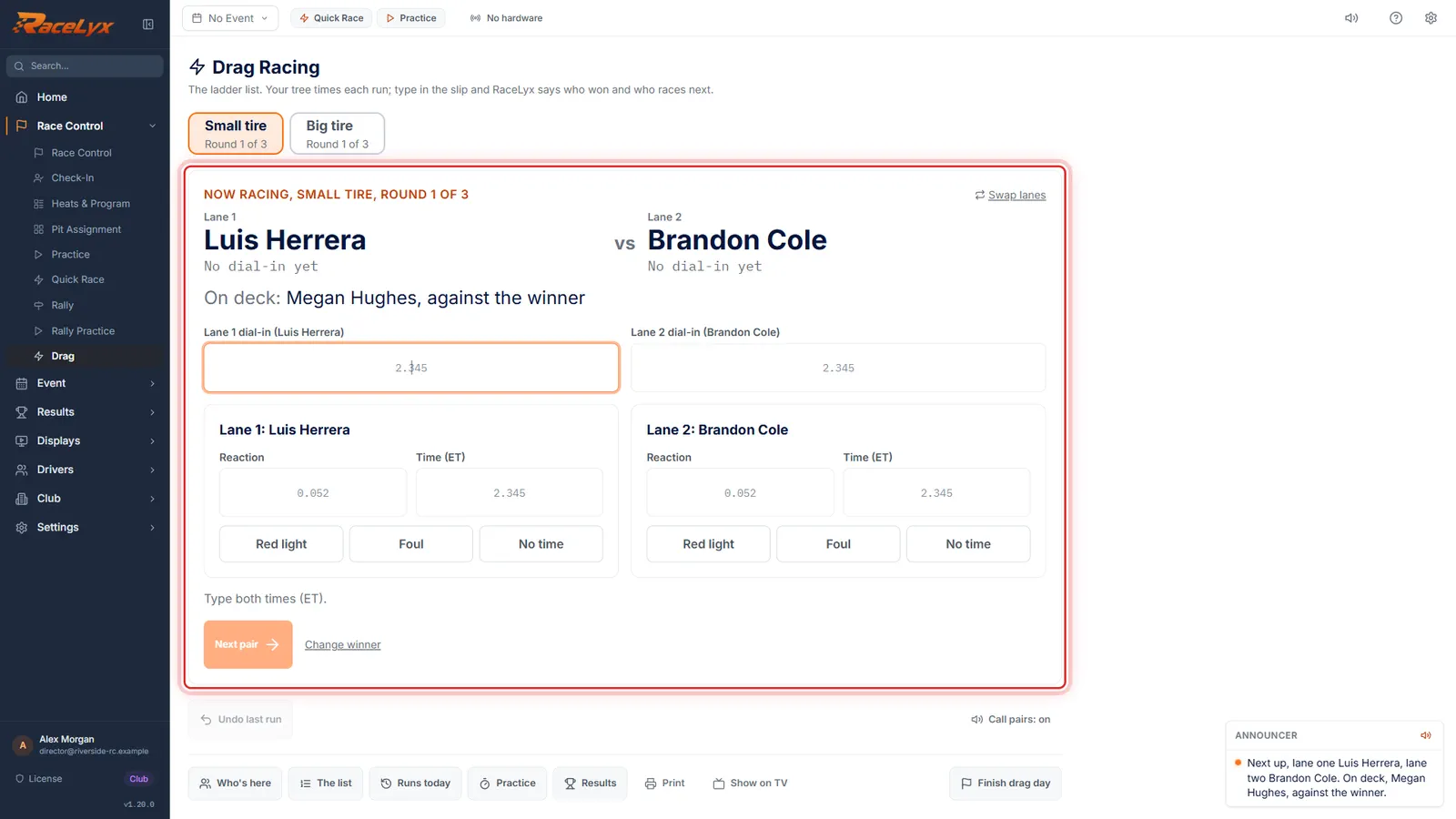
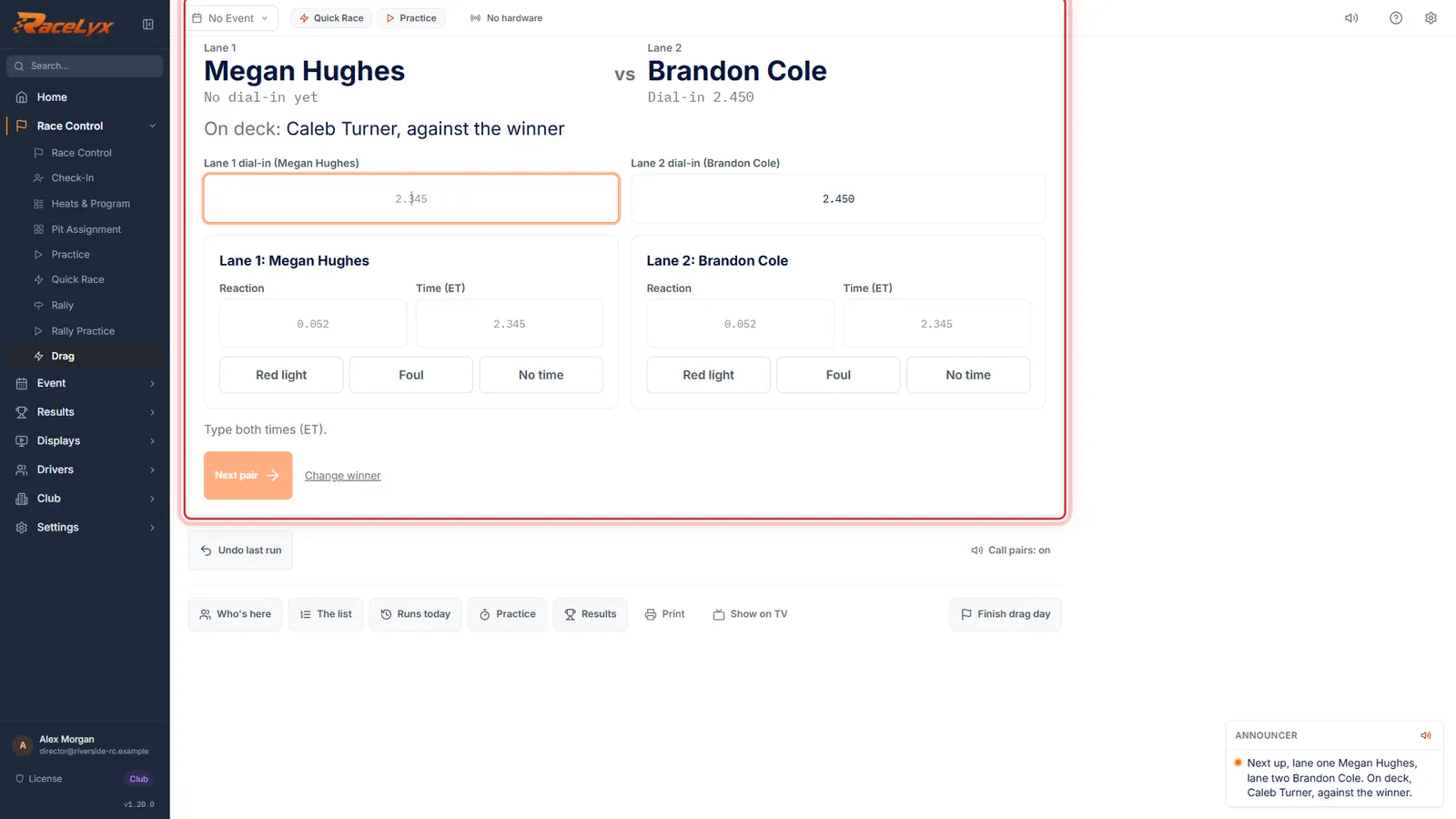
Click Start drag day. The bottom two on the list race first, Lane 1 and Lane 2, and On deck shows who is next.
The higher driver on the list takes Lane 1. Swap lanes if they lined up the other way.
- 5
Type the slip
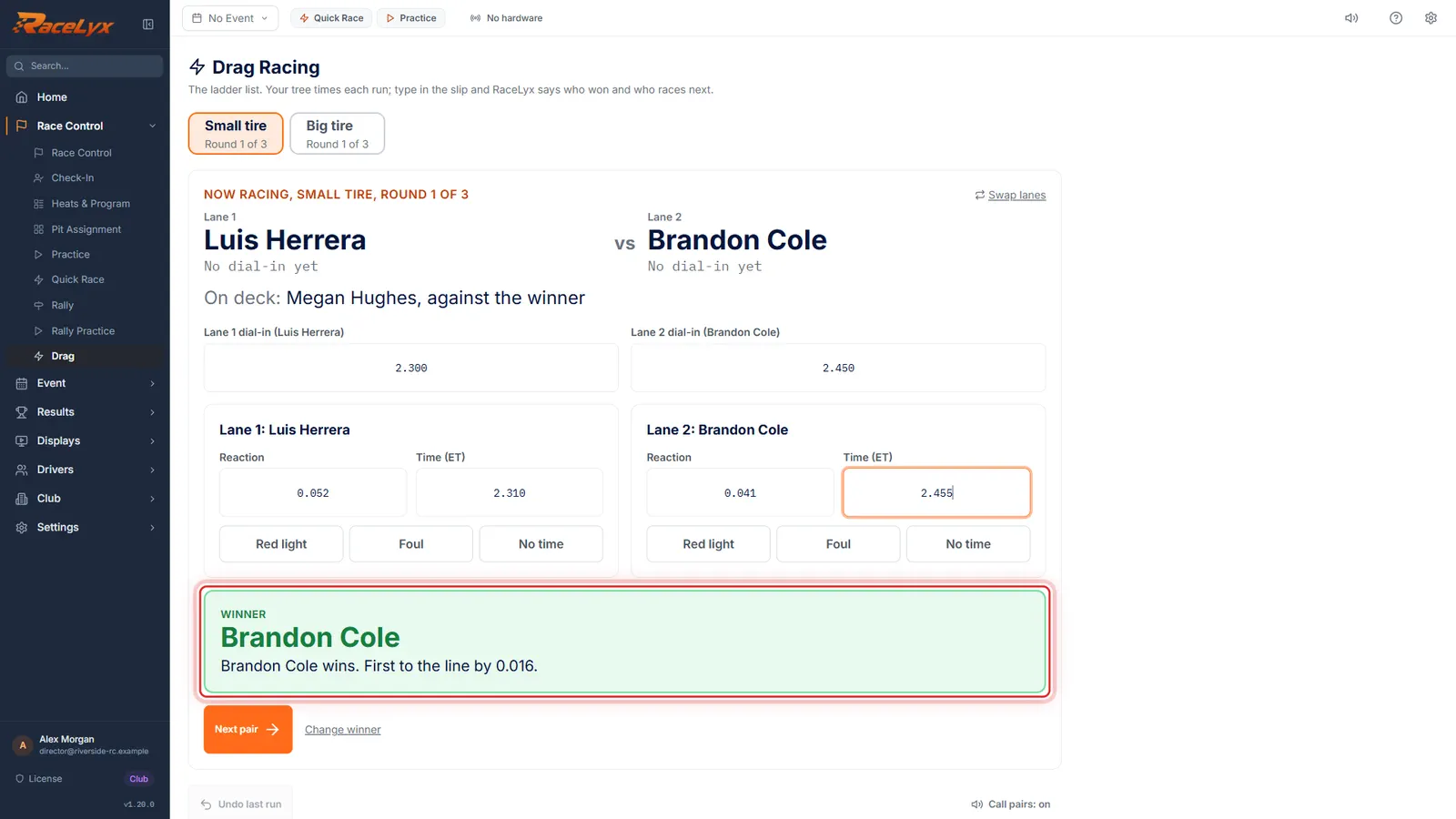
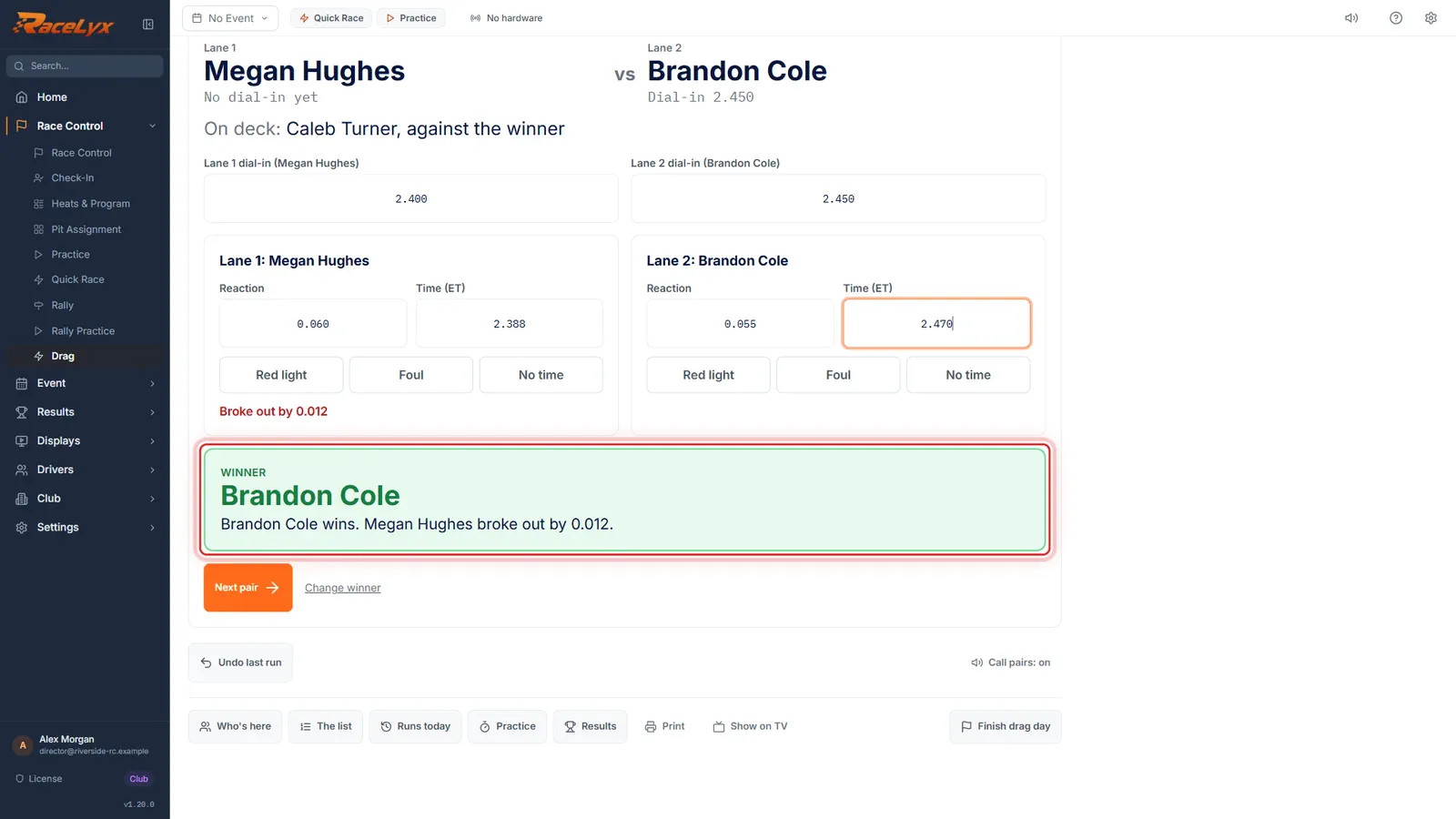
Type the slip from your tree: each dial-in, then reaction and time for each lane. Enter moves to the next box. The winner shows, and why.
Dial-ins fill in from each driver's last one. Red light, Foul and No time are buttons under each lane.
- 6
Next pair
Click Next pair. The winner climbs: he takes the loser's spot and races the next driver up.
The list is saved after every run. Undo last run puts it back if a slip was typed wrong.
- 7
A breakout loses
Quicker than your dial-in is a breakout, and a breakout loses. A red light loses too. If both break out, the smaller breakout wins.
Here Megan ran 2.388 on a 2.400 dial-in: she broke out by 0.012, so Brandon wins.
- 8
Finish drag day
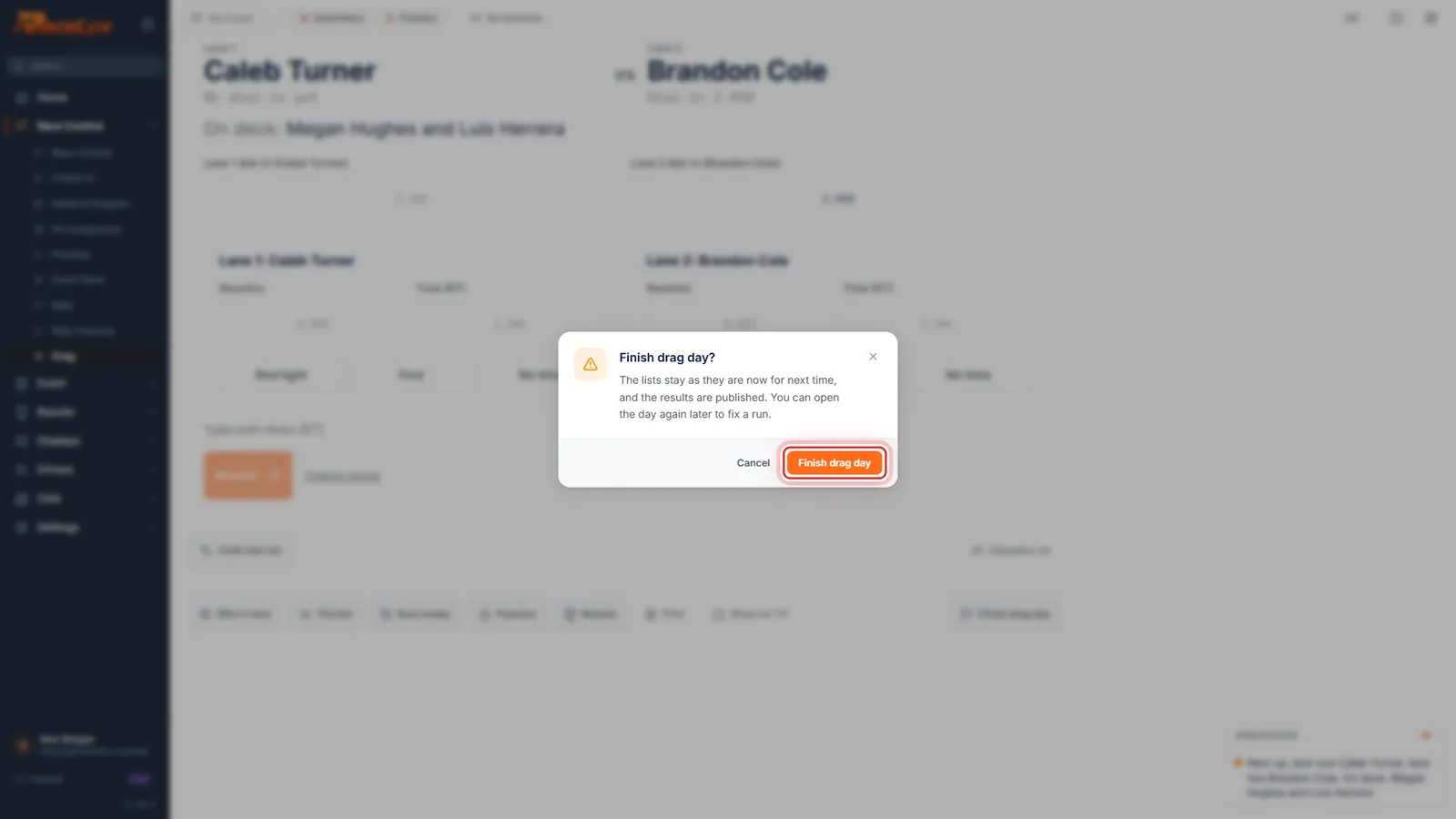
Save it with Next pair, and race on. At the end, click Finish drag day. The lists stay as they are for next time.
Finish drag day keeps the lists for the next race day and, with RaceLyx Cloud on, publishes the results to your track page. You can open the day again later to fix a run.
Tips
- Type 2345 and it reads 2.345; type 52 for a reaction and it reads 0.052. A negative reaction is a red light.
- Who wins: a car with no time loses, then a red light or a foul loses, then a breakout (quicker than the dial-in) loses. If both break out, the smaller breakout wins. Otherwise first to the line wins: lower reaction plus (ET minus dial-in).
- Change winner lets the tree have the last word: pick who won and say why.
- Undo last run is always there, and any earlier run can be fixed from Runs today.
- Swap lanes if the cars lined up the other way round.
- Three rounds unless you change it when you start the day. Run one more round when a class finishes, if there is time.
- With RaceLyx Cloud on, the lists and each race day go on your public track page on their own, at racelyx.com/drag followed by your track.
- Call pairs says each pair over the speakers with your announcer voice. Show on TV puts who is racing, on deck and the list on a second screen.
Troubleshooting
- Small tire needs at least two drivers here.
- Fewer than two drivers in that class are marked here. Click Who's here and tap the drivers who came.
- Reaction looks wrong. Type it like 0.052, or -0.012 for a red light.
- Type the reaction from the slip in seconds, with the decimal point or without it.
- Both cars fouled. Who fouled first?
- Pick the driver who fouled first: they lose.
Related guides
Something here does not match what you see? Tell us and we will fix the guide.