When the weather or the track says no, cancel the race day from Events. It shows as cancelled on your track page and in the RaceLyx app straight away, and RaceLyx can tell everyone who signed up or said they were coming. If it was a mistake, put it back on.
Before you start
- The race day on your schedule (see Schedule an event ahead).
- For RaceLyx to tell people: the Club plan, and this computer signed in to RaceLyx Cloud. Without them you can still cancel; tell people yourself.
Step by step
- 1
Cancel race day
Rained out? Open Event, Events. Every upcoming race day has Cancel race day.
Only upcoming race days have it. A running event is ended from Race Day instead.
- 2
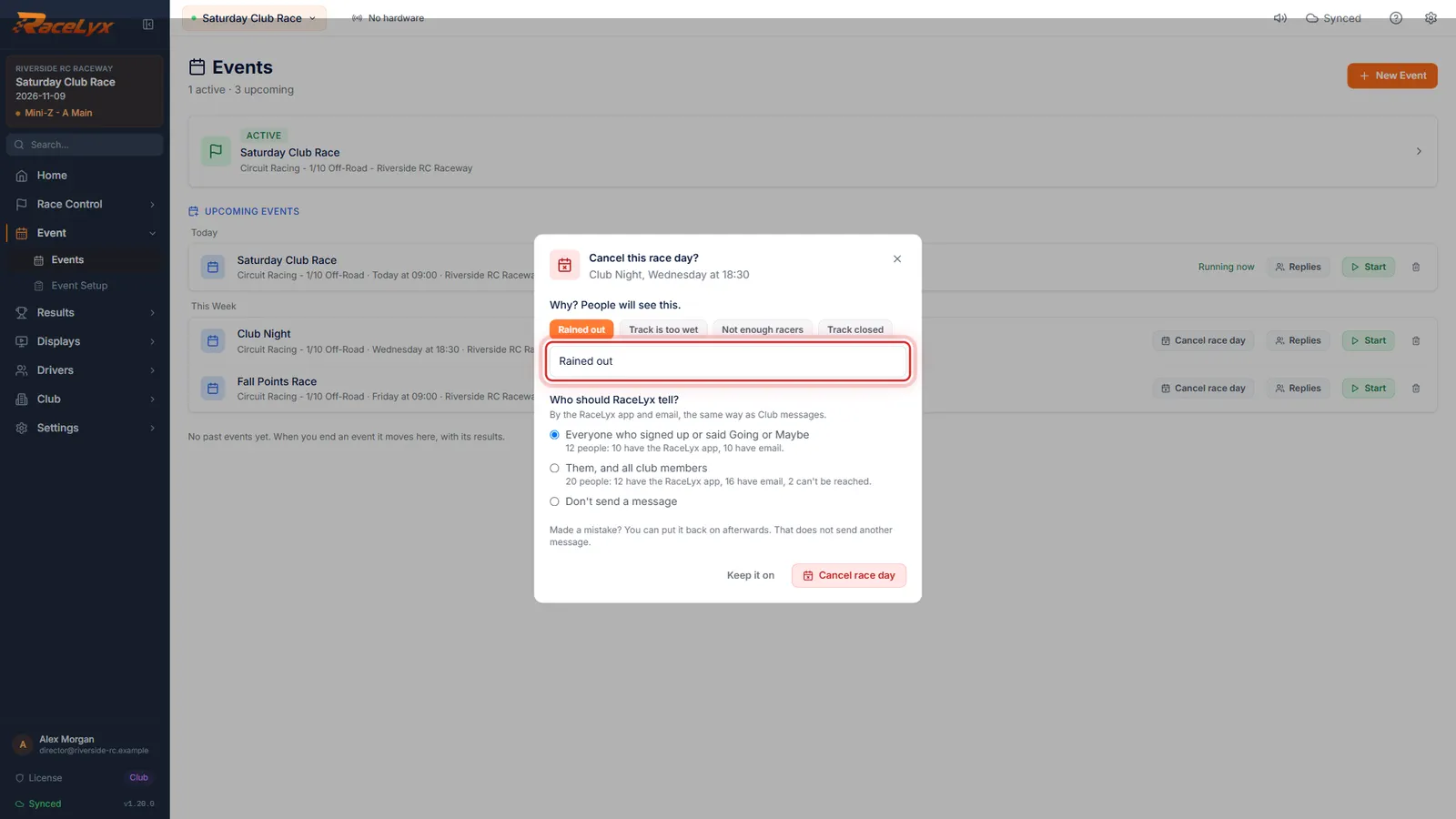
Why? People will see this.
Click it, and say why. People will see it. Tap Rained out, or type your own.
The four chips fill the reason in one tap. Your own words work too, like: Rained out, see you next week.
- 3
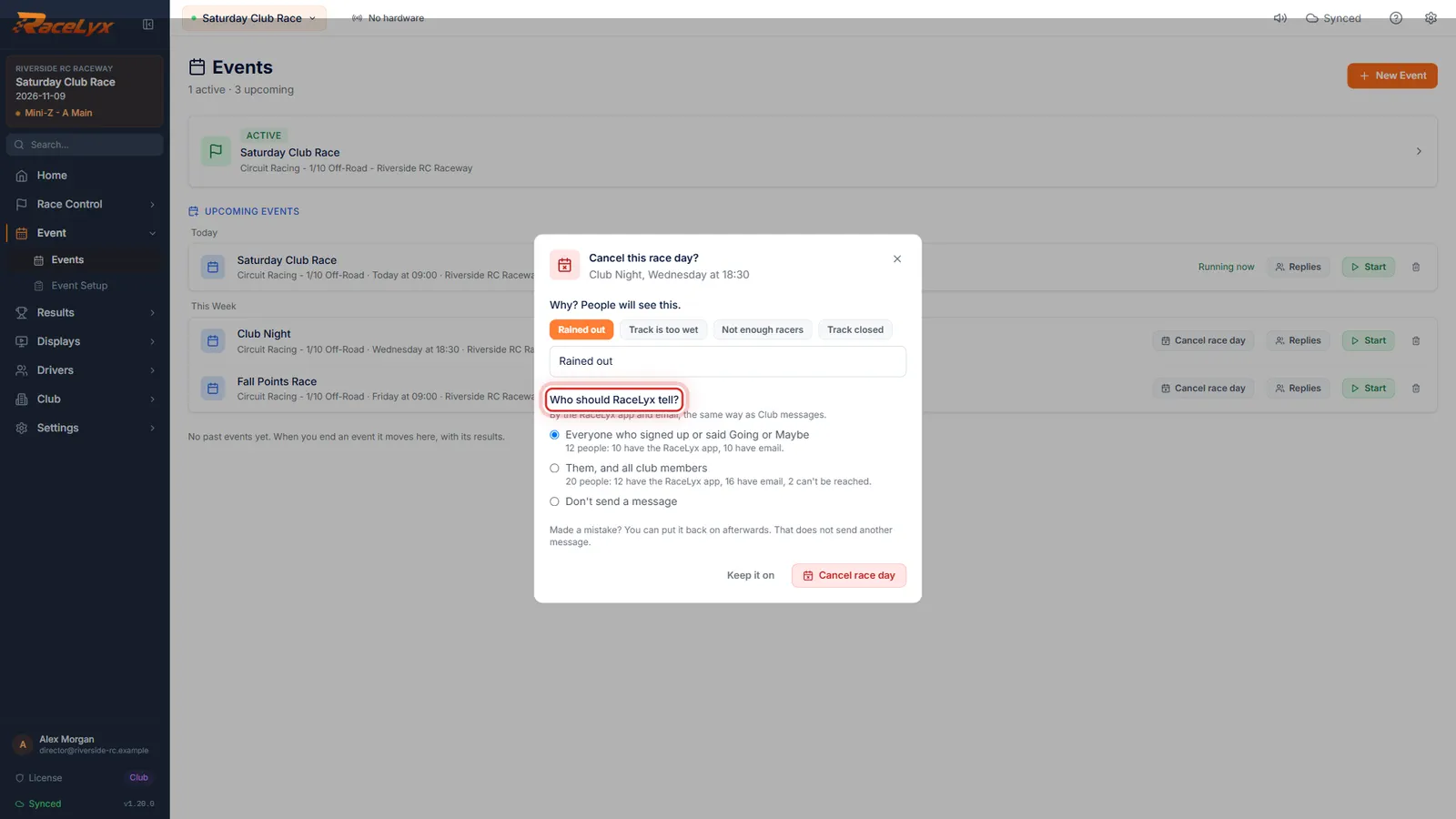
Who should RaceLyx tell?
Then pick who RaceLyx tells: everyone who signed up or said Going or Maybe, or all club members too. Each line counts who it reaches.
It goes by the RaceLyx app and email, the same way as Club messages. Don't send a message is there if you would rather tell people yourself.
- 4
Click Cancel race day
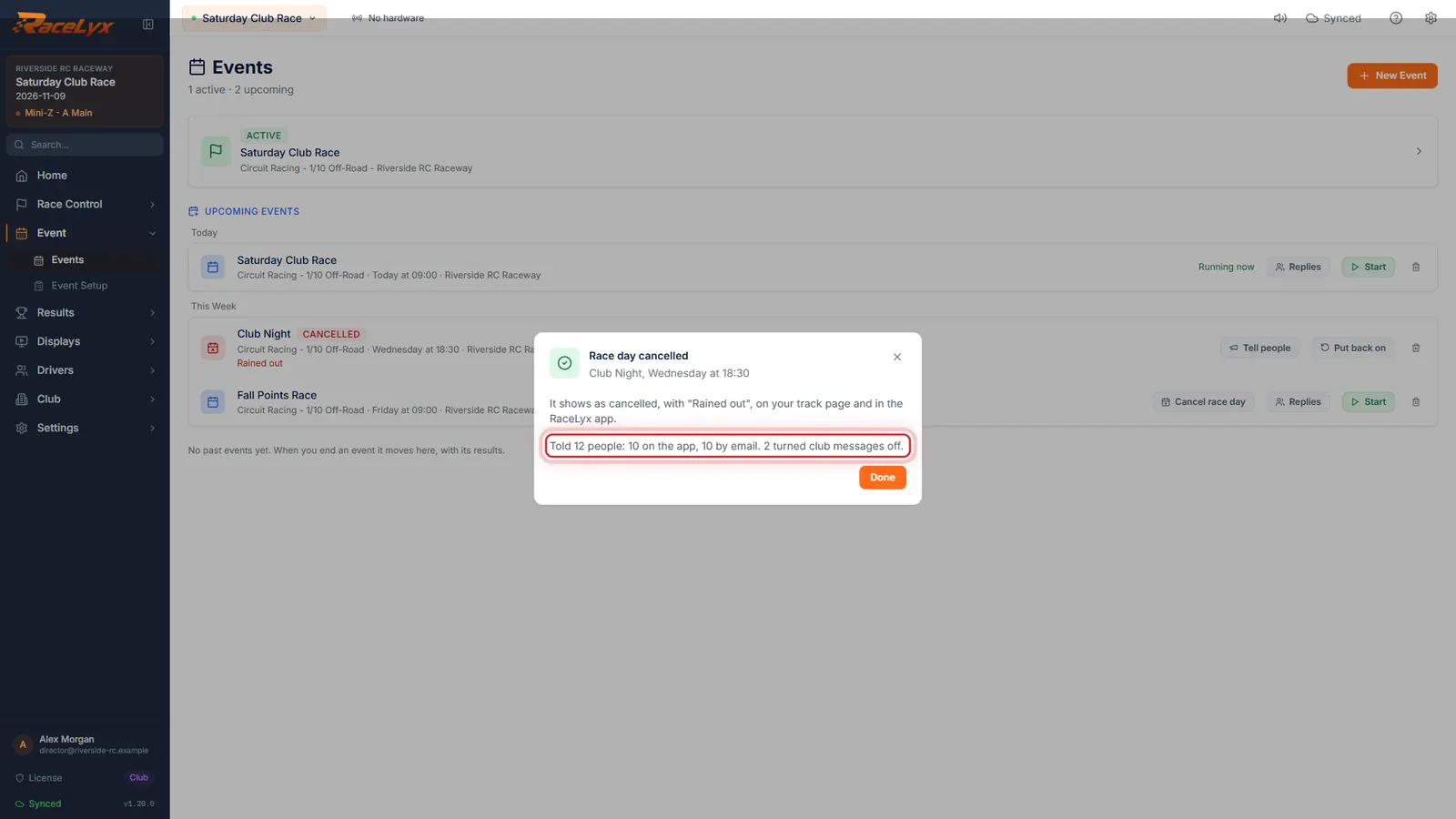
Click Cancel race day. RaceLyx tells them, and it shows as cancelled on your track page and in the RaceLyx app.
The result says how many were told, on the app and by email, and anyone who could not be reached.
- 5
Cancelled, with the reason
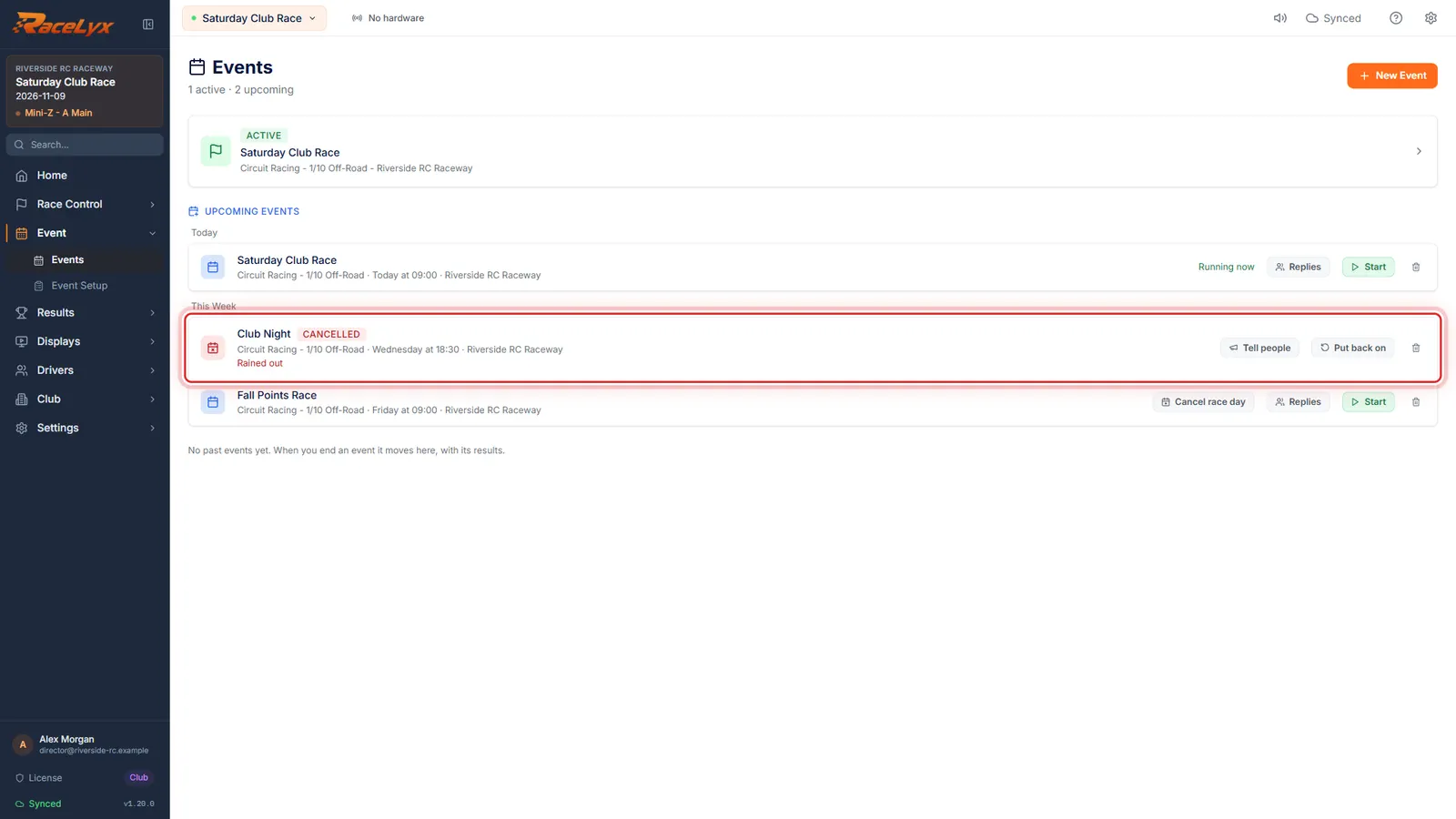
Click Done. The race day now says Cancelled, with the reason, and it cannot be started by mistake.
Tell people sends the message later if you chose not to send one. Put back on is for a mistake.
- 6
Put back on
Made a mistake? Click Put back on. Putting it back on sends no message by itself.
It shows as on again on your track page and in the RaceLyx app.
- 7
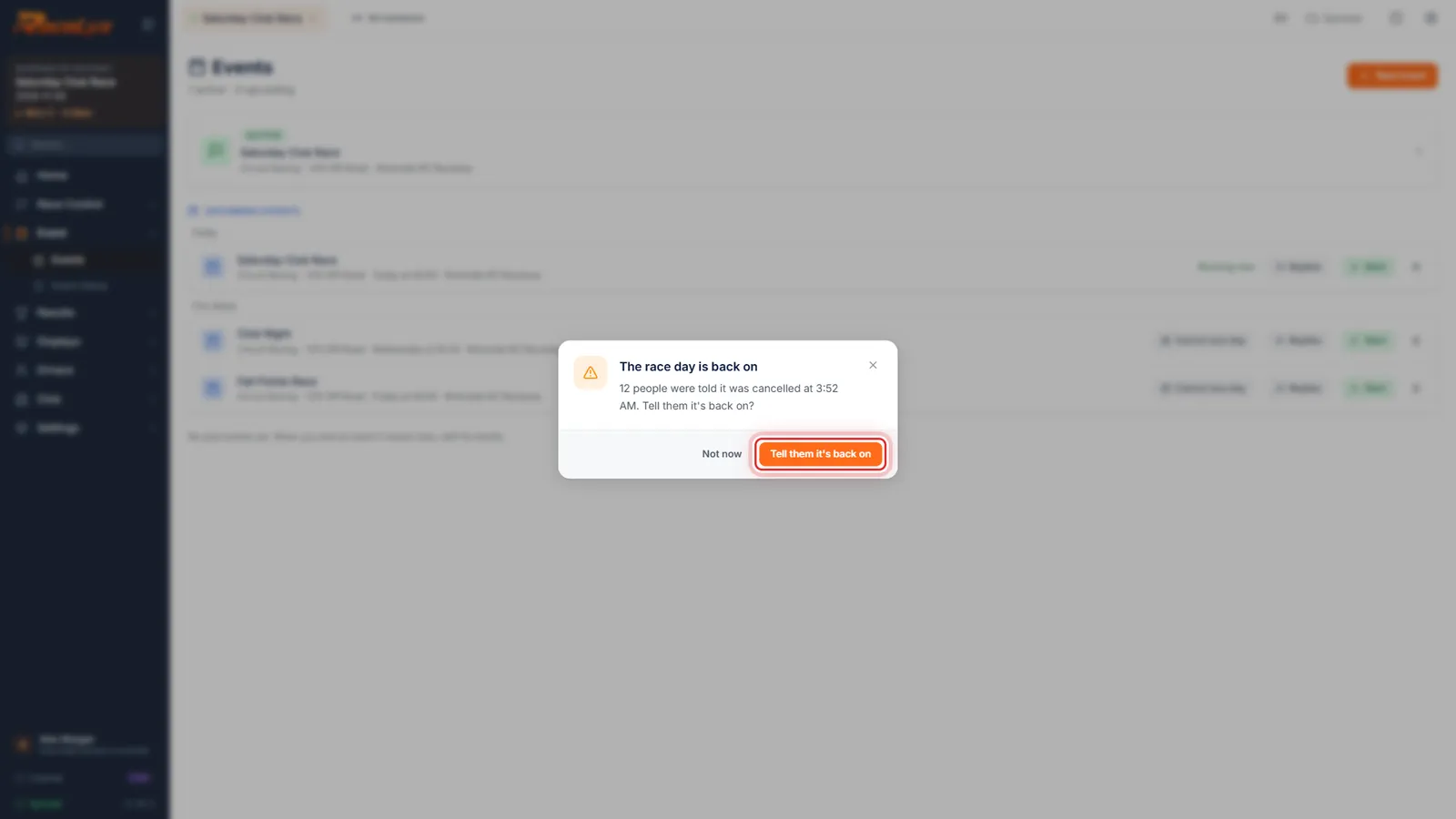
Tell them it's back on
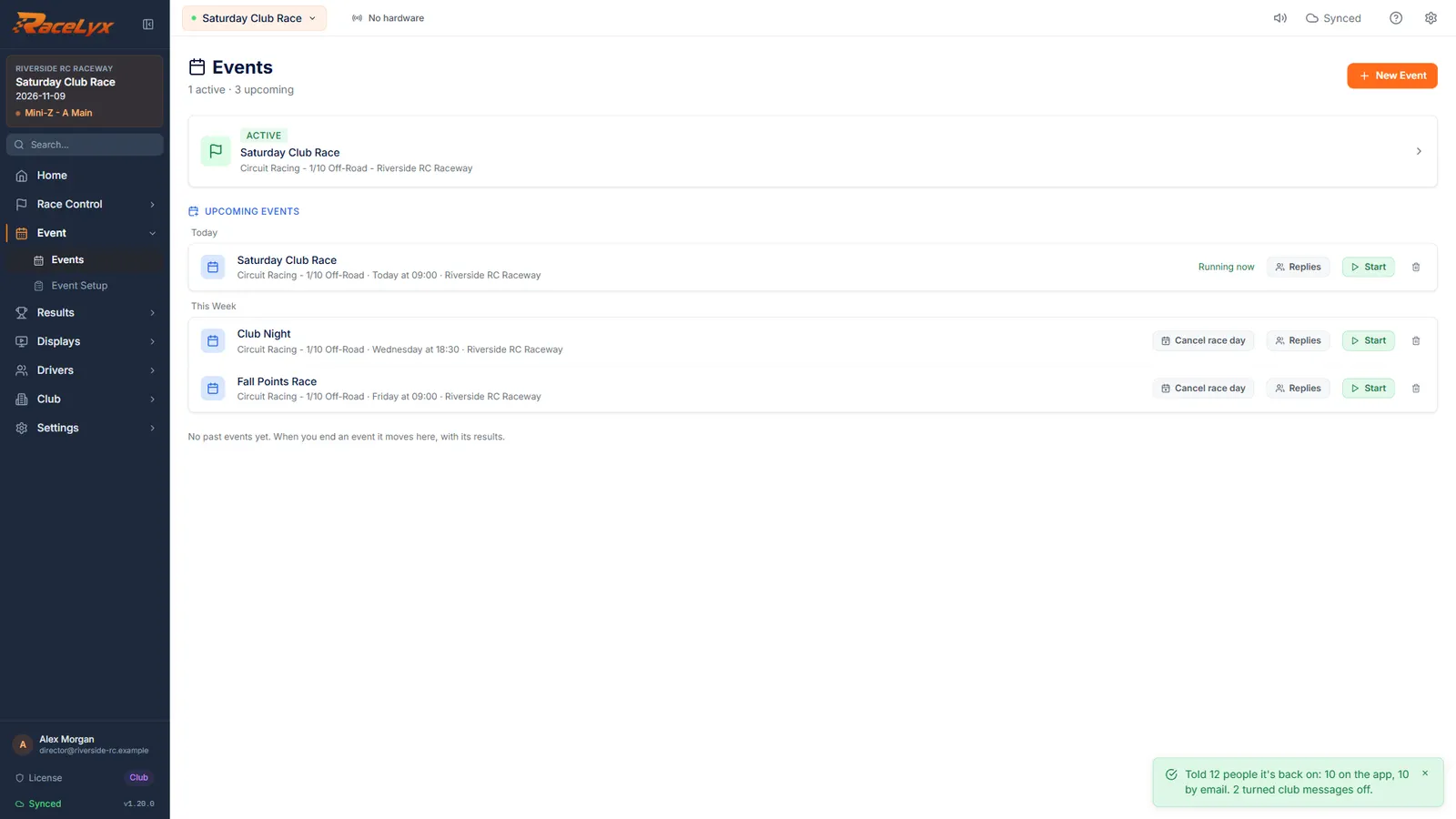
RaceLyx offers to tell the people who heard it was cancelled. Click Tell them it's back on, or Not now.
Only the people the cancellation reached get the back on message: Sorry for the mix-up.
Tips
- The reason is what people see, up to 120 characters. Rained out, Track is too wet, Not enough racers and Track closed are one tap.
- Everyone who signed up or said Going or Maybe is the usual choice. Them, and all club members also tells every current member.
- People who paid online are not refunded for you: refund each payment in your Stripe account, then record the refund in Financials. The dialog says how many paid.
- A reminder you set for the race day does not go out while it is cancelled.
- A cancelled race day cannot be started by mistake: put it back on first.
- Put back on sends nothing by itself. RaceLyx then offers to tell only the people who heard it was cancelled.
- The message also shows under Club, Messages, marked Race day cancelled.
Troubleshooting
- Not signed in to your RaceLyx account. You can still cancel the race day.
- Cancelling works on this computer and on your track page once you are back online, but RaceLyx cannot tell anyone. Sign in under Settings, RaceLyx Cloud and press Tell people on the race day, or tell people yourself.
- Cancelled on this computer, but nobody has been told yet.
- RaceLyx Cloud could not be reached. Check the internet and press Try again, or Tell people on the race day later.
- A club can send one message a minute and 20 a day.
- Wait the time it says, then press Tell people on the race day.
Related guides
Something here does not match what you see? Tell us and we will fix the guide.