Members answer "Are you coming?" with Going, Maybe or Can't make it: from the club's email, the RaceLyx app or the track's Events page on racelyx.com. RaceLyx keeps their answers for each upcoming event, so you know how many to expect before you unlock the gate. On race night, Check-In shows the same list and ticks people off as they arrive. Replies are part of the Club plan and need this computer signed in to RaceLyx Cloud.
Before you start
- The Club plan (or a trial), and this computer signed in under Settings, RaceLyx Cloud.
- Your members on Drivers, Members. Only members show in the Replies list.
- The event on your schedule (Events, New Event, then schedule it for a date). Replies open once the event is on the schedule.
Step by step
- 1
Open Event, Events
Open Event, Events. Each event on your schedule has a Replies button.
Upcoming events are listed by date with Replies, Start and the bin. Replies needs the Club plan and RaceLyx Cloud.
- 2
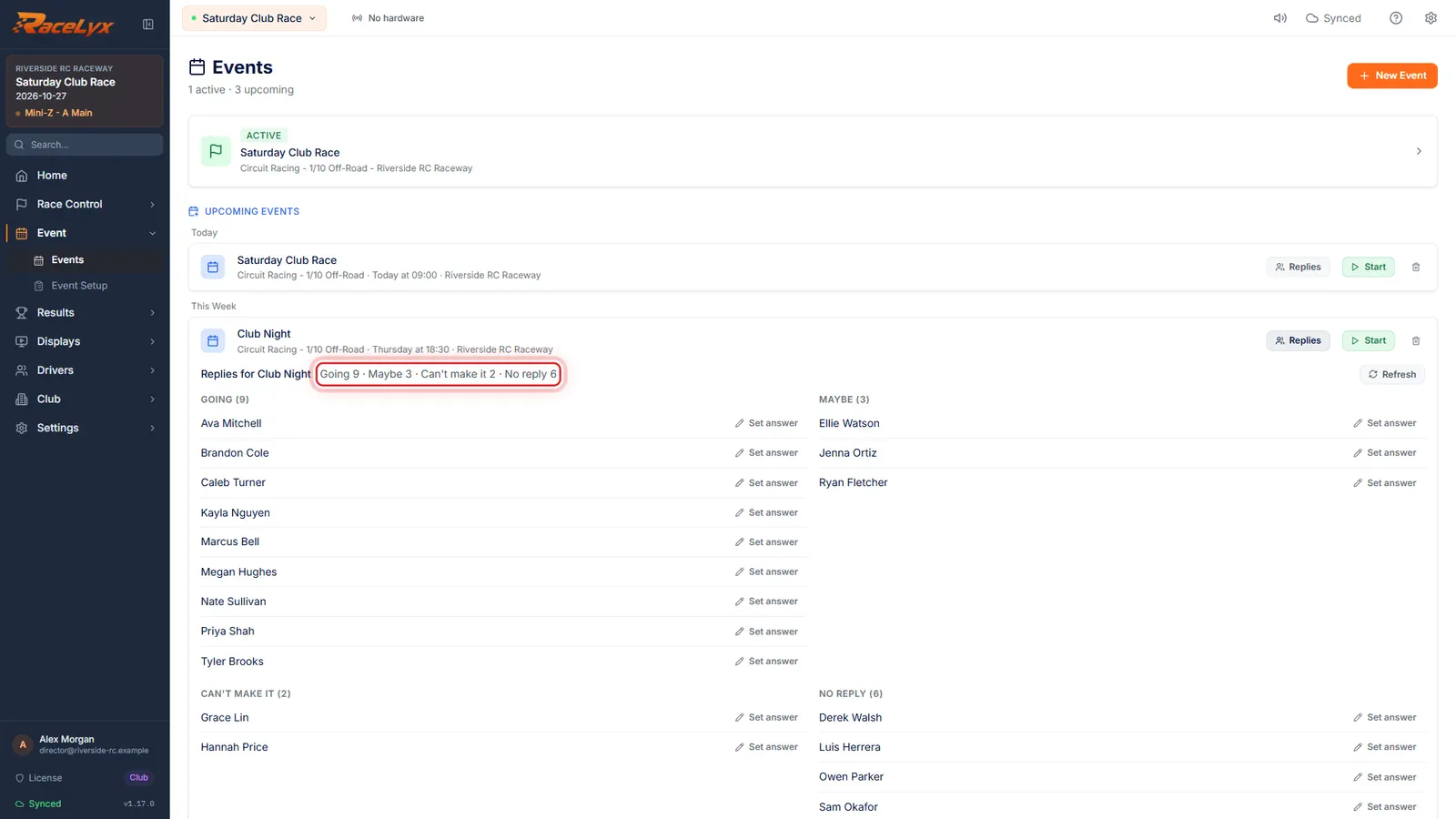
Click Replies
Click Replies. The top line counts Going, Maybe, Can't make it and No reply.
The counts are every answer so far: from the club's email, the RaceLyx app, the track's Events page on racelyx.com, and answers you recorded yourself. No reply is every current member who has not answered.
- 3
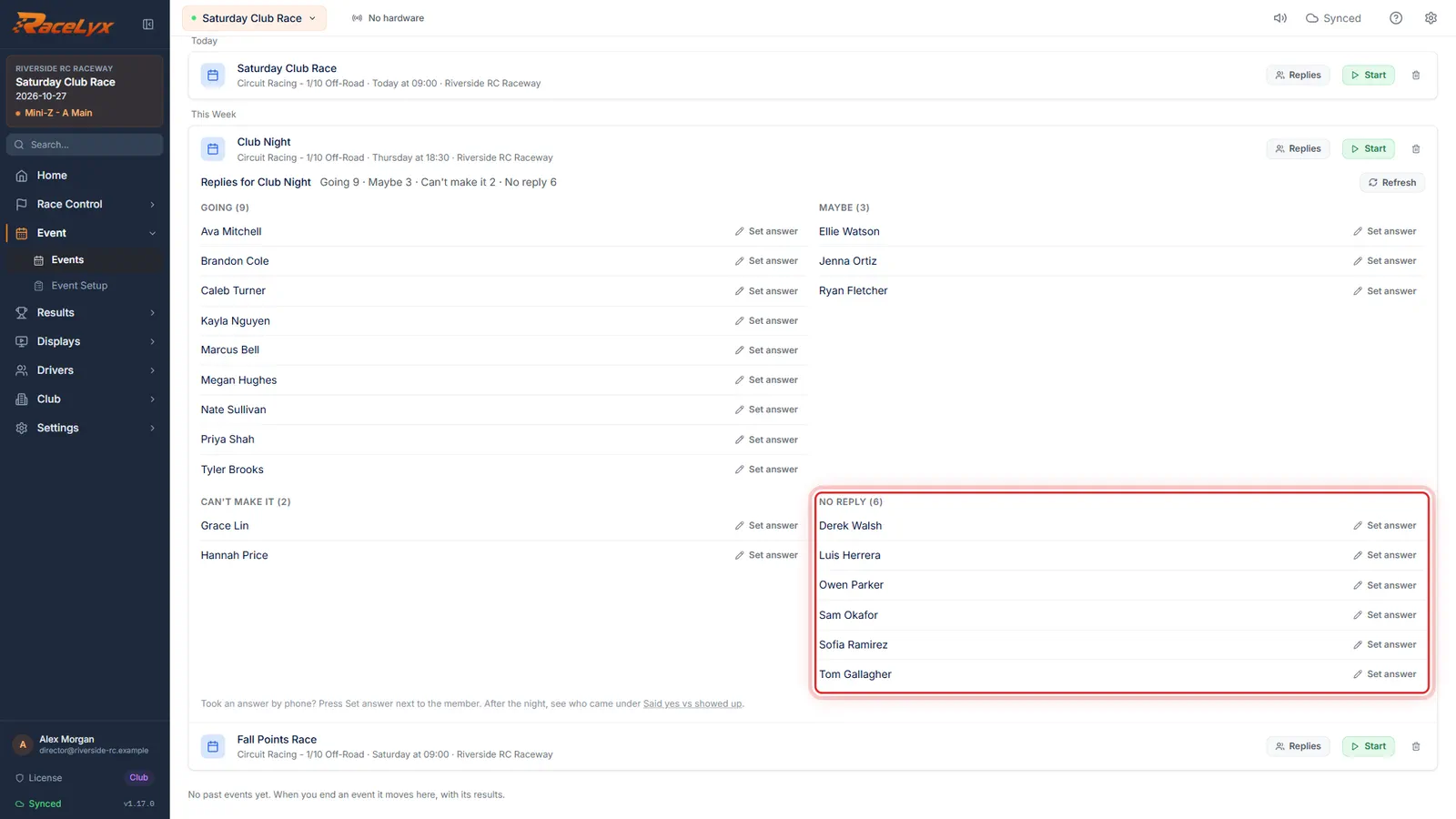
Who said what
Below are the names under each answer. No reply is who you still need to chase.
Each list is sorted by name and shows the first twelve; Show all opens the rest. A class shows next to the name when the member picked one, and Expired member or Pending member when that applies.
- 4
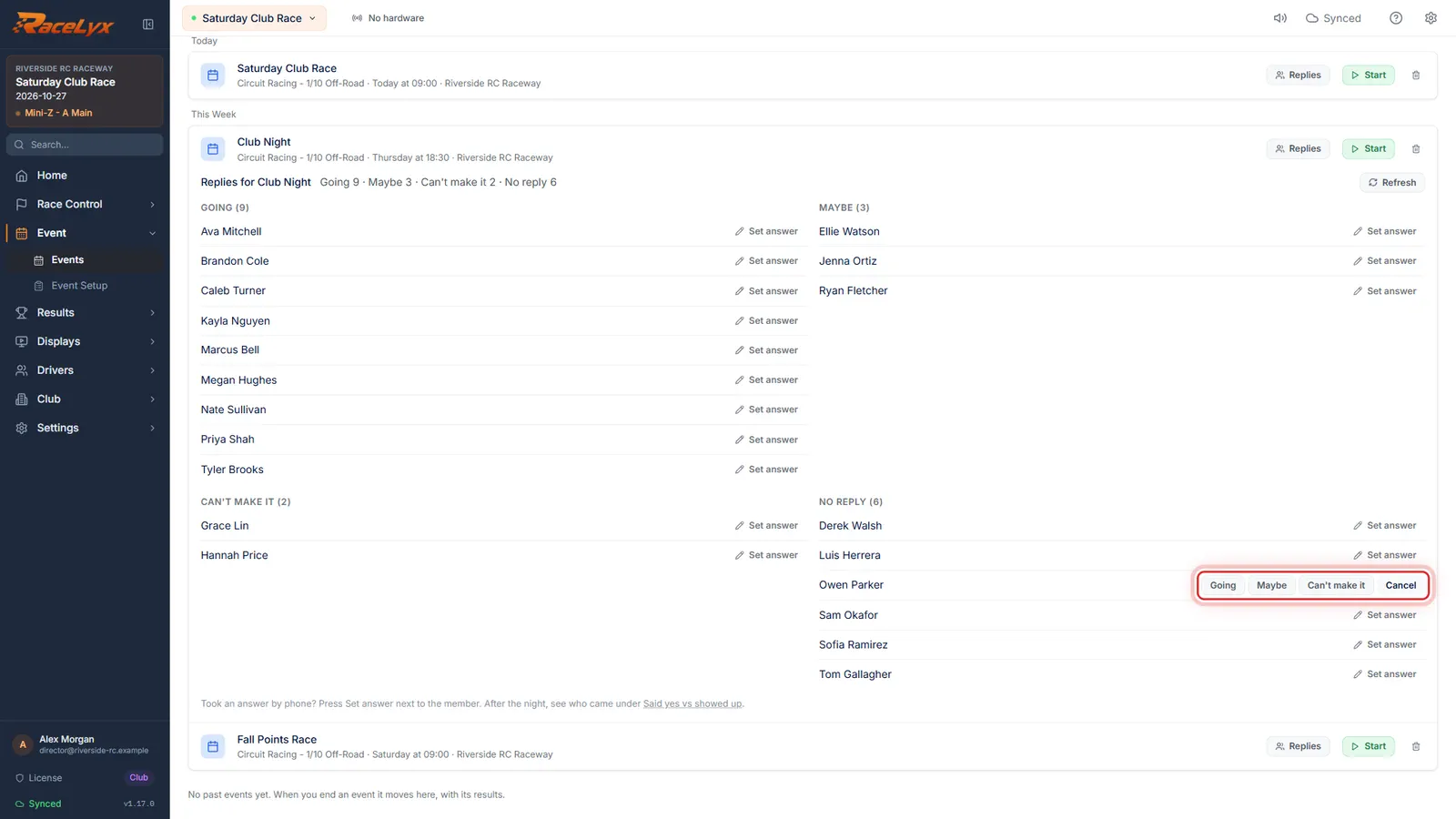
Set answer
Took an answer by phone? Click Set answer next to the member.
Set answer is there for every member. Members who answered from their own RaceLyx account but are not on your member list cannot be changed here.
- 5
Pick their answer
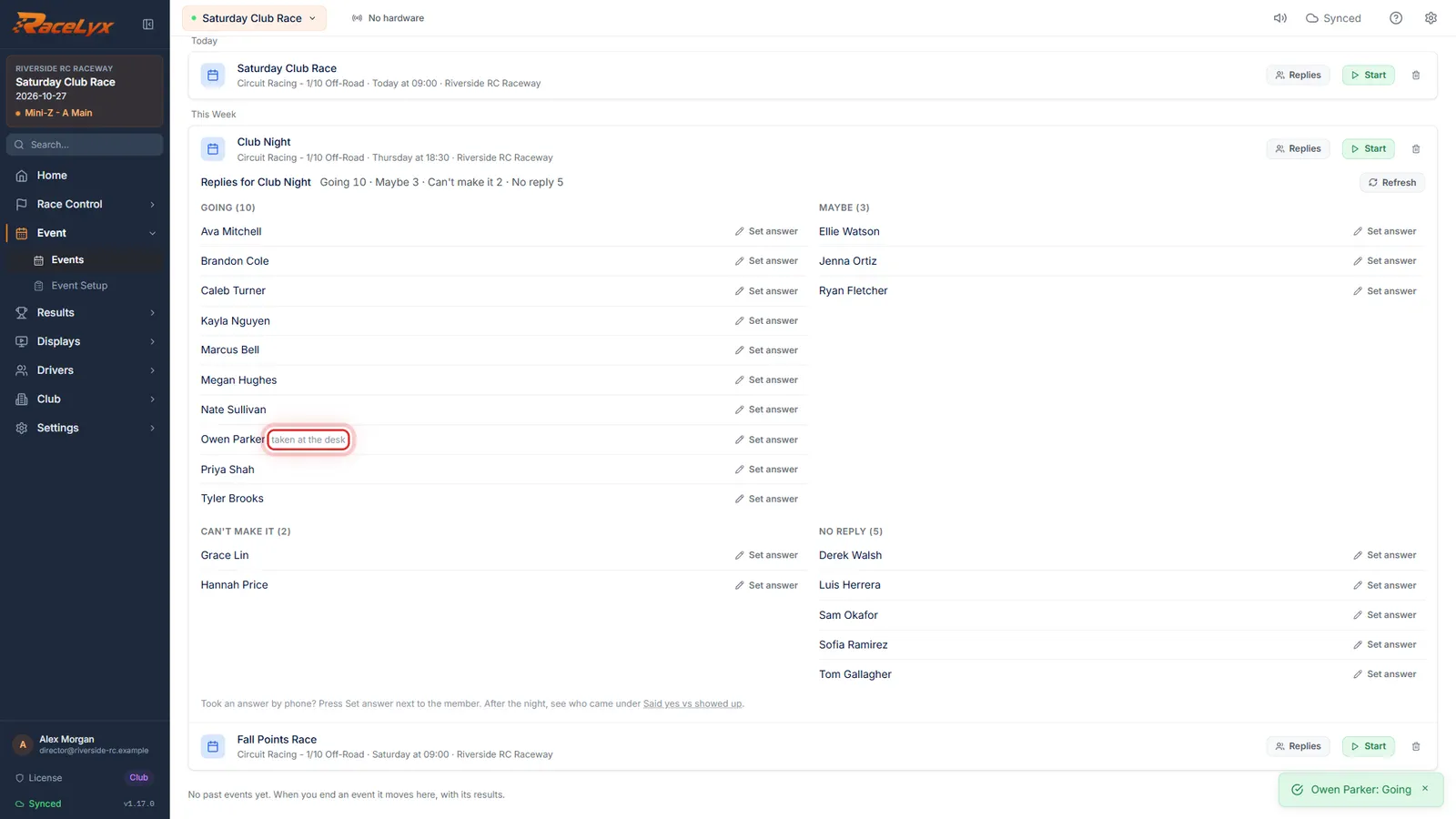
Pick Going, Maybe or Can't make it. It moves to that list, marked taken at the desk.
Clear takes the answer away again, and Cancel closes the buttons without saving. The member can still change it themselves from their email link or the app.
- 6
Expected tonight on Check-In
On race night, open Race Control, Check-In. Expected tonight lists who said Going or Maybe, and ticks each one off as they check in.
The heading counts them ("Expected tonight: 12 going, 3 maybe") and the line beside it says how many are here so far. A green name with a tick has checked in tonight.
- 7
Checked in without saying
Underneath is anyone who checked in without saying Going or Maybe.
Those are your walk-ins and the people who never answer. Said yes vs showed up keeps the same picture for every event, so you can see who your regulars really are.
Tips
- To ask everyone at once, send a message with Going / Maybe / Can't make it buttons from Club, Messages (see Send a message to your members).
- An answer you record is marked "taken at the desk", so you can tell it from one the member gave themselves.
- Members change their answer as often as they like until the event, from the same email link or the app. Press Refresh for the latest.
- A member whose membership had lapsed by the event date only shows if they answered.
- Expected tonight reads the replies again every two minutes. Nothing about it slows down Check-In: with no internet it shows one small line and the desk works as normal.
- After the night, Club, Said yes vs showed up sets the answers next to who really came.
- If the race day is off, Cancel race day tells the people who said Going or Maybe for you (see Cancel a race day).
Troubleshooting
- Replies are kept in RaceLyx Cloud, so they need internet and your RaceLyx account.
- This computer is not signed in to RaceLyx Cloud, or the cloud is turned off. Sign in under Settings, RaceLyx Cloud.
- There is no Replies button on the event.
- Replies come with the Club plan, and only scheduled events (Upcoming) have them. An event you already started or finished shows its answers on Said yes vs showed up instead.
- There is no Set answer button next to someone.
- Set answer only works for members. Someone who answered from their own RaceLyx account but is not on your member list can only change their answer themselves.
- Expected tonight does not show on Check-In.
- It shows when the running event is on your schedule and at least one person said Going or Maybe. With no replies at all it stays out of the way.
Related guides
Something here does not match what you see? Tell us and we will fix the guide.