Renewals Due lists the members expiring within your reminder window, soonest first, and everyone who lapsed in the last 12 months. From there you can renew them, copy your online dues link or email them. Members needs the Club plan.
Before you start
- Club plan (or a trial).
- For Copy pay link: Stripe connected under Pre-Registration settings, so your track can take dues online.
Step by step
- 1
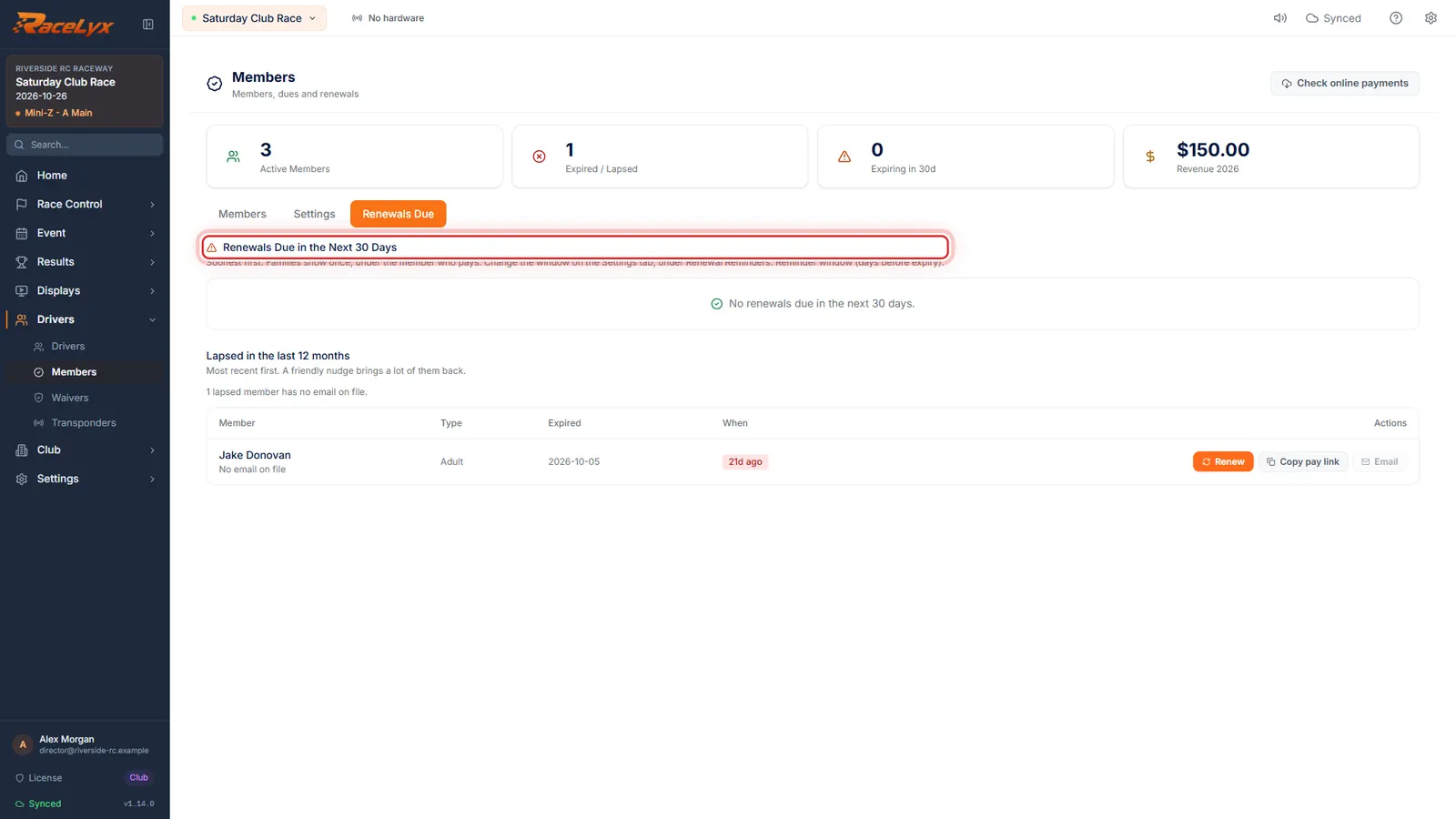
Open Renewals Due
Open Drivers, Members, and click the Renewals Due tab. It shows who expires within your reminder window.
The heading says Renewals Due in the Next 30 Days until you change the window. The red count on the tab is how many are due.
- 2
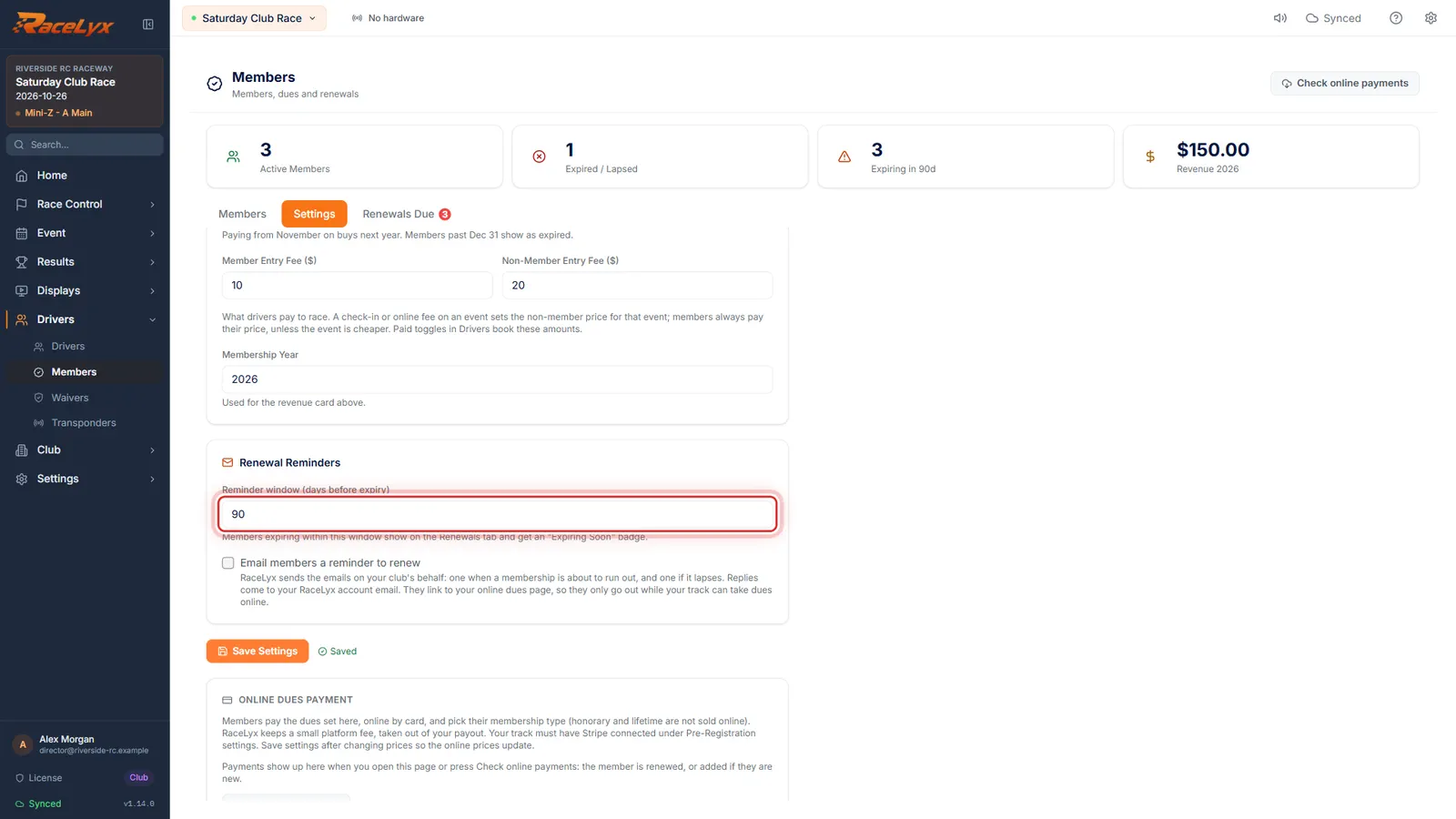
Look further ahead
To look further ahead, go to Settings and raise the Reminder window. Here, 90 days. Then Save Settings.
The same window drives the Expiring Soon badge on the Members tab and the Expiring card at the top.
- 3
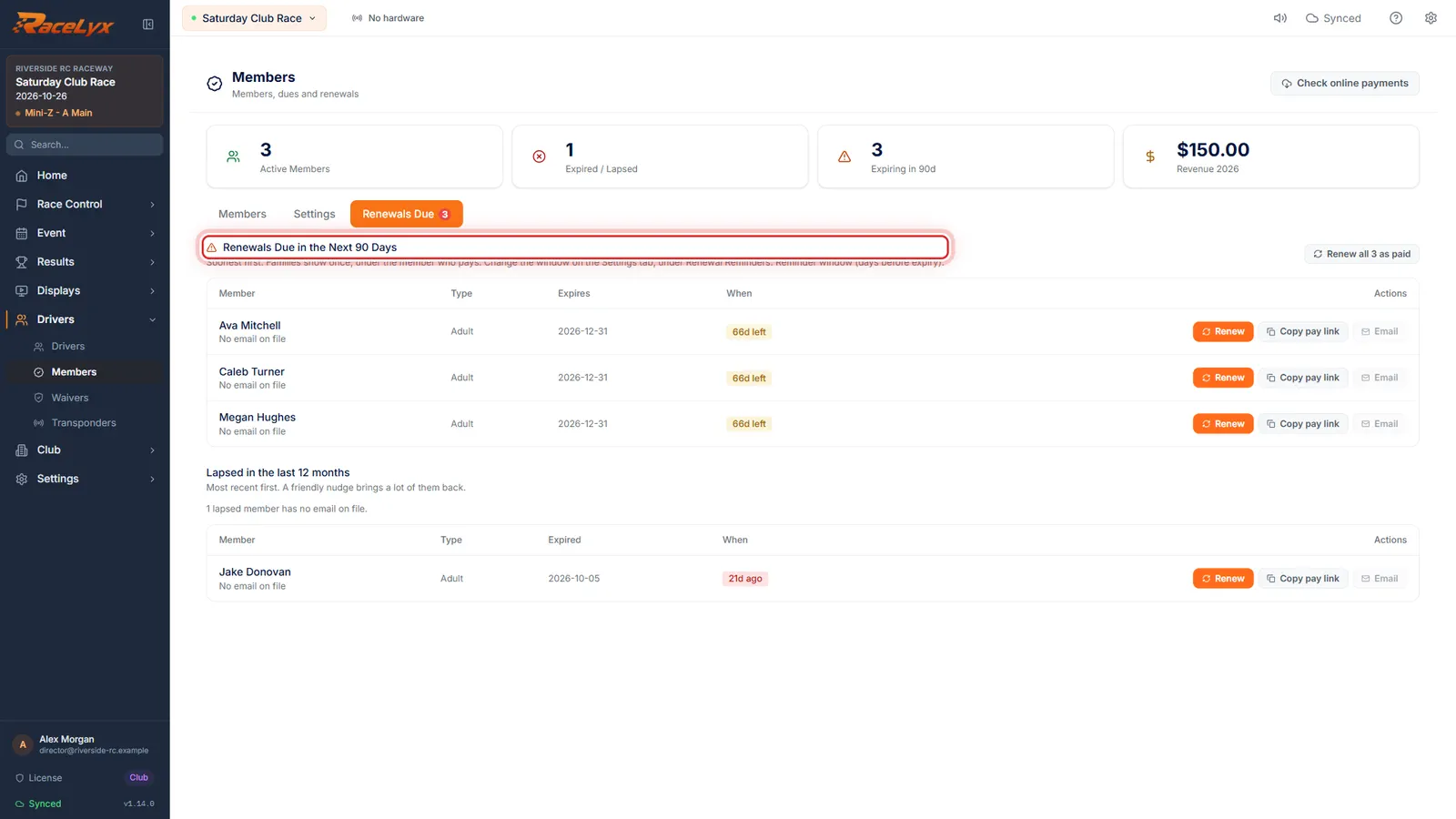
Who is due
Back on Renewals Due, everyone expiring in the next 90 days is listed, soonest first, with how many days they have left.
Each row shows the Member, their Type, when it Expires and a days-left badge.
- 4
Renew, Copy pay link, Email
Renew records a payment at the desk. Copy pay link copies your online dues page, so they can pay by card. Email writes to them from your own email.
Renew opens Renew Membership with the new expiry and amount filled in. The pay link charges the dues you set, never an amount from the link.
- 5
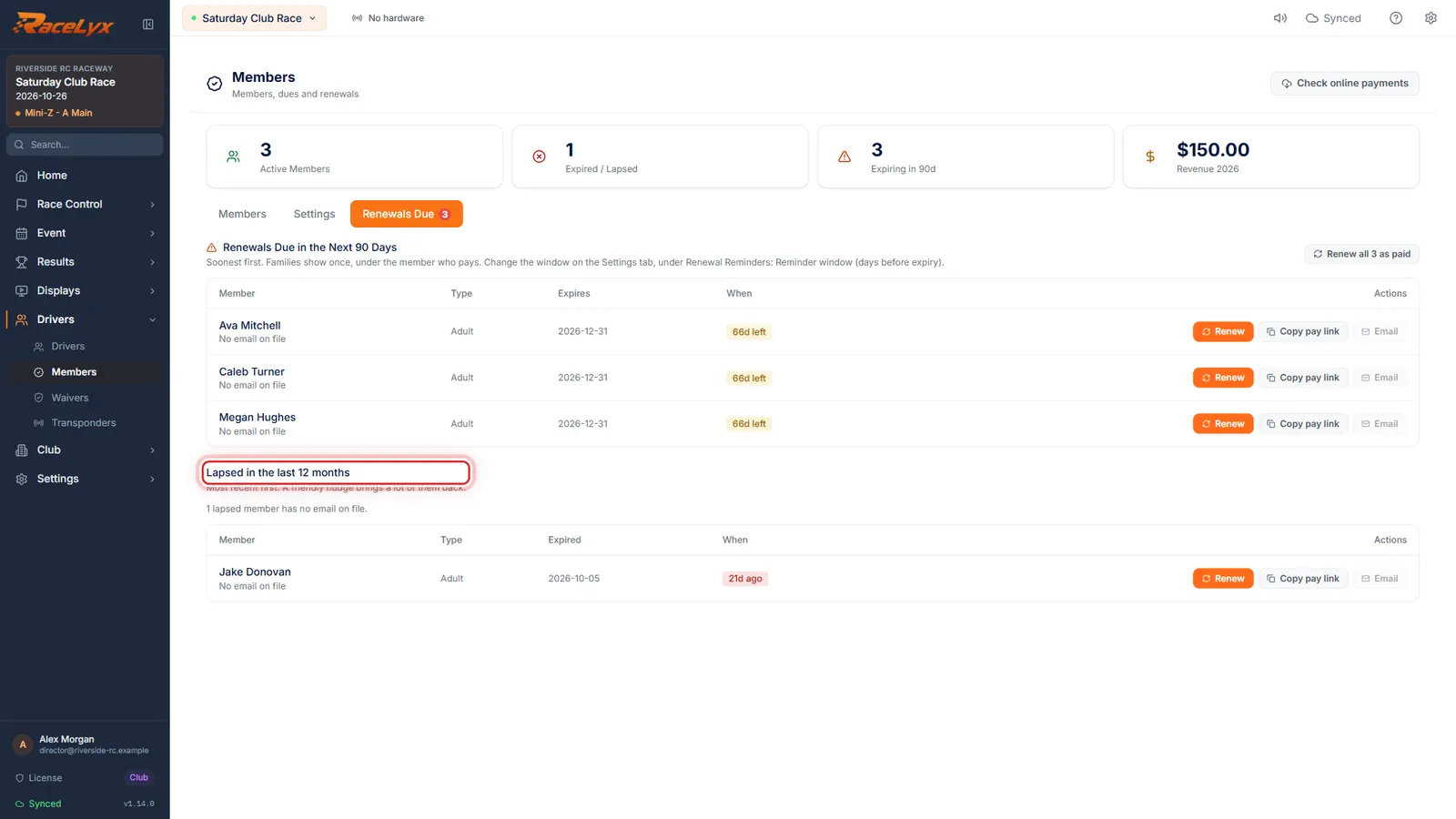
Lapsed in the last 12 months
Below is everyone who lapsed in the last 12 months. A friendly nudge brings a lot of them back.
Email all lapsed writes one email to all of them, with the addresses hidden from each other. Members without an email are counted below the heading.
Tips
- Families show once, under the member who pays.
- The days badge turns orange at 14 days and red at 7.
- Email opens your own email program with a message to that member. Email all lapsed writes to all of them at once, addresses hidden (BCC).
- Renew all N as paid (N is how many are listed) marks everyone in the list paid at their type's dues.
- Turn on Email members a reminder to renew (Settings tab) to have RaceLyx send the reminders for you.
Troubleshooting
- No renewals due in the next 30 days.
- Nobody expires within your Reminder window (days before expiry). Make the window longer on the Settings tab to look further ahead.
- The Email button is greyed out.
- That member has no email on file. Add one with Edit member.
- Set up a track first, so there is a payment page to link to.
- Copy pay link needs a track. Set one up in Settings, Tracks & Profiles.
Related guides
Something here does not match what you see? Tell us and we will fix the guide.