Your membership types are what your club sells: Adult, Family, Junior and so on, each with its dues per term. The term decides when memberships run out, and the reminder window decides when RaceLyx starts warning you. Members needs the Club plan.
Before you start
- Club plan (or a trial).
Step by step
- 1
Open Members, Settings
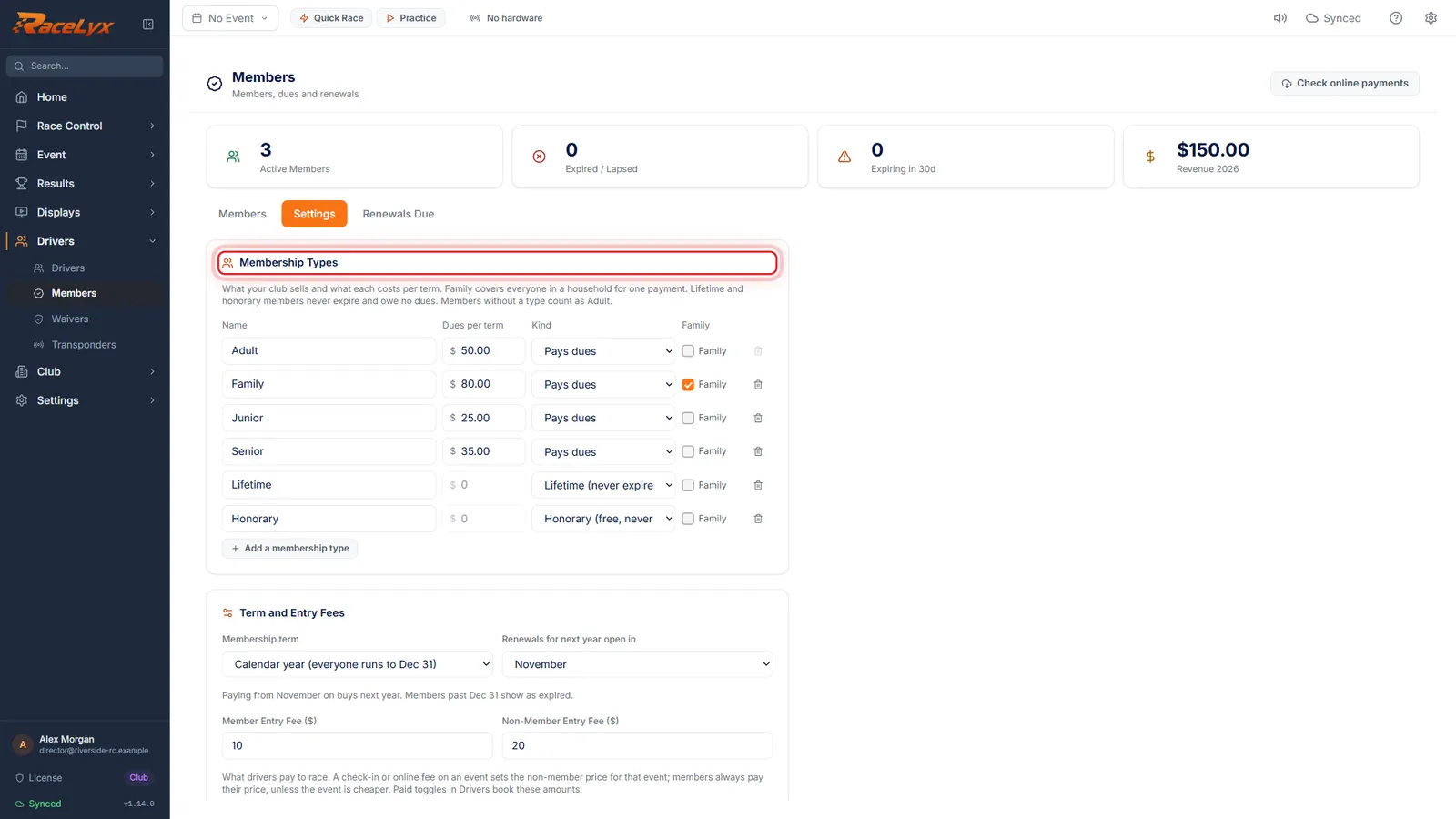
Open Drivers, Members, and click the Settings tab. Membership Types is at the top.
Each row is one type: Name, Dues per term, Kind and Family. A new install starts with Adult, Family, Junior, Senior, Lifetime and Honorary.
- 2
Dues per term
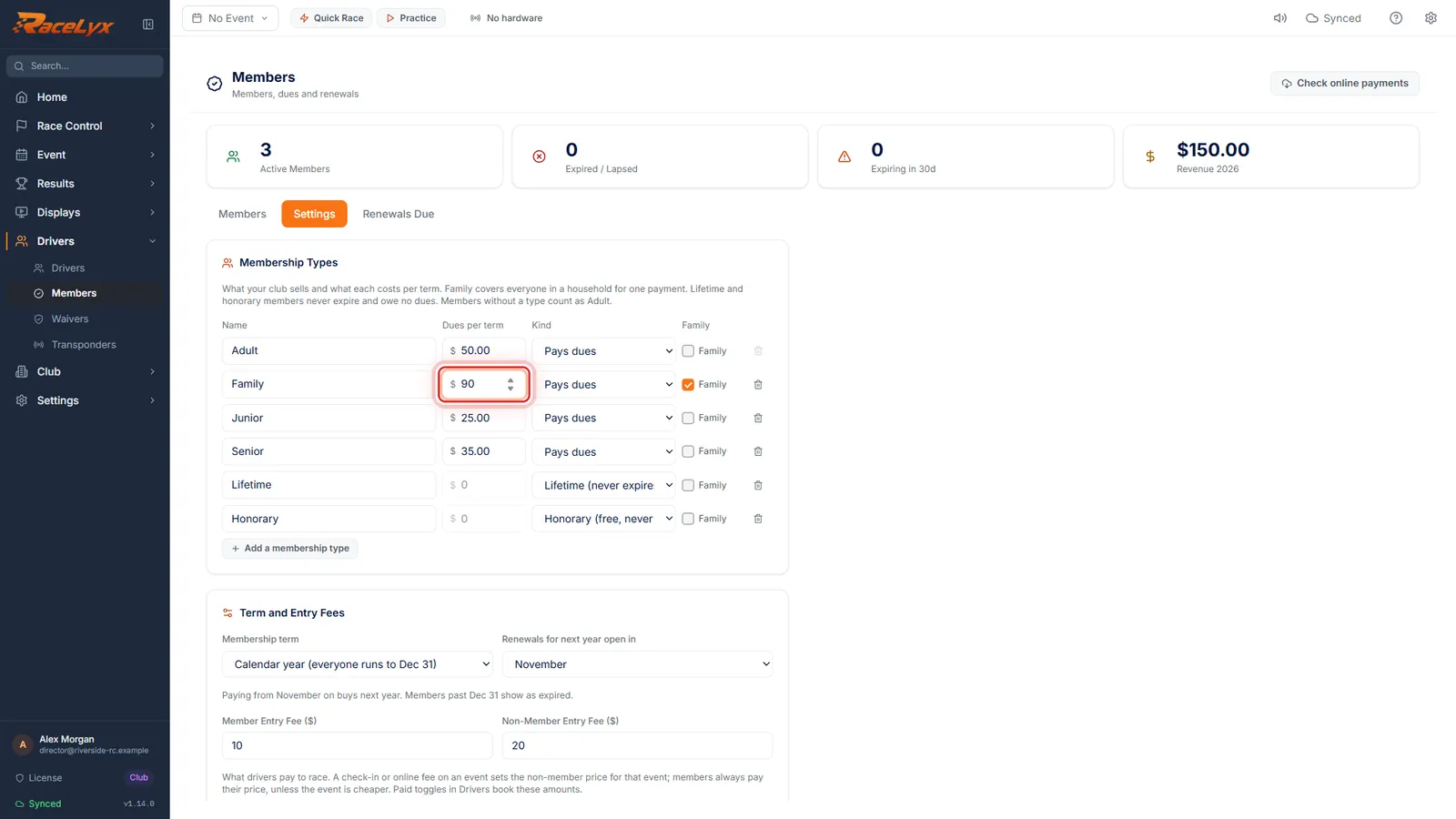
Type the dues for each type. Family covers a whole household for one payment.
Kind is Pays dues, Lifetime (never expires) or Honorary (free, never expires). Only a type that pays dues can have a price or be a Family type.
- 3
Add a membership type
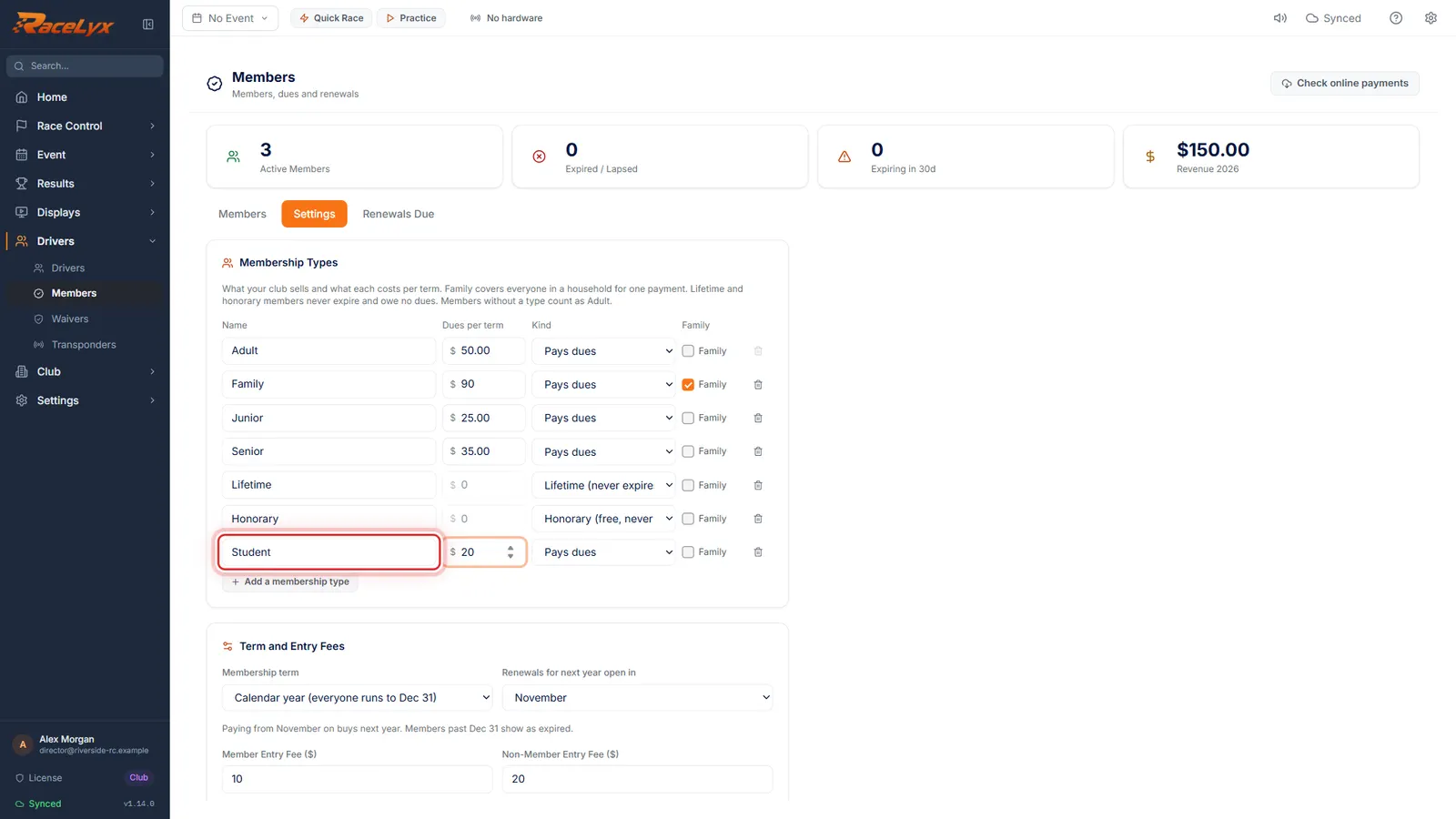
Click Add a membership type, give it a name, and set its dues. Here, a Student membership.
The new row starts as New type, paying dues, not a family. A type that members are on cannot be removed until they move to another type.
- 4
Membership term
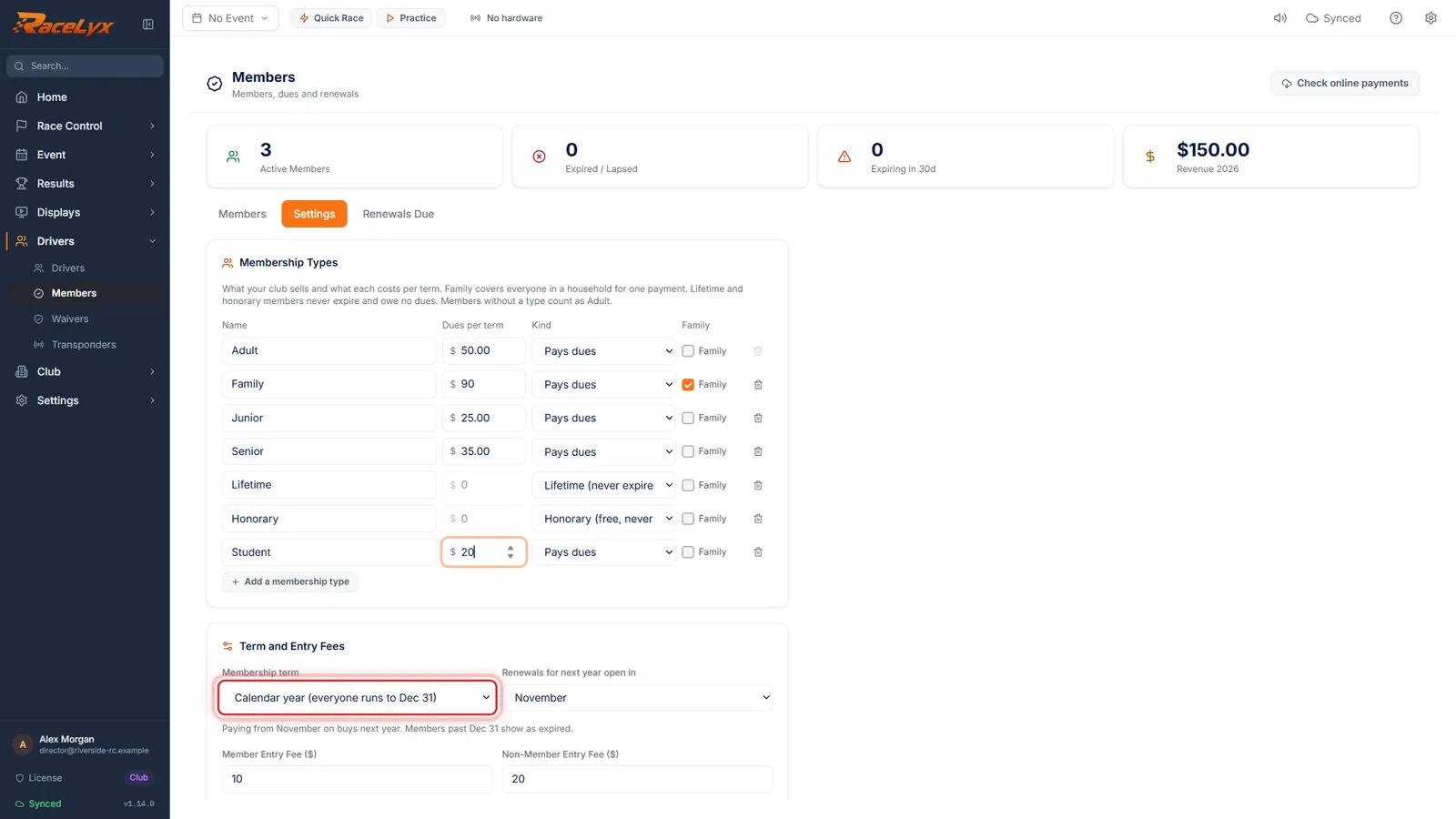
Pick your Membership term. Calendar year runs everyone to December 31st. Rolling year runs a year from when they pay.
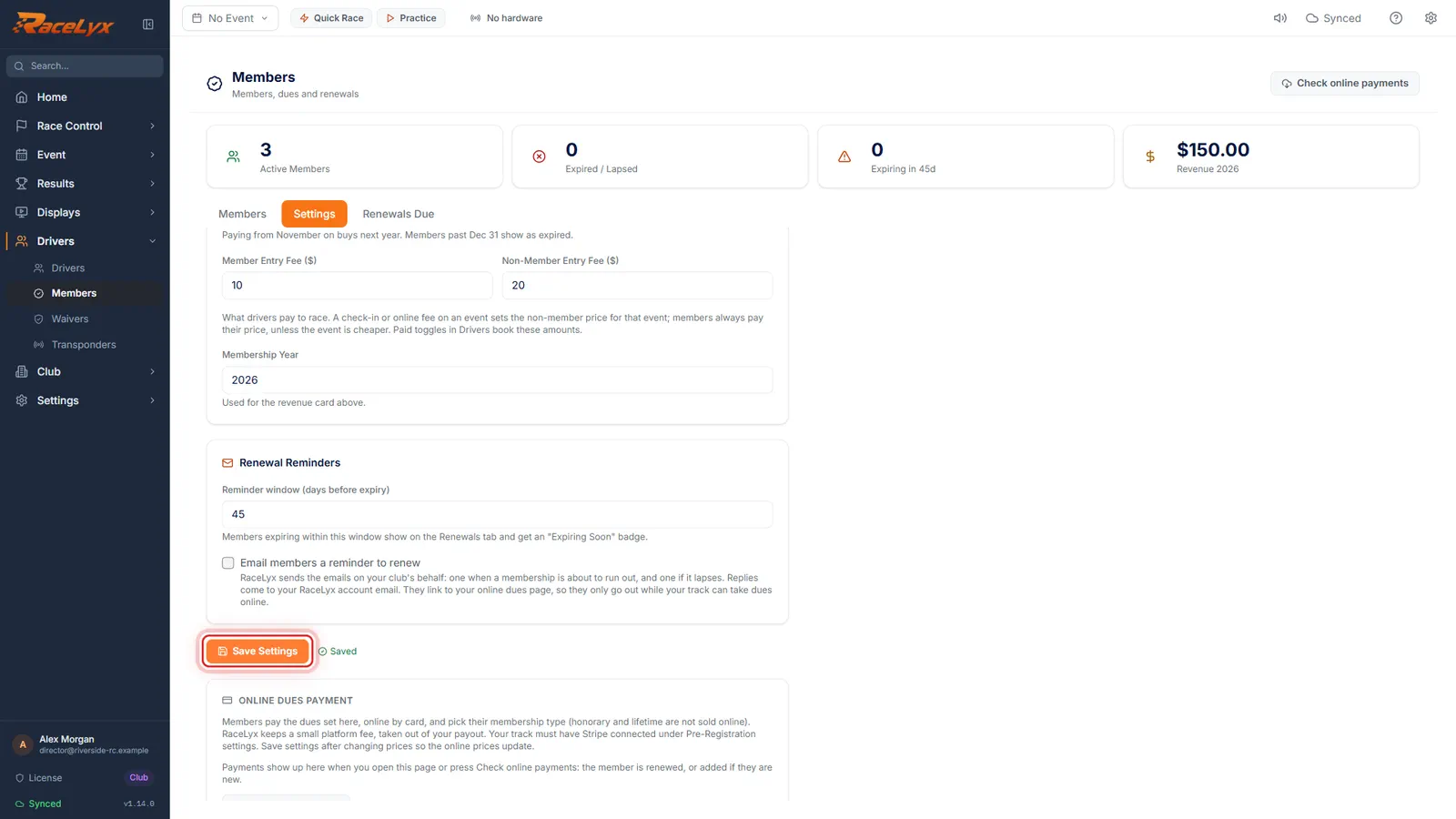
On a calendar year, Renewals for next year open in sets the month from which a payment buys next year instead of this one. Member Entry Fee ($) and Non-Member Entry Fee ($) below are the race-day prices.
- 5
Reminder window, then Save Settings
Set the Reminder window, how many days before expiry a member shows as Expiring Soon. Then click Save Settings.
Members expiring within the window show on the Renewals Due tab. Email members a reminder to renew sends the emails for you, but only while your track takes dues online.
Tips
- A Family type covers everyone in a household for one payment. Tick Family on a type that pays dues.
- Lifetime and Honorary members never expire and owe no dues.
- You cannot remove a type while members are on it. Move them to another type first.
- Calendar year suits most clubs: everyone runs to Dec 31, and paying from the month in Renewals for next year open in buys next year.
- Save Settings after changing prices, so your online dues page charges the new amounts.
- Renewals for next year open in starts at November. November or December lets a member who pays at the last race of the year buy next year.
- Membership Year only feeds the revenue card at the top of Members. Bump it each January.
- Next, add your members (Add members, in Club setup). Always pick their driver when you add them.
- Each type can also have a one-time Joining fee, charged with a new member's first dues and never on renewal (see A joining fee for new members).
Troubleshooting
- Every membership type needs a name.
- One of the rows has an empty Name. Type one in, or remove the row.
- Enter the dues for "Student" as a dollar amount, like 50 or 75.00.
- Dues per term must be a number from 0 to 10,000. Leave out letters and extra symbols.
- The remove button on a type is greyed out.
- Members are on that type, or it is the last one left. Hover it to see how many members use it.
Related guides
Something here does not match what you see? Tell us and we will fix the guide.