A Family membership covers everyone in a household for one payment. The person who pays is the member; the others are listed with them and renew with them. Members needs the Club plan.
Before you start
- Club plan (or a trial).
- A membership type with Family ticked (Members, Settings). New installs have one called Family.
Step by step
- 1
Click Add Member
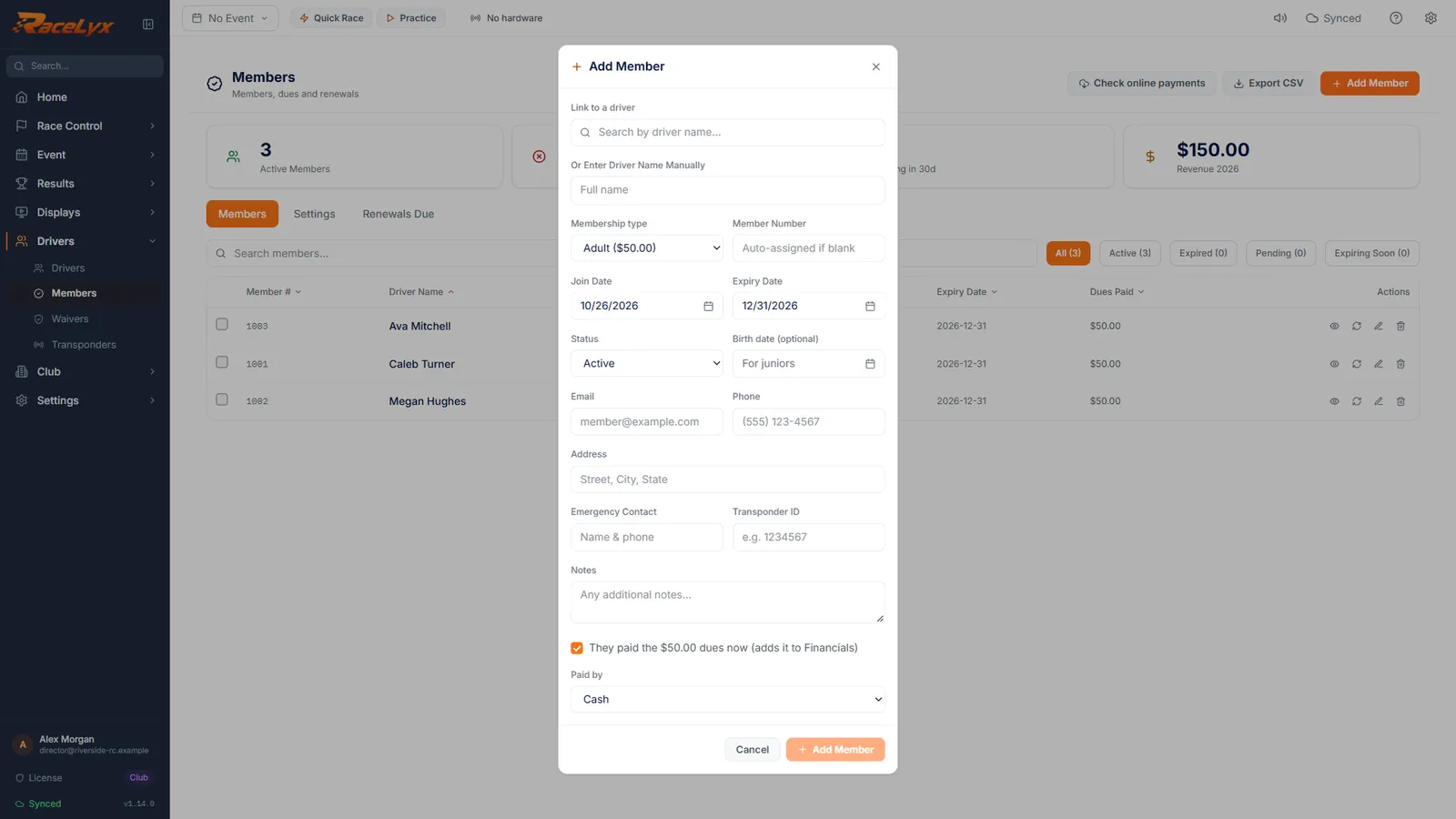
Open Drivers, Members, and click Add Member.
Start with the person who pays. Everyone else on the membership is added in the same box.
- 2
Link the person who pays
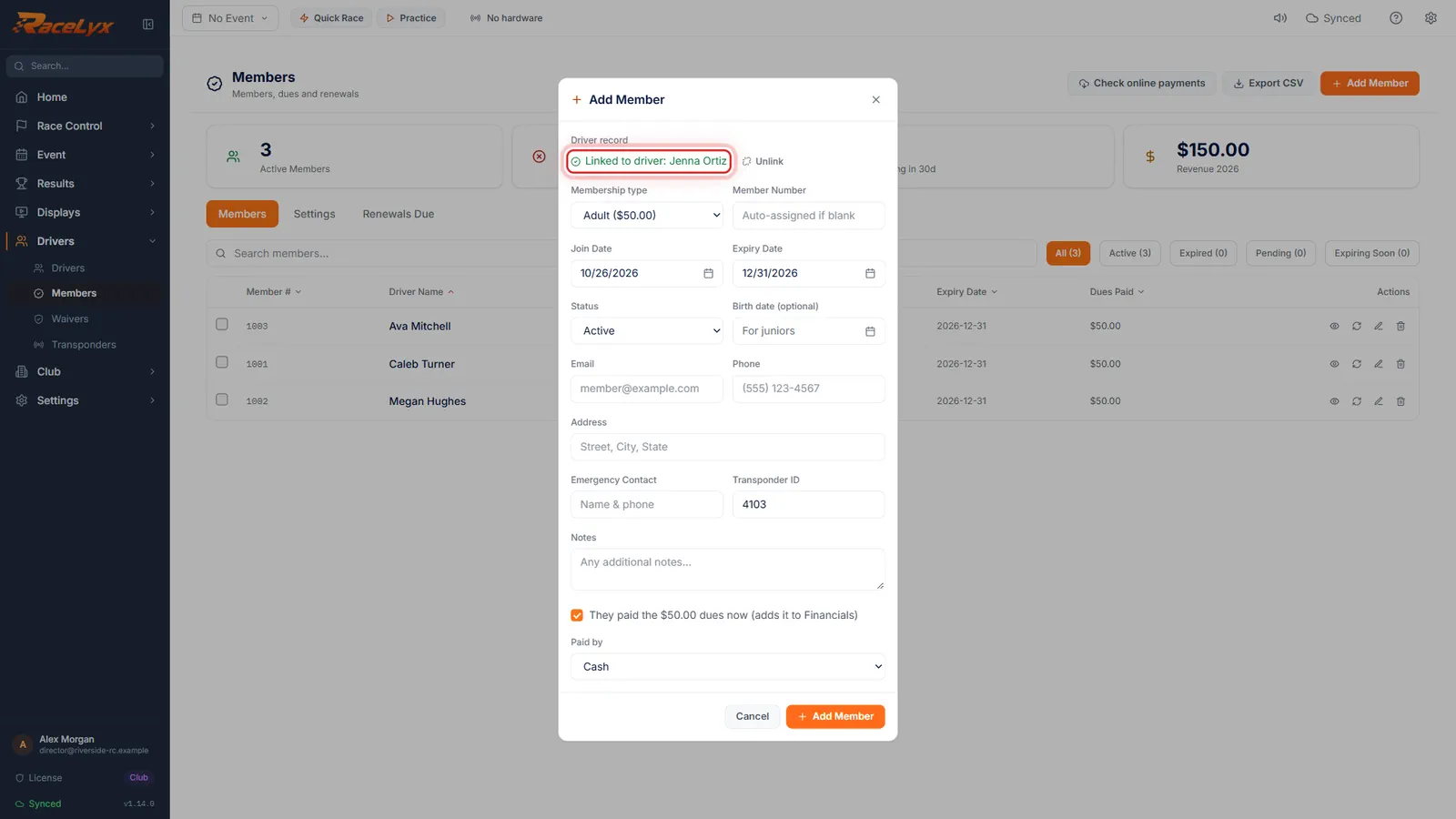
Search for the parent who pays and pick them.
Linked to driver shows their name. If they are not on your driver list, type their name under Or Enter Driver Name Manually.
- 3
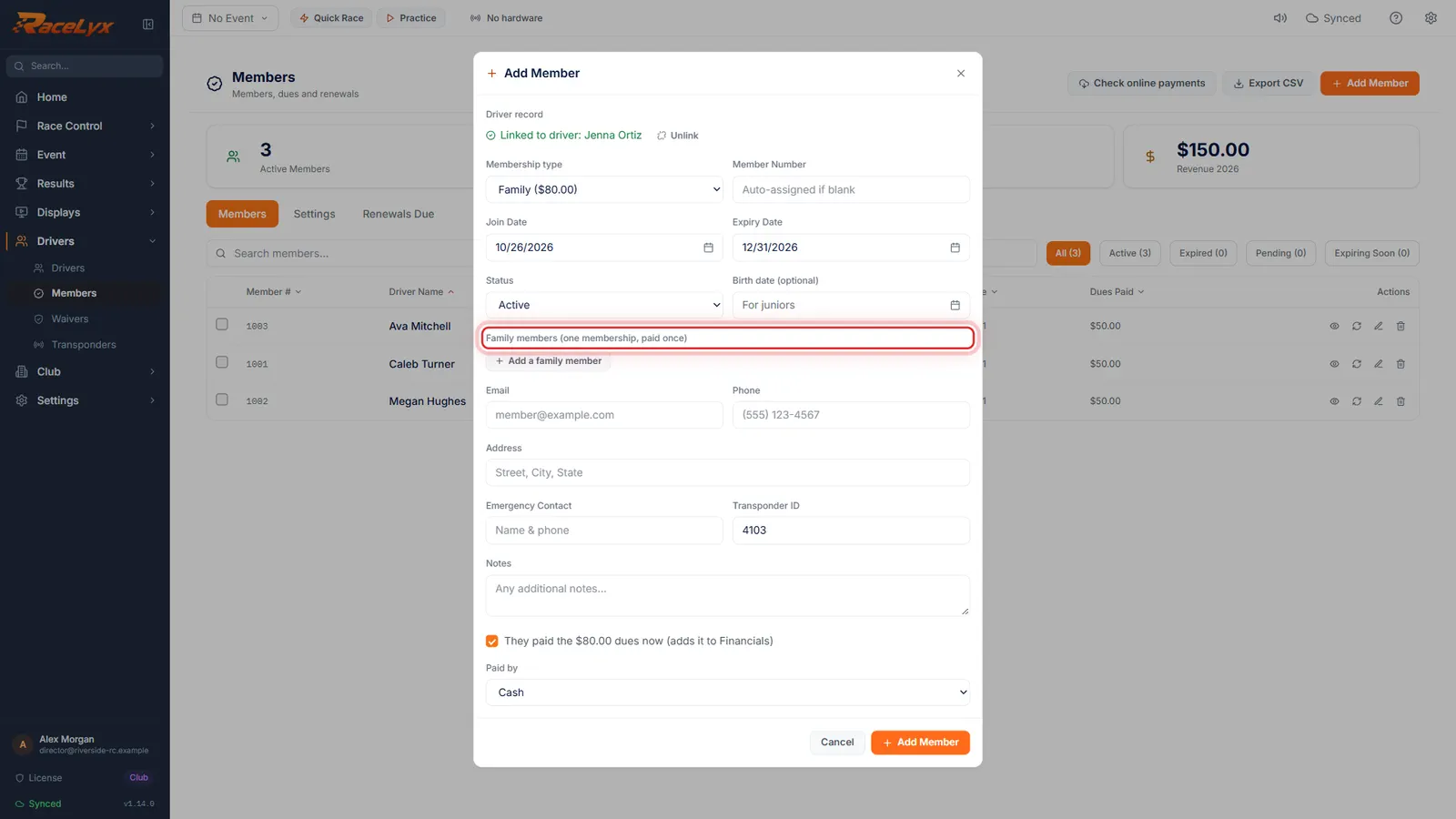
Membership type: Family
Set Membership type to Family. A Family members section opens: one membership, paid once.
The type list shows each type's dues. Only types with Family ticked open this section.
- 4
Add a family member
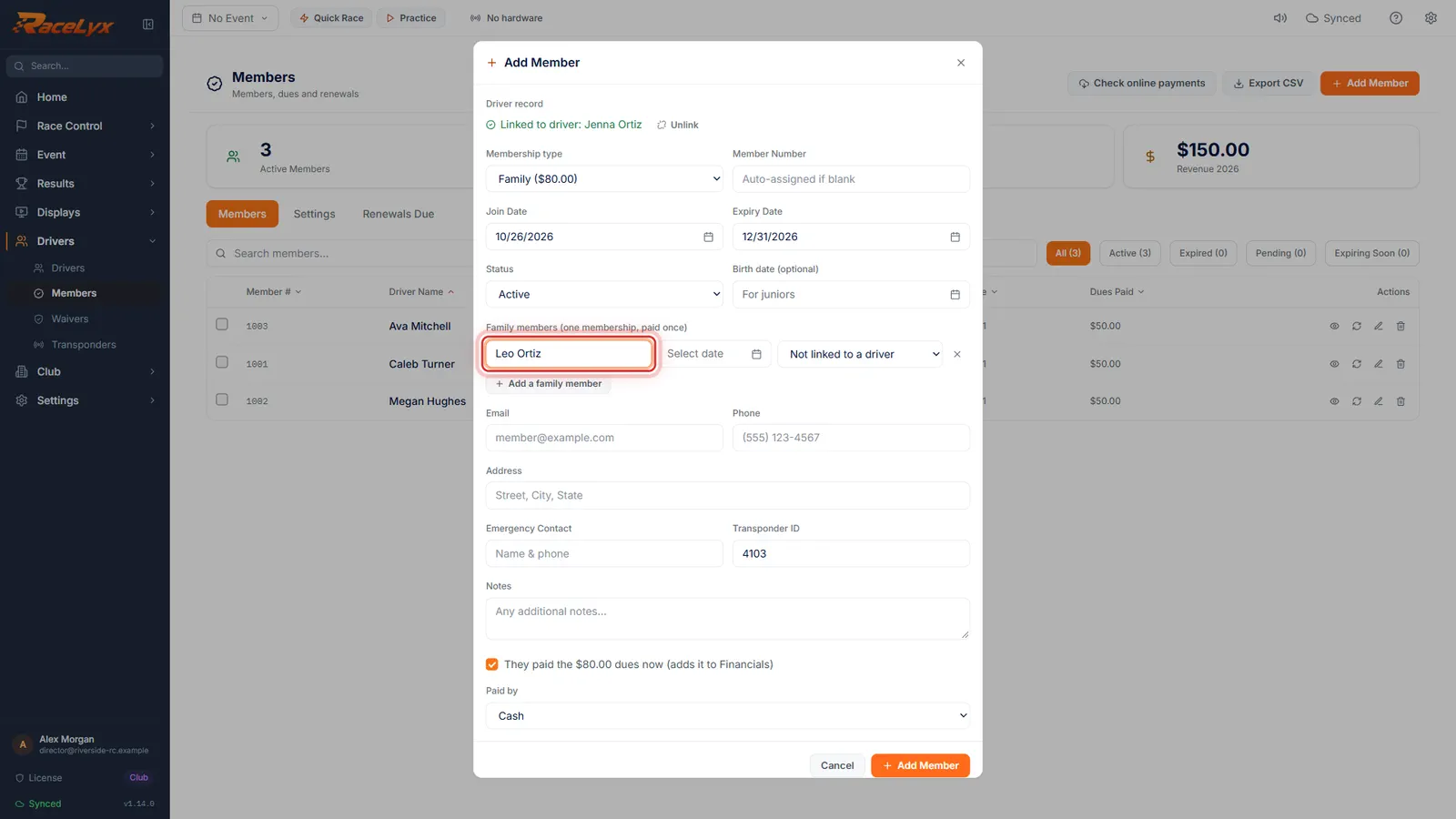
Click Add a family member and type their name. Add a birth date for the kids, and pick their driver if they race.
Each row has a Name, a birth date and a driver box that starts at Not linked to a driver. Add as many rows as the household needs.
- 5
Dues paid, then Add Member
Leave the dues box ticked if they paid now, pick how they paid, and click Add Member.
The family dues are booked once, as Membership Dues in Financials, on the person who pays.
- 6
One membership, two people
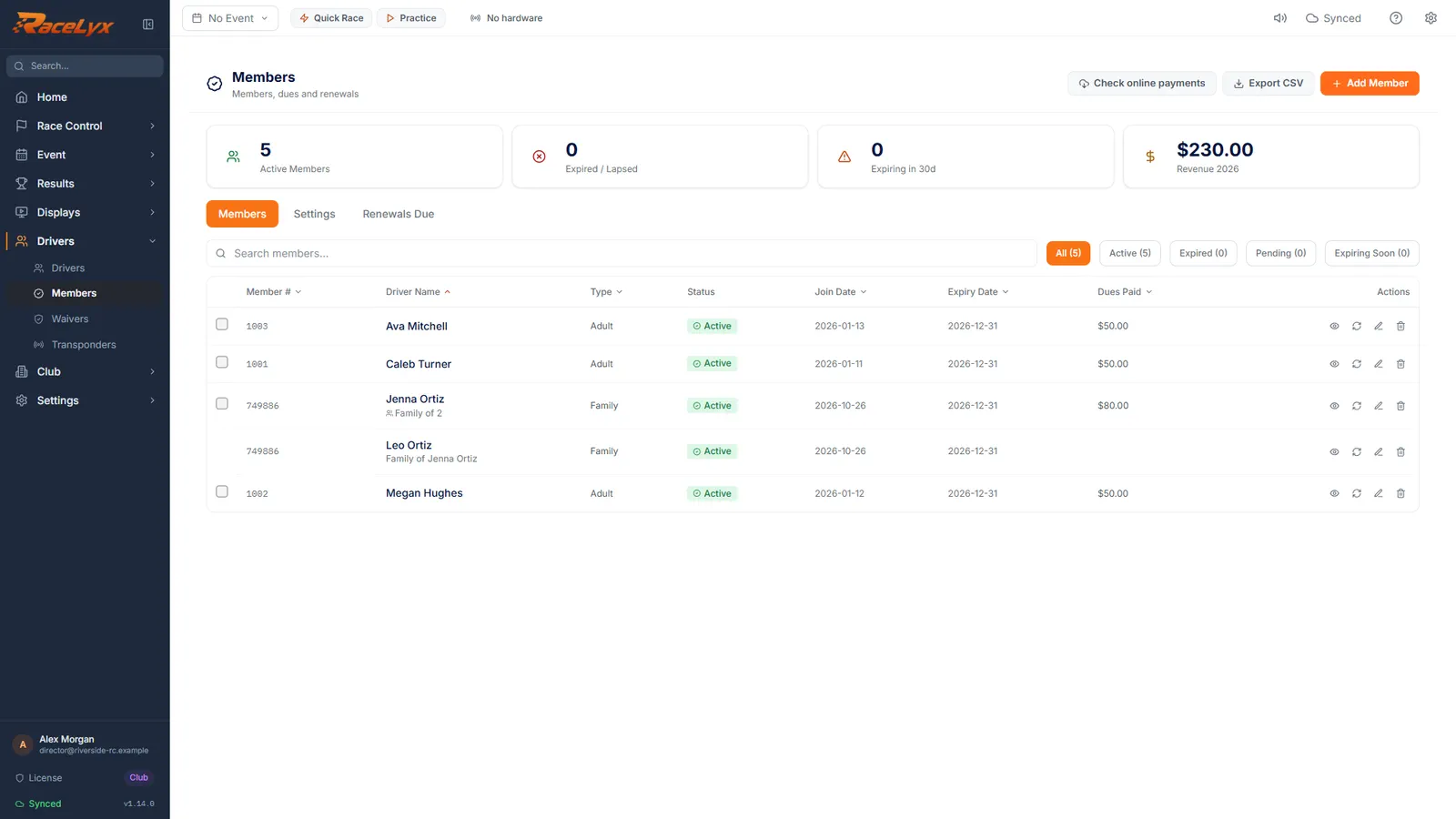
Jenna shows as a Family of 2. Leo is listed as Family of Jenna Ortiz, and renews with her.
The renew button on any family member renews the whole family under the person who pays. Renewals Due shows the family once.
Tips
- Always pick the driver when you add a member, so linking them later is never needed.
- Add a birth date for the kids so their age shows. RaceLyx warns at renewal when a junior turns 18 before the membership ends.
- Pick a family member's driver in the third box when they race, so their results and member price line up.
- Renew anyone in the family and the whole family renews: the box says Renews the whole family.
- Add more people later from Edit member on the person who pays.
Troubleshooting
- There is no Family members section.
- The membership type you picked is not a Family type. Tick Family on it under Members, Settings, Membership Types.
- Remove [name] from membership?
- Removing the person who pays hands the family membership to the next person on it. The drivers stay in your driver list.
Related guides
Something here does not match what you see? Tell us and we will fix the guide.