The waiver drivers sign lives on your track's public page settings. The same text is signed on the Waivers page, at the waiver kiosk, when registering online and on your online waiver page (online signing needs RaceLyx Cloud), and every signature keeps the exact text that was signed. Until you write yours, Sign now and the kiosk use a short sample text RaceLyx starts with, and Check-In does not ask for waivers. Write your own before your first race day. Waivers work on every plan.
Before you start
- Your club's waiver wording, from your insurer or club rules.
- Signed in to RaceLyx Cloud if drivers will sign online.
Step by step
- 1
Open Waivers
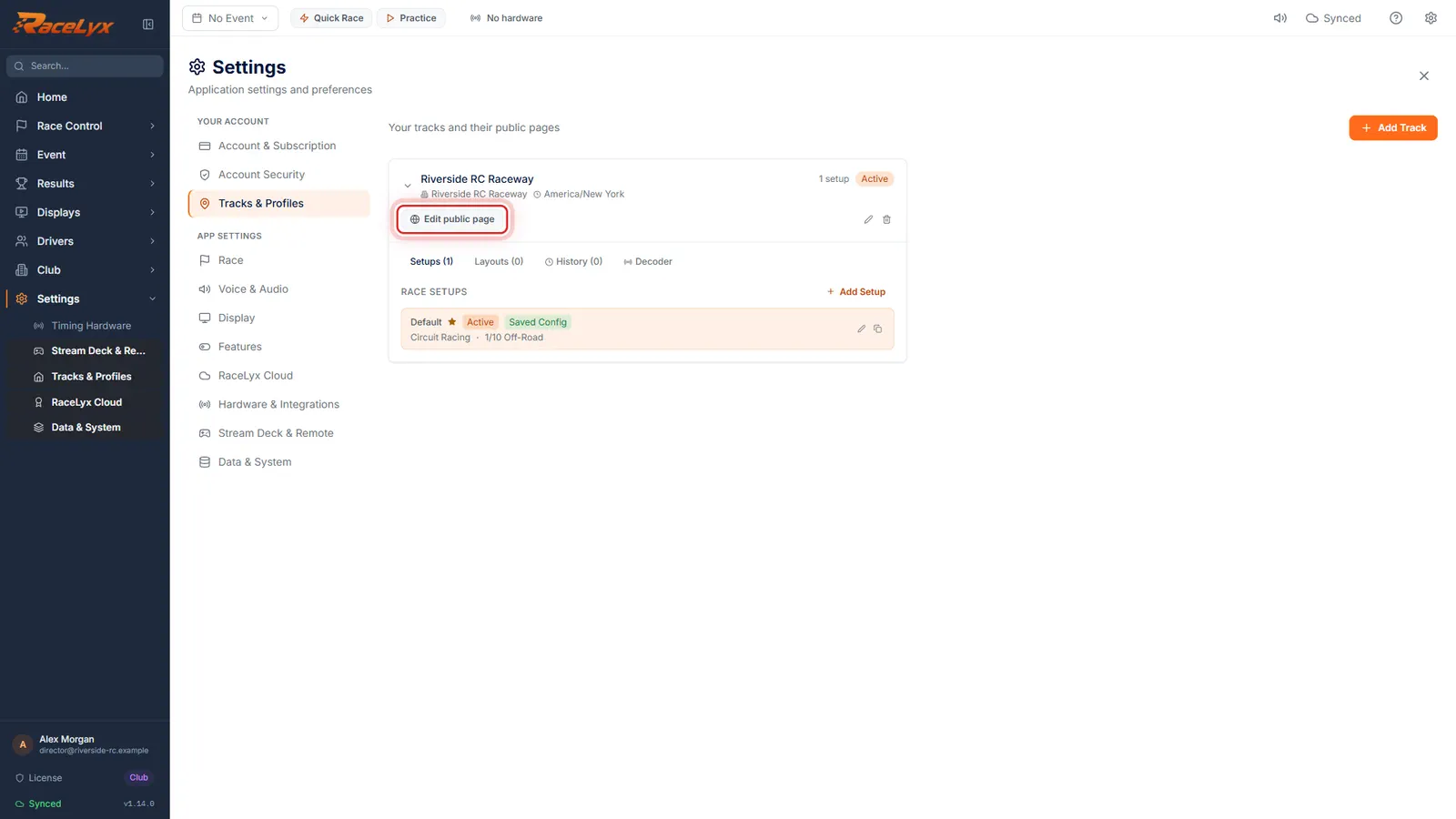
Open Drivers, Waivers. The text people sign is set on your track page. Click the link.
Waivers says "The waiver text people sign is set on your track page", even before you write one, because the sample text counts. The link Settings, Tracks, Edit public page takes you to Settings, Tracks & Profiles.
- 2
Edit public page
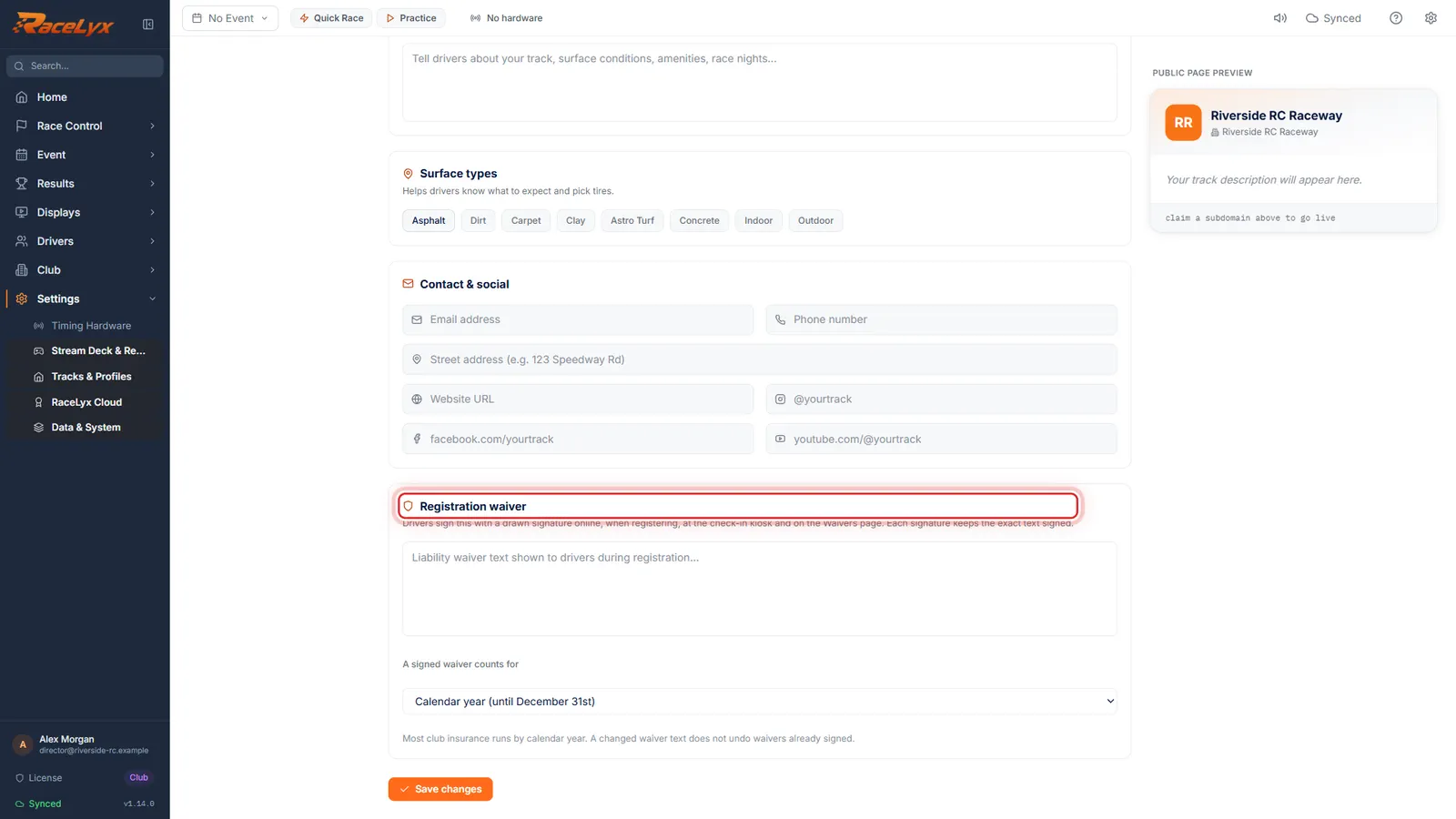
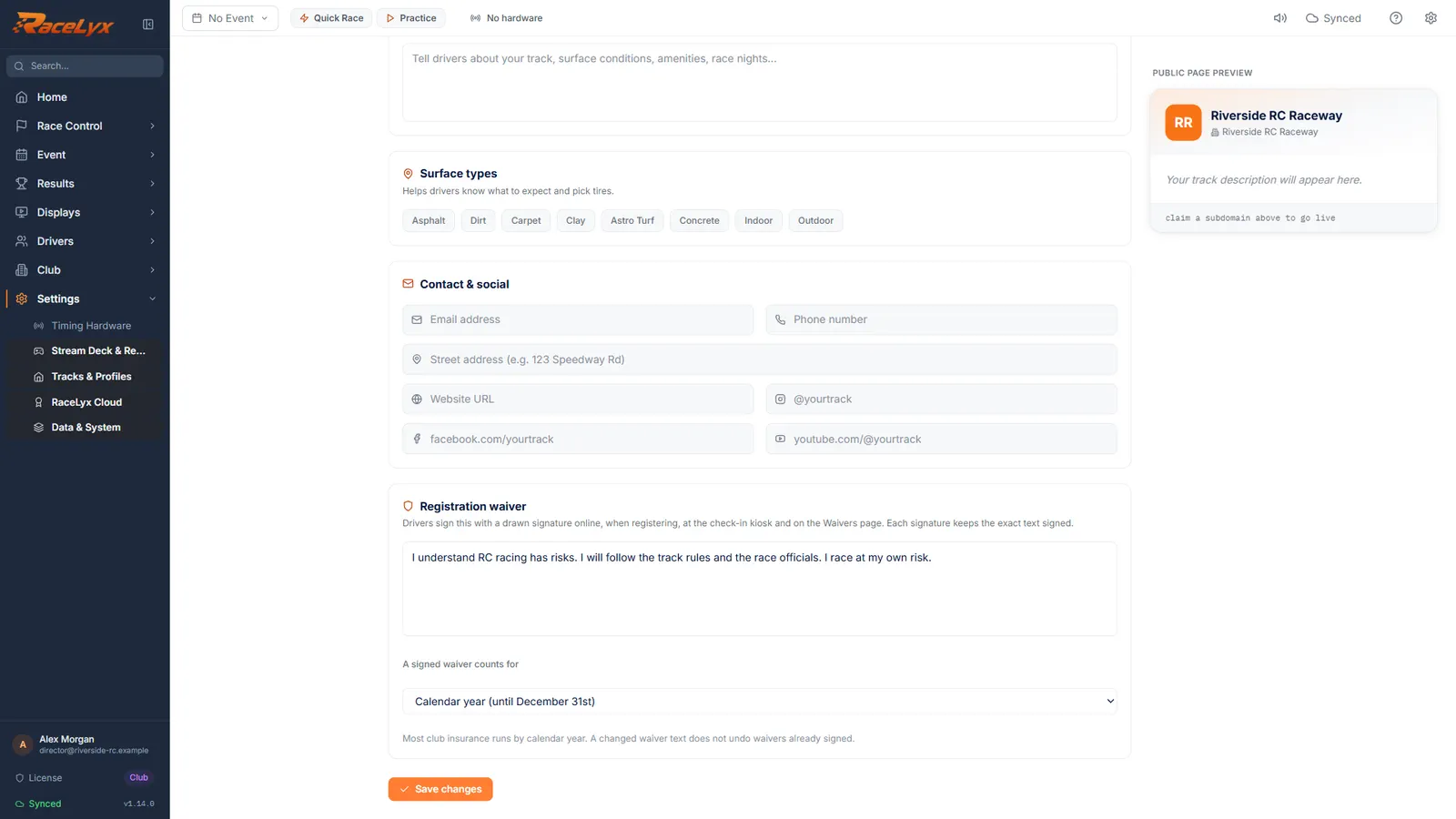
Click Edit public page on your track, and scroll down to Registration waiver.
Registration waiver is near the bottom, after the contact and social links.
- 3
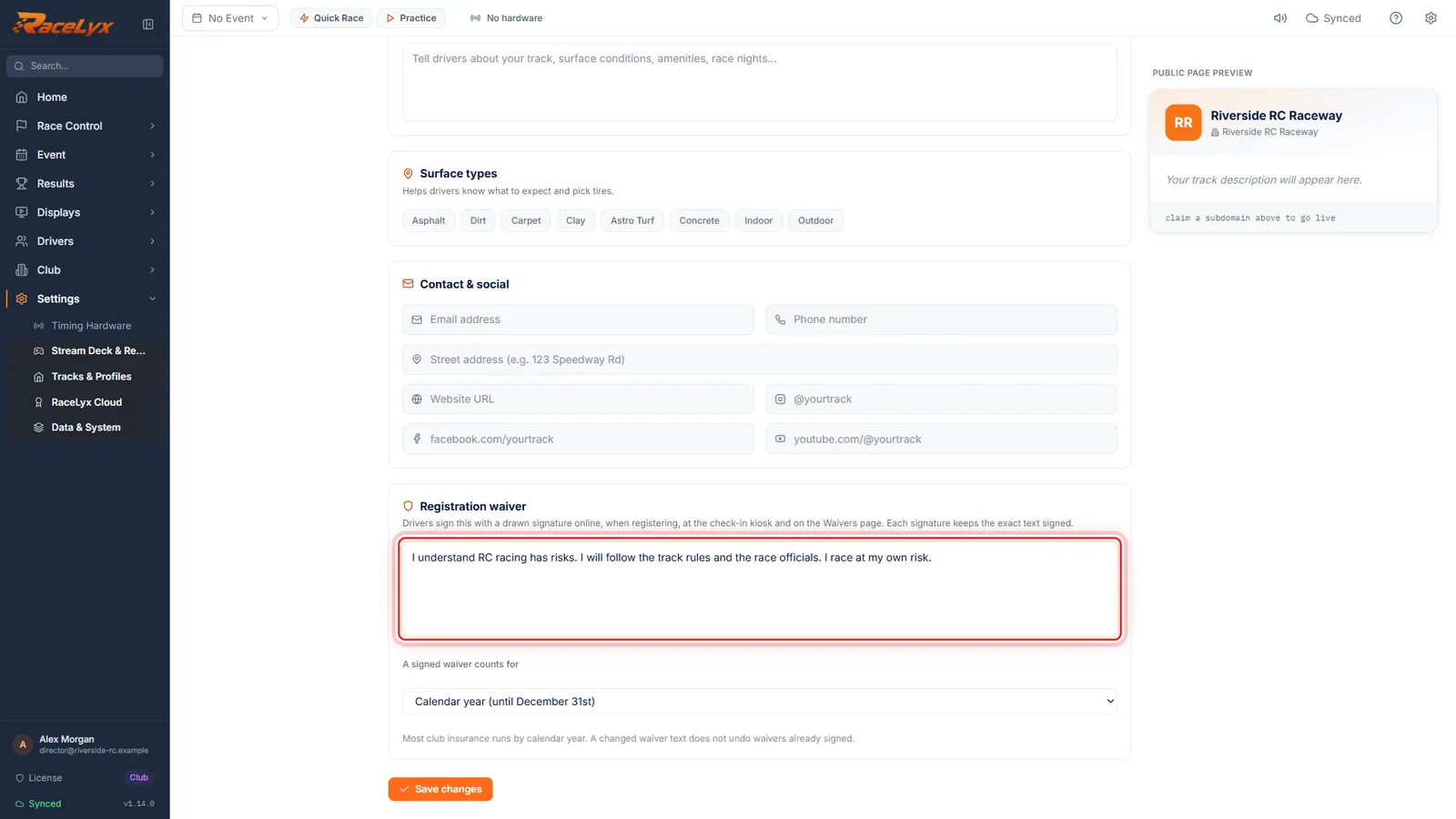
Type your waiver
Type or paste your club's waiver into the box.
Drivers see this text in full before they tick that they agree and sign. Paste the wording your insurer gave you; a few short paragraphs read best on a phone.
- 4
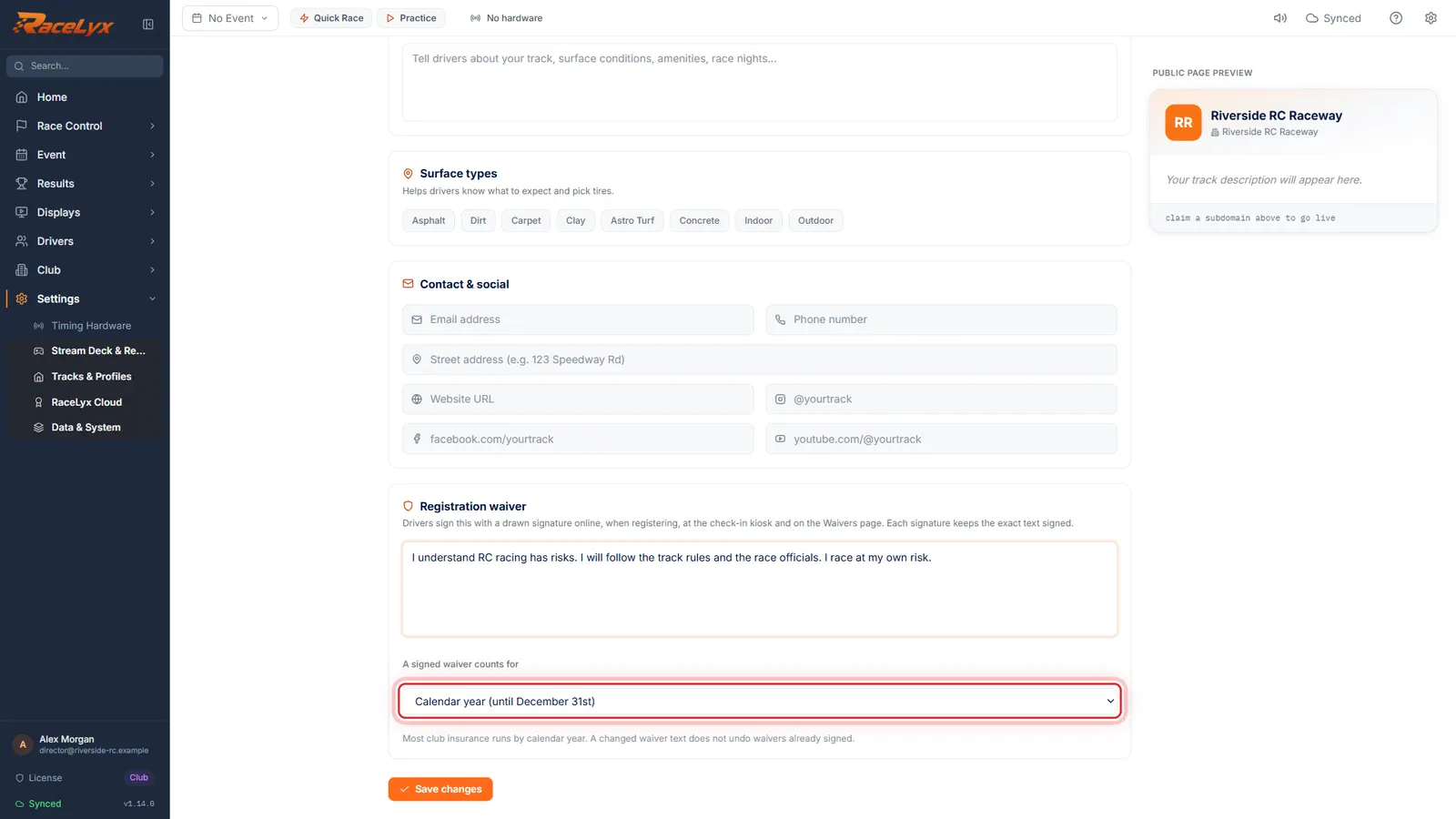
A signed waiver counts for
Pick how long a signed waiver counts. Calendar year, 365 days from signing, or every event.
Calendar year (until December 31st) suits most club insurance. Every event (sign each race day) makes a waiver good for the day it was signed only.
- 5
Save changes
Click Save changes. The new text is what people sign from now on.
It is saved on this computer and sent to RaceLyx Cloud, so the online waiver page uses it too. The note beside the button says Saved & synced; Saved on this computer only means click Save changes again when you are online.
Tips
- Do this first: it is the one club job needed before your first race day, and it works on every plan.
- Most club insurance runs by calendar year, so a waiver counts until December 31st.
- Pick Every event (sign each race day) if your insurance needs a fresh signature every time.
- Changing the text does not undo waivers already signed. Each one keeps the text it was signed with.
- Check-In, Check-in tools, Settings has a second Waiver text box. It is only a fallback: the text written here wins whenever there is one. Ask for a waiver in the same place switches waivers off at check-in.
Troubleshooting
- Saved on this computer, but could not reach RaceLyx Cloud.
- The waiver is saved here and works at this computer. Save again when you are online so the online waiver page has it too.
- There is no waiver text to sign yet.
- Write the waiver under Settings, Tracks & Profiles, Edit public page, Registration waiver, then click Save changes.
- I changed the waiver in Check-in settings but people sign different text.
- The Registration waiver on your track page wins whenever it has text. Edit it there.
- The online waiver page says "This track has not set up an online waiver yet."
- The text never reached RaceLyx Cloud. Sign in, open Edit public page and click Save changes until the note says Saved & synced.
Related guides
Something here does not match what you see? Tell us and we will fix the guide.