Waivers shows everything signed at this computer and online, and which drivers on your roster still need one. When a driver turns up without one, sign it at the desk: they read it, tick that they agree and sign with a mouse, finger or stylus. Waivers work on every plan.
Before you start
- Your waiver text set (Settings, Tracks & Profiles, Edit public page). Until then the Check-in default text is used.
Step by step
- 1
Open Waivers
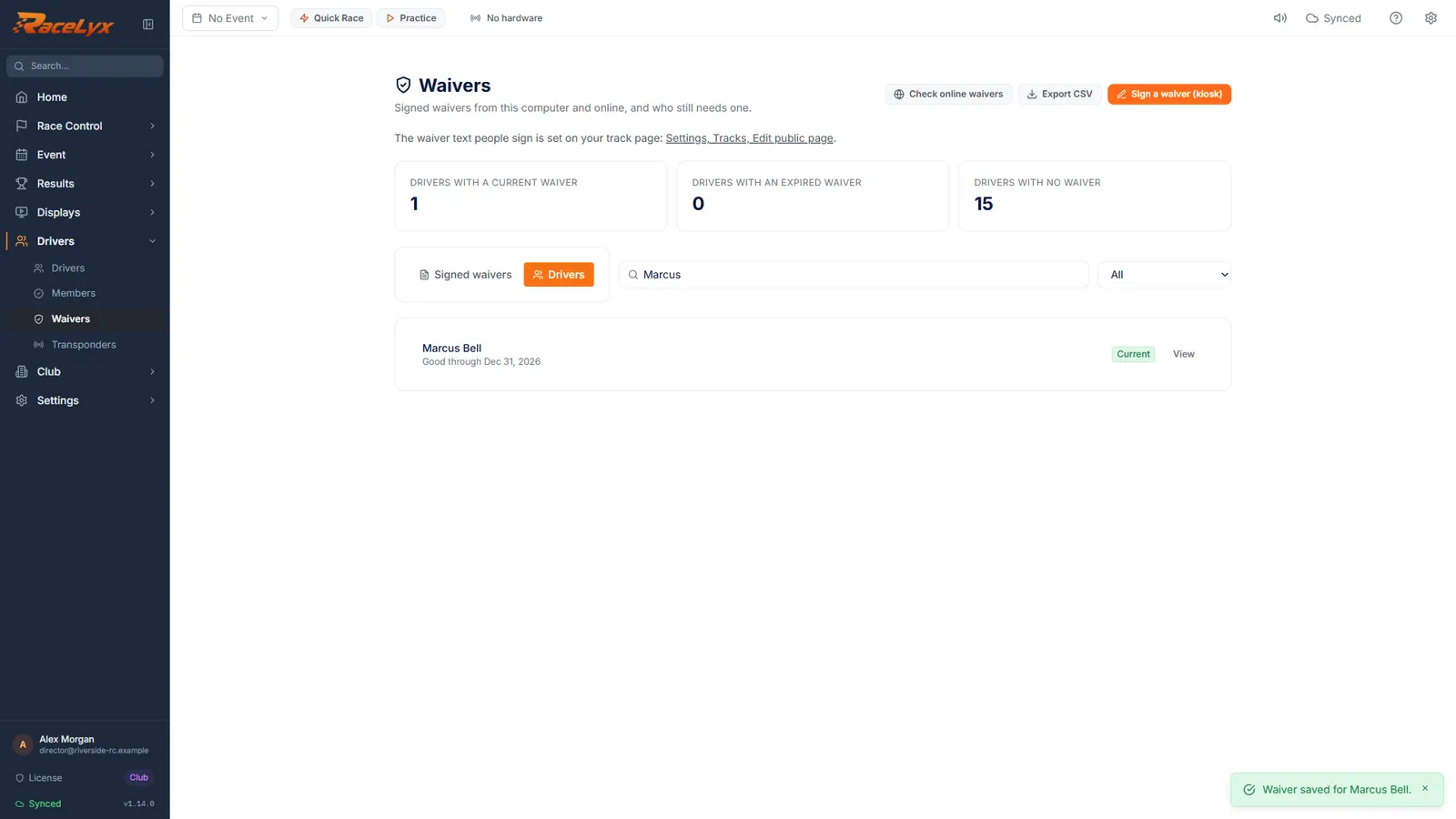
Open Drivers, Waivers. The cards show how many drivers have a current waiver, an expired one, or none.
Signed waivers lists every waiver: Participant, Signed by, Signed, Good through, Status and Where it was signed.
- 2
Find the driver, Sign now
Click the Drivers tab and search for the driver. Click Sign now.
The Drivers tab lists your roster with each driver's waiver state. Sign now shows for anyone without a current waiver.
- 3
Emergency contact and agree
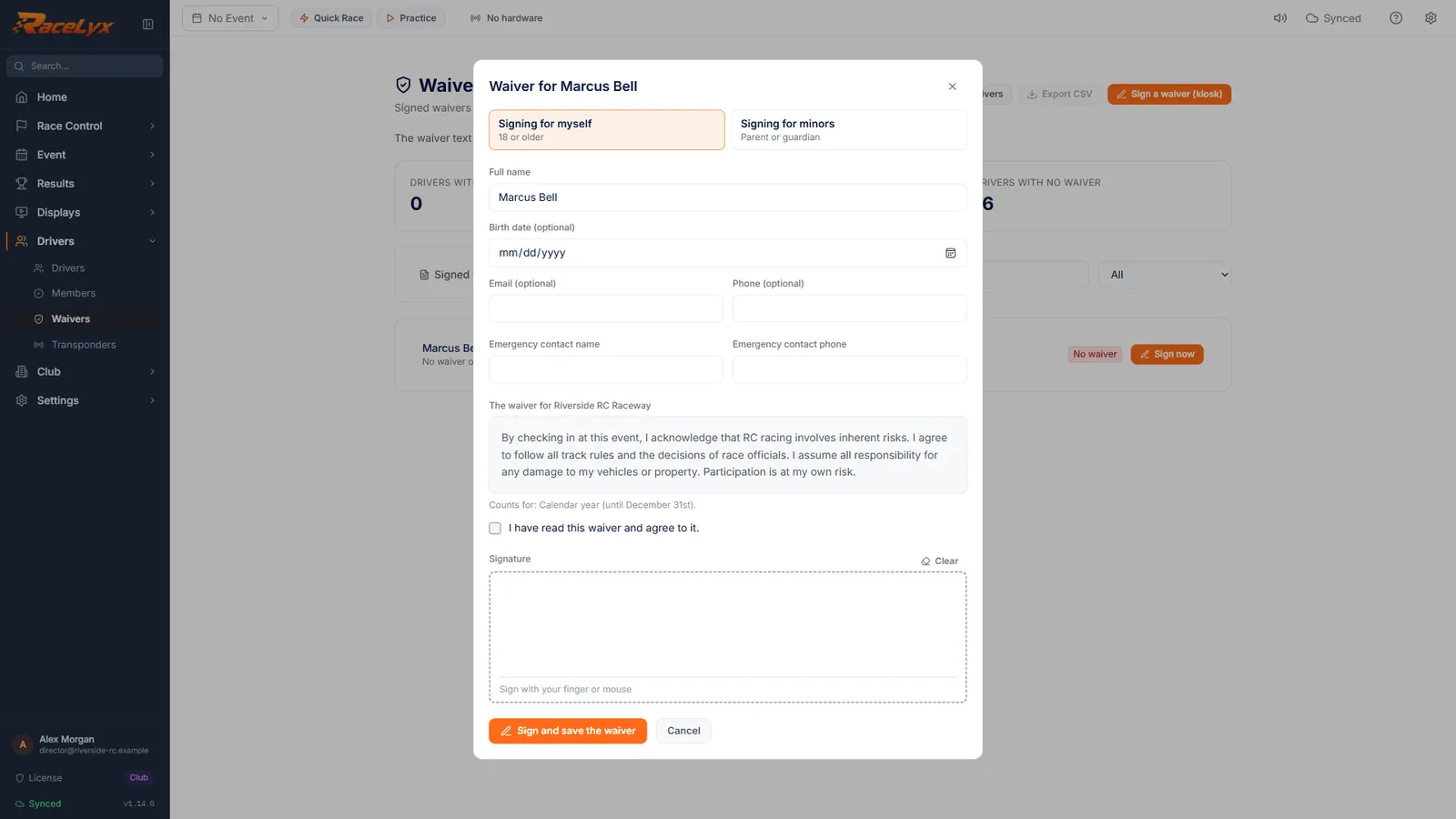
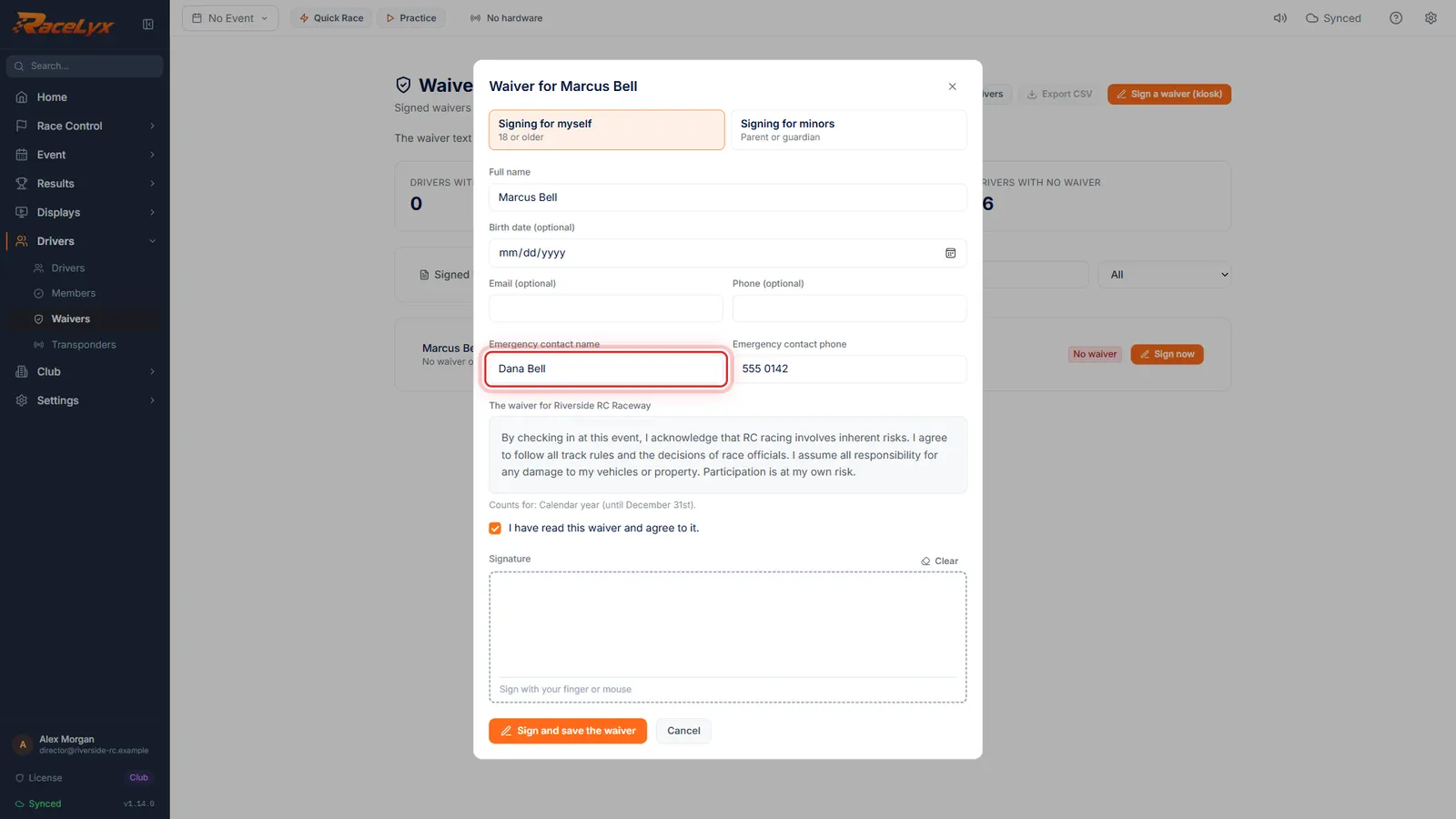
Their name is filled in. Add an emergency contact, let them read the waiver, and tick that they agree.
Signing for myself is for adults. Signing for minors asks for the parent or guardian, their relationship and each child. Email and Phone are optional.
- 4
Sign, then save
They sign in the box with the mouse or a finger. Click Sign and save the waiver.
Clear starts the signature again. The waiver is saved with the exact text, the signature and the time.
- 5
Current, and View
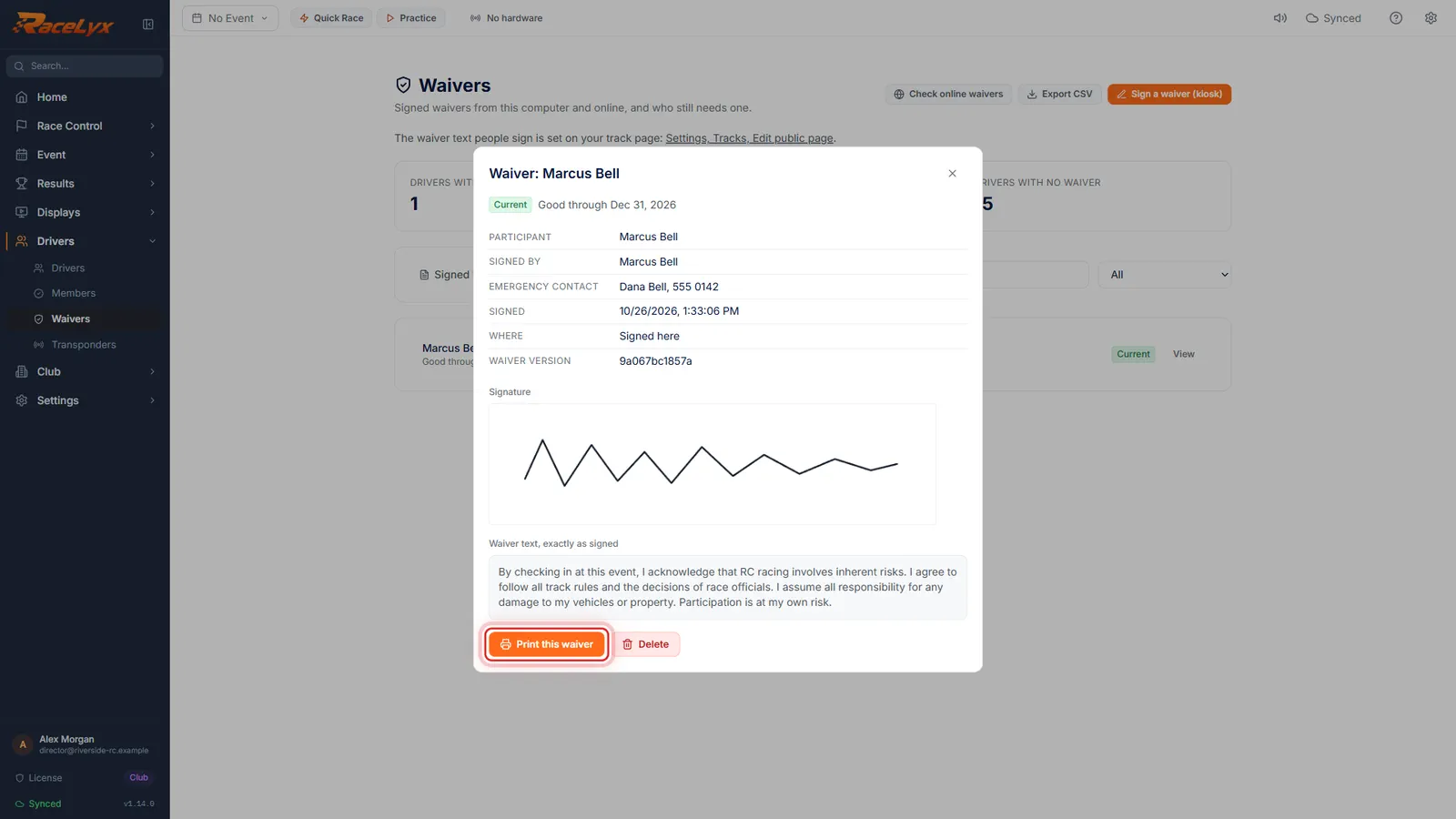
Their waiver is now current. Click View to see it in full, with the signature, and print it if you need paper.
The waiver shows who signed, the emergency contact, when and where, the signature and the waiver text exactly as signed. Print this waiver and Delete are at the bottom.
Tips
- The three cards are buttons: click one to see those drivers.
- Parents pick Signing for minors and sign once for every child they bring.
- Check online waivers fetches the ones people signed on your online waiver page.
- Export CSV downloads the waivers shown, for your insurer.
- Driver Check-In has the same Sign now, so the gate can do it too.
Troubleshooting
- Add an emergency contact name and phone number.
- Both emergency contact boxes are required.
- Tick that the waiver has been read and agreed to.
- Tick I have read this waiver and agree to it, under the waiver text.
- Sign in the box.
- The signature is too small or too short. Click Clear and sign again across the box.
- Online waivers could not be checked.
- RaceLyx Cloud could not be reached. Waivers signed here still save; check online waivers again later.
Related guides
Something here does not match what you see? Tell us and we will fix the guide.