Drivers and parents can sign your waiver on their own phone before they reach the track, on your online waiver page. RaceLyx does not show that page's address on any screen yet, but it is easy to build: it is your Registration address with waiver in place of register. Signatures land in RaceLyx Cloud, and the Waivers page brings them onto this computer.
Before you start
- Your waiver written under Settings, Tracks & Profiles, Edit public page, and saved while signed in, so the note says Saved & synced.
- Signed in to RaceLyx Cloud on this computer (Settings, RaceLyx Cloud).
Step by step
- 1
Edit public page
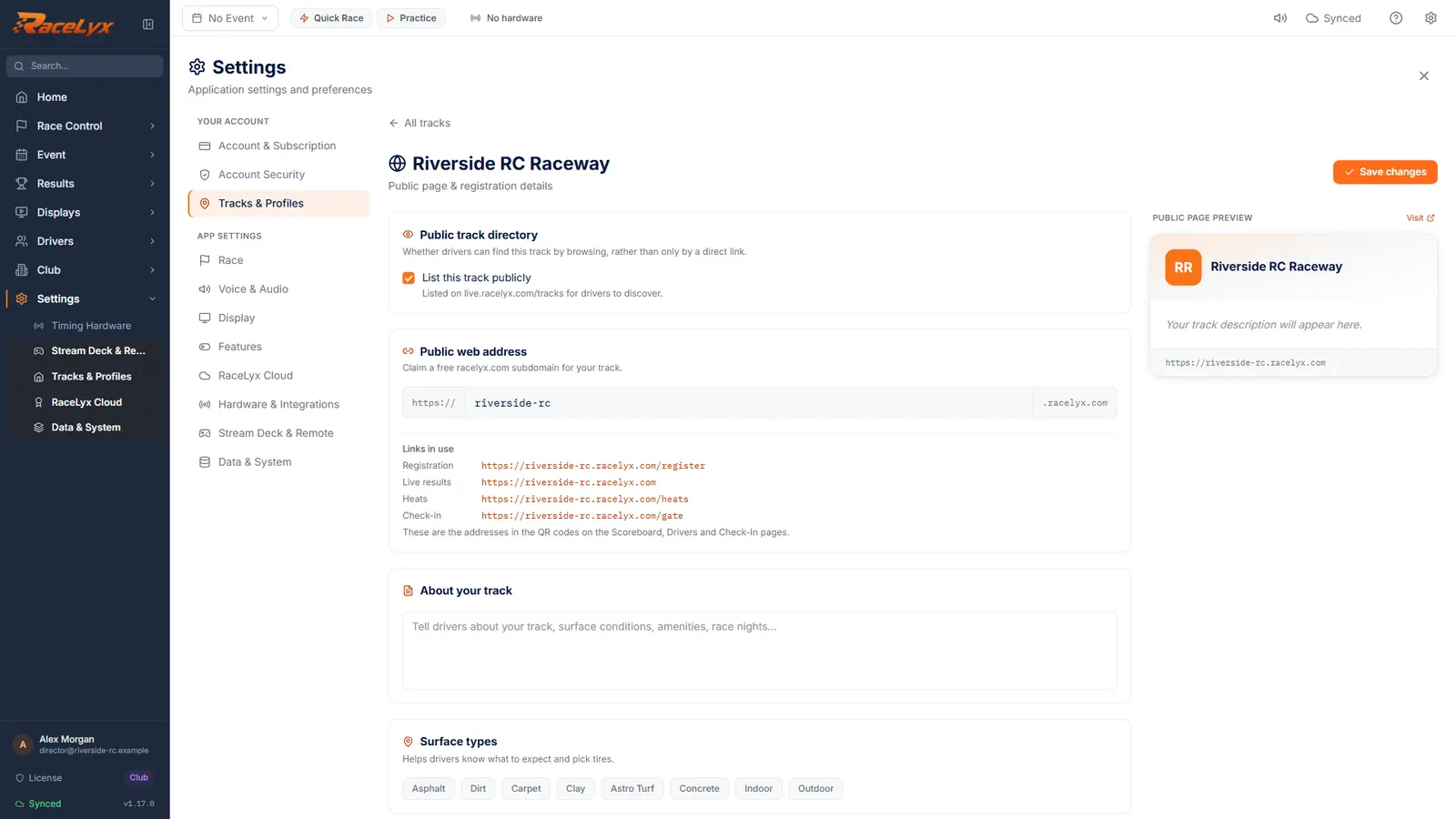
Open Settings, Tracks & Profiles, and click Edit public page on your track.
Your online waiver page has no button of its own yet. Its address is built from the links on this page.
- 2
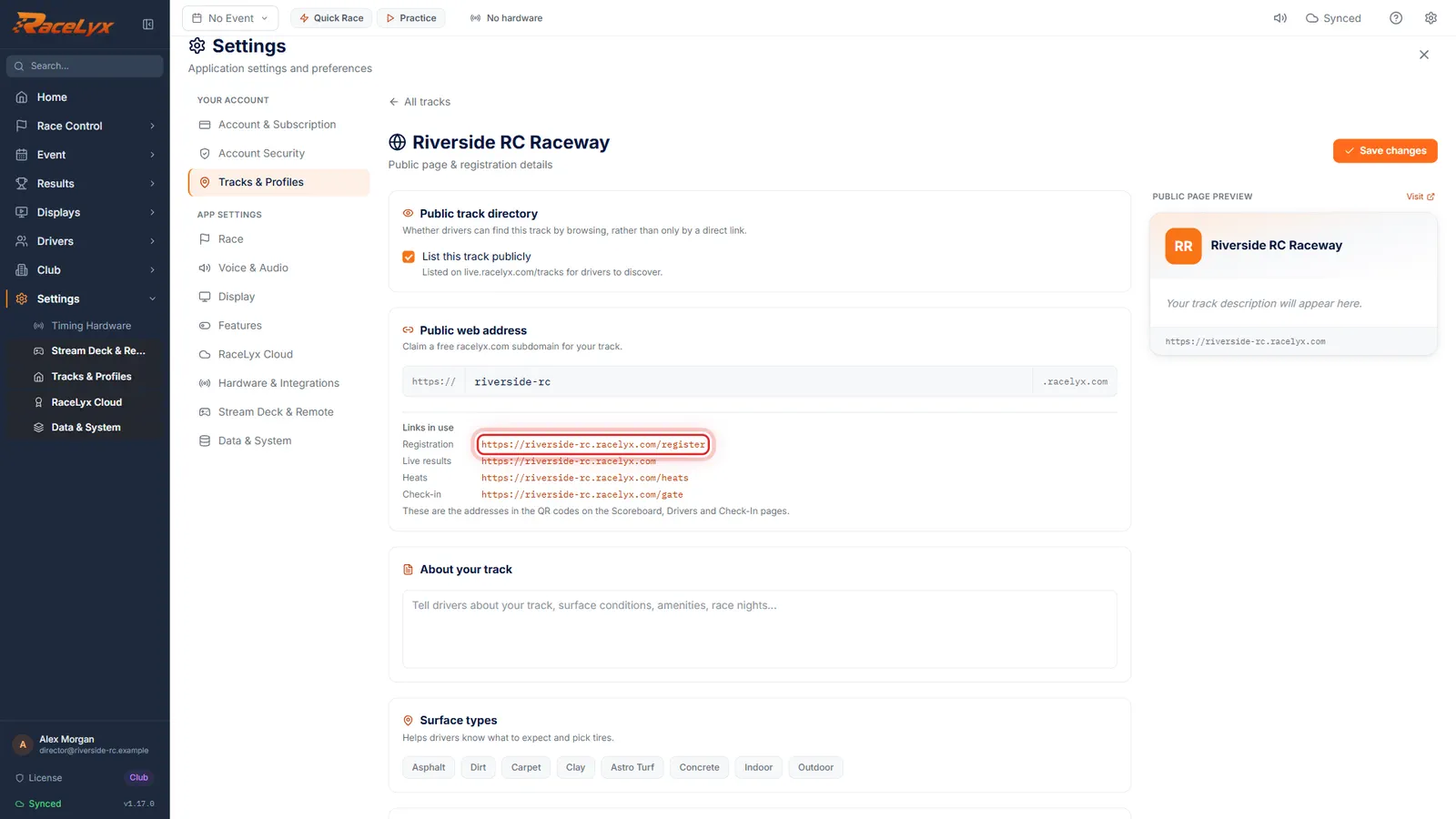
Links in use
Under Public web address, find Links in use. The Registration line is your registration address.
Links in use lists the addresses in your QR codes: Registration, Live results, Heats and Check-in. With a claimed address they start with your-track.racelyx.com; without one, with live.racelyx.com.
- 3
Swap register for waiver
Your waiver page is the same address with waiver in place of register. Here, riverside-rc dot racelyx dot com slash waiver.
With a claimed address: https://your-track.racelyx.com/waiver. Without one, the Registration line reads https://live.racelyx.com/register/ and your track id, so the waiver page is https://live.racelyx.com/waiver/ and the same id.
- 4
Share the link
Share it in your club email, your Facebook group or on a sign at the gate. Drivers sign on their phone with a finger.
The page shows your waiver in full. An adult picks Signing for myself; a parent picks Signing for minors and adds each child. They add an emergency contact, tick that they agree, sign, and see Waiver signed.
- 5
Check online waivers
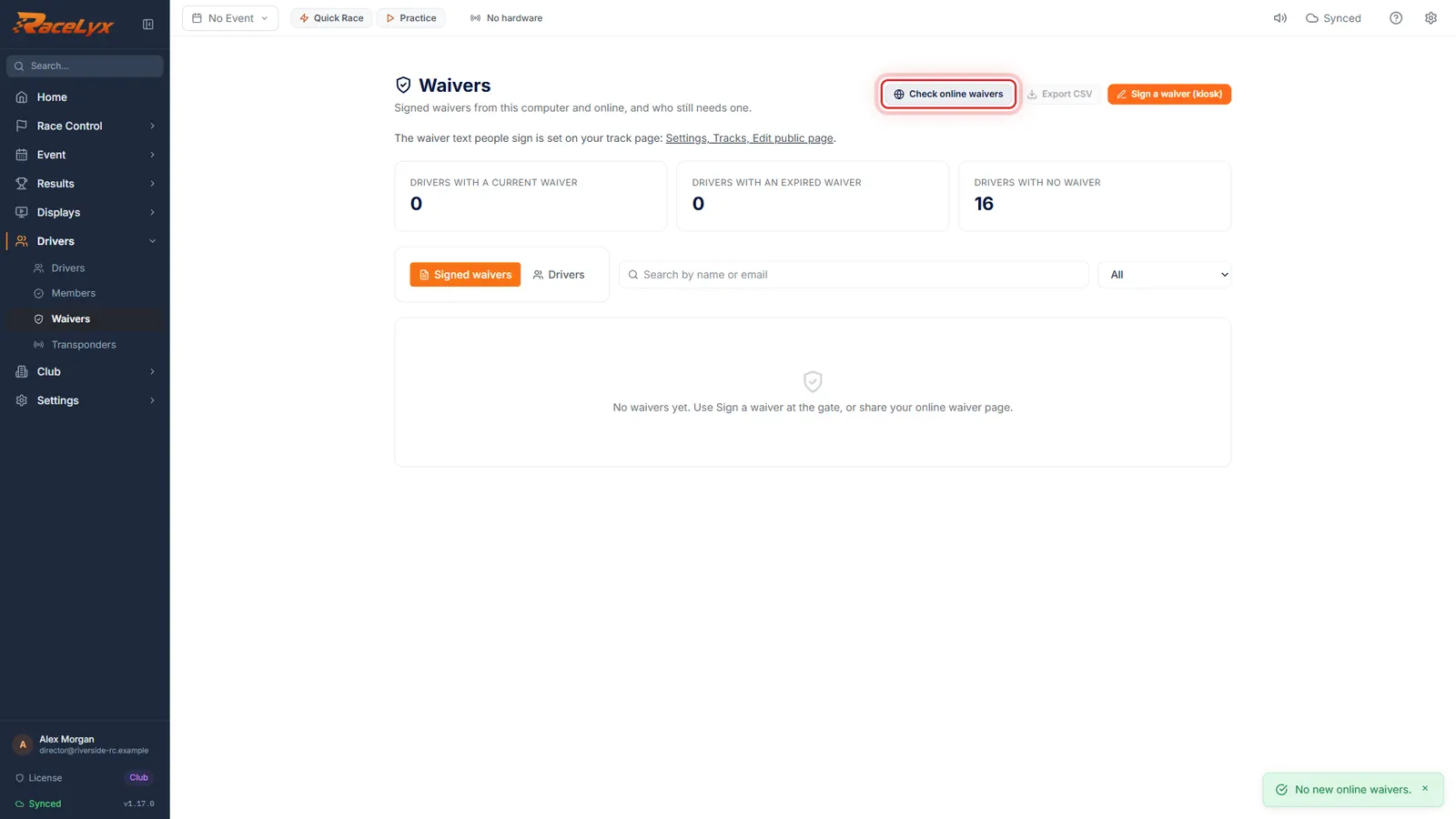
Open Drivers, Waivers. Online signatures come in when the page opens, and Check online waivers asks again.
New online waivers join the list with Online waiver page in the Where column, and drivers on your roster turn current. The message says how many were new, or No new online waivers.
Tips
- With a claimed address the waiver page is your-track.racelyx.com/waiver. Without one it is live.racelyx.com/waiver/ followed by your track id, the same id that ends your Registration address.
- Open the link on your own phone once before you share it, to check the text is yours.
- Drivers who register online, or check in on your online check-in page, sign the same waiver there, so many regulars never need the separate link.
- A parent picks Signing for minors and signs once for every child. If they give an email, they get a copy.
- Waivers checks for online signatures each time you open it. Check online waivers asks again without leaving the page.
- Online signatures show Online waiver page in the Where column, next to the ones Signed here.
Troubleshooting
- The page says "This track has not set up an online waiver yet. Please sign at the track."
- Your waiver text never reached RaceLyx Cloud. Sign in, open Edit public page and click Save changes until the note says Saved & synced.
- "Could not check online waivers: ..."
- RaceLyx Cloud could not be reached. The signatures are safe online; click Check online waivers again later.
- "This computer is not linked to a RaceLyx Cloud track yet."
- Sign in under Settings, RaceLyx Cloud with the account that owns your track, then check again.
- Links in use says Not set up yet.
- This computer has no track on RaceLyx Cloud yet. Sign in under Settings, RaceLyx Cloud first.
Related guides
Something here does not match what you see? Tell us and we will fix the guide.