A member typed in by hand, or added when they paid dues online, is not linked to their driver record yet. Linking them from Edit member lets every screen treat the two as one person: member pricing at Check-In, Track Time visits, volunteer hours and results. Members needs the Club plan.
Before you start
- Club plan (or a trial).
- The person on your Drivers list.
Step by step
- 1
A member added by hand
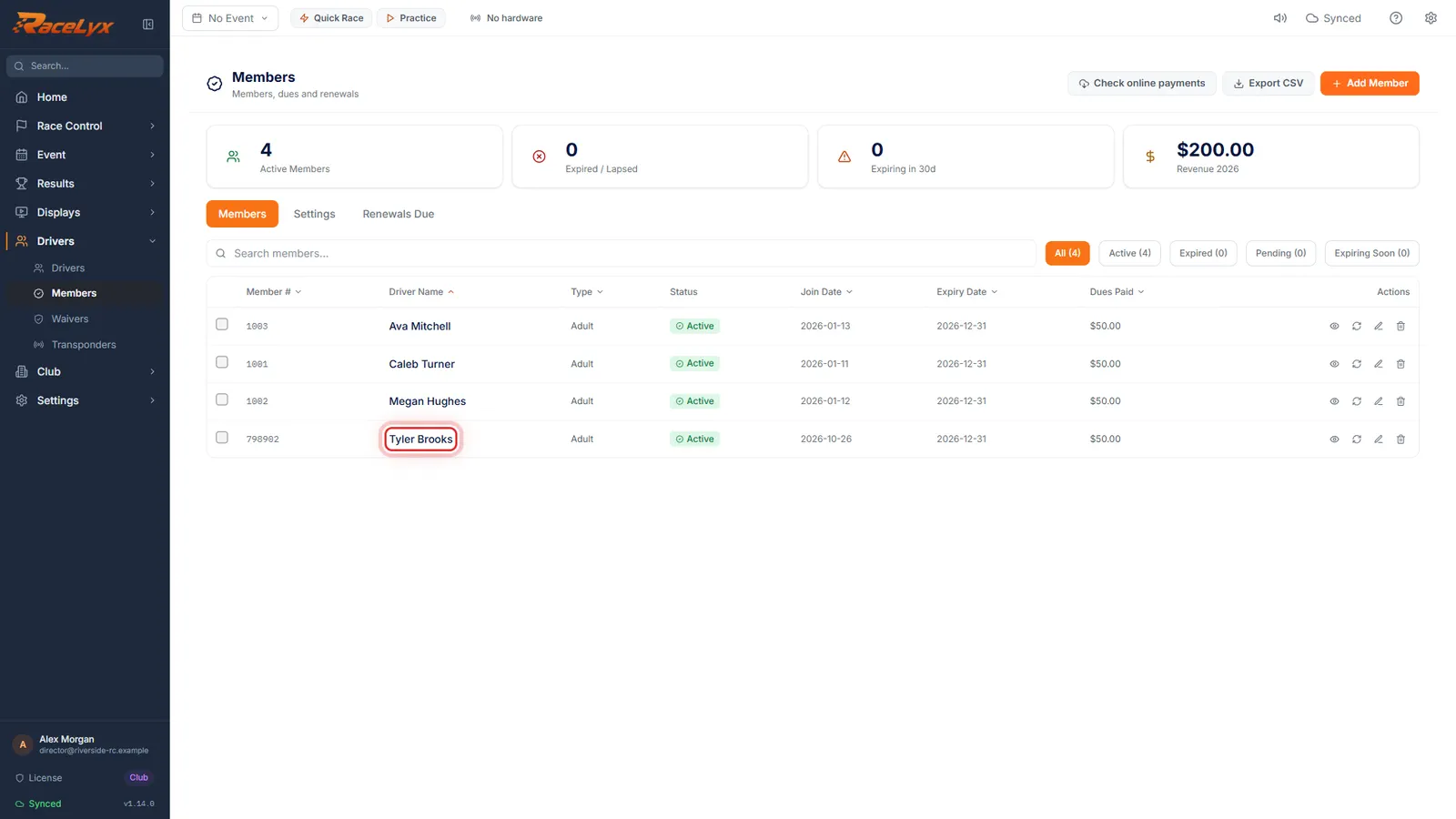
Here, Tyler Brooks was added as a member by typing his name. Members added that way, or who joined online, are not linked to their driver yet.
Typing a name under Or Enter Driver Name Manually makes a member with no driver record. Members created from an online dues payment start the same way.
- 2
Edit member
Click Edit member on his row.
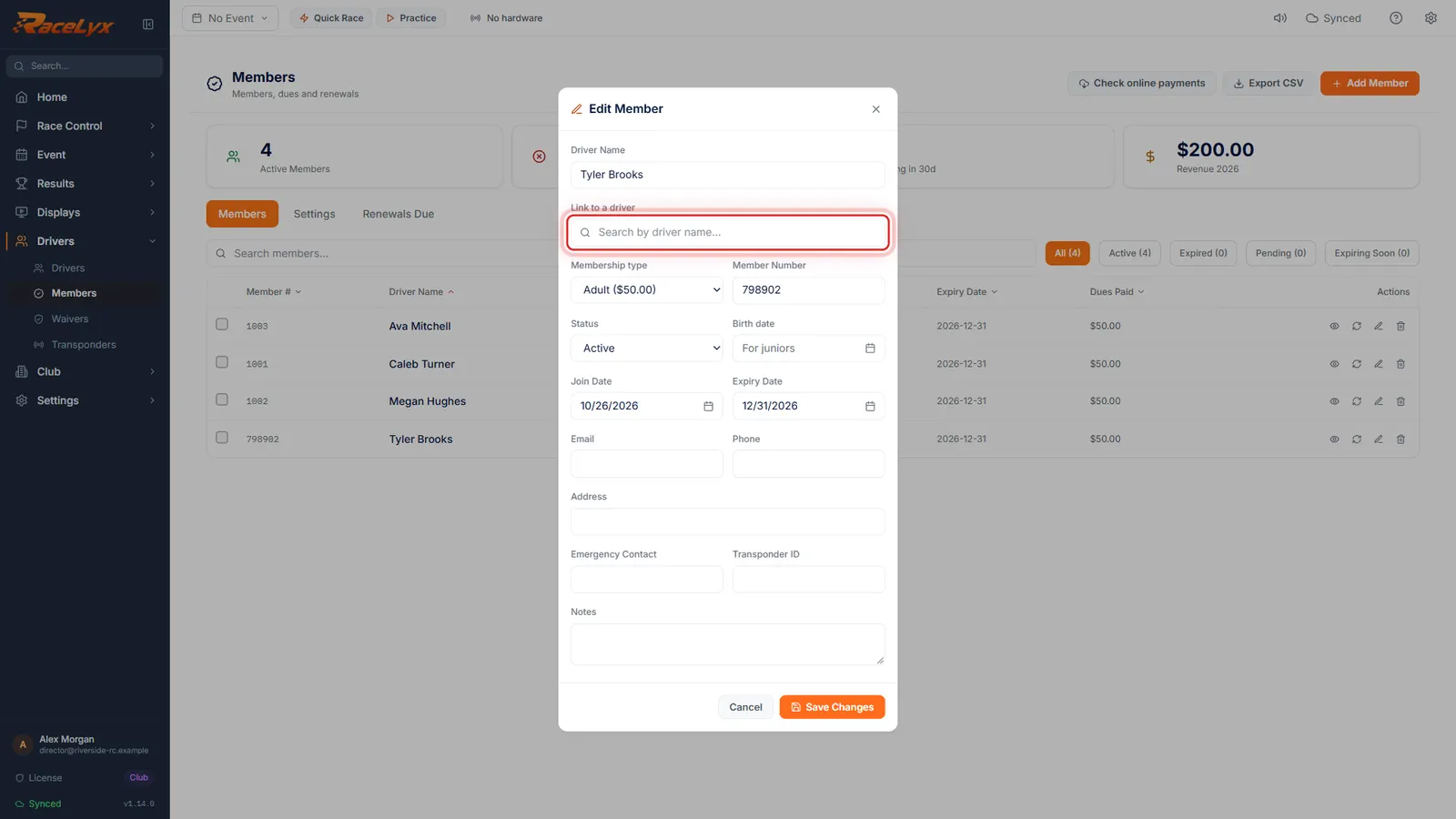
Edit Member has Driver Name, then Link to a driver, then the rest of the member's details.
- 3
Link to a driver
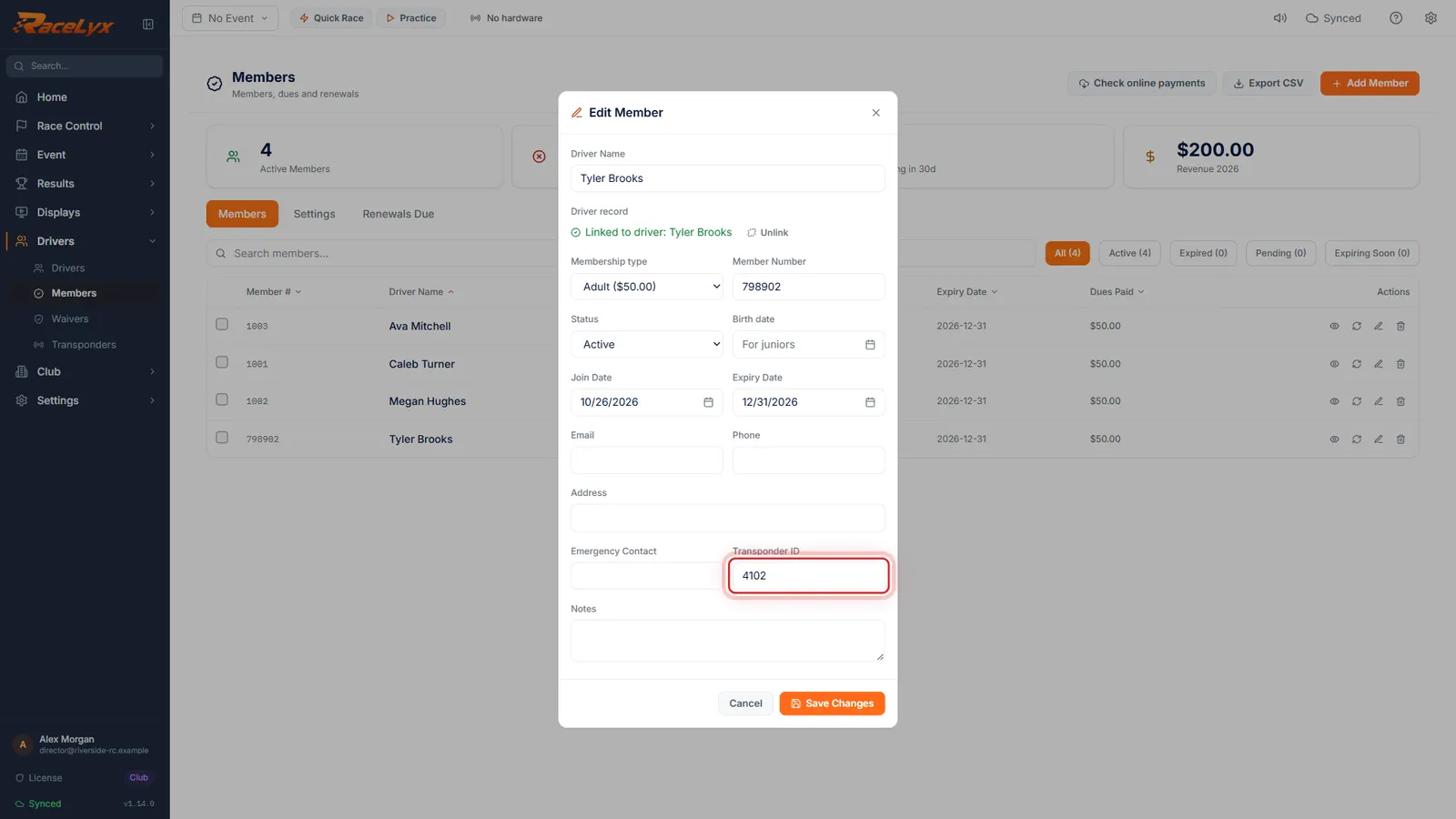
Under Link to a driver, search for him and pick his name. His transponder fills in from his car.
The box changes to Linked to driver: Tyler Brooks, with Unlink. A blank Transponder ID takes the transponder of the driver's first car, and a blank Emergency Contact comes from their signed waiver.
- 4
Save Changes
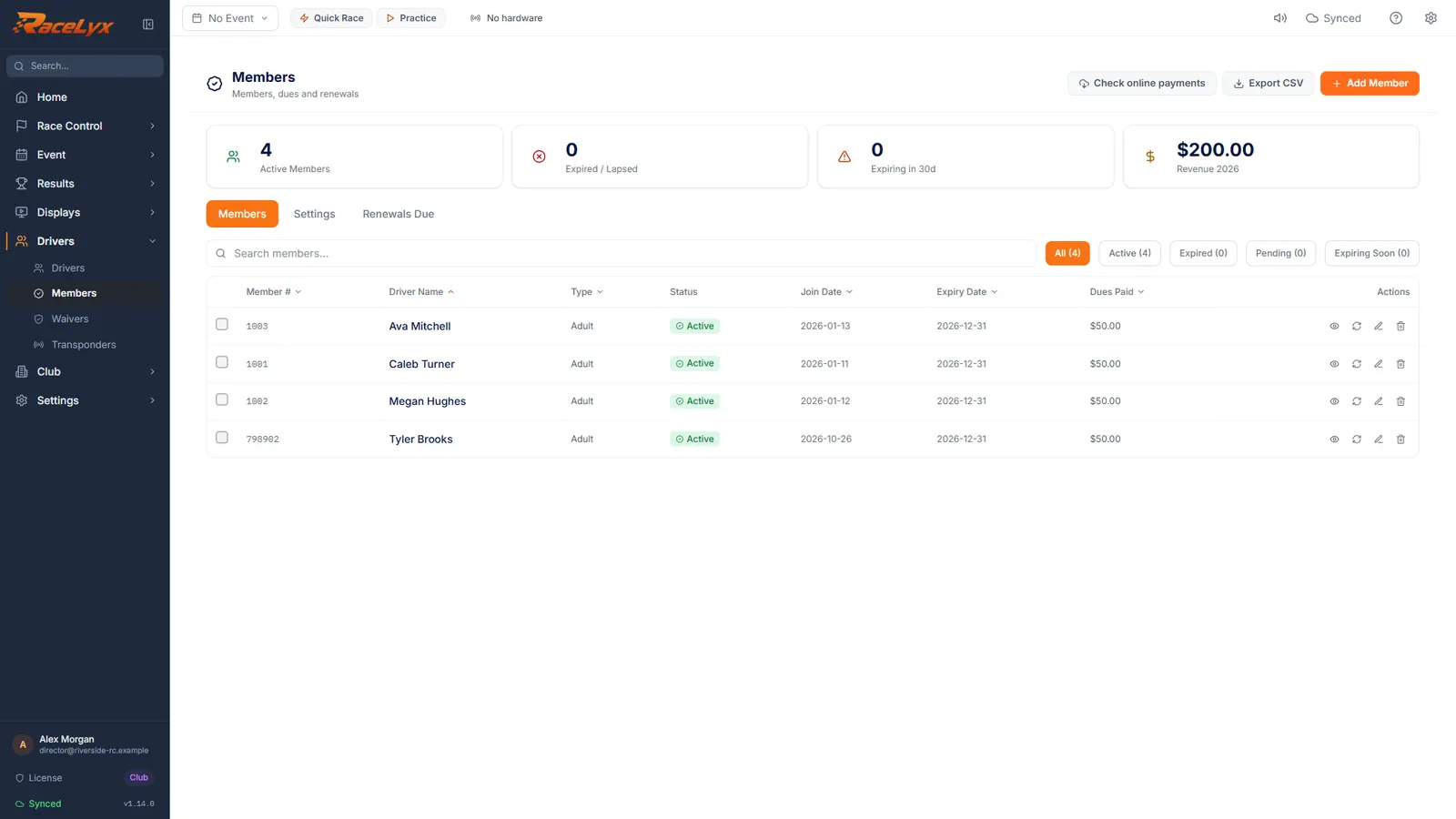
Click Save Changes.
From now on Check-In gives him the member price, and his practice visits and volunteer hours count as a member's.
- 5
See it on his profile
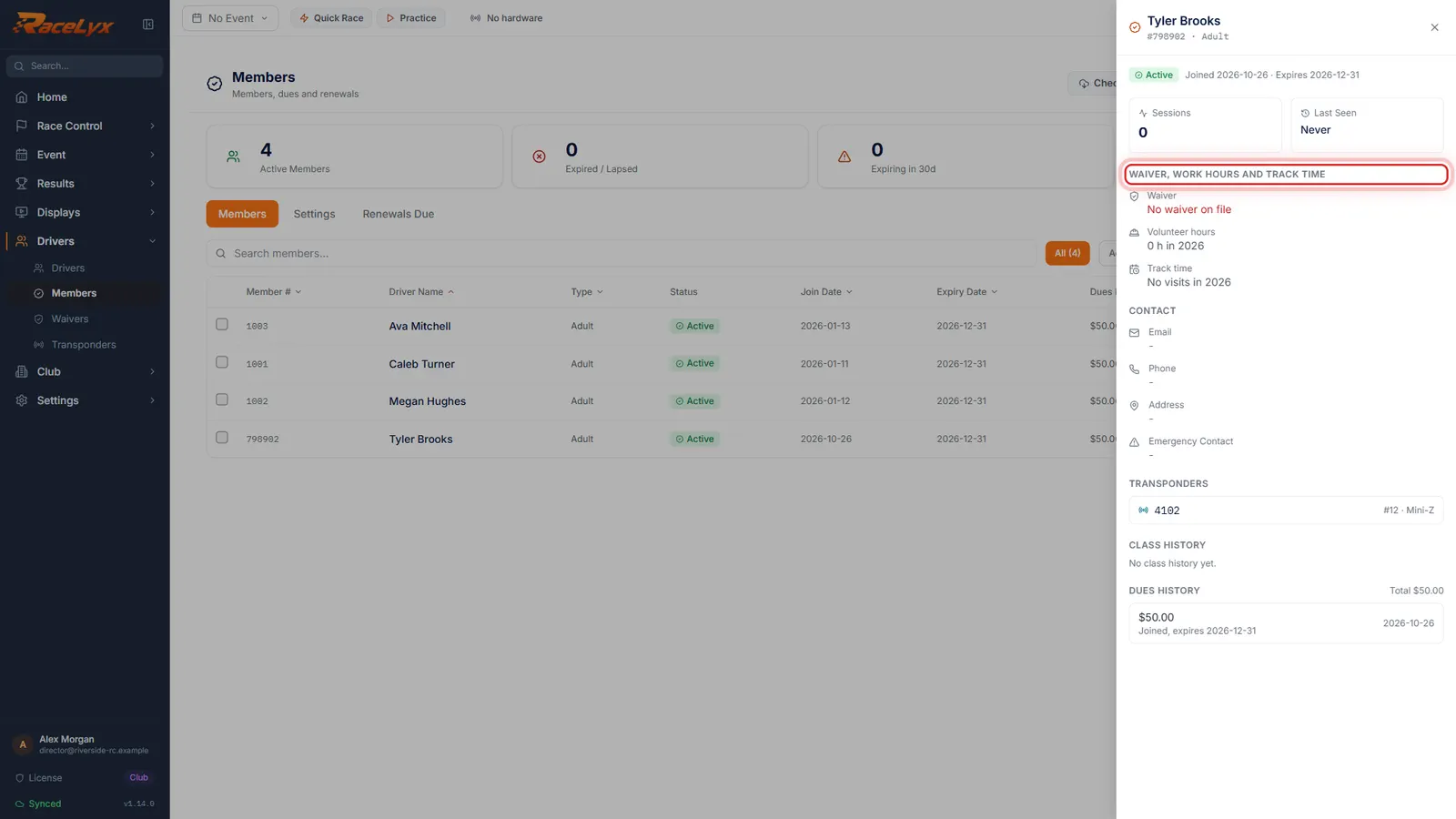
Click his name to open his profile. Waiver, work hours and track time now follow his driver record.
The profile shows his waiver, volunteer hours against what the club asks, and this year's Track Time visits, read through the driver link and his transponder.
Tips
- Linking fills only blank fields: Transponder ID from their first car, and Emergency Contact from their signed waiver. Anything you typed stays.
- Unlink removes the link without deleting the member or the driver.
- Without a link or a transponder, the member profile says "Add this member's transponder to see their visits".
- Members who paid dues online arrive through Check online payments on the Members page, and start unlinked.
- The Members list has no "not linked" marker. Open a member: "Add this member's transponder to see their visits" means they are not linked yet.
Troubleshooting
- No driver by that name.
- They are not on your Drivers list yet, or the name is spelled differently there. Add or fix the driver in Drivers, then link again.
- The transponder did not fill in.
- The member already had a Transponder ID, or the driver has no car with a transponder. Linking never overwrites a field.
Related guides
Something here does not match what you see? Tell us and we will fix the guide.