Volunteers keeps the work people do for the club: track builds, mowing, race-night jobs. Log hours as they happen, set the hours your club asks of each member, and see who has done their share. Volunteers needs the Club plan.
Before you start
- Club plan (or a trial).
- Members on the Members page, so their hours count against them.
Step by step
- 1
Open Volunteers
Open Club, Volunteers. The Hours tab lists every job logged this year.
Filter by Year, Search, Event or Work days only. The total is at the foot of the table.
- 2
Log hours
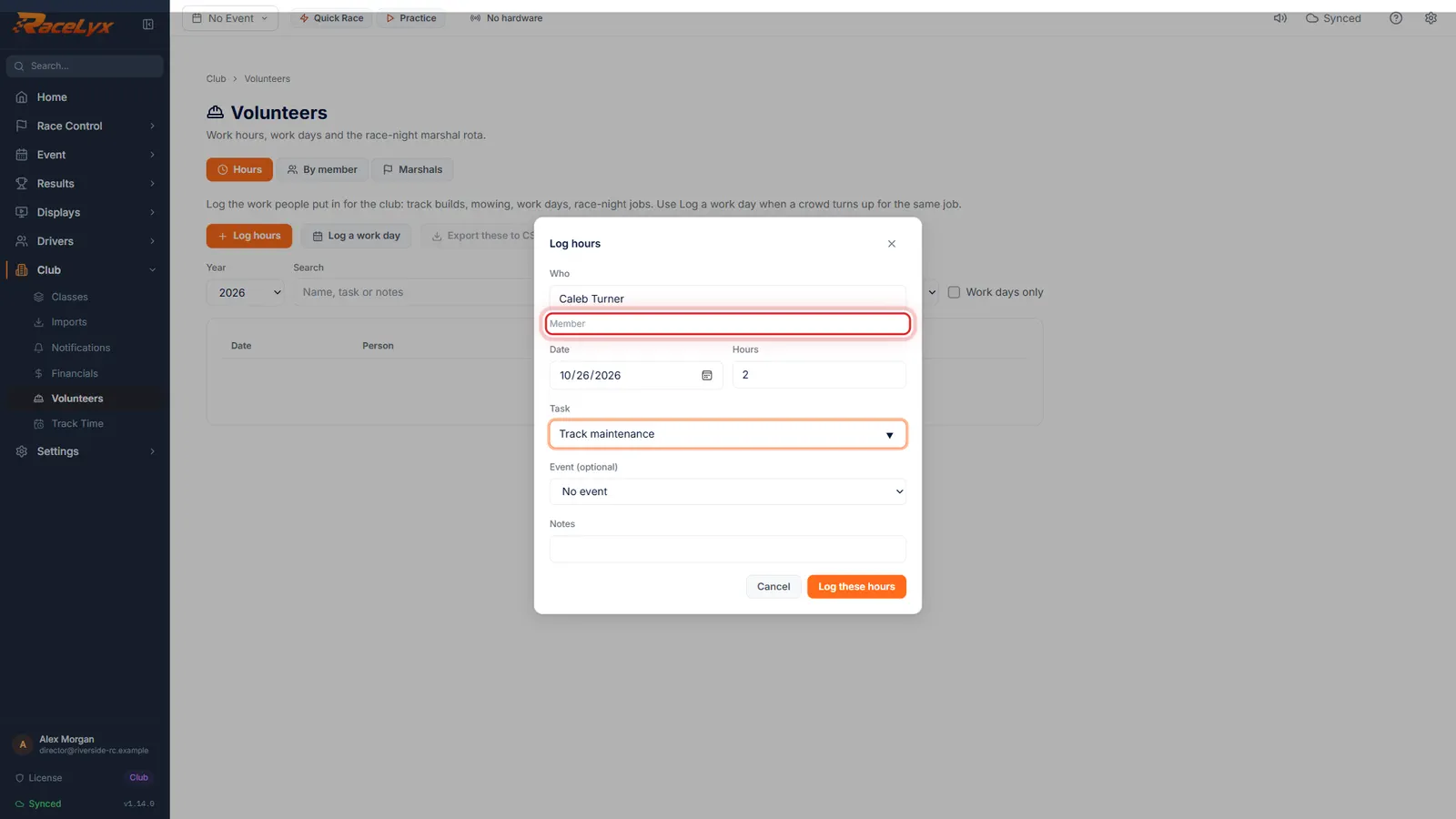
Click Log hours. Type who it was, the hours and the task.
Who matches your members and drivers as you type. Date starts at today. Task suggests common jobs like Track build, Mowing and Turn marshal. Event (optional) ties the hours to an event.
- 3
Log these hours
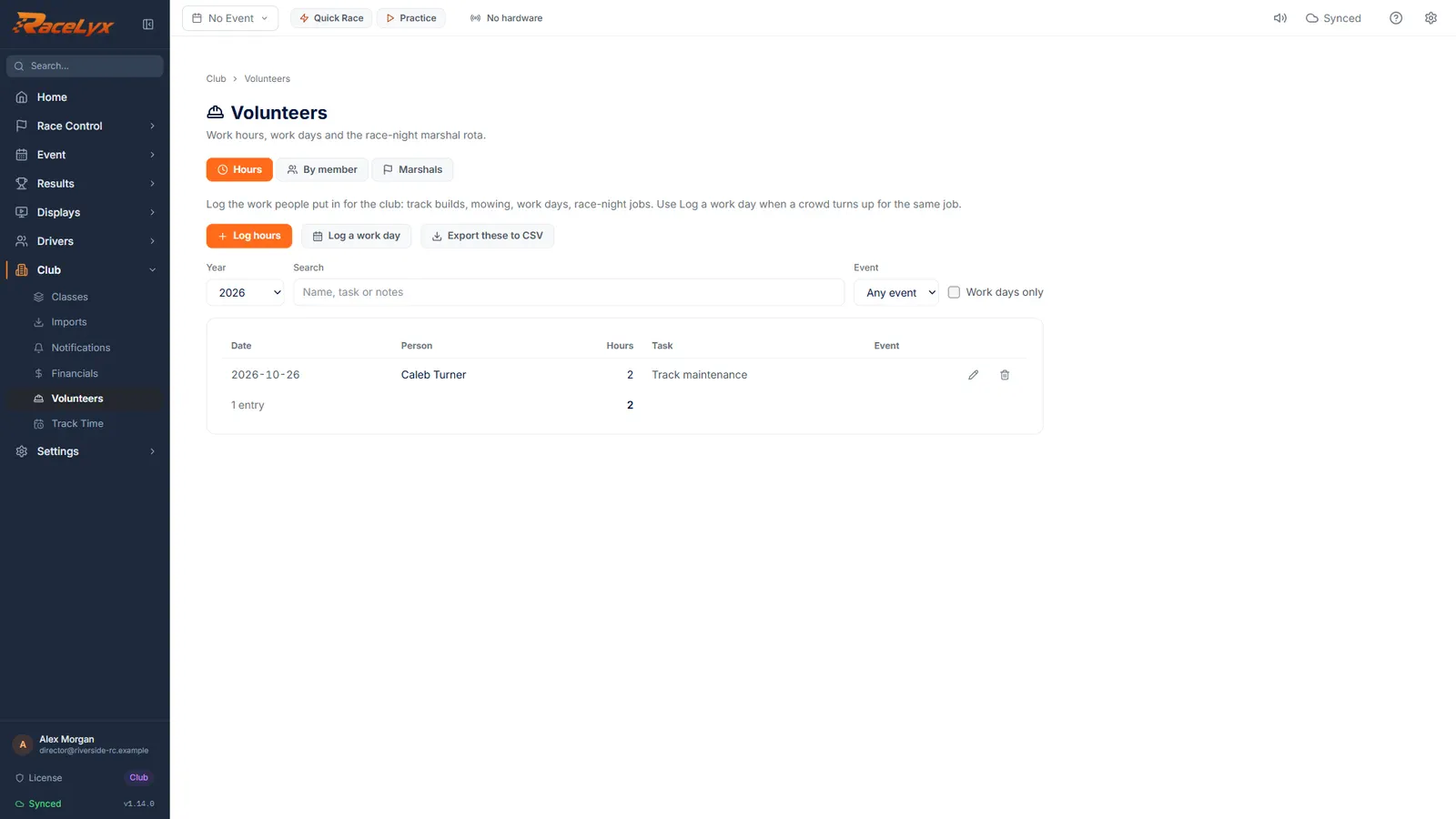
Click Log these hours.
The entry shows in the table with the date, person, hours and task.
- 4
Required hours a year
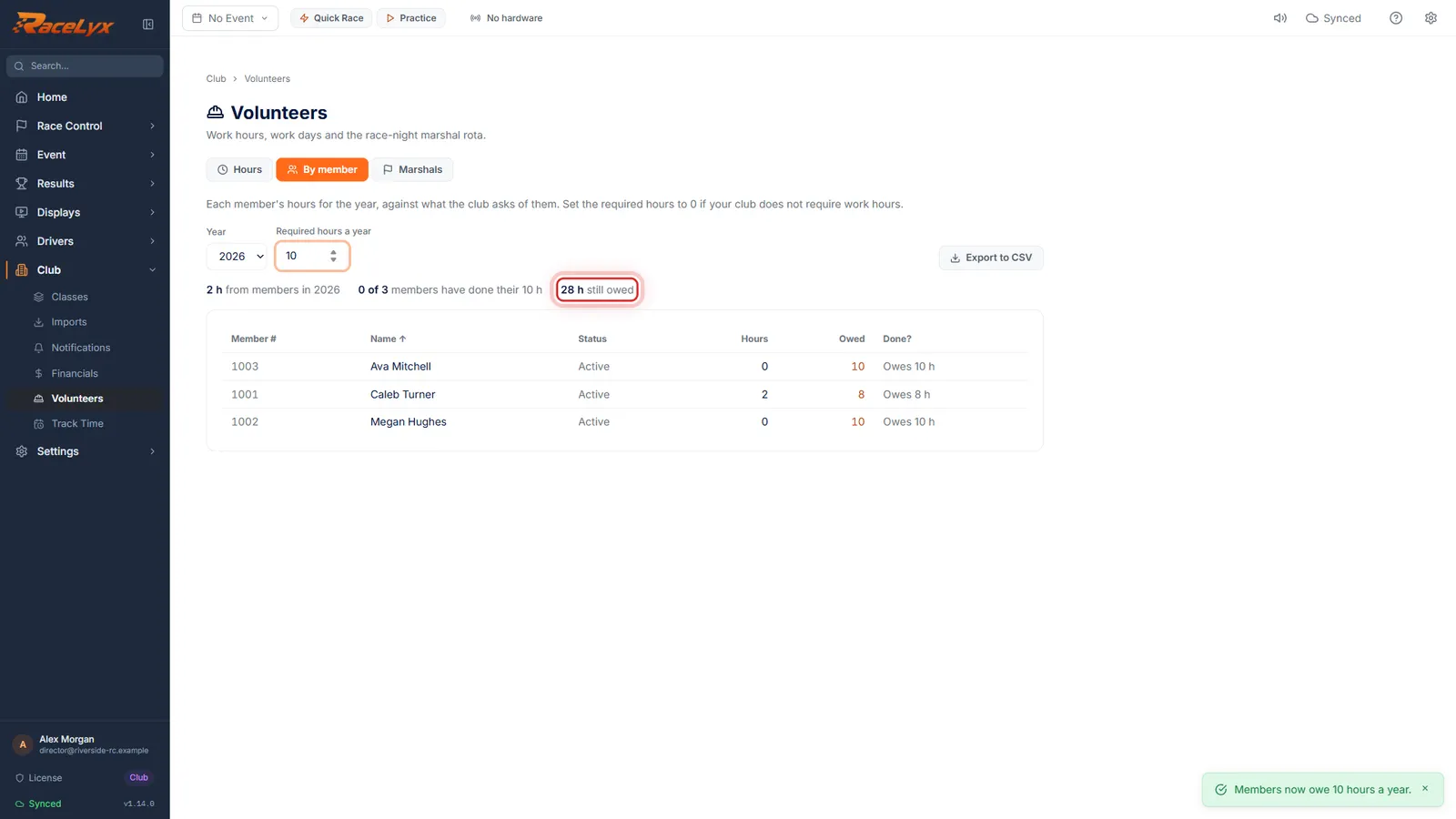
On the By member tab, set the Required hours a year your club asks for. Each member shows their hours and what they still owe.
The line above the table counts how many members have done their hours and how many hours are still owed. Click a column heading to sort.
- 5
On the member's profile
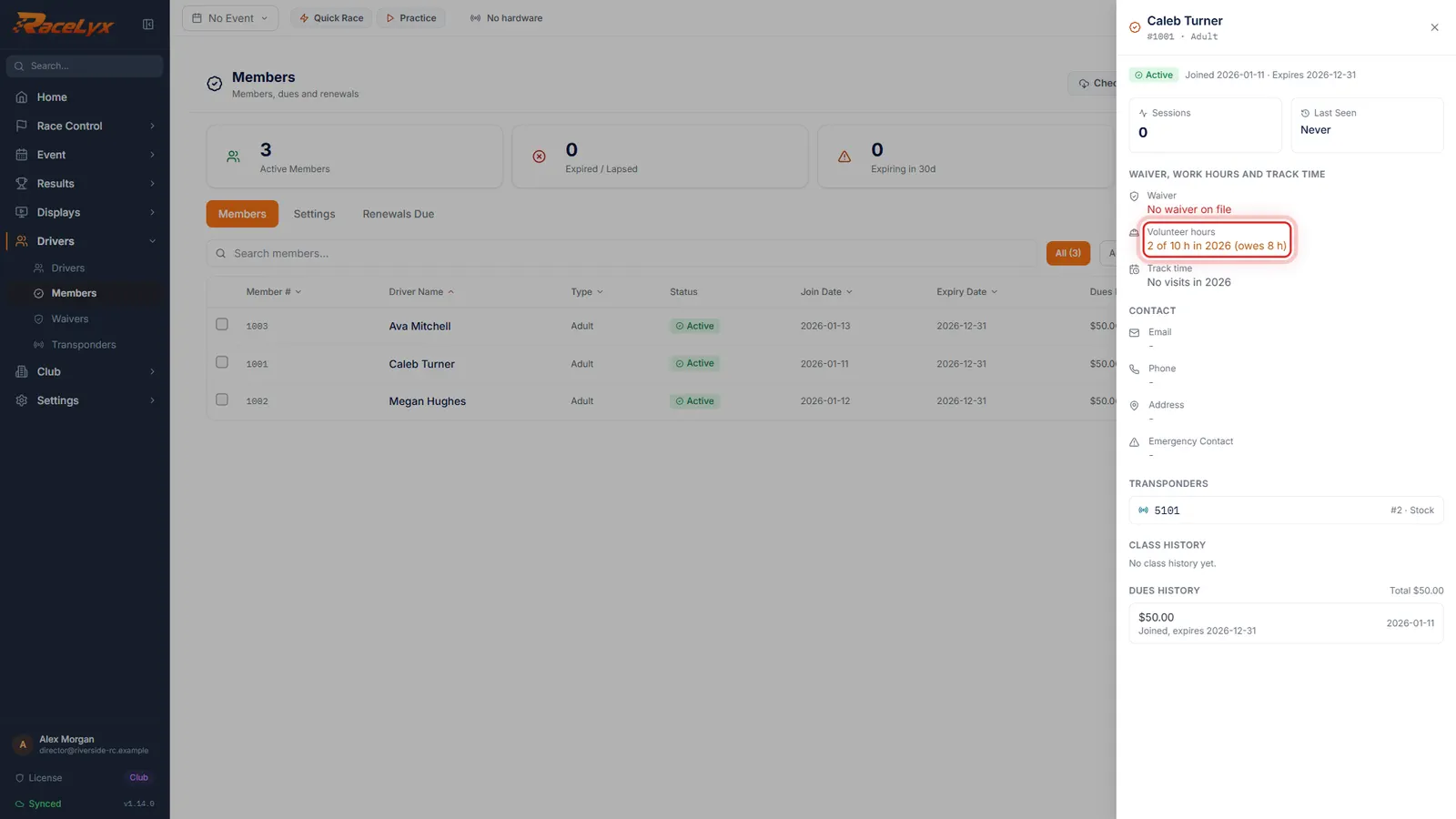
The member's profile shows it too. In Members, click their name.
The profile section Waiver, work hours and track time shows their Volunteer hours against the required hours, and what they owe.
Tips
- Type a name and pick it from the list. The hint says Member, Driver (not a member) or Not on your roster: saved by name.
- Use Log a work day when a crowd turns up for the same job.
- Set Required hours a year to 0 if your club does not ask for work hours.
- Export these to CSV (Hours) and Export to CSV (By member) give your treasurer a spreadsheet.
- Marshal duties can count as hours too: tick Count as volunteer hours on the Marshals tab.
Troubleshooting
- The hours were not saved.
- Who, Date and Hours are needed, with Hours more than 0. Try again; the message after the colon says what went wrong.
- No members yet. Add them on the Members page.
- By member lists members only. Add them under Drivers, Members.
Related guides
Something here does not match what you see? Tell us and we will fix the guide.