Many clubs charge new members a one-time joining fee on top of the year's dues. Set it on the membership type. RaceLyx adds it to a new member's first payment, at the desk or online, keeps it as its own line in Financials, and never charges it on renewal.
Before you start
- Your membership types (see Membership types and terms).
Step by step
- 1
Members, Settings
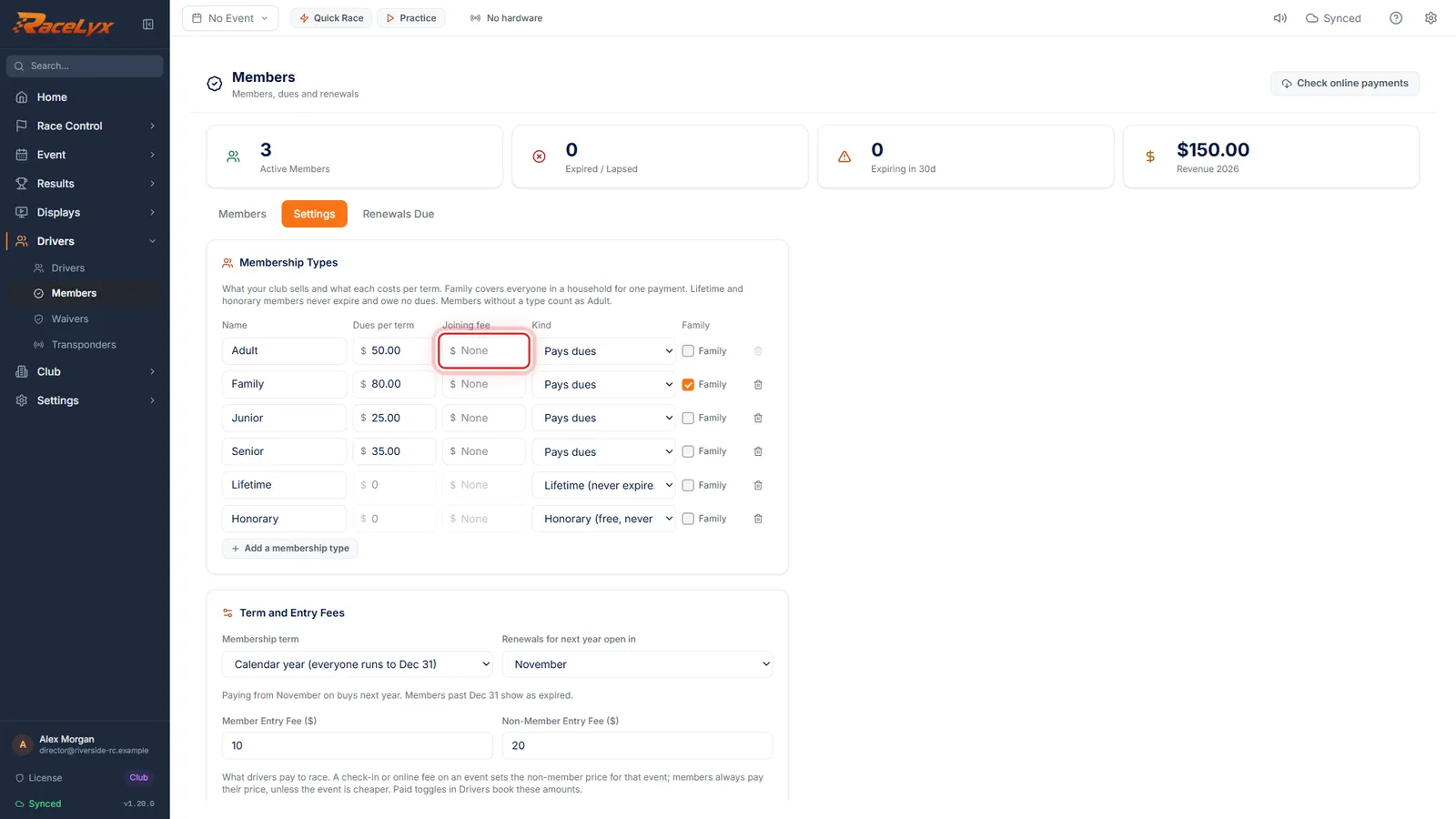
Open Drivers, Members, and click the Settings tab. Membership Types has a Joining fee for each type.
Joining fee is charged once, with the first year's dues. Never on renewal.
- 2
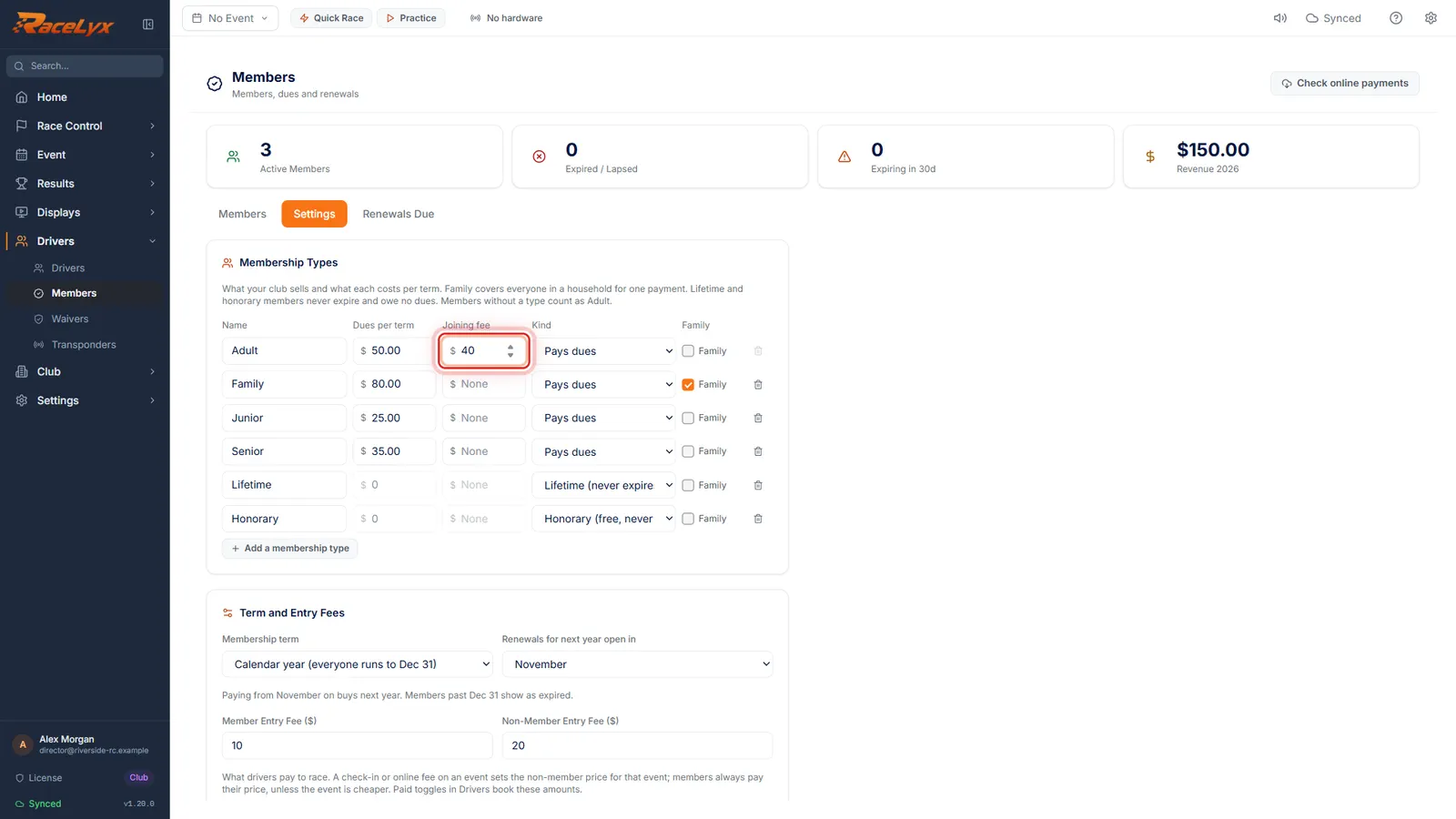
Type the joining fee
Type the joining fee, here forty dollars for an adult member.
Leave it blank for no joining fee.
- 3
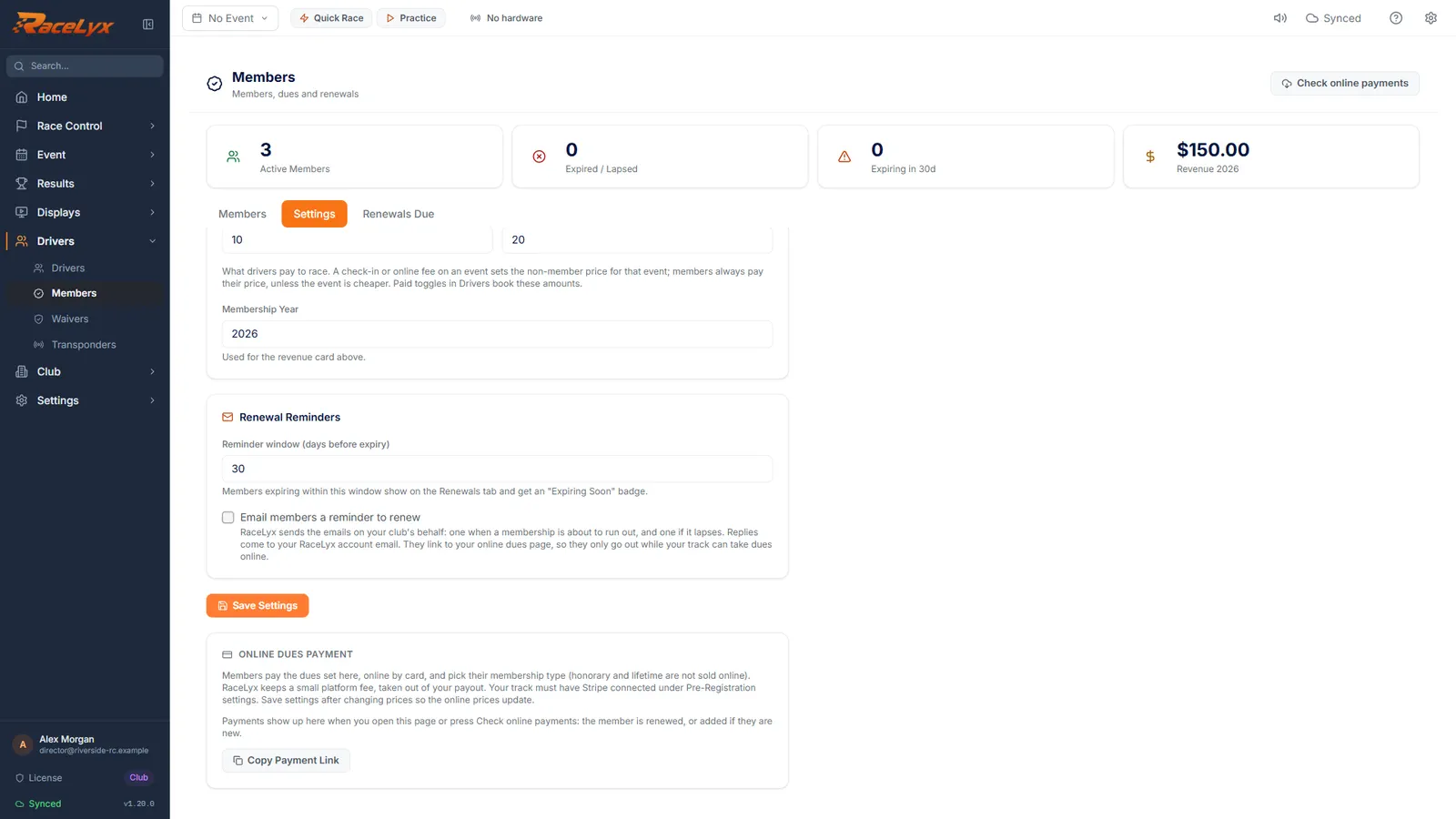
Click Save Settings
Click Save Settings.
The fee applies to new members from now on.
- 4
Joining fee at the desk
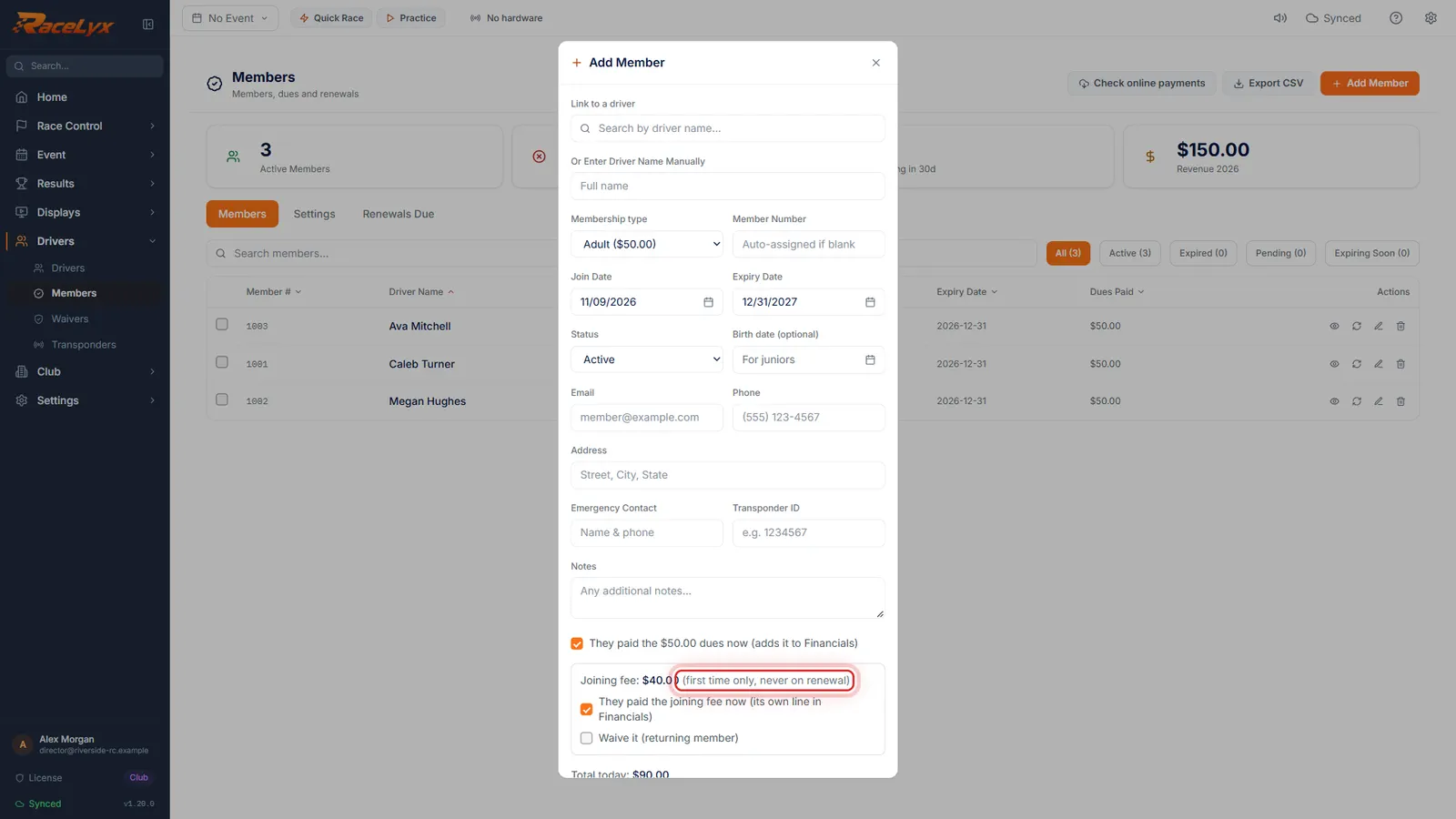
Back on the Members tab, Add Member now shows the joining fee for the first year. Tick They paid the joining fee now, or Waive it for a returning member.
Total today adds the dues and the joining fee. The joining fee gets its own line in Financials.
Tips
- Lifetime and honorary types have no joining fee.
- At the desk, tick They paid the joining fee now, or Waive it for a returning member. Not ticked, it stays owed and is asked for with their next payment.
- Online, new members see the joining fee added to their first year's dues.
- The Financial report shows Joining Fees as their own revenue line.
Troubleshooting
- Enter the joining fee as a dollar amount, like 40, or leave it blank.
- Type a plain number with no dollar sign.
Related guides
Something here does not match what you see? Tell us and we will fix the guide.