Plenty of clubs charge one race day fee for all your cars. Set the entry fee to Once per day, and a driver who signs up online for three classes pays once. At the desk, a driver always pays once per event, however many classes they enter.
Before you start
- An event with online sign-ups (see Online pre-registration), and Stripe connected if drivers pay online (see Take payments online with Stripe).
- This computer signed in to RaceLyx Cloud, so online checkout picks up the change.
Step by step
- 1
Open Pre-Registration
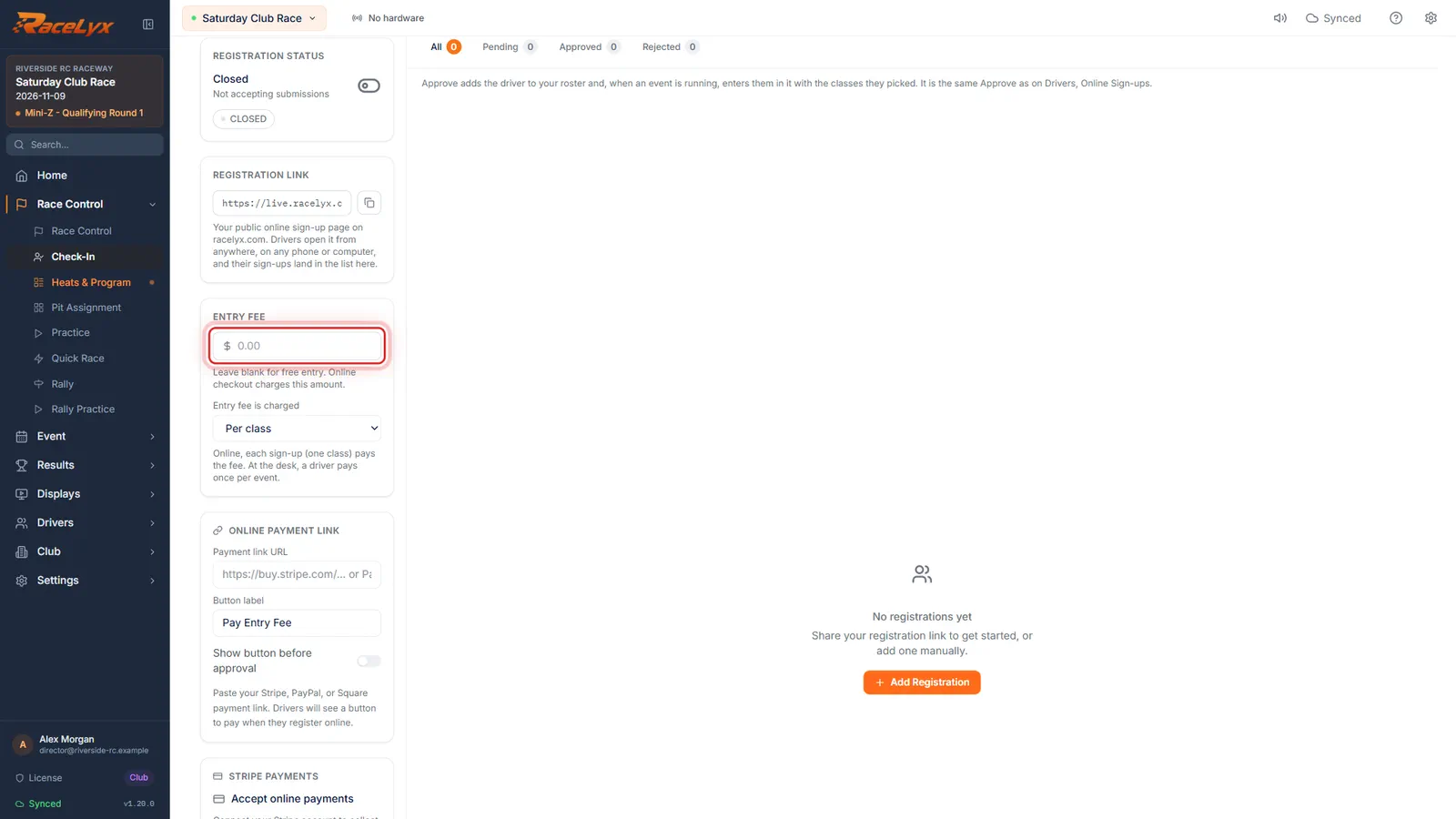
Open Race Control, Check-In, and click Pre-Registration. The Entry Fee is on the right.
The Entry Fee here is what online checkout charges.
- 2
Type the fee
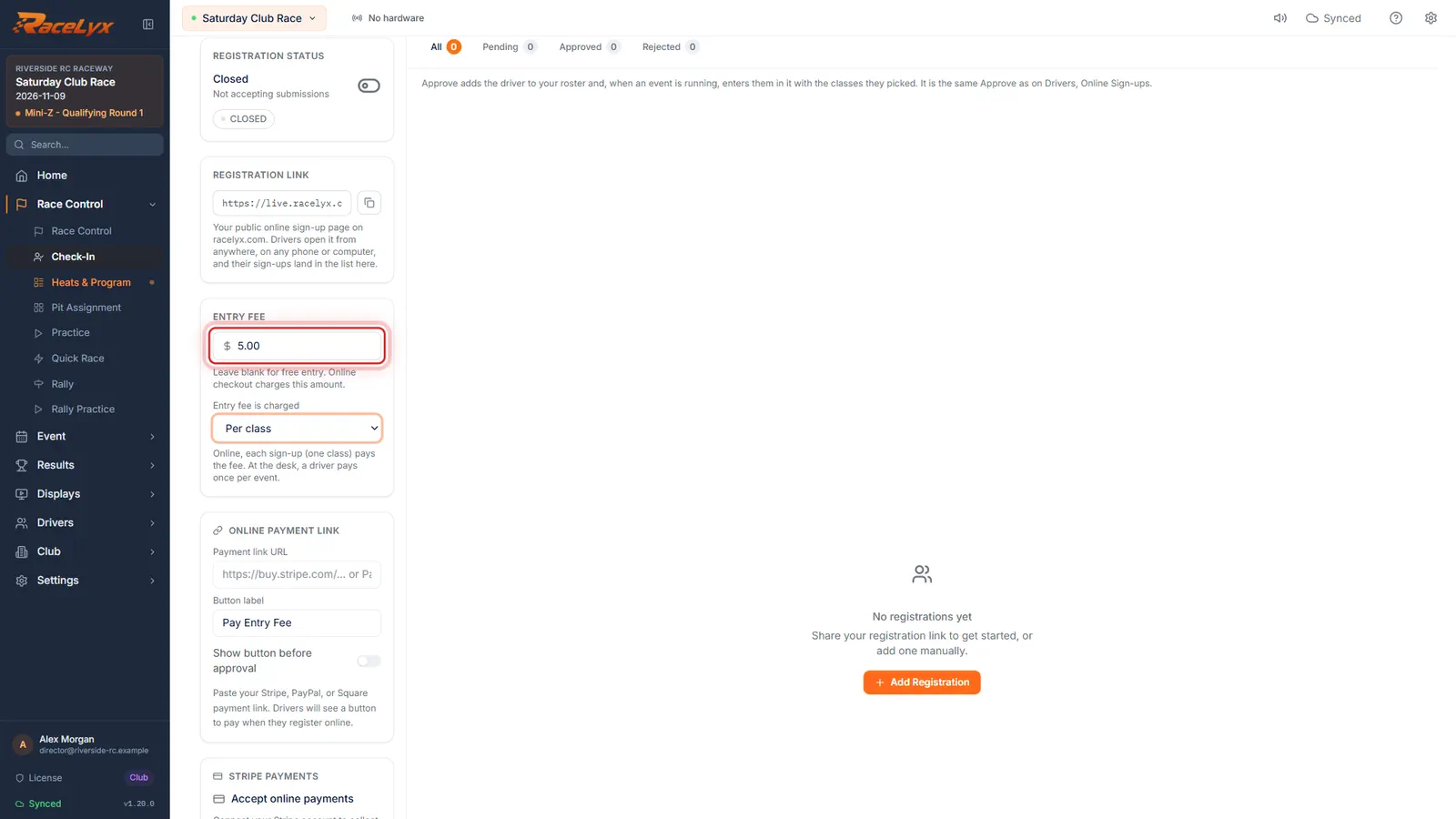
Type your race day fee. Leave it blank for free entry.
Here five dollars for the day.
- 3
Once per day
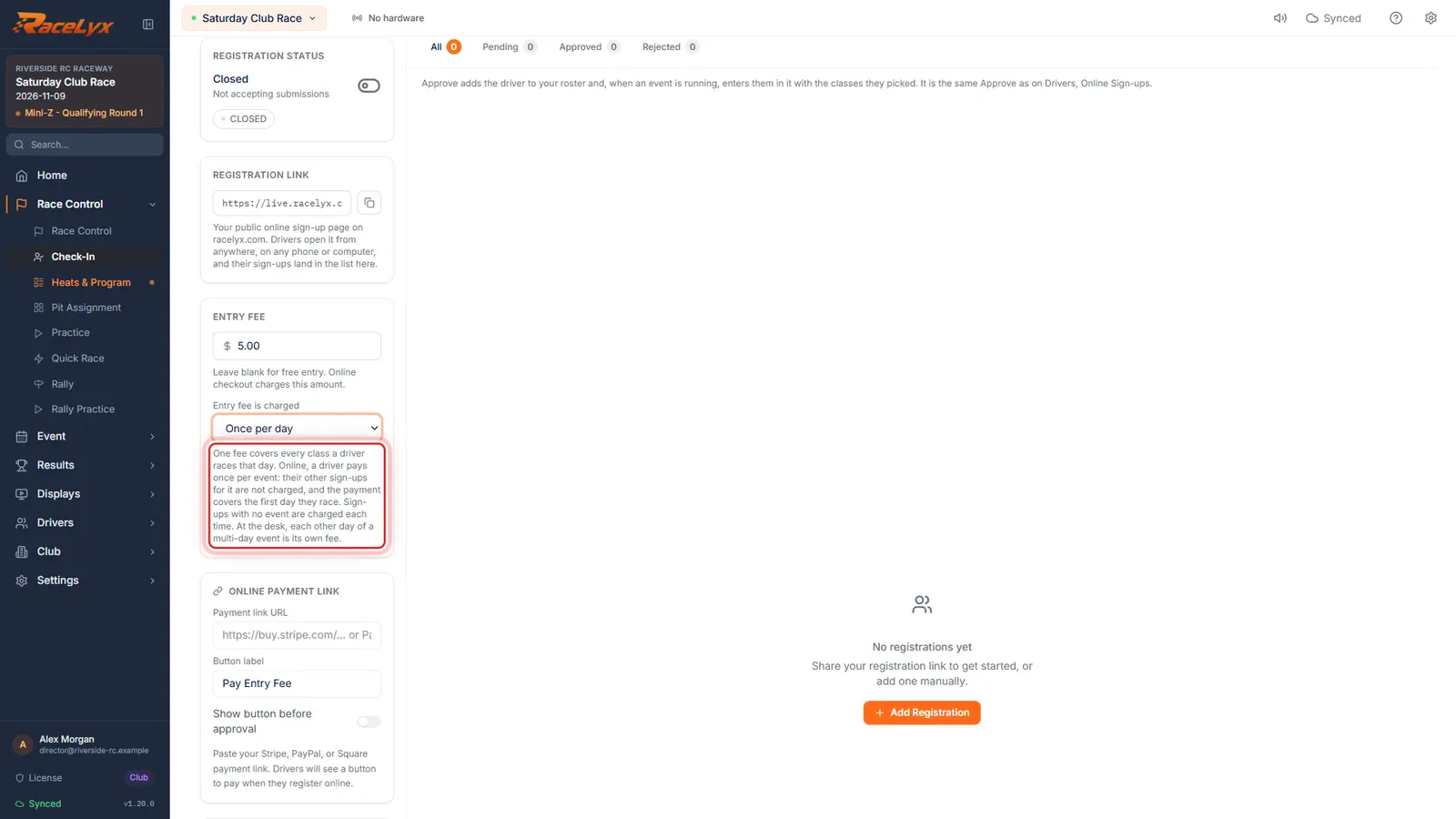
Set Entry fee is charged to Once per day. One fee covers every class a driver races that day, so three classes still pay once.
Online, a driver pays once per event: their other sign-ups for it are not charged. At the desk, each other day of a multi-day event is its own fee.
- 4
At the desk
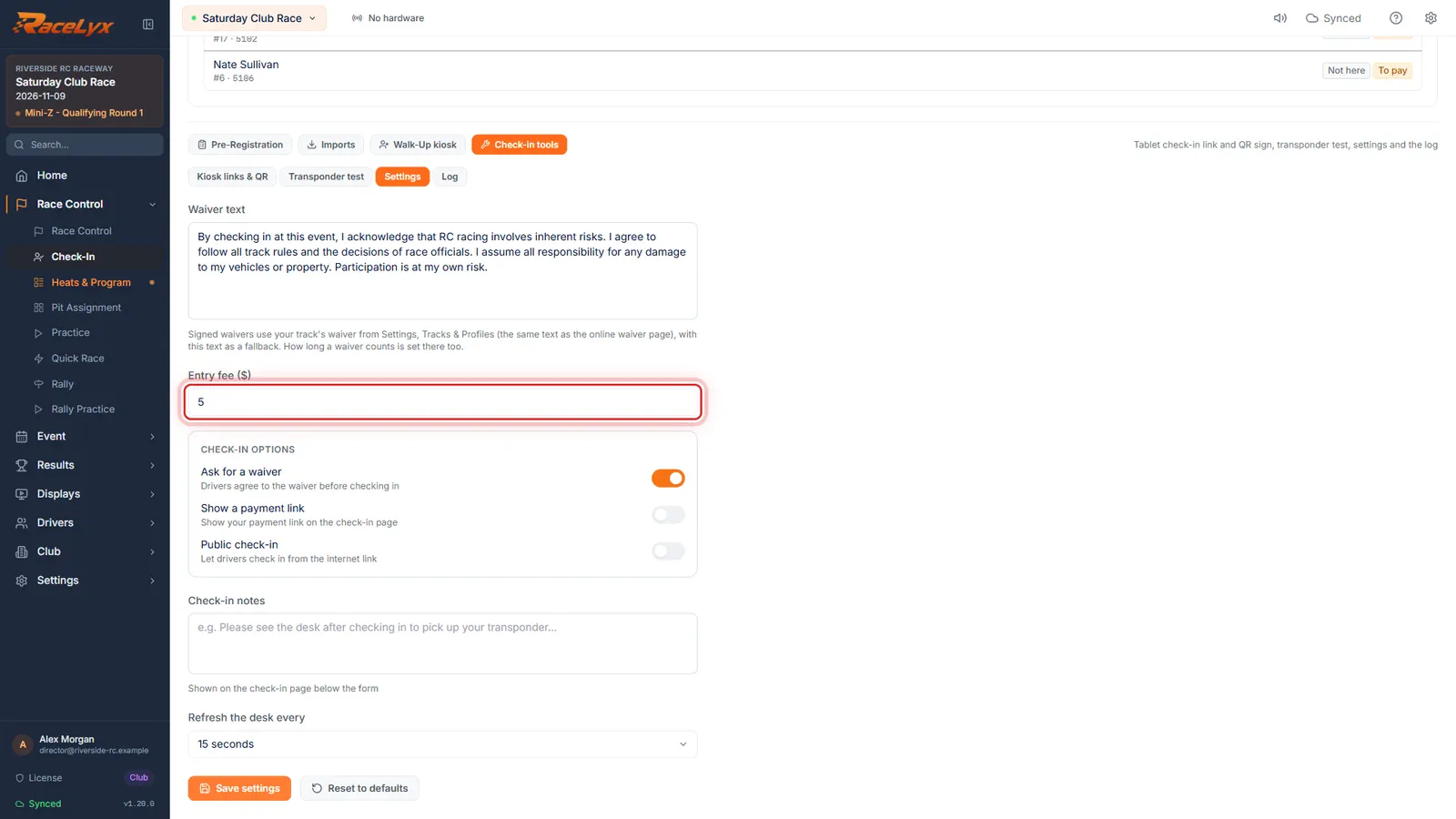
At the desk, a driver pays once per event too, however many classes. Type the fee under Check-in tools, Settings, and click Save settings.
Entry fee ($) there is what Check-In asks each driver for, once, whatever classes they race. It is kept apart from the online Entry Fee, so set both.
Tips
- Per class is the other choice: online, each sign-up (one class) pays the fee.
- Online, one payment covers one race day. On a multi-day event, each other day is paid at the track.
- A sign-up with no event picked is charged each time.
- The fee at the desk is set on Check-In, Check-in tools, Settings (see Entry fees and who has paid).
- If a driver paid twice, the Check-In card and the online list say so: refund one in Stripe.
Troubleshooting
- Saved here, but online checkout was not updated.
- This computer could not reach RaceLyx Cloud. Sign in under Settings, RaceLyx Cloud and pick the setting again.
Related guides
Something here does not match what you see? Tell us and we will fix the guide.