Some clubs track points behind the scenes: for the end of year awards, or for a season they have not announced. Who can see the points keeps them off your website and the phone app. RaceLyx still adds them up, and you can show them any time. Race results stay public either way.
Before you start
- A series (see Create a championship series), or event points.
- This computer signed in to RaceLyx Cloud: the choice is kept online, so your website follows it.
Step by step
- 1
Who can see the points
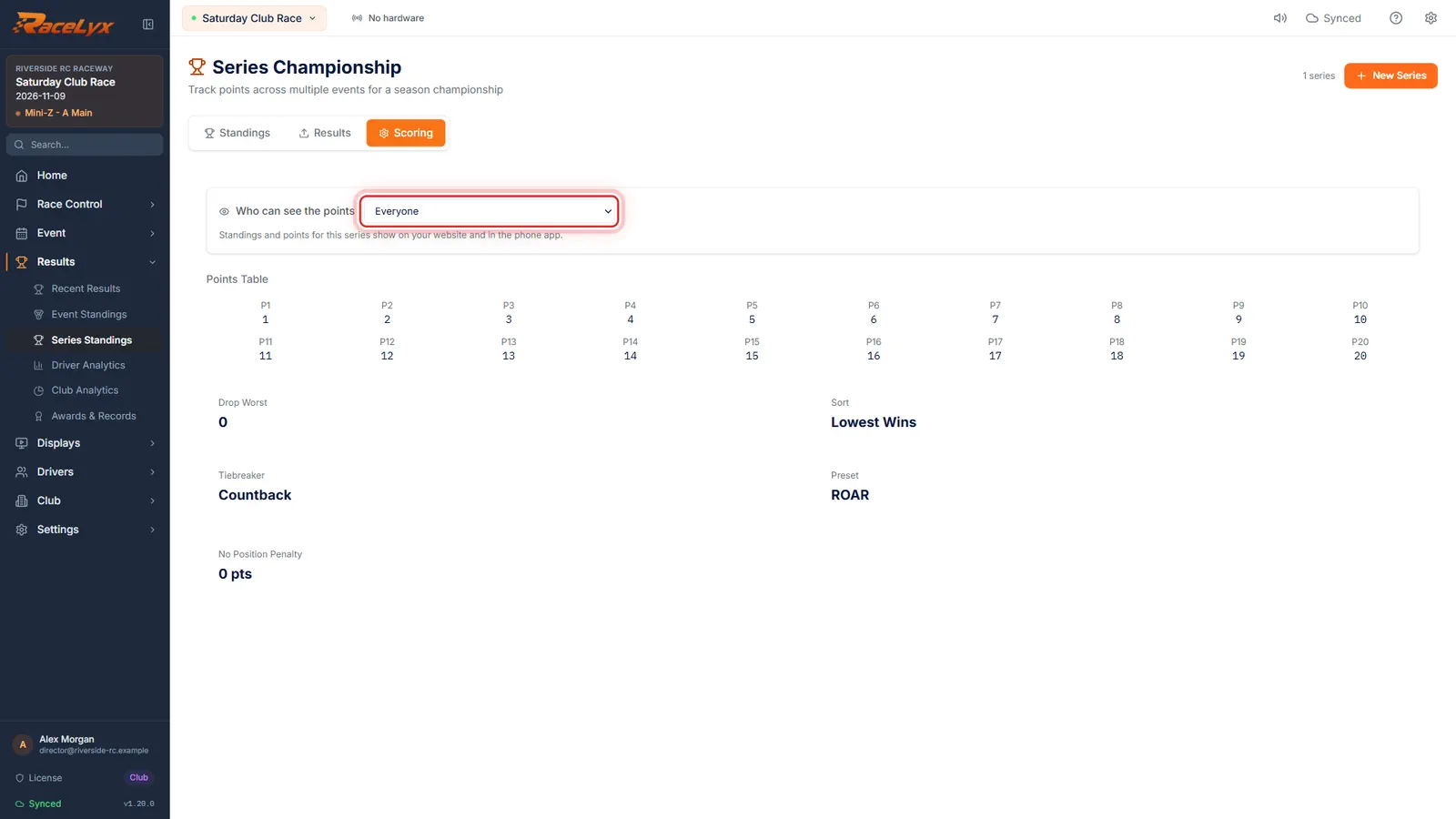
Open Results, Series Standings, pick the series, and click Scoring. Who can see the points is at the top.
Everyone is the usual choice: standings and points show on your website and in the phone app.
- 2
Keep private
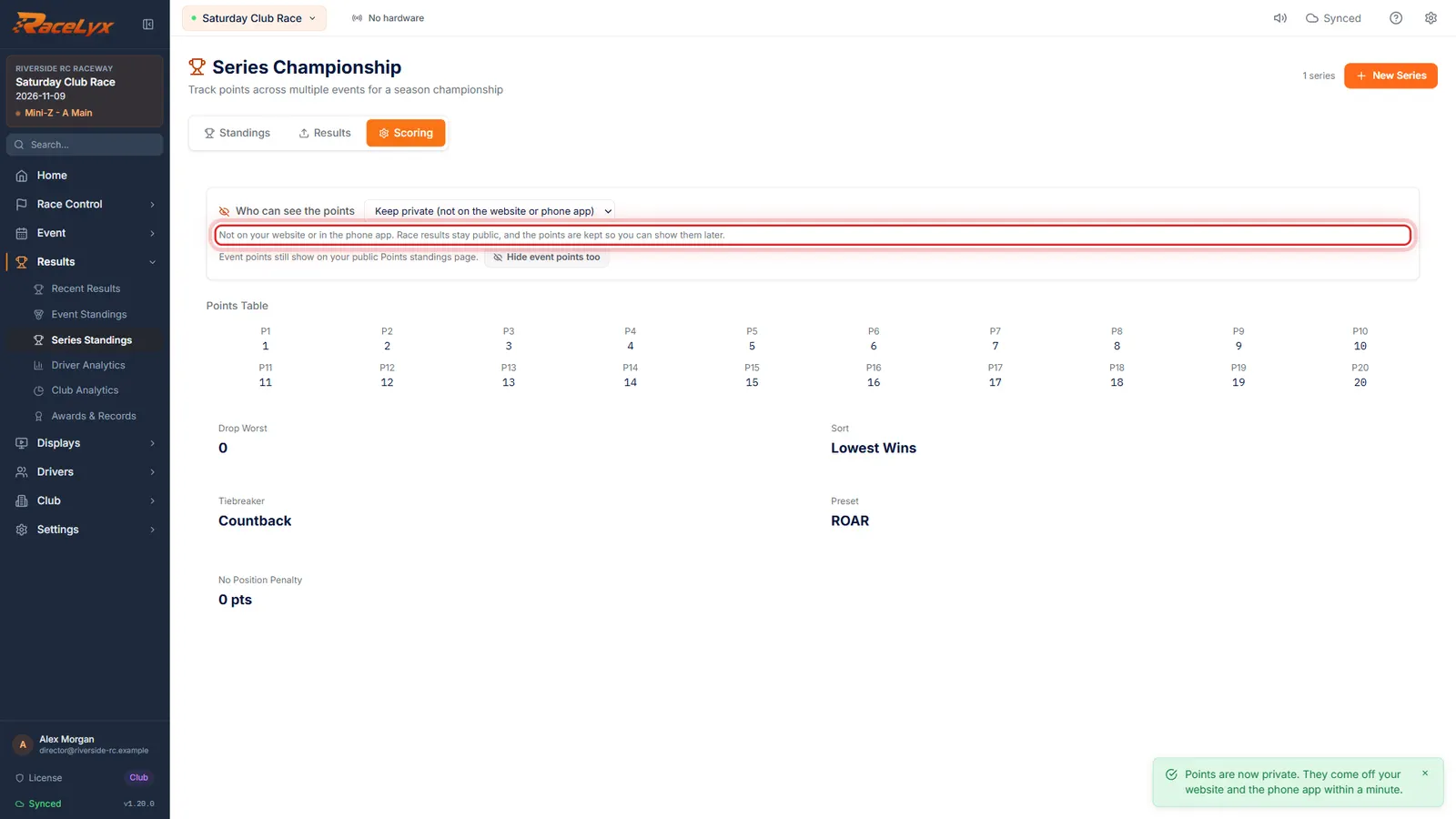
Pick Keep private. The points come off your website and the phone app. Race results stay public, and the points are kept, so you can show them later.
A toast says when it is done: within a minute, your website and the phone app catch up.
- 3
Hide event points too
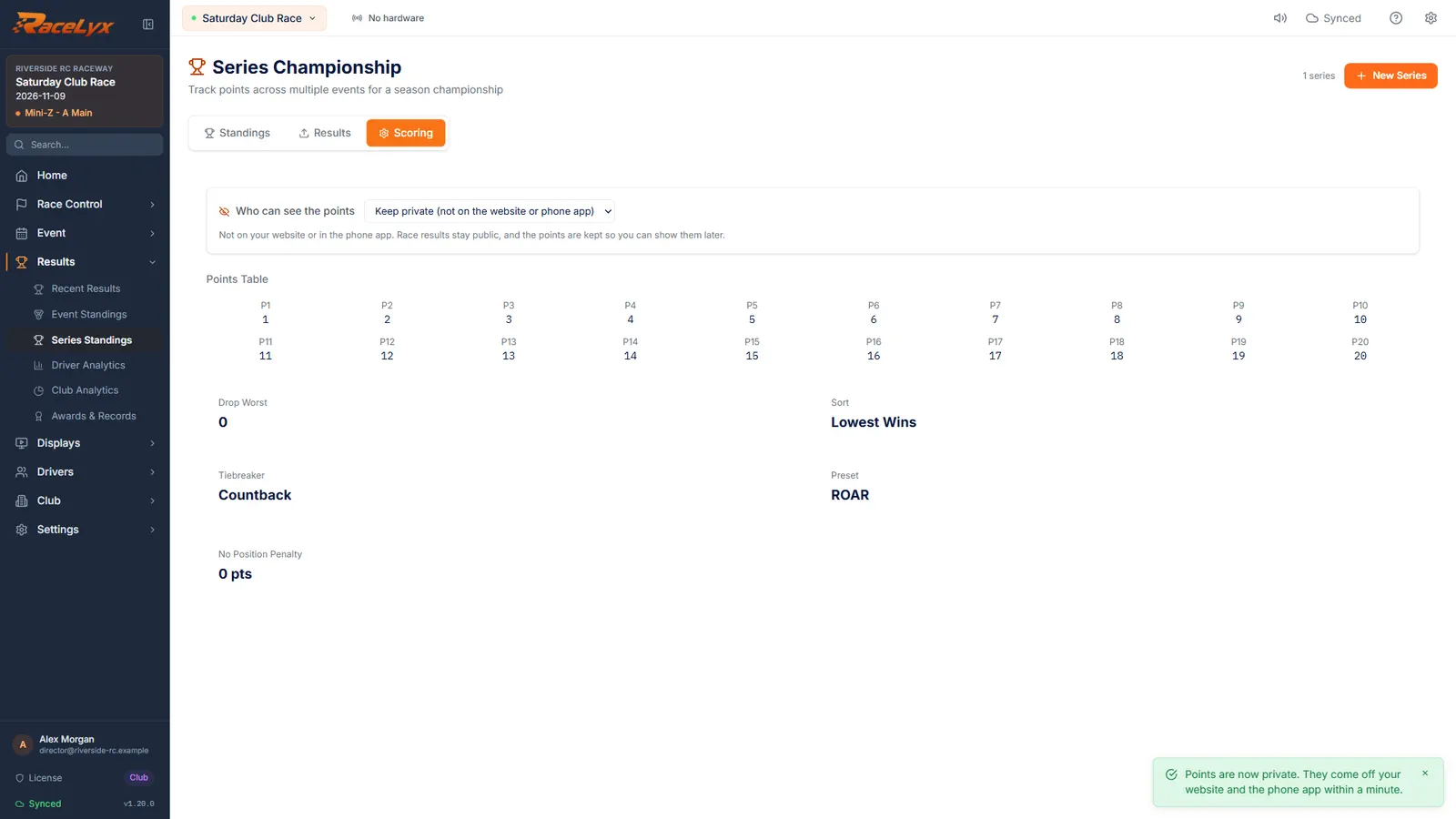
Event points have their own setting. Click Hide event points too, or set it on Event Standings.
Event points are the points each event gives, on Results, Event Standings. One setting covers every event.
- 4
Points private
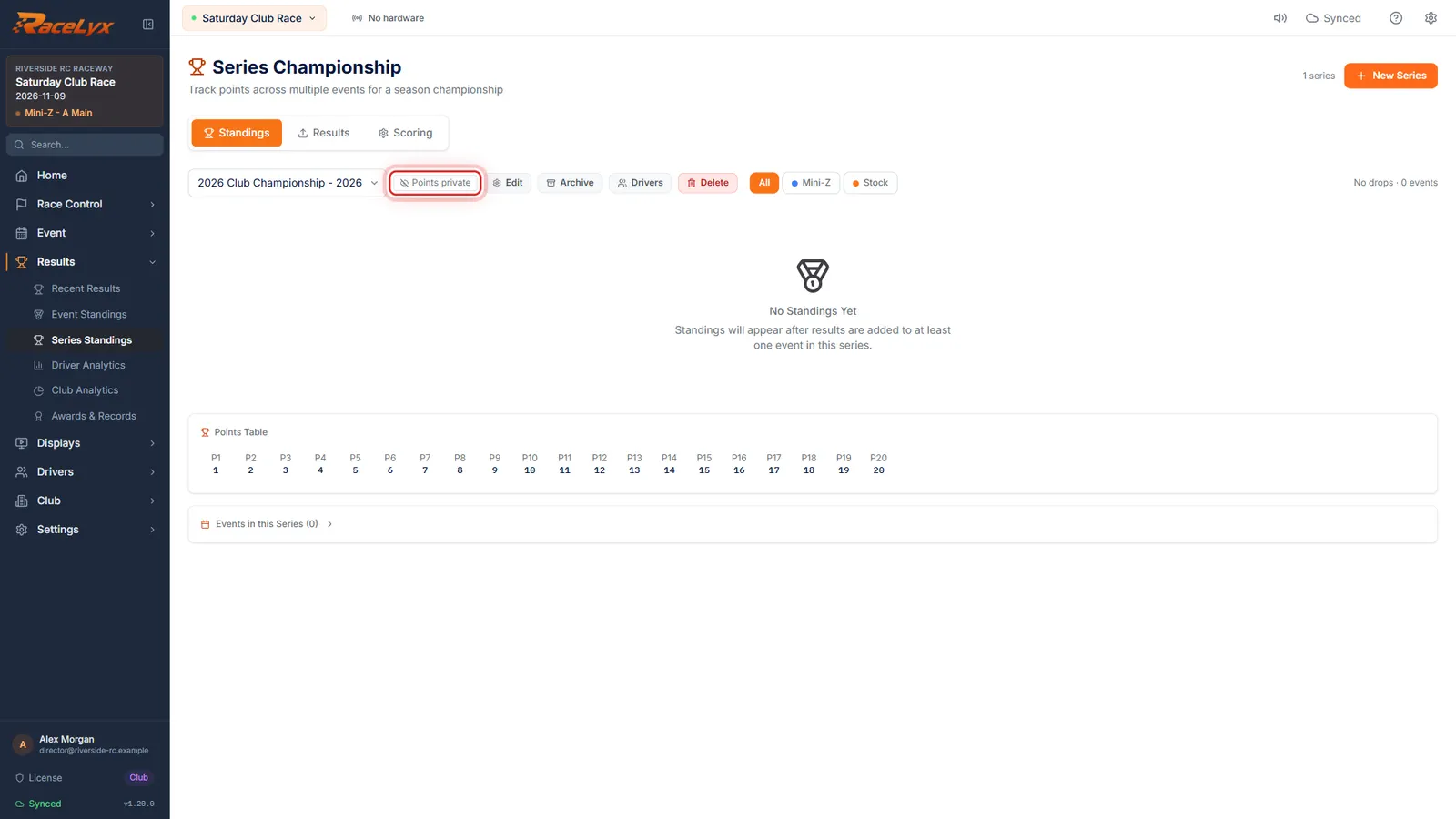
On Standings, the series now says Points private. Change it back on the Scoring tab any time.
Drivers see Points are kept private where the standings would be, and their race results as usual.
Tips
- Each series has its own setting, on its Scoring tab. Event points have one setting for all events, on Event Standings, Event Points.
- A private series shows Points private next to its name.
- It takes about a minute for your website and the phone app to catch up.
- Publishing a private series still puts it on your public results page; its points stay private.
- Drivers see "Points are kept private" where the standings would be, and their race results as usual.
Troubleshooting
- Could not change who can see the points. Sign in to RaceLyx first. Nothing was changed.
- The choice is saved online first. Sign in under Settings, RaceLyx Cloud, then pick it again.
- Saved on this computer only. Your plan has no RaceLyx Cloud right now, so your website keeps its last choice.
- Without a cloud plan your website is not changed. It follows the setting once the plan includes RaceLyx Cloud again.
Related guides
Something here does not match what you see? Tell us and we will fix the guide.