An RSVP list tells you who said they would come. Track Time tells you who really drove. RaceLyx keeps every transponder pass your decoder sees, with or without a session running, so open practice days count as well as race nights. You see each day, each person, whether they were a member that day, and how long they were on track. Track Time is part of the Club plan.
Before you start
- A decoder connected on the days you want to count. Passes are stored whenever RaceLyx is open and the decoder is connected, even with no session running.
- Drivers with their transponders on their cars (Drivers page), so a pass has a name.
- Members on the Members page, linked to their driver, so RaceLyx can tell members from non-members.
Step by step
- 1
Open Club, Track Time
Open Club, Track Time. RaceLyx keeps every transponder pass your decoder sees, so practice days count, not just race nights.
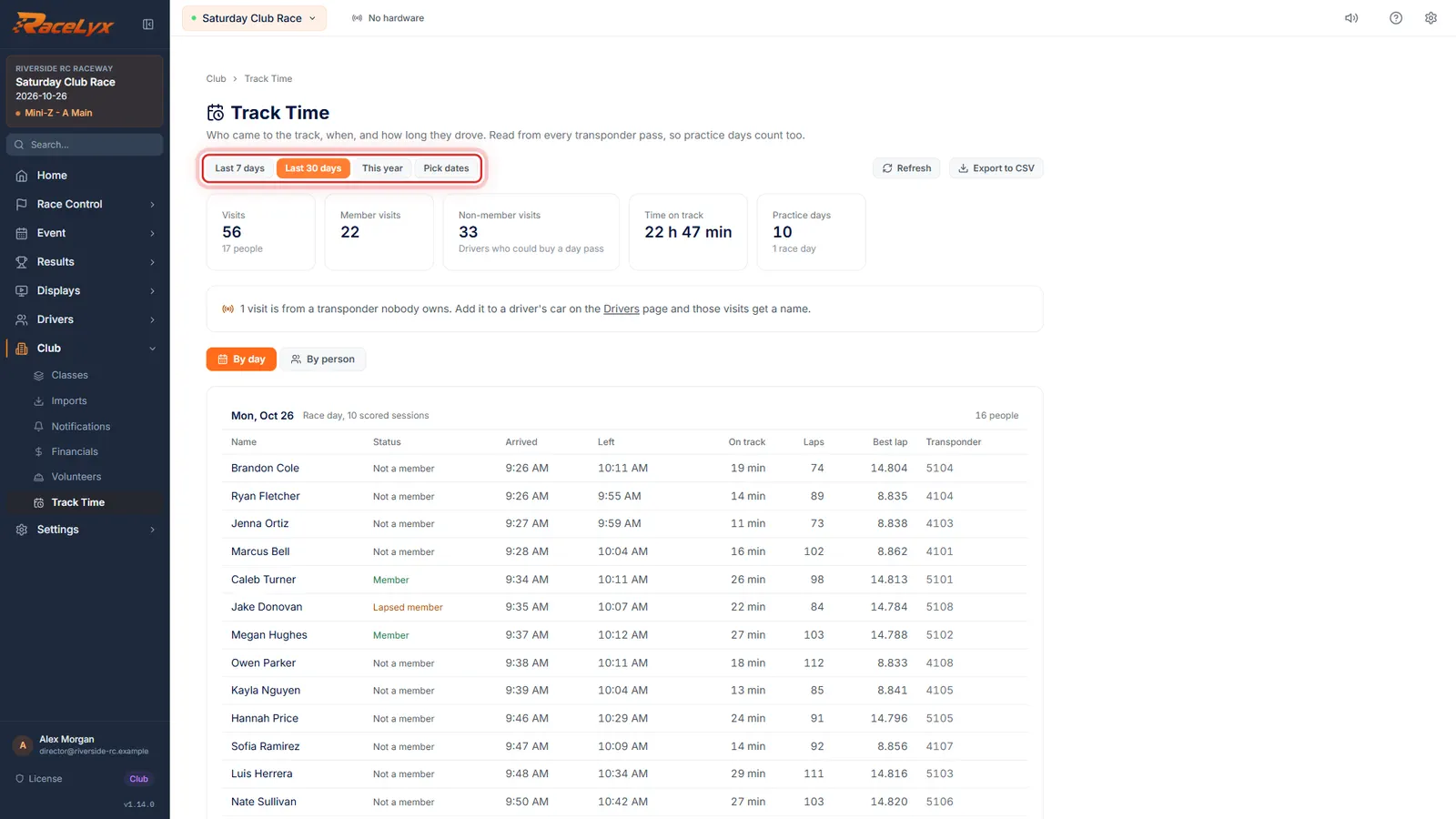
Track Time opens on the last 30 days. The tiles at the top count the visits (one person on one day), how many were members, how many were not, the total time on track, and the practice days and race days in the range.
- 2
Pick the dates
Pick the dates: Last 7 days, Last 30 days, This year, or Pick dates for your own range.
Pick dates shows From and To boxes. The tiles and both tabs follow the range. Refresh reads the passes again, for a day that is still going.
- 3
Members and non-members
Member visits and Non-member visits split your regulars from everyone else. Non-members are drivers who could buy a day pass or join.
Membership comes from the Members page and is judged on the day of each visit. Practice days and race days are counted separately: a day with scored sessions is a race day.
- 4
By day
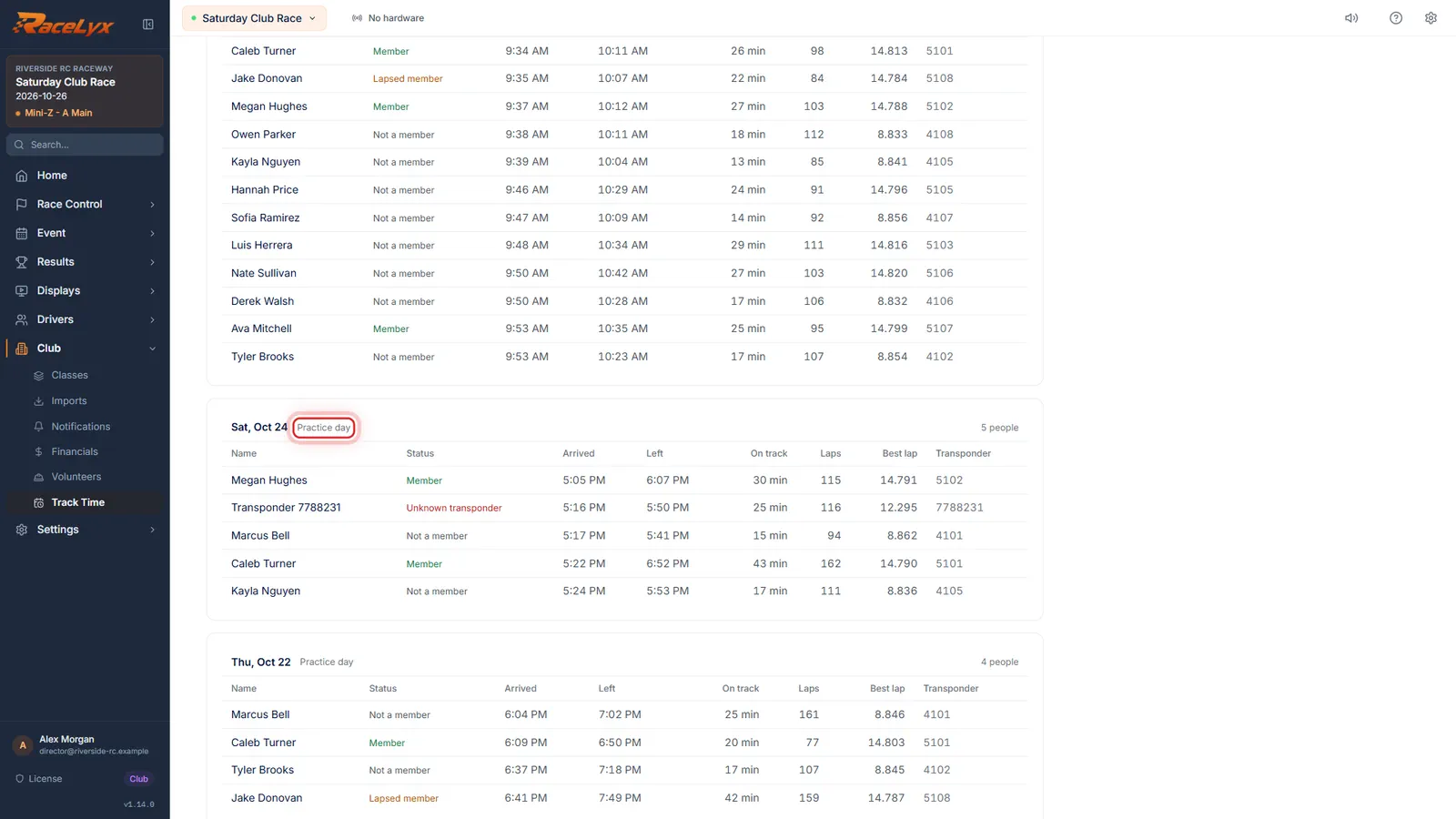
By day lists every day, newest first, marked Race day or Practice day. Each row shows when they arrived and left, time on track, laps and best lap.
Status is Member, Lapsed member, Not a member, Walk-up (a house transponder on loan) or Unknown transponder. A house transponder shows (house) after the number.
- 5
By person
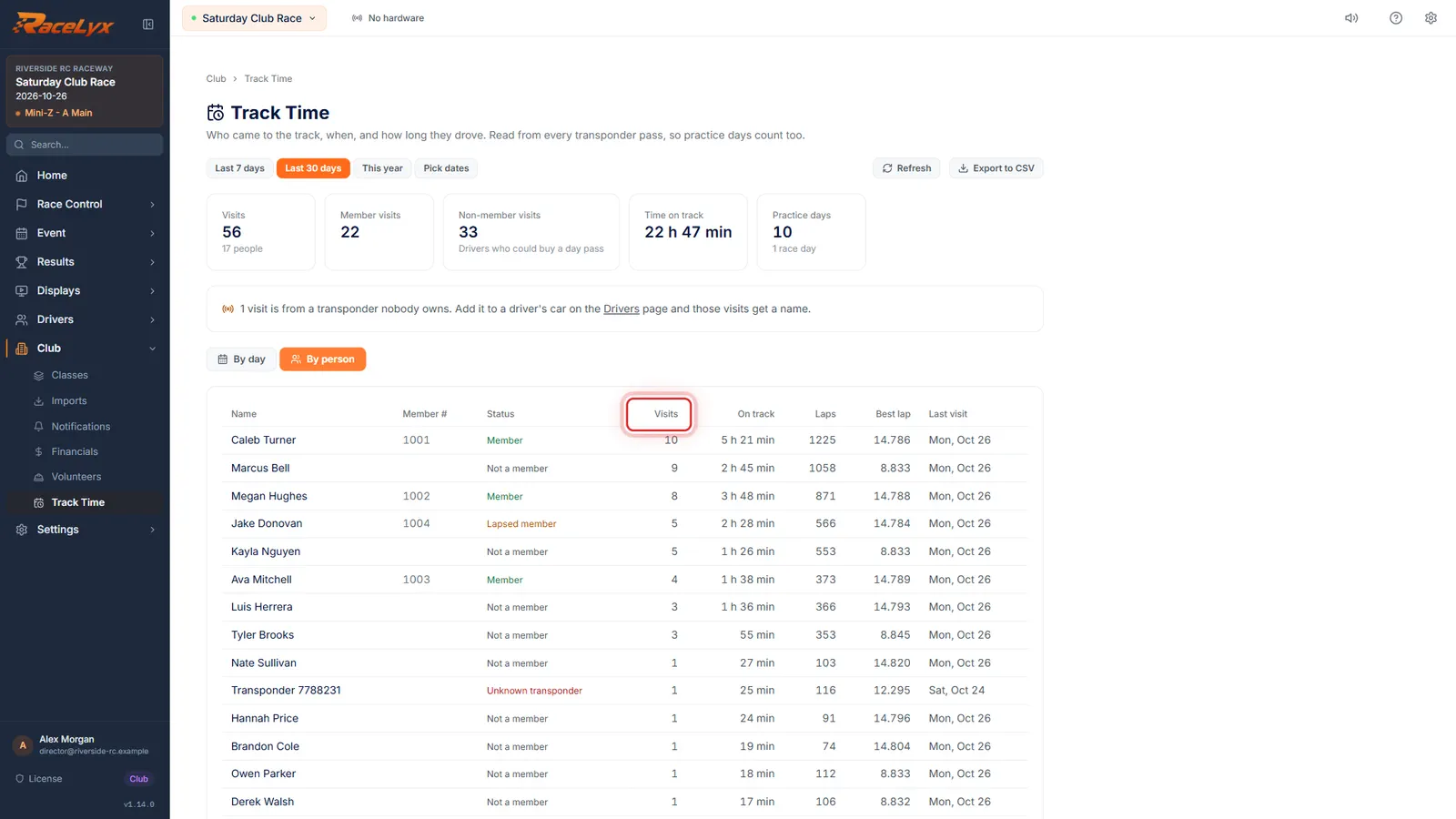
By person puts the people who come most at the top. Hold it up against your sign-up list to see who really races.
One row per person: member number, status on their latest visit, number of visits, total time on track, laps, best lap and the last visit.
- 6
Export to CSV
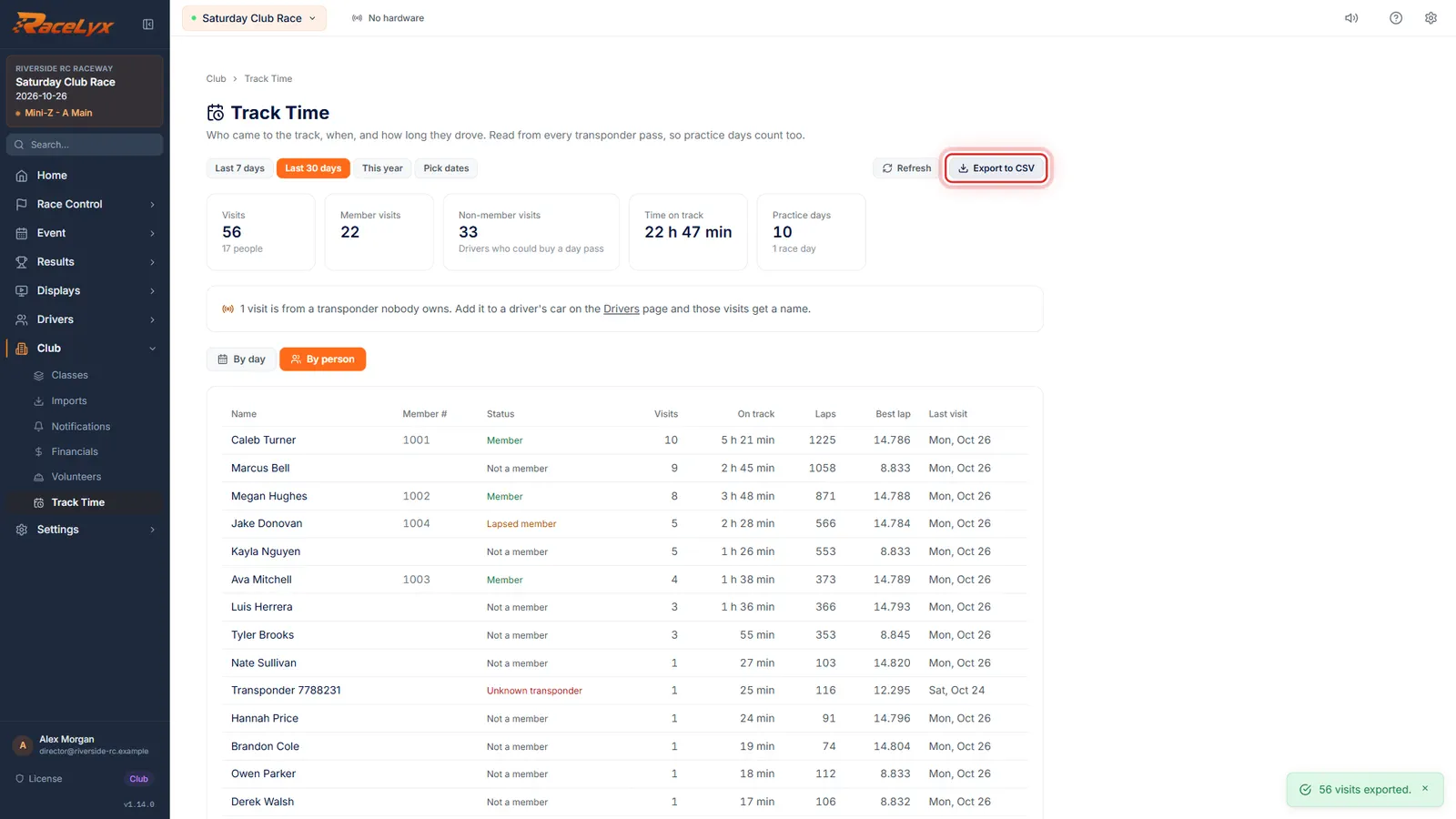
Export to CSV saves every visit as a spreadsheet, for your board or your own numbers.
The file is named track_time_<from>_to_<to>.csv, one row per visit: date, name, status, member number, arrived, left, minutes on track, laps, best lap, transponder and whether it was a house transponder.
Tips
- Membership is judged on the day of the visit, so a member who has since lapsed still counts as a member for the days they had paid for.
- Non-member visits are drivers who could buy a day pass or a membership: the By person tab shows who comes most.
- A day with scored sessions (heats, mains, rally) shows as a Race day; any other day with passes is a Practice day.
- Time on track adds up laps only: a driver who stops for more than five minutes to work on the car is not counted while the car is on the bench.
- Export to CSV gives one row per visit (date, name, status, member number, arrived, left, minutes on track, laps, best lap, transponder) for a spreadsheet or the board.
Troubleshooting
- Nobody drove between these dates.
- No passes were stored in that range. Passes are only stored while RaceLyx is open with the decoder connected. Pick a wider range or check Timing Hardware.
- A visit shows Unknown transponder.
- Nobody owns that transponder in RaceLyx. Add it to the driver's car on the Drivers page and every past visit with it gets their name.
- A member shows as Not a member.
- Their member record is not linked to their driver. Open Members, Edit, and link the driver, or put their transponder on the member record.
- Simulator laps are missing.
- That is on purpose. Simulator and Rival passes are not real cars, so Track Time leaves them out.
Related guides
Something here does not match what you see? Tell us and we will fix the guide.