An RSVP app only knows who said they would come. RaceLyx also knows who did: anyone who checked in for the event, and anyone whose transponder crossed the loop that day. Said yes vs showed up puts the two side by side for every event, and adds them up for every member, so you can see who you can count on, who says yes and doesn't turn up, and who comes without ever answering. It is part of the Club plan.
Before you start
- Events on your schedule, and replies taken for them (Club, Messages, or Replies on the event).
- Drivers checked in on Check-In, or their transponders on their cars, so RaceLyx can see who came.
- Members linked to their driver on Drivers, Members, so their check-ins and passes count for them.
Step by step
- 1
Open Club, Said yes vs showed up
Open Club, Said yes vs showed up. This is your RSVP list next to who really came: a check-in, or their transponder on the track that day.
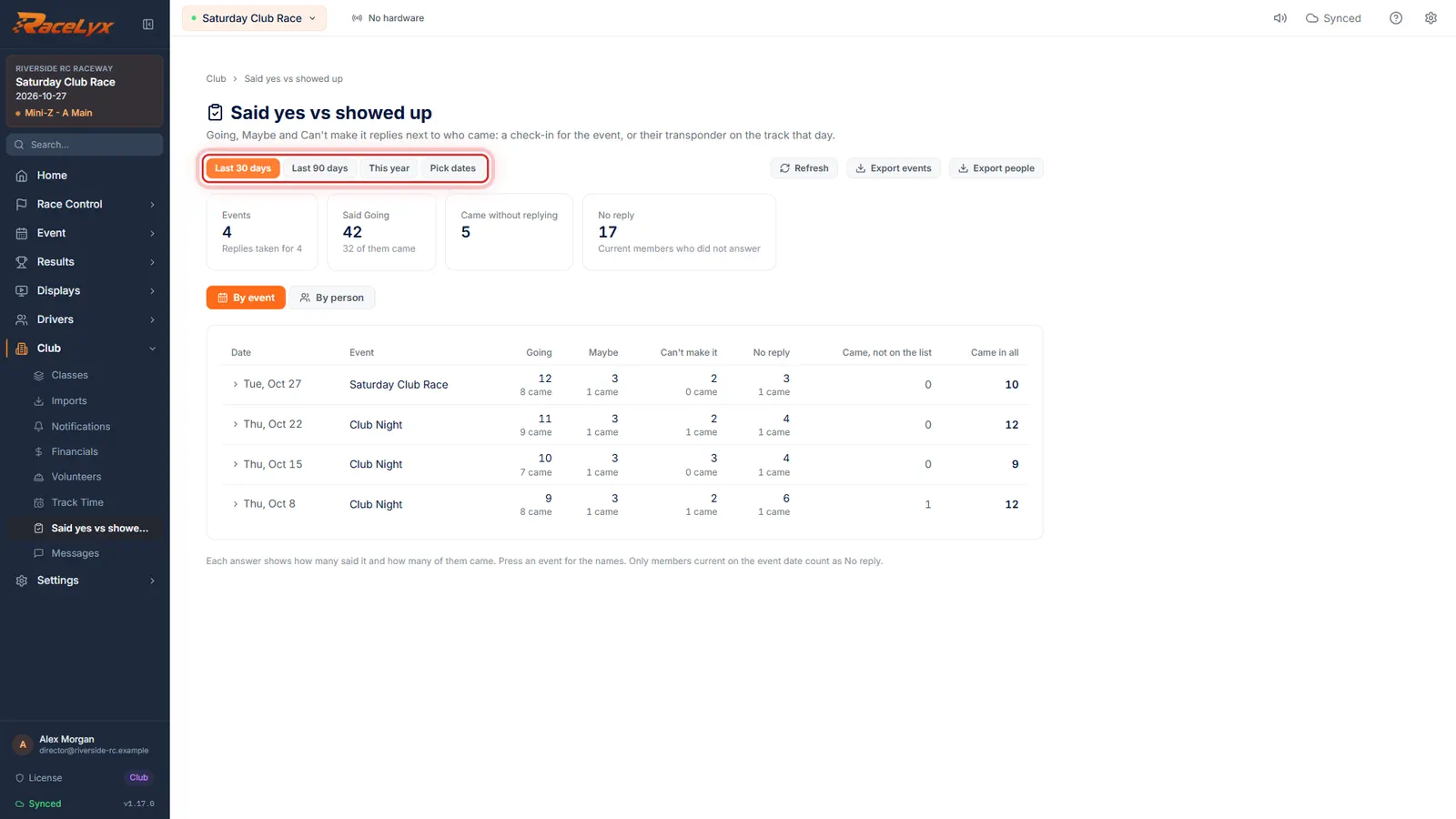
It opens on the last 90 days. The tiles count the events, how many said Going and how many of them came, who came without replying, and the members who never answered.
- 2
Pick the dates
Pick Last 30 days, Last 90 days, This year, or your own dates.
Pick dates shows From and To boxes. Refresh reads the replies, check-ins and passes again.
- 3
By event
By event lists each event. Under each answer, the big number said it, and the small number came.
Columns: Going, Maybe, Can't make it and No reply, each with how many of them came, then Came, not on the list (non-members and lapsed members) and Came in all.
- 4
Click an event for the names
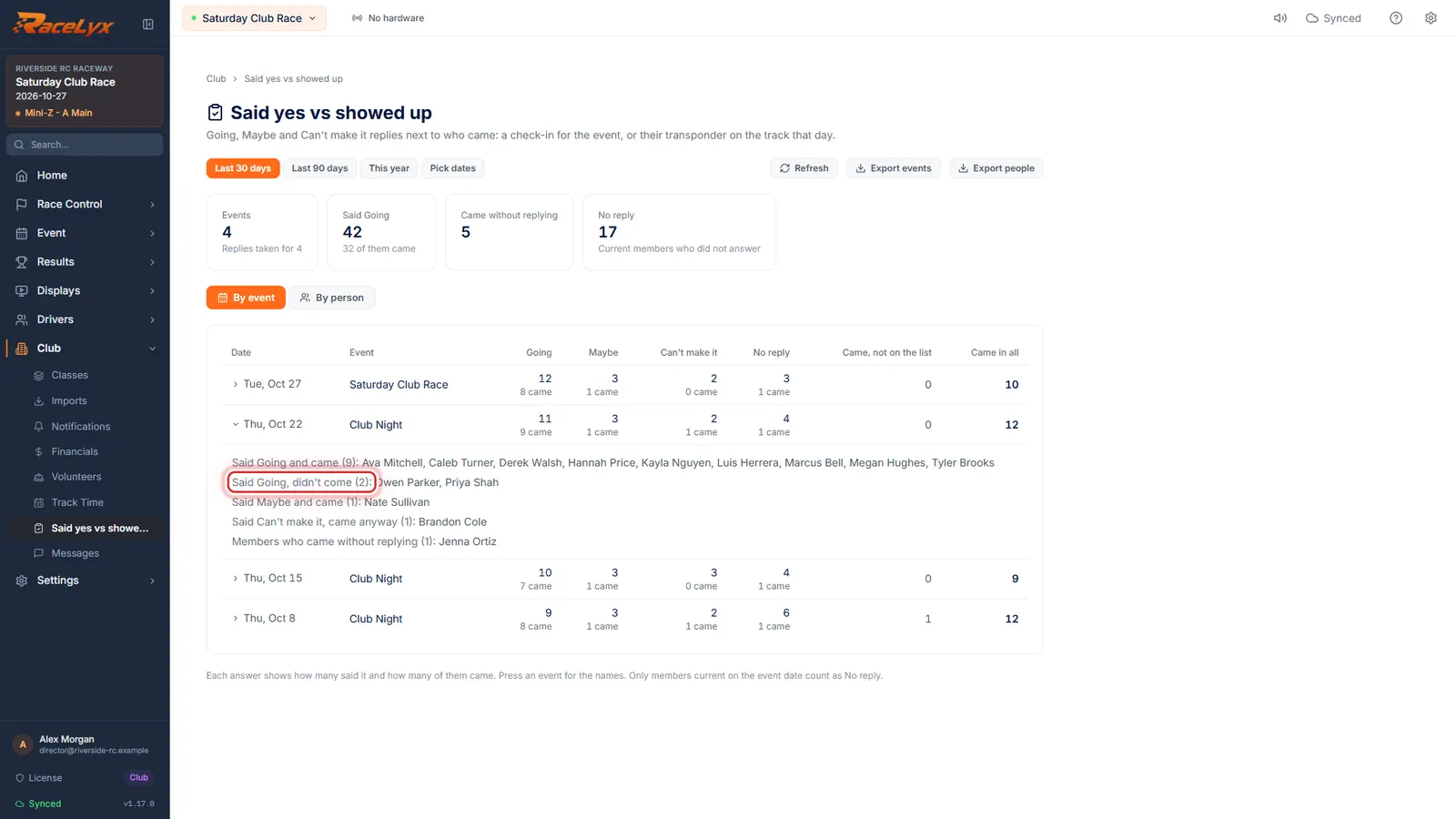
Click an event for the names: who said Going and didn't come, and who came without replying.
The lines are Said Going and came, Said Going, didn't come, Said Maybe and came, Said Can't make it, came anyway, Members who came without replying, and Came, not on the list.
- 5
By person
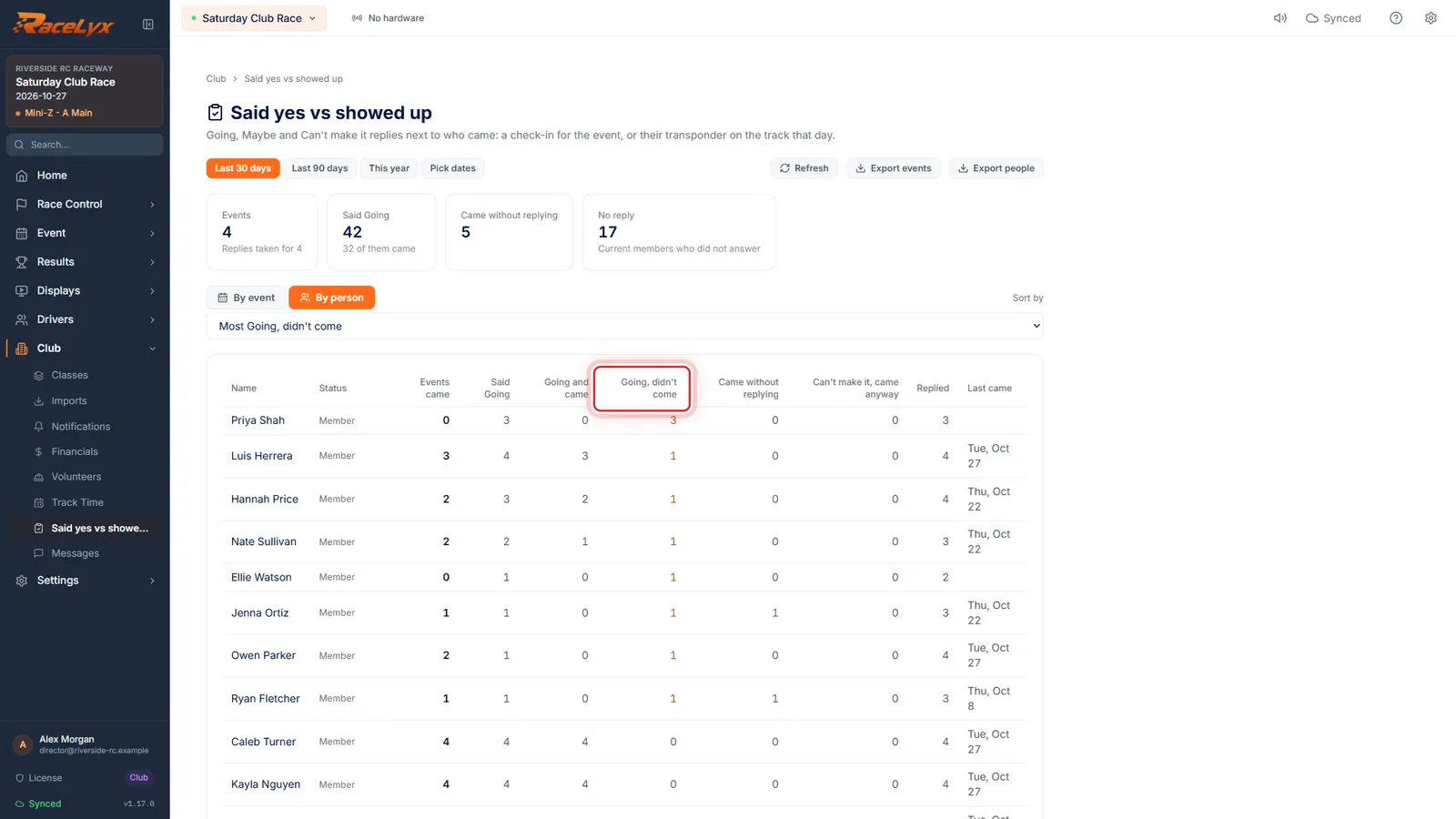
By person adds it up for each member. Sort by Most Going, didn't come to find the no-shows.
Columns: Events came, Said Going, Going and came, Going, didn't come, Came without replying, Can't make it, came anyway, Replied and Last came.
- 6
Export to CSV
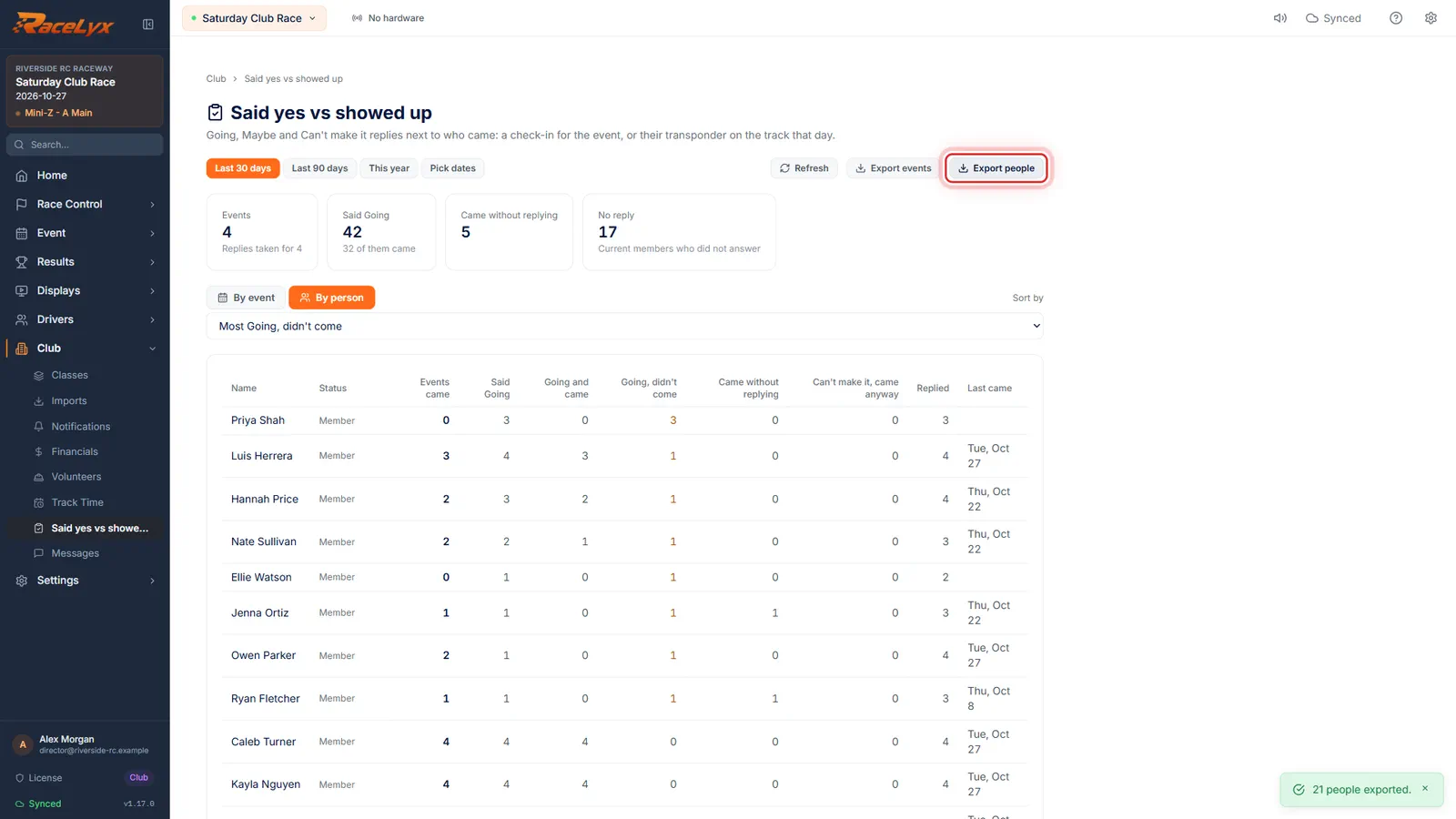
Export people or Export events saves it as a spreadsheet.
The files are named said_yes_vs_showed_up_people_<from>_to_<to>.csv and said_yes_vs_showed_up_events_<from>_to_<to>.csv, one row per person or per event, with the same columns as the screen.
- 7
One member's story
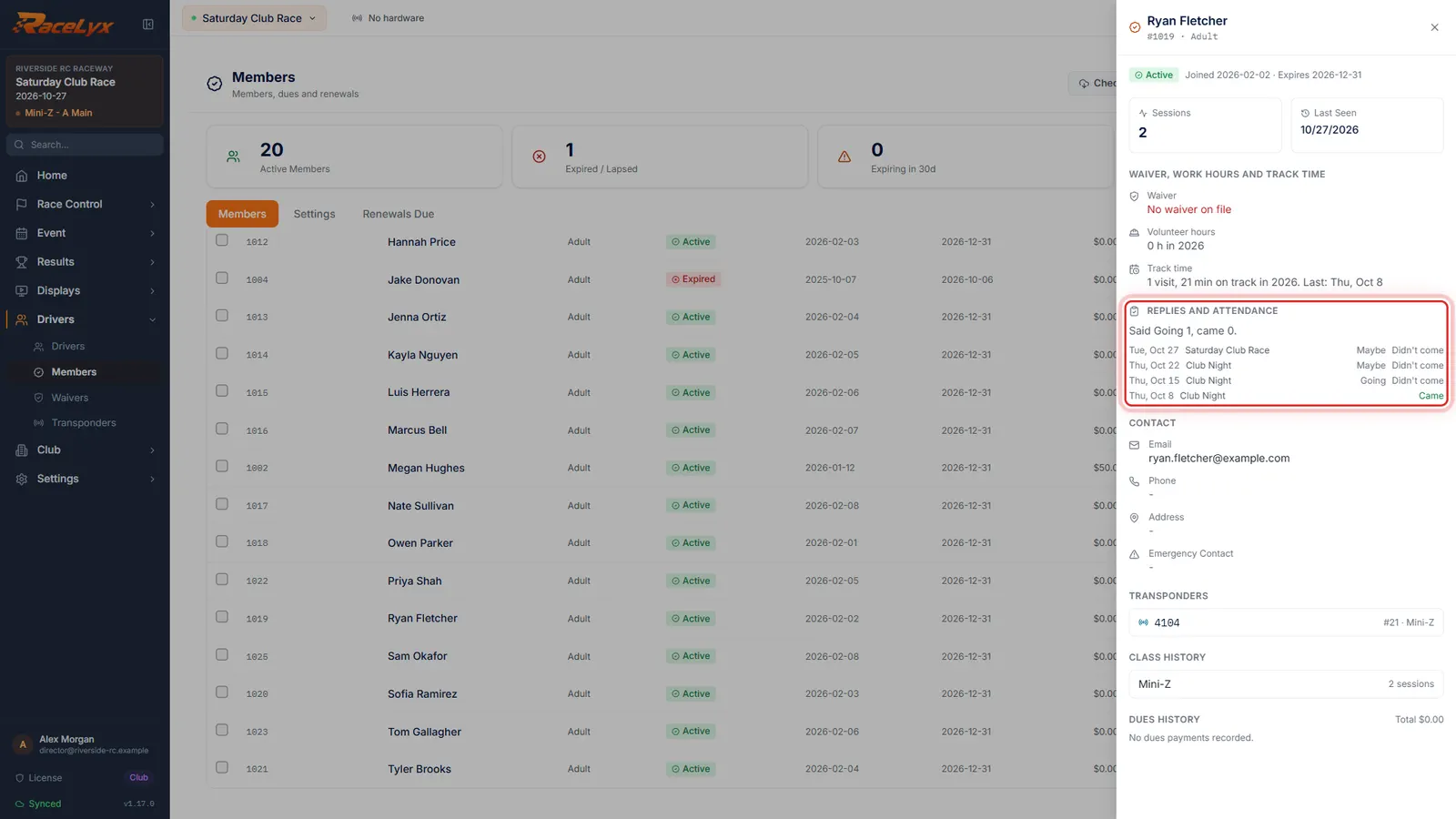
For one person, open Drivers, Members and click their name. Replies and attendance shows their last events, what they said, and whether they came.
The line at the top sums up the last year, for example "Said Going 3, came 1". Each event shows the date, the event, their answer and Came or Didn't come.
Tips
- Someone came if they checked in for the event, or their transponder crossed the loop on the event's day. Weekend events count every day.
- Only members who were current on the event date count as No reply. A lapsed member who turns up shows under Came, not on the list.
- Each answer column shows how many said it, with how many of them came underneath.
- By person, sorted by Most Going, didn't come, finds your no-shows. Most came without replying finds the regulars worth nudging to answer.
- Export events and Export people save CSV files for your board meeting or a spreadsheet.
- A member's profile (Drivers, Members, click the name) shows the same story for one person: their last few events, what they said and whether they came.
Troubleshooting
- Showing who came, without the replies.
- This computer is not signed in to RaceLyx Cloud, so the answers can't be read. Sign in under Settings, RaceLyx Cloud. Who came still shows.
- Answered online but not tied to a driver here, so their visits cannot be seen.
- That person answered from their RaceLyx account, which is not linked to a driver at your track. Link the member to their driver (Drivers, Members) so their check-ins and passes count.
- No events between these dates.
- Pick a wider range, or check the events are on your schedule on the Events page.
- Track Time could not be read, so only check-ins count as coming.
- The transponder history could not be read this time. Press Refresh. Check-ins still count.
Related guides
Something here does not match what you see? Tell us and we will fix the guide.