A reminder is a message RaceLyx sends for you: once, at the time you choose, to the members who still haven't answered whether they are coming, with Going / Maybe / Can't make it buttons. You can add the people who said Maybe, and even the ones who said Going. Set it once when you put the event on the schedule and forget about it. Reminders are part of the Club plan.
Before you start
- The Club plan (or a trial), and this computer signed in under Settings, RaceLyx Cloud.
- The event on your schedule with a date.
Step by step
- 1
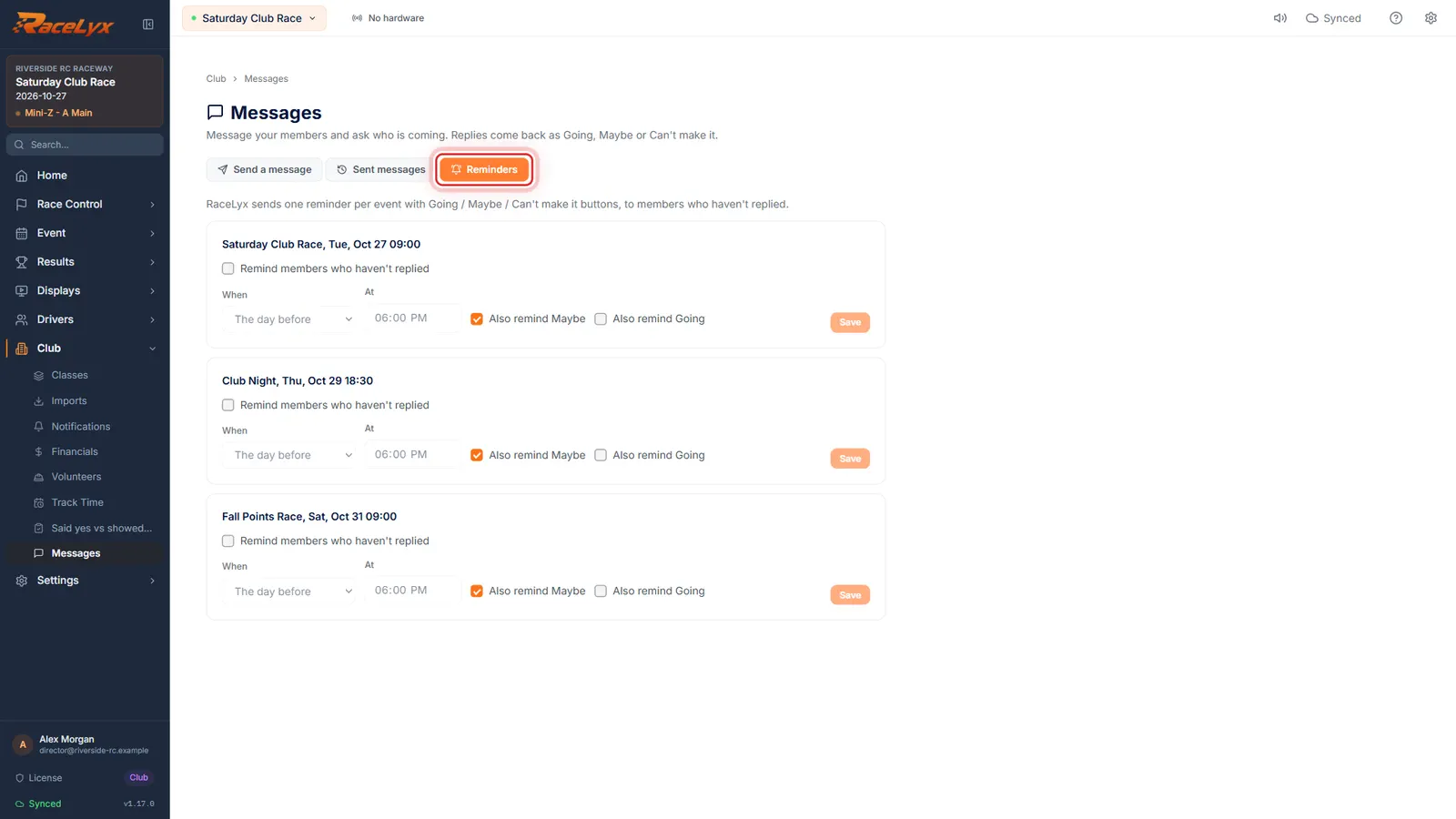
Open Club, Messages, Reminders
Open Club, Messages, and click Reminders. Every event on your schedule is listed.
Each upcoming event has its own box with its date and start time. One reminder per event.
- 2
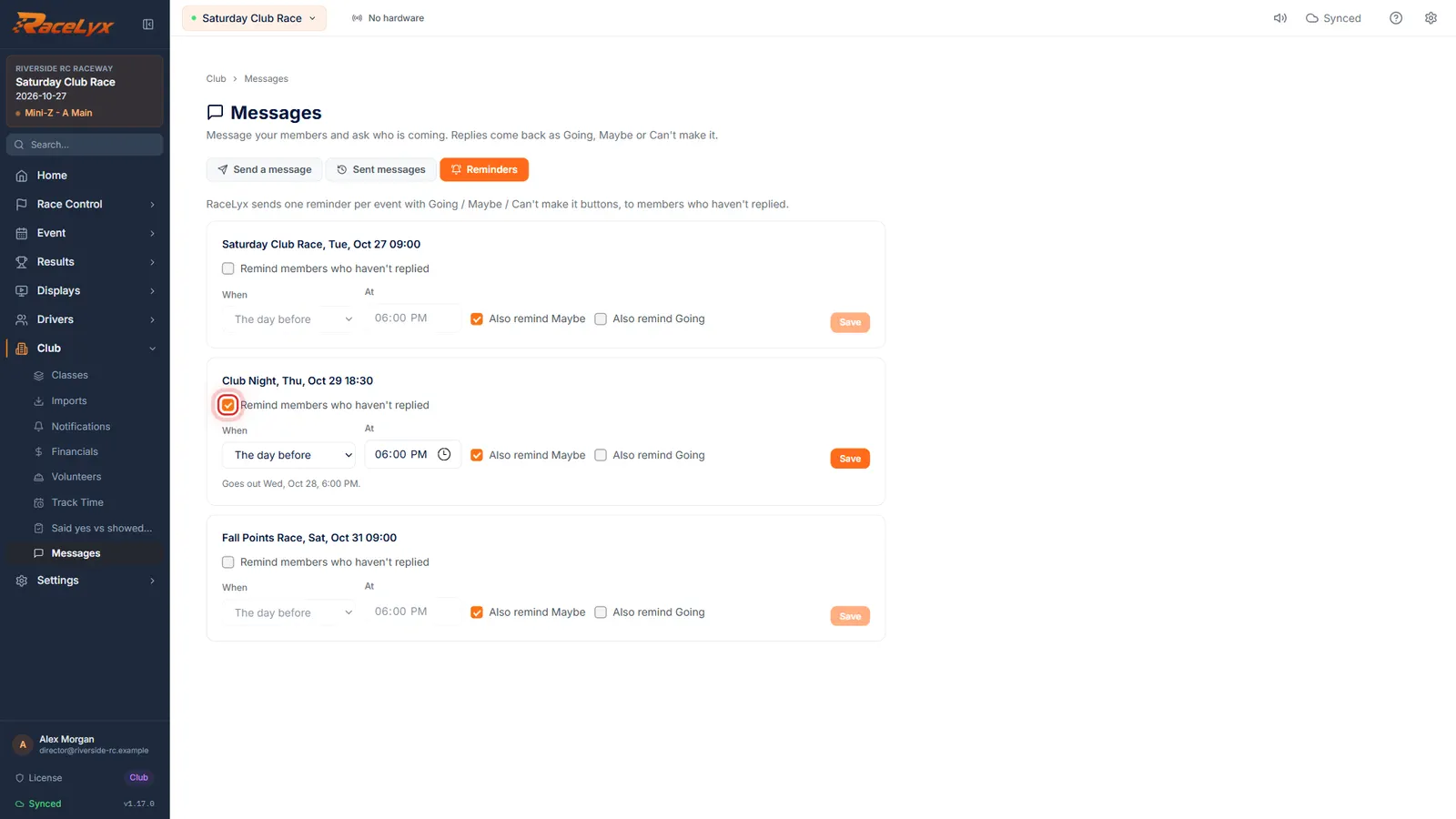
Switch the reminder on
Under the event, tick Remind members who haven't replied.
The rest of the settings open up once it is ticked.
- 3
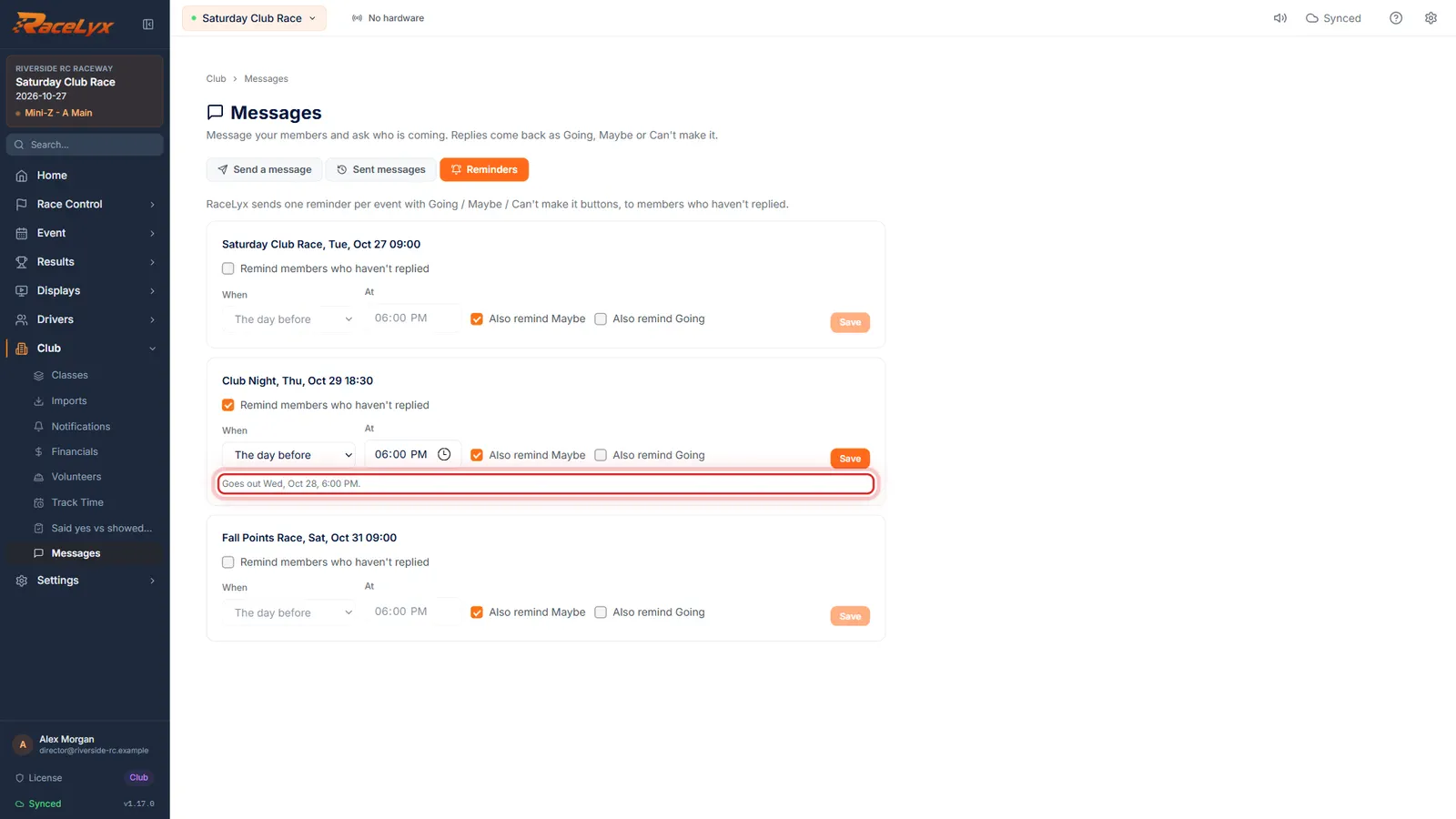
Pick when it goes
Pick when: the day before, 2 days before or the same day, and the time.
The default is the day before at 18:00, this computer's local time. The line below the settings says exactly when it goes out.
- 4
Maybe and Going too
Also remind Maybe is ticked for you. Tick Also remind Going to send it to everyone who said yes as well.
Without either box it goes only to members who haven't answered. The reminder carries Going / Maybe / Can't make it buttons either way.
- 5
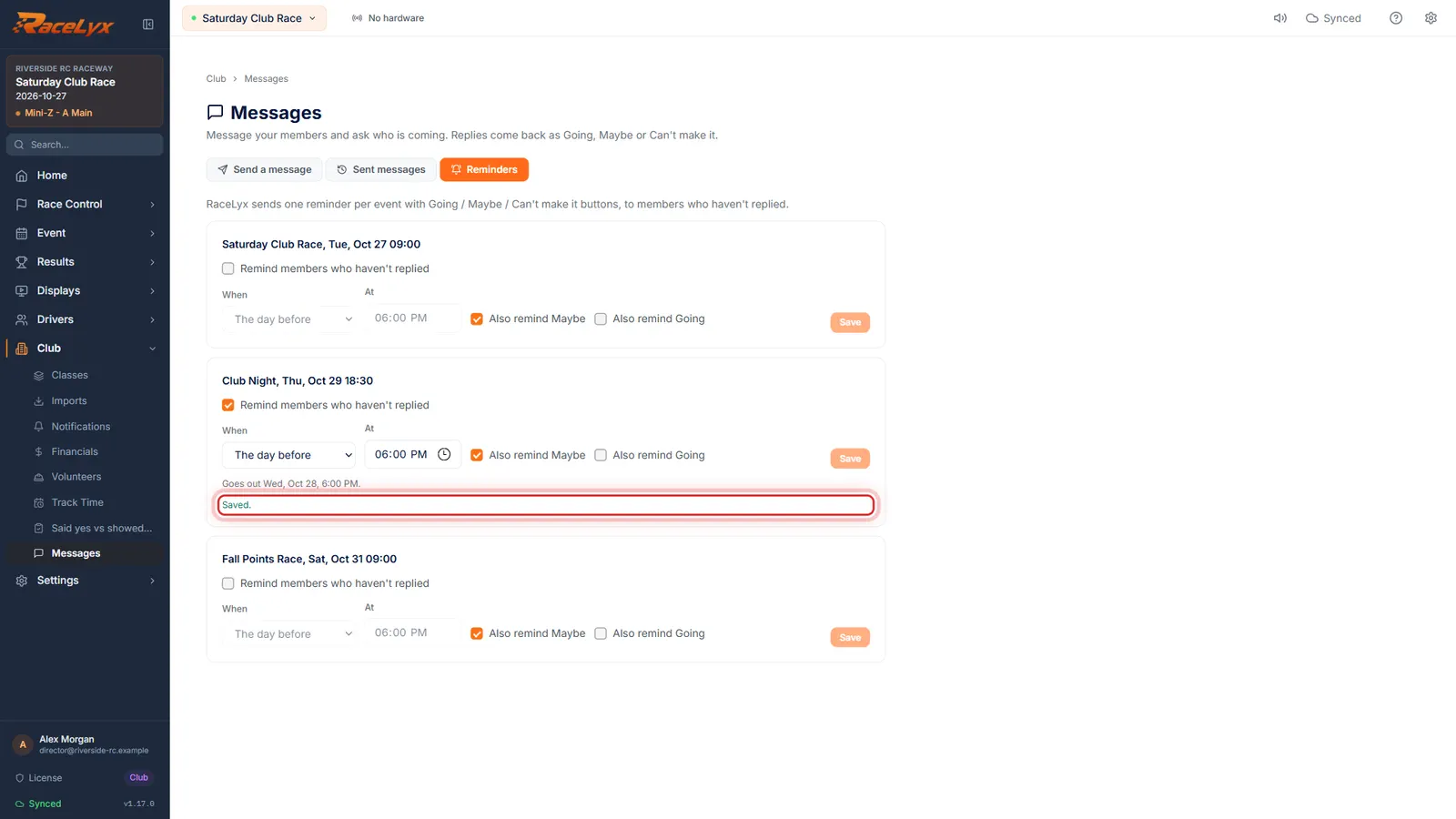
Save
Click Save. RaceLyx sends it once, at that time, even if this computer is off.
Saved shows in green. To stop it, untick the box and Save again.
- 6
Find it on Sent messages
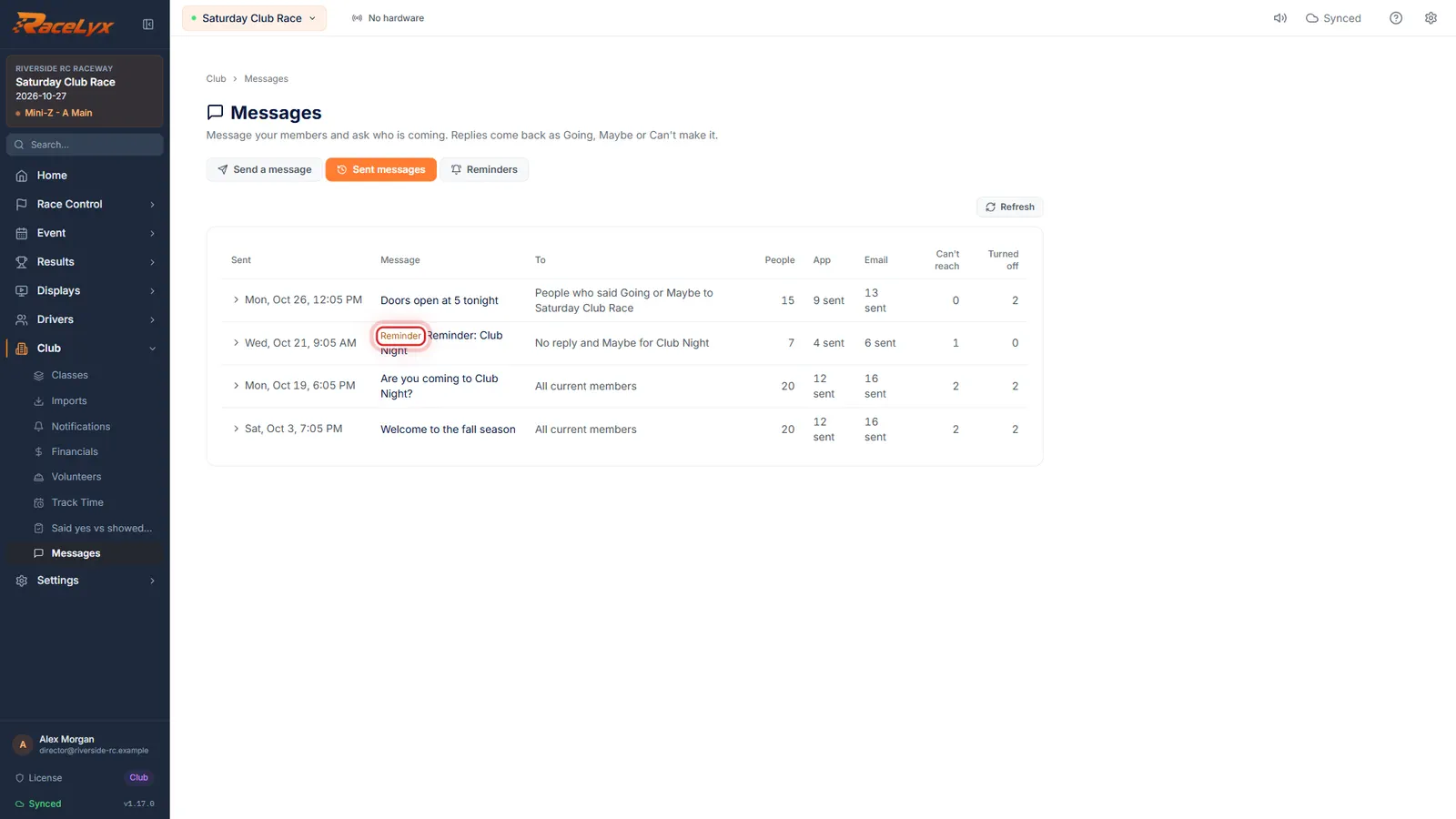
Once it has gone, it is on Sent messages, marked Reminder.
The To column says who it went to, for example "No reply and Maybe for Club Night". Click the row to see each person.
Tips
- The day before at 6 pm works for most club nights. For a Saturday race, 2 days before gives people time to sort out a ride.
- Also remind Maybe is on by default: a Maybe often turns into a Going with one nudge.
- The reminder is sent by RaceLyx Cloud, so this computer does not need to be on when it goes.
- Reminders don't count toward the one message a minute, 20 a day limit.
- Moving a reminder that already went to a later time sends it again at the new time.
- Once it has gone, the event shows Sent with the time, and it is listed on Sent messages marked Reminder.
Troubleshooting
- That time has already gone by. Pick a later one.
- The reminder time is in the past, so Save is off. Pick The same day, or a later clock time.
- This event has no date, so there is nothing to remind about yet.
- Give the event a date under Event, Events, then come back.
- No upcoming events.
- Only events on your schedule from today on are listed. Schedule one under Event, Events.
Related guides
Something here does not match what you see? Tell us and we will fix the guide.