Stripe pays the club its online entry fees and dues less its card fee and the RaceLyx $0.50 per payment. RaceLyx books each online payment at the full amount, so the bank gets less than the books say. When a payout lands, add the fees as one expense and mirror any refunds, and the club balance matches the bank again. Financials needs the Club plan.
Before you start
- Club plan (or a trial), with Financials on in Settings, Features.
- Your Stripe payout report (in the Stripe dashboard, under Balances, Payouts).
- The online payments in Financials: paid sign-ups approved or checked in, and dues brought in on Members.
Step by step
- 1
Find the online payments
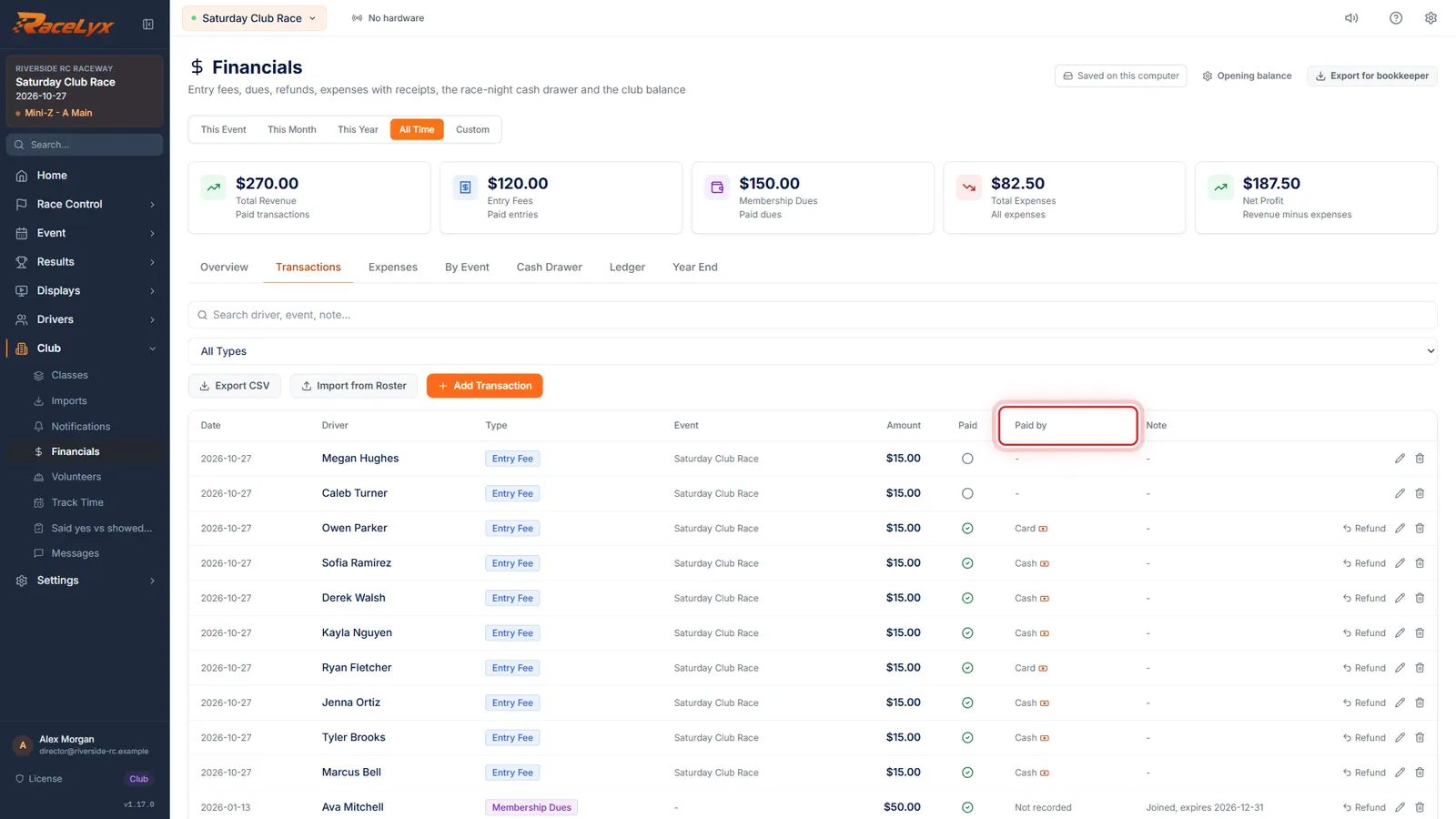
On Financials, open Transactions. Online payments say Online under Paid by, at the full amount the driver paid.
Open Club, Financials, then Transactions. Paid entry fees from online sign-ups and dues paid online show Online under Paid by. Add up the ones in your Stripe payout and compare with the payout report: the difference is Stripe's fees and the RaceLyx $0.50 a payment.
- 2
Add the fees as an expense
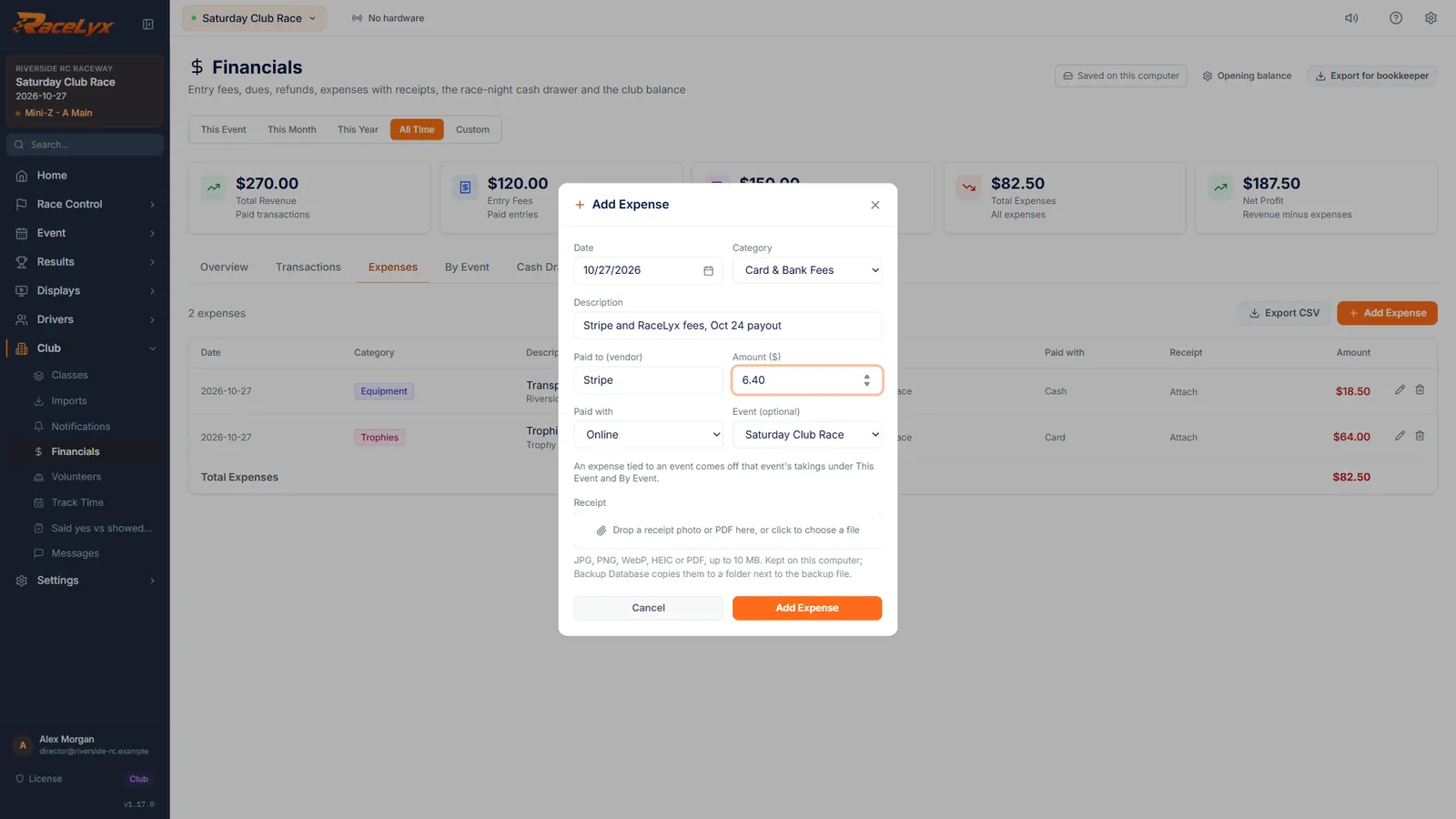
On Expenses, click Add Expense. Name the payout, pick Card & Bank Fees, and type the fees from Stripe's payout report.
Click Add Expense on the Expenses tab. Description: the payout and its date. Category: Card & Bank Fees. Paid to (vendor): Stripe. Amount ($): the total fees on the payout report, Stripe's card fees plus $0.50 for each payment. Paid with: Online. Leave Event (optional) on the event when the payout is for one race night.
- 3
Add Expense
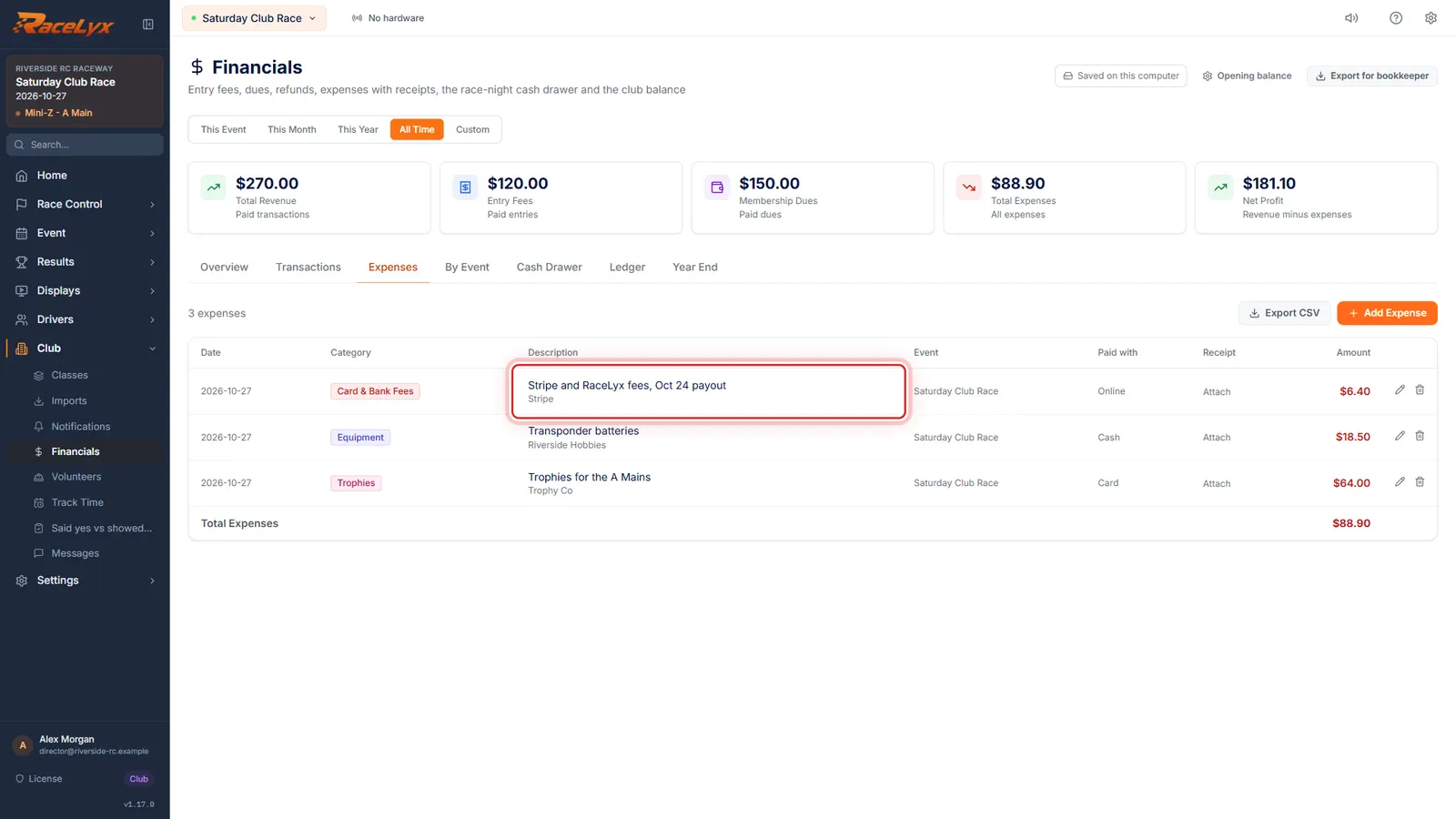
Click Add Expense. The fees now come off the club balance, the way they came off the payout.
The expense shows on Expenses and in the Ledger, and Year End groups it under Card & Bank Fees.
- 4
Mirror Stripe refunds
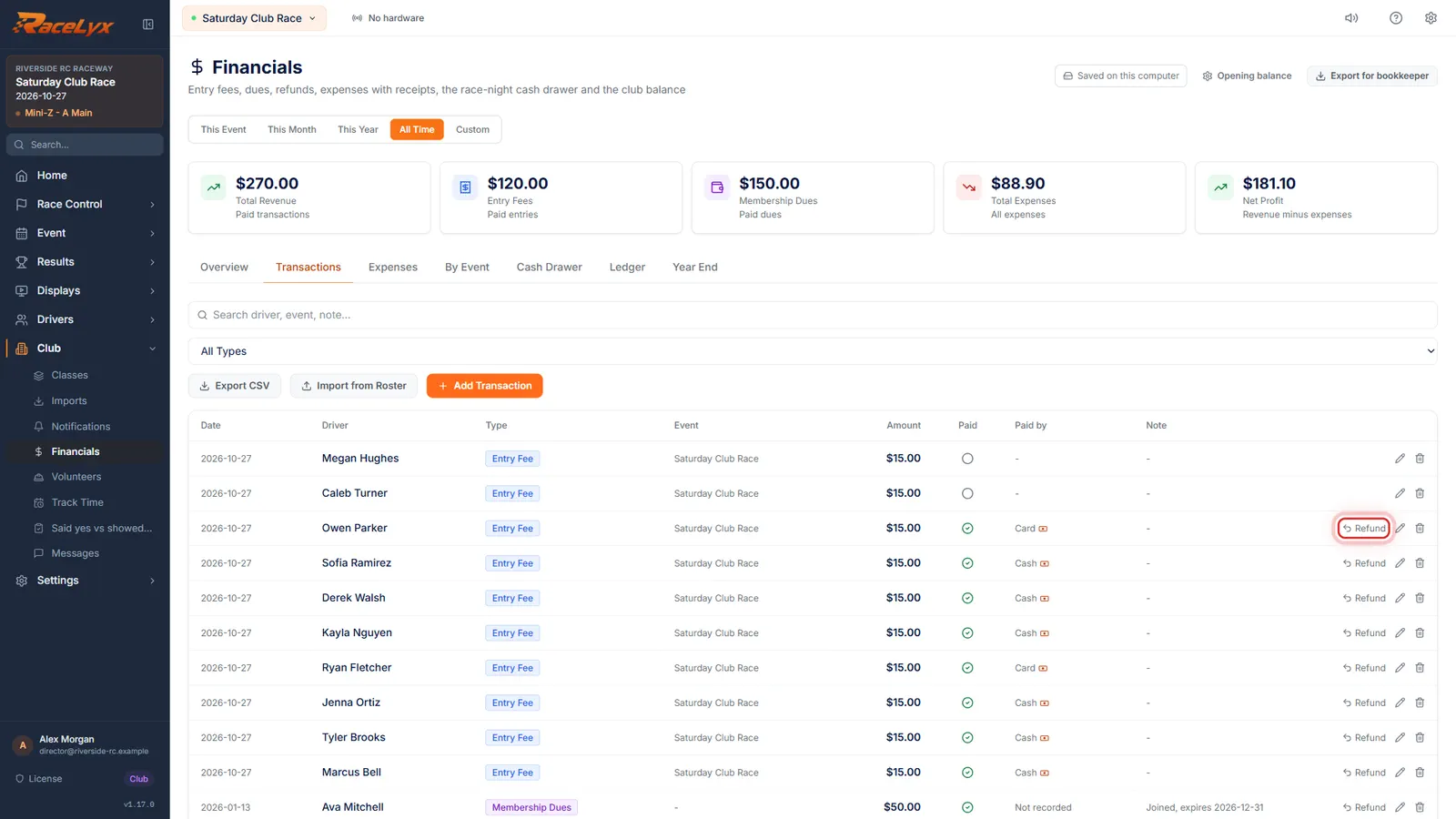
Refunded someone in Stripe? On Transactions, click Refund on that payment too, with Paid back by Online.
A refund in Stripe marks the sign-up unpaid in Pre-Registration but leaves Financials alone. Refund on the payment records it in the books, with the same amount Stripe refunded. See Refunds.
- 5
Check the ledger
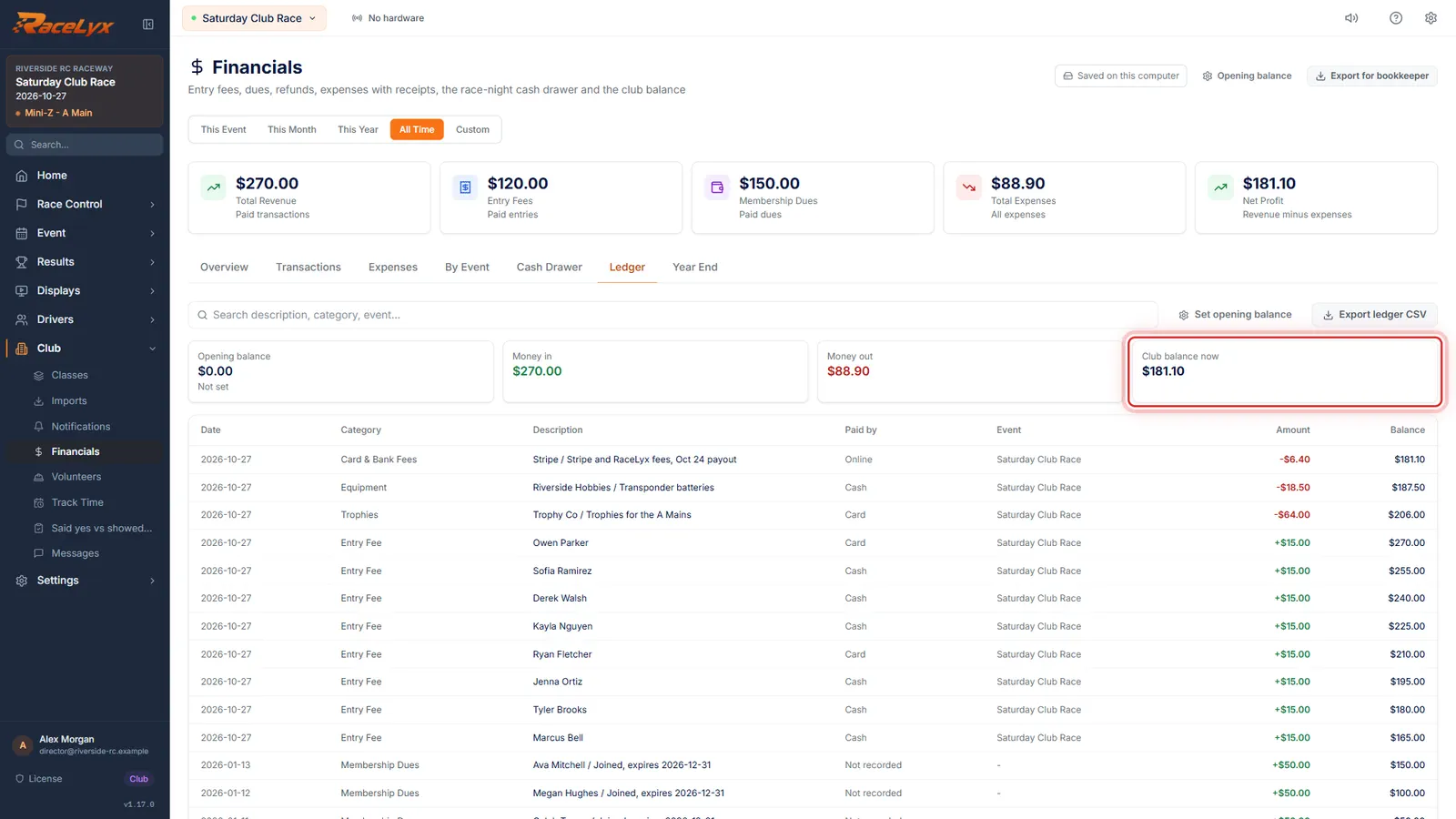
Open Ledger. With the fees booked and refunds mirrored, the club balance should match the bank plus the cash box.
Club balance now is the opening balance plus money in, less money out. If it is still out, look for a payment not marked paid, or a cash drawer that was over or short: see The drawer or the books don't match.
Tips
- One expense per payout is enough: the payout's total fees, with the payout date in the Description.
- Card & Bank Fees is the category for both Stripe's fee and the RaceLyx $0.50, so Year End shows what taking money online costs.
- A payment refunded in Stripe still shows paid in Financials. Click Refund on it with Paid back by Online.
- An online entry reaches Financials only when you approve the sign-up in Pre-Registration or check the driver in. Do that before you reconcile, or the payout looks too big.
- Ledger, Export ledger CSV gives your bookkeeper the line-by-line view.
Troubleshooting
- The payout is bigger than the online payments in Financials.
- Some paid sign-ups are not approved or checked in yet, or online dues are not brought in. Approve them in Pre-Registration, and click Check online payments on Members.
- The bank still has less than the books.
- Look for a refund done in Stripe and mirror it with Refund on the payment, Paid back by Online. A dispute fee also comes out of a payout: add it under Card & Bank Fees.
- Paid by on an online payment says Cash.
- It was marked paid with the Paid toggle on Drivers, which records Cash. Fix Paid by with the pencil on Transactions.
Related guides
Something here does not match what you see? Tell us and we will fix the guide.