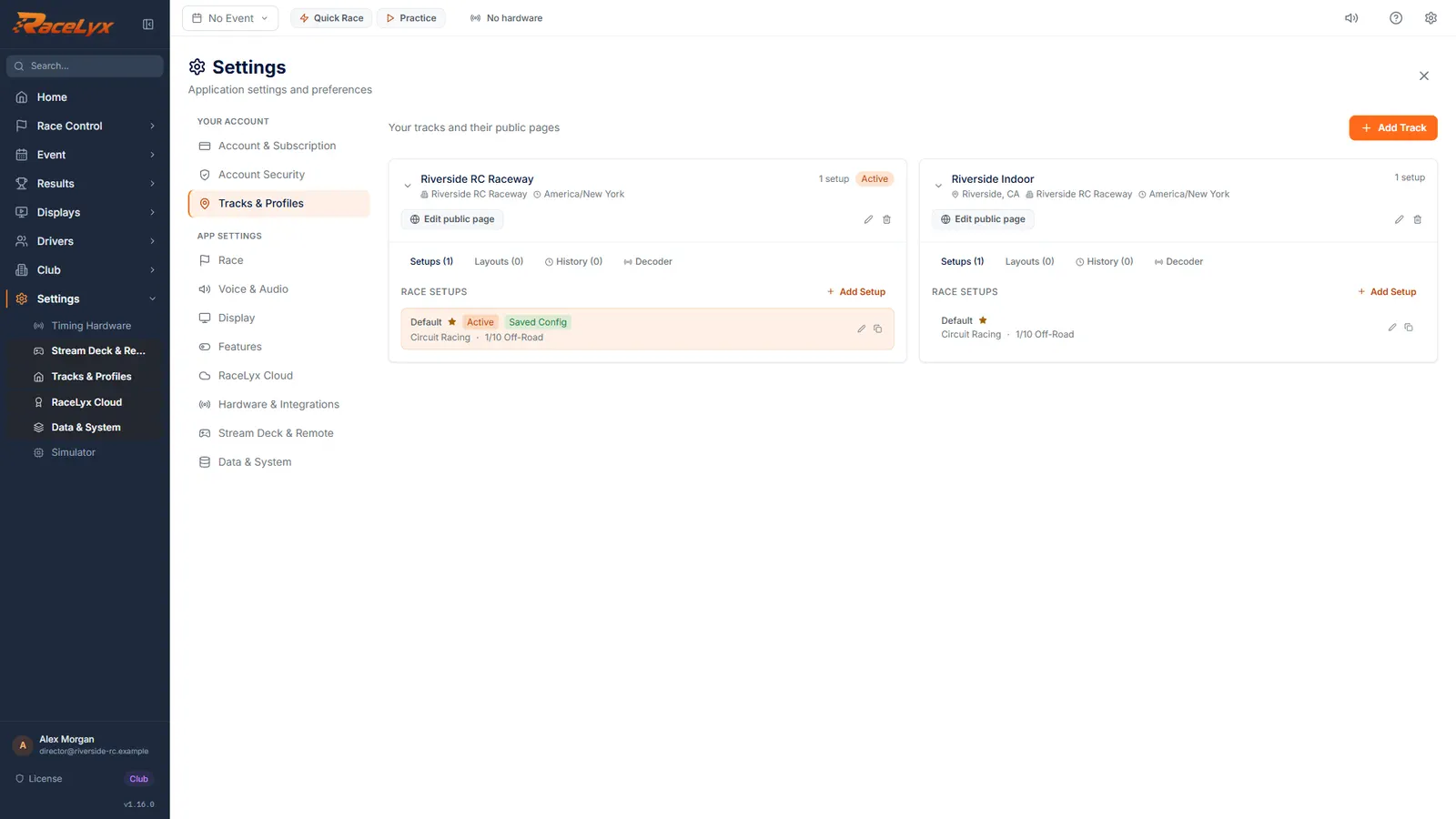
Some clubs run two tracks, like an indoor carpet and an outdoor dirt track. Each track keeps its own layouts, race setups, event history and public page. One track is active at a time: the header's Layout menu, Event Setup's starting format and the layout saved results are filed under all follow it.
Before you start
- First-run setup finished.
Step by step
- 1
Open Tracks & Profiles
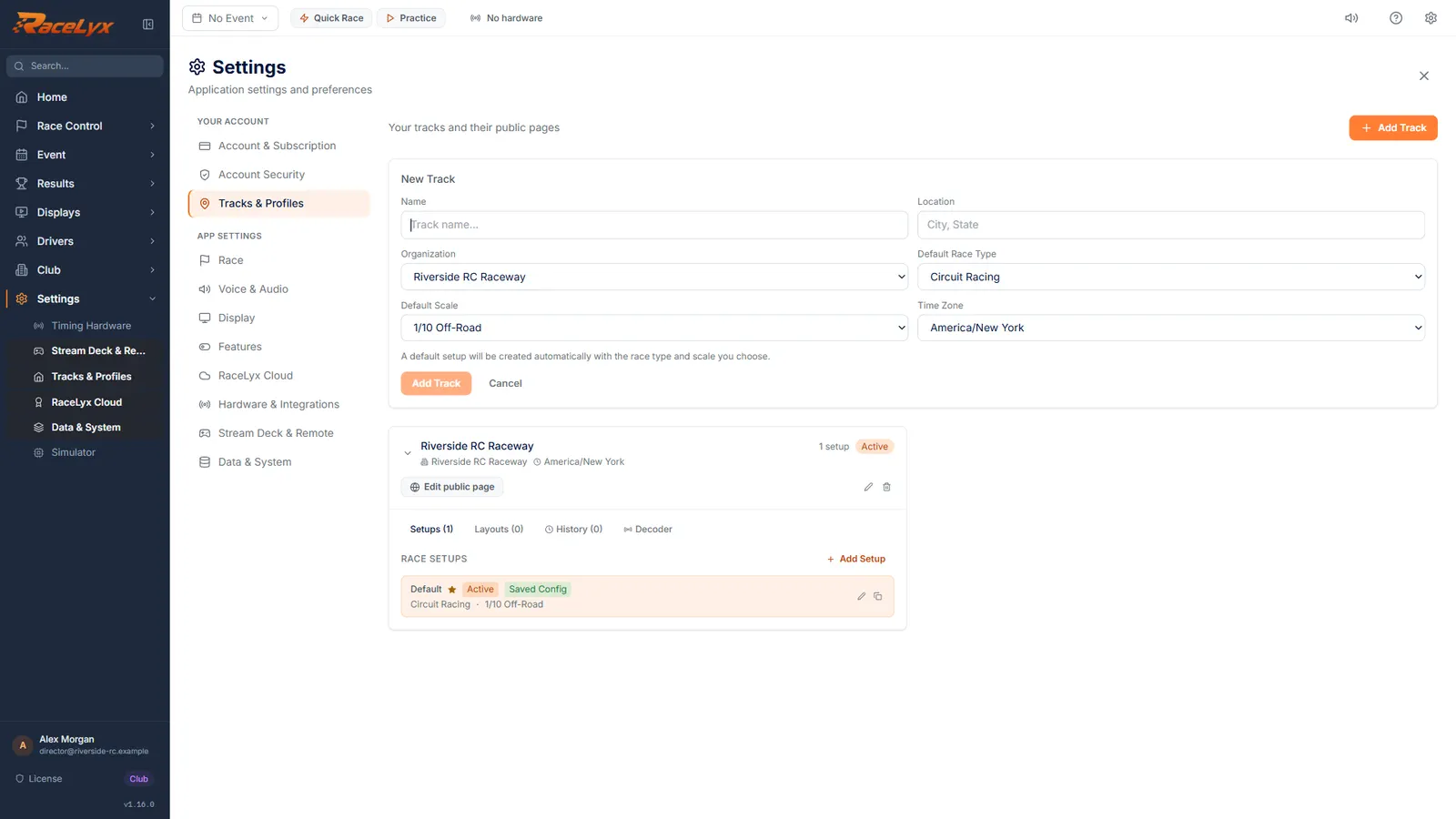
Open Settings, Tracks & Profiles, and click Add Track.
The New Track form opens above your track cards.
- 2
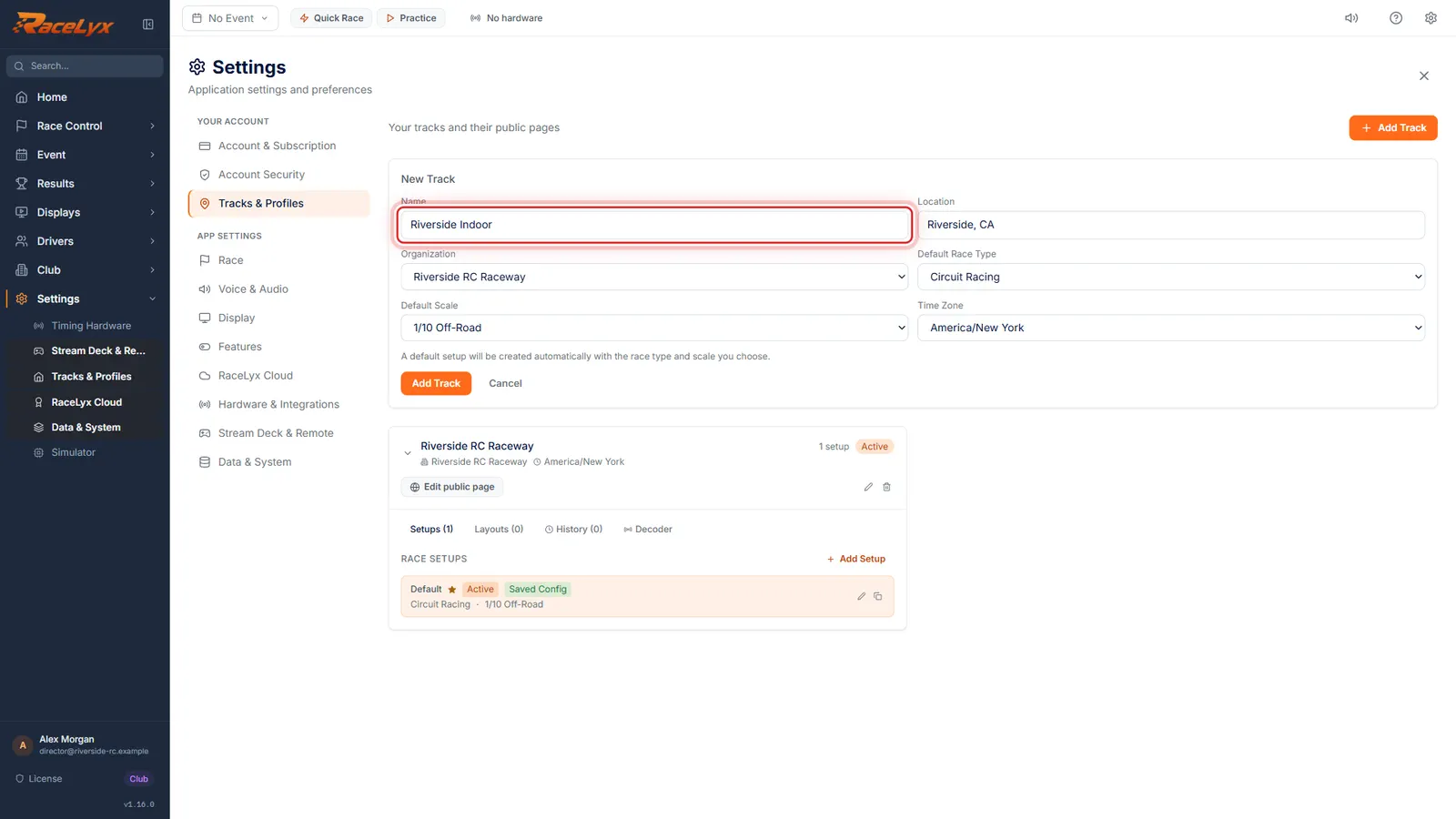
Name the track
Type the track's name, and where it is.
Name is required. Location (City, State) shows on the track card and on its public page.
- 3
Race type, scale and time zone
Pick its default race type and scale, and check the time zone. They make the track's first race setup.
The form says a default setup will be created with the race type and scale you choose; Event Setup starts from it at this track. Time Zone sets the times on this track's results. Leave Organization on None (Independent) unless you run tracks for more than one organization.
- 4
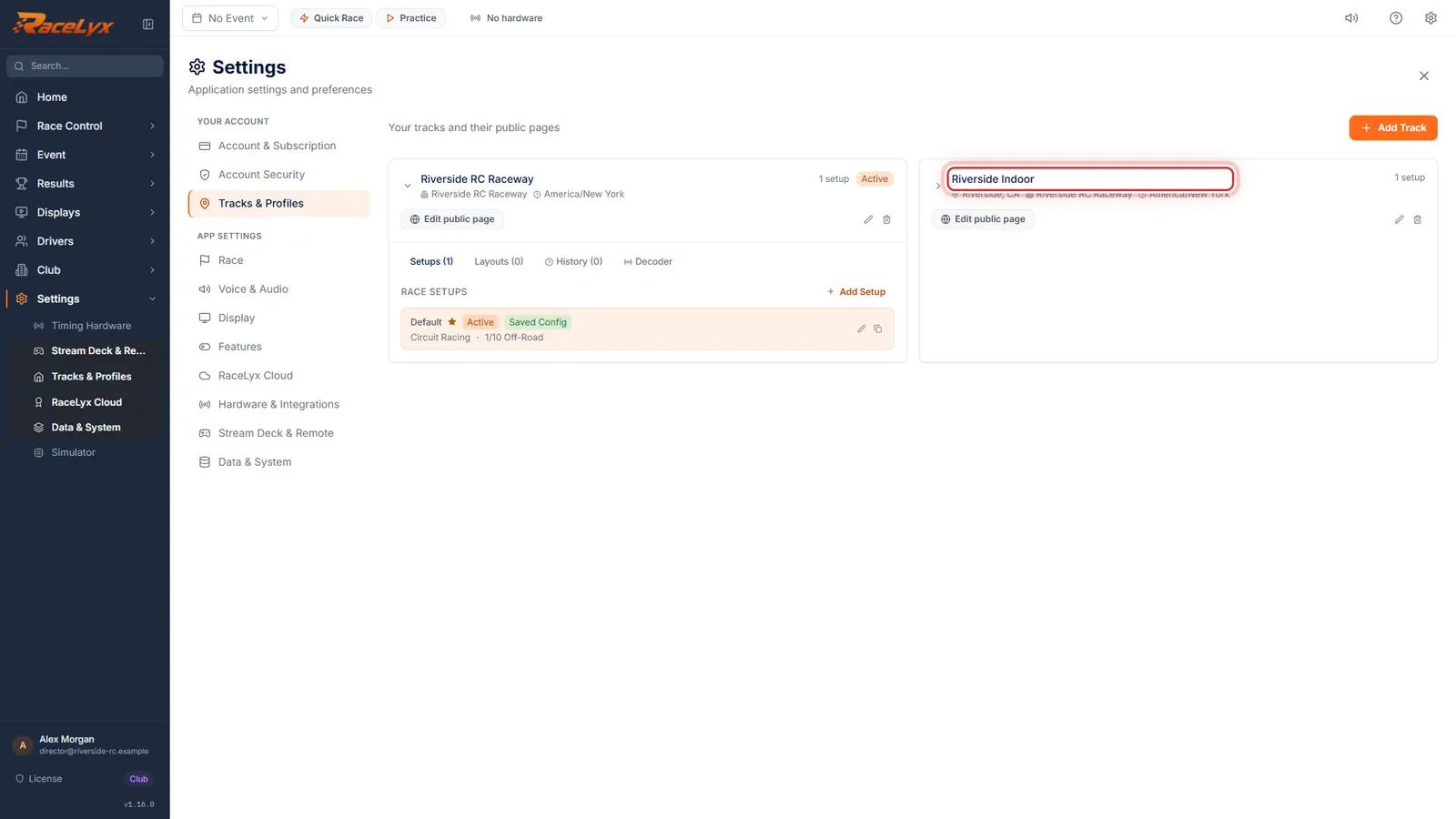
Add Track
Click Add Track. The new track gets a card of its own.
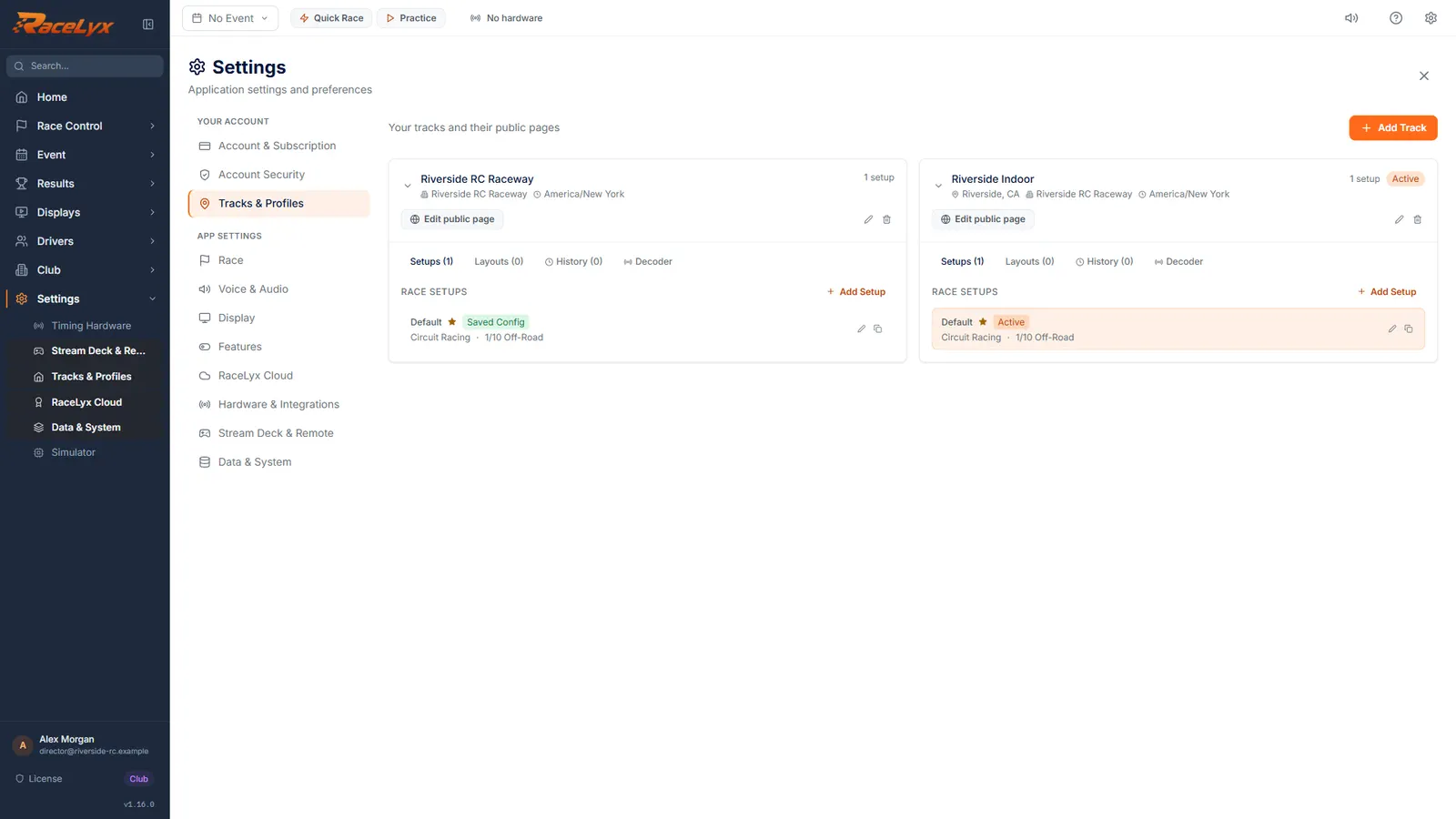
Its card has the same tabs as your first track (Setups, Layouts, History and Decoder) and its own Edit public page.
- 5
Make a track active
Click a track's card to make it the active one. The Active badge moves to it.
The active track is the one the header's Layout menu, Event Setup and saved results use. Racing at the other track tonight? Click its card before the first session.
- 6
Switch back
Click your main track's card to switch back.
The choice is remembered, so RaceLyx opens on the track you used last.
Tips
- A new track is not active until you click its card. The orange Active badge shows which one is.
- Default Race Type and Default Scale make the track's first race setup, which Event Setup starts from.
- Setups holds named Race Setups, like Friday Night Racing: race type, scale and lap limits. Add Setup makes another; click one to use it.
- The Decoder tab notes which decoder a track uses. Connecting still happens on Timing Hardware.
Troubleshooting
- My layouts disappeared from the header.
- Another track is active. On Settings, Tracks & Profiles, click the card of the track you are racing at.
- Add Track is greyed out.
- Type a name first.
Related guides
Something here does not match what you see? Tell us and we will fix the guide.