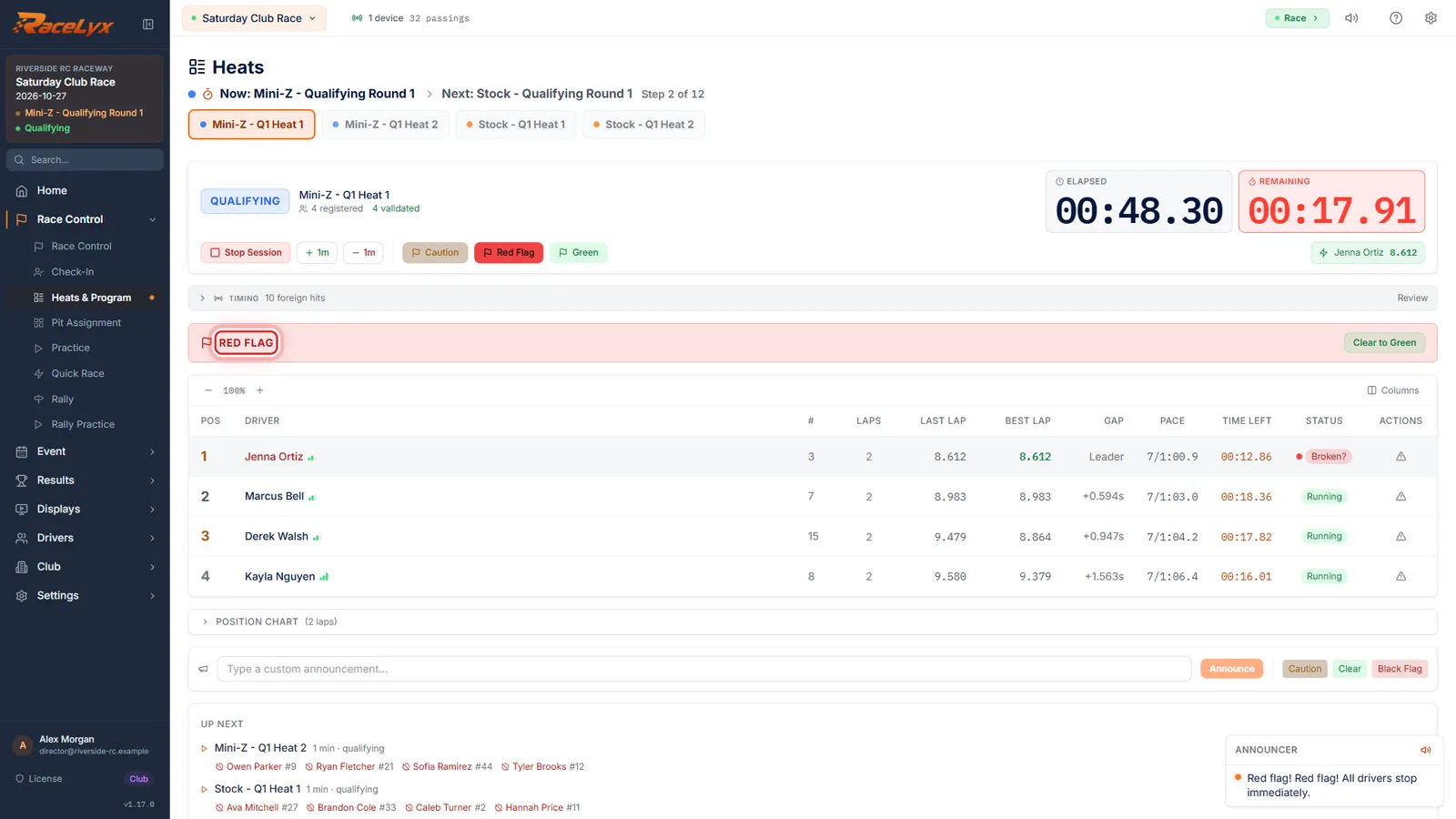
A decoder that loses power or a cable mid-heat can still look connected, so RaceLyx watches the crossings themselves. After 20 seconds of green-flag racing with no passings, a red banner appears above the live table. Treat it like any timing failure: hold the race, fix the hardware, then decide whether the heat stands.
Before you start
- A heat running on a connected decoder.
Step by step
- 1
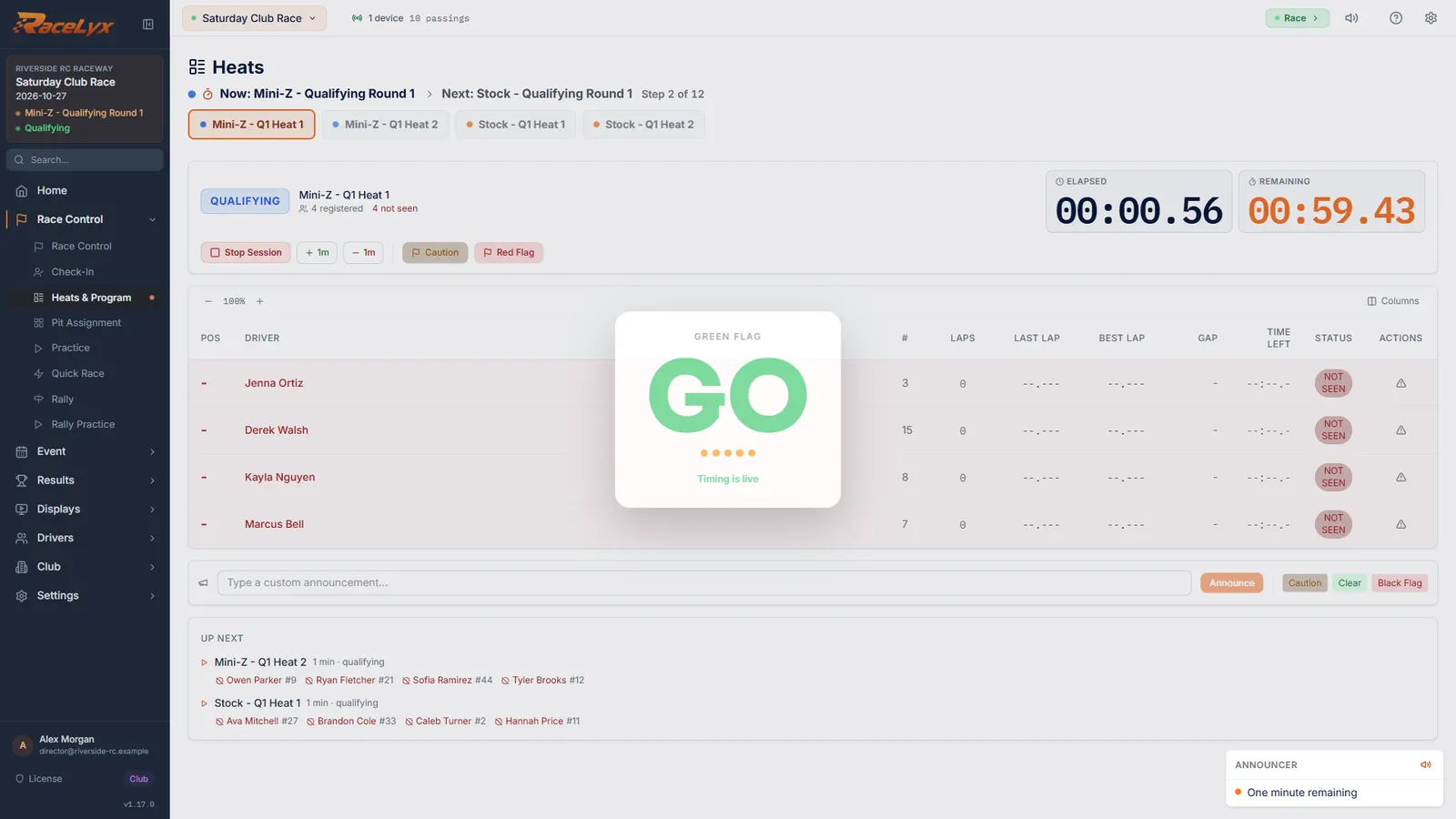
A heat on track
A heat is running on the decoder. Laps are coming in as normal.
Stage the heat and click Start Race. It works the same with any decoder: here it is an OpenStint SDR decoder on the network.
- 2
No timing data
Then the laps stop. After twenty seconds with no crossings, a red banner says No timing data.
It reads "No timing data. Check decoder/loop power and cabling." Under it each quiet decoder is listed with how long it has been silent, like "no passings for 24s", and often why: it stopped sending anything, or it is alive but reads no cars.
- 3
Red Flag
Click Red Flag. The clock holds while you find the problem.
Under a red flag the clock is held and the banner stops counting. Call the drivers to stop safely. A caution holds the clock too; red tells everyone it is a stop.
- 4
Check the decoder
Check the decoder's power and leads, and the loop cable. Timing Hardware says what it can see.
Click the decoder chip in the header to open Timing Hardware. The line under the decoder card says whether it is silent (power or cable), sending data RaceLyx cannot read (port or mode), or talking but reading no cars (the loop).
- 5
Finish it or run it again
Once laps come in again, decide. Usually the fairest is Stop Session, Reset, and run the heat again.
If only a few seconds were lost, click Clear to Green and finish the heat. Otherwise Stop Session, Reset and stage it again (see Restart a heat in progress). Already saved? Re-run it and delete the first copy.
Tips
- The banner only watches under green. Under a caution or red flag, or after the flag, cars stop crossing and that is expected.
- It is per decoder: a pit lane or sector loop that goes quiet gets its own line.
- A loose USB lead is the usual cause. Plug decoders straight into the PC, not a hub, and tape the lead down.
- RaceLyx reconnects a remembered decoder by itself when it comes back.
- Laps the decoder never sent are gone. Recover a heat cannot bring them back, because they were never stored.
Troubleshooting
- "the decoder has stopped sending anything, not even heartbeats"
- Power or cable: the decoder is off, unplugged, or its lead is broken. Check the power supply first, then the USB or network lead.
- "the decoder is alive (heartbeats OK) but no cars are being read: check the loop and transponders"
- The decoder is fine but sees no cars: the loop lead is unplugged or damaged, or the loop amplifier lost power.
- "receiving unreadable data"
- The decoder is talking but RaceLyx cannot read it: the wrong port, baud rate or output mode, often after the decoder restarted. See Decoder not seen.
- Can I rebuild the heat with Recover a heat?
- Only the part that was timed. The crossings the decoder never sent were never stored, so the rebuilt result is missing the same laps. Re-run the heat instead.
Related guides
Something here does not match what you see? Tell us and we will fix the guide.