Endurance runs one long race where teams share a car and swap drivers. Most laps wins; on equal laps, the car that completed its last lap first is ahead. Switch it on for the event on the Mains step of Event Setup, then run it from Race Control, Endurance. It needs the Pro plan.
Before you start
- Pro plan.
- Each car's transponder.
- An event with Endurance ticked under Format Options on the Mains step of Event Setup (Edit Event on a running event). Race Control, Endurance then appears in the sidebar.
Step by step
- 1
Tick Endurance on the Mains step
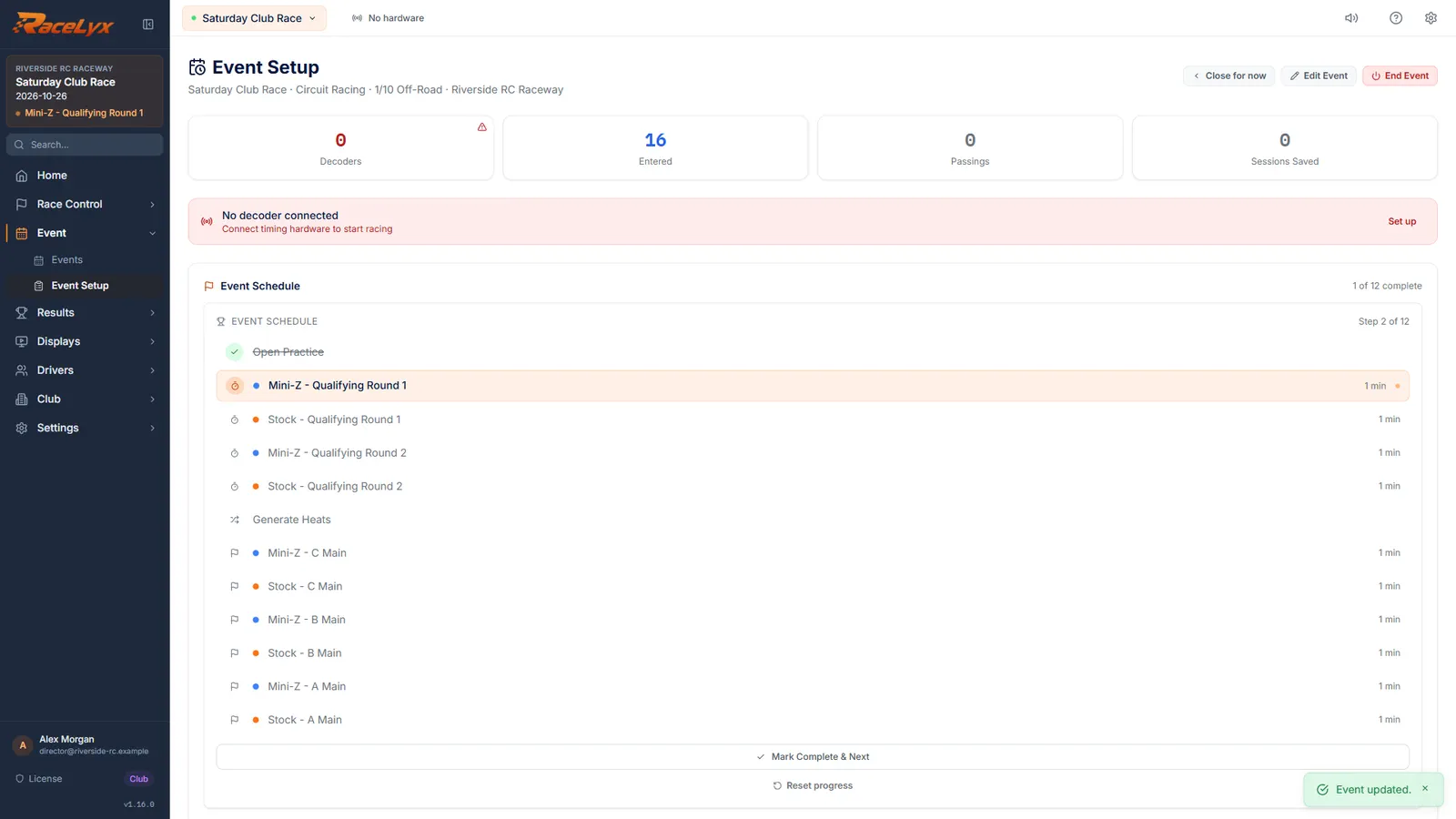
Open Event Setup, click Edit Event and go to Mains. Under Format Options, click Endurance, then Save Changes on Review.
The Endurance card opens Duration (minutes), 60 to start with, and Allow driver swaps during race. Both fill in the Endurance page. Save Changes adds Endurance under Race Control in the sidebar. On a new event the card is on the same Mains step.
- 2
Open Endurance
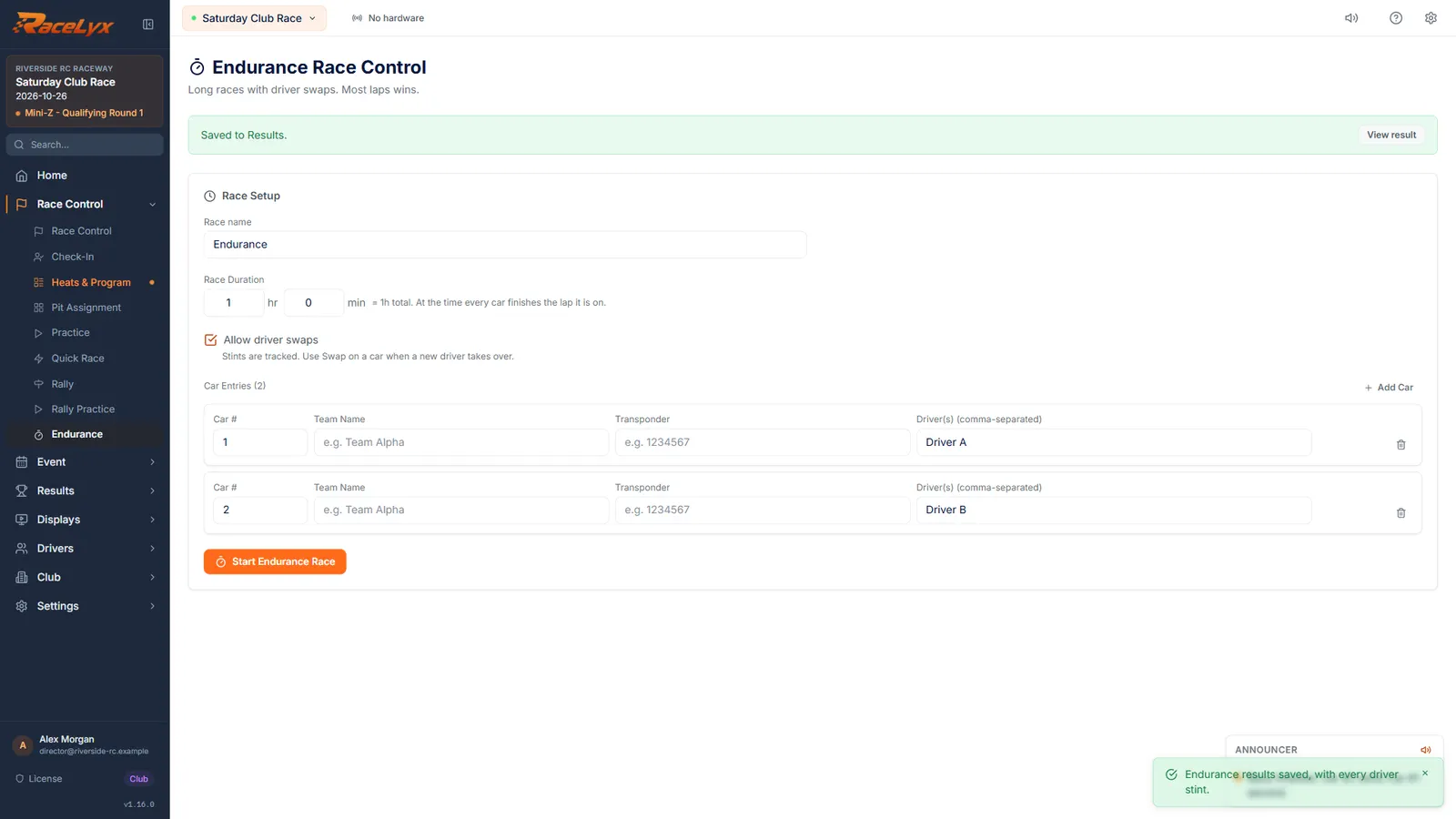
Open Race Control, Endurance. Race Setup holds the race name, its length and the cars.
Endurance Race Control: long races with driver swaps, most laps wins. Race Duration starts from Event Setup's Endurance length. Settings from class appears when a class has its own endurance settings on Classes, and fills the page from that class.
- 3
Race length and swaps
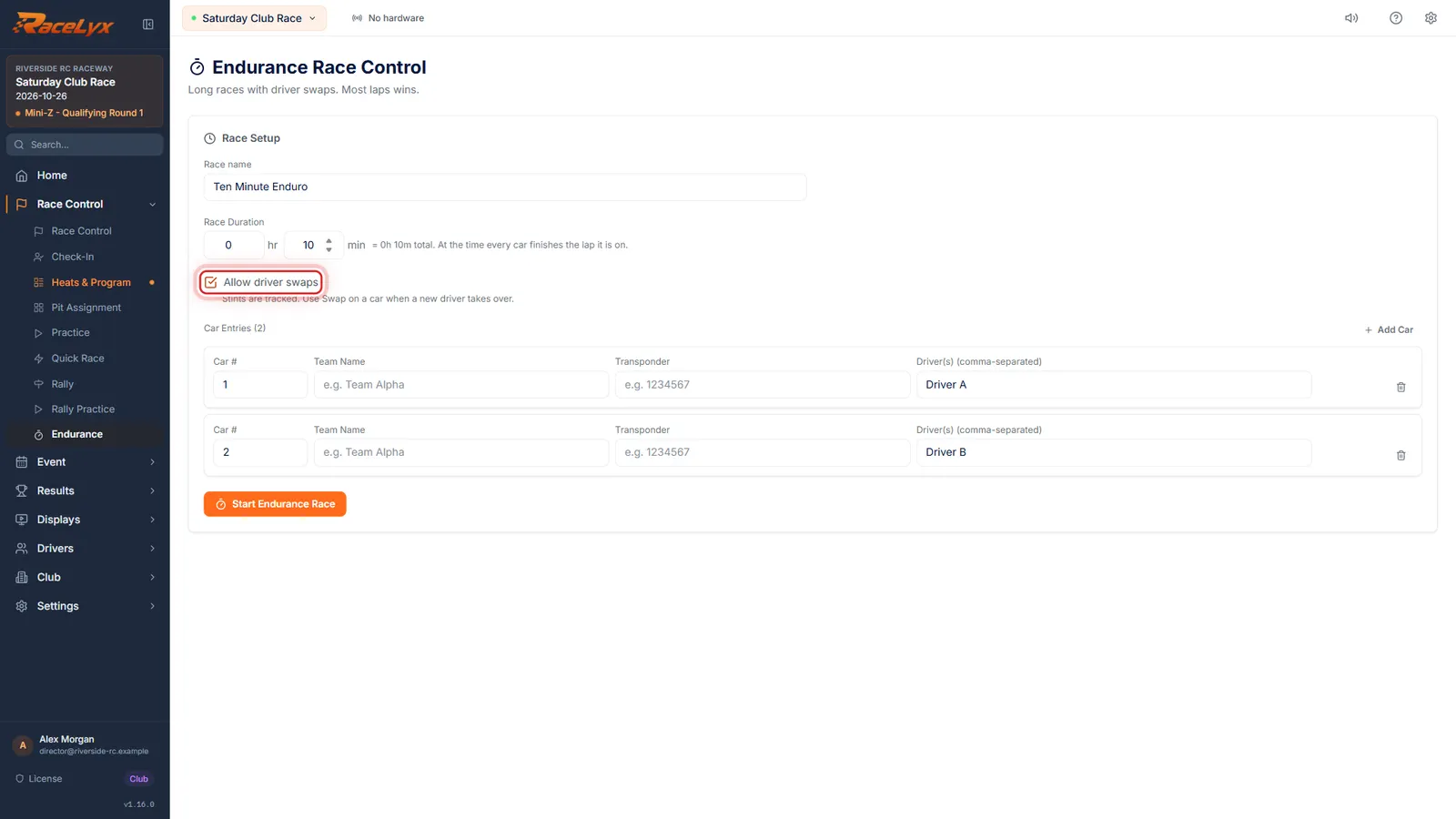
Name the race and set its length in hours and minutes. Leave Allow driver swaps on.
Race Duration takes hours and minutes; the line below adds them up. At the time every car finishes the lap it is on. With Allow driver swaps on, stints are tracked and each car gets a Swap button; off means one driver per car for the whole race.
- 4
Enter the cars
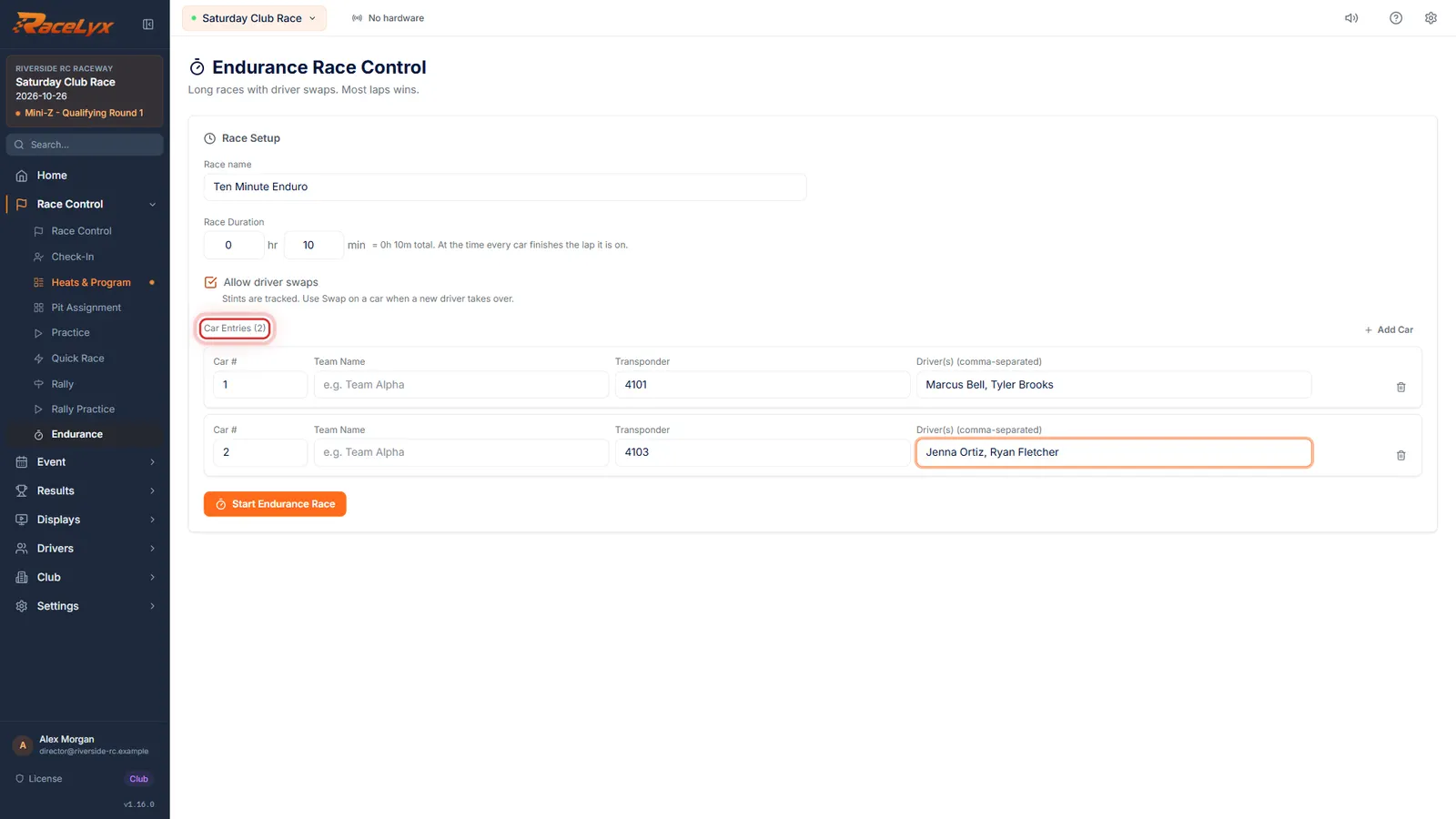
For each car, type the transponder and the drivers, with a comma between names. Add Car for more.
Driver(s) takes a comma list, like Alice, Bob, Carol.
- 5
Start Endurance Race
Click Start Endurance Race. A short countdown runs, and timing goes live on GO.
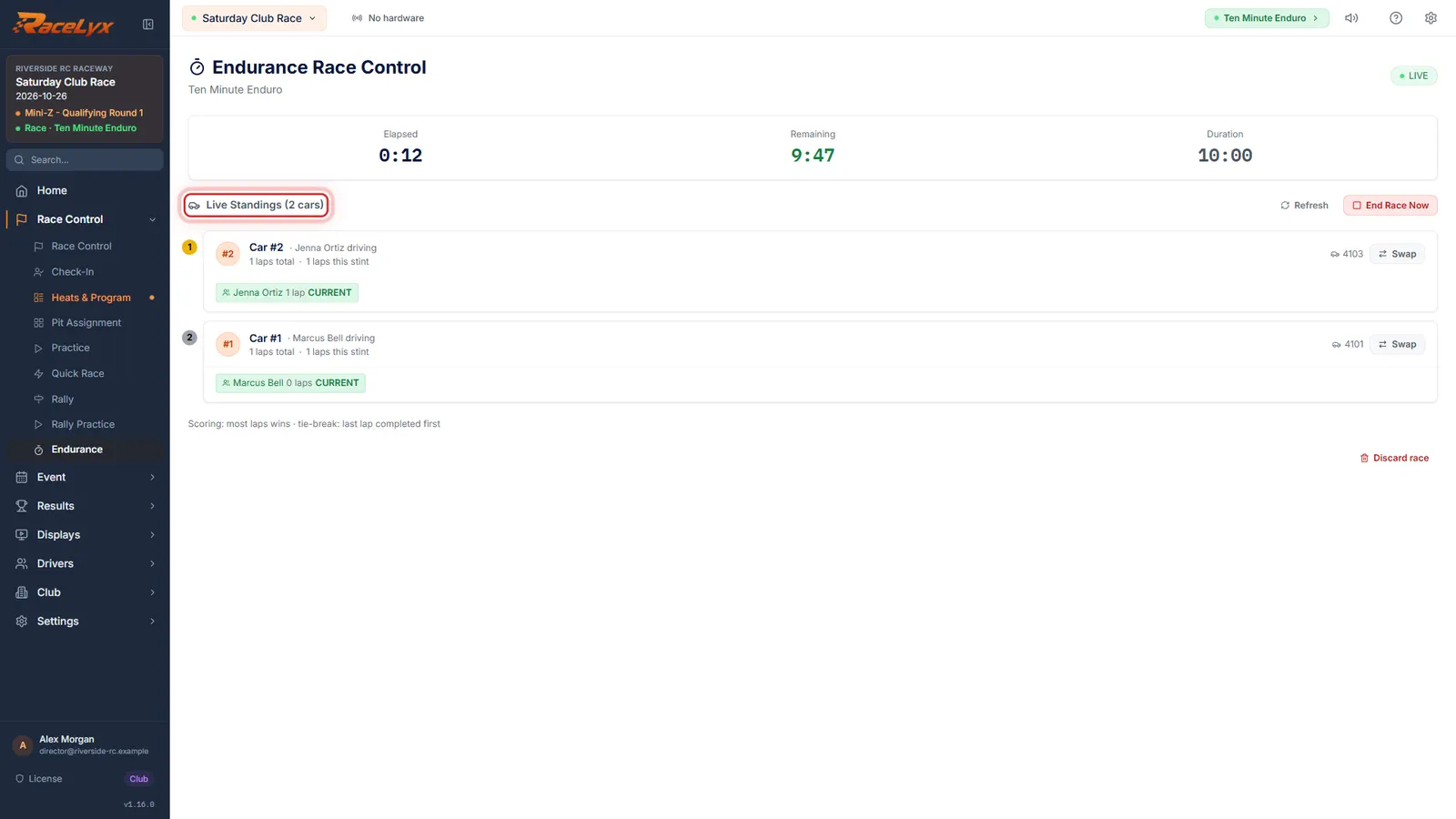
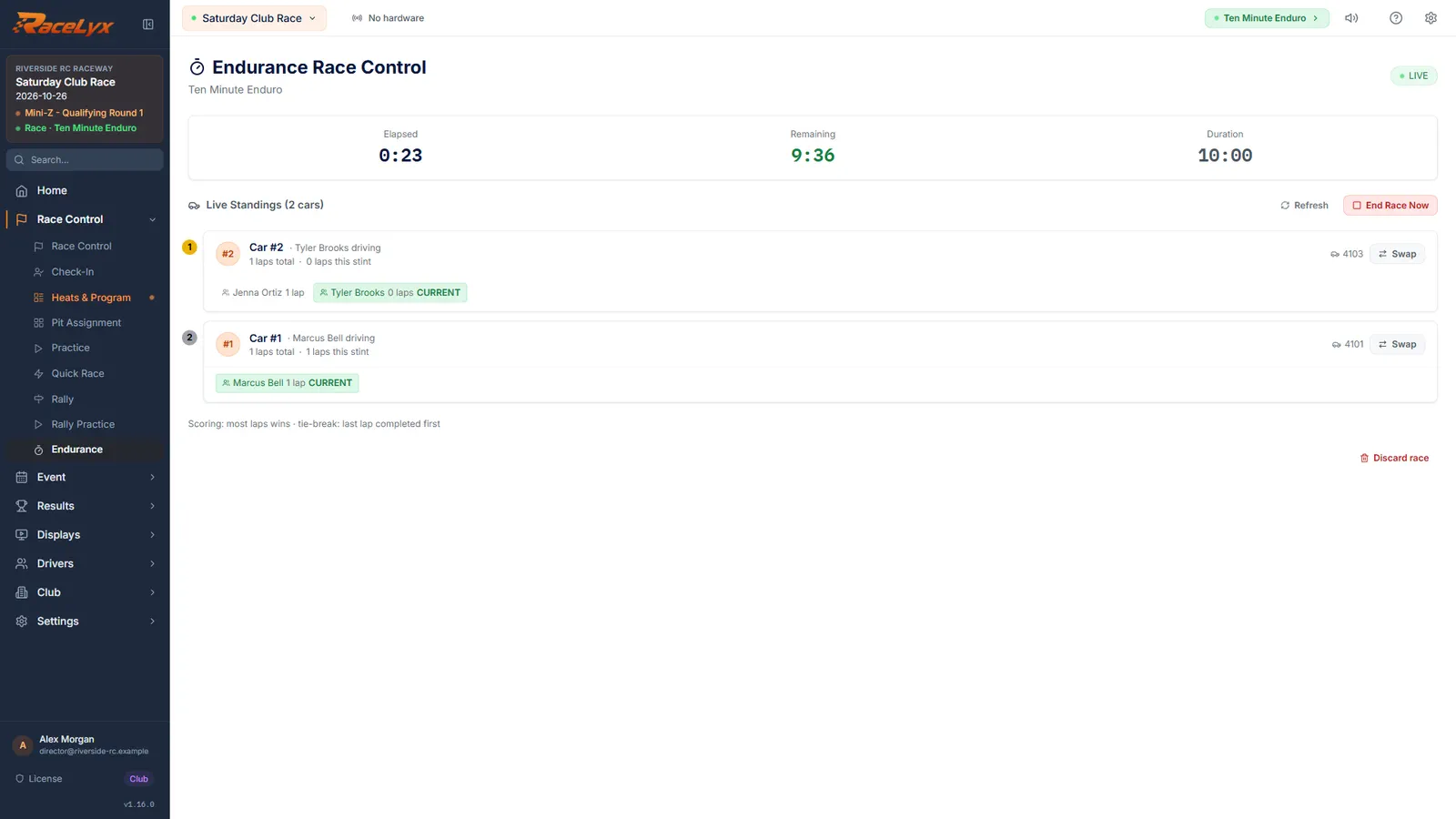
Elapsed, Remaining and Duration show at the top. Live Standings list the cars in order.
- 6
Record a driver swap
When a new driver takes over, press Swap on the car and type their name. Then Record Swap.
The stint strip shows each driver's laps, with CURRENT on the driver now in the car.
- 7
End and save
At the flag, or with End Race Now, click Save Results.
"Endurance results saved, with every driver stint." View result opens it in Results.
Tips
- Event Setup's Endurance card has its own Duration (minutes) and Allow driver swaps during race. They fill in the Endurance page, unless a class has its own endurance settings on Classes: then Settings from class picks that class and its length.
- Endurance and Multi-Leg Finals switch each other off in Event Setup: an event runs one or the other.
- Race Control opens Endurance by itself when the running session is an endurance race.
- The race keeps running if you leave the page; come back from Race Control, Endurance.
- At the time, every car finishes the lap it is on.
- Past drivers under Swap fills in a driver who has already driven.
Troubleshooting
- There is no Endurance in the sidebar.
- The event does not have Endurance ticked. Open Event Setup, Edit Event, Mains, tick Endurance under Format Options and Save Changes. Setting a class to endurance on Classes does not add it.
- "Another session is on the track."
- Save or reset it in Race Control before starting an endurance race.
- "The results are saved, but the driver stints were not."
- The cars show under their team names. The laps and order are saved.
Related guides
Something here does not match what you see? Tell us and we will fix the guide.