Merge / Compare Results, under the History list, puts several saved sessions side by side. Merge ranks drivers across them, for example two legs of a final. Compare shows each driver's best lap in each session, to see who improved. Neither one saves anything or changes a result.
Before you start
- Two or more saved sessions.
Step by step
- 1
Merge / Compare Results
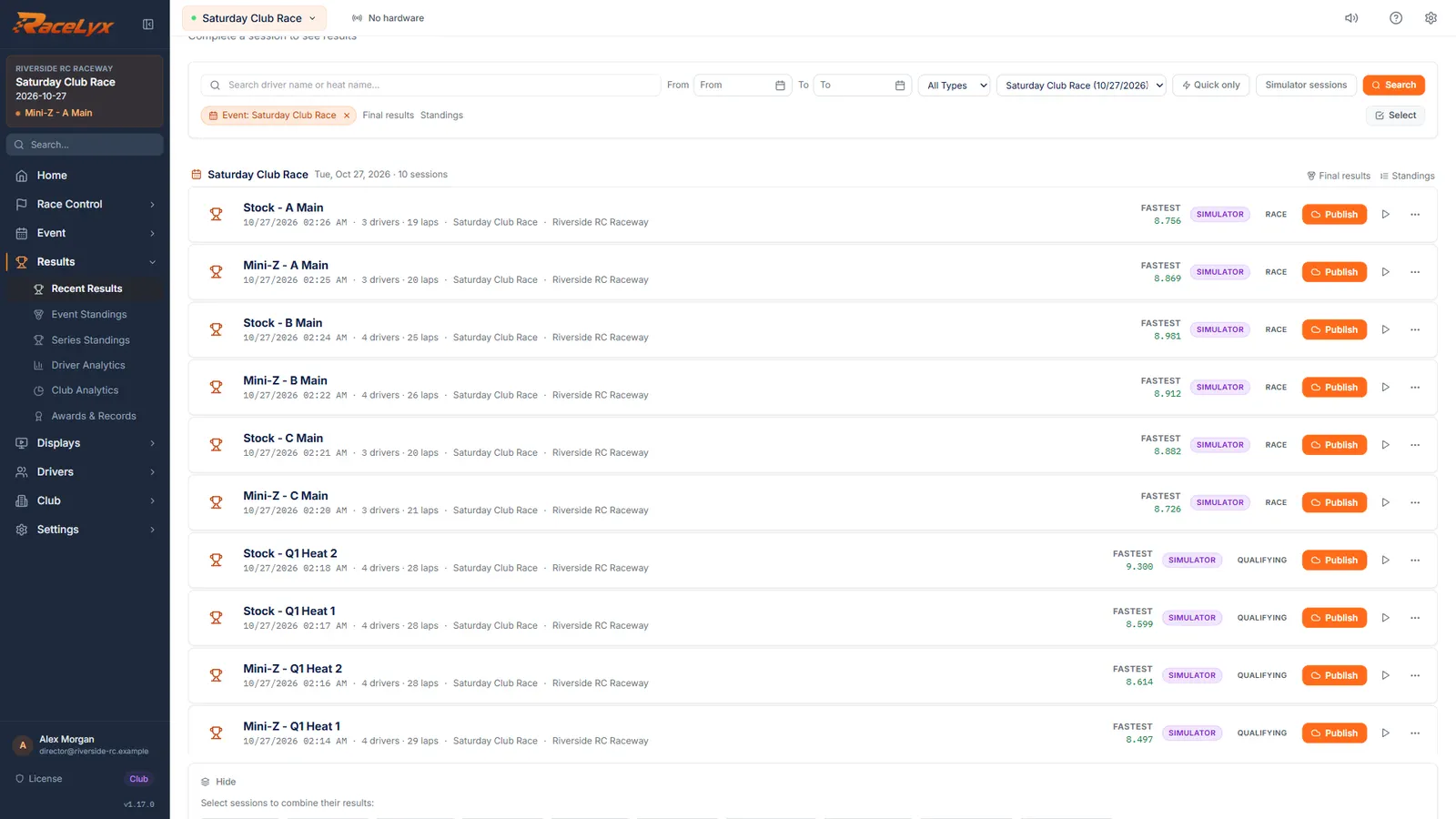
In Results, History, scroll below the list and click Merge / Compare Results.
It only shows when there are two or more saved sessions. A row of chips appears, one per saved session, with the merge method, Merge and Compare under it.
- 2
Pick the sessions
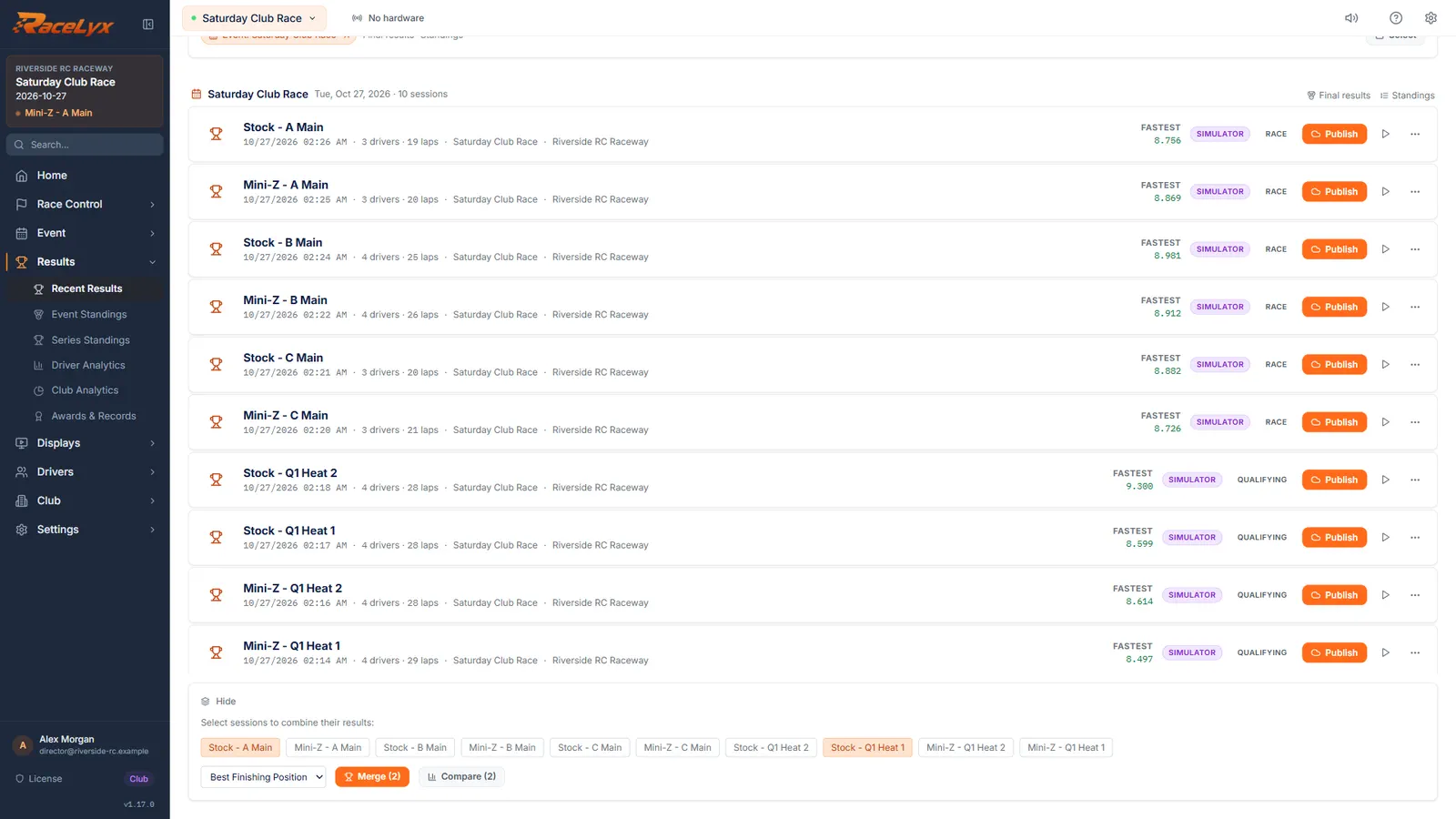
Click each session to include. Here, a qualifying heat and the A Main of the same class.
Picked chips turn orange; click one again to drop it. Pick sessions with the same drivers in them, or the comparison has gaps.
- 3
Compare
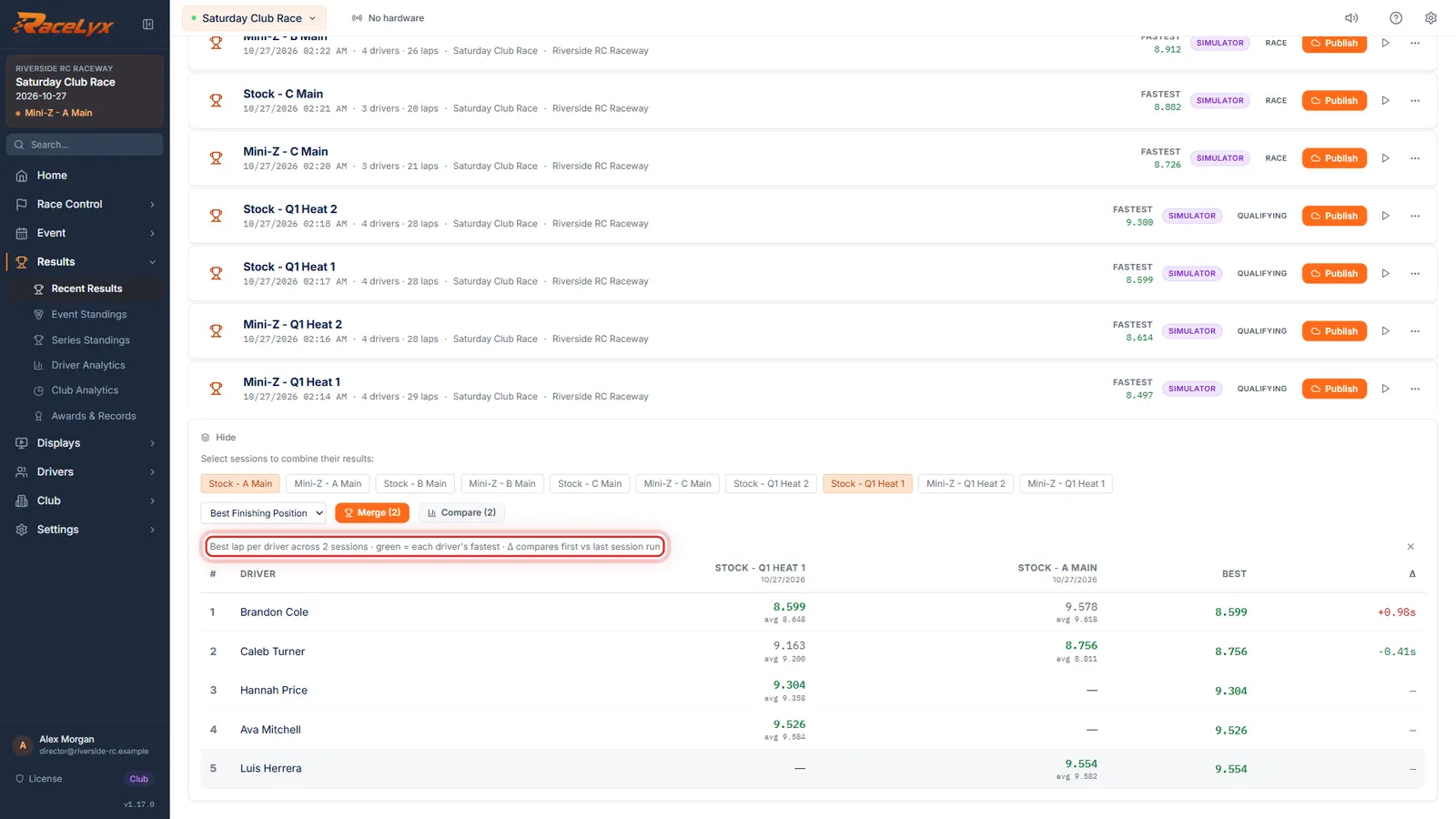
Click Compare. Each driver's best lap in each session, side by side.
Sessions run left to right in the order they finished, each best lap with the driver's average under it. Green marks each driver's fastest. Best is their best of all, and the last column shows how much faster or slower their last session was than their first.
- 4
Merge
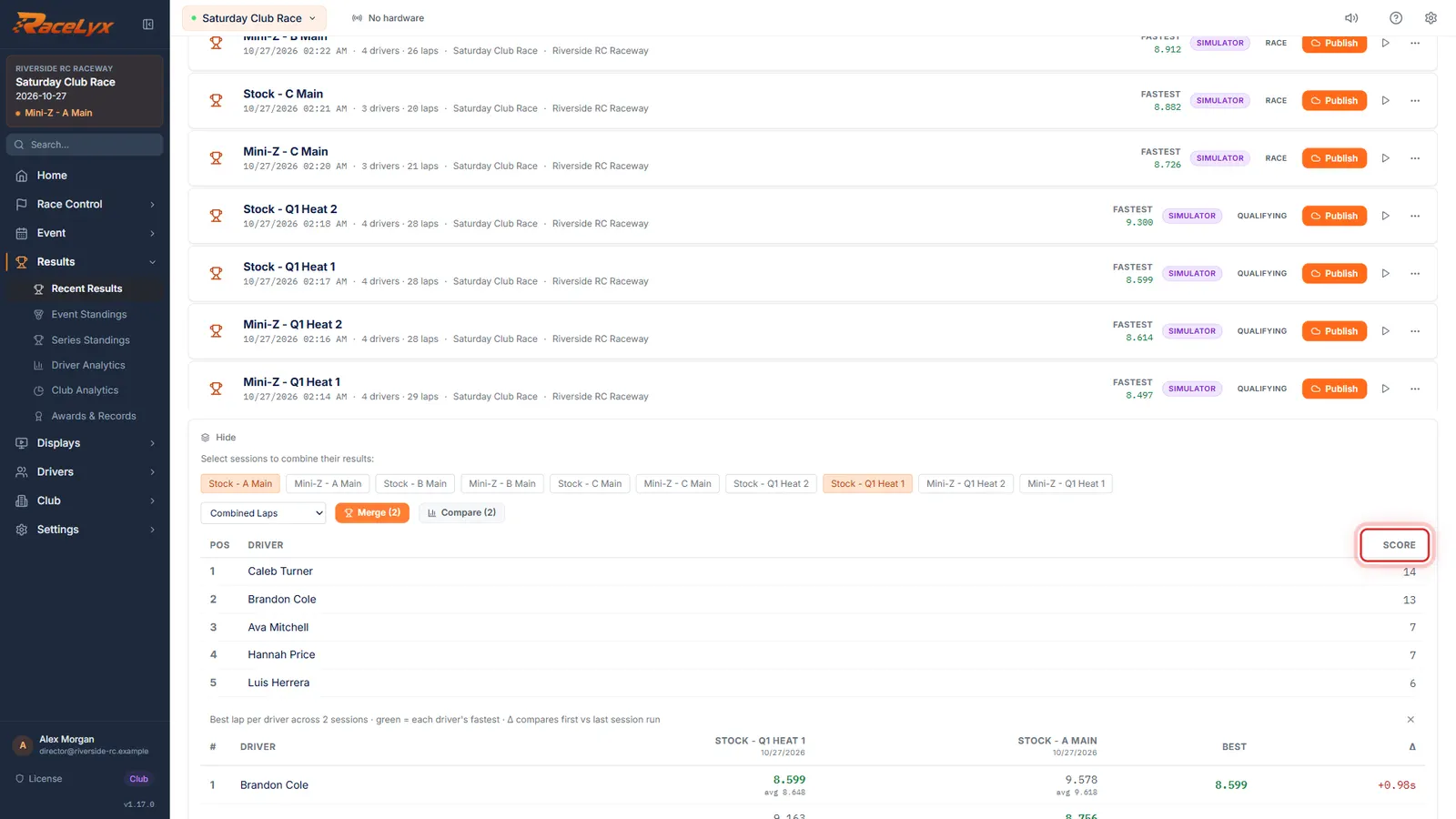
To rank drivers across the sessions, pick how, then click Merge.
Best Finishing Position takes each driver's best finish, Sum Points adds their positions (lowest wins), and Combined Laps adds their laps (most wins). The table shows Pos, Driver and Score. Nothing is saved.
Tips
- Best Finishing Position ranks each driver by their best single finish. Sum Points adds up their finishing positions, lowest wins. Combined Laps adds up their laps, most wins.
- Sum Points only counts the sessions a driver was in, so one who missed a session can come out ahead. Use it when everyone ran every session.
- A tie goes to the name that comes first alphabetically. Settle real ties yourself.
- Multi-leg A Mains run as part of the event are better scored with Multi-Leg Finals, which feeds the Final tab.
- The chips show the session name only, so check which is which before you merge.
Troubleshooting
- Merge is greyed out.
- Pick at least two sessions.
- "Could not merge those mains".
- One of the sessions could not be read, often one deleted a moment ago. Open History again and pick again.
Related guides
Something here does not match what you see? Tell us and we will fix the guide.