OpenStint (openstint.org) is free, open source decoder software. It reads MyLaps RC3 and RC4 transponders straight off the air with a USB radio, an RTL-SDR or a HackRF, so you need no decoder box. RaceLyx does not install or start it: you run openstint_rtlsdr, and RaceLyx connects to it over the network, on this PC or another.
Before you start
- OpenStint installed from openstint.org, following its own install guide.
- The radio plugged into the PC and wired to your loop.
Step by step
- 1
Start openstint_rtlsdr
Plug the radio in, and start openstint_rtlsdr on this PC. RaceLyx does not start it for you.
OpenStint is its own program, from openstint.org; leave it running all night. It sends passings on port 5556 unless you started it on another port.
- 2
Choose OpenStint SDR
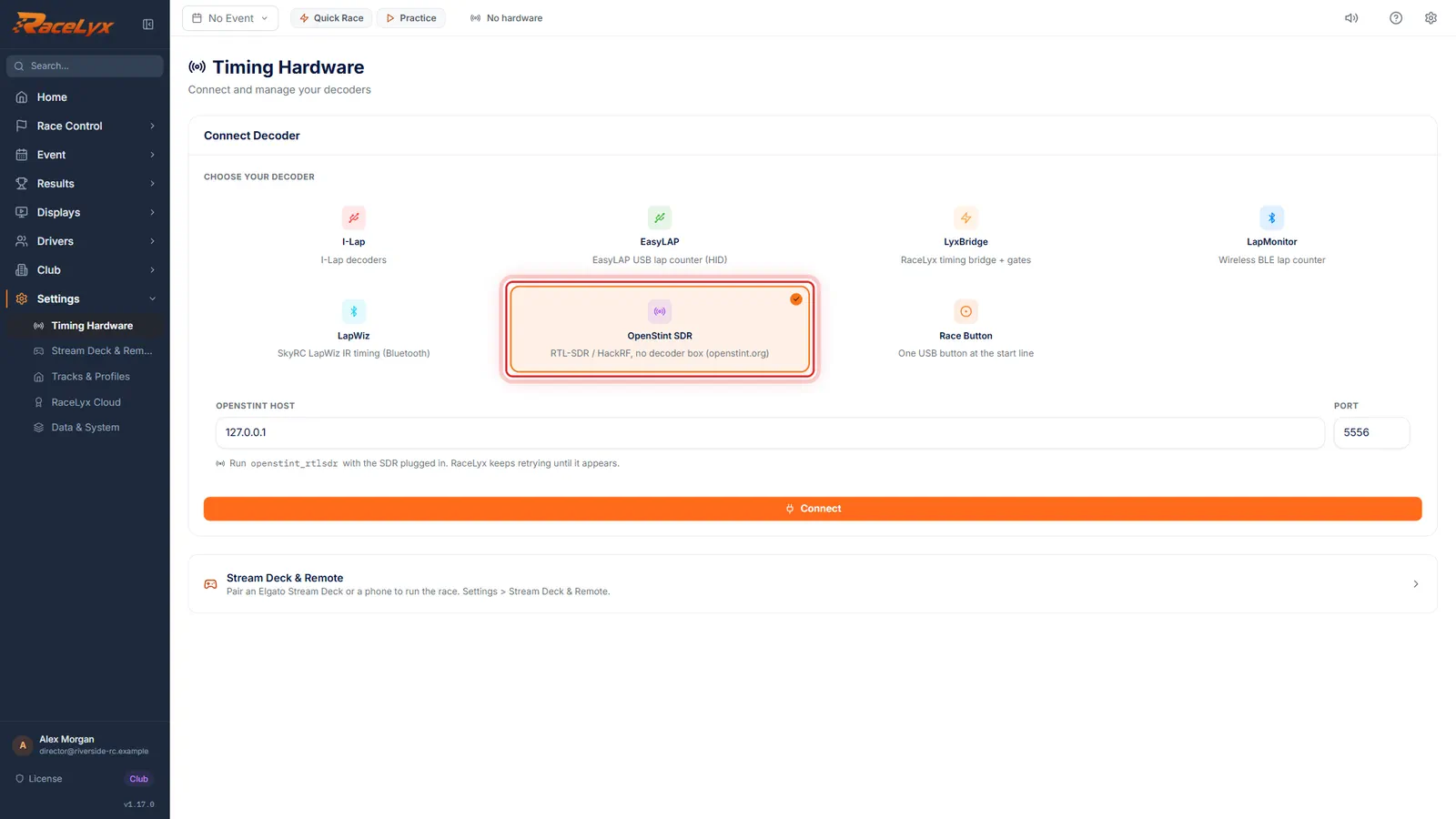
On Timing Hardware, click OpenStint SDR.
The card reads "RTL-SDR / HackRF, no decoder box (openstint.org)". Under it are OpenStint Host, Port, and the reminder "Run openstint_rtlsdr with the SDR plugged in. RaceLyx keeps retrying until it appears."
- 3
Host and port
Host and Port are 127.0.0.1 and 5556 when OpenStint runs on this PC. On another computer, type that computer's address.
127.0.0.1 means this computer. For OpenStint on another PC on the same network, type its IP address, for example 192.168.1.20, and the port it was started on.
- 4
Connect
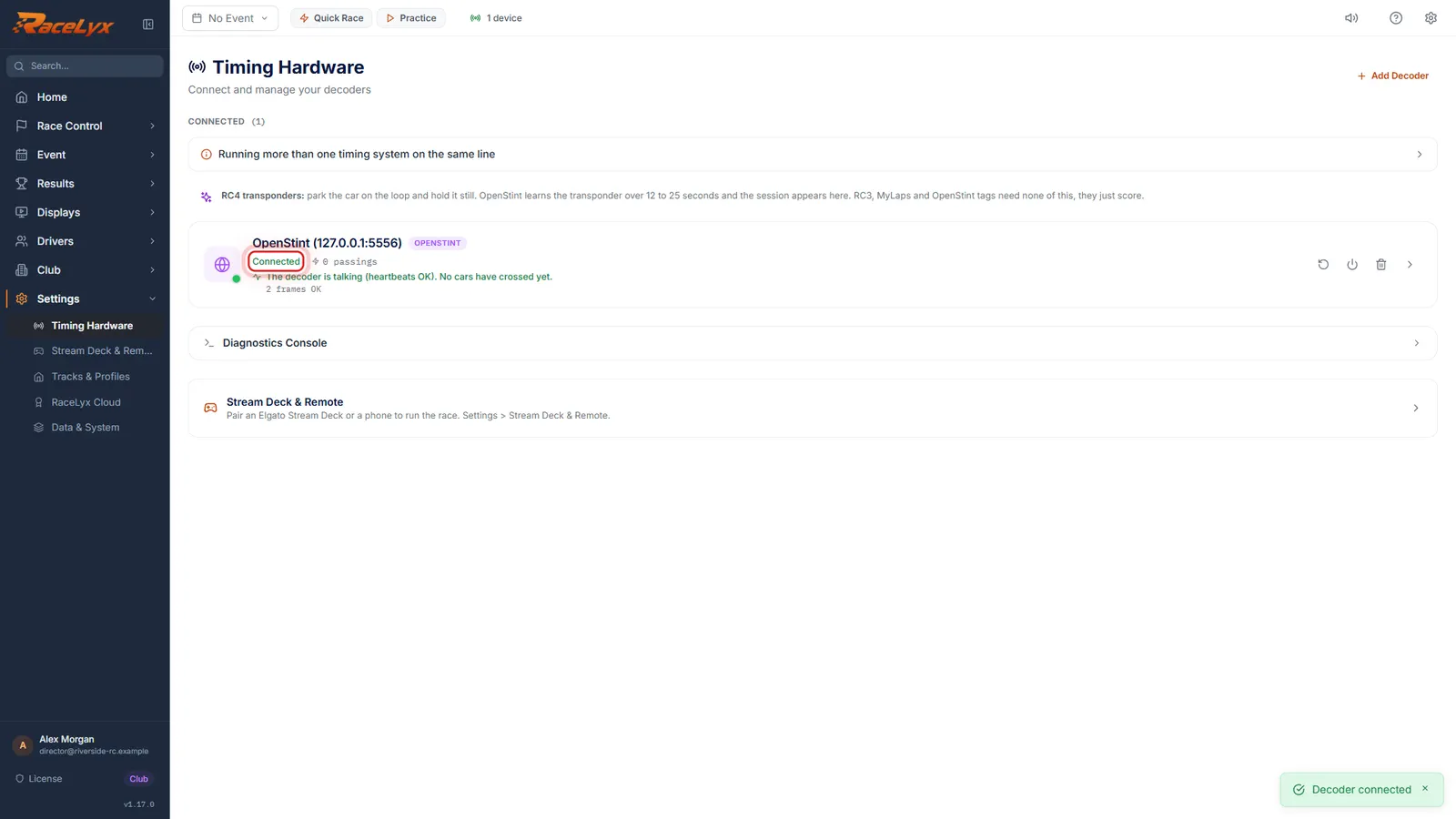
Click Connect. Connected means OpenStint is really answering, not just that the port is open.
OpenStint sends a status line about once a second even with no cars on track, and RaceLyx waits for it before it says Connected. A connection you have made once is remembered.
- 5
Check the numbers
Roll each car over the loop, and compare the number in the Live Feed with the transponder on that driver's car.
OpenStint reports the number it decodes off the air. For a locked transponder that can differ from the number printed on it, and RaceLyx matches drivers by number, so check before the first heat. Put any new numbers on the drivers' cars on Drivers.
- 6
RC4 transponders
Running RC4 transponders? Park the car on the loop and hold it still. OpenStint learns it in 12 to 25 seconds, and shows the number to use.
The panel reads RC4 learning: START while it learns, INTERRUPTED if the car moved, and DONE with "Transponder number for this car". A Hybrid gives the number printed on it; a pure RC4 gets a number counting from 1000, which stays the same next time. Put that number on the driver's car.
Tips
- Start openstint_rtlsdr before race night and leave it running. RaceLyx keeps retrying until it appears, so the order you start them in does not matter.
- OpenStint on another PC? Type that PC's address in OpenStint Host. 5556 is its usual port; if you started it on another one, type that.
- Check the numbers before the first heat: switch Transponder Validation Mode to Relaxed, roll each car over the loop and compare the Live Feed number with the one on the driver's car. Then go back to Strict.
- RC3, MyLaps and OpenStint tags just score. RC4 transponders need learning once: park the car on the loop and hold it still for 12 to 25 seconds.
Troubleshooting
- OpenStint SDR keeps retrying and never connects.
- openstint_rtlsdr is not running, or it is on another host or port. Start it with the radio plugged in, and check OpenStint Host and Port.
- Every car shows in the Live Feed, but nothing scores in a heat.
- The numbers OpenStint reports do not match the transponders on the drivers' cars, so Strict mode rejects them. Compare the Live Feed with Drivers, and put the reported numbers on the cars.
- "RC4 learning: INTERRUPTED".
- The car moved while OpenStint was learning it. Park it on the loop again and keep it still until it says DONE.
Related guides
Something here does not match what you see? Tell us and we will fix the guide.