At the end of the season the treasurer needs two things: a summary of the year for the members, and the detail for the bookkeeper. Year End gives you the first, and Export for bookkeeper the second. It needs the Club plan.
Before you start
- Club plan (or a trial), with Financials on in Settings, Features.
- The year's payments marked paid, and its expenses entered.
Step by step
- 1
Open Year End
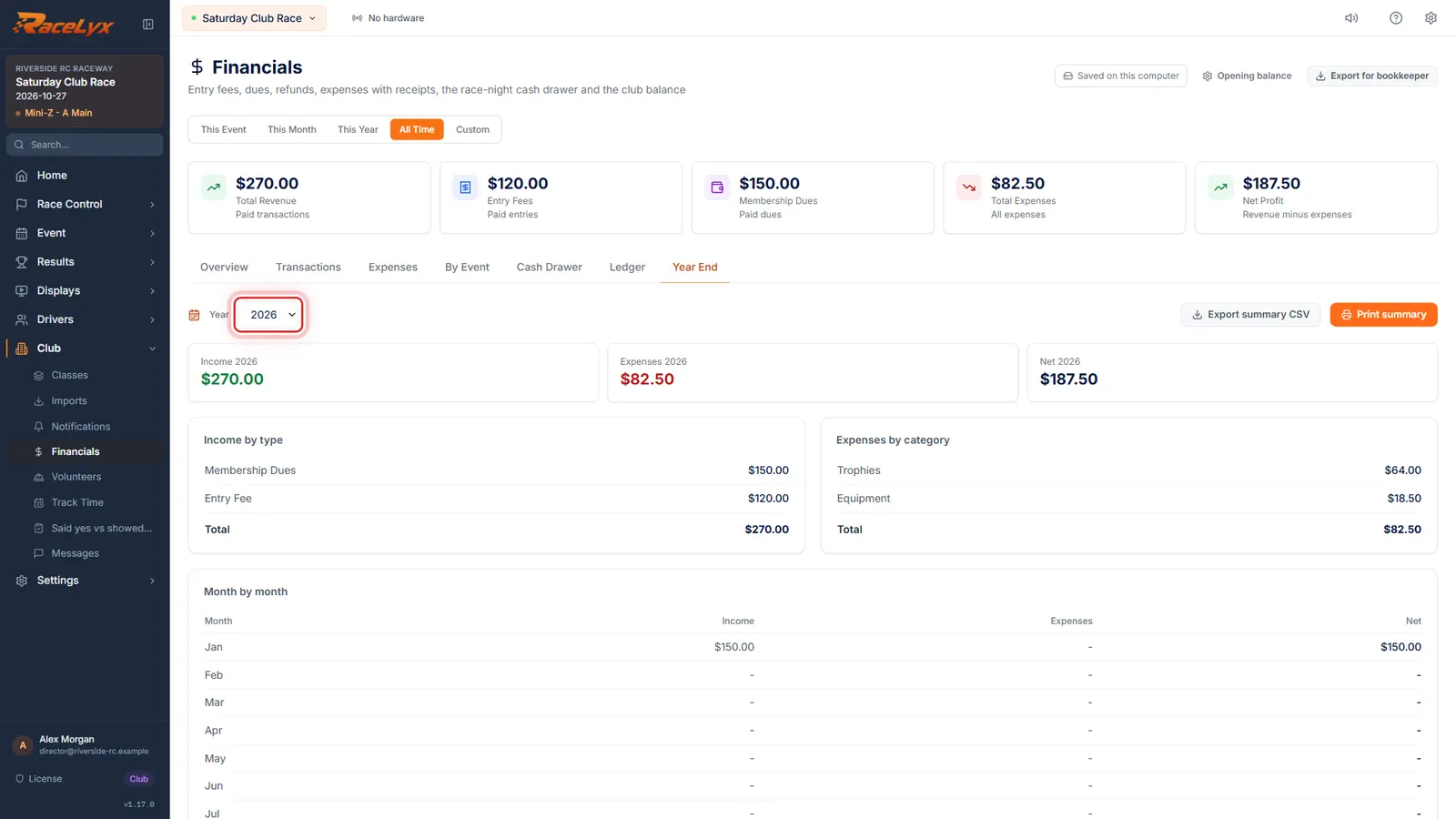
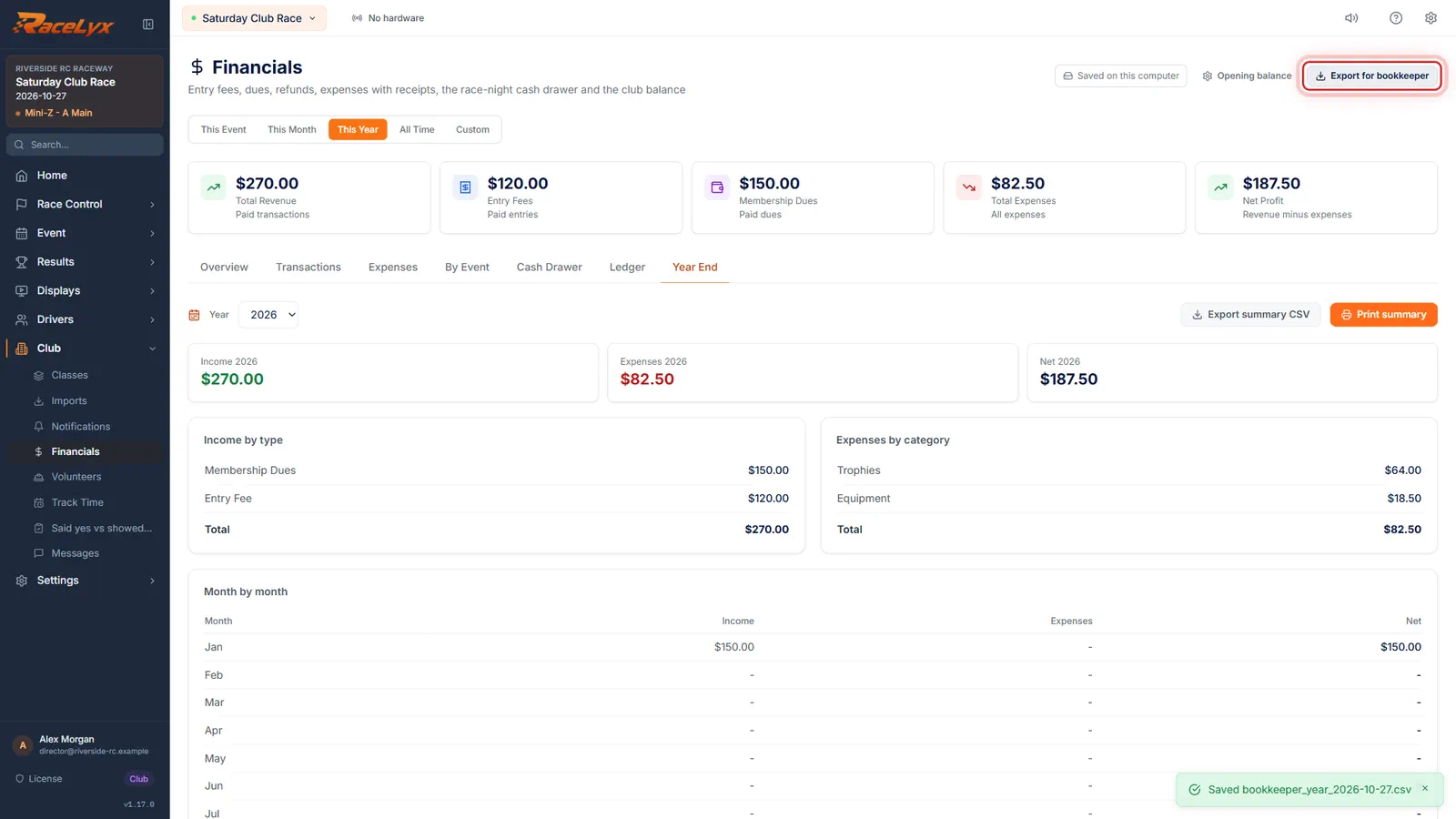
On Financials, open the Year End tab and pick the year.
The Year list has this year and every year with money in it. The cards show Income, Expenses and Net for that year.
- 2
Income, expenses, month by month
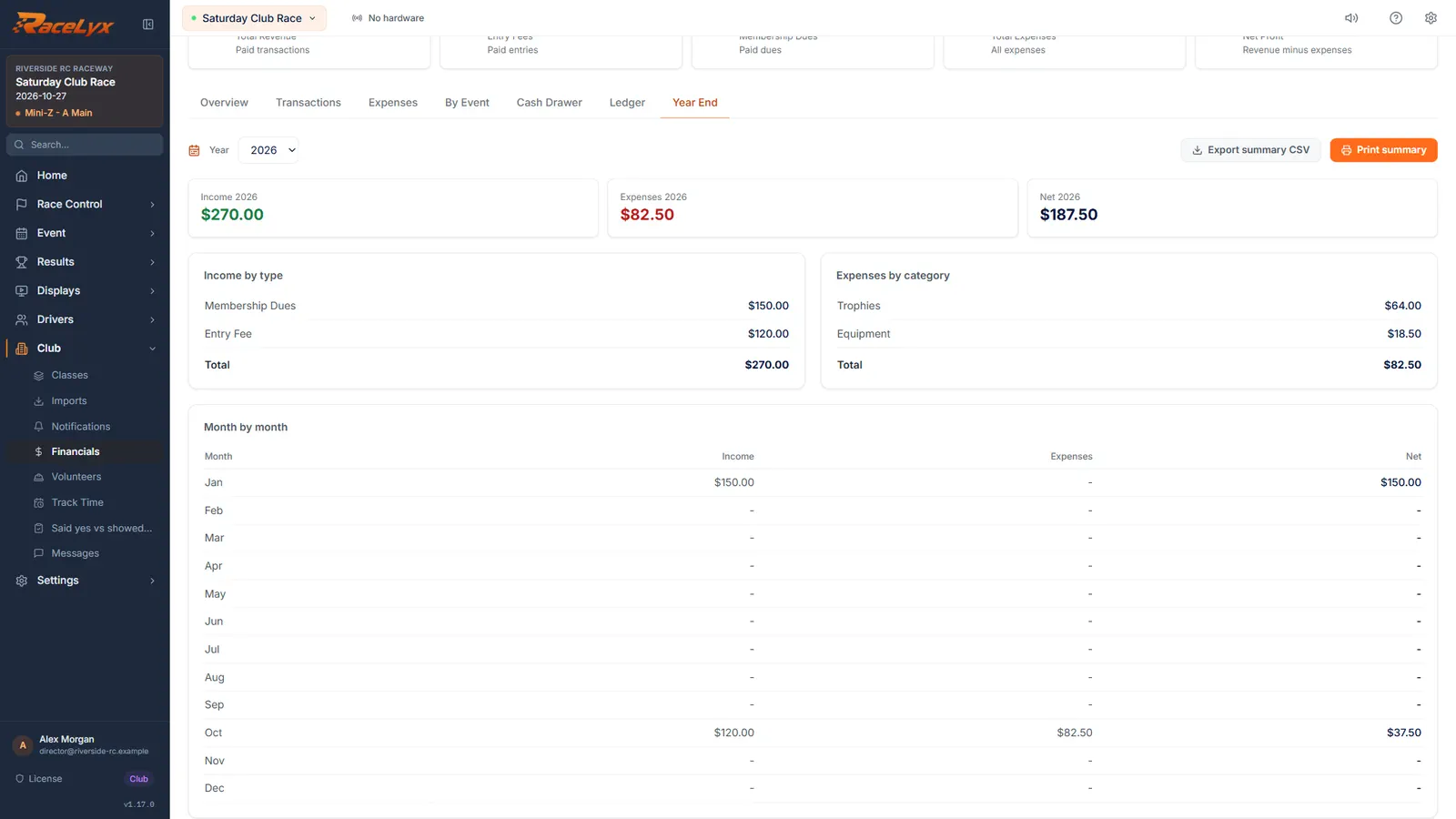
Income by type and Expenses by category add up the year. Month by month shows the income, expenses and net for each month.
Income by type uses the payment types, like Entry Fee and Membership Dues, after refunds. Expenses by category uses the expense categories you picked.
- 3
Unpaid entry fees and cash drawers
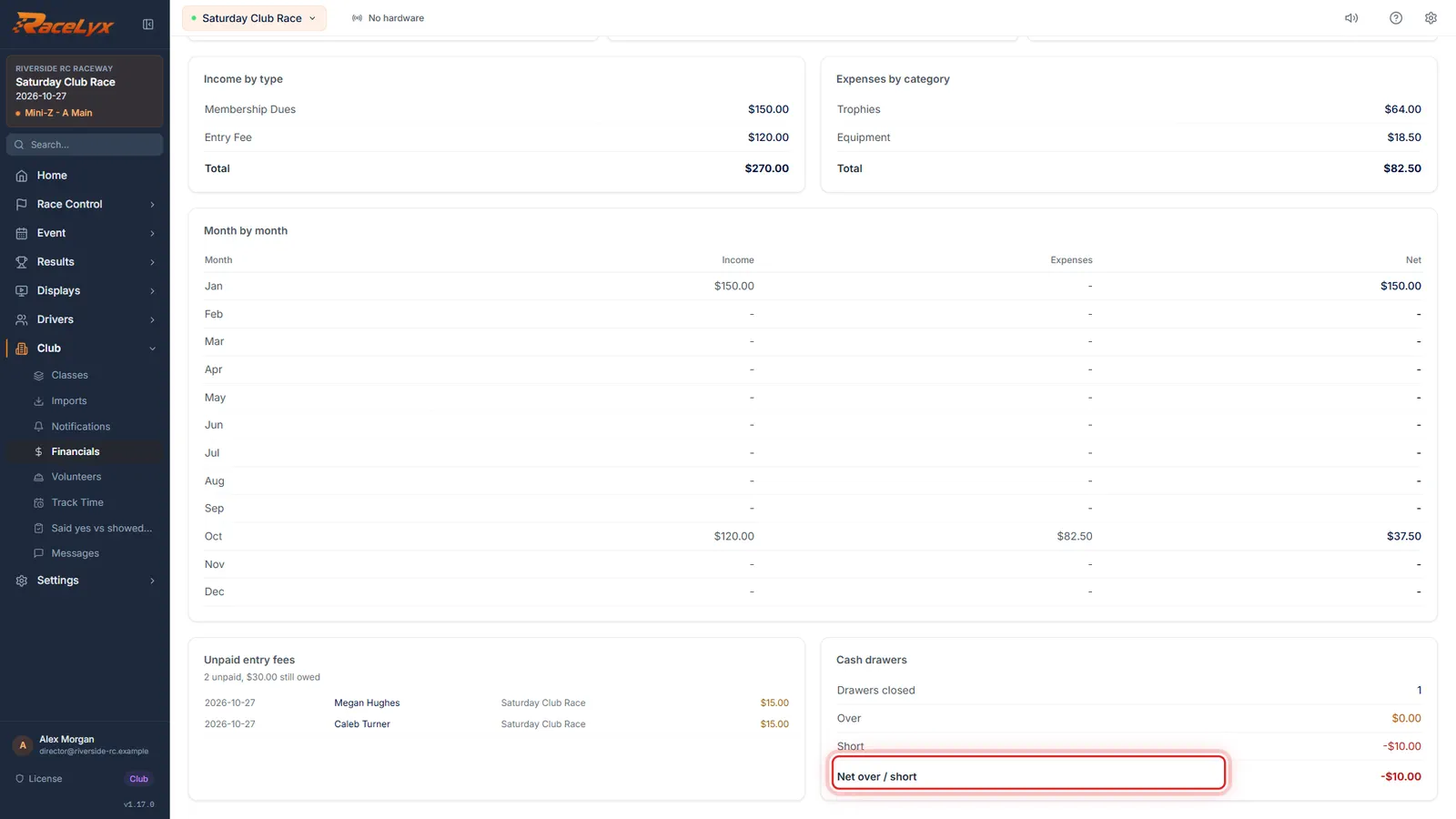
Unpaid entry fees lists who still owes. Cash drawers adds up how much the drawers were over and short.
Unpaid entry fees gives the count and the amount still owed, with each driver, date and event. Cash drawers shows Drawers closed, Over, Short and Net over / short.
- 4
Print summary
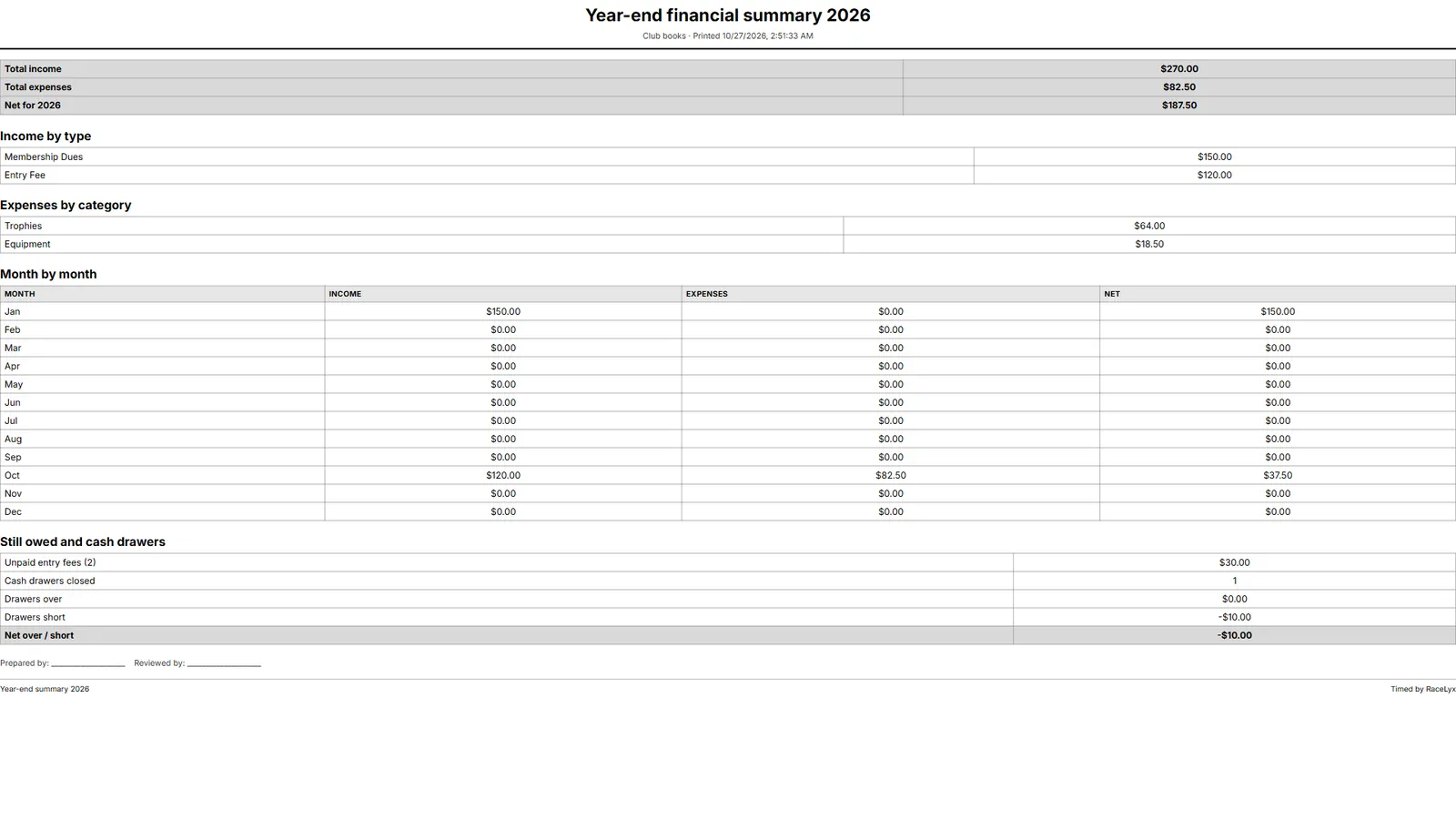
Click Print summary for a sheet to hand out at the annual meeting.
The printed Year-end financial summary has the totals, income by type, expenses by category, month by month, what is still owed and the cash drawers, with lines for Prepared by and Reviewed by. Export summary CSV saves the same numbers as a spreadsheet.
- 5
Export for bookkeeper
For your bookkeeper, pick a period, like This Year, then click Export for bookkeeper. It saves every payment, refund and expense, money in as plus and money out as minus.
The file has Date, Type, Description, Category, Payment method, Event and Amount, oldest first, ready for a bookkeeper or a QuickBooks import. Only paid rows are in it. The toast names the file, starting bookkeeper_ with today's date, saved in your Downloads folder.
Tips
- Year End counts each payment and expense by the date on its row.
- Unpaid entry fees lists everyone who still owes for that year.
- Cash drawers adds up the over and short of every drawer closed that year.
- Export summary CSV saves the summary as Section, Item and Amount rows.
- Export for bookkeeper follows the period buttons: pick This Year, or Custom for your club's financial year, before you export.
- In the bookkeeper file money in is a plus amount and money out a minus amount. Unpaid entries are left out.
- The Year list is calendar years, January to December. For a club year that runs, say, April to March, pick Custom with From and To, then Export for bookkeeper.
- Export summary CSV and Export for bookkeeper save to your Downloads folder; the toast names the file.
Troubleshooting
- Year End shows No paid income.
- Nothing marked paid is dated in that year. Pick another Year, or mark the payments paid on Transactions.
- The year I want is not in the Year list.
- The list has this year and every year with a payment or expense in it.
- The bookkeeper file is missing some payments.
- It covers the period picked above, and only paid rows. Pick All Time or Custom and export again.
Related guides
Something here does not match what you see? Tell us and we will fix the guide.