Keep the receipt with the expense. On Add Expense, attach a photo or PDF: RaceLyx keeps a copy on this computer and shows it in Expenses and the Ledger. It needs the Club plan.
Before you start
- Club plan (or a trial), with Financials on in Settings, Features.
- The receipt as a photo or PDF on this computer: JPG, PNG, WebP, HEIC or PDF, up to 10 MB.
Step by step
- 1
Open Expenses, then Add Expense
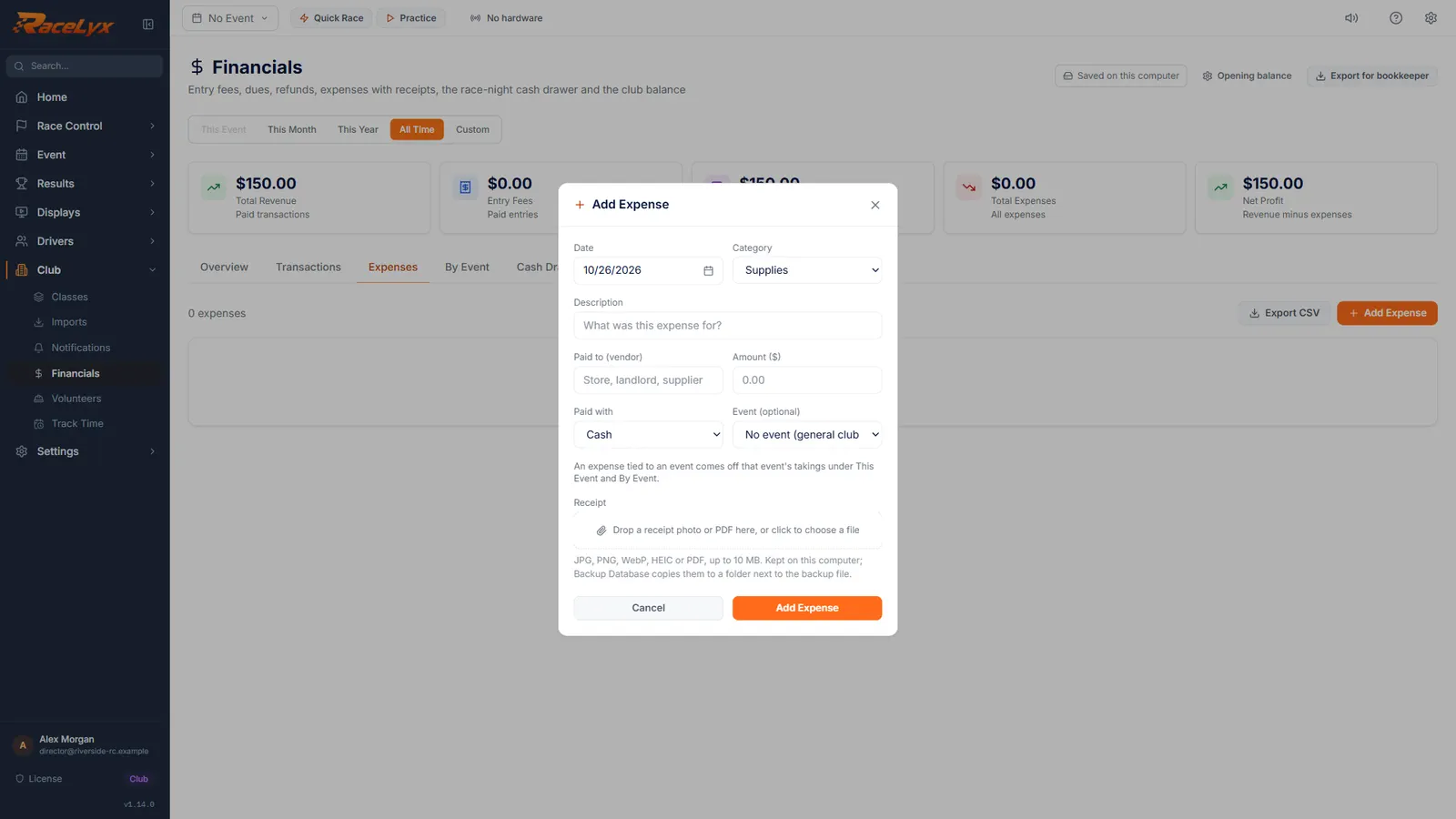
On Financials, open Expenses and click Add Expense.
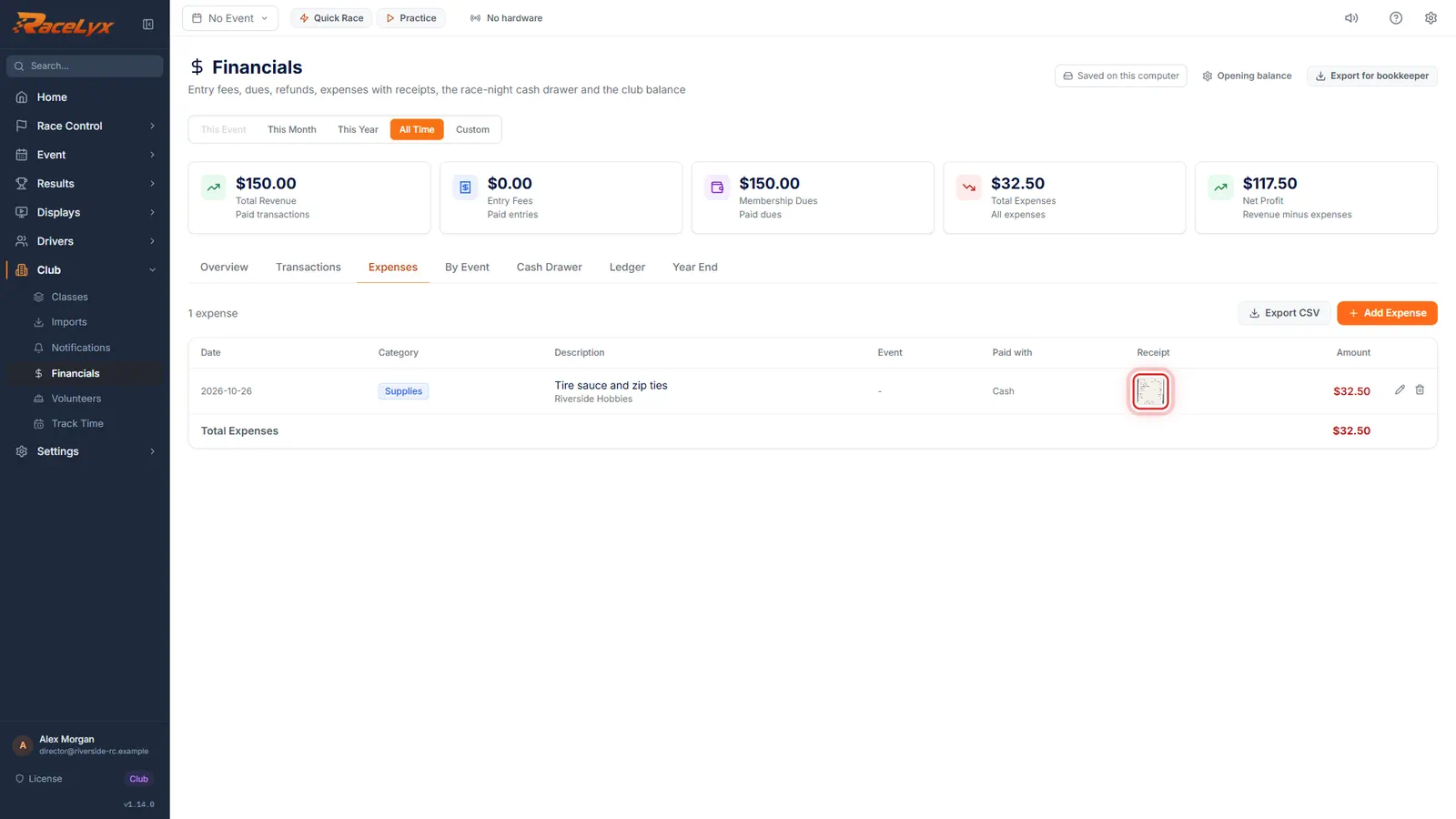
Expenses lists every cost with its Date, Category, Description, Event, Paid with, Receipt and Amount, and the Total Expenses at the bottom.
- 2
What it was, who you paid, how much
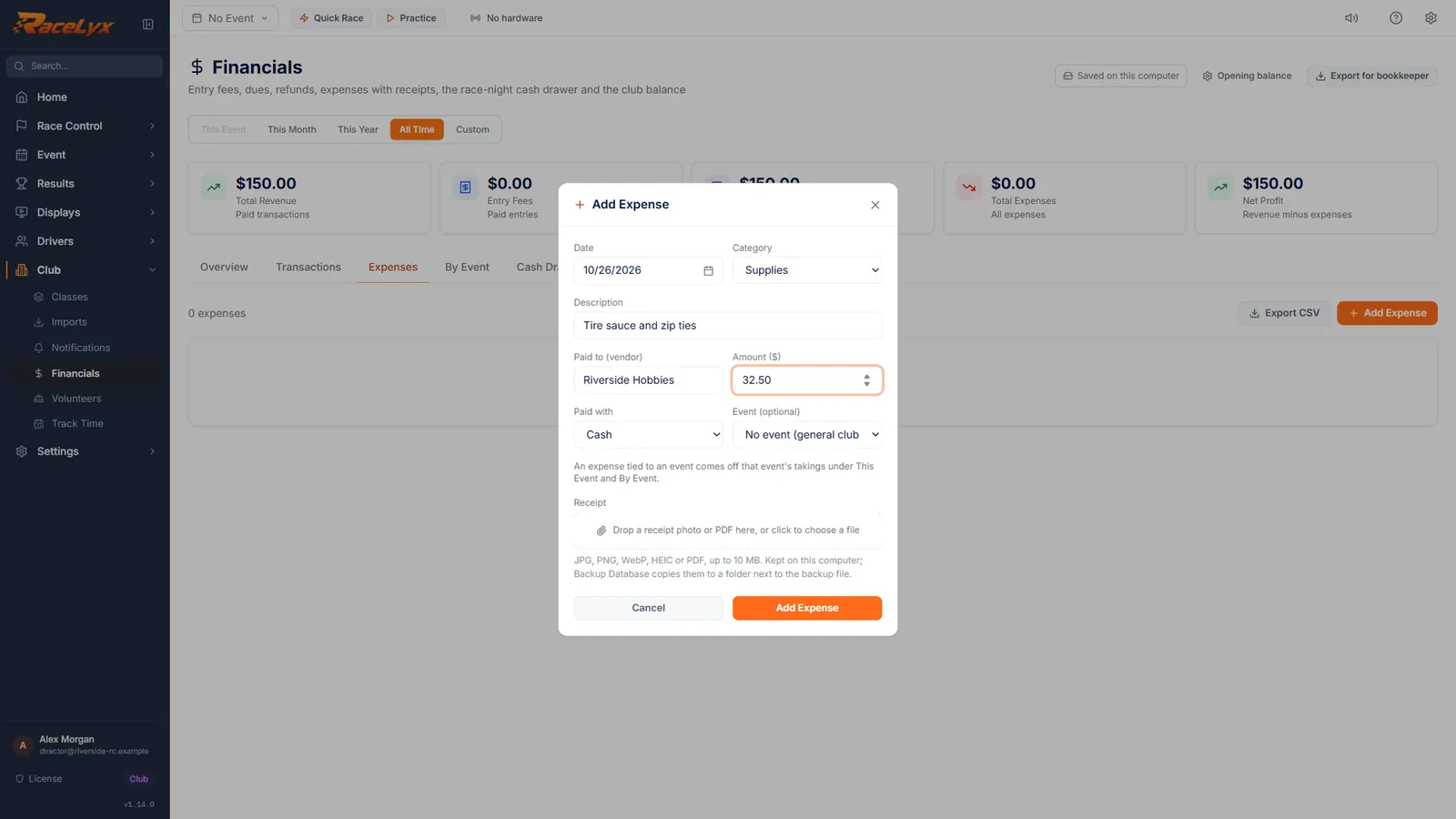
Type what it was for, who you paid, and the amount. Pick the category that fits.
Description is required. Paid to (vendor) is the store or supplier. Category groups the expense in Year End. Paid with is Cash, Card, Online, Check or Other. Event (optional) ties it to an event, so it comes off that event's takings.
- 3
Attach the receipt
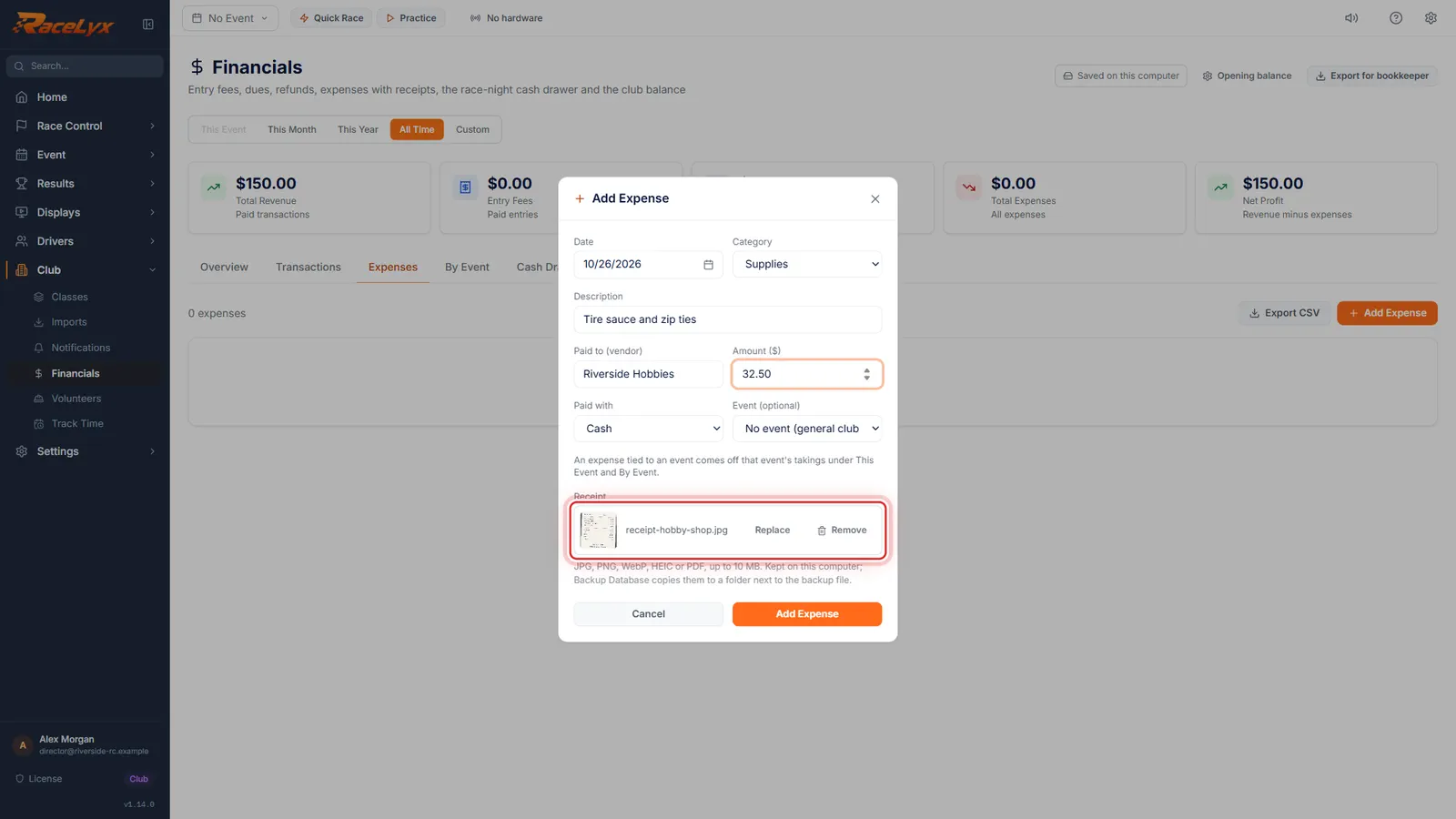
Under Receipt, click the box and choose the photo or PDF. It is saved on this computer straight away.
You can also drop the file on the box. JPG, PNG, WebP, HEIC or PDF, up to 10 MB. Once attached, the box shows a thumbnail and the file name, with Replace and Remove.
- 4
Add Expense
Click Add Expense. The receipt shows as a thumbnail in the Receipt column.
The expense is in the list and in the Ledger. An expense with no receipt shows Attach instead, which opens Edit Expense.
- 5
Show the receipt
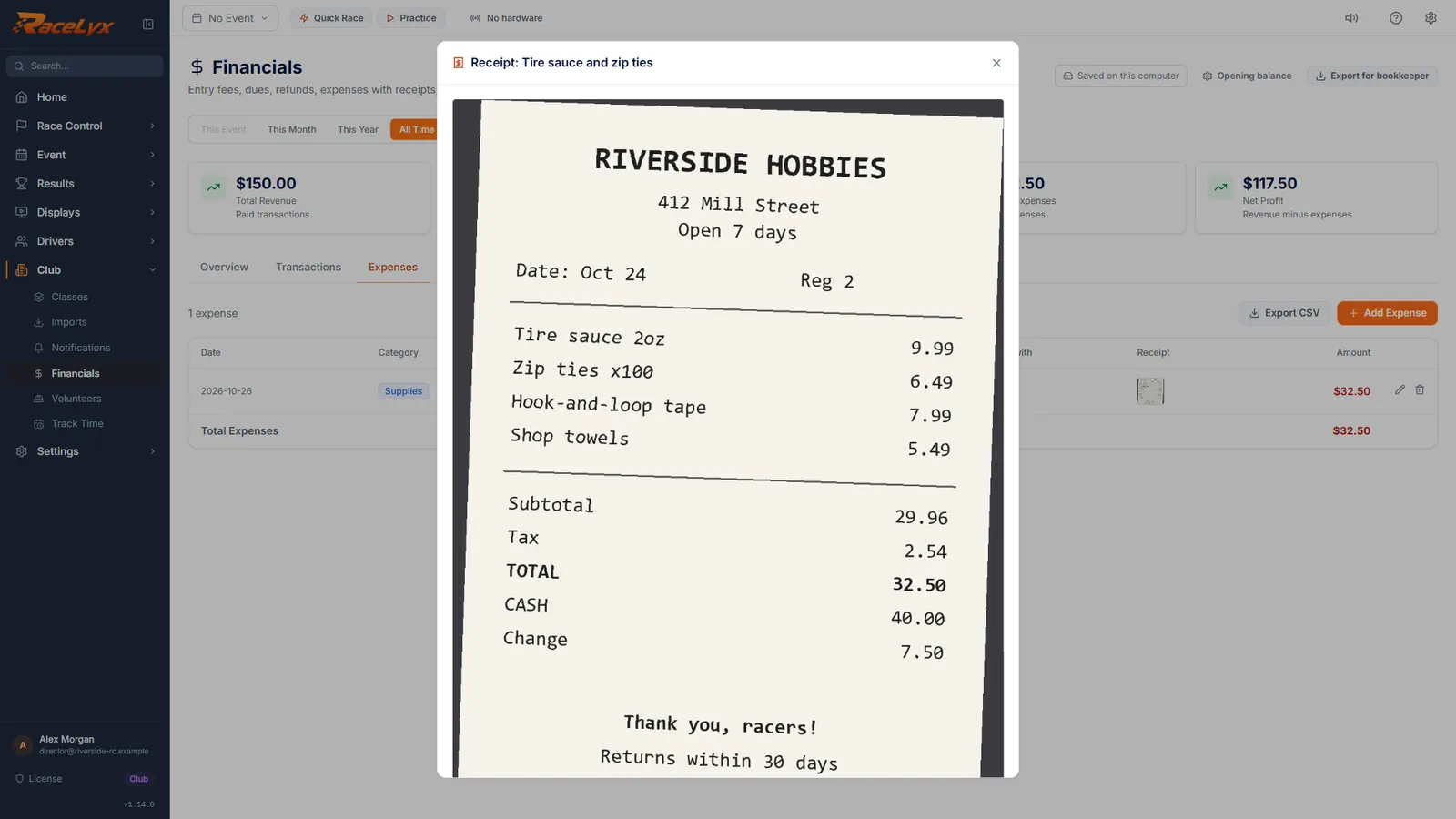
Click the thumbnail to see the receipt full size.
Photos show right here. PDF and HEIC receipts open in your computer's viewer with Open in my viewer. Press Escape to close.
Tips
- You can drop the file straight onto the receipt box.
- An expense with no receipt shows Attach in the Receipt column: click it to add one later.
- Replace swaps the file; Remove takes it off the expense.
- Backup Database copies the receipts to a folder next to the backup file. Automatic backups and Backup Now do not, so save a Backup Database copy to a USB stick now and then.
- PDF and HEIC receipts open in your computer's viewer with Open in my viewer.
Troubleshooting
- That receipt is over 10 MB. Take a smaller photo or scan it at a lower resolution.
- Retake the photo at a smaller size, or scan it at a lower resolution, and attach it again.
- This receipt is a PDF file. Open it in your computer's viewer to see it.
- PDFs do not show inside RaceLyx. Click Open in my viewer.
Related guides
Something here does not match what you see? Tell us and we will fix the guide.